
ClaudeMods
Claude Code mods: Claude Tools menu, Zen mode, terminal themes, effort and mode controls
Install with your AI
Paste into Claude Code, Cursor, or any agent — it reads the repo and wires the tool into your project.
Install and set up ClaudeMods (claude-plugin project) into my current project.
Found on https://claudeers.com/claudemods
Repo: https://github.com/Jhonatan-de-Souza/ClaudeMods
Homepage/docs: —
Detected install method: claude-plugin → /plugin install claudemods@Jhonatan-de-Souza/ClaudeMods
Category: plugins. Platforms: cli, api.
Read the repo's README for exact setup and env vars, then install it and wire it into my project.

Claudeers Health Verdict:
active; community-verified: false. Confirm the source before running anything.
/plugin marketplace add Jhonatan-de-Souza/ClaudeMods
/plugin install claudemods@Jhonatan-de-Souza/ClaudeMods
git clone https://github.com/Jhonatan-de-Souza/ClaudeMods
// compatibility
| Platforms | cli, api |
|---|---|
| Operating systems | — |
| AI compatibility | claude |
| License | — |
| Pricing | open-source |
| Language | TypeScript |
Claude Mods
English · Português
A sidebar for Claude Code: Zen mode, themes, model and effort, and a status line.

Install
Needs Claude Code 2.1.292 or newer.
claude plugin marketplace add Jhonatan-de-Souza/ClaudeMods
claude plugin install extra-mods@jdsjh-mods --scope user
Run /reload-plugins (or start a new session), then click ◆ extra-mods ▲ at the bottom right, or type /tools.
To update: claude plugin marketplace update jdsjh-mods && claude plugin update extra-mods@jdsjh-mods
What's inside
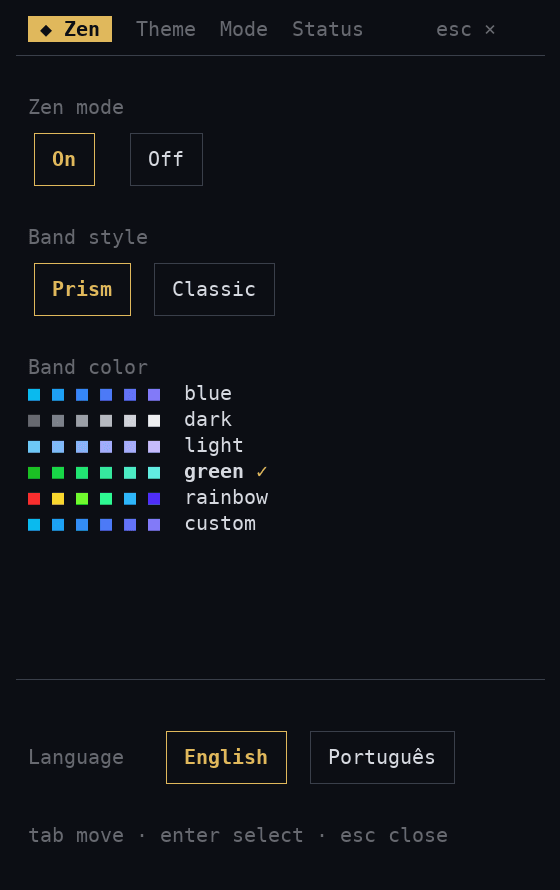
- Zen hides tool calls and shows Claude's plan as a progress band above the prompt.
- Theme applies any of 100+ themes from terminalcolors.com with one click.
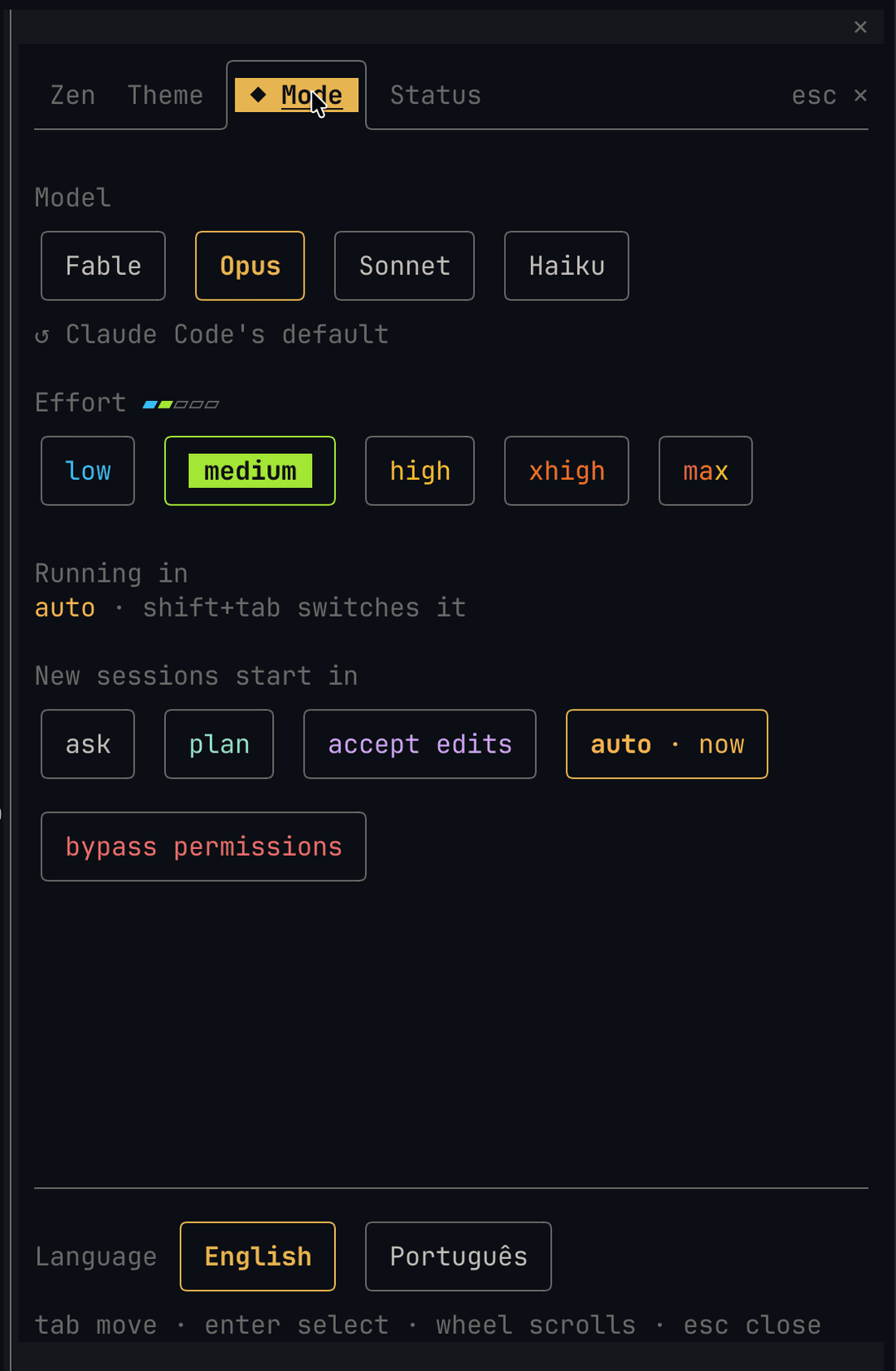
- Mode switches the model and effort, and picks the mode new sessions start in.
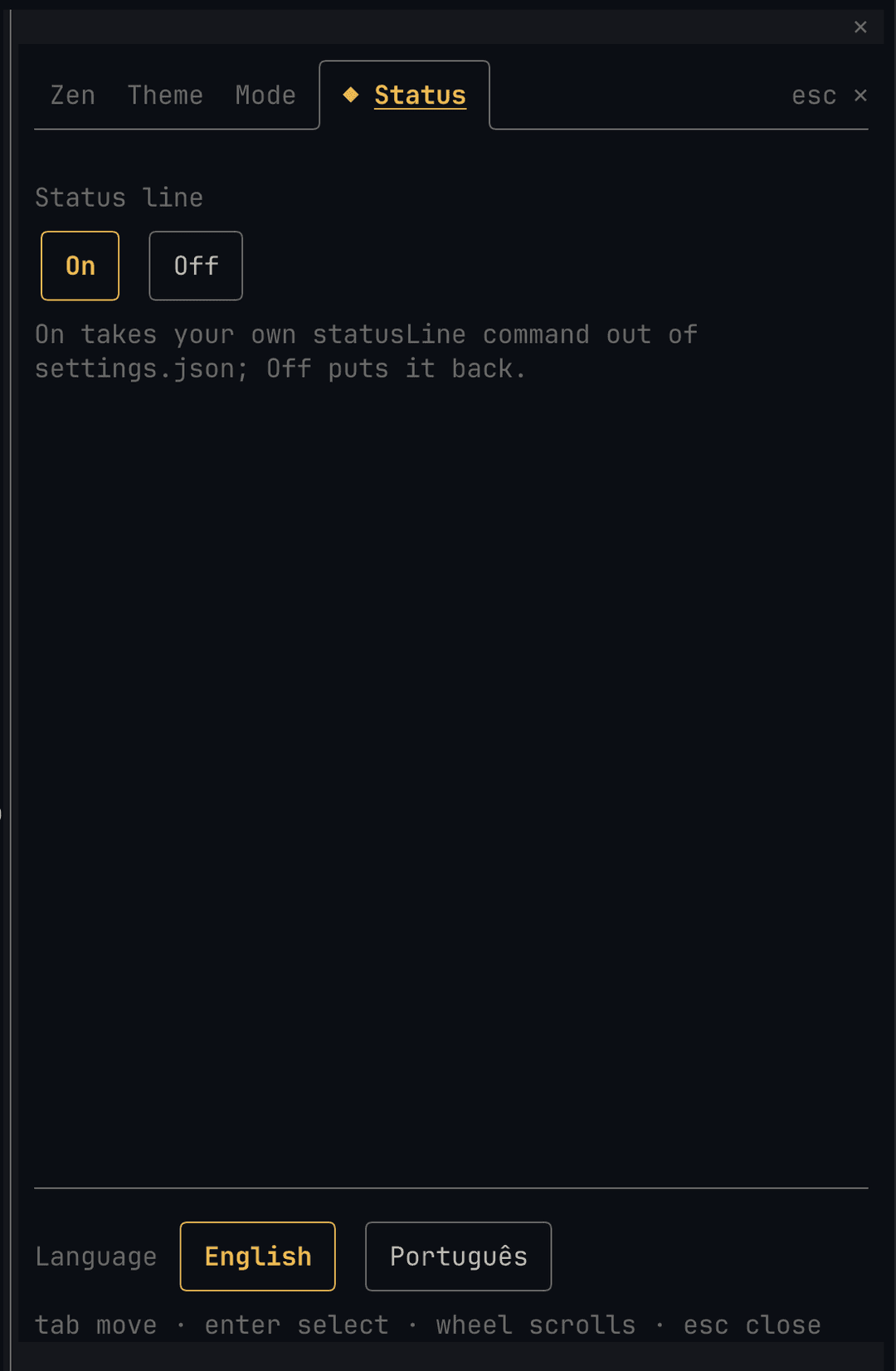
- Status shows model, folder, branch, context, 5h/7d limits and cache state on one row.
The sidebar speaks English and Português. Keys: Tab moves, Enter selects, Esc closes.
Good to know
- Zen: Claude gets a
zen_progresstool to post its plan and update each step.[–]shrinks the band to one line. Band colors: blue, dark, light, green, rainbow or custom. - Theme: themes download once to
~/.claude/extra-mods/themes/. The pick is written as~/.claude/themes/extra-mods.jsonand set in~/.claude/settings.json. Restart Claude Code once the first time; after that themes change live. The terminal background follows too, on Windows Terminal (for the session, then restored) and on terminals that take OSC colors (Ghostty, iTerm2, kitty, WezTerm, Terminal.app). - Mode: the model switch runs Claude Code's own
/model. The effort level applies to every request and is remembered. A running session's permission mode changes with shift+tab; the pick here is saved aspermissions.defaultMode. - Status: on by default. It takes your own
statusLineout ofsettings.jsonand puts it back when you turn it off. Background shells and monitors show on a second row; click it for/tasks. - Every settings file is backed up first, as
*.extra-mods.bak.
Install with an AI agent
Point your coding agent at this repository and ask it to install the mod. Steps for the agent (ask the user before step 4):
- Run
claude --version; it must be 2.1.292 or higher. - Run
claude plugin marketplace add Jhonatan-de-Souza/ClaudeMods. - Run
claude plugin install extra-mods@jdsjh-mods --scope user. - Optional, only if the user doesn't want the mod's status line: copy
statusline/statusline.pyto~/.claude/statusline.pyand set"statusLine": { "type": "command", "command": "python ~/.claude/statusline.py", "refreshInterval": 2 }in~/.claude/settings.json(python3on macOS and Linux). - Check
claude plugin listshowsextra-modsenabled, then tell the user to run/reload-plugins.
On Windows, use forward slashes in paths when running in Git Bash.
Develop
claude --plugin-dir ./plugins/extra-mods
claude plugin validate ./plugins/extra-mods
claude plugin test ./plugins/extra-mods
// faq
What is ClaudeMods?
Claude Code mods: Claude Tools menu, Zen mode, terminal themes, effort and mode controls. It is open-source on GitHub.
Is ClaudeMods free to use?
ClaudeMods is open-source, so it is free to use.
What category does ClaudeMods belong to?
ClaudeMods is listed under plugins in the Claudeers registry of Claude-compatible tools.
// embed badge

[](https://claudeers.com/claudemods)
// retro hit counter

[](https://claudeers.com/claudemods)
// reviews
// guestbook
// related in Claude Plugins
 🔓
A single CLAUDE.md file to improve Claude Code behavior, derived from Andrej Karpathy's observations on LLM coding pitfalls.
 🔓
Claude Code is an agentic coding tool that lives in your terminal, understands your codebase, and helps you code faster by executing routine tasks, explainin…
 🔓
"CLI-Anything: Making ALL Software Agent-Native" -- CLI-Hub: https://clianything.cc/
🔓financial-services — a Claude ecosystem project on GitHub.