
CCManagerUI
A local dashboard for running Claude: every isolated Desktop instance and its account, live-tailed Claude Code sessions, and a queue of claude runs dispatche…
Install with your AI
Paste into Claude Code, Cursor, or any agent — it reads the repo and wires the tool into your project.
Install and set up CCManagerUI (git-clone project) into my current project.
Found on https://claudeers.com/ccmanagerui
Repo: https://github.com/LunarWerxs/CCManagerUI
Homepage/docs: https://ccmanagerui.github.io
Detected install method: git-clone → git clone https://github.com/LunarWerxs/CCManagerUI
Category: devtools. Platforms: cli, api, desktop, web.
Read the repo's README for exact setup and env vars, then install it and wire it into my project.

Claudeers Health Verdict:
active; community-verified: false. Confirm the source before running anything.
git clone https://github.com/LunarWerxs/CCManagerUI
// compatibility
| Platforms | cli, api, desktop, web |
|---|---|
| Operating systems | — |
| AI compatibility | claude |
| License | MIT |
| Pricing | open-source |
| Language | TypeScript |
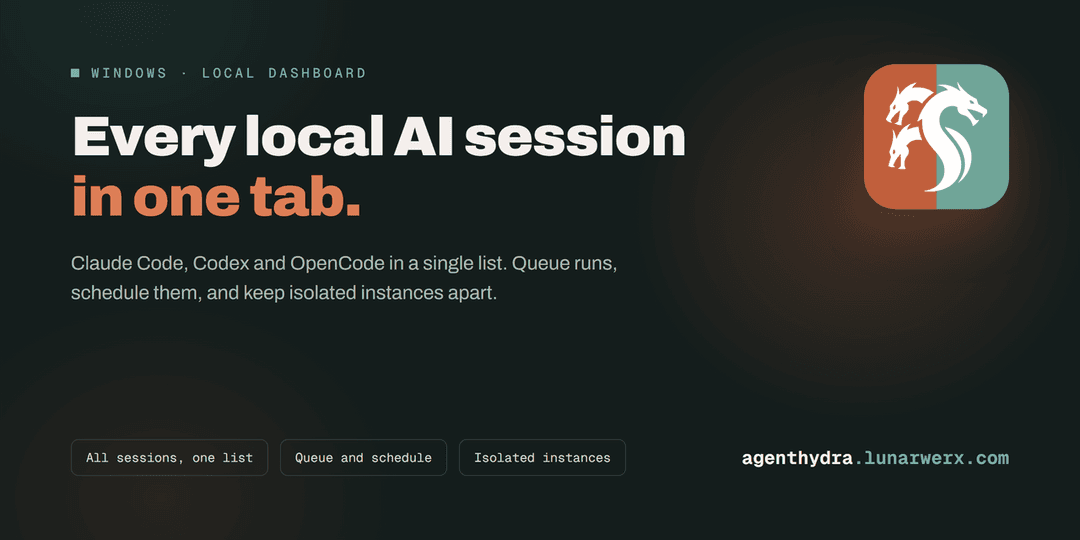
If you run Claude in more than one place, a couple of isolated Desktop instances on different accounts, a pile of Claude Code sessions across repos, a terminal or three, nothing shows you all of it at once. You alt-tab to remember which account is which, whether a session is still going, and what you asked it to do.
CC Manager UI is one local daemon that reads what is already on your machine and puts it in a single browser tab. It is not a Claude client and it does not replace one. It is the dashboard the CLI and the desktop app do not come with.
Every session, in one list
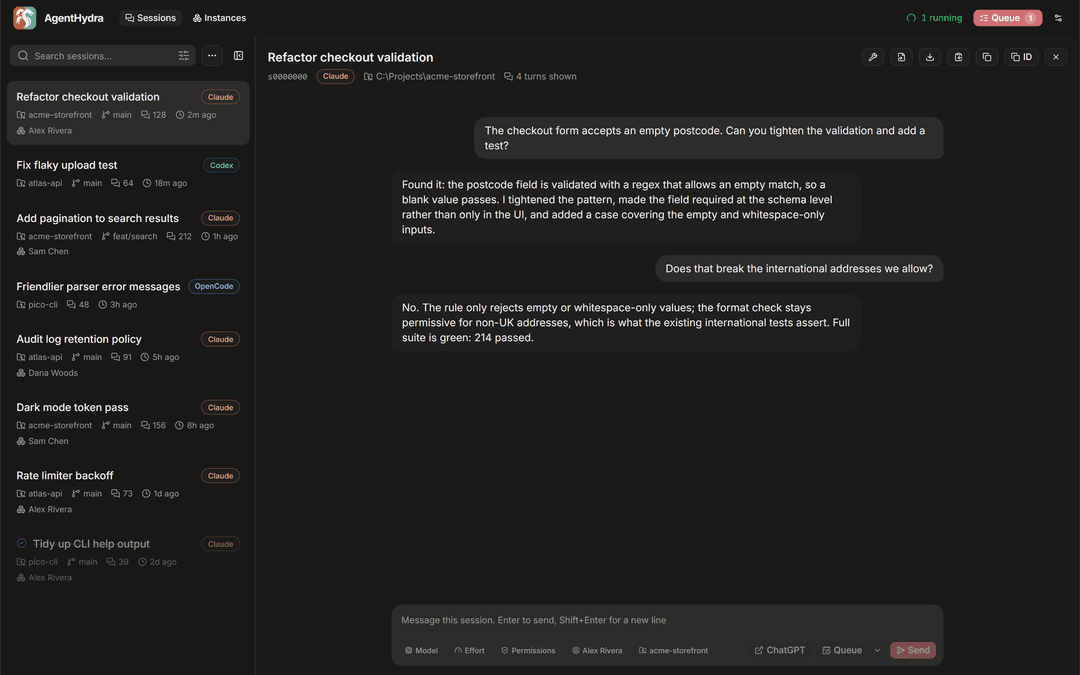
Screenshots use demo data.
Every Claude Code transcript on your machine, newest first, searchable, filtered by project or by instance or by how recent it is. Click one and you get the whole conversation, live-tailing while it runs.
The box at the bottom is the part people tend to like: you can type straight back into a session from here, without finding the terminal it belongs to. Pick several sessions and you can send the same message to all of them.
When you want the raw file, there is a button for opening the .jsonl in your editor, downloading
it under its real title, or copying it out.
Queue work and let it run
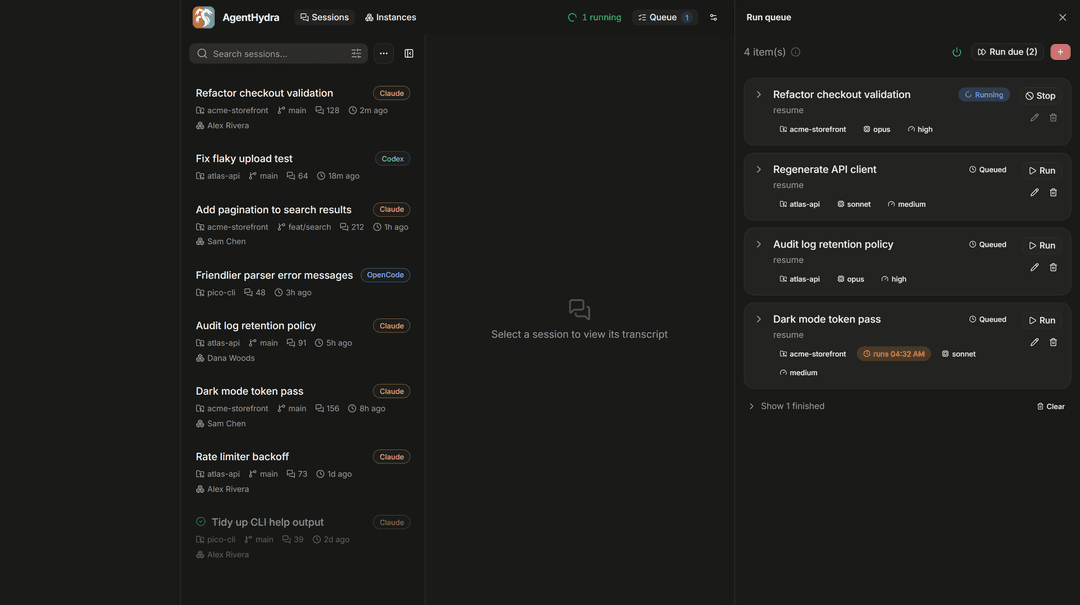
Build a list of claude runs, each with its own prompt, working directory, model, effort,
permission mode and account. Run one on demand, or let the scheduler drain the queue for you, one at
a time or a few at once, with spacing so you are not hammering anything.
Anything you queue can be given a start time, so "do this at 3am" is a checkbox and not a cron job you have to maintain.
Two things make this survive contact with reality:
- Runs reattach after a restart. Quitting the app, or letting it auto-update, does not kill what is in flight. It picks the runs back up.
- A rate limit is not a dead end. Sessions stopped by a 5-hour limit can resume themselves once the window resets, gated on your weekly usage so it does not spend everything the moment it can. This is off unless you turn it on.
Manage isolated instances
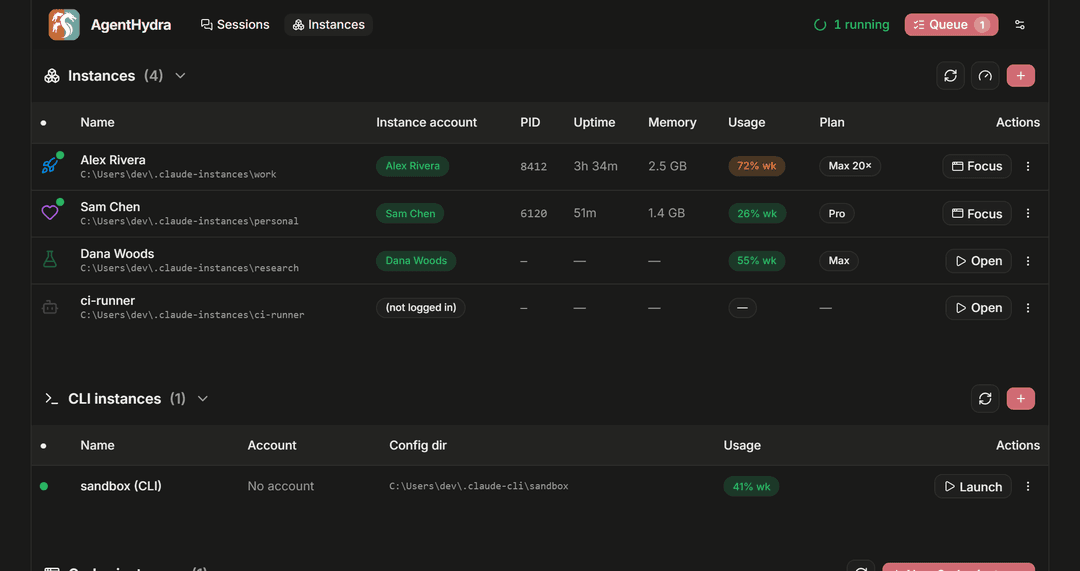
If you keep separate Claude Desktop instances for separate accounts, this is where they live. Each row shows which account it is signed into, its plan, and, while it is running, its process, memory and uptime.
You can open, focus, quit, create and delete them from here, give each one a name, an icon and a colour so they stop looking identical, and see your isolated CLI logins alongside the desktop instance that shares their account.
Install
Download the bundle for your OS from Releases,
unzip, and run CCManagerUI.exe (or ./ccmanagerui). Self-contained, no Bun needed. On Windows,
misc\Tray-Launch.vbs gives you a tray icon instead of a console window.
Or from source, with Bun:
git clone https://github.com/LunarWerxs/CCManagerUI.git
cd CCManagerUI && bun install
bun run build && bun run start
Either way the UI is at http://localhost:7787.
Just trying it? Set
CCMANAGERUI_FAKE=1and dispatch uses a harmless stand-in for theclaudeCLI, so nothing touches your quota or your repos. The scheduler is off by default. Note that instance actions (open / quit / create / delete) act on real Claude Desktop instances; delete asks you to type the name.
Nothing leaves your machine. There is no cloud service behind this, no account to sign up for, and
no telemetry. It reads the files Claude already writes and talks to localhost.
Requirements
- Bun if running from source.
- The
claudeCLI for dispatch, and/or Claude Desktop for instance management. - Windows for the tray launcher. macOS and Linux builds exist and the instance-account code is written for them, but they are not verified there yet.
- Windows instance management needs the classic Claude Desktop build (the ~217 MB Squirrel
.exeinstaller). The newer MSIX package cannot be launched with an isolated profile. The Instances tab detects this and links the right installer.
For agents
The whole API is exposed over MCP, so Claude Code, Claude Desktop or Cursor can drive sessions, the queue, the scheduler and instances directly. Setup and the full tool list are in docs/REFERENCE.md.
Agents can also read their own remaining quota before fanning out work, which is the difference between pacing a big job and hitting a wall halfway through it: docs/AI_USAGE_SELFCHECK.md.
More
Reference covers configuration, the MCP tools, auto-update, the stack, the repo layout and how to run the checks.
License
MIT.
// faq
What is CCManagerUI?
A local dashboard for running Claude: every isolated Desktop instance and its account, live-tailed Claude Code sessions, and a queue of claude runs dispatched on demand or on a schedule. Local, private, MCP-native.. It is open-source on GitHub.
Is CCManagerUI free to use?
CCManagerUI is open-source under the MIT license, so it is free to use.
What category does CCManagerUI belong to?
CCManagerUI is listed under devtools in the Claudeers registry of Claude-compatible tools.
// embed badge

[](https://claudeers.com/ccmanagerui)
// retro hit counter

[](https://claudeers.com/ccmanagerui)
// reviews
// guestbook
// related in Developer Tools
 🔓
🔓The agent harness performance optimization system. Skills, instincts, memory, security, and research-first development for Claude Code, Codex, Opencode, Curs…
 🔓
🔓Makes your AI agent think like the laziest senior dev in the room. The best code is the code you never wrote.
 🔓
🔓Use Garry Tan's exact Claude Code setup: 23 opinionated tools that serve as CEO, Designer, Eng Manager, Release Manager, Doc Engineer, and QA
 🔓
🔓AI coding assistant skill (Claude Code, Codex, OpenCode, Cursor, Gemini CLI, and more). Turn any folder of code, SQL schemas, R scripts, shell scripts, docs,…