
ccMesh
ccMesh is a lightweight forwarding layer for Claude Code. It intercepts Claude protocol traffic and routes it to either Anthropic Claude endpoints or OpenAI-…
Install with your AI
Paste into Claude Code, Cursor, or any agent — it reads the repo and wires the tool into your project.
Install and set up ccMesh (git-clone project) into my current project.
Found on https://claudeers.com/ccmesh
Repo: https://github.com/VkRainB/ccMesh
Homepage/docs: https://vkrainb.github.io/ccMesh/guide/quickstart.html
Detected install method: git-clone → git clone https://github.com/VkRainB/ccMesh
Category: devtools. Platforms: cli, api, desktop, web.
Read the repo's README for exact setup and env vars, then install it and wire it into my project.

Claudeers Health Verdict:
active; community-verified: false. Confirm the source before running anything.
git clone https://github.com/VkRainB/ccMesh
// compatibility
| Platforms | cli, api, desktop, web |
|---|---|
| Operating systems | — |
| AI compatibility | claude |
| License | Apache-2.0 |
| Pricing | open-source |
| Language | Rust |

ccMesh 是基于 Tauri 2 + Rust + React 19 的桌面端 AI 代理网关:在本机统一接入 Claude / OpenAI / Codex 等多类上游,提供协议转换、模型映射、端点轮换与熔断、请求统计与配置管理等能力。支持 Windows、macOS、Linux。
界面预览
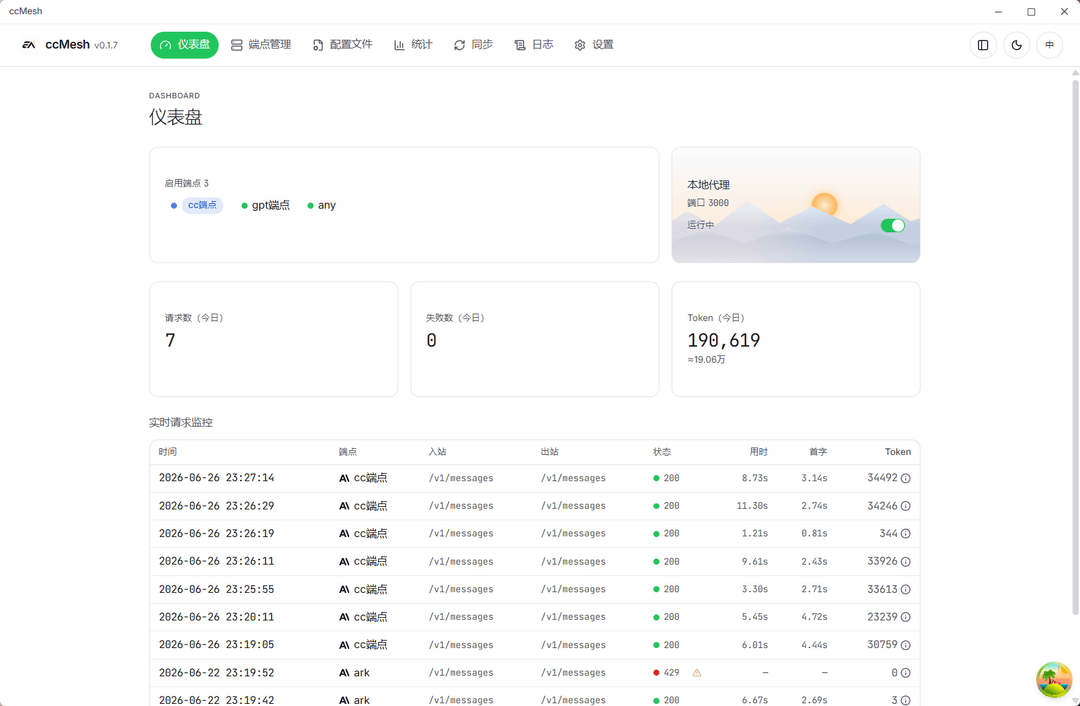 仪表盘:代理状态、Token 概览与实时请求监控 | 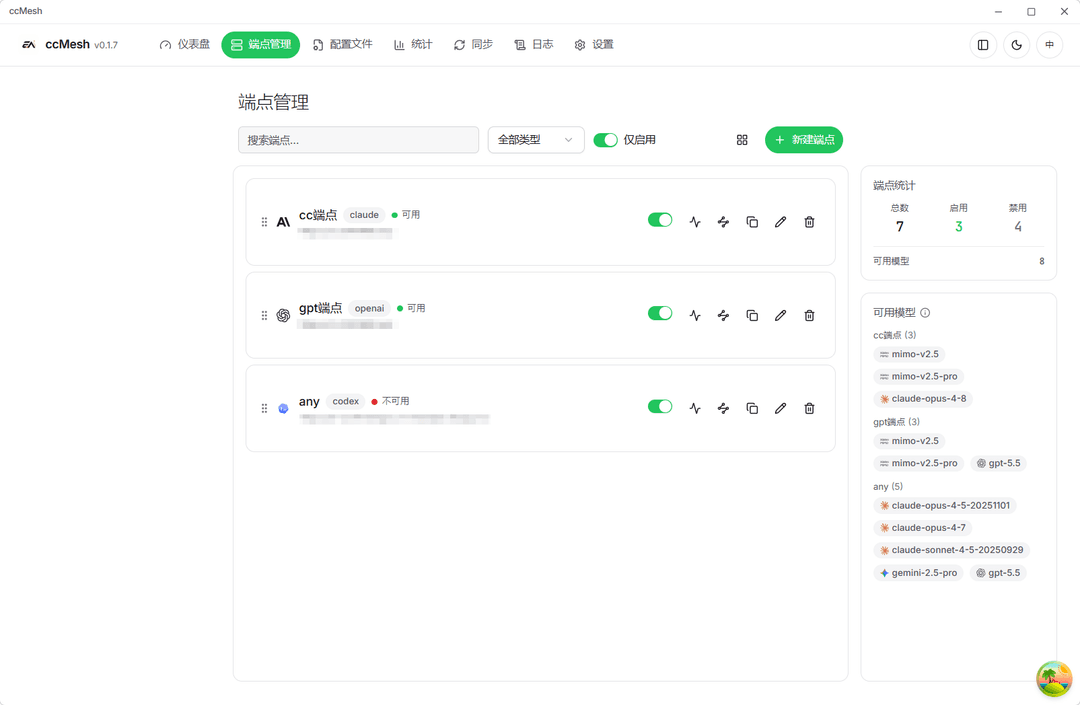 端点管理:多端点、模型映射与连通性测试 |
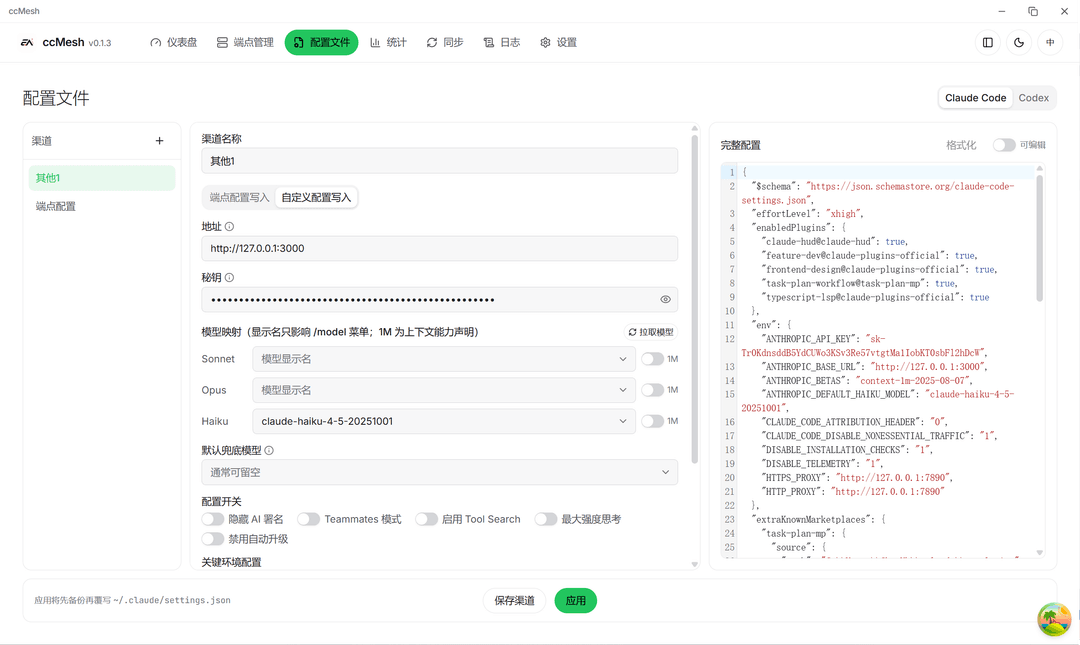 配置文件:Claude Code / Codex 渠道化管理 | 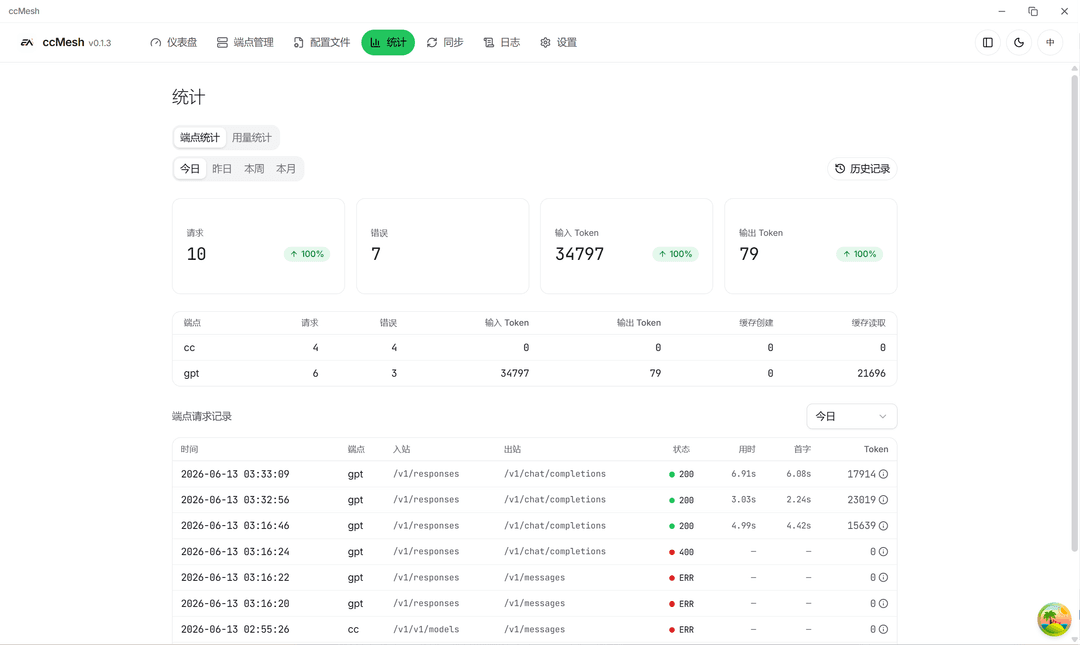 统计:用量汇总与端点维度分析 |
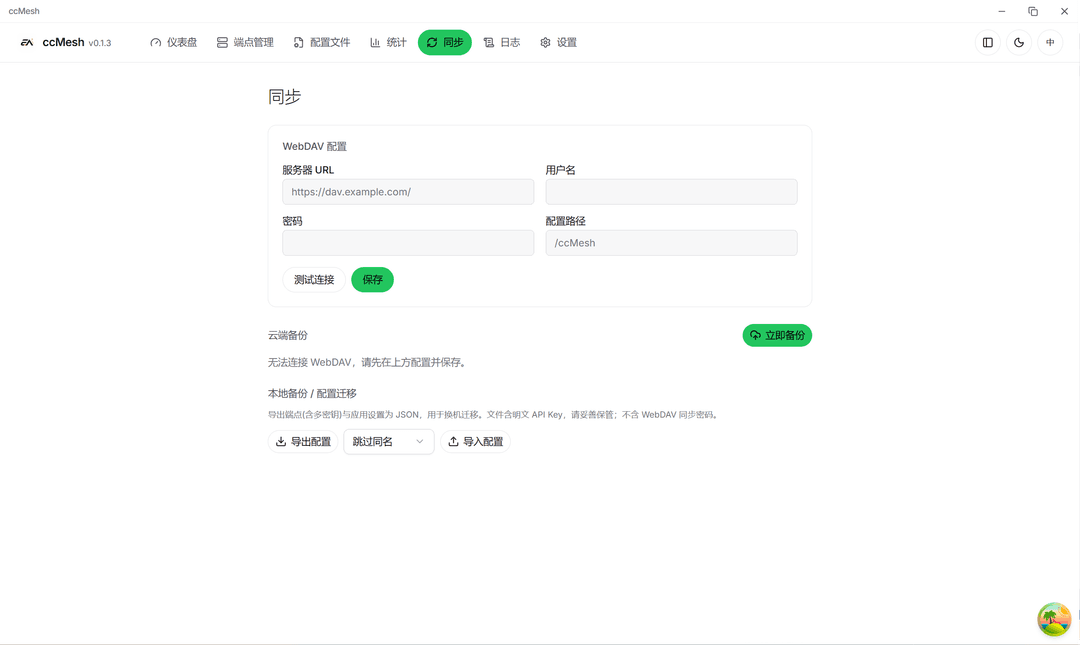 同步:配置备份、恢复与导出 | 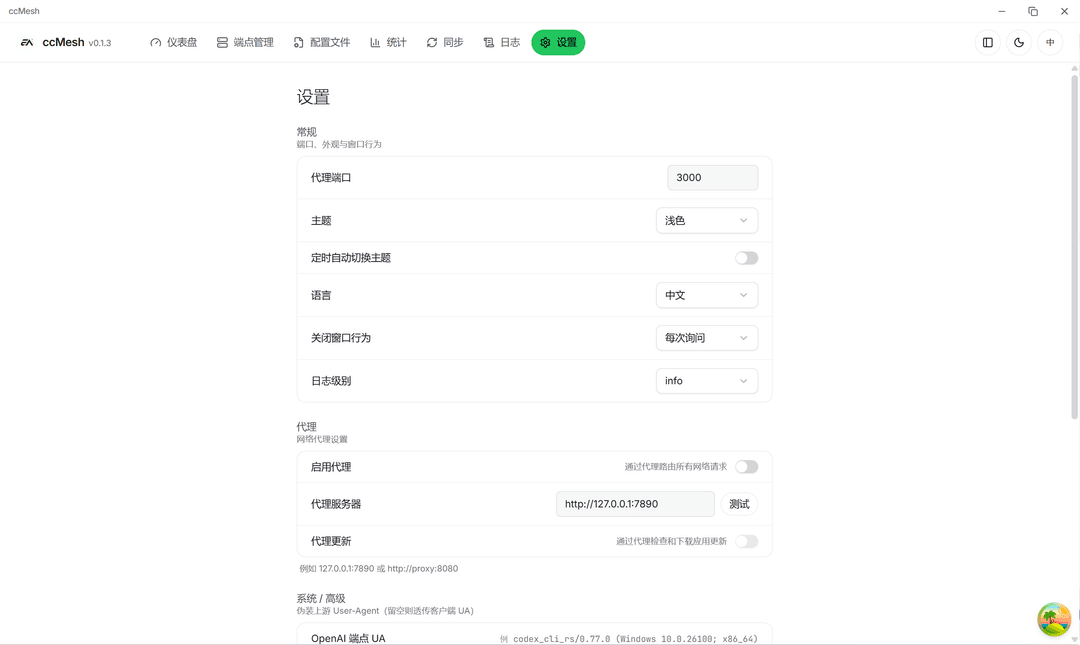 设置:全局代理、UA 与系统选项 |
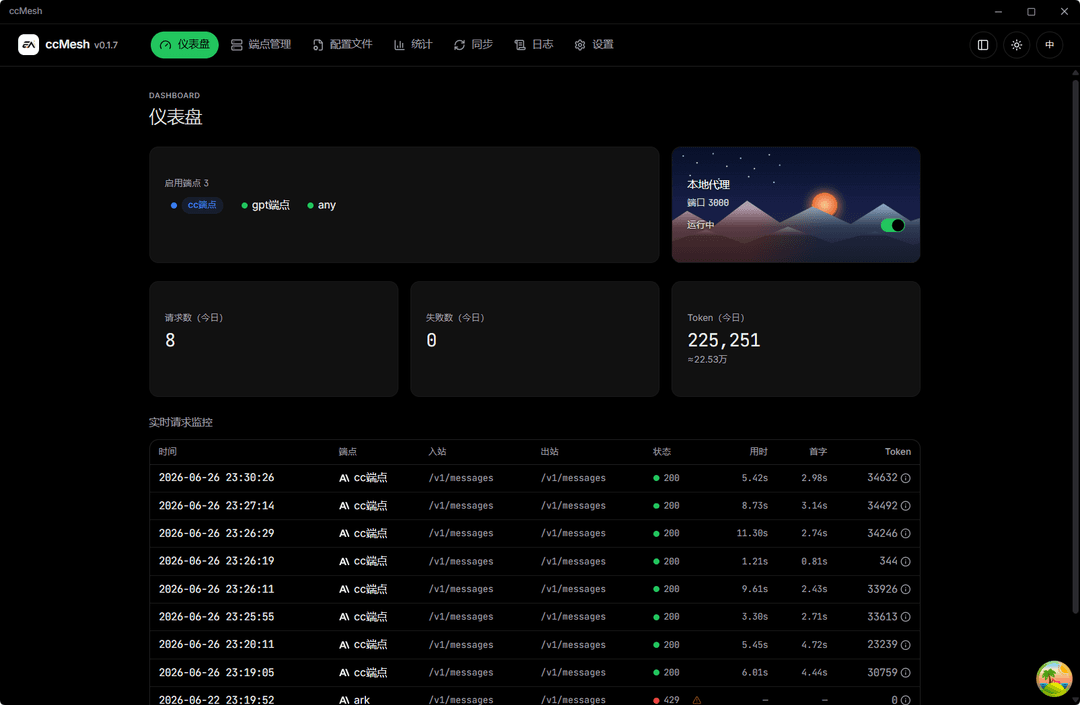 深色主题界面 | |
功能特性
仪表盘
- 本地代理服务启停与端口状态一览
- 今日 Token 用量与请求概览
- 实时请求监控:模型、耗时、首字延迟、Token 明细
端点管理
- 多端点 CRUD、拖拽排序、列表/网格视图
- 支持 claude(直通)、openai(转换)、codex(Responses) 三类转换器
- 模型清单维护、入站/出站模型映射、连通性测试
- 按模型过滤的轮换与熔断,避免无关端点被误伤
配置文件
- 以「渠道」管理 Claude Code
settings.json与 Codexauth.json+config.toml - 端点写入 / 自定义写入双模式,表单与 JSON 双向联动
- 保存渠道与应用覆写分离,应用前自动备份
统计与同步
- 按应用、端点、模型维度查看历史用量
- 配置与数据备份、恢复、导出
设置
- 全局出站代理、Claude/Codex CLI User-Agent
- 应用内自动更新(GitHub Releases)
安装
最新安装包见 Releases。应用支持通过内置更新器拉取新版本(详见 docs/guides/auto-update-and-release.md)。
Windows
下载 *-setup.exe(NSIS)或 *.msi,双击安装即可。
macOS(当前为未签名版本)
由于暂未配置 Apple 开发者签名与公证,首次打开可能被 Gatekeeper 拦截。推荐:
- 将 ccMesh.app 拖入「应用程序」
- 右键 ccMesh →「打开」→ 再次确认「打开」
若提示「已损坏」,可在终端执行:
xattr -dr com.apple.quarantine /Applications/ccMesh.app
Linux
按发行版选择安装包:
-
AppImage(推荐)
chmod +x ccMesh_*.AppImage ./ccMesh_*.AppImage -
deb(Debian/Ubuntu)
sudo apt install ./ccMesh_*_amd64.deb -
rpm(Fedora/RHEL)
sudo dnf install ./ccMesh-*.x86_64.rpm
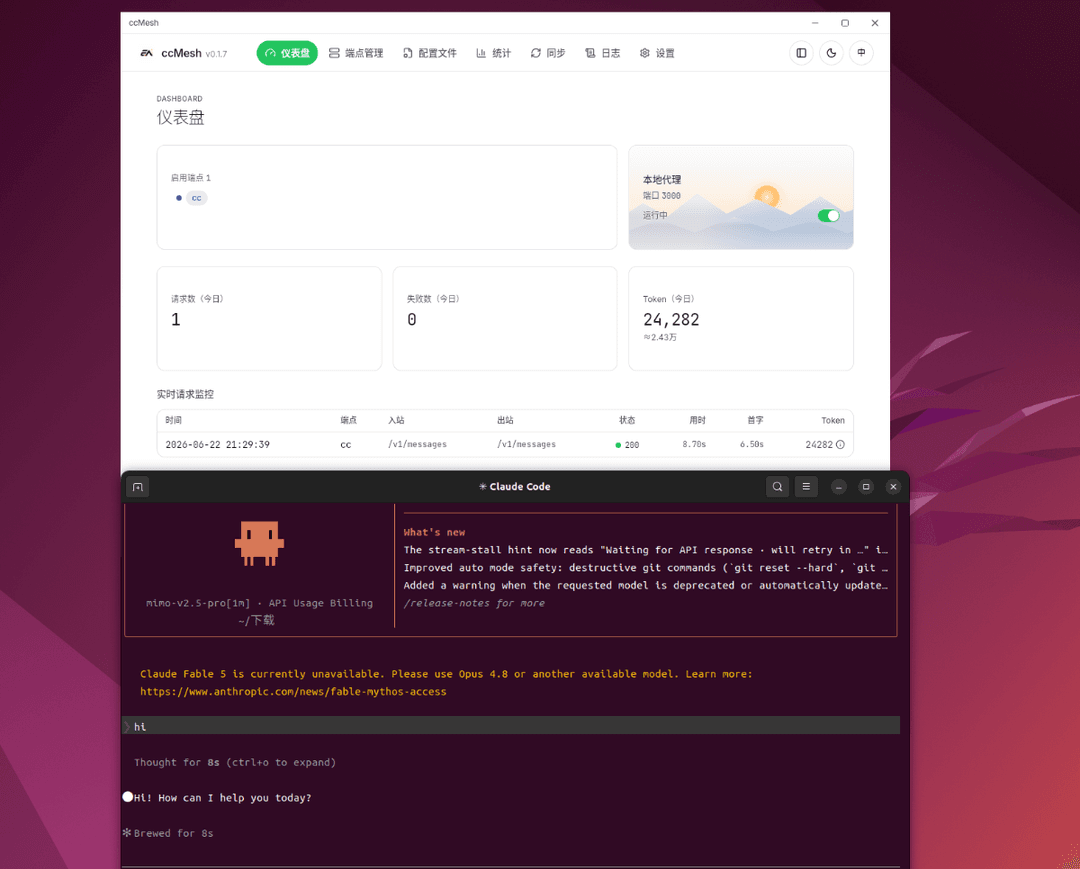
Linux 桌面运行预览
从源码构建
环境要求
- Rust stable — https://rustup.rs
- Node.js LTS、pnpm 10+
- 各平台 Tauri 构建依赖 — https://tauri.app/start/prerequisites/
开发
pnpm install
pnpm tauri dev      # 启动桌面开发环境
pnpm test           # 前端单测
生产构建
pnpm tauri build
各平台额外依赖:
-
Windows:MSVC 工具链 + WebView2
-
macOS:Xcode Command Line Tools(通用二进制)
-
Linux(Ubuntu/Debian 构建机):
sudo apt-get install -y \
  libwebkit2gtk-4.1-dev \
  libayatana-appindicator3-dev \
  librsvg2-dev \
  patchelf
本地
pnpm tauri build若开启 updater 签名产物,需配置TAURI_SIGNING_PRIVATE_KEY等环境变量,详见docs/guides/auto-update-and-release.md。
检查
pnpm check:front
pnpm check:rust
技术栈
Tauri 2、Rust、axum、reqwest(rustls)、SQLite、React 19、TypeScript、Vite、TanStack Query、Tailwind CSS v4、shadcn/ui、CodeMirror 6。
社区支持
学 AI,上 L 站:LinuxDO
许可证
ccMesh 采用 Apache License 2.0 开源协议。
Star History
// faq
What is ccMesh?
ccMesh is a lightweight forwarding layer for Claude Code. It intercepts Claude protocol traffic and routes it to either Anthropic Claude endpoints or OpenAI-compatible APIs — switch backends without touching your client config.. It is open-source on GitHub.
Is ccMesh free to use?
ccMesh is open-source under the Apache-2.0 license, so it is free to use.
What category does ccMesh belong to?
ccMesh is listed under devtools in the Claudeers registry of Claude-compatible tools.
// embed badge

[](https://claudeers.com/ccmesh)
// retro hit counter

[](https://claudeers.com/ccmesh)
// reviews
// guestbook
// related in Developer Tools
 🔓
🔓The agent harness performance optimization system. Skills, instincts, memory, security, and research-first development for Claude Code, Codex, Opencode, Curs…
 🔓
🔓Makes your AI agent think like the laziest senior dev in the room. The best code is the code you never wrote.
 🔓
🔓Use Garry Tan's exact Claude Code setup: 23 opinionated tools that serve as CEO, Designer, Eng Manager, Release Manager, Doc Engineer, and QA
 🔓
🔓AI coding assistant skill (Claude Code, Codex, OpenCode, Cursor, Gemini CLI, and more). Turn any folder of code, SQL schemas, R scripts, shell scripts, docs,…