
brow
Claude Code usage and rate limits in the MacBook notch. Track the 5-hour and weekly limits of multiple Claude accounts at once, see when each resets, and sig…
Install with your AI
Paste into Claude Code, Cursor, or any agent — it reads the repo and wires the tool into your project.
Install and set up brow (git-clone project) into my current project.
Found on https://claudeers.com/brow
Repo: https://github.com/efim0v/brow
Homepage/docs: https://github.com/efim0v/grove
Detected install method: git-clone → git clone https://github.com/efim0v/brow
Category: automation. Platforms: cli, api, web.
Read the repo's README for exact setup and env vars, then install it and wire it into my project.

Claudeers Health Verdict:
unknown; community-verified: false. Confirm the source before running anything.
git clone https://github.com/efim0v/brow
// compatibility
| Platforms | cli, api, web |
|---|---|
| Operating systems | — |
| AI compatibility | claude |
| License | GPL-3.0 |
| Pricing | open-source |
| Language | Swift |
Brow — Claude Code rate limits in the MacBook notch
A macOS app that shows the usage and rate limits of every Claude Code account you have, right in the MacBook notch: the 5-hour limit, the weekly limit, and when each resets. One click signs you in to an account in a browser profile that belongs to that account alone.
It is for people who keep several Claude subscriptions and run a separate stream of AI-assisted work on each. Brow shows at a glance which account is close to its limit, which has room, and when each one frees up.
Download Brow for macOS · macOS 26 or later, Apple silicon · install notes
Which account still has room
Hover the notch: every account's 5-hour and weekly limits open out of it. Copy an account's launch command and Claude Code starts as that account.

When each limit resets
The calendar marks every account's weekly resets and subscription renewals. Point at a day to see what frees up.

Sign in again in one click
When an account's sign-in expires, the key next to it starts claude auth login for that account and opens the browser profile that belongs to it, already signed in to that account. Other accounts stay signed in.

All demos show made-up demo data.
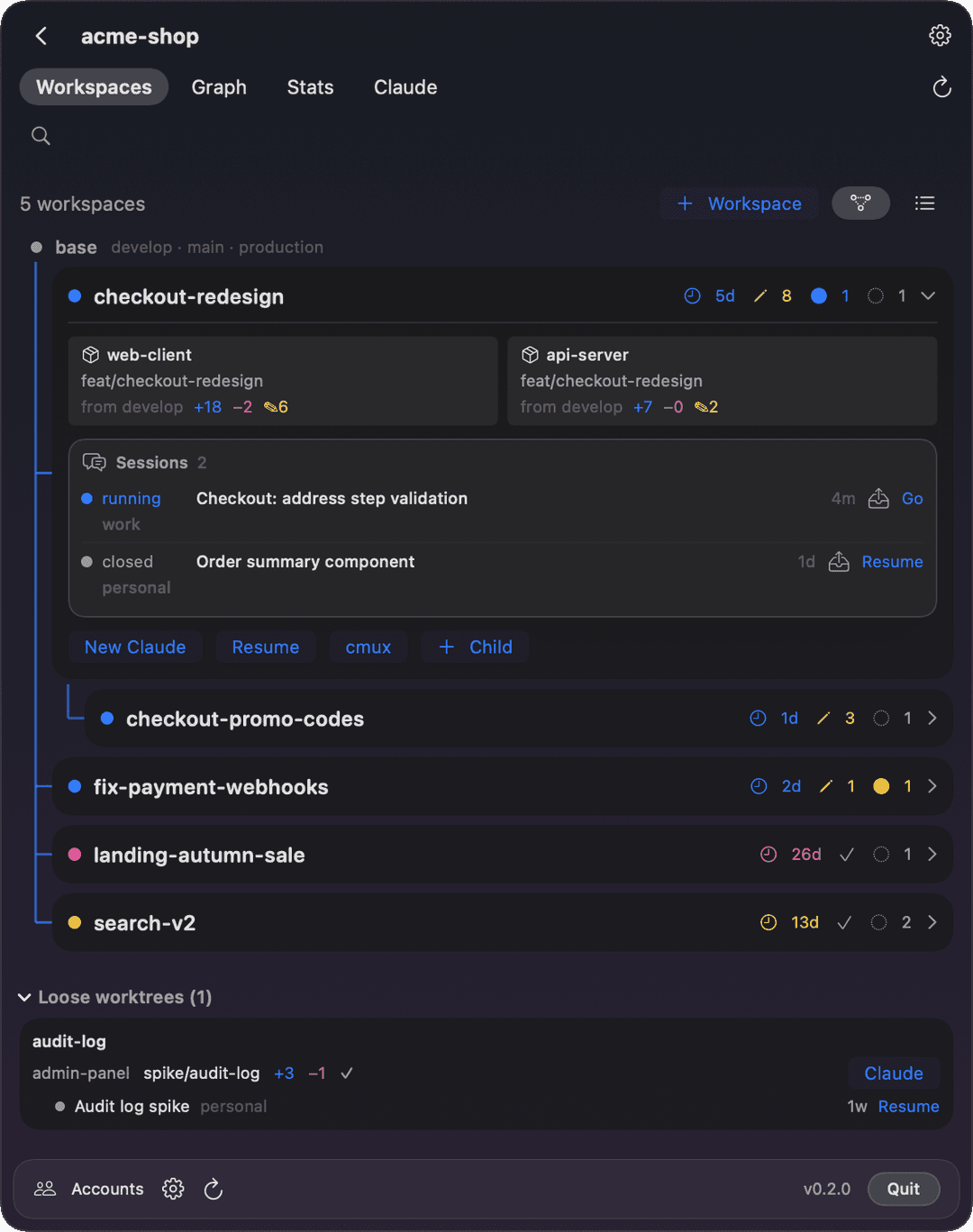
Companion app: Grove. Grove gives each feature of a multi-repo project its own workspace for Claude Code and moves a session from one account to another. Brow tells you which account has room; Grove moves the work there. Each runs on its own, and they are built to be used together.
What it does
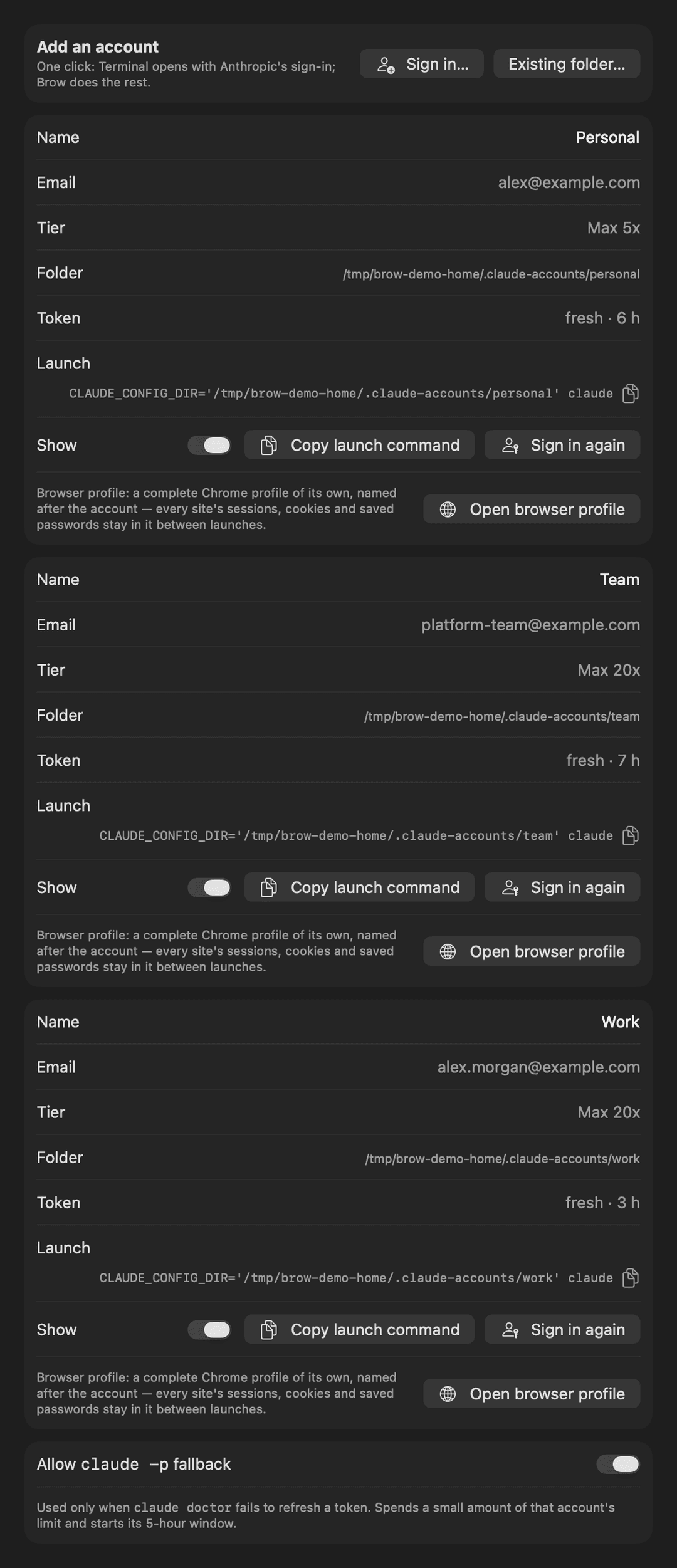
- Every account at a glance. For each account: the 5-hour limit, the weekly limit and any model-specific weekly limit, as percent used, with the time until each resets.
- A reset calendar. Weekly resets and estimated subscription renewals on a month grid, so you can see which account frees up when.
- Copy the launch command. One button copies the command that starts Claude Code as that account.
- Sign in again, in that account's own browser. Each account gets a separate browser profile — its own cookies, history and saved logins — so signing in to one never disturbs another. A second button opens that profile directly.
- Add an account in one click. Brow creates the account folder and opens Anthropic's own sign-in flow.
- Tokens kept fresh. Idle accounts are refreshed in the background, so the numbers do not go stale.
Separate browser profiles need Google Chrome, Chromium, Brave or Edge. Without one of them links open in your default browser, with no isolation. More detail on pacing, refresh and layout options is in docs/brow.md.
Collapsed, Brow shows two numbers beside the notch: how much of the 5-hour limit and of the weekly limit is used across your accounts. Hover and it opens into the panel above. The readouts can also sit in a strip below the notch:

How Brow and Grove fit together
Claude Code keeps each account in its own directory: ~/.claude for the default account and ~/.claude-accounts/<name> for the others. Both apps read those directories; neither talks to the other directly.
- Accounts. Brow creates account folders when you sign in; Grove picks them up and can launch any session under any of them.
- The browser router. Brow ships a small script that opens links in the right account's browser profile. When Brow is installed, Grove passes that script to every Claude Code session it starts, so a sign-in prompt from a session lands in the right profile.
- Shared code. The account, credential and usage logic lives in Grove's
GroveCorelibrary, which this package depends on.
The full picture, including how sessions are shared between accounts, is in Grove's README and in docs/grove-and-brow.md.
What Brow does on your machine
Worth knowing before you run it:
- Brow reads Claude Code's sign-in token from the macOS Keychain — macOS asks once per account — and uses it only to call Anthropic's usage and profile endpoints. Those endpoints are not a documented public API and may change. No token is written to disk or logged, and nothing is sent anywhere else.
- The fallback token refresh is on by default. If the normal refresh stops working Brow runs a tiny
claude -prequest, which spends a little limit and starts that account's 5-hour window. Turn it off in Settings → Accounts. - Each account's browser profile is a separate directory under
~/Library/Application Support/Brow/browser-profiles/. Brow sets the profile's name and allows third-party cookies in it so that sign-in works. - Signing in opens Terminal with
claude auth login; macOS asks once for permission to control Terminal.
This is an independent tool, not affiliated with or endorsed by Anthropic.
Requirements
- macOS 26 or later. The notch layout is for MacBooks with a notch; on other displays Brow shows a pill.
- Xcode with Swift 6.2, to build.
- Claude Code.
- For separate browser profiles: Chrome, Chromium, Brave or Edge.
Install
Download Brow.zip from the latest release, unzip it and move Brow.app to /Applications.
The build is signed ad hoc and is not notarized by Apple, so macOS blocks the first launch. Open System Settings → Privacy & Security, find the message about Brow and press Open Anyway — or clear the quarantine flag yourself:
xattr -dr com.apple.quarantine /Applications/Brow.app
On first launch macOS asks once per account for access to Claude Code's Keychain item — choose Always Allow. Because the build is signed ad hoc, macOS asks again after you update to a newer build.
SHA256SUMS.txt in the release is there to check the download against.
Build
git clone https://github.com/efim0v/brow.git
cd brow

swift test                 # fetches GroveCore from the Grove repository
Scripts/build-brow.sh      # -> dist/Brow.app
cp -R dist/Brow.app /Applications/
The app is signed ad hoc by default. macOS then forgets the Keychain and Automation permissions on every rebuild; to keep them, set GROVE_SIGN_IDENTITY to your own Apple Development: Name (TEAMID) identity before building.
Layout
| Path | What it is |
|---|---|
Sources/BrowKit | The app: notch panel and geometry, limits store, views, settings |
Sources/BrowApp | Entry point |
Resources/brow-browser.sh | The per-account browser router |
Tests/BrowKitTests | About 150 tests |
docs | Brow in detail, how Brow and Grove fit together |
The only dependency is GroveCore from the Grove repository.
Development
- The screenshots in this README are regenerated with
DEMO_SCREENSHOTS_DIR="$PWD/docs/screenshots" swift test --filter DemoScreenshotTests. - The notch outline's tuning constants are in
Sources/BrowKit/Panel/NotchGeometry.swift; they are meant to be tuned by eye against the physical bezel.
License
GNU GPL v3. Version 0.2.0 and earlier were released under the MIT License.
// faq
What is brow?
Claude Code usage and rate limits in the MacBook notch. Track the 5-hour and weekly limits of multiple Claude accounts at once, see when each resets, and sign in to each account in its own browser profile. macOS app for AI coding.. It is open-source on GitHub.
Is brow free to use?
brow is open-source under the GPL-3.0 license, so it is free to use.
What category does brow belong to?
brow is listed under automation in the Claudeers registry of Claude-compatible tools.
// embed badge

[](https://claudeers.com/brow)
// retro hit counter

[](https://claudeers.com/brow)
// reviews
// guestbook
// related in Automation & Workflows
 🔓
🔓 🔓
🔓The API to search, scrape, and interact with the web at scale. 🔥
 🔓
🔓🌐 Make websites accessible for AI agents. Automate tasks online with ease.
 🔓
🔓Taste-Skill - gives your AI good taste. stops the AI from generating boring, generic slop