
video-director
Claude Code skill that directs short videos from brief to render: design options, storyboard, motion spec, HyperFrames build and render checks. Rules measure…
Install with your AI
Paste into Claude Code, Cursor, or any agent — it reads the repo and wires the tool into your project.
Install and set up video-director (claude-plugin project) into my current project.
Found on https://claudeers.com/video-director-2
Repo: https://github.com/SallyRS/video-director
Homepage/docs: —
Detected install method: claude-plugin → /plugin install video-director@SallyRS/video-director
Category: plugins. Platforms: api, web.
Read the repo's README for exact setup and env vars, then install it and wire it into my project.

Claudeers Health Verdict:
unknown; community-verified: false. Confirm the source before running anything.
⚠ Unverified / not recently updated — review before pasting a run-this config.
/plugin marketplace add SallyRS/video-director
/plugin install video-director@SallyRS/video-director
git clone https://github.com/SallyRS/video-director
// compatibility
| Platforms | api, web |
|---|---|
| Operating systems | — |
| AI compatibility | claude |
| License | MIT |
| Pricing | open-source |
| Language | Python |
Video Director
A Claude Code skill that directs short videos from brief to finished render. Product launch films, explainers, brand films, designed demos, vertical social shorts, event and data videos, and live-action story ads, from about 6 seconds to 3 minutes, mixing motion graphics with photos, footage and generated clips.
You direct; Claude designs and builds. Nothing is animated until you have approved it as still frames, and every visual decision is a pick from 2-3 real options, never a reaction to one take.
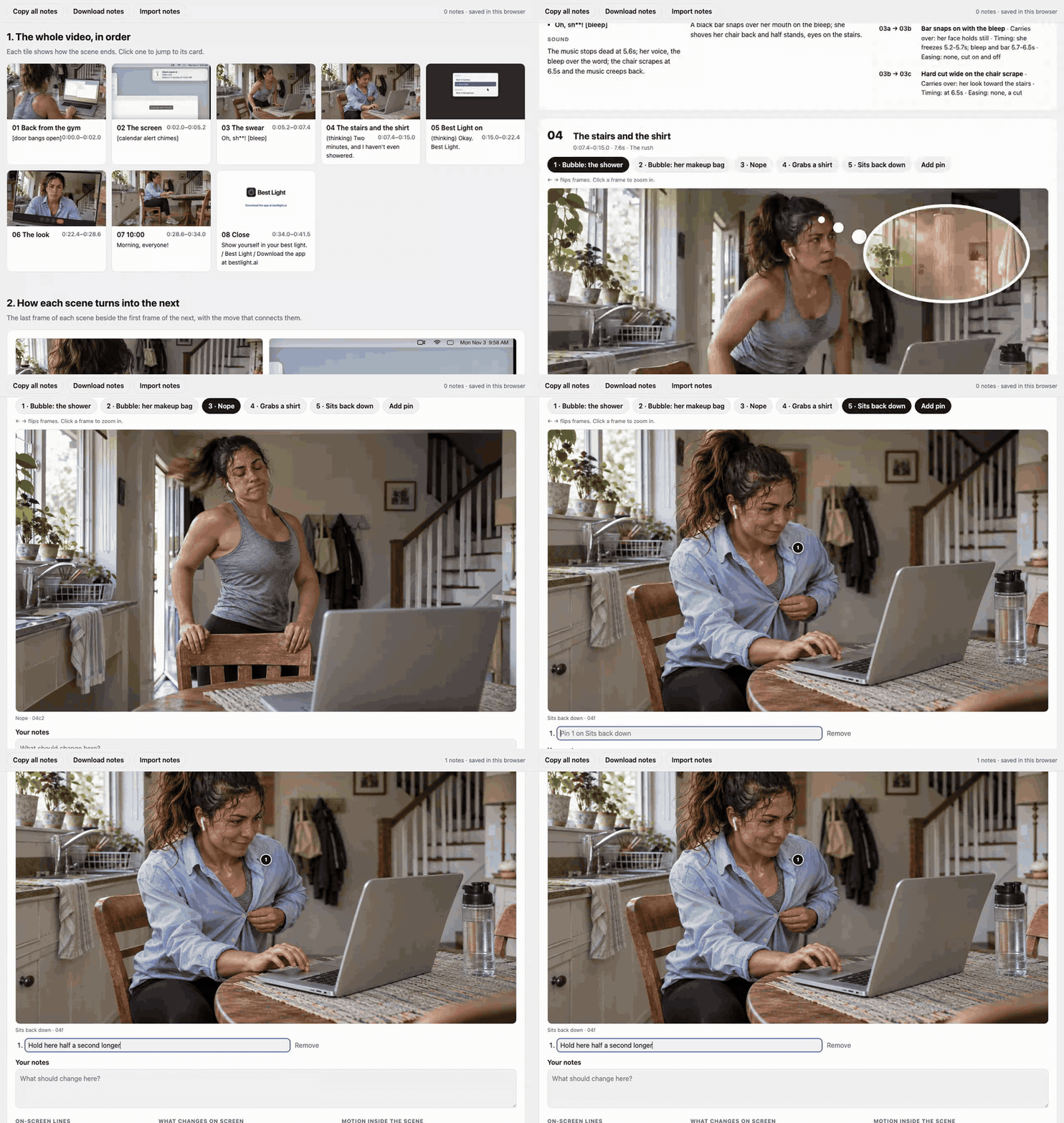
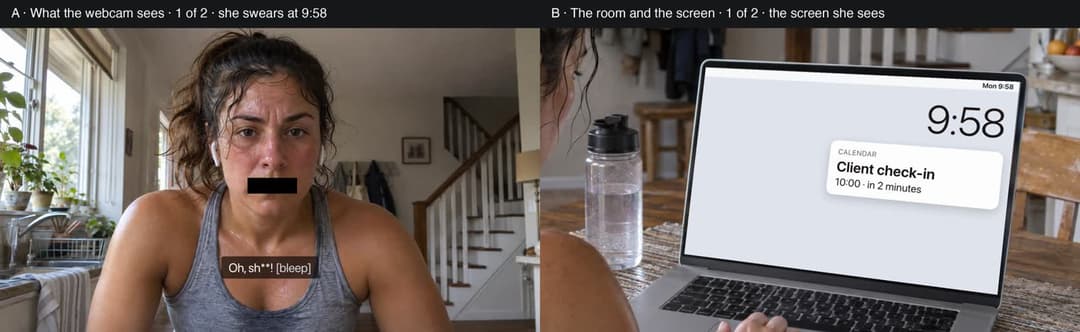
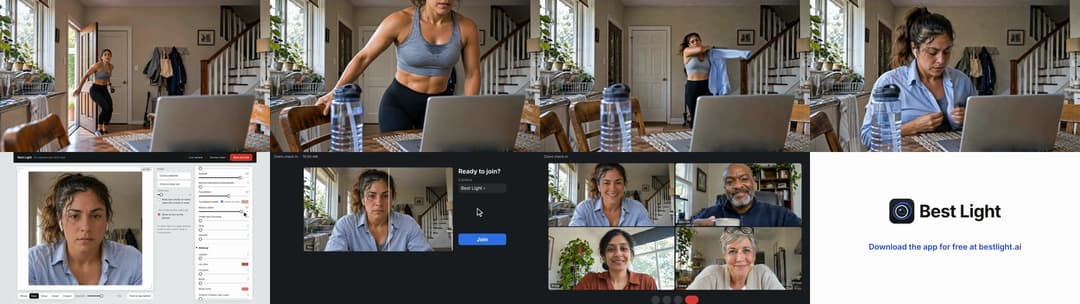
Every example on this page is from a real project: a 52-second ad for Best Light, a Mac webcam app. All the people in it are AI-generated.
What's inside
- Rules measured from real films, not guessed. Text sizes, positions, reading times and motion rules come from measuring 59 films across seven types. The visual ideas come from studying 34 films and ads. The lessons from building real films were checked against 56 more before they became rules.
- 8 video types, each with its own defaults, films worth studying, and a "default versus better" table: product launch, explainer, brand film, demo or tutorial, social short, event, recap or data, showcase, and live-action story.
- 57 animation styles, grouped by lead medium, each with an example film to look up.
- A zoomable storyboard page you can pin notes to, a motion spec with a named move, timing and easing for every change, and an animated test before the full build.
- Sound made by film type. Live-action films take their sound and spoken lines from the video model, checked with speech-to-text. Motion-design films get a few real recorded effects. Every film's music is fitted to the cut on its bar lines (
scripts/fit_music.py). Every sound file is listed with its source and licence, andscripts/check_sources.pychecks the list. - A sound engineering step for effects. Every sound is planned with the motion spec, one moment at a time. Video Director's own copy of real-sfx by Clipwing places a real recording from your own sound library on each planned frame.
scripts/sound_handoff.pyhands it the plan and brings its effects track back. It checks every sound against the plan (nothing missing, nothing extra, nothing off its frame) and fills in the sources list. Then the levels are measured against the music, and you listen. - Render checks in Python: frames on both sides of every cut, choppy motion, text size and reading time by role, sound levels, continuity between shots, delivery specs, and an optional motion watch by a video model.
How it works
1. Brief and script. It asks what the film is for, who it's for, what tools you have, and whether to study reference films or build from scratch.
2. Direction options. Before any storyboard, you pick a direction from 2-3 labeled still frames of the same moment.
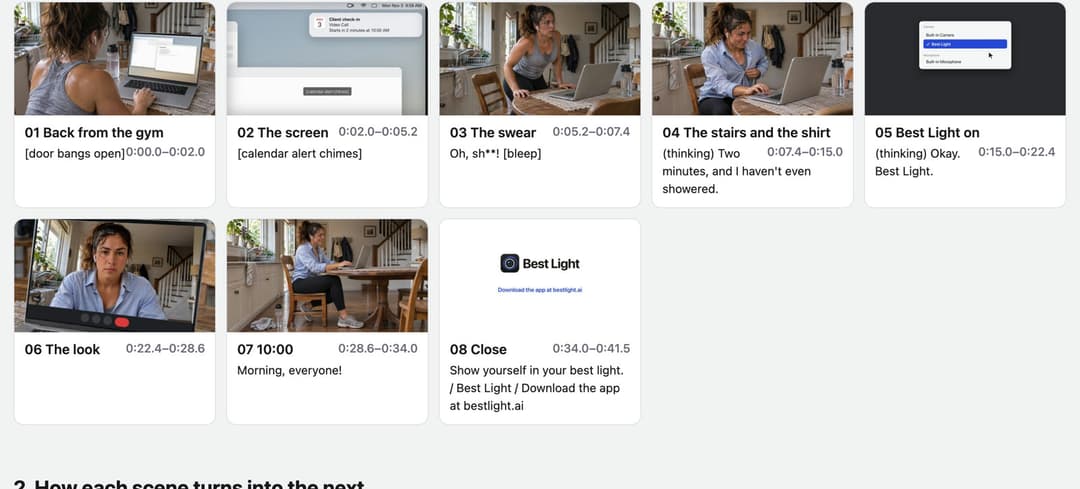
3. The storyboard page. One HTML page you open in a browser. It shows the whole film in order, with each tile showing how its scene ends.
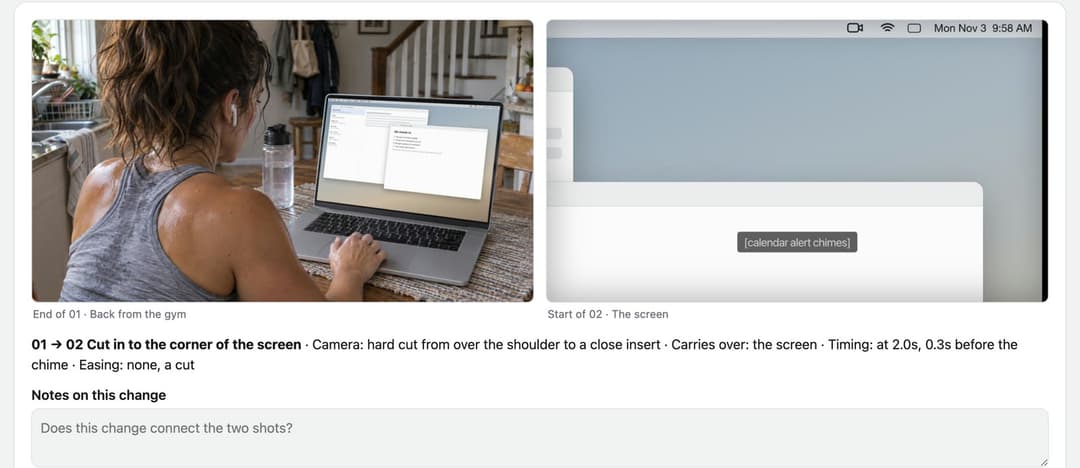
It shows every change between scenes, side by side, with the move that connects them: the camera, what carries over, the timing and the easing.
Then it shows each scene as a card. Flip through its frames, zoom in, pin numbered notes to any spot, and copy or download every note to hand back to Claude.
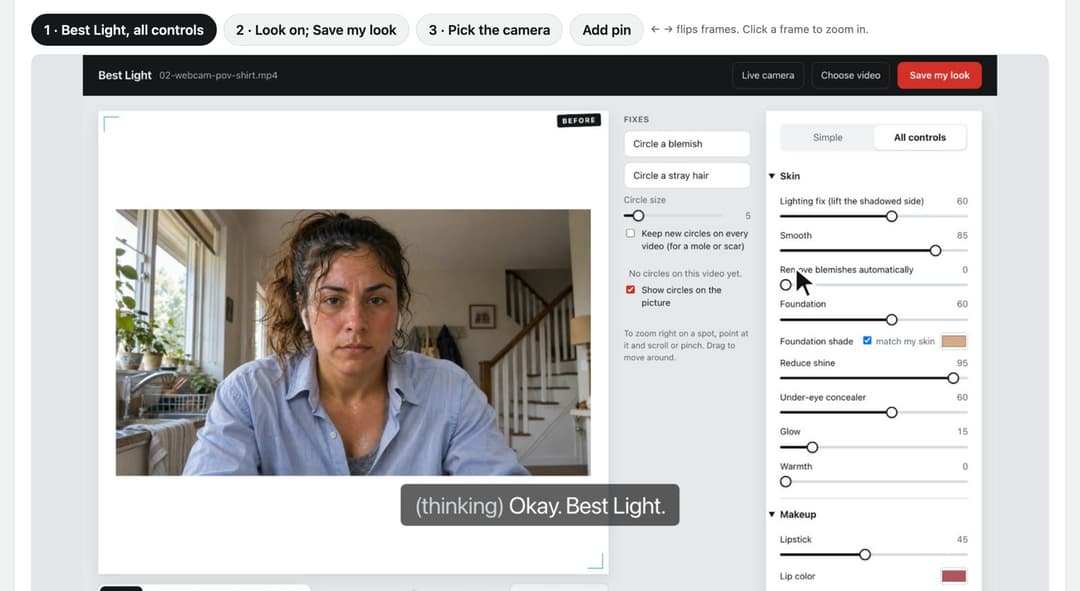
4. Motion spec and sound plan. Every change on screen gets a named move, timing and easing before anything is animated. The sound is planned at the same time: where each sound comes from, and Suno prompts for the music.
5. Animated test, then the full film, with its sound, built with HyperFrames.
6. Render checks and polish rounds until you sign off.
Install
In Claude Code:
/plugin marketplace add SallyRS/video-director
/plugin install video-director@video-director
Or copy skills/video-director/ into ~/.claude/skills/.
Needs
- Python 3 and ffmpeg for the render checks.
- HyperFrames for the build.
- Optional: yt-dlp to study reference films, a clip tool such as Higgsfield for generated footage, Codex for stills, and a Gemini API key for the motion watch (
scripts/watch_cut.py). The skill works without them and says what it can't check. - Optional, for sound: Suno for music (a paid plan for anything commercial), whisper.cpp to check what generated clips say, aubio or librosa to find a track's bar lines, and your own sound library for the included real-sfx (it needs ffmpeg with the
drawtextandrubberbandfilters, on macOS Homebrew'sffmpeg-full, and numpy for some scripts). Its settings live in~/.config/real-sfx/, so plugin updates keep them.
The only sound files included are real-sfx's interface pack (uisfx, CC0). Sounds from the free libraries aren't included: their licences don't allow sharing the files on their own. references/sound-stage.md lists where to get sounds and what each licence allows.
Credits
Built on and informed by other people's open work:
- HyperFrames by HeyGen: the HTML-to-video engine every film is built with.
- motion-video-kit by echris6 (MIT): its measured rules from professional launch films shaped how this skill carries objects across cuts and treats reference films as something to measure, not imitate.
- saas-motion-kit by tugrawork-creator (MIT): its variety rules for shot length, easing and transitions in HyperFrames films.
- motionmaxxing by Tejashmakwana (Apache-2.0): the finding that a gallery of example films makes every brand look the same, which is why this skill pairs a default with a better decision instead.
- onetake by feitangyuan: its numbers on rhythm and what carries across a cut. Ideas only; no text or code is used.
- real-sfx by Alexander Korbanov at Clipwing (MIT): a copy kept in
skills/video-director/real-sfx/, which Video Director's sound engineering step runs. Its README gives the scripts as MIT, so the folder carries the standard MIT text inLICENSE.real-sfx/UPSTREAM.mdrecords the Clipwing version it was copied from and every change made to it here;tools/sync-real-sfx.shbrings in Clipwing's later changes, keeping the changes made here. Its interface sounds are uisfx by Yuki Capital (code MIT, sounds CC0), with their own licence files. - Jesse Eisenbart's 20-style showcase: the starting point for the animation style list.
The films named inside the skill are cited as examples to study. No footage, layouts or brand looks from them are included.
License
MIT
// faq
What is video-director?
Claude Code skill that directs short videos from brief to render: design options, storyboard, motion spec, HyperFrames build and render checks. Rules measured from 59 films; 8 video types, 57 animation styles.. It is open-source on GitHub.
Is video-director free to use?
video-director is open-source under the MIT license, so it is free to use.
What category does video-director belong to?
video-director is listed under plugins in the Claudeers registry of Claude-compatible tools.
// embed badge

[](https://claudeers.com/video-director-2)
// retro hit counter

[](https://claudeers.com/video-director-2)
// reviews
// guestbook
// related in Claude Plugins
 🔓
A single CLAUDE.md file to improve Claude Code behavior, derived from Andrej Karpathy's observations on LLM coding pitfalls.
 🔓
Claude Code is an agentic coding tool that lives in your terminal, understands your codebase, and helps you code faster by executing routine tasks, explainin…
 🔓
"CLI-Anything: Making ALL Software Agent-Native" -- CLI-Hub: https://clianything.cc/
🔓financial-services — a Claude ecosystem project on GitHub.