
tersa
Tersa is an open source canvas for building AI workflows.
Install with your AI
Paste into Claude Code, Cursor, or any agent — it reads the repo and wires the tool into your project.
⚠ Unverified source (community-unclaimed, low activity) — reveal the prompt
⚠ Unverified source (community-unclaimed, low activity). Inspect the repo before letting your agent install it.

Install and set up tersa (git-clone project) into my current project.
Found on https://claudeers.com/tersa
Repo: https://github.com/vercel-labs/tersa
Homepage/docs: https://tersa-phi.vercel.app
Detected install method: git-clone → git clone https://github.com/vercel-labs/tersa
Category: uncategorized. Platforms: api, web.
Read the repo's README for exact setup and env vars, then install it and wire it into my project.

Claudeers Health Verdict:
dormant; community-verified: false. Confirm the source before running anything.
git clone https://github.com/vercel-labs/tersa
// compatibility
| Platforms | api, web |
|---|---|
| Operating systems | — |
| AI compatibility | claude |
| License | MIT |
| Pricing | open-source |
| Language | TypeScript |
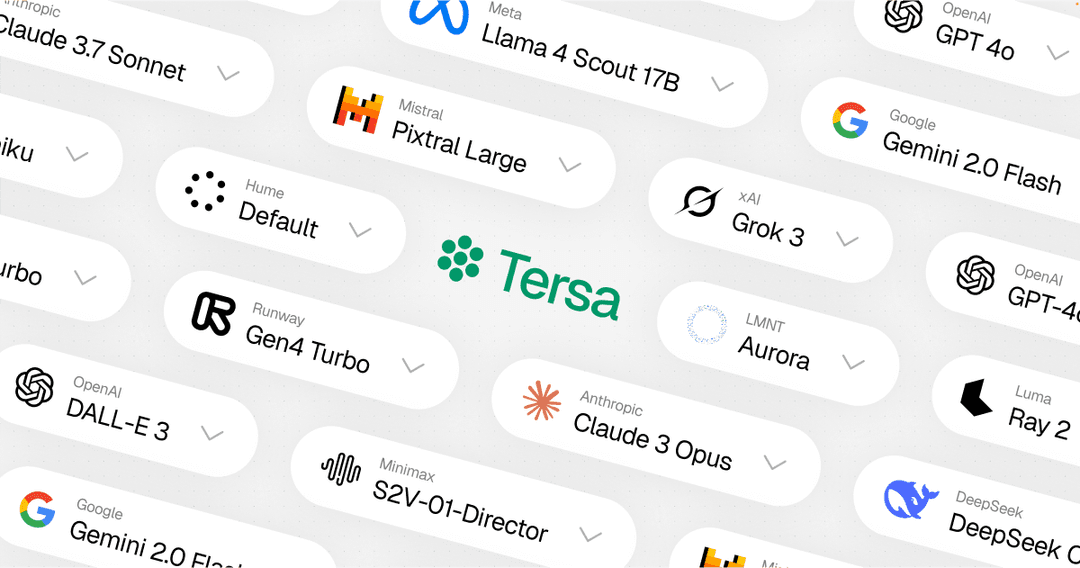
Tersa
A visual AI playground. Drag, drop, connect and run nodes to build AI workflows powered by the Vercel AI SDK Gateway.
Features
- Visual Workflow Builder: Create AI workflows by connecting nodes in a drag-and-drop canvas
- Multi-Model Support: Access text, image and video models from 25+ providers through Vercel AI SDK Gateway
- Cost Indicators: See relative pricing across models at a glance
- Reasoning Extraction: View model reasoning for supported providers
- Streaming Responses: Real-time text generation with streaming support
- Local Storage: Canvas state persists in the browser automatically
Technologies
- Next.js 15 with App Router and Turbopack
- React 19
- Vercel AI SDK with AI SDK Gateway
- Vercel Blob for media storage
- ReactFlow for the visual canvas
- TipTap for rich text editing
- Tailwind CSS for styling
- shadcn/ui, Kibo UI and Radix UI for UI components
Getting Started
Prerequisites
- Node.js (v20+)
- PNPM package manager
Installation
-
Clone the repository
git clone https://github.com/vercel-labs/tersa.git cd tersa -
Install dependencies
pnpm install -
Create a
.env.localfile with your AI SDK Gateway credentials and any provider API keys you want to use. -
Run the development server
pnpm dev -
Open http://localhost:3000 in your browser
Usage
- Add nodes to the canvas using the toolbar
- Connect nodes by dragging from one node's output to another's input
- Select a model from any supported provider
- Run your workflow to process data through the AI models
License
This project is licensed under the MIT License - see the LICENSE file for details.
Made with ❤️ and 🤖 by Hayden Bleasel.
// faq
What is tersa?
Tersa is an open source canvas for building AI workflows.. It is open-source on GitHub.
Is tersa free to use?
tersa is open-source under the MIT license, so it is free to use.
What category does tersa belong to?
tersa is listed under uncategorized in the Claudeers registry of Claude-compatible tools.
// embed badge

[](https://claudeers.com/tersa)
// retro hit counter

[](https://claudeers.com/tersa)
// reviews
// guestbook
// related in Uncategorized / Others
 🔓
🔓Fair-code workflow automation platform with native AI capabilities. Combine visual building with custom code, self-host or cloud, 400+ integrations.
 🔓
🔓The agent engineering platform.
 🔓
🔓FULL Augment Code, Claude Code, Cluely, CodeBuddy, Comet, Cursor, Devin AI, Junie, Kiro, Leap.new, Lovable, Manus, NotionAI, Orchids.app, Perplexity, Poke, Q…
 🔓
🔓100+ AI Agent & RAG apps you can actually run — clone, customize, ship.