
oil-studio-skill
Oil Studio Agent Skill for Claude Code & Codex: native macOS screen recording, auto-zoom demos, and transcript-driven video editing (macOS 原生录屏与口播精剪 Agent Sk…
Install with your AI
Paste into Claude Code, Cursor, or any agent — it reads the repo and wires the tool into your project.
Install and set up oil-studio-skill (git-clone project) into my current project.
Found on https://claudeers.com/oil-studio-skill
Repo: https://github.com/oil-oil/oil-studio-skill
Homepage/docs: https://studio.oiloil.org/en/ai-agent-screen-recorder/
Detected install method: git-clone → git clone https://github.com/oil-oil/oil-studio-skill
Category: skills. Platforms: cli, api, web.
Read the repo's README for exact setup and env vars, then install it and wire it into my project.

Claudeers Health Verdict:
unknown; community-verified: false. Confirm the source before running anything.
git clone https://github.com/oil-oil/oil-studio-skill
// compatibility
| Platforms | cli, api, web |
|---|---|
| Operating systems | — |
| AI compatibility | claude |
| License | MIT |
| Pricing | open-source |
| Language | Python |
English · 简体中文
Oil Studio Agent Skill
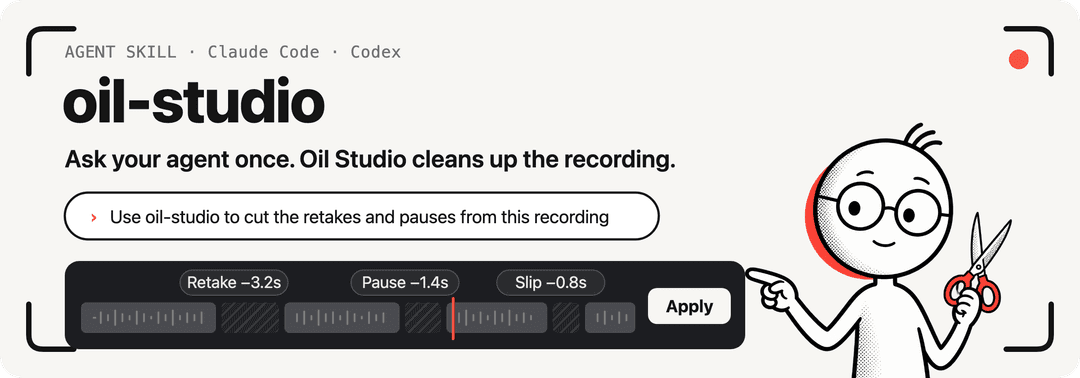
Let Claude Code, Codex, and other agents record and edit screen recordings with Oil Studio: cut retakes, slips, and pauses, proofread captions, add chapters, synthesize AI narration, and export the finished video. The agent listens, looks, and decides; Oil Studio does the editing. Editing proposals await review, while caption corrections and chapters apply immediately and can be undone.
中文简介: 让 Claude Code、Codex 等 AI Agent 调用 macOS 原生录屏与剪辑工具 Oil Studio 自动录制应用演示、按文字稿精剪重说与口误、收紧停顿、校对并翻译字幕、生成章节与 AI 配音,并导出 60 fps 成片。详见下方简体中文说明。
Try it
Once it’s installed, say this to Claude Code or Codex:
Use oil-studio to cut the retakes and pauses from this recording
Use oil-studio to record a walkthrough of this webpage and export it
Proofread this project’s captions, translate them into English, and export an SRT file
What it can do
- Voice-over editing: remove retakes, slips, abandoned sentences, and extra pauses.
- Captions & AI narration: generate captions, fix misheard words, names, capitalization, and line breaks, translate them into English, synthesize AI voice-over narration aligned to captions, and add chapter progress to longer videos.
- Demo recording: the agent operates an app or webpage while Oil Studio records only the window you choose.
- Idle time: remove the waits between actions.
- Zooms and chapters: zoom in on what’s being explained, and divide the video into chapters.
- Export: MP4 or GIF videos, or SRT subtitle files.
How it works
- The agent reads the project’s transcript, audio, and frames through the
oilstudiocommand-line tool. It never reads or writes project files directly. - It writes the cuts, caption edits, and zooms as a proposal, which Oil Studio validates before accepting.
- Review and apply editing and zoom proposals in the app. Caption corrections and chapters apply immediately. Every applied change can be undone with ⌘Z.
Get started
Requirements: a Mac with Apple silicon running macOS 15 or later, and Oil Studio (website · download · brew install --cask oil-oil/tap/oil-studio) at or above metadata.minAppVersion in SKILL.en.md.
Recommended: install from the app. In Oil Studio, open Settings › AI Agent and click Install. The app installs the Skill and the oilstudio command-line tool, and keeps both up to date with the app.
Mac App Store edition: run curl -fsSL https://studio.oiloil.org/agent/install.sh | sh. It installs the command-line tool and Skill that match your Oil Studio version. Run it again after Oil Studio updates. See studio.oiloil.org/en/agent.
Or install with the Skills CLI (skills.sh):
npx skills add oil-oil/oil-studio-skill
Or install from GitHub. Clone the repository and link oil-studio/ into your agents’ Skill folders (existing entries with the same name are left in place):
git clone https://github.com/oil-oil/oil-studio-skill.git
cd oil-studio-skill
for skill_parent in "$HOME/.agents/skills" "$HOME/.claude/skills" "$HOME/.codex/skills"; do
  mkdir -p "$skill_parent"
  [ -e "$skill_parent/oil-studio" ] || [ -L "$skill_parent/oil-studio" ] ||
    ln -s "$PWD/oil-studio" "$skill_parent/oil-studio"
done
Run git pull --ff-only in the cloned folder to update. The oilstudio command-line tool still comes from the app: click Install once in Settings › AI Agent, and the app lists your manual copy as External Installation and leaves it in place.
Check it: run oilstudio status. If you see app.version, the command-line tool is ready.
Optional dependencies: web playbooks and filler-word checks
- Python 3: the filler-word coverage check and web playbooks.
- node: both web playbook modes.
- The ego-browser command-line tool: the default browser mode for web playbooks.
- Xcode Command Line Tools (swiftc): the
stage-windowmode for web playbooks.
Editing, captions, and export work without them. See Web playbooks.
Data and privacy
- The agent works with projects only through
oilstudio. Projects from other recording apps are imported read-only; the originals are never changed. - On-device transcription doesn’t upload audio. If you choose Alibaba Cloud Bailian, the project’s audio is uploaded to the region you select.
- API keys are set only in the app. The Skill never receives, stores, or displays them.
- Recording needs your permission in both macOS and Oil Studio; the agent can’t grant it for you.
For more detail, see Data, permissions, and boundaries.
Versions and compatibility
The Skill version is metadata.version in the SKILL file, and the minimum app version is metadata.minAppVersion. Both language entries always match.
Before each task, the agent reports its Skill version to oilstudio status and follows the compatibility result to update the Skill or app. App-managed Skills update with the app; start a new agent session to load the update.
The agent follows the English or Chinese instructions based on your conversation language. Both handle Chinese and English voice-overs.
Development
python3 -B -m unittest discover -s tests
Any change under oil-studio/ requires a version bump in both oil-studio/SKILL.md and oil-studio/en/SKILL.en.md. Then run python3 -B tests/test_skill_version.py --update to refresh the version record.
License
The Skill is open source under the MIT License. The Oil Studio app is proprietary, paid software and isn’t covered by this license.
简体中文
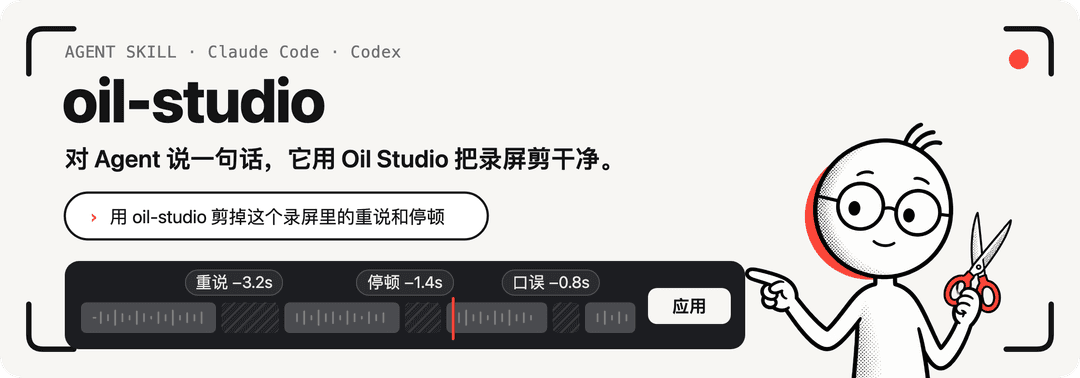
让 Claude Code、Codex 等 Agent 用 Oil Studio 录制和精剪录屏:删掉重说、口误和停顿,校对字幕,生成章节与 AI 配音,再导出成片。Agent 负责听、看和判断,Oil Studio 负责执行;剪辑方案由你在 App 里确认,字幕校对和章节直接生效并可撤销。
试一句
装好之后,在 Claude Code 或 Codex 里直接说:
用 oil-studio 剪掉这个录屏里的重说和停顿
用 oil-studio 录一段这个网页的操作演示并导出
校对这个工程的字幕,再生成英文字幕并导出 SRT
能做什么
- 精剪口播:删重说、口误、说到一半放弃的话和多余的停顿。
- 字幕与 AI 配音:生成字幕,校对错词、专有名词、大小写和断行,翻译成英文,按字幕时间轴合成 AI 配音;长视频可顺便生成章节进度。
- 录制演示:Agent 操作应用或网页,Oil Studio 只录你指定的那个窗口。
- 删空档:去掉操作之间没有内容的等待。
- 缩放与章节:推近正在讲解的细节,按内容划分章节。
- 导出:MP4 / GIF 成片,或 SRT 字幕文件。
开始使用
需要: macOS 15 及以上的 Apple 芯片 Mac,以及 Oil Studio(官网 · 下载),版本不低于 SKILL.md 中的 metadata.minAppVersion。
推荐:由 App 安装。 打开 Oil Studio「设置 › AI Agent」,点“安装”。App 会安装 Skill 和命令行 oilstudio,并随 App 一起更新。
Mac App Store 版: 运行 curl -fsSL https://studio.oiloil.org/agent/install.sh | sh,安装与 Oil Studio 同版本的命令行和 Skill;Oil Studio 更新后再运行一次。说明见 studio.oiloil.org/agent。
或者用 Skills CLI 安装:
npx skills add oil-oil/oil-studio-skill
或者从 GitHub 克隆安装:
git clone https://github.com/oil-oil/oil-studio-skill.git
cd oil-studio-skill
for skill_parent in "$HOME/.agents/skills" "$HOME/.claude/skills" "$HOME/.codex/skills"; do
  mkdir -p "$skill_parent"
  [ -e "$skill_parent/oil-studio" ] || [ -L "$skill_parent/oil-studio" ] ||
    ln -s "$PWD/oil-studio" "$skill_parent/oil-studio"
done
更多说明见数据、权限与边界。
// faq
What is oil-studio-skill?
Oil Studio Agent Skill for Claude Code & Codex: native macOS screen recording, auto-zoom demos, and transcript-driven video editing (macOS 原生录屏与口播精剪 Agent Skill). It is open-source on GitHub.
Is oil-studio-skill free to use?
oil-studio-skill is open-source under the MIT license, so it is free to use.
What category does oil-studio-skill belong to?
oil-studio-skill is listed under skills in the Claudeers registry of Claude-compatible tools.
// embed badge

[](https://claudeers.com/oil-studio-skill)
// retro hit counter

[](https://claudeers.com/oil-studio-skill)
// reviews
// guestbook
// related in Claude Skills
 🔓
An agentic skills framework & software development methodology that works.
 🔓
 🔓
💫 Toolkit to help you get started with Spec-Driven Development
 🔓
AI coding assistant skill (Claude Code, Codex, OpenCode, Cursor, Gemini CLI, and more). Turn any folder of code, SQL schemas, R scripts, shell scripts, docs,…