
MonkeyCode
AI coding platform for teams
Install with your AI
Paste into Claude Code, Cursor, or any agent — it reads the repo and wires the tool into your project.
Install and set up MonkeyCode (release-binary project) into my current project.
Found on https://claudeers.com/monkeycode
Repo: https://github.com/chaitin/MonkeyCode
Homepage/docs: https://monkeycode-ai.net/
Detected install method: release-binary → inspect the README
Category: uncategorized. Platforms: cli, api, desktop, web, mobile.
Read the repo's README for exact setup and env vars, then install it and wire it into my project.

Claudeers Health Verdict:
active; community-verified: false. Confirm the source before running anything.
Grab the latest release asset from GitHub.
# download a build from https://github.com/chaitin/MonkeyCode/releases
git clone https://github.com/chaitin/MonkeyCode
// compatibility
| Platforms | cli, api, desktop, web, mobile |
|---|---|
| Operating systems | — |
| AI compatibility | claude |
| License | AGPL-3.0 |
| Pricing | open-source |
| Language | TypeScript |
MonkeyCode

Try Online · Self-Hosted Deployment · Discord · Community Gallery · 中文
What Is MonkeyCode?
MonkeyCode is an open-source enterprise-grade AI development platform with built-in development environment management, AI model management, AI task management, and project requirement management. Unlike typical vibe coding tools, MonkeyCode is designed as an AI assistant for professional engineering teams.
- You can deploy MonkeyCode inside your enterprise network and share it with your R&D team, so developers can start development tasks quickly while engineering leaders manage AI development workflows centrally.
- You can also use our online environment directly. It includes managed development environments, built-in large language models, and native mobile support, so you can use leading AI agents anywhere.
Screenshots
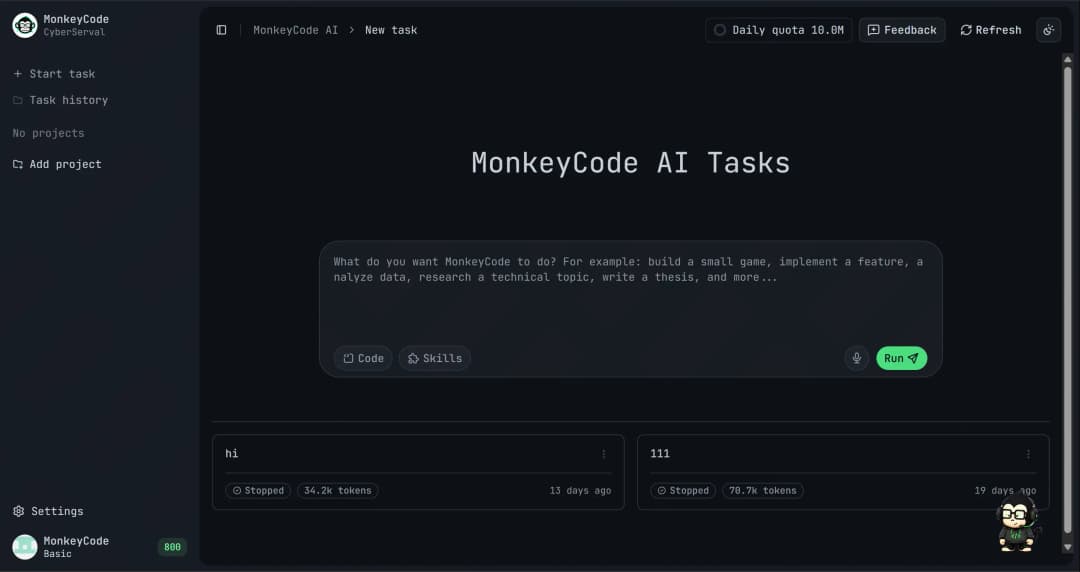
AI Task Workspace |
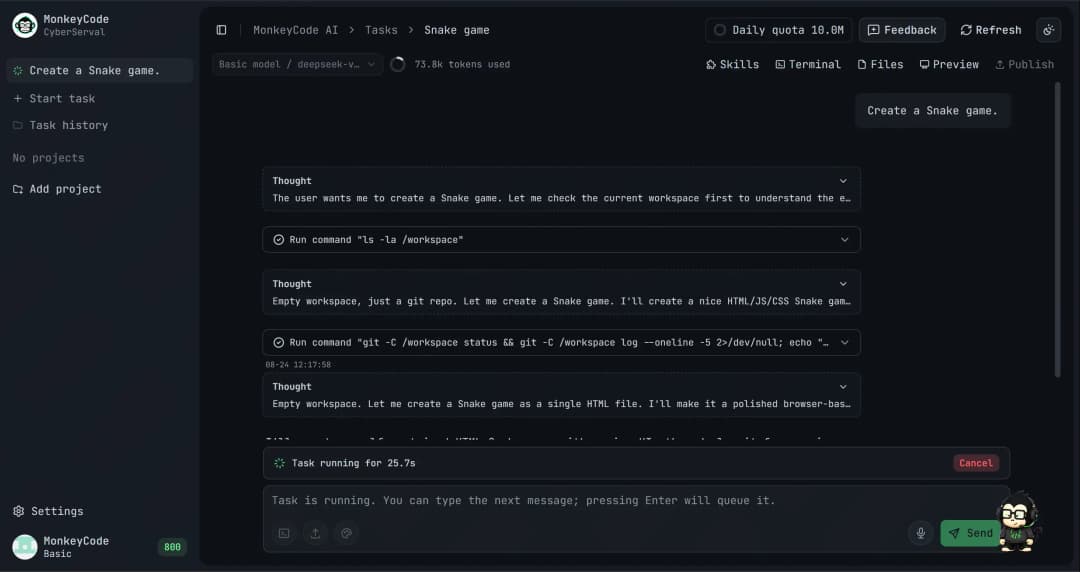
Cloud Terminal and Task Execution |
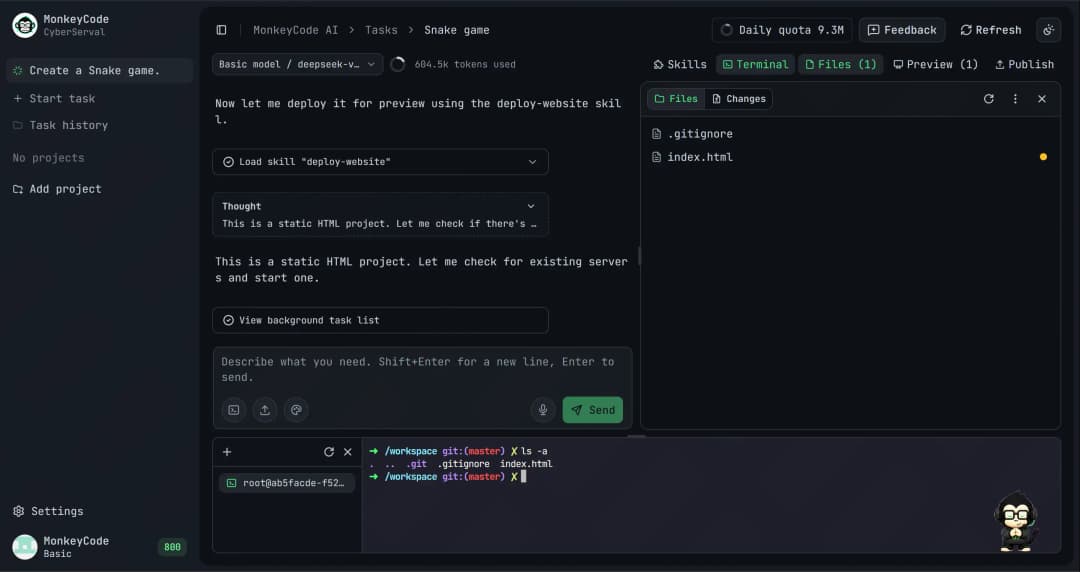
Project Collaboration and File Management |
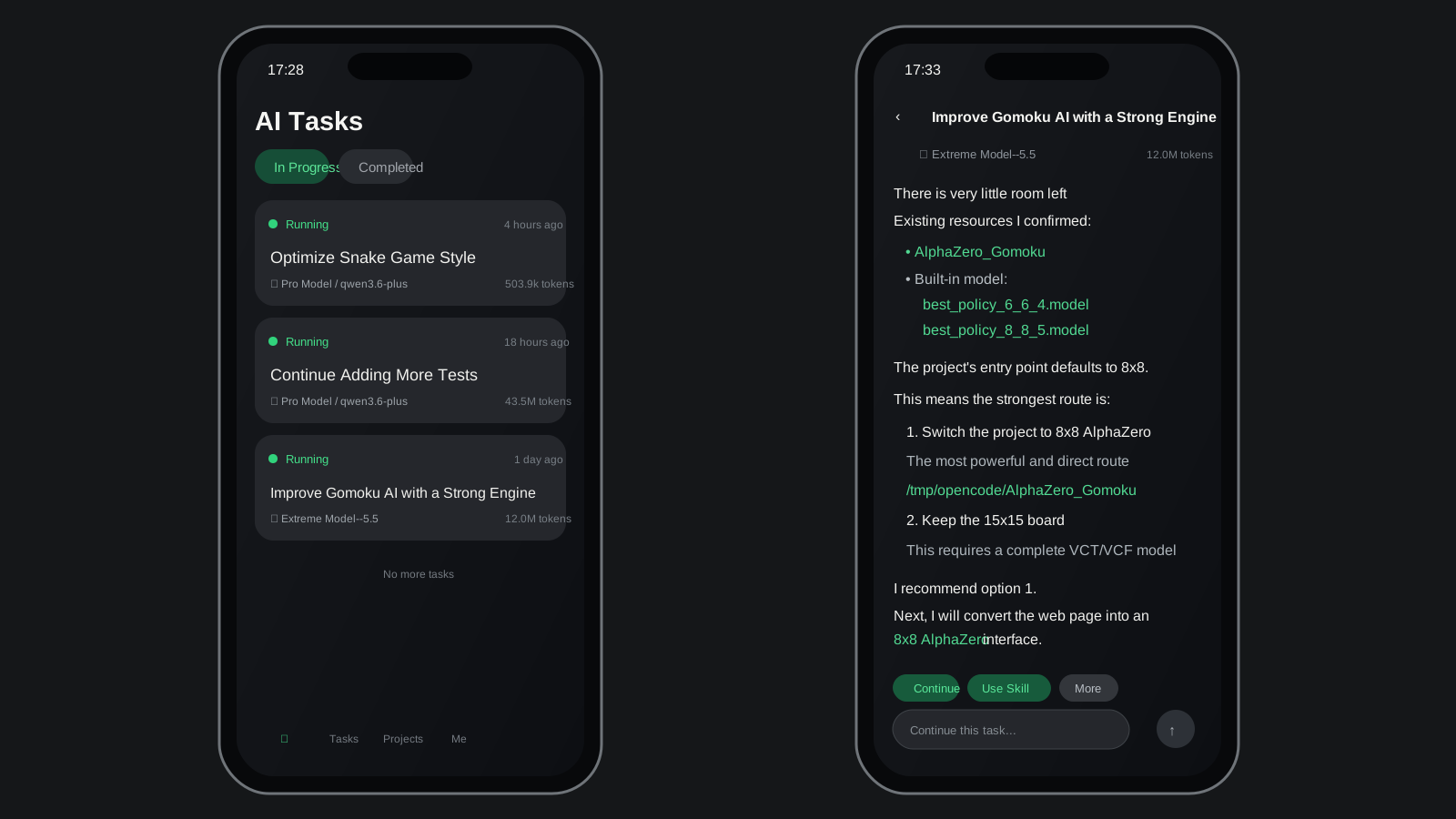
Mobile Task and File Management / English Mockup |
Features
You do not need to assemble tools, set up environments, or jump between workflows. Give MonkeyCode a requirement and it carries the work from development to validation, turning AI coding into a sustainable workflow.
- Free to start: No client download and no local environment setup. Open the browser, create an account, and start your first AI development task in seconds.
- Cloud development environments: No dependency on a local development machine. Every task runs behind a real server-side environment, with build, test, and preview workflows completed in the cloud.
- Broad model support: GLM, Kimi, MiniMax, Qwen, DeepSeek, and other mainstream models are integrated. You can switch by task type or select a model manually.
- Native mobile support: Deep iOS and Android support keeps PC and mobile data in sync, so agents can continue running tasks while you are away from your desk.
- Fully open source: The core code is public on GitHub. Anyone can audit, fork, and extend it while keeping control over technical choices and security policies.
- Private offline deployment: Enterprises and teams with strict data privacy requirements can deploy MonkeyCode inside their own networks and keep data local.
Usage
Online
Open MonkeyCode Online to get started:
Self-Hosted Deployment
Recommended configuration:
- MonkeyCode console: at least
2C / 4 GB / 40 GB - Development environment host: at least
8C / 16 GB / 100 GB
Online installation:
bash -c "$(curl -fsSL 'https://monkeycode-ai.com/online/install')"
For more deployment methods, configuration details, and operations guidance, see the deployment documentation.
Comparison
| Dimension | MonkeyCode | Cursor | Claude Code | Codex |
|---|---|---|---|---|
| Online usage | 🟢 | 🟢 | 🟢 | 🟢 |
| Local IDE | 🔴 | 🟢 | 🟢 | 🟢 |
| Local CLI | 🔴 | 🟢 | 🟢 | 🟢 |
| Requirement and SPEC management | 🟢 | 🔴 | 🔴 | 🔴 |
| Cloud development environment | 🟢 | 🟡 | 🟡 | 🟡 |
| Code completion | 🔴 | 🟢 | 🔴 | 🔴 |
| Automated PR / MR code review | 🟢 | 🟡 | 🟡 | 🟡 |
| Team collaboration | 🟢 | 🔴 | 🔴 | 🔴 |
| China model support | 🟢 | 🔴 | 🔴 | 🔴 |
| Private deployment | 🟢 | 🔴 | 🔴 | 🔴 |
| Open source | 🟢 | 🔴 | 🔴 | 🔴 |
Community and Support
Join the community to discuss MonkeyCode usage, deployment, and development with other developers.
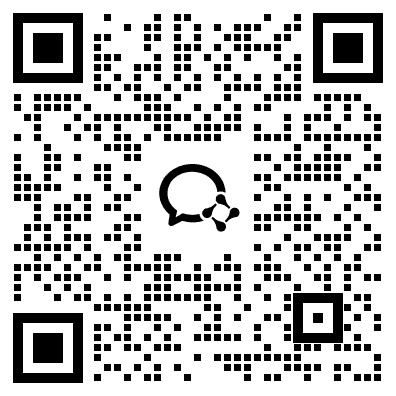 WeChat Group |  Feishu Group |  DingTalk Group |
You can also get support through:
- Documentation: https://monkeycode.docs.baizhi.cloud/
- Online service: https://monkeycode-ai.net/
- Enterprise consultation: https://baizhi.cloud/consult
- Discord: https://discord.gg/2pPmuyr4pP
- GitHub Issues: https://github.com/chaitin/MonkeyCode/issues
Star History
License
MonkeyCode is open source under the GNU Affero General Public License v3.0.
// faq
What is MonkeyCode?
AI coding platform for teams. It is open-source on GitHub.
Is MonkeyCode free to use?
MonkeyCode is open-source under the AGPL-3.0 license, so it is free to use.
What category does MonkeyCode belong to?
MonkeyCode is listed under uncategorized in the Claudeers registry of Claude-compatible tools.
// embed badge

[](https://claudeers.com/monkeycode)
// retro hit counter

[](https://claudeers.com/monkeycode)
// reviews
// guestbook
// related in Uncategorized / Others
 🔓
🔓Fair-code workflow automation platform with native AI capabilities. Combine visual building with custom code, self-host or cloud, 400+ integrations.
 🔓
🔓The agent engineering platform.
 🔓
🔓FULL Augment Code, Claude Code, Cluely, CodeBuddy, Comet, Cursor, Devin AI, Junie, Kiro, Leap.new, Lovable, Manus, NotionAI, Orchids.app, Perplexity, Poke, Q…
 🔓
🔓100+ AI Agent & RAG apps you can actually run — clone, customize, ship.