
jetbrains-cc-gui
Jetbrains Claude Code and Codex GUI Plugin
Install with your AI
Paste into Claude Code, Cursor, or any agent — it reads the repo and wires the tool into your project.
Install and set up jetbrains-cc-gui (git-clone project) into my current project.
Found on https://claudeers.com/jetbrains-cc-gui
Repo: https://github.com/zhukunpenglinyutong/jetbrains-cc-gui
Homepage/docs: https://plugins.jetbrains.com/plugin/29342-cc-gui-claude-or-codex-
Detected install method: git-clone → git clone https://github.com/zhukunpenglinyutong/jetbrains-cc-gui
Category: uncategorized. Platforms: cli, api, web.
Read the repo's README for exact setup and env vars, then install it and wire it into my project.

Claudeers Health Verdict:
active; community-verified: false. Confirm the source before running anything.
git clone https://github.com/zhukunpenglinyutong/jetbrains-cc-gui
// compatibility
| Platforms | cli, api, web |
|---|---|
| Operating systems | — |
| AI compatibility | claude |
| License | MIT |
| Pricing | open-source |
| Language | Java |

To mitigate Claude trademark risks, this project has been renamed to CC GUI (originally Claude Code GUI). The logo has also been updated to reduce Chinese-specific elements. Regarding security, a
/security-review audit will be conducted before each minor version release, and a comprehensive claude-code-security audit will be performed every 10 minor versions.
A powerful IntelliJ IDEA plugin that provides a visual interface for Claude Code, OpenAI Codex and more AI coding CLIs, making AI-assisted programming more efficient and intuitive.
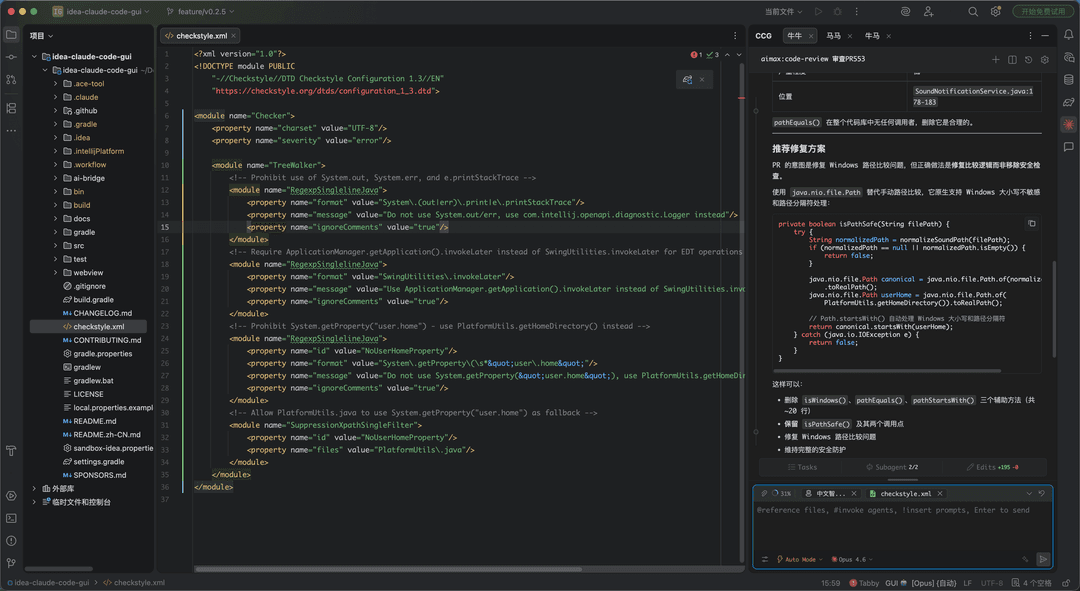
Installation
CC GUI(Claude, Codex and More) Installation
Performance Tips
macOS Scrolling Performance
If you experience laggy scrolling in the chat panel or settings on macOS (especially with Retina displays), disable GPU acceleration:
Add to VM options (Help → Edit Custom VM Options):
-Dide.browser.jcef.gpu.disable=true
Then restart the IDE.
Key Features
Multi AI Engine Support
- Claude Code - Anthropic's official AI programming assistant, supporting Opus 4.5 and other models
- OpenAI Codex - OpenAI's powerful code generation engine
- Grok CLI (Beta) - xAI's command-line coding assistant
- Kimi CLI (Beta) - Moonshot AI's command-line coding assistant
- OpenCode (Beta) - open-source AI coding agent for the terminal
- PI CLI (Beta) - PI command-line coding assistant
- OMP CLI (Beta) - OMP command-line coding assistant
- DeepSeek Harness (Beta) - DeepSeek's command-line coding harness
Intelligent Conversation
- Context-aware AI coding assistant
- @file reference support for precise code context
- Image sending support for visual requirement description
- Conversation rewind feature for flexible history adjustment
- Enhanced prompts for better AI understanding
Agent System
- Built-in Agent system for automated complex tasks
- Skills slash command system (/init, /review, etc.)
- MCP server support to extend AI capabilities
Developer Experience
- Comprehensive permission management and security controls
- Code DIFF comparison feature
- File navigation and code jumping
- Dark/Light theme switching
- Font scaling and IDE font synchronization
- Internationalization support (auto-switch between Chinese/English)
Session Management
- History session records and search
- Session favorites
- Message export support
- Provider management (cc-switch compatible)
- Usage statistics analysis
Project Status
The project is under active development with continuous updates. For version history and iteration progress, please read CHANGELOG.md
Collaborative Contributing
For contributing guidelines, please read CONTRIBUTING.md
Local Development and Debugging
1. Install Frontend Dependencies
cd webview
npm install
2. Install ai-bridge Dependencies
cd ai-bridge
npm install
3. Debug Plugin
Run in IDEA:
./gradlew clean runIde
4. Build Plugin
./gradlew clean buildPlugin

# The generated plugin package will be in the build/distributions/ directory (package size approximately 40MB)
License
MIT
Contributing
Thanks to all contributors who help make IDEA-Claude-Code-GUI better!
Sponsor
If this project is helpful to you, you can invite the author to have a KFC or a cup of coffee~
如果这个项目对你有帮助,想请作者吃顿肯德基(KFC)或者喝杯咖啡,都是可以的~
Friendship Link
Thanks for the support and feedback from the friends at LINUX DO.
Thank you for AtomGit platform G-Star certification
Acknowledgements
Recently, many bloggers have recommended this project on their own initiative, and I am deeply grateful. Thanks again to bloggers including "沉默的王二", "macrozheng", "JavaGuide", "Java知音", "鲲鹏talk 公众号", and "程序员青戈" for recommending this project. I will keep iterating to make it more comfortable for everyone to use.
Star History
// faq
What is jetbrains-cc-gui?
Jetbrains Claude Code and Codex GUI Plugin. It is open-source on GitHub.
Is jetbrains-cc-gui free to use?
jetbrains-cc-gui is open-source under the MIT license, so it is free to use.
What category does jetbrains-cc-gui belong to?
jetbrains-cc-gui is listed under uncategorized in the Claudeers registry of Claude-compatible tools.
// embed badge

[](https://claudeers.com/jetbrains-cc-gui)
// retro hit counter

[](https://claudeers.com/jetbrains-cc-gui)
// reviews
// guestbook
// related in Uncategorized / Others
 🔓
🔓Fair-code workflow automation platform with native AI capabilities. Combine visual building with custom code, self-host or cloud, 400+ integrations.
 🔓
🔓The agent engineering platform.
 🔓
🔓FULL Augment Code, Claude Code, Cluely, CodeBuddy, Comet, Cursor, Devin AI, Junie, Kiro, Leap.new, Lovable, Manus, NotionAI, Orchids.app, Perplexity, Poke, Q…
 🔓
🔓100+ AI Agent & RAG apps you can actually run — clone, customize, ship.