
esp32-claude-quota
A desk display for Claude Code's two usage windows, plus a few ambient readouts, running on the "Cheap Yellow Display"
Install with your AI
Paste into Claude Code, Cursor, or any agent — it reads the repo and wires the tool into your project.
Install and set up esp32-claude-quota (release-binary project) into my current project.
Found on https://claudeers.com/esp32-claude-quota
Repo: https://github.com/thaitop/esp32-claude-quota
Homepage/docs: —
Detected install method: release-binary → inspect the README
Category: other. Platforms: api, web.
Read the repo's README for exact setup and env vars, then install it and wire it into my project.

Claudeers Health Verdict:
slowing; community-verified: false. Confirm the source before running anything.
Grab the latest release asset from GitHub.
# download a build from https://github.com/thaitop/esp32-claude-quota/releases
git clone https://github.com/thaitop/esp32-claude-quota
// compatibility
| Platforms | api, web |
|---|---|
| Operating systems | — |
| AI compatibility | claude |
| License | — |
| Pricing | open-source |
| Language | C |
Claude quota monitor — ESP32-2432S028R
🇬🇧 English · 🇹🇭 ภาษาไทย
💸 Zero Claude tokens — watching your quota never spends it.
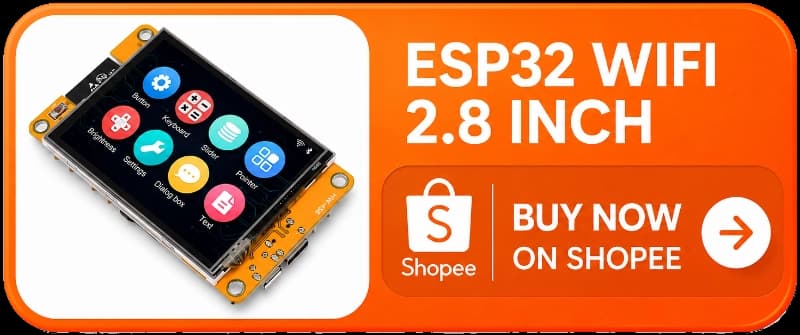
A desk display for Claude Code's two usage windows, plus weather, crypto and stocks. Runs on the "Cheap Yellow Display" (ESP32-2432S028R, 2.8" touch), drawn with LVGL 9. The numbers come from the same read-only endpoint the claude.ai web app uses — no prompt, no model call, no hit to your rate-limit windows.
| Screen | Shows |
|---|---|
| Claude | Session and Weekly utilization, with live reset countdowns |
| Weekly Usage | The last seven days of weekly utilization, plotted |
| Weather | Temperature, apparent temperature, conditions, humidity |
| Crypto | One coin's price, 24h change, dollar move and volume |
| Stock | Five tickers, with a market-open badge |
| Setting | Link and feed health, backlight, Config Mode |
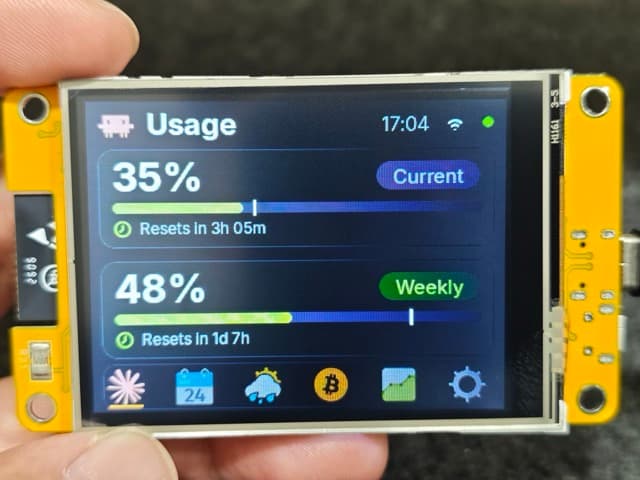 Claude | 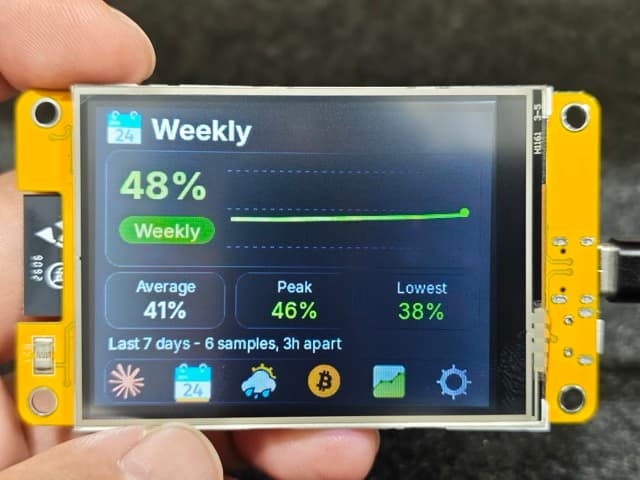 Weekly Usage | 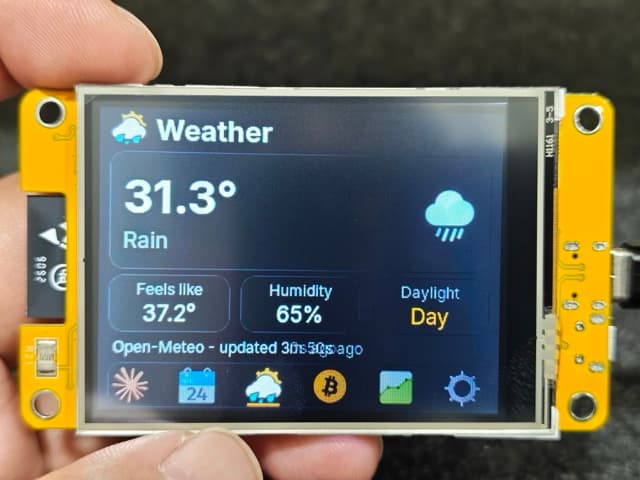 Weather |
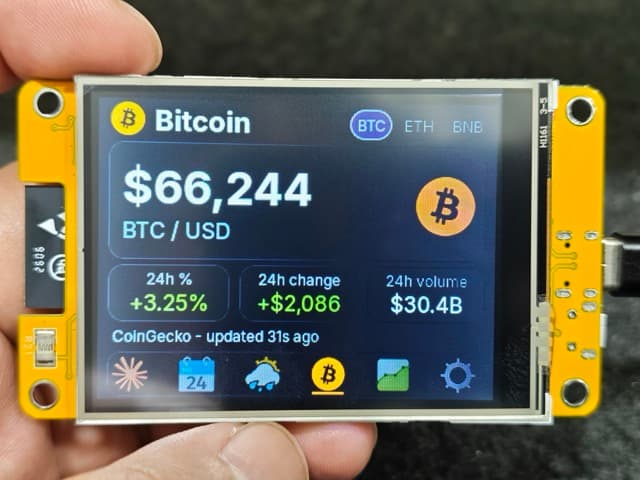 Crypto | 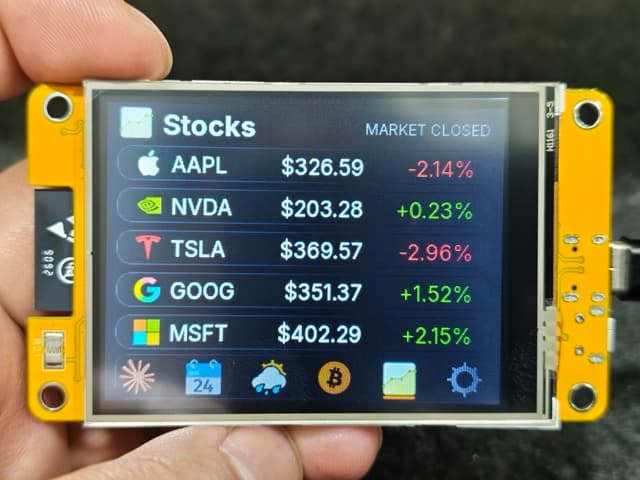 Stock | 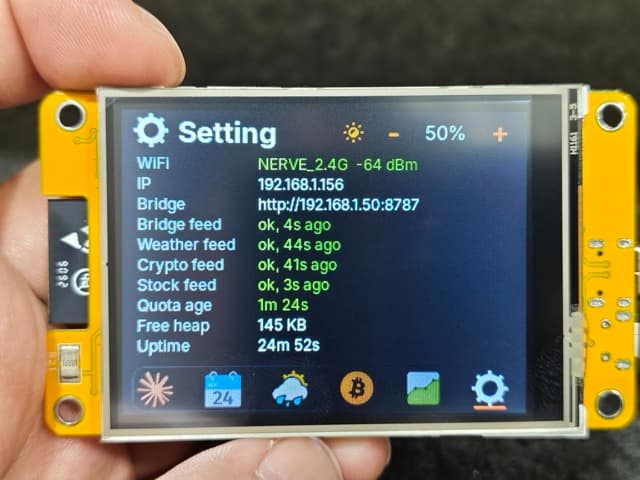 Setting |
What you need
| Item | Notes |
|---|---|
| ESP32-2432S028R board | The 2.8" single-USB "CYD". ~$10. Buy on Shopee (TH). |
| USB data cable | Micro-USB — a charge-only cable looks like a dead board. |
| A computer running Claude Code | Source of the quota numbers. Stays awake, same LAN as the display. |
| A claude.ai session key | Pasted into a file in step 3. |
| PlatformIO Core | pip install -U platformio — lands at ~/.local/bin/pio. |
Windows also needs the CH340 driver (built into macOS 12+/Linux). No soldering, no extra parts.
1. Clone and configure
git clone https://github.com/thaitop/esp32-claude-quota.git
cd esp32-claude-quota
cp firmware/src/secrets.h.example firmware/src/secrets.h
Edit firmware/src/secrets.h:
#define WIFI_SSID     "your-network"        // 2.4GHz only
#define WIFI_PASSWORD "your-password"
#define BRIDGE_BASE_URL "http://192.168.1.117:8787"   // LAN IP of the Claude Code machine
#define WEATHER_LATITUDE  13.75f
#define WEATHER_LONGITUDE 100.50f
#define WEATHER_TZ "Asia/Bangkok"           // IANA zone name
#define CLOCK_TZ   "UTC+7"                   // header clock offset
#define FINNHUB_TOKEN "your-finnhub-token"  // free key from finnhub.io/register — Stock screen only
Get the machine's IP with ipconfig getifaddr en0 (macOS) or hostname -I
(Linux). The Finnhub token is optional — leaving the placeholder just shows --
on the Stock screen. Weather, coins and stocks can also be changed on the device
later via Config Mode, no reflash.
2. Flash
cd firmware
~/.local/bin/pio run --target upload > /tmp/upload.log 2>&1; echo "exit=$?"
grep -E "Hash of data|Hard resetting|SUCCESS|FAILED" /tmp/upload.log
First build pulls the toolchain (a few minutes); later builds ~1 min. Then watch it boot:
~/.local/bin/pio device monitor
Weather and Crypto work as soon as WiFi is up; the two Claude screens stay at
-- until the bridge is running (steps 3–4).
3. Set up the quota source
Give fetch_usage.py a claude.ai session key:
mkdir -p ~/.config/claude-quota
pbpaste > ~/.config/claude-quota/session-key   # or paste into an editor
chmod 600 ~/.config/claude-quota/session-key
The value is the sessionKey cookie from a browser logged in to claude.ai — it
starts with sk-ant-sid01-. Treat it like your password.
How to find the session key
- Open claude.ai in a browser and sign in.
- Open Developer Tools (
F12, orCmd+Option+Ion macOS). In Safari, first enable Settings → Advanced → Show features for web developers. - Go to the cookies:
- Chrome / Edge / Brave: Application tab → Cookies →
https://claude.ai - Firefox / Safari: Storage tab → Cookies →
https://claude.ai
- Chrome / Edge / Brave: Application tab → Cookies →
- Copy the Value of the cookie named
sessionKeyinto the key file above.
Then start the fetcher:
python3 bridge/fetch_usage.py --check    # verify paths/permissions
python3 bridge/fetch_usage.py --interval # loop on a 60s timer
Use a Python with a working TLS trust store — Homebrew's, not the python.org
build. Pass --org-id if you belong to more than one organization.
4. Start the bridge
python3 bridge/quota_bridge.py
# → http://0.0.0.0:8787/quota
Check it:
curl -s http://localhost:8787/quota | python3 -m json.tool
If a check from a phone or another laptop hangs, allow the Python binary through the host firewall (macOS: System Settings → Network → Firewall).
5. Keep both processes running (optional)
To survive reboots, install two launchd jobs — one for the fetcher, one for
the bridge. Ready-made plists live in bridge/launchd/:
cp bridge/launchd/com.local.claude-quota-fetch.plist.example \
   ~/Library/LaunchAgents/com.local.claude-quota-fetch.plist
cp bridge/launchd/com.local.claude-quota-bridge.plist.example \
   ~/Library/LaunchAgents/com.local.claude-quota-bridge.plist

# rewrite the placeholder path to your real repo (run from the repo root)
sed -i '' "s#/Users/you/esp32-claude-quota#$PWD#" \
  ~/Library/LaunchAgents/com.local.claude-quota-{fetch,bridge}.plist

launchctl load ~/Library/LaunchAgents/com.local.claude-quota-fetch.plist
launchctl load ~/Library/LaunchAgents/com.local.claude-quota-bridge.plist
launchctl list | grep claude-quota    # second column is the last exit code (0 = ok)
An expired key does not kill the fetcher — paste a fresh one into the key file
and the display recovers within one interval, no restart. Linux: a user systemd
unit with Restart=always. Windows: Task Scheduler at logon.
Touch controls
| Gesture | Effect |
|---|---|
| Tap a navbar Slot | Switch Screen |
| Tap above the navbar | Force an immediate refresh |
| Hold ~1s above the navbar | Blank the display (tap to wake) |
Config Mode
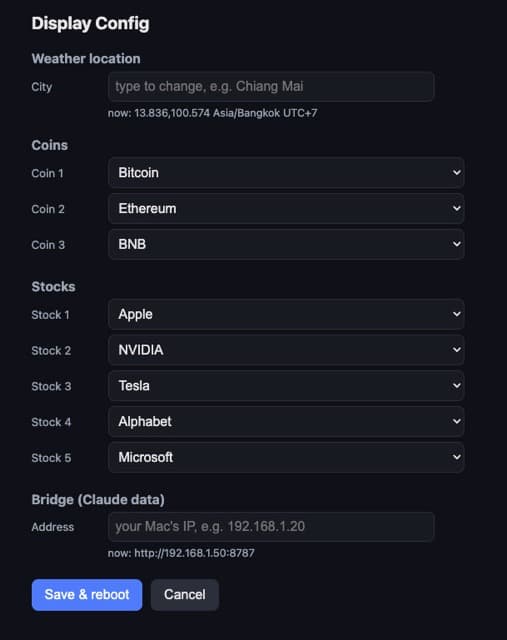
Change the weather location, coins and stocks from a browser — no reflash.
Hold the Config button on the Setting screen. The panel shows an address and a four-digit PIN. Open the address on a phone or laptop on the same LAN, enter the PIN, pick your city / coins / stocks, then Save & reboot. To leave without a browser, hold a press anywhere on the panel to exit unsaved.
Colour thresholds
| Utilization | Colour |
|---|---|
| < 60% | green |
| 60–84% | amber |
| ≥ 85% | red |
Troubleshooting
- Upload won't connect (
No serial data received). Hold BOOT while it starts. No port underpio device list→ cable or CH340 driver. - Upload dies mid-transfer. Lower
upload_speedto 115200 inplatformio.ini. - Blank display, serial active. Backlight pin — other CYD revisions use
GPIO27; change
-DTFT_BL=21. - Colours inverted. Swap
-DILI9341_2_DRIVER=1for-DILI9341_DRIVER=1. - Touches off-centre. Replace the four
TOUCH_RAW_*constants inconfig.h. - WiFi never joins. 2.4GHz only; captive-portal networks won't work.
- Any figure shows
--. The value is not trustworthy, not zero. The Setting screen names the failing feed. - Only Claude screens
--, bridge fine. Nearly always an expired session key. Paste a fresh one; it recovers next pass. - Editing
include/lv_conf.hchanges nothing. Runpio run -t cleanfirst.
Security notes
The sessionKey cookie is a full account credential, not a scoped API key.
It lives in ~/.config/claude-quota/session-key (mode 600, outside the repo) and
is never logged or put in a plist. The bridge serves on the LAN with no auth
(percentages only, no credentials) — bind it to a trusted network, don't
port-forward. The ESP32 stores WiFi credentials in plaintext, so treat a board
you give away as one you gave your WiFi password to.
// faq
What is esp32-claude-quota?
A desk display for Claude Code's two usage windows, plus a few ambient readouts, running on the "Cheap Yellow Display". It is open-source on GitHub.
Is esp32-claude-quota free to use?
esp32-claude-quota is open-source, so it is free to use.
What category does esp32-claude-quota belong to?
esp32-claude-quota is listed under other in the Claudeers registry of Claude-compatible tools.
// embed badge

[](https://claudeers.com/esp32-claude-quota)
// retro hit counter

[](https://claudeers.com/esp32-claude-quota)
// reviews
// guestbook
// related in Other
 🔓
🔓 🔓
🔓Anti-AI-slop design skill for Claude Code, Cursor, and Codex.
 🔓
🔓Open source Ghostty-based macOS terminal with vertical tabs and notifications for AI coding agents. Built for multitasking, organization, and programmability.
 🔓
🔓Huashu Design · HTML-native design skill for Claude Code · Claude Code 里 HTML 原生的设计 skill · 高保真原型 / 幻灯片 / 动画 + 20 设计哲学 + 5 维评审 + MP4 导出 · Agent-agnostic