
clepsydre
A Fort Boyard–style water clock for your Claude Code context window — /clear before you're trapped in the context-rot room.
Install with your AI
Paste into Claude Code, Cursor, or any agent — it reads the repo and wires the tool into your project.
Install and set up clepsydre (git-clone project) into my current project.
Found on https://claudeers.com/clepsydre
Repo: https://github.com/tpierrain/clepsydre
Homepage/docs: —
Detected install method: git-clone → git clone https://github.com/tpierrain/clepsydre
Category: data. Platforms: cli, api, desktop.
Read the repo's README for exact setup and env vars, then install it and wire it into my project.

Claudeers Health Verdict:
slowing; community-verified: false. Confirm the source before running anything.
git clone https://github.com/tpierrain/clepsydre
// compatibility
| Platforms | cli, api, desktop |
|---|---|
| Operating systems | — |
| AI compatibility | claude |
| License | Apache-2.0 |
| Pricing | open-source |
| Language | JavaScript |
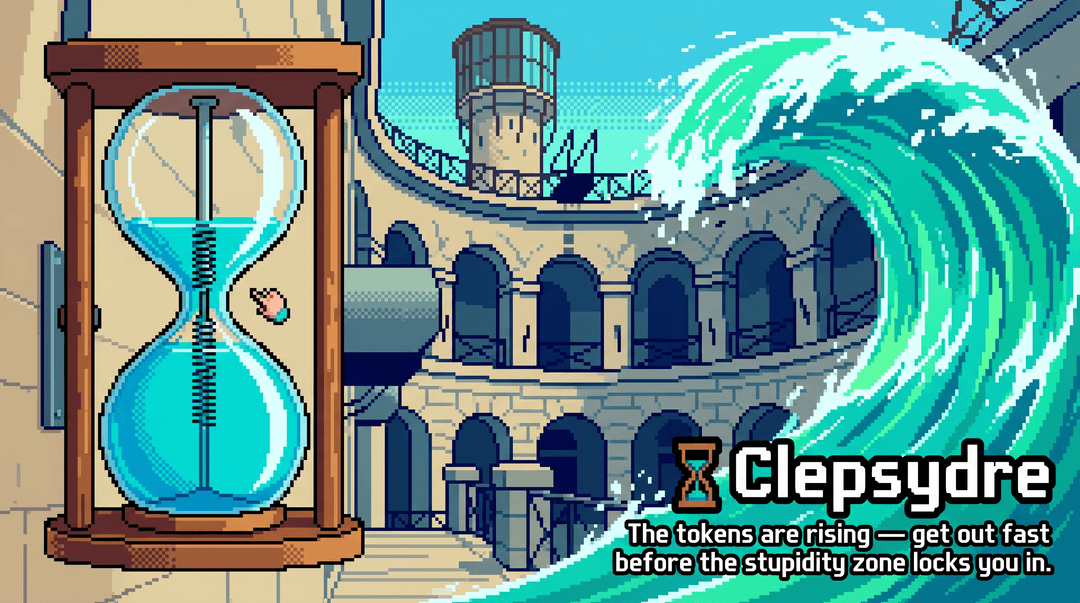
🏺 Clepsydre
The tokens are rising — get out fast before the stupidity zone locks you in.
An always-on gauge for your context window, built for the Claude Code CLI. It
lives in your status line and shows — every turn, without you asking — how full your
context is, so you can /clear at exactly the right moment.
![Clepsydre status line, red tier: [Opus 4.8 1M·H] folder second…rator, branch test/r…ening ±6, 262.3k/300.0k (87%) deep in the 🤪 stupidity zone, MEMORY.md 9.1K, mem 140.0K/40f, 2% until auto-compact](/_next/image?url=https%3A%2F%2Fraw.githubusercontent.com%2Ftpierrain%2Fclepsydre%2FHEAD%2Fassets%2Fstatusline-red.png&w=1080&q=75)
Why "Clepsydre"? A clepsydra is a water clock. In Fort Boyard, it slowly fills the room until the door locks and you're trapped — "Sors ! Sors ! Sors !". Your context window works the same way: it fills with tokens, and if you don't step out in time (
/clear), you stay stuck in the context-rot room. Clepsydre is your "get out in time" signal.
The problem
In the Claude Code CLI, context engineering has a blind spot: the window fills up turn after turn, but nothing keeps it in view — and you can't steer what you can't see.
- Checking costs you. Hammering
/contextto find where you stand wastes time — and once MCP servers are loaded, each call carries a huge call stack. Clepsydre shows it for you, always. No call needed. - Overflow builds silently, on two fronts. Your context window fills with tokens
(🧠→⚠️→🤪) and
MEMORY.md— reloaded in full every session — quietly bloats and rots your context (🧩→⚠️→🧨). Clepsydre watches both, so you see it coming. - The right moment is narrow.
/cleartoo early and you throw away useful context; too late and you're already stupid. A live gauge lets you time it.
What you see
[Opus 4.8 1M·H] 📁 my-project ⎇ main ↑2 ↓1 ±8 · 🧠 65.3k/230.0k (28%) · 🧩 MEMORY.md 4.2K · mem 18.0K/12f · ⏳ 23% ↻ 2h13
Here it is live, with every segment on screen:
![Clepsydre status line, all segments: [Opus 4.8 1M·H] folder second…rator, branch test/r…ening ±6, 126.0k/300.0k (42%) green, MEMORY.md 9.1K, mem 140.0K/40f, rate window 39% resets in 1h23](/_next/image?url=https%3A%2F%2Fraw.githubusercontent.com%2Ftpierrain%2Fclepsydre%2FHEAD%2Fassets%2Fstatusline-overview.png&w=1080&q=75)
- Model · window size · reasoning effort · folder · git branch — the model bracket packs
three things: the model name, the context window it exposes as a compact badge (e.g.
1M,200k), and the effort level as a single glyph (·L/·M/·H/·xH/·MAX). So[Opus 4.8 1M·H]= Opus 4.8, a 1M-token window, thinking at high. The size is the real number Claude Code reports for the model — never guessed, never a hardcoded table. The effort tracks live/effortchanges, and the bracket drops whatever doesn't apply. - Live token usage vs your working window, colored by the anti-context-rot threshold:
- 🧠 green — you're fine
- ⚠️ orange — ≥ 150k, ease off
- 🤪 red — ≥ 200k, the stupidity zone,
/clearnow
- Memory weight — size of
MEMORY.md(reloaded in full every session) and the memory folder:- 🧩 green < 15K · ⚠️ orange 15–25K · 🧨 red ≥ 25K
- 5-hour rate window (Pro/Max plans) — how much of it you've burned, and when it resets; pinned
far right, so it's the first thing to clip on a narrow terminal:
- ⏳ green < 70% · ⚠️ orange 70–90% · ⌛ red ≥ 90%
Plenty of headroom — 🧠 green, you're fine:

Past the warn threshold — ⚠️ orange, ease off before it gets worse:

Deep in the stupidity zone — 🤪 bold red, /clear now:
How to read it, piece by piece
Reading the example line above from left to right:
| Piece | Means |
|---|---|
[Opus 4.8 1M·H] | The model currently answering you. 1M is the context window it exposes (1M, 200k, …) — the real size Claude Code reports for the model, compacted to a short badge; on by default, opt-out via CLEPSYDRE_MODEL_MAX (see model window size). Never guessed, never a hardcoded table. ·H is the reasoning effort compacted to a single glyph after a middot: ·L/·M/·H/·xH/·MAX (here high) — on by default, opt-out (see reasoning effort); tracks live /effort changes. The bracket drops whatever doesn't apply ([Opus 4.8] when there's neither). |
📁 my-project | The folder (project) you're working in. Capped at 12 chars on a narrow terminal by default (25 with no git branch), widening on wider terminals (middle ellipsis); tune or disable with CLEPSYDRE_FOLDER_MAX (see bounding a long folder name). |
⎇ main | The current git branch (⎇ is the git branch symbol). Capped at 12 chars on a narrow terminal by default, widening on wider terminals (middle ellipsis); tune or disable with CLEPSYDRE_BRANCH_MAX (see bounding a long branch name). Outside a repo, this whole part just disappears. |
↑2 ↓1 ±8 | Git state — on by default, opt-out (see git counts). ↑2 = 2 local commits ahead of the remote (to push); ↓1 = 1 commit behind (to pull); ±8 = 8 files with uncommitted changes (your edits + brand-new files). Each shows only when it isn't zero — a clean, in-sync repo shows nothing here. |
· | Just a separator between groups. |
🧠 65.3k/230.0k (28%) | The one that matters most: how full the context window is. 65.3k tokens used out of a 230.0k working window = 28%. The icon is a traffic light: 🧠 green (fine) → ⚠️ orange (ease off) → 🤪 red (the "stupidity zone" — /clear now). |
🧩 MEMORY.md 4.2K | Size of your MEMORY.md file — it's reloaded in full every session, so it eats context; the icon warns as it grows (🧩 → ⚠️ → 🧨). |
mem 18.0K/12f | The whole memory folder: 18.0K total across every memory file, 12f = 12 files. Reads on demand, so it doesn't cost context the way MEMORY.md does — this is just its footprint on disk. |
⏳ 23% ↻ 2h13 | Your 5-hour rate window (Pro/Max plans) — on by default, opt-out (see rate window). 23% of the window already used, ↻ 2h13 until it resets. ⏳ green → ⚠️ orange (≥ 70%) → ⌛ red (≥ 90%). Pinned far right (ADR 0002) — first to clip on a narrow terminal, so it never squeezes the token gauge. Not on a subscription plan? The segment simply doesn't show. |
Why it matters
Context doesn't just fill — it degrades as it fills (context rot). As the context grows, the agent forgets, confuses, and hallucinates more. This is about size, not position: the old "info in the middle gets read worse" effect is outdated on frontier models — what stays measured today is degradation tied to context size.
Where the trouble starts (~150–200K). It's not exact science — it's model-dependent and opinions differ — but heavy users find that past ~150–200K tokens, coding quality starts to slip. Treat it as a prudent comfort zone, not a hard wall. (Chroma's Context Rot report puts clear degradation nearer ~300–400K on 1M models, so ~150–200K stays conservative for reliable coding.)
The 1M-window trap. Anthropic shipped 1M context to analyse big documents without auto-compacting from the start — not to code inside all of it. Because you can doesn't mean you should: stay under ~150–200K and flee the stupidity zone.
Why timing beats compaction
Auto-compaction is a guardrail — but left unguarded,
especially on 1M windows, it fires far too late, when you're already deep in the
stupidity zone. The summary that then seeds every later turn is written by "someone drunk,
tired, hallucinating," and your whole subsequent working context inherits that degraded
state — compounding harm. Clepsydre's value: see it coming and /clear at the right
time, before auto-compaction rescues you too late.
Keep memory lean — pointers, not copies. MEMORY.md is reloaded in full every
session. Forget to tell your harness to store pointers to the plan rather than the plan
itself, and it will re-paste the whole thing every time you ask "can I /clear?" —
bloating and rotting context. The 🧩→⚠️→🧨 tiers catch exactly that.
More, in Thomas's own words (French): "Comment éviter de devenir zinzin (votre IA, et vous un peu aussi)" and "Des pointeurs, pas des copies, banane".
Install
The easy way — let Claude do it
You're already in the Claude Code CLI, so let it install Clepsydre for you. Paste this to Claude:
Install Clepsydre on my machine by following its README
(https://github.com/tpierrain/clepsydre). First ask me which directory to clone it
into, suggesting my home directory (e.g. ~/clepsydre) as the default. Then, before
touching anything, explain what you're going to do and where — which files you'll
create or change — and wait for my go-ahead.
Claude asks where to clone it (your home directory, e.g. ~/clepsydre, is a safe
default), then walks you through the plan (clone the repo, then merge a statusLine entry
into ~/.claude/settings.json after backing it up). Once you approve, it runs the
installer and tells you to restart Claude Code.
The manual way
Works the same on macOS, Linux and Windows — it's plain Node.js, and any machine that runs Claude Code already has Node.
Clone it wherever you like — pick a stable spot, since the status line runs from there. Your home directory is a safe default (avoid a folder you might move or wipe):
git clone https://github.com/tpierrain/clepsydre.git ~/clepsydre
cd ~/clepsydre
node install.mjs          # or node install.mjs --check for a dry-run
install.mjs is idempotent and touches only ~/.claude/settings.json. It points your
Claude Code statusLine at this repo's clepsydre.mjs (absolute path — no symlink, no
~ expansion, so it's Windows-safe), after making a timestamped .bak of your settings.
Your other settings are preserved.
Restart Claude Code to see it.
Update
Your status line runs this repo's file directly, so git pull is all it takes to get
new versions — no re-install, on any OS. Pull, restart Claude Code, and you're on the latest.
| What you want | What to do |
|---|---|
| Get the latest Clepsydre (fixes, new segments) | git pull in the repo, then restart Claude Code |
| Tune your colors, thresholds or git counts | set the CLEPSYDRE_* env vars in your own settings.json — it takes effect on the next render, no pull needed (see Customize the color thresholds) |
| Moved the repo to another folder | git pull, then node install.mjs again (it rewrites the path Claude Code points at) |
The working window
The gauge's denominator is your working window — Clepsydre never picks it for you:
- if you've set
CLAUDE_CODE_AUTO_COMPACT_WINDOW, the gauge uses that value; - otherwise it falls back to the model's real window reported by Claude Code (e.g. 1M on Opus 4.8 1M);
- as a last resort (field absent), it floors at
200000.
So out of the box the gauge just tracks your real model window — no opinion imposed, and no change to when auto-compaction fires.
Want a tighter working window?
CLAUDE_CODE_AUTO_COMPACT_WINDOW is a real Claude Code setting: it controls when
auto-compaction triggers, not just what this gauge displays. Setting it is a deliberate
choice, so Clepsydre leaves it to you. Add it to your own ~/.claude/settings.json:
{
  "env": {
    "CLAUDE_CODE_AUTO_COMPACT_WINDOW": "230000"
  }
}
Rule of thumb (my own): for coding I don't go past ~230k tokens; quality is meant to hold up to roughly 300–400k. Pick what fits your context — Clepsydre will show it.
Customize the color thresholds
The tier colors flip at sensible defaults, but changing a threshold is configuration,
not code — so you set it in your own settings.json, never by editing clepsydre.mjs
(that file stays identical for everyone, so git pull keeps working). Six optional env
vars, each defaulting to today's behavior:
| Env var | Default | Tier it moves |
|---|---|---|
CLEPSYDRE_TOKEN_WARN | 150000 | 🧠 → ⚠️ (ease off) |
CLEPSYDRE_TOKEN_CRAZY | 200000 | ⚠️ → 🤪 (stupidity zone) |
CLEPSYDRE_MEM_WARN | 15360 | 🧩 → ⚠️ (MEMORY.md, bytes) |
CLEPSYDRE_MEM_ROT | 25600 | ⚠️ → 🧨 (MEMORY.md, bytes) |
CLEPSYDRE_RATE_WARN | 70 | ⏳ → ⚠️ (5h window, %) |
CLEPSYDRE_RATE_HIGH | 90 | ⚠️ → ⌛ (5h window, %) |
Where to set them:
- Everywhere on this machine → your global
~/.claude/settings.json. - For one project only → that project's
.claude/settings.json(Claude Code gives the project file precedence over the global one).
{
  "env": {
    "CLEPSYDRE_TOKEN_WARN": "180000",
    "CLEPSYDRE_TOKEN_CRAZY": "250000"
  }
}
Set only the ones you care about; the rest keep their defaults. Anything empty,
non-numeric, or non-positive is ignored, and a pair whose WARN isn't below its
CRAZY/ROT quietly reverts to its defaults — a bad value can never break the gauge.
Git ahead/behind/dirty counts (on by default, opt-out)
A compact git state suffix shows after the branch, out of the box:
[Opus 4.8] 📁 my-project ⎇ main ↑2 ↓1 ±8 · 🧠 65.3k/230.0k (28%) · …
- ↑2 commits ahead of upstream (to push) · ↓1 behind (to pull) · ±8 uncommitted changes (tracked edits + untracked files). Each part shows only when non-zero; a clean, in-sync repo adds nothing.
| Env var | Default | What it does |
|---|---|---|
CLEPSYDRE_GIT_COUNTS | (on) | 0 (or false/no/off) hides the ↑↓± suffix and falls back to a cheap branch-only read |
To opt out — e.g. on a very large monorepo — set it in the same "env" block, globally
or per-project (see above):
{
  "env": {
    "CLEPSYDRE_GIT_COUNTS": "0"
  }
}
Why on by default, and when to opt out. The counts need git status, which scans the
whole working tree on every render. We benchmarked that scan: on a normal repo it's ~0 ms,
and even on the Linux kernel (~95k files) it stays around ~0.24 s warm — cheap enough that the
counts are worth having on by default (full numbers and rationale in
maintainers/docs/adr/0001-git-counts-default-on.md).
On a genuinely huge monorepo where that per-render cost bites, opt out with =0 and the branch
still shows via a cheap ref read. Either way it's robust: if git ever fails with the counts on,
the line falls back to the plain branch and the rest of the status line is never affected.
Bounding a long branch name (on by default)
A long branch name sits left of the token gauge, so on a narrow terminal it would push the
gauge — Clepsydre's crown jewel — rightward and off-screen. To stop that, the branch is capped
at 12 characters on a narrow terminal by default — and the cap widens automatically on a wider
terminal (see responsive to your terminal width
below). Normal names (main, feature/foo) show in full; only a genuinely long one is shortened:
# a 36-char branch, default cap
[Opus 4.8] 📁 my-project ⎇ featur…-name · 🧠 65.3k/230.0k (28%) · …
- The cap is a total character count, ellipsis included. A branch within it shows unchanged; a
longer one is clipped with an ellipsis in the middle, keeping both the distinctive head
(
feature/…) and tail (…-name) — the parts a tail-only cut would throw away.
| Env var | Default | What it does |
|---|---|---|
CLEPSYDRE_BRANCH_MAX | 12 | A positive integer sets the cap (total chars, middle ellipsis). 0 (or false/no/off) disables it → the branch shows in full (handy on a wide screen). |
{
  "env": {
    "CLEPSYDRE_BRANCH_MAX": "0"
  }
}
Why bounded by default? The token gauge is the whole point of Clepsydre, and it must never be evicted by a secondary segment growing to its left. See ADR 0002 for how segment ordering encodes this priority.
Bounding a long folder name (on by default)
The 📁 folder name sits left of the token gauge too, so a long project name (say
second-brain-generator) pushes the gauge the same way a long branch does. Its default cap is
conditional on whether a git branch is also shown: 12 characters with a branch (it then
shares the space left of the gauge with the branch, so both stay tight), 25 without (a non-git
working dir — the folder owns that whole space alone, so it can breathe). These caps too widen
automatically on a wider terminal (see responsive to your terminal width
below). Normal names (clepsydre, my-project) show in full; only a long one is shortened:
# a 22-char folder, inside a git repo (branch shown) → 12-char cap
[Opus 4.8] 📁 second…rator ⎇ main · 🧠 65.3k/230.0k (28%) · …
- Same rule as the branch: a total character count, ellipsis included, clipped in the middle so the distinctive head and tail both survive.
| Env var | Default | What it does |
|---|---|---|
CLEPSYDRE_FOLDER_MAX | 12 (25 with no git branch) | A positive integer sets the cap (total chars, middle ellipsis) and overrides the conditional default. 0 (or false/no/off) disables it → the folder shows in full. |
{
  "env": {
    "CLEPSYDRE_FOLDER_MAX": "0"
  }
}
Same rationale as the branch cap — a secondary, variable-length segment must never evict the token gauge to its left (ADR 0002).
Responsive to your terminal width (on by default)
The folder and branch caps above are tight on purpose only when your terminal is narrow — where
space is scarce and the gauge really is at risk. On a wider terminal there is room to spare, so
Clepsydre widens the names automatically and stops truncating for nothing: second…rator becomes
second-brain-generator once it fits.
It does this by spending the actually available width, read from the terminal's COLUMNS: it
measures how many columns everything else takes — the model badge, the token gauge, the git
counts, the memory segment and the rate window — and hands whatever is left to the folder and
branch names. If both fit, you see them in full; if not, the names shrink by exactly as much as the
width demands — and no more.
How it resizes — the same line at three widths. As the terminal narrows, only the folder and branch give ground; the token gauge, memory and rate window stay put the whole way down.
Wide — both names in full, everything visible:

Narrower — the names shrink (folder first, ellipsis in the middle), everything else untouched:
Genuinely tiny — the names collapse to their 📁 ⎇ icons, so the gauge, memory and rate window never have to go:

- Everything else stays visible — the names are the only thing that shrinks. Because the folder
and branch are sized from what's left after the whole rest of the line, they can never push
the gauge, the memory segment or the rate window off-screen — not even with pathologically long
names. Under pressure the branch is kept and the folder yields first (it's the more redundant of
the two — you usually know which project you're in), and each keeps a small floor so neither
vanishes. On a genuinely tiny terminal, where even the floored names would just become unreadable
stubs, they collapse to their icons instead —
📁 ⎇ ±6(folder icon + branch symbol + git status), or just📁outside a repo — freeing their whole width so the gauge, memory and rate all stay visible far lower. Only below that does the right-most rate window get clipped first — the gauge is always the last to go. - Zero regression, zero config. If the width is unknown (
COLUMNSabsent or unreadable), you get exactly today's fixed caps (12 / 25). Nothing to set up. - Your explicit caps still win. A
CLEPSYDRE_BRANCH_MAX/CLEPSYDRE_FOLDER_MAXyou set (including0to show the name in full) overrides the automatic sizing for that segment. - A small width reserve keeps the tail safe. The status line doesn't get the whole terminal
width — your
statusLine.paddingindents it, and Claude Code adds its own ellipsis when a line is too long. Clepsydre holds back a few columns (CLEPSYDRE_WIDTH_RESERVE, default8) so the rate window is never clipped for it. Bump it if you use a large padding, or set0to reclaim every column. - Adapts on the next render, not live. Resize the terminal and the new width is picked up on the next status-line render (each turn), not mid-drag — so right after a resize the first line may look tight for a moment, then settle.
See ADR 0006 for the design.
Model window size (on by default, opt-out)
Clepsydre shows the context window the current model exposes as a compact badge inside the
[model] bracket, right after the name:
[Opus 4.8 1M·H] 📁 my-project ⎇ main · 🧠 65.3k/300.0k (22%) · …
- The badge is the model's real window (
1M,200k, …), read from the size Claude Code reports in the payload (context_window_size) — the actual number, not the marketing name. A standard model is just namedSonnet 4.6, yet it genuinely exposes 200 000 tokens, so we can still show200k. - Never guessed, never a hardcoded
model → sizetable — which would rot the moment Anthropic reshuffles its lineup or renames a tier. If Claude Code reports no size, the badge is simply omitted. This keeps it honest and future-proof. - It's the model's exposed ceiling, distinct from the
/…working window in the token gauge (which you narrow withCLAUDE_CODE_AUTO_COMPACT_WINDOW— see the working window). So1Mnext to65.3k/300.0kreads: a 1M-capable model, worked within a 300k window, 65.3k used. When you haven't narrowed it, the badge simply matches the gauge's denominator.
| Env var | Default | What it does |
|---|---|---|
CLEPSYDRE_MODEL_MAX | (on) | 0 (or false/no/off) hides the size badge |
{
  "env": {
    "CLEPSYDRE_MODEL_MAX": "0"
  }
}
Why glued to the model? The window size qualifies the model — it belongs with its identity, and staying a short left-anchored badge keeps the token gauge protected from the right-edge clip. See ADR 0005 for why we only ever surface real, reported info here — never a guess.
Reasoning effort (on by default, opt-out)
The model's current reasoning-effort level rides inside the [model] bracket, compacted to a
single glyph after a middot, out of the box:
[Opus 4.8·H] 📁 my-project ⎇ main · 🧠 65.3k/230.0k (28%) · …
-
The level is read straight from Claude Code's session data — it reflects live
/effortchanges with no extra work or API calls — and is compacted to one glyph so it stays anchored to the model and can never push the token gauge off a narrow terminal:Level Glyph low·Lmedium·Mhigh·Hxhigh·xHmax·MAX -
The bracket stays bare (
[Opus 4.8]) when the current model has no effort setting (the field is simply absent), so it's never a fabricated or stale value.
Why glued to the model rather than a standalone segment? Effort is how hard this model is thinking — it belongs with the model's identity, and staying a single left-anchored glyph keeps the context-window gauge (the whole point of Clepsydre) protected from the right-edge clip. See ADR 0002.
| Env var | Default | What it does |
|---|---|---|
CLEPSYDRE_EFFORT | (on) | 0 (or false/no/off) hides the effort glyph (bare bracket) |
To opt out, set it in the same "env" block, globally or per-project (see above):
{
  "env": {
    "CLEPSYDRE_EFFORT": "0"
  }
}
The 5-hour rate window (on by default, opt-out)
On Claude Pro/Max subscription plans, usage is metered over a rolling 5-hour window. Clepsydre shows where you stand, out of the box — pinned to the far right of the line, so it's the first segment the terminal clips on a narrow window and can never squeeze the token gauge (ADR 0002):
[Opus 4.8] 📁 my-project ⎇ main · 🧠 65.3k/230.0k (28%) · 🧩 MEMORY.md 4.2K · mem 18.0K/12f · ⏳ 23% ↻ 2h13
- ⏳ 23% of the window already used · ↻ 2h13 until it resets (just
↻ 45munder an hour). The icon follows the usual traffic light: ⏳ green → ⚠️ orange (≥ 70%) → ⌛ red (≥ 90%) — thresholds movable viaCLEPSYDRE_RATE_WARN/CLEPSYDRE_RATE_HIGH(see above). - The data comes straight from the JSON Claude Code hands the status line — no extra process, no API call, zero added cost per render.
- Not on Pro/Max (API billing), or before the session's first response? Claude Code doesn't send the numbers, and the segment simply doesn't show. Nothing to configure. This is deliberate: Claude Code only reports the window after the first response, and the segment would rather stay hidden than show a stale, possibly misleading figure (see ADR 0004).
⏳ reset— the numbers only refresh with a response, so if a session sits idle past the reset, the last-known percentage is stale (a new window has already started). Rather than show a scary, wrong ⌛, the segment turns into this green marker until your next message brings fresh numbers.
| Env var | Default | What it does |
|---|---|---|
CLEPSYDRE_RATE_WINDOW | (on) | 0 (or false/no/off) hides the ⏳ 5h-window segment |
To opt out, same "env" block as everything else, globally or per-project:
{
  "env": {
    "CLEPSYDRE_RATE_WINDOW": "0"
  }
}
Requirements
- Node.js — already present on any machine running Claude Code (that's what it runs
on). No
jq, nobc, no bash. gitis optional: the status line keeps working outside a repo — the branch segment just disappears.- macOS, Linux and Windows.
- Claude Code CLI only. Clepsydre plugs into the CLI's status line. The Claude Desktop app doesn't work like that — it has its own context-management mechanisms and no status line to hook into — so Clepsydre doesn't apply there (for now).
Acknowledgements
Clepsydre is better because people sent great ideas upstream. Huge thanks to:
- @guillaumejay — the git
↑ahead ↓behind ±dirtycounts (on by default) and the 5-hour rate-limit window (⏳ 23% ↻ 2h13). - @anaelChardan — the reasoning-effort indicator
(
[Opus 4.8·H]), surfacing your live/effortlevel right in the model bracket.
Their contributions were merged with credit; where the maintainer adjusted a new segment's placement, it followed the documented ordering rule in ADR 0002, never taste — the contributors' own logic is preserved.
// faq
What is clepsydre?
A Fort Boyard–style water clock for your Claude Code context window — /clear before you're trapped in the context-rot room.. It is open-source on GitHub.
Is clepsydre free to use?
clepsydre is open-source under the Apache-2.0 license, so it is free to use.
What category does clepsydre belong to?
clepsydre is listed under data in the Claudeers registry of Claude-compatible tools.
// embed badge

[](https://claudeers.com/clepsydre)
// retro hit counter

[](https://claudeers.com/clepsydre)
// reviews
// guestbook
// related in Data & Analytics
 🔓
🔓Wrap Antigravity, ChatGPT Codex, Claude Code, Grok Build as an OpenAI/Gemini/Claude/Codex compatible API service, allowing you to enjoy the free Gemini 3.1 P…
 🔓
🔓Marketing skills for Claude Code and AI agents. CRO, copywriting, SEO, analytics, and growth engineering.
 🔓
🔓Apache Airflow - A platform to programmatically author, schedule, and monitor workflows
 🔓
🔓CLI tool for configuring and monitoring Claude Code