
claude-paints-jensen
Reproduce a four-marker portrait with an SO-101 follower and Claude Code.
Install with your AI
Paste into Claude Code, Cursor, or any agent — it reads the repo and wires the tool into your project.
Install and set up claude-paints-jensen (git-clone project) into my current project.
Found on https://claudeers.com/claude-paints-jensen
Repo: https://github.com/vlongle/claude-paints-jensen
Homepage/docs: —
Detected install method: git-clone → git clone https://github.com/vlongle/claude-paints-jensen
Category: security. Platforms: cli.
Read the repo's README for exact setup and env vars, then install it and wire it into my project.

Claudeers Health Verdict:
unknown; community-verified: false. Confirm the source before running anything.
git clone https://github.com/vlongle/claude-paints-jensen
// compatibility
| Platforms | cli |
|---|---|
| Operating systems | — |
| AI compatibility | claude |
| License | — |
| Pricing | open-source |
| Language | Python |
Claude paints Jensen
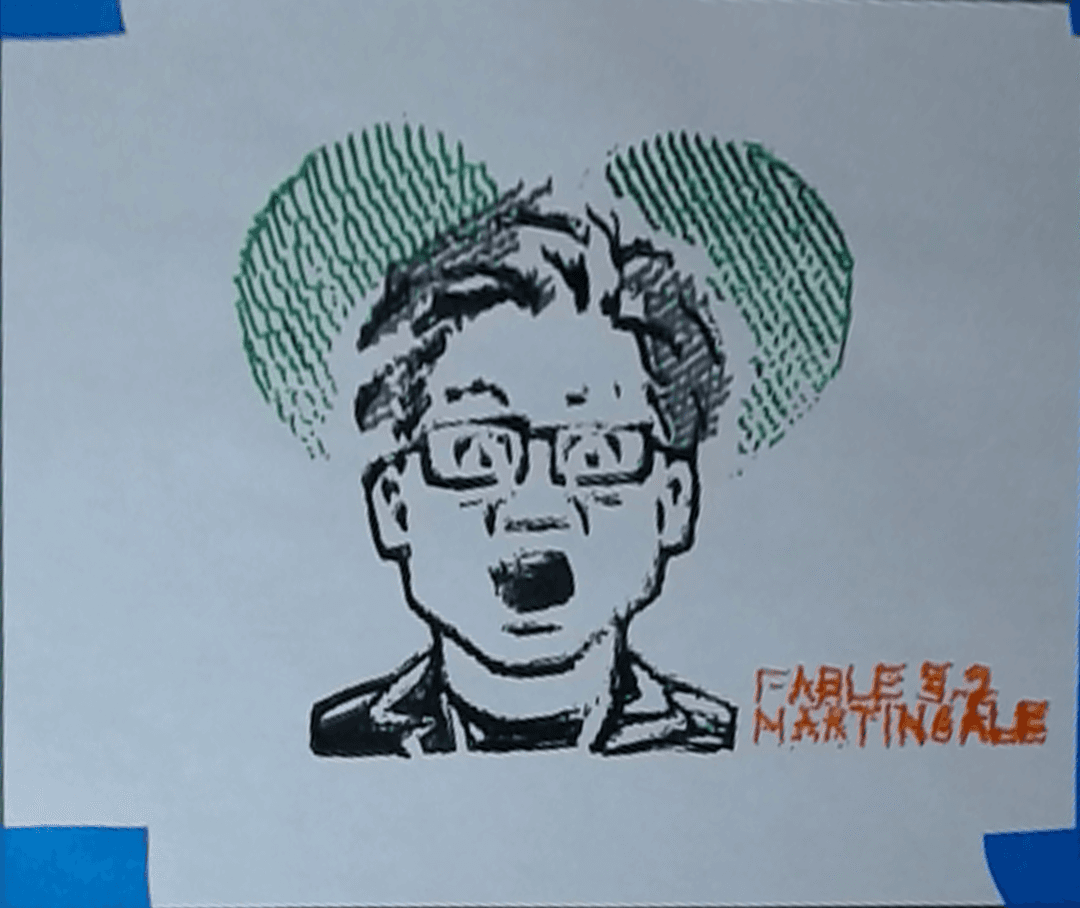
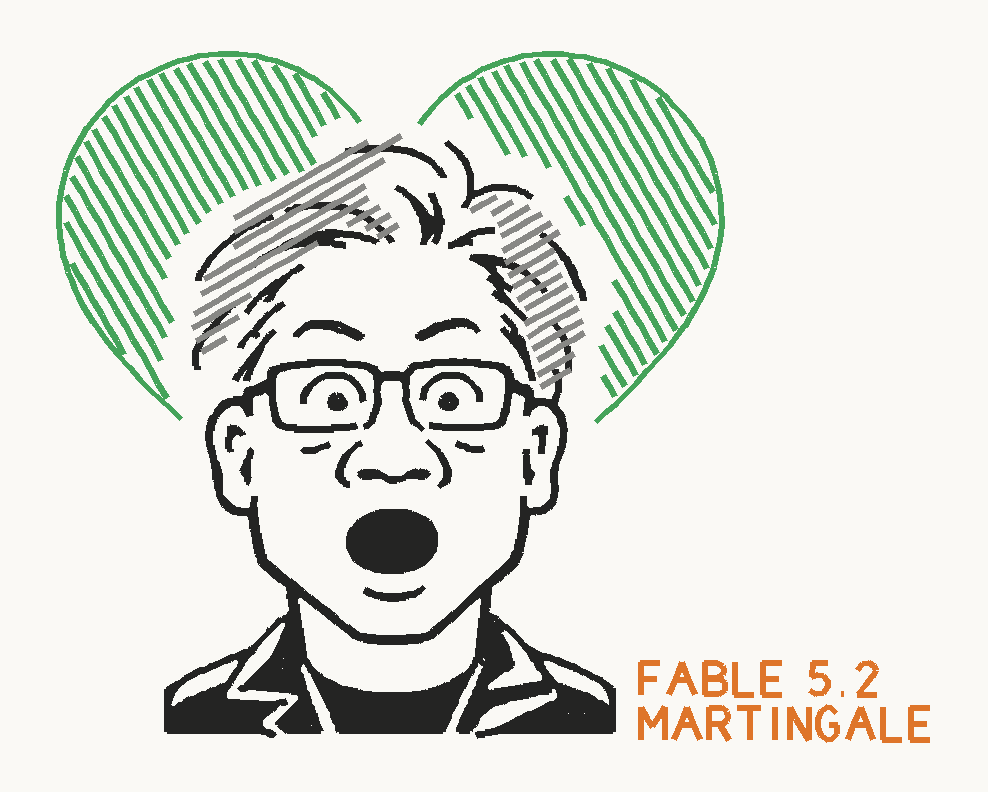
Give Claude Code an SO-101 follower, four markers, and a sheet of paper. The arm draws Jensen Huang in black, hatches the green heart, shades his hair in grey, and signs the sheet in orange. This repository contains the 271 original stroke paths, a headless MuJoCo simulation, and a controller you can teach to your own desk.

| The original physical drawing | The same strokes in simulation |
|---|---|
 |  |
Try it in simulation with just a computer, or use the shopping list below to draw it on paper.
Get the code
Install Git and Python 3.12, then open a terminal and run the two commands below. To follow the guided setup, install Claude Code and start it with claude in the project folder.
git clone https://github.com/vlongle/claude-paints-jensen.git
cd claude-paints-jensen
What to buy
| Item | What you need it for | Where to buy |
|---|---|---|
| Seeed Studio SO-ARM101 Pro assembled kit | The follower holds the marker. One powered, calibrated follower with a USB cable and base clamp is enough. | Micro Center |
| Crayola broad-line markers, 12-count | Use black, green, grey (Dolphin Gray), and orange, one at a time. | Amazon |
| White US Letter printer paper, 8½ × 11 inches | Use one sheet for the printed guide, one for the portrait, and a few for test marks. | Amazon |
| ScotchBlue painter’s tape | Tape the sheet to a flat board and secure the marker to the fixed gripper jaw. | Amazon |
| Logitech C920 USB webcam | Optional. It gives you a fixed overhead view for checking marks between passes. | Amazon |
| NEEWER desk-clamp camera arm | Optional with the webcam. Choose a mount with a desk clamp and a ¼-inch screw for the C920. | Amazon |

Draw it on paper
-
Clamp the follower to a sturdy desk. Secure a flat board within reach. If you use the webcam, frame the whole page as shown above.
-
Print the US Letter registration guide in landscape at 100% (Actual Size). With a ruler, check that the outer crosses are 136 mm apart horizontally and 108 mm vertically. Have an 8 mm spacer ready for teaching the lifted marker position.
-
Open Claude Code in this checkout and paste the prompt below. The hardware guide covers calibration, fitting the black marker, and checking a stroke on scrap before switching to the final sheet.
Help me draw this portrait on my SO-101 follower. Read AGENTS.md and docs/hardware.md. Start with the simulation, then walk me through desk setup and the first black test mark.
Draw it in simulation
Use Python 3.12 and a terminal in this checkout. The first install needs internet access. The simulation then runs locally on a CPU, including on a machine without a display.
python3.12 -m venv .venv
source .venv/bin/activate
python -m pip install -e .
python -m portrait sim
On Windows, activate the environment with .venv\Scripts\Activate.ps1 in PowerShell. Open out/sim/replay.gif to watch the arm, or out/sim/portrait.png for the final sheet. The run also writes the MuJoCo scene, the joint trajectory, contact samples and a JSON report.
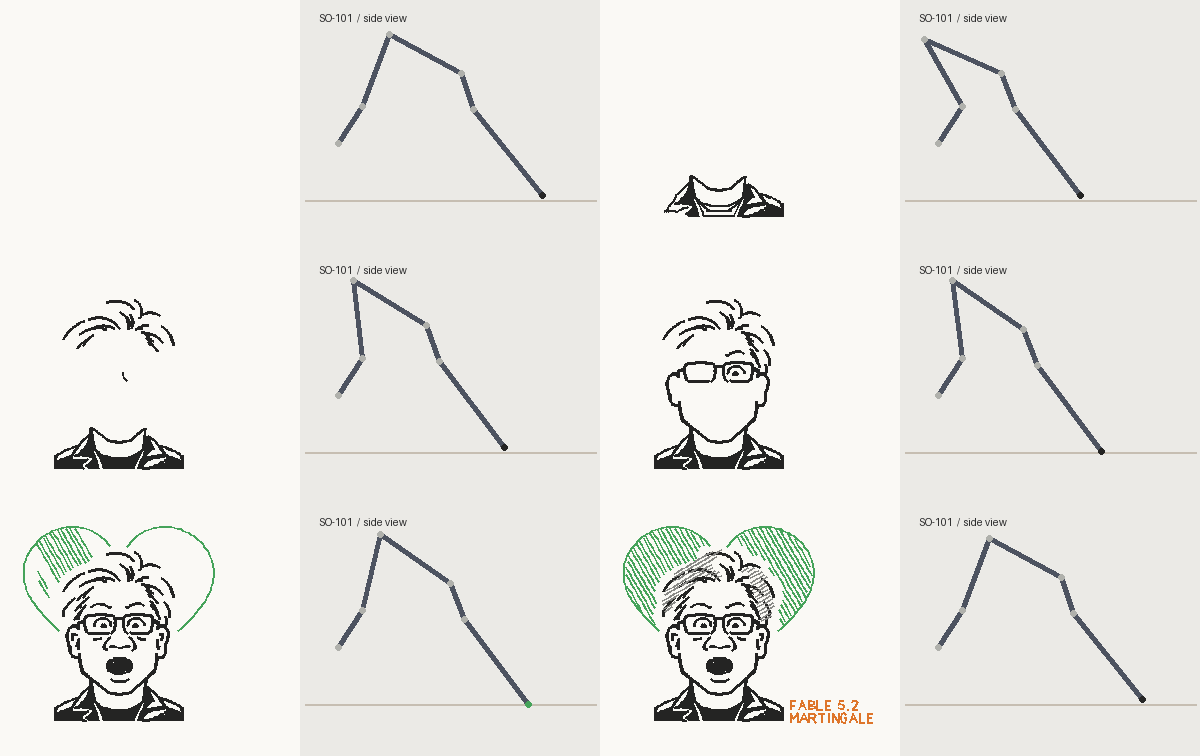
Run it with Claude Code
Start claude in this checkout and paste:
Reproduce the four-marker portrait. Read AGENTS.md. Run the simulation, inspect the drawing, and tell me how many strokes each marker makes. I’ll tell you when I’m ready to set up my follower.
You can also run each command directly from a terminal.
What is being reproduced?
| Stage | Original stroke paths | Subject |
|---|---|---|
| Black | 153 | Jacket, hair, glasses and face |
| Green | 45 | Heart |
Grey (gray in commands) | 28 | Hair shading |
| Orange | 45 | Handwritten “FABLE 5.2 / MARTINGALE” |
The photographed run used 18 drawing passes and about 44 minutes of arm movement. Some strokes were retraced when a marker barely touched. The default simulation draws each path once. The portable controller fits the artwork inside a 136 × 108 mm teaching rectangle and preserves its proportions. The signed picture on another arm will vary with nib width, compliance and registration. Original pass counts and timings
Both modes use the same page coordinates, pen lifts, five-joint kinematics and path planner. MuJoCo positions the joints and checks nib–paper contact at each planned pose. It models ideal joint tracking and a rigid nib. Ink flow, servo lag, flex and grasping a new marker are physical variables you check at the desk. The original robot produced the photograph. The portable hardware adapter in this release has been exercised with a simulated motor bus and still needs a fresh physical run on a reader’s setup.
The exact input is strokes.json. The original canvas extends beyond both zero and one. The loader fits its complete bounding box in physical units so the heart and the signature both fit on the page. The run notes explain the marker and pressure decisions behind the film.
python -m unittest discover -s tests -v
// faq
What is claude-paints-jensen?
Reproduce a four-marker portrait with an SO-101 follower and Claude Code.. It is open-source on GitHub.
Is claude-paints-jensen free to use?
claude-paints-jensen is open-source, so it is free to use.
What category does claude-paints-jensen belong to?
claude-paints-jensen is listed under security in the Claudeers registry of Claude-compatible tools.
// embed badge

[](https://claudeers.com/claude-paints-jensen)
// retro hit counter

[](https://claudeers.com/claude-paints-jensen)
// reviews
// guestbook
// related in Security & Compliance
 🔓
A complete AI agency at your fingertips - From frontend wizards to Reddit community ninjas, from whimsy injectors to reality checkers. Each agent is a specia…
 🔓
π RuView turns commodity WiFi signals into real-time spatial intelligence, vital sign monitoring, and presence detection — all without a single pixel of video.
 🔓
Prowler is the world’s most widely used open-source cloud security platform that automates security and compliance across any cloud environment.
 🔓
🐶 A curated list of Web Security materials and resources.