
claude-dispatcher
Terminal cockpit for running a fleet of Claude Code sessions across all your repos — dispatch work, watch what ships, and act on what's blocked, from one scr…
Install with your AI
Paste into Claude Code, Cursor, or any agent — it reads the repo and wires the tool into your project.
Install and set up claude-dispatcher (release-binary project) into my current project.
Found on https://claudeers.com/claude-dispatcher
Repo: https://github.com/Innovology/claude-dispatcher
Homepage/docs: —
Detected install method: release-binary → inspect the README
Category: devops. Platforms: cli, api, web.
Read the repo's README for exact setup and env vars, then install it and wire it into my project.

Claudeers Health Verdict:
active; community-verified: false. Confirm the source before running anything.
Grab the latest release asset from GitHub.
# download a build from https://github.com/Innovology/claude-dispatcher/releases
git clone https://github.com/Innovology/claude-dispatcher
// compatibility
| Platforms | cli, api, web |
|---|---|
| Operating systems | — |
| AI compatibility | claude |
| License | GPL-3.0 |
| Pricing | open-source |
| Language | Go |
Claude Dispatcher
A terminal cockpit for running a factory of Claude Code sessions across all your repos. Dispatch work to many repositories at once, then see — at a glance, on one screen — what's working, what shipped, and the one thing that's actually blocked waiting on you.
It sits above your repos, not inside any one of them. Every dispatcher is a real claude session in its own tmux; the cockpit is a fast, keyboard-driven viewer over all of them.
Why
You can run ten Claude Code sessions. You can't watch ten terminals. The cockpit collapses the whole fleet into one triage surface: it surfaces the blocked and the finished, keeps the busy ones out of your way, and hands the terminal straight to tmux when you want to jump in.
- One screen, the whole factory — dispatchers, PRs, deploys, backlog, usage and velocity across every repo and product.
- Real data, live — dispatch records +
git+gh+ Linear + Azure Boards, refreshed on an fsnotify watch and a poll. Nothing is mocked. - Keyboard-first — eight lenses on the number keys, one key per action, a
:command palette, and?for the map. - Done means live — a feature stays open until it's actually deployed, not merely merged.
- Tokens, not dollars — built for a Claude subscription; usage speaks in tokens and effort.
Eight lenses
Switch with the number keys. Each lens is a different question about the same factory.
| lens | the question it answers | |
|---|---|---|
1 | triage | what is blocked, claims done, or waiting on me right now? |
2 | products | how is each product (many repos) doing? |
3 | product | inside one product: velocity, in-flight lanes, review / team / shipped |
4 | queue | what's drafted and ready to dispatch as a batch? |
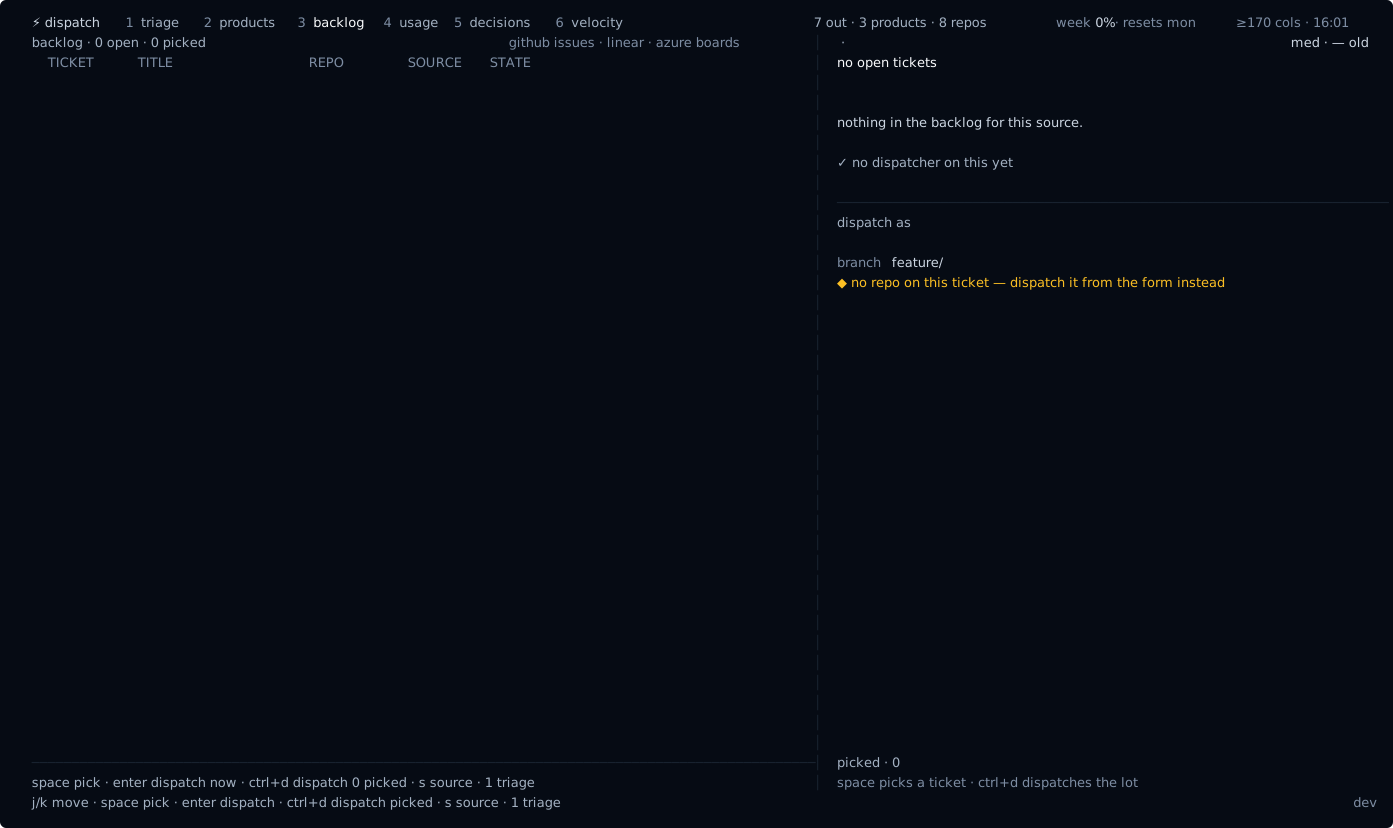
5 | backlog | GitHub Issues · Linear · Azure Boards, in one list |
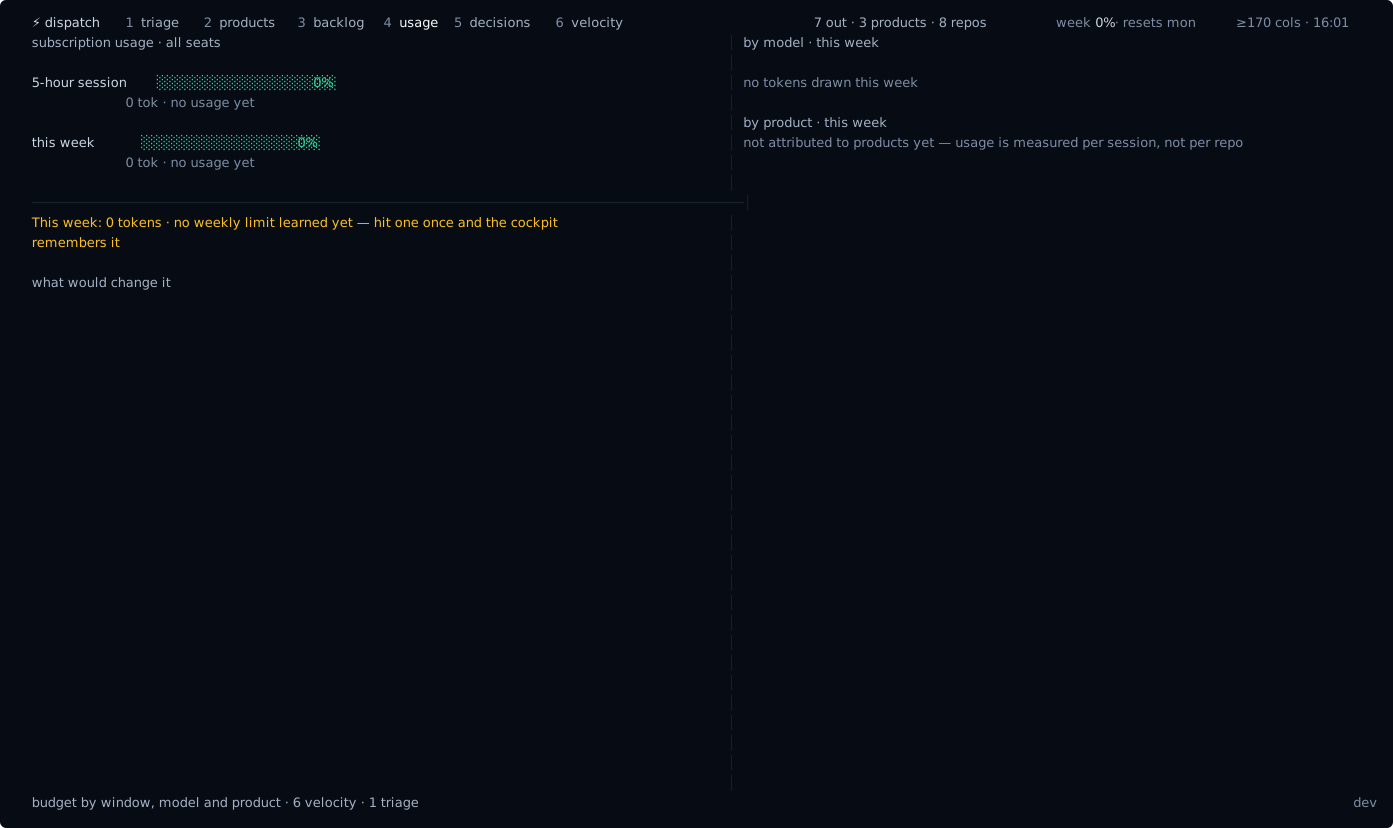
6 | usage | 5-hour and weekly consumption vs my learned limits |
7 | decisions | ADRs and decision records per repo |
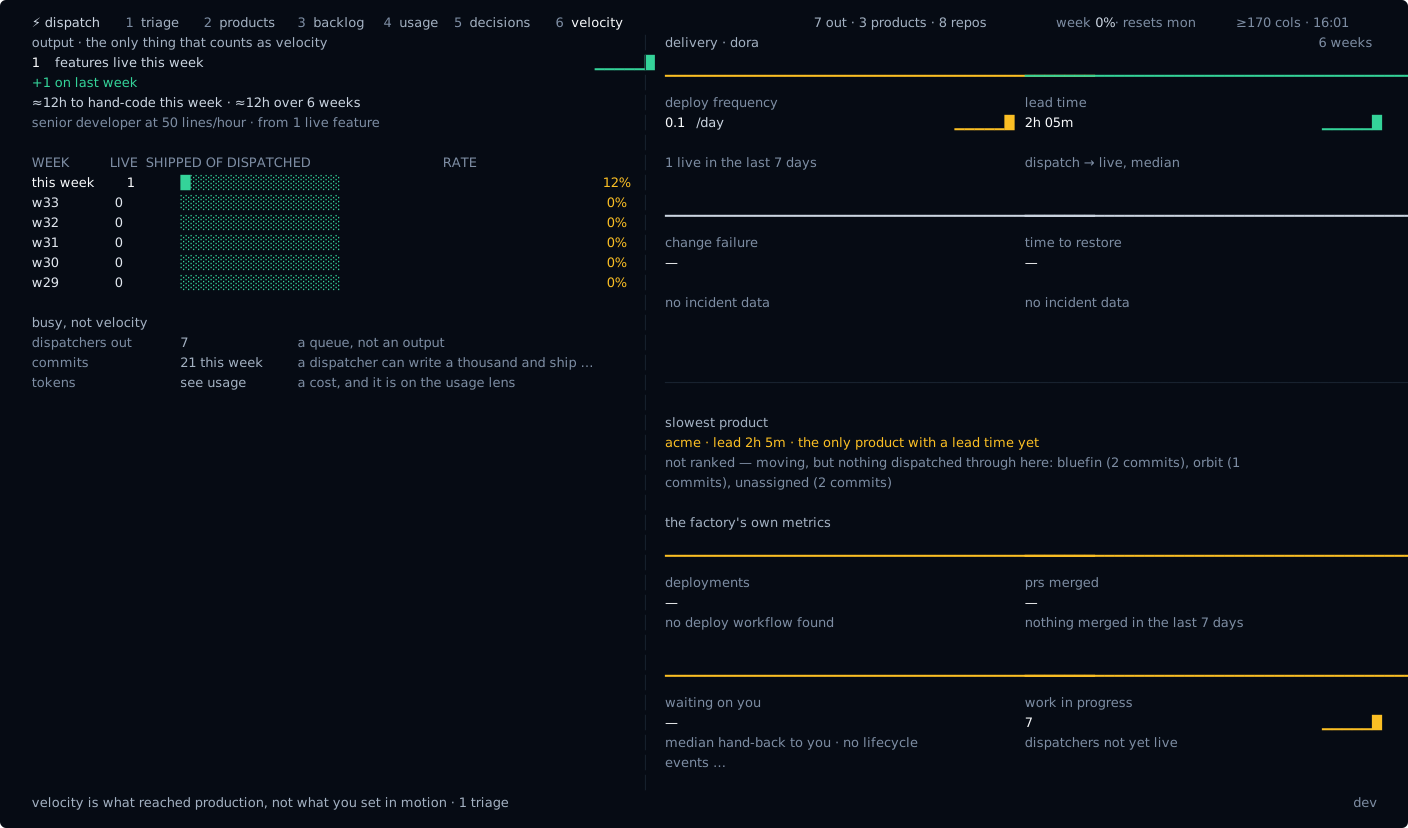
8 | velocity | DORA + what actually reached production |
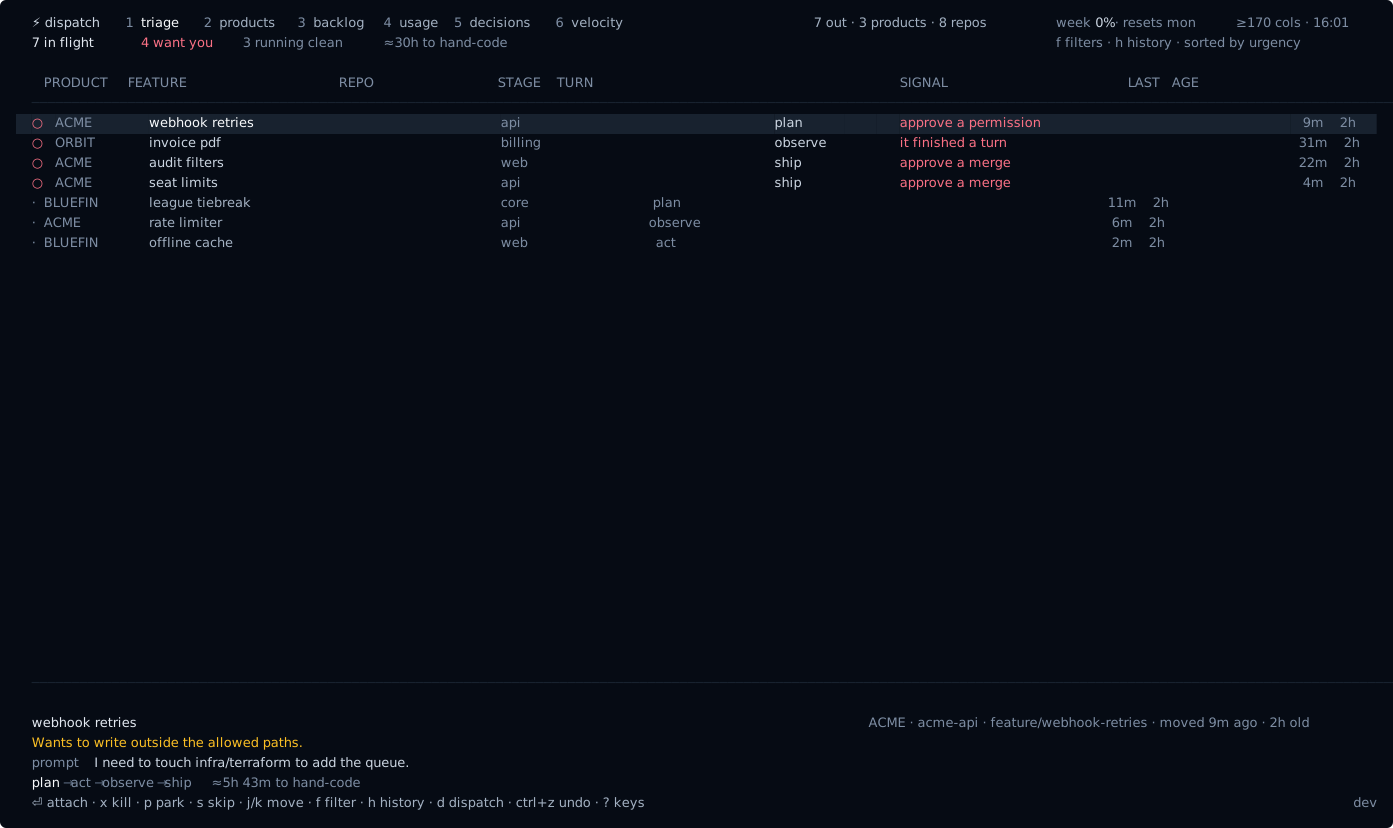
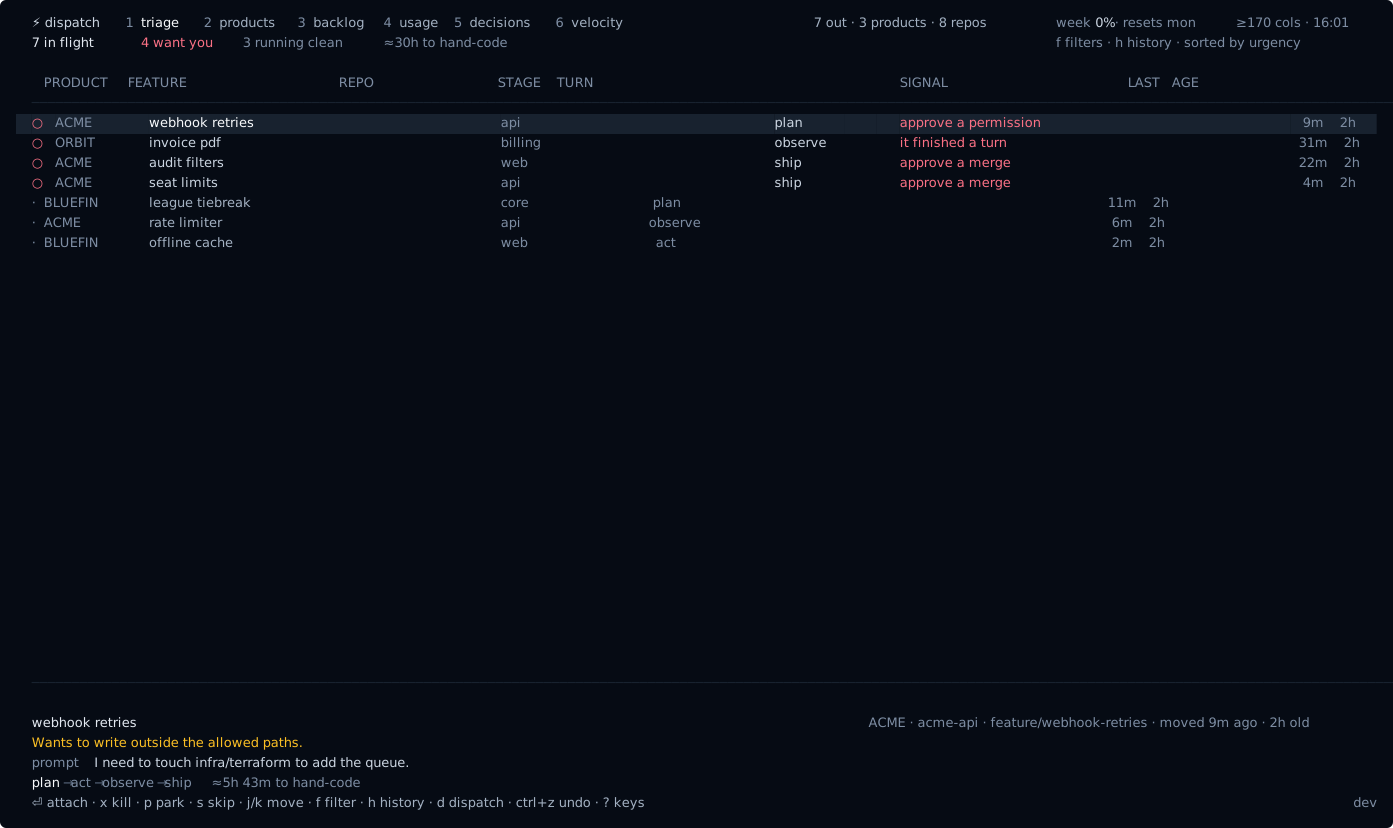
Triage is a queue, not a list. It shows you one thing — the most urgent ask, what it wants, and the evidence — with its actions on the same screen. Act on it and the next one takes its place. A list makes you choose what to look at; a queue just hands you the next decision.
w shows what is running. Everything working away unattended, grouped by product, with what each one is doing right now and how long since it last said anything. Nothing here needs you — that is the point of keeping it off the queue.
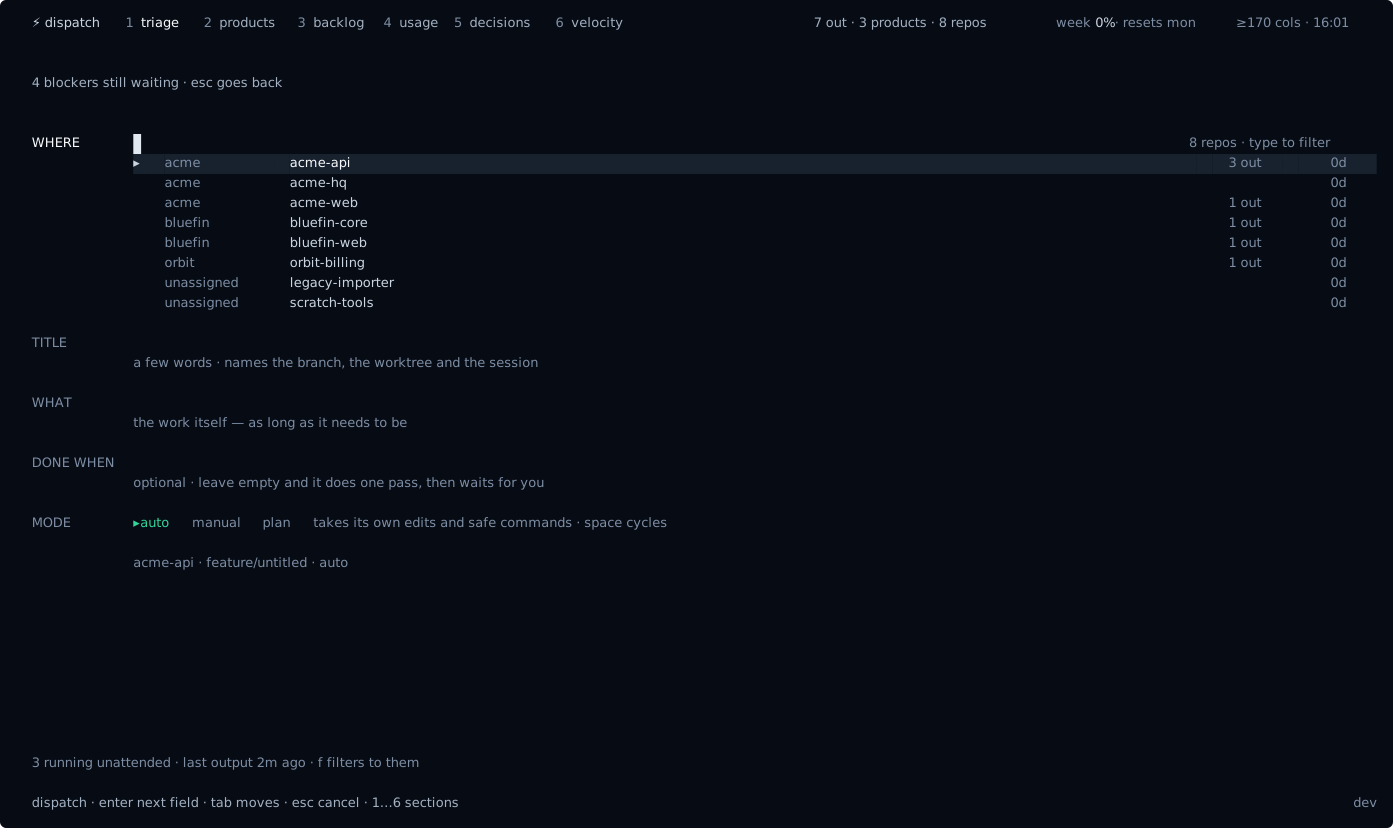
With the queue clear, the same screen becomes the prompt. Type what to build and press enter; tab picks the repo.
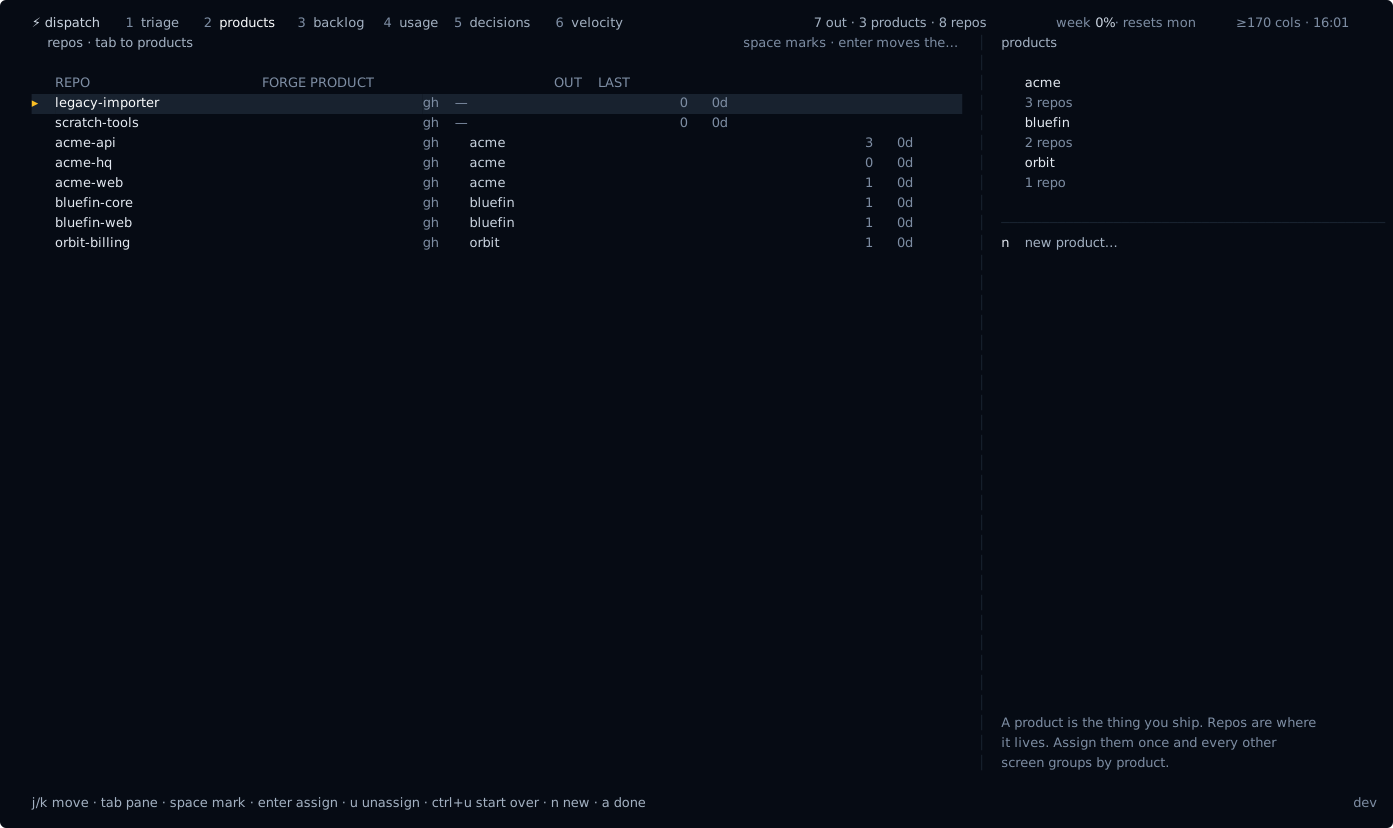
A product is many repos — the portfolio roll-up, what is stale, and where the factory is stuck:
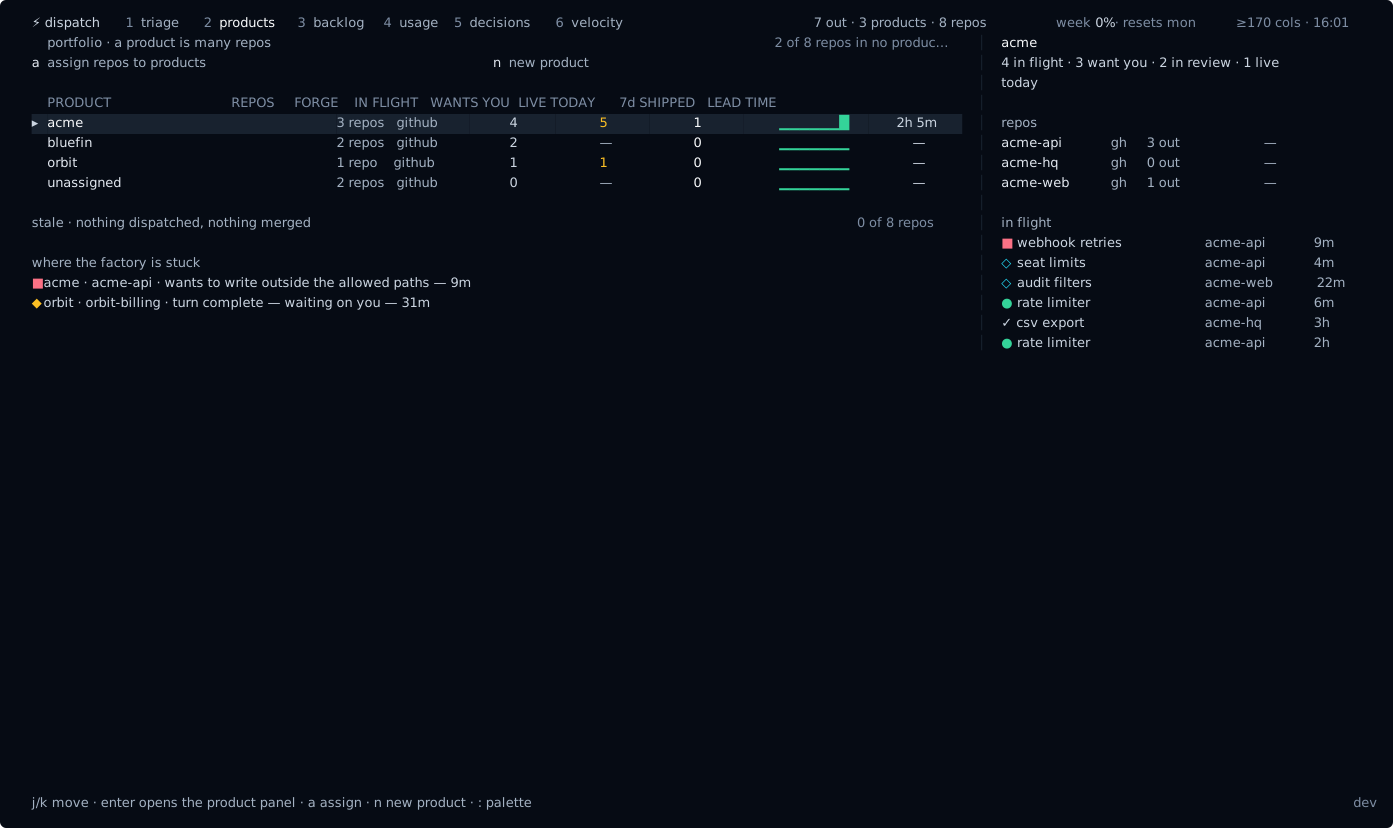
Press a to say which repos make up which product. Mark repos with space, enter moves them into the selected product, n names a new one. It writes straight to [products] in your config, so the grouping every other lens uses is one screen away rather than a file you have to remember the syntax for.
Velocity — DORA delivery metrics beside what actually shipped, because a thousand commits that never merge isn't velocity:
One backlog across GitHub Issues, Linear and Azure Boards — pick, then dispatch:
Usage limits, learned
There is no API for a Claude subscription's limits — so the cockpit learns them. It measures your 5-hour rolling and weekly consumption from the session transcripts, and treats the usage at each real rate-limit (429) as that window's cap: assume that's the limit, until we sail past it and it's fine — then raise it. The estimate persists and sharpens over time.
Actions are real
Every act the queue offers is wired to the live session — the act row shows only what this dispatcher can actually do:
enterattach the tmux session at full fidelity (Ctrl-\to come back)yon a PR waiting to merge:gh pr merge --squash --auto, then mark live. Elsewhere it marks the record shipped, and it is hidden entirely when the dispatcher has produced no commitsxkill the session ·sskip to the back of the queue ·uundodopen the prompt ·wsee what is running ·enteron a backlog ticket dispatches it
Install
Via Homebrew:
brew install innovology/tap/claude-dispatcher
claude-dispatcher init     # config + repo scan + status hook (asks first)
claude-dispatcher            # open the cockpit
Or from source (needs Go):
make install # builds to ~/.local/bin/claude-dispatcher
~/.local/bin must be on your PATH ahead of Homebrew's, or a brew-installed copy keeps winning:
echo 'export PATH="$HOME/.local/bin:$PATH"' >> ~/.zshrc
The status hook embeds the absolute path of the binary that ran
init. If you switch install methods, re-runinitso the hook points at the new binary.
Requirements: macOS or Linux · tmux · git · the claude CLI · gh (for PR/deploy signals). Linear and Azure Boards are optional and off until configured.
Windows
Recommended: run under WSL2. The full experience — real tmux, in-place attach, reply-without-attaching, the whole cockpit — depends on tmux as the process supervisor, and tmux is a Linux tool. Install a WSL2 distro (Ubuntu is fine), then use the Linux build exactly as documented above (brew via Linuxbrew, or make install). This is the recommended way to run the dispatcher on a Windows machine.
Native preview (winget / scoop). A native Windows build is published for early access once the publishers below are configured. It is honestly a preview: without tmux there is no shared session multiplexer, so each dispatch opens in its own console window, and in-place attach (window focus) and reply (console input injection) are best-effort and still being hardened — the tmux-grade session model for Windows is still being built. For the real cockpit experience today, use WSL2, and watch the cockpit as the native session model lands.
Once configured, install natively with:
winget install Innovology.claude-dispatcher
# or
scoop bucket add innovology https://github.com/Innovology/scoop-bucket
scoop install claude-dispatcher
Quickstart
claude-dispatcher init     # first run: writes config, scans for repos, installs the hook
claude-dispatcher            # open the cockpit
Press 1–8 to move between lenses. On triage, act on what it shows you or s to skip; w shows what is running, d opens the prompt. Elsewhere j/k move and enter opens. : is the command palette, ? lists every key, and , opens settings.
Settings
Press , in the cockpit (or :settings) to edit — written straight to ~/.config/claude-dispatcher/config.toml:
- scan roots — the directories scanned (3 levels deep) for git repos
- Linear API key — turns on the Linear backlog source (or set
LINEAR_API_KEY) - Azure org / project — turns on Azure Boards (needs the
azCLI; or setAZURE_DEVOPS_ORG/AZURE_DEVOPS_PROJECT) - weekly token budget — optional; when set, the usage lens gauges against it, otherwise it shows learned caps and raw tokens
Environment variables override file values, so a secret can stay out of the file.
Products are edited on the products lens (2, then a), which writes the table below for you. You can still group them by hand in ~/.config/claude-dispatcher/config.toml, using each repo's directory name:
[products]
acme    = ["acme-api", "acme-web", "acme-hq"]
bluefin = ["bluefin-core", "bluefin-web"]
Anything unmapped is grouped under unassigned, which is what a fresh install shows.
How it works
- Each dispatcher is an interactive
claudesession inside its own tmux session (disp-<slug>), started on afeature/<slug>branch. Sessions survive cockpit restarts; the cockpit is a stateless viewer over~/.local/state/claude-dispatcher/. - Status comes from one global Claude Code lifecycle hook (installed by
initinto~/.claude/settings.json). It maps events to states: working, needs you, blocked, done, exited. - Commits are attributed to dispatchers by provenance — each dispatch records the SHAs its feature branch produced (base tip at launch → branch tip). No trailers in your git history.
- Done means live: when a PR merges, the tracker watches the repo's deploy workflow (auto-detected by name, or set in
[deploy_workflows]) and flips the feature to done on a green run. Repos with no deploy workflow count merge as live. - The layout is responsive: wide terminals tile into three panes, narrower ones collapse to essentials.
Keys
| key | action |
|---|---|
1–8 | switch lens (triage · products · product · queue · backlog · usage · decisions · velocity) |
+ | dispatch new work — repo → feature → prompt |
j / k · → / ← | move · into the detail pane and back |
/ · t · w | filter · change grouping · show the working ones |
enter / a | attach the selected dispatcher's tmux session |
r · y · x | reply · ship (squash-merge) · kill — the last two ask first |
D · F | diff of everything it changed · follow the live output |
, · : · ? | settings · command palette · all keys |
q | quit |
Development
make check runs build, vet, lint (golangci-lint), and the race-enabled test suite — the gates CI runs on every PR.
Releasing
Merging a PR into main cuts the next patch release automatically (goreleaser builds macOS/Linux tarballs, Windows .zips, and the Homebrew cask). Label the PR release:minor / release:major (or skip-release) to control the bump — the PR template reminds you. A release: minor line or [skip release] in the merge commit still works as a fallback; doc-only merges skip on their own. Releases need a HOMEBREW_TAP_TOKEN secret (a fine-grained PAT with contents:write on Innovology/homebrew-tap):
gh secret set HOMEBREW_TAP_TOKEN -R Innovology/claude-dispatcher
Without it the Release workflow succeeds but tags and publishes nothing, so a merge never half-releases.
Windows publishing (optional)
The scoop and winget publishers are wired into .goreleaser.yml but stay a no-op until you set their tokens — the existing macOS/Linux + Homebrew release keeps working unchanged with only HOMEBREW_TAP_TOKEN. To turn on native Windows publishing, set up each publish repo exactly like the Homebrew tap:
-
scoop — create an
Innovology/scoop-bucketrepo, then add a fine-grained PAT with contents:write on it:gh secret set SCOOP_BUCKET_TOKEN -R Innovology/claude-dispatcher -
winget (optional) — fork
microsoft/winget-pkgstoInnovology/winget-pkgs, then add a PAT with contents:write on the fork (goreleaser opens the manifest PR against it under publisherInnovology):gh secret set WINGET_TOKEN -R Innovology/claude-dispatcher
Each publisher's skip_upload is templated on its token, so an unset token means the manifest is generated but never pushed — a release can never half-publish.
Troubleshooting
- Everything stuck on "launching" — the hook isn't firing. Re-run
claude-dispatcher init; confirm~/.claude/settings.jsonpoints at the installed binary. needs youvsblockedlag — those rely on theNotificationhook matchers (idle_prompt/permission_prompt);Stopcovers turn completion regardless.- Backlog empty — set a Linear key / Azure org in settings, and check
gh auth statusfor GitHub Issues. - Rebuilds must go to the same path (
make install) because the hook embeds the absolute binary path.
// faq
What is claude-dispatcher?
Terminal cockpit for running a fleet of Claude Code sessions across all your repos — dispatch work, watch what ships, and act on what's blocked, from one screen.. It is open-source on GitHub.
Is claude-dispatcher free to use?
claude-dispatcher is open-source under the GPL-3.0 license, so it is free to use.
What category does claude-dispatcher belong to?
claude-dispatcher is listed under devops in the Claudeers registry of Claude-compatible tools.
// embed badge

[](https://claudeers.com/claude-dispatcher)
// retro hit counter

[](https://claudeers.com/claude-dispatcher)
// reviews
// guestbook
// related in DevOps & CI/CD
 🔓
🔓⭐AI-driven public opinion & trend monitor with multi-platform aggregation, RSS, and smart alerts.🎯 告别信息过载,你的 AI 舆情监控助手与热点筛选工具!聚合多平台热点 + RSS 订阅,支持关键词精准筛选。AI…
 🔓
🔓Use Claude Code as the foundation for coding infrastructure, allowing you to decide how to interact with the model while enjoying updates from Anthropic.
 🔓
🔓Professional Antigravity Account Manager & Switcher. One-click seamless account switching for Antigravity Tools. Built with Tauri v2 + React (Rust).专业的 Antig…
 🔓
🔓Roadmap to becoming an ASP.NET Core developer in 2026