
claude-desktop-rpm
Install Anthropic's official Claude Desktop on Fedora: verified, unmodified, no root, auto-updates. Fixes dark mode, Cowork (KVM), tray icon and GNOME search…
Install with your AI
Paste into Claude Code, Cursor, or any agent — it reads the repo and wires the tool into your project.
Install and set up claude-desktop-rpm (release-binary project) into my current project.
Found on https://claudeers.com/claude-desktop-rpm
Repo: https://github.com/ajithakdev/claude-desktop-rpm
Homepage/docs: —
Detected install method: release-binary → inspect the README
Category: devops. Platforms: cli, api, desktop.
Read the repo's README for exact setup and env vars, then install it and wire it into my project.

Claudeers Health Verdict:
active; community-verified: false. Confirm the source before running anything.
Grab the latest release asset from GitHub.
# download a build from https://github.com/ajithakdev/claude-desktop-rpm/releases
git clone https://github.com/ajithakdev/claude-desktop-rpm
// compatibility
| Platforms | cli, api, desktop |
|---|---|
| Operating systems | — |
| AI compatibility | claude |
| License | MIT |
| Pricing | open-source |
| Language | Shell |

claude-desktop-rpm
Anthropic's official Claude Desktop on Fedora: verified, unmodified, and kept up to date.
Install · Commands · What it changes · Why this one · FAQ · Guide
Anthropic ships Claude Desktop for Linux only as a .deb for Ubuntu and Debian. This Bash script downloads that package from Anthropic, checks its signature and checksums, and installs it into your home folder without root. It also fixes what breaks on Fedora out of the box: dark mode, Cowork, the tray icon, GNOME search and updates.
Claude Desktop is Anthropic's proprietary app. Chat works on every plan, including Free; Claude Code and Cowork need a paid plan (Pro, Max, Team or Enterprise). Details are in Anthropic's download FAQ and plan table. This script is MIT licensed, isn't made by Anthropic, and doesn't redistribute any of its files.
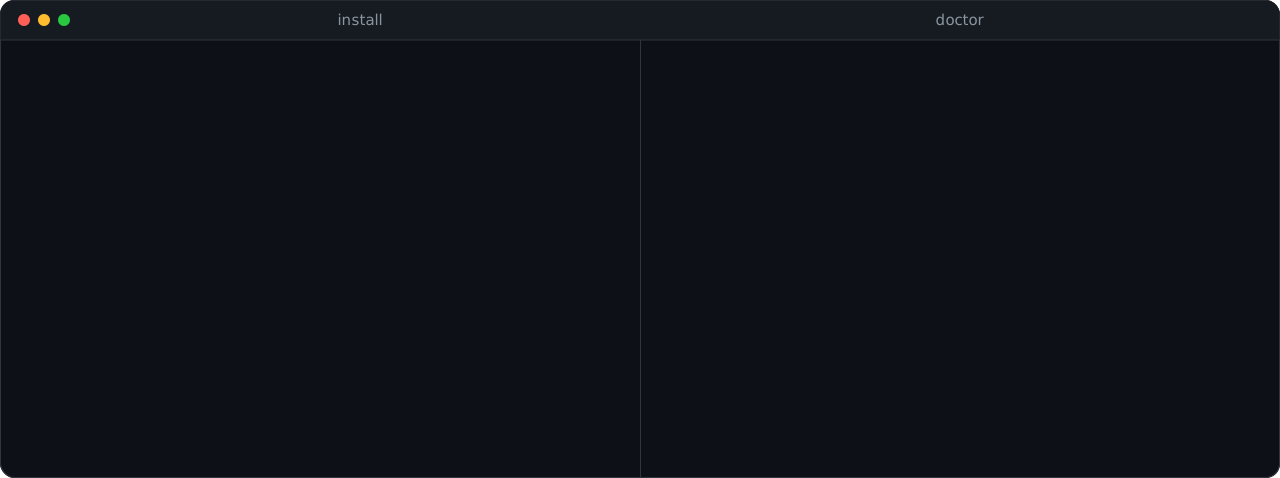
Install
sudo dnf install curl gnupg2 binutils tar
curl -fLO https://github.com/ajithakdev/claude-desktop-rpm/releases/latest/download/claude-desktop-rpm.sh
chmod +x claude-desktop-rpm.sh && ./claude-desktop-rpm.sh install
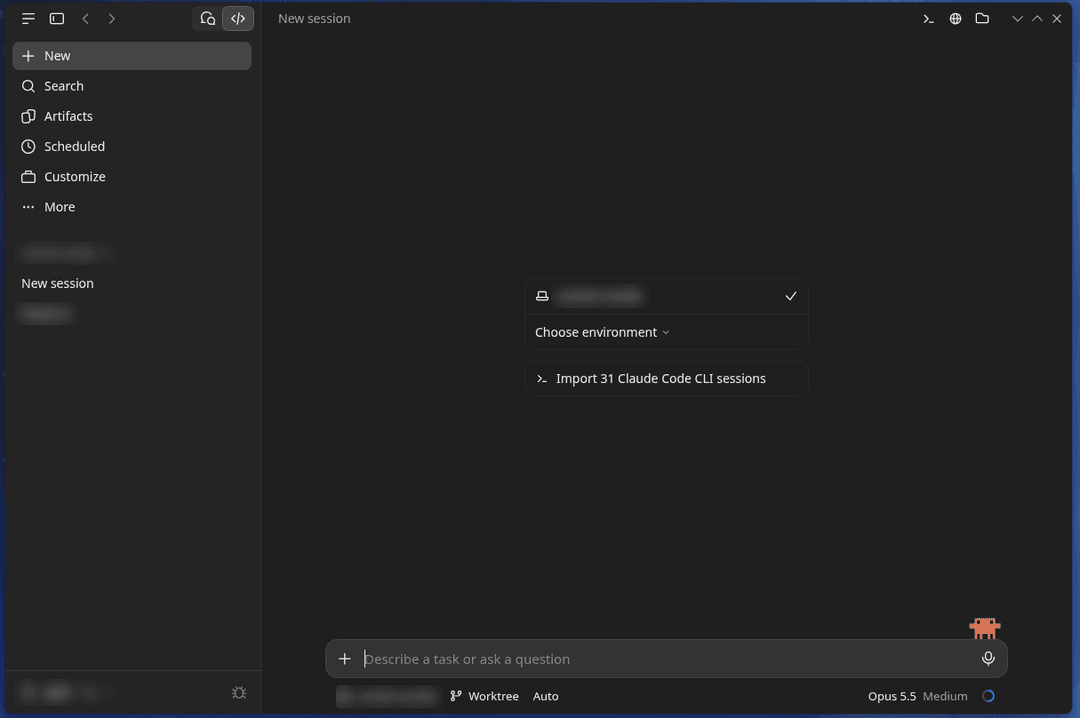
Open Claude from the app menu and sign in. If anything looks off, claude-desktop-rpm doctor checks the setup and prints the fix. For Cowork, run claude-desktop-rpm cowork once, then log out and back in.
Screenshot
Commands
| Command | What it does |
|---|---|
install, update | Install the newest version. Does nothing if you're current. |
update --force | Reinstall the current version. |
auto-update on, off | Turn the daily update check on or off. No argument shows its state. |
doctor | Check everything and print fixes. |
cowork | Set up Cowork (uses sudo). |
version | Print the installed version. |
uninstall | Remove everything it added. Chats and sign-in stay. |
What it changes on your system
| Area | What happens |
|---|---|
| Files | Only ~/.local and ~/.config; every path is in the guide. uninstall removes them and rebuilds the menu, file-type and icon caches. Your chats and sign-in in ~/.config/Claude stay. |
| Network | The script only talks to downloads.claude.ai. The app itself talks to Anthropic's servers, as on every platform. |
| Root | install, update and uninstall never use sudo. cowork does, to install qemu-system-x86-core, edk2-ovmf and virtiofsd from Fedora's repos, write /etc/modules-load.d/vhost_vsock.conf, load vhost_vsock and add you to the kvm group. It never changes a file a package owns, so rpm -V stays clean. |
| Updates | A systemd user timer checks once a day. If Claude is open, the verified update waits and goes in the next time you start it. auto-update off stops it. |
| Tested | tests/sandbox.sh checks all of this in a fresh Fedora 44 container on every pull request. |
Why this one
Before installing anything, the script checks Anthropic's key fingerprint, that the repository index is signed by that key and hasn't expired, and the checksums of the package list and the .deb. It stops on any mismatch (SECURITY.md has the details).
| claude-desktop-rpm | Third-party dnf repos | Build-your-own RPM scripts | |
|---|---|---|---|
| Who you trust | Anthropic only | Anthropic and the repo owner's key | Anthropic and the build script |
| App files | Unmodified | Some patch the app | Unmodified or patched |
| Needs root to install | No | Yes | Yes |
| Updates | Daily, automatic | With dnf upgrade | Re-run the build |
Pick this one if you want Anthropic's exact build with no extra signing key on your system. Other good options: claude-desktop-debian (APT and DNF repos), claude-desktop-fedora (native RPM with Copr updates) and claude-desktop-linux-flake (Nix).
FAQ
Is this official? No. The app is Anthropic's official Linux build; the installer is a community project, not affiliated with Anthropic. Anthropic supports only Debian and Ubuntu for now and says other distributions are coming.
Why isn't it an .rpm file?
An RPM would need root to install and a signing key you'd have to trust. Unpacking Anthropic's package into your home folder avoids both. The name says what it's for: RPM-based systems.
What doesn't work? Computer Use, which Anthropic's Linux build doesn't have yet on any distribution. Dictation works (tested in 3.6556.2, chat and Code tabs). Only Fedora 44 GNOME on x86_64 is tested; KDE, RHEL, Rocky and Alma probably work, and reports are welcome.
Something looks wrong.
Run claude-desktop-rpm doctor. The guide covers the rest, such as the app's "Update available" button, a light System theme, or "Hardware acceleration disabled" after a reboot.
Stars and downloads

Downloads count the script itself, per release; GitHub doesn't keep a daily history. Updates come from Anthropic's repository, not this script, so this is close to the number of installs. The card is redrawn daily.
Contributing
Bug reports, test reports from other desktops and fixes are welcome. CONTRIBUTING has the setup and the four test scripts, and there are good first issues. Questions go to Discussions.
Credits
Maintained by ajithakdev. Written with help from Claude, Anthropic's AI assistant, which drafted much of the script, tests and docs; every change is reviewed and tested before release. Thanks to Marko Jokinen for the signature-check report in #7, and to Fedora Magazine editors Gregory Lee Bartholomew, Richard England and Justin Wheeler, whose review led to #8 and #9.
License
MIT for the script. Claude Desktop is Anthropic's software under Anthropic's terms. Not affiliated with or endorsed by Anthropic.
// faq
What is claude-desktop-rpm?
Install Anthropic's official Claude Desktop on Fedora: verified, unmodified, no root, auto-updates. Fixes dark mode, Cowork (KVM), tray icon and GNOME search. One Bash script.. It is open-source on GitHub.
Is claude-desktop-rpm free to use?
claude-desktop-rpm is open-source under the MIT license, so it is free to use.
What category does claude-desktop-rpm belong to?
claude-desktop-rpm is listed under devops in the Claudeers registry of Claude-compatible tools.
// embed badge

[](https://claudeers.com/claude-desktop-rpm)
// retro hit counter

[](https://claudeers.com/claude-desktop-rpm)
// reviews
// guestbook
// related in DevOps & CI/CD
 🔓
⭐AI-driven public opinion & trend monitor with multi-platform aggregation, RSS, and smart alerts.🎯 告别信息过载,你的 AI 舆情监控助手与热点筛选工具!聚合多平台热点 + RSS 订阅,支持关键词精准筛选。AI…
 🔓
Use Claude Code as the foundation for coding infrastructure, allowing you to decide how to interact with the model while enjoying updates from Anthropic.
 🔓
Professional Antigravity Account Manager & Switcher. One-click seamless account switching for Antigravity Tools. Built with Tauri v2 + React (Rust).专业的 Antig…
 🔓
Roadmap to becoming an ASP.NET Core developer in 2026