
claude-buddy
A tiny animated companion for Claude Code — reacts, talks, and turns answers into 1939-style cartoon explainers. Made with fal.
Install with your AI
Paste into Claude Code, Cursor, or any agent — it reads the repo and wires the tool into your project.
Install and set up claude-buddy (git-clone project) into my current project.
Found on https://claudeers.com/claude-buddy
Repo: https://github.com/lovisdotio/claude-buddy
Homepage/docs: —
Detected install method: git-clone → git clone https://github.com/lovisdotio/claude-buddy
Category: other. Platforms: cli, api, web.
Read the repo's README for exact setup and env vars, then install it and wire it into my project.

Claudeers Health Verdict:
unknown; community-verified: false. Confirm the source before running anything.
git clone https://github.com/lovisdotio/claude-buddy
// compatibility
| Platforms | cli, api, web |
|---|---|
| Operating systems | — |
| AI compatibility | claude |
| License | — |
| Pricing | open-source |
| Language | Swift |
Claude Buddy

A tiny animated companion that floats over VS Code and reacts to what Claude Code is doing. It thinks while Claude works, cheers when it's done and frowns at errors. Ask it and it reads the answer out loud, or turns it into a short 1939-style cartoon explainer. Still a prototype.
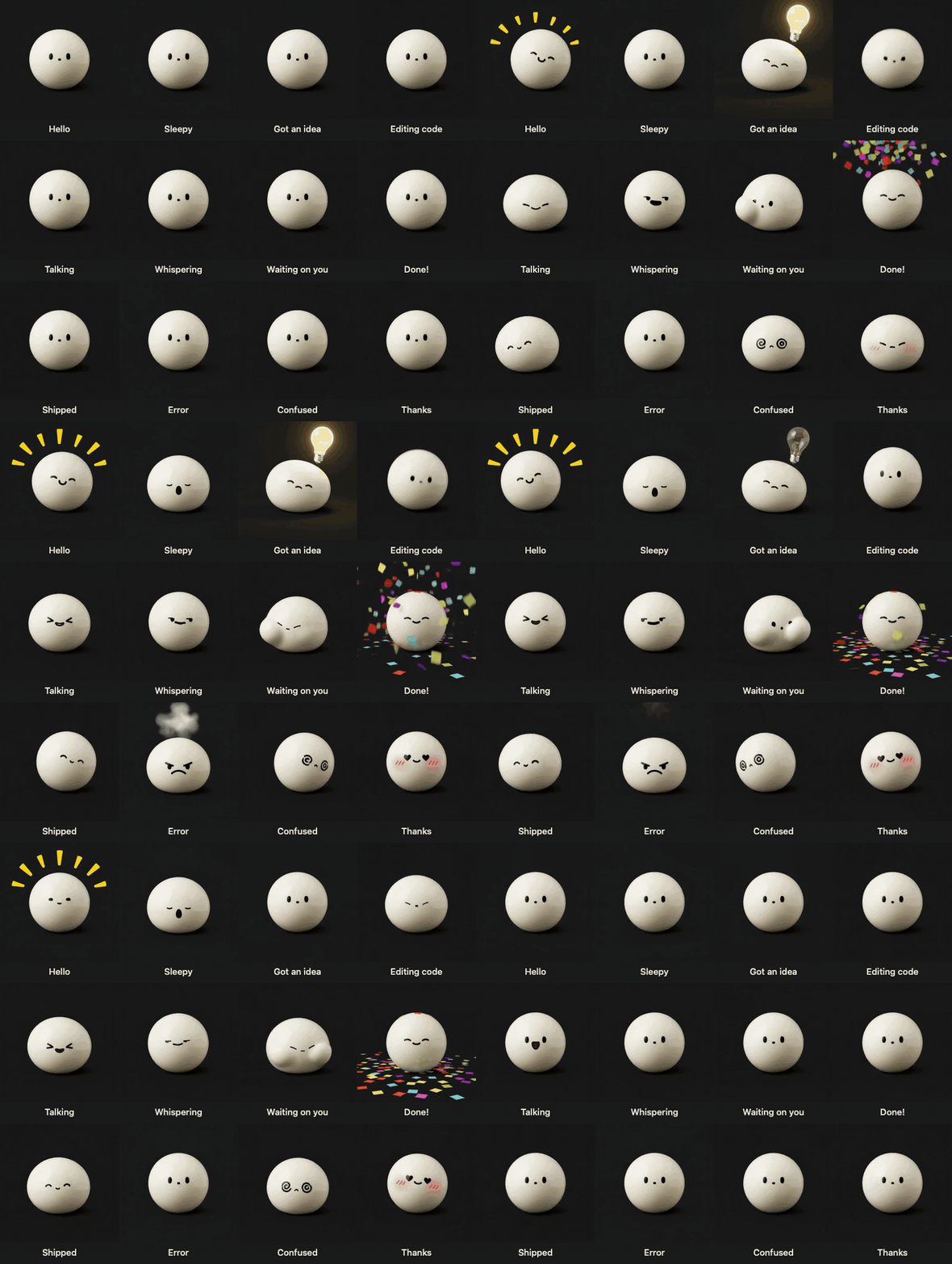
Meet the buddy
It has 100+ expressions, and picks one from what Claude is doing and saying.
1939 video mode in action
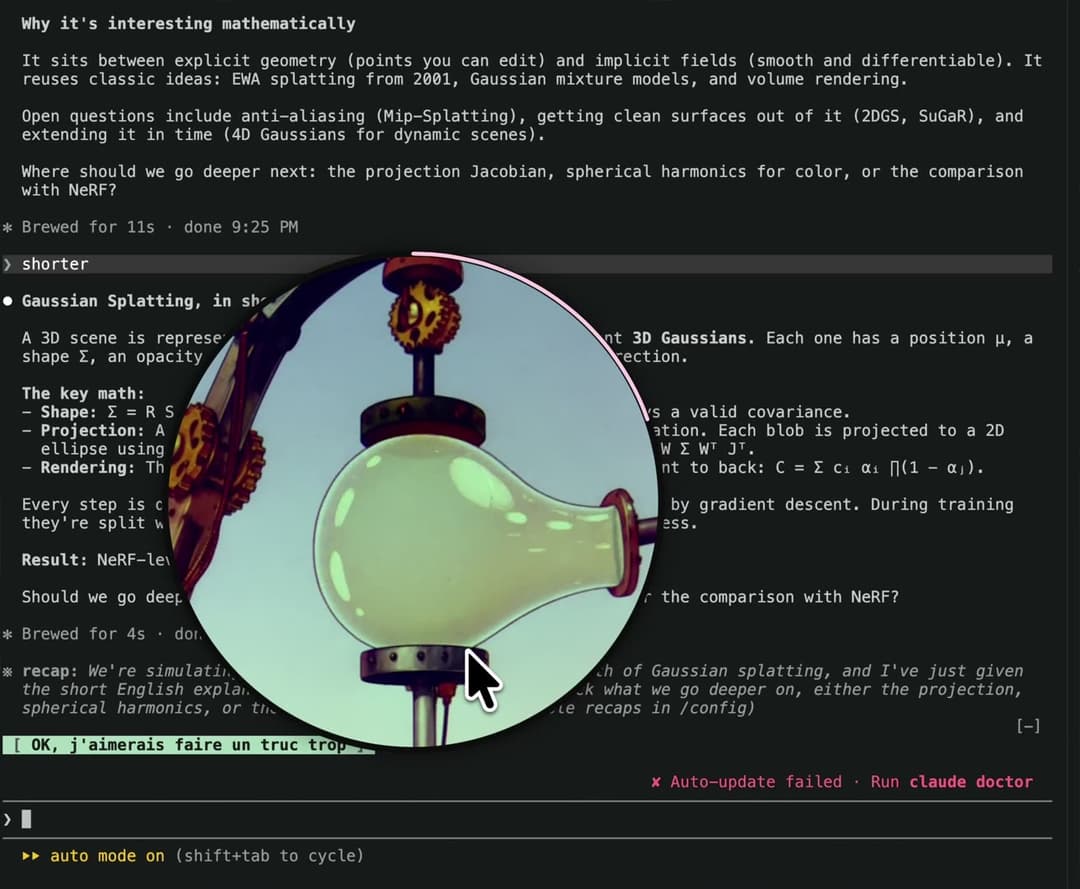
▶ Watch the demo (52 s, with sound)
Everything is generated with fal:
- The character: 100+ four-second MiniMax H3 Max video loops. Each loop starts and ends on the same frame, so they chain with no visible cut. They were generated once for about $12, and nothing is generated live for the character itself.
- The voice: ElevenLabs v4 Turbo, streamed as PCM. The first sound plays about 0.5 s after the request.
- 1939 video mode: the answer becomes a series of 15-second H3 Max Turbo clips with an old-newsreel voice-over, in a 1939 hand-painted cartoon style. Each clip shows illustrated scenes that match what is being said.
What it does
| You do | The buddy does |
|---|---|
| Work with Claude Code | It plays the matching expression: scanning when Claude reads, typing when it edits, spinning when it runs agents, cheering when it's done, frowning on errors. |
| Say "go bot" in a prompt | Reads Claude's next answer out loud. It stays pinned to that conversation. |
| Click it | Reads the answer right behind it, found by matching the screen text (OCR) against the conversation transcript. Click again to stop. |
| Drag it onto text | Reads the answer that contains that text. |
| Right-click → 1939 video mode… | Shows a small label under the buddy, for example 3 videos · 168 words · ~45s · ~$0.79, followed by the first and last words of the answer. Read all reads the whole answer word for word, at about 60 words per 15-second clip. Summary makes one clip. The buddy then opens into a large circle and plays the clips one after another with sound. A pink ring shows progress, and a click closes it. |
The buddy is only visible while VS Code is the frontmost app. It follows whichever VS Code window you're in.
How the 1939 video mode works (explain/explain.py)
- The answer is cleaned (code blocks, links and markdown are removed) and split at sentence ends into chunks of about 60 words.
- A fast LLM (
google/gemini-3-flash-previewthrough fal's OpenRouter endpoint) writes one 1939 cartoon scene per chunk. The scenes are visual metaphors, with no writing on screen. - Each chunk becomes a
minimax/h3-max-turbo/text-to-videoclip (768p, square, no LoRA): the 1939 cartoon style is described in the prompt, and each clip is edited into 5-second shots with hard cuts. H3 generates the voice-over itself from the prompt. Optional: put the URL of an H3 LoRA inexplain/lora.txt(local, ignored by git) to useminimax/h3-max/text-to-video/lorawith that LoRA instead. - Clips are generated one at a time: the first one plays as soon as it's ready, and the next one is generated while it plays. If you stop the video, no further clips are started or billed.
The cost is $0.0175 per second, so about $0.26 per 15-second clip, or roughly $0.45 per 100 words.
Install (macOS)
Requirements: Xcode command-line tools (swiftc), Python 3.12 at /opt/homebrew/bin/python3.12, ffmpeg, and a fal API key.
git clone https://github.com/lovisdotio/claude-buddy ~/claude-buddy
cd ~/claude-buddy && ./build.sh
./buddy &
fal key. The buddy reads FAL_KEY from the environment. If it isn't set, it asks 1Password (op read) for the reference in BUDDY_OP_REF. The key is kept in memory only and never written to disk.
Claude Code hooks. Add these to ~/.claude/settings.json:
{
  "hooks": {
    "UserPromptSubmit": [{ "hooks": [{ "type": "command", "command": "~/claude-buddy/hook.py prompt" }] }],
    "PreToolUse":       [{ "matcher": "*", "hooks": [{ "type": "command", "command": "~/claude-buddy/hook.py tool" }] }],
    "PostToolUseFailure": [{ "hooks": [{ "type": "command", "command": "~/claude-buddy/hook.py error" }] }],
    "Notification":     [{ "matcher": "", "hooks": [{ "type": "command", "command": "~/claude-buddy/hook.py waiting" }] }],
    "PermissionRequest": [{ "matcher": "*", "hooks": [{ "type": "command", "command": "~/claude-buddy/hook.py waiting" }] }],
    "Stop":             [{ "hooks": [{ "type": "command", "command": "~/claude-buddy/hook.py stop" }] }]
  }
}
Permissions. The first click asks for Screen Recording permission for ClaudeBuddyEye.app. This small helper reads the text behind the buddy. It is a separate app so that rebuilding the buddy never asks again.
Start at login (optional). Create a LaunchAgent that runs ~/claude-buddy/buddy with KeepAlive.
Files
buddy.swift: the floating window. It handles the state loops, streamed voice, clicks and drags, multi-window tracking, and the 1939 video bubble.hook.py: the Claude Code hook. It writes the buddy's state and logs each conversation's latest answer.match.py: matches the OCR'd screen text to the right answer in the transcripts.explain/explain.py: the 1939 video engine.expressions.py: regenerates or extends the expression loops with H3 Max. It resumes where it stopped.clips/<state>/: the loops (idle, thinking, talking, waiting, done, error, love, hello).prompts/: short "one sec…" lines played the moment you click.
// faq
What is claude-buddy?
A tiny animated companion for Claude Code — reacts, talks, and turns answers into 1939-style cartoon explainers. Made with fal.. It is open-source on GitHub.
Is claude-buddy free to use?
claude-buddy is open-source, so it is free to use.
What category does claude-buddy belong to?
claude-buddy is listed under other in the Claudeers registry of Claude-compatible tools.
// embed badge

[](https://claudeers.com/claude-buddy)
// retro hit counter

[](https://claudeers.com/claude-buddy)
// reviews
// guestbook
// related in Other
 🔓
 🔓
Anti-AI-slop design skill for Claude Code, Cursor, and Codex.
 🔓
Huashu Design · HTML-native design skill for Claude Code · Claude Code 里 HTML 原生的设计 skill · 高保真原型 / 幻灯片 / 动画 + 20 设计哲学 + 5 维评审 + MP4 导出 · Agent-agnostic
 🔓
Open source Ghostty-based macOS terminal with vertical tabs and notifications for AI coding agents. Built for multitasking, organization, and programmability.