
ccprogress
Live step-by-step progress bar for long Claude Code sessions, in the terminal and the Desktop app
Install with your AI
Paste into Claude Code, Cursor, or any agent — it reads the repo and wires the tool into your project.
Install and set up ccprogress (claude-plugin project) into my current project.
Found on https://claudeers.com/ccprogress
Repo: https://github.com/amigoer/ccprogress
Homepage/docs: —
Detected install method: claude-plugin → /plugin install ccprogress@amigoer/ccprogress
Category: plugins. Platforms: cli, api, desktop.
Read the repo's README for exact setup and env vars, then install it and wire it into my project.

Claudeers Health Verdict:
unknown; community-verified: false. Confirm the source before running anything.
⚠ Unverified / not recently updated — review before pasting a run-this config.
/plugin marketplace add amigoer/ccprogress
/plugin install ccprogress@amigoer/ccprogress
git clone https://github.com/amigoer/ccprogress
// compatibility
| Platforms | cli, api, desktop |
|---|---|
| Operating systems | — |
| AI compatibility | claude |
| License | MIT |
| Pricing | open-source |
| Language | TypeScript |
English · 简体中文
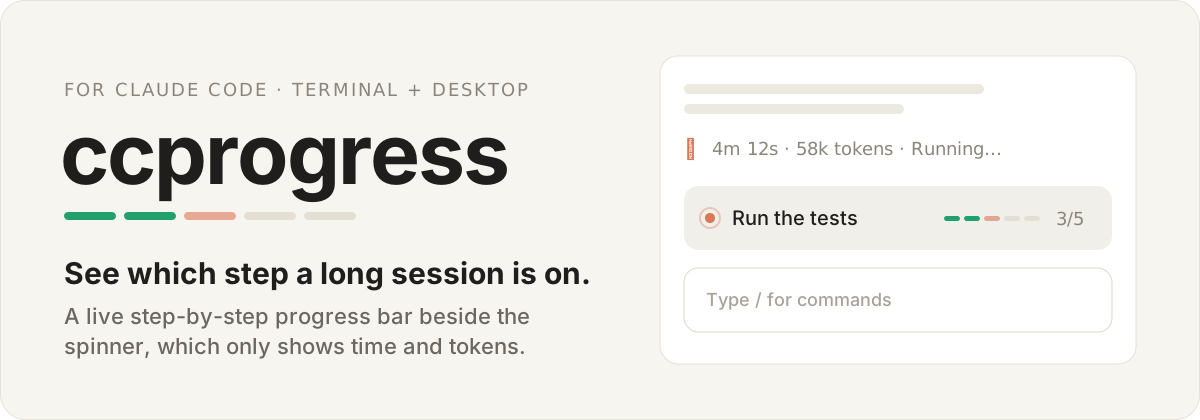
In a long session the spinner only tells you how long Claude has been working and how many tokens it spent. ccprogress adds the missing part: the plan, which step is running now, and how many are left, updated live as each step starts and finishes.
See it
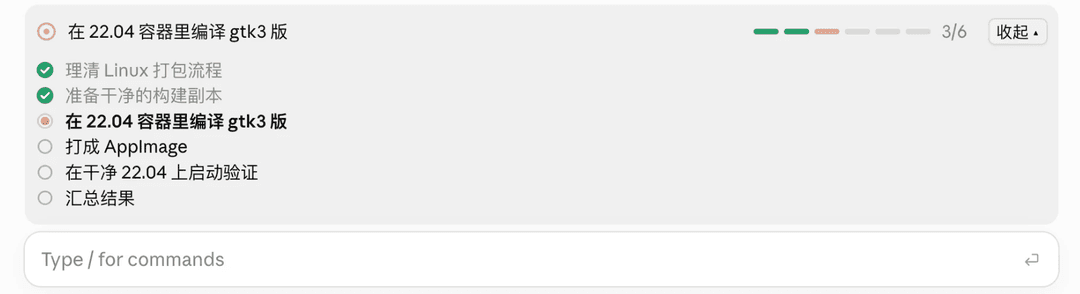
From a real Desktop app session: step 3 of 6 is running, with the checklist unfolded.
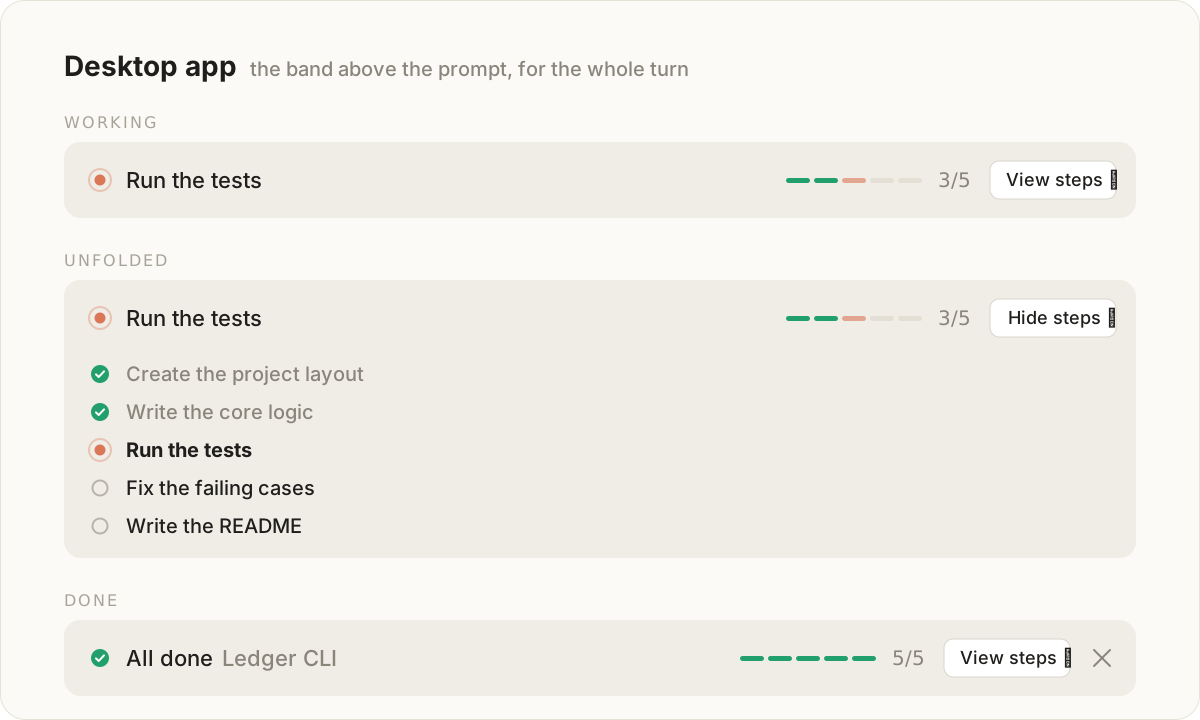
In the Desktop app the bar lives in the band above the prompt for the whole turn. View steps unfolds the checklist in place, and a finished plan can be dismissed or simply clears when you send your next prompt.
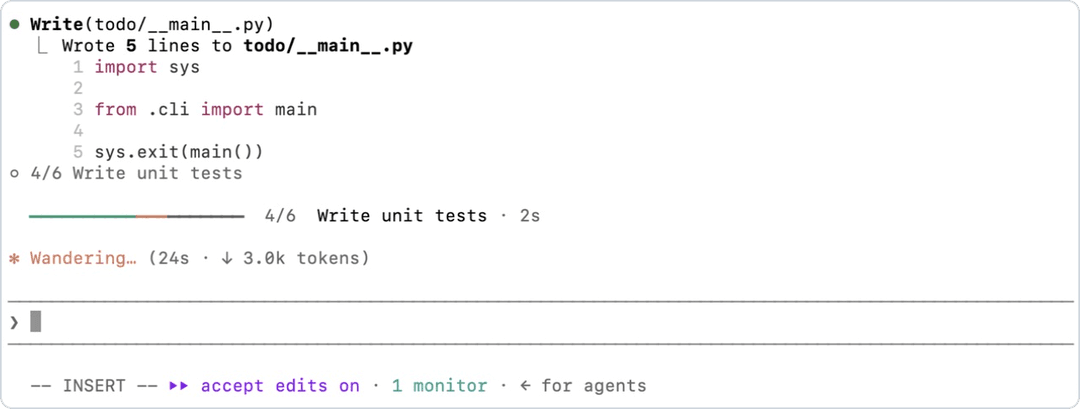
From a real terminal session: step 4 of 6 has been running for 2 seconds, and its report is folded into one line.
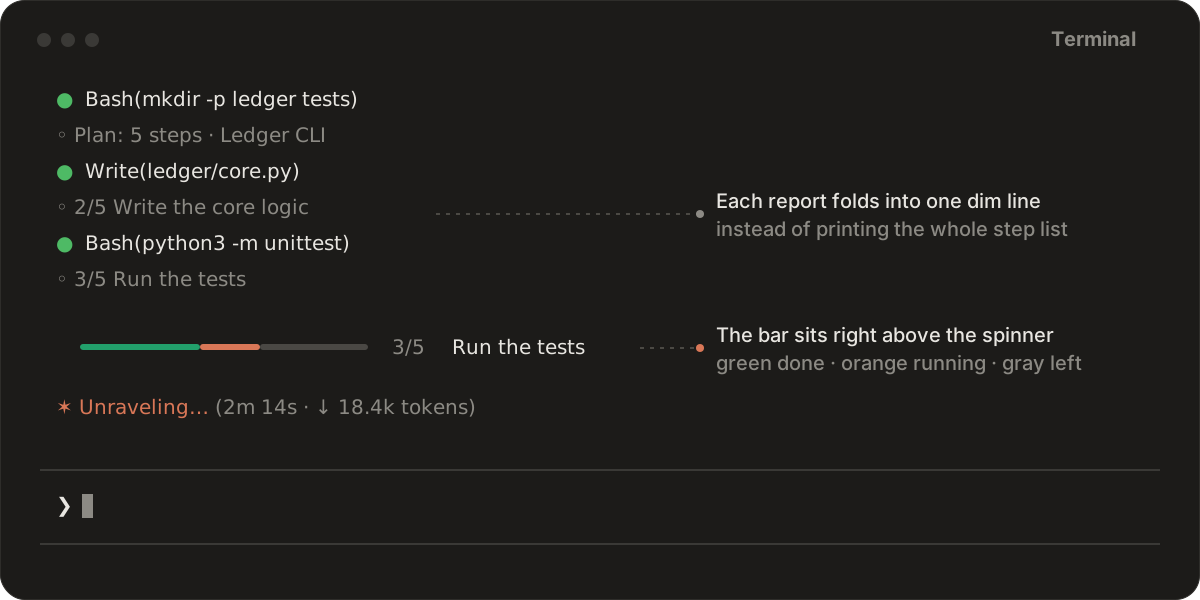
In the terminal the bar sits right above the spinner, and each progress report folds into a single dim line such as ◦ 3/5 Run the tests instead of printing the whole step list into the transcript.
Install
claude plugin marketplace add amigoer/ccprogress
claude plugin install ccprogress@ccprogress
Or, inside a session: /plugin marketplace add amigoer/ccprogress, then /plugin install ccprogress@ccprogress. Run /reload-plugins in sessions that were already open. A plugin installed at user scope loads in both the terminal and the Desktop app.
Then give Claude a task with a few steps. The bar appears as soon as Claude lays out its plan.
How it works
ccprogress is a mod: a plugin whose code runs inside Claude Code and can draw in its interface.
Where the steps come from. The bar needs someone to name the steps, so ccprogress uses the first source the session has:
- The built-in
TodoWritetool, where the build offers it. - The built-in task list (
TaskCreate/TaskUpdate), read back from the task files under~/.claude/tasks/after each update. Current builds turn these tools on withCLAUDE_CODE_ENABLE_TODO_TOOLS=1; ccprogress has been checked against them in a real session. - Its own
update_progresstool otherwise, as in the current Desktop app. A short system prompt section asks Claude to report its plan for tasks of three or more steps and to update it as steps start and finish. If a turn reaches four actions without a report, one short reminder is added for Claude to read; you never see it.
Where it draws.
- Terminal: a line right above the spinner while Claude works, and the band above the prompt while the session is idle.
- Desktop app: the band above the prompt, all the time. The Desktop app currently draws its spinner row itself and does not take a mod's drawing there.
- Everywhere else (the VS Code extension,
claude -p, the Agent SDK): nothing is drawn, and/progressprints a text summary instead.
Colors. Green is done, orange is the step under way, gray is still to come.
Timers and alerts. While Claude works, the running step shows how long it has taken: in seconds in the terminal, and in whole minutes from the first minute on in the Desktop app, which redraws the band only when something on it changes. Past 5 minutes the timer turns red and a toast says the step may be stuck, which is often a permission prompt nobody has answered. When every step is done, a toast says so with the total time.
Commands
| Command | What it does |
|---|---|
/progress | Shows the full checklist: a side pane in the terminal, the unfolded band in the Desktop app. Works while Claude is busy. |
/progress all | Lists the plans of every session on this machine from the last 24 hours: the project, the current step, and when it last moved. |
/progress clear | Clears the current plan. |
Settings
Change these in /config, or with /plugin configure ccprogress@ccprogress.
| Option | Default | What it does |
|---|---|---|
stuck_minutes | 5 | Warns when the running step has taken this long. 0 turns the alert off. |
notify | toast | toast alerts inside the session only. system also sends a desktop notification, through osascript on macOS or notify-send on Linux. |
fold_reports | true | Shows each progress report as one dim line in the terminal transcript. Turn it off to see the full step list. |
language | auto | Language of the bar's labels: en, zh, or auto to follow the language of the steps. |
Good to know
- Requirements: Claude Code v2.1.287 or later, where mods are on by default. Run
claude --versionto check. Desktop app sessions under WSL do not load plugins. - Subagents cannot take over the bar; only the main conversation's plan is shown.
- Resume: each session's plan is saved and comes back with
/resume. Only the 50 most recent sessions are kept. - Cost: each update is one small tool call, a few hundred tokens per task. The system prompt section is about 100 words and is only added while the
update_progresstool is offered. The reminder adds about 25 words, at most once per turn. - Privacy: no network calls and no extra model calls. A process starts only in the
systemnotification mode, to show the notification. Plans are kept in the plugin's store under~/.claude/plugins/store/, and files are read only under~/.claude/tasks/, only when the task list tools run. - Trust: a mod runs with your permissions.
claude plugin validate plugins/ccprogresslists every event it hooks and every call it makes. - Early access: the mods API still changes between Claude Code releases.
Reading plans from other tools
Every session that runs ccprogress saves its plan in the same store, which is how /progress all sees them all. Other tools, such as a script listing your sessions, can read it from ~/.claude/plugins/store/ccprogress_ccprogress-*.json. The file is one JSON object; each plan:<session id> key holds:
{
  "goal": "Ledger CLI",
  "steps": [{ "title": "Run the tests", "status": "in_progress" }],
  "source": "tool",
  "updatedAt": 1790967588567,
  "cwd": "/Users/me/work/ledger"
}
status is pending, in_progress or completed; source says whether the steps came from the plugin's tool (tool), TodoWrite (todo) or the task list (tasks); updatedAt is in epoch milliseconds. Read the file, never write it: Claude Code owns it.
Development
.claude-plugin/marketplace.json     the marketplace this repository serves
plugins/ccprogress/
├── .claude-plugin/plugin.json      plugin manifest
├── hooks/register.tsx              events, the tool, the command and the drawings
├── hooks/view.tsx                  rows, checklist and transcript lines per surface
├── hooks/icons.ts                  SVG icons and the segmented bar for the Desktop app
├── hooks/plan.ts                   step parsing, summaries and the terminal bar
├── hooks/words.ts                  English and Chinese labels
├── types/index.d.ts                the $.state contract
└── tests/                          claude plugin test suites
Load the plugin from your checkout. It reloads each time you save:
claude --plugin-dir plugins/ccprogress
For the Desktop app, add the absolute path of plugins/ccprogress to CLAUDE_CODE_PLUGIN_DIRS in the env block of ~/.claude/settings.json, set CLAUDE_CODE_PLUGIN_DIR_WATCH to 1 there to reload on save, then start a new session. Disable an installed copy of ccprogress first so the two do not both load.
Check and test:
claude plugin validate --strict plugins/ccprogress
claude plugin test plugins/ccprogress
For editor types, run /plugin-types in a session started from the repository root; it writes the declarations to .claude/types, which tsconfig.json includes. Then:
npx -p typescript@5 tsc -p .
Releases. A pull request adds its entry under Unreleased in CHANGELOG.md and leaves the version alone. A release moves those entries under a new version and bumps version in plugins/ccprogress/.claude-plugin/plugin.json, which is what makes installed copies update.
Disclaimer
ccprogress is a community project. It is not affiliated with or endorsed by Anthropic. "Claude" is a trademark of Anthropic, PBC.
License
// faq
What is ccprogress?
Live step-by-step progress bar for long Claude Code sessions, in the terminal and the Desktop app. It is open-source on GitHub.
Is ccprogress free to use?
ccprogress is open-source under the MIT license, so it is free to use.
What category does ccprogress belong to?
ccprogress is listed under plugins in the Claudeers registry of Claude-compatible tools.
// embed badge

[](https://claudeers.com/ccprogress)
// retro hit counter

[](https://claudeers.com/ccprogress)
// reviews
// guestbook
// related in Claude Plugins
 🔓
🔓A single CLAUDE.md file to improve Claude Code behavior, derived from Andrej Karpathy's observations on LLM coding pitfalls.
 🔓
🔓Claude Code is an agentic coding tool that lives in your terminal, understands your codebase, and helps you code faster by executing routine tasks, explainin…
 🔓
🔓"CLI-Anything: Making ALL Software Agent-Native" -- CLI-Hub: https://clianything.cc/
🔓financial-services — a Claude ecosystem project on GitHub.