
awesome-api-skills
Production-ready AI coding skills for APIs. Installable skills for Claude Code, Cursor, Codex CLI, Gemini CLI, and modern AI coding agents.
Install with your AI
Paste into Claude Code, Cursor, or any agent — it reads the repo and wires the tool into your project.
Install and set up awesome-api-skills (git-clone project) into my current project.
Found on https://claudeers.com/awesome-api-skills
Repo: https://github.com/ashish7802/awesome-api-skills
Homepage/docs: —
Detected install method: git-clone → git clone https://github.com/ashish7802/awesome-api-skills
Category: integrations. Platforms: cli, api, web.
Read the repo's README for exact setup and env vars, then install it and wire it into my project.

Claudeers Health Verdict:
active; community-verified: false. Confirm the source before running anything.
git clone https://github.com/ashish7802/awesome-api-skills
// compatibility
| Platforms | cli, api, web |
|---|---|
| Operating systems | — |
| AI compatibility | claude |
| License | MIT |
| Pricing | open-source |
| Language | JavaScript |
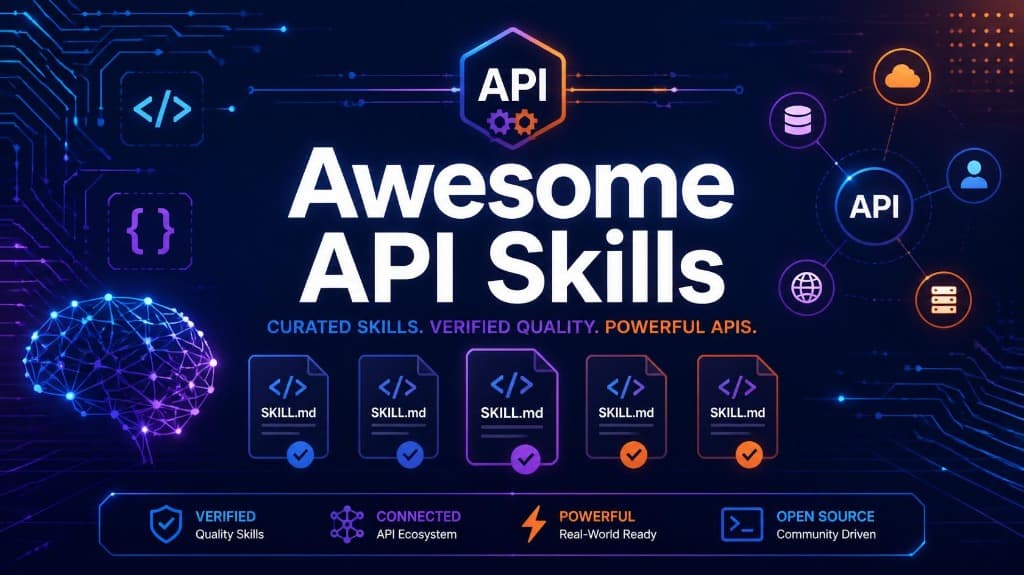
Structured, verified SKILL.md context files that teach AI coding agents how to work with real APIs
🔍 Searchable Directory · ⚡ Before vs. After Code · 💻 CLI Reference · 🚀 Quick Start · 📚 Skill Directory · 🤝 Contributing
💡 What This Is & Why It Matters
When an AI coding agent (Claude Code, Cursor, Codex CLI, Gemini CLI, etc.) writes code for modern APIs, it frequently makes critical mistakes:
- Reaching for outdated SDK methods present in old training data.
- Parsing raw request bodies with
express.json()before validating Stripe webhook signatures, breaking cryptographic checks. - Using deprecated authentication helpers (e.g.
@clerk/nextjsv4authMiddlewareinstead of v5clerkMiddleware). - Calling transactional email endpoints inside unbatched loops, hitting HTTP 429 rate limit errors.
awesome-api-skills fixes this by providing 101 curated, schema-validated SKILL.md context files. Dropping a skill file into your agent's skills directory (.claude/skills/, .cursor/skills/, .agents/skills/) gives the model exact, current API instructions, preventing guesswork before code is written.
⚡ The Difference A Skill Makes
Here is how an AI agent performs with and without SKILL.md context:
| Scenario | Without SKILL.md (LLM Guessing) | With SKILL.md (Context Injected) |
|---|---|---|
| Stripe Webhook Verification | Parses JSON first (express.json()), ruining the raw buffer signature check and throwing StripeSignatureVerificationError. | Mounts express.raw({ type: 'application/json' }) on the webhook route so stripe.webhooks.constructEvent() verifies signature cryptographically. |
| Clerk Auth Middleware | Generates deprecated authMiddleware({ publicRoutes }) from v4, causing runtime crashes in Next.js App Router. | Uses modern clerkMiddleware() with createRouteMatcher() matching Next.js v5+ App Router specs. |
| Resend Batch Emailing | Iterates a for...of loop with individual send() calls, taking minutes and triggering HTTP 429 rate limits. | Packages emails into resend.batch.send([]), dispatching 500 emails in a single low-latency HTTP request. |
📖 See full runnable code diffs in docs/BENCHMARKS_AND_EXAMPLES.md.
🚀 Quick Start
Option 1: Direct Copy into Your Project (No Installation Required)
Simply copy the skill folder for the API you are using into your agent's skill directory:
# Clone the repository lightweight
git clone --depth 1 https://github.com/ashish7802/awesome-api-skills.git

# Copy Stripe skill to Claude Code
cp -r awesome-api-skills/skills/stripe .claude/skills/

# Copy Clerk skill to Cursor
cp -r awesome-api-skills/skills/clerk .cursor/skills/

# Copy Redis skill to generic agent workspace
cp -r awesome-api-skills/skills/redis .agents/skills/
Then instruct your agent:
"Use
.claude/skills/stripe/SKILL.mdfor payment integration."
Option 2: Monorepo & Local CLI Setup
For developers building tooling, validating custom skills, or managing workspaces:
git clone https://github.com/ashish7802/awesome-api-skills.git
cd awesome-api-skills
pnpm install
pnpm build
Run CLI commands locally:
# Search skills by keyword
pnpm run cli search stripe

# Validate all skill schemas
pnpm run cli validate

# Inspect workspace health
pnpm run cli doctor
📚 Skill Directory
Explore 101 skills across 14 core technical domains:
| Category | Available Skills |
|---|---|
| Payments & Billing | stripe, paddle, lemon-squeezy, revenuecat, plaid |
| Auth & Identity | auth0, clerk, okta, better-auth, jwt, oauth2, openid-connect |
| Databases | postgresql, mysql, sqlite, mongodb-atlas, planetscale, neon, turso, drizzle, prisma |
| Caching & Queues | redis, redis-streams, upstash, bullmq, kafka, rabbitmq, nats |
| Object Storage | aws-s3, aws-dynamodb, azure-blob-storage, google-cloud-storage |
| AI & LLM Infra | openai, anthropic, gemini, ollama, vllm, langchain, llamaindex, pinecone, typesense, meilisearch, algolia, xquik |
| Backend Frameworks | express, fastapi, nestjs, hono, trpc |
| Frontend Frameworks | react, vue, nextjs, nuxt, sveltekit |
| Deployment Platforms | vercel, railway, render, fly, digitalocean, cloudflare, cloudflare-workers, deno-deploy |
| Infrastructure | docker, kubernetes, helm, terraform, pulumi, argo-cd, github-actions, traefik, nginx, caddy, turborepo |
| Observability | datadog, sentry, prometheus, grafana, loki, jaeger, opentelemetry, mixpanel, posthog |
| Dev Tooling | eslint, prettier, biome, vitest, playwright, git, github, xquik |
| Communication | slack, discord, twilio, sendgrid, resend |
| Platforms & CMS | shopify, mapbox, convex |
🌐 Browse the interactive web catalog at docs/index.html.
🏗️ Monorepo Architecture
awesome-api-skills is built as a TypeScript pnpm workspace:
skills/                 101 SKILL.md files + metadata.json contracts
packages/
  cli/                  CLI binary for searching, validating, and managing skills
  core/                 Core orchestration engine and workspace management
  generator/            Pipeline generator enforcing consistent SKILL.md templates
  validator/            Zod & JSON-Schema validation engine for skills
  registry/             Graph relationship index & search resolver
  sdk/                  Programmatic Node.js SDK for accessing skill data
  shared-types/         TypeScript definitions & schemas shared across packages
scripts/
  dev/                  Validation, indexing, and static build scripts
docs/                   Searchable web directory, benchmarks, and CLI reference
🎯 Verification & Quality Standards
Every claim in this repository is verified by automated tests and CI checks:
- Schema Validation: All 101 skills pass strict structural checks via
packages/validator. - Automated Unit Tests: 31 assertions run in CI via Vitest covering all core packages.
- Last Verified Metadata: Every skill contains a
lastVerifiedtimestamp in itsmetadata.jsonandSKILL.mdheader indicating when SDK signatures were verified against vendor documentation. - Relationship Scoring: Skill graph connections follow a transparent 5-factor hybrid scoring model (Explicit edges, Category match, Ecosystem match, Deployment match, Jaccard similarity) detailed in SPECIFICATION.md.
🤝 Contributing
We welcome contributions! All new skills must adhere to the standard schema:
- Scaffold or Write Skill: Add your skill folder under
skills/<skill-name>/containingSKILL.mdandmetadata.json. - Run Validation:
pnpm run validate:skills - Run Unit Tests:
pnpm test - Submit PR: Open a Pull Request. GitHub Actions will automatically validate schema compliance using
packages/validator.
See CONTRIBUTING.md and .github/PULL_REQUEST_TEMPLATE.md for details.
📄 License
MIT © 2026 Awesome API Skills Team.
// faq
What is awesome-api-skills?
Production-ready AI coding skills for APIs. Installable skills for Claude Code, Cursor, Codex CLI, Gemini CLI, and modern AI coding agents.. It is open-source on GitHub.
Is awesome-api-skills free to use?
awesome-api-skills is open-source under the MIT license, so it is free to use.
What category does awesome-api-skills belong to?
awesome-api-skills is listed under integrations in the Claudeers registry of Claude-compatible tools.
// embed badge

[](https://claudeers.com/awesome-api-skills)
// retro hit counter

[](https://claudeers.com/awesome-api-skills)
// reviews
// guestbook
// related in Integrations & Connectors
 🔓
🔓Use claude code and codex for free in the terminal, VSCode extension, and discord like OpenClaw (voice supported)
 🔓
🔓Bridge local AI coding agents (Claude Code, Cursor, Gemini CLI, Codex) to messaging platforms (Feishu/Lark, DingTalk, Slack, Telegram, Discord, LINE, WeChat…
 🔓
🔓All parts of Claude Code's system prompt, 27 builtin tool descriptions, sub agent prompts (Plan/Explore/Task), utility prompts (CLAUDE.md, compact, statusli…
 🔓
🔓Claude Code skill/plugin: immersive scroll-scrubbed 'fly through the world' landing pages generated with Higgsfield (Emons-style diorama flights, seamless co…