
atlan-plugins
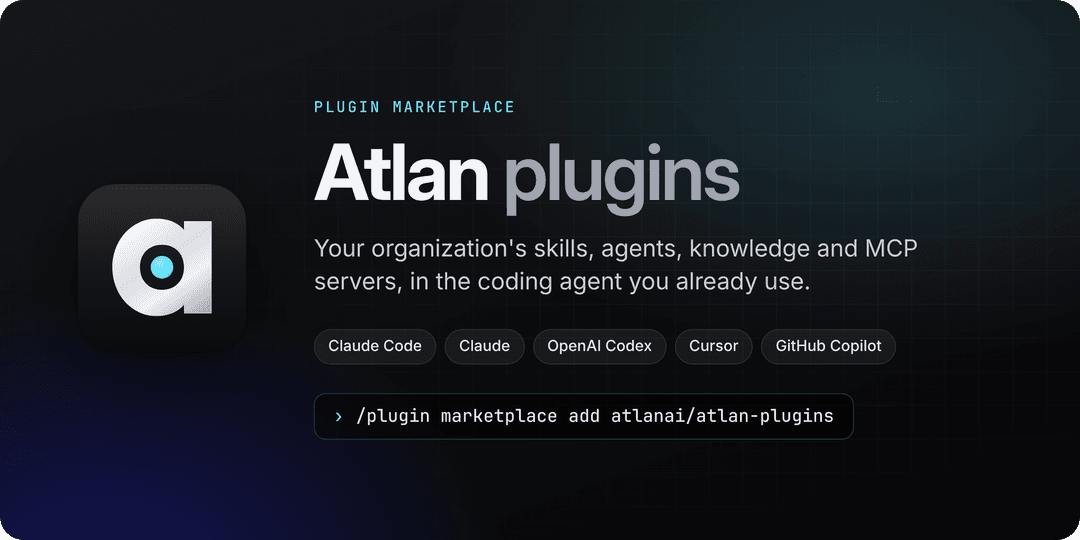
Atlan's plugins for Claude Code, Codex, Cursor and GitHub Copilot: the Atlan registry's MCP server and the skills to use it.
Install with your AI
Paste into Claude Code, Cursor, or any agent — it reads the repo and wires the tool into your project.
Install and set up atlan-plugins (claude-plugin project) into my current project.
Found on https://claudeers.com/atlan-plugins
Repo: https://github.com/atlanai/atlan-plugins
Homepage/docs: —
Detected install method: claude-plugin → /plugin install atlan-plugins@atlanai/atlan-plugins
Category: mcp-servers. Platforms: cli, api, desktop, web.
Read the repo's README for exact setup and env vars, then install it and wire it into my project.

Claudeers Health Verdict:
unknown; community-verified: false. Confirm the source before running anything.
⚠ Unverified / not recently updated — review before pasting a run-this config.
/plugin marketplace add atlanai/atlan-plugins
/plugin install atlan-plugins@atlanai/atlan-plugins
git clone https://github.com/atlanai/atlan-plugins
// compatibility
| Platforms | cli, api, desktop, web |
|---|---|
| Operating systems | — |
| AI compatibility | claude |
| License | Apache-2.0 |
| Pricing | open-source |
| Language | Python |
Docs · Install · Plugins · What you can ask · How it works · Privacy and security · Contributing
Atlan plugins
Atlan's plugin marketplace for coding agents. Install it once and your agent can reach your organization's Atlan registry: the skills, agents, knowledge and MCP servers your teams have already published. It can find what fits the task, use it in the current project, and publish new work back, all under your own sign-in.
Install
You need an account in an Atlan organization. You sign in through your browser with OAuth, so there is no API key to create or paste.
One command, every coding agent on this machine (Node.js 18 or later):
npx plugins add atlanai/atlan-plugins
It finds Claude Code, Codex, Cursor, GitHub Copilot CLI, VS Code and the other agents the
plugins installer supports, and installs atlanai
and atlanai-analytics into each through its own plugin system. Then sign in once per agent:
| Agent | Sign in |
|---|---|
| Claude Code | /mcp, pick plugin:atlanai:atlan, Authenticate |
| Codex | Prompted when installed from inside Codex; after codex plugin add, run codex mcp login atlan |
| Cursor | Settings, Tools & MCP, connect atlan |
| VS Code and Copilot | Start the atlan server when prompted |
Then type: "Connect me to Atlan." In Claude Code,
/atlanai:get-started does the same.
Or install for one agent
| Agent | Install |
|---|---|
| Claude Code | claude plugin install atlanai --marketplace atlanai/atlan-plugins |
| OpenAI Codex | codex plugin marketplace add atlanai/atlan-plugins, then codex plugin add atlanai@atlan and codex mcp login atlan |
| Claude chat and Cowork | Customize, Plugins, Add marketplace: atlanai/atlan-plugins; add AI Registry, then Connect on its Connectors tab |
| Cursor | Import atlanai/atlan-plugins as a team marketplace, or install AI Registry from the Cursor Marketplace |
| VS Code with GitHub Copilot | Add atlanai/atlan-plugins to chat.plugins.marketplaces, then install AI Registry from Chat Plugins |
| Skills only, any Agent Skills tool | npx skills add atlanai/atlan-plugins (no MCP server; add --skill <name> to pick one) |
| MCP server only, any MCP client | https://api.atlan.com/mcp (Streamable HTTP with OAuth), for example claude mcp add --transport http atlan https://api.atlan.com/mcp |
For the analytics add-on, install atlanai-analytics the same way. Claude Code installs
atlanai with it; every other agent needs atlanai installed first. Inside a running Claude
Code session, type the install as /plugin install … and then /reload-plugins.
On Claude Team and Enterprise plans, an Owner first adds the connector
https://api.atlan.com/mcp for the organization. The
install and sign-in guide
covers each agent in detail.
Not the
atlanplugin in Anthropic's directory./plugin install atlaninstalls Atlan's data catalog plugin (atlanhq/agent-toolkit), a different product on a different server. This marketplace's plugin isatlanai, and the two can be installed side by side.
Plugins
| Plugin | What it adds |
|---|---|
AI Registry (atlanai) | Atlan's remote MCP server and the skills to find, use and publish what is in the registry. Every other plugin here builds on it. |
Analytics (atlanai-analytics) | Answers data questions from your managed metrics, mines your warehouse's query history into metrics and saved SQL queries, and builds, evaluates and improves a talk-to-data agent on them. Works with Snowflake, Databricks or another warehouse. |
Registry Mods (atlanai-mods) | Claude Code only. Registry reads run without a prompt, writes ask first, and an archive or move shows what depends on the artifact. Fixes misplaced session ids and rationales, shows each Atlan call as one readable line, lists what the session read and changed in a pane, follows a skill publish in a band above the prompt, and picks a skill to load with /atlan skills. Reports a broken connection on the status line. |
AI Registry
The core plugin connects one MCP server, atlan, and teaches your agent when to use it.
| Skill | Use it to |
|---|---|
atlan-get-started | Check the connection, learn how calls work, and find the right skill |
atlan-find-artifacts | Search skills, agents, knowledge, MCP servers, files and outputs |
atlan-use-skill | Run a registry skill now, or install it in this project |
atlan-use-mcp-servers | Call Slack, Linear or any other server registered in Atlan, or register a new one |
atlan-manage-artifacts | Archive, move, deprecate, roll back or approve an artifact, showing what depends on it first, and see what waits for review |
atlan-continue | Pick up an artifact handed over from the Atlan dashboard |
atlan-troubleshoot | Diagnose sign-in errors, refusals, conflicts, rate limits and failed uploads |
atlan-content | Write, upload, read or append files in the registry |
atlan-author-skills | Create a skill in Atlan or publish a new version |
atlan-author-agents | Register an agent or harness, link a repository's agent, or update one |
atlan-author-knowledge | Publish knowledge to Atlan, or update it |
atlan-connect-repo | Record where a skill came from, or sync a repository's skills from GitHub |
atlan-share | Share a result with your team through Atlan, and post the hand-off to Slack |
In Claude Code and Cursor, the commands /atlanai:get-started, /atlanai:use-skill <skill_…>,
/atlanai:continue <output_…> and /atlanai:share run atlan-get-started, atlan-use-skill,
atlan-continue and atlan-share; those four skills hide their own slash entries, so each task is
listed once. /atlanai:feedback drafts feedback for Atlan and leaves sending it to you. In Codex, the plugin
runs atlan-get-started right after install, which offers to check Atlan for a fitting skill
at the start of each task: on a yes it adds a short, marked note to ~/.codex/AGENTS.md, and
"stop checking Atlan for skills" removes it. In Claude Code, Registry Mods does the same. Run
codex plugin marketplace upgrade atlan to take a new version in Codex.
Registry Mods
A mod for Claude Code v2.1.287 or later:
TypeScript that runs inside Claude Code and changes how it treats the atlan server's tools.
Install it with claude plugin install atlanai-mods --marketplace atlanai/atlan-plugins. Other
agents do not load mods, and every skill works without it. See its
README for what it calls and how organizations that allow only managed
mods deploy it.
Analytics
An add-on for the analytics workload. It uses the core plugin's connection and declares no MCP server of its own, so no Atlan tool appears twice. It finds your warehouse through Atlan or a connector you already have, and asks you to connect one when it is missing. Building and evaluating an agent uses Claude Code or the existing isolated Claude/Codex runner. See its README for the full list of skills and agents.
New metric runs use the owned metrics module with its original input plugs, readers, authoring gates and verification. The plugin drives the interview and keeps its existing Registry publication flow. See the module boundaries and setup.
What you can ask
These work in any host once you are signed in.
| Ask | What happens |
|---|---|
| "Show my organization's skills and agents in Atlan." | Lists what your workspaces hold |
| "Find an Atlan skill for writing release notes and use it here." | Searches the registry, then loads the best match into the session |
| "Post a summary of this PR to our team's Slack channel through Atlan." | Calls an MCP server your organization registered in Atlan, under your permissions |
| "Share this report with the platform team and post it in #platform-eng." | Records it in the team's workspace, versioned on each share, and posts the hand-off to Slack after you approve the post |
| "Publish the skill in this folder to Atlan." | Bundles the folder, uploads it and creates a new version |
| "Sync this repository's skills to Atlan from GitHub." | Sets up GitHub-to-Atlan sync for the repository |
| "Why did my last Atlan call fail?" | Reads the error and the session record, and says what to fix |
| "What was revenue last quarter, by region, from our published metrics?" | With Analytics: answers from a managed metric and names the definition it used |
How it works
flowchart LR
  agent["Your coding agent<br/>Claude Code, Codex, Cursor, Copilot"]
  plugin["atlanai plugin<br/>skills and commands"]
  addon["Add-ons<br/>atlanai-analytics"]
  gateway["Atlan MCP gateway<br/>api.atlan.com/mcp<br/>OAuth, permissions, sessions"]
  registry["Atlan registry<br/>skills, agents, knowledge, files, outputs"]
  servers["Your organization's MCP servers<br/>Slack, Linear, warehouses, ..."]

  agent --> plugin
  agent --> addon
  plugin -- "one OAuth sign-in" --> gateway
  addon -. "uses atlan's connection" .-> gateway
  gateway --> registry
  gateway --> servers
The atlan server runs Atlan's MCP gateway in search mode. A few helpers reach the registry's
own tools, every Atlan app's tools and every MCP server your organization registered:
mcp__search_tools and mcp__describe_tools find a tool, and a runner for each level of risk
calls it (mcp__call_read_tool and its batch form mcp__call_read_tools for reads,
mcp__call_write_tool for writes, mcp__call_tool for anything destructive), so your tool can
let reads run and ask before the rest. mcp__connect_server connects your account for one of
those servers. The agent searches for the tool it needs instead of loading hundreds of schemas
up front. Atlan checks your permissions on each call and records it in a session you can review.
The skills are plain Markdown. They teach the agent which tools to call and in what order, and point at live tools instead of copying reference data that would go stale.
Privacy and security
- Little runs on your machine. The add-ons have no hooks and no binaries. Analytics' skills
run the Python helpers bundled with them and keep their working files in your project.
atlanaiadds one hook, the publish helper, in Claude Code, Codex and Cursor (in Codex and Cursor only once you trust its hooks, and only wherepython3is installed): when the agent publishes a skill withfiles_from, it reads that one folder in your working tree, refuses links, credential files and folders, and anything outside the tree, and sends the files only in that same call to Atlan. It can also load one digest-bound local JSON batch of metrics or saved queries into an Atlan bulk-create call, under the same path, credential and size checks. It holds back a shared output whose text matches a credential shape, naming the line. When Analytics requests receipt recording, it saves native results as immutable private run files and small tool-id mappings in.atlan-receipt-pending/. The same hook readsatlanai's public manifest onmainat session start, so the agent can tell you once when an update is out (ATLAN_PLUGIN_UPDATE_CHECK=0turns it off), and in Claude Code may offer to draft feedback after a failed Atlan call (DO_NOT_TRACK=1turns it off). Feedback is shown to you and sent by you, never by a hook.atlanai-modsis code that runs inside Claude Code; its README lists every call it makes. - Your sign-in, your permissions. Every call carries your own OAuth sign-in, and Atlan enforces your organization's permissions on it. The plugins hold no credentials.
- Every call is recorded. Atlan keeps each call in a session you can review in the dashboard.
- One identifying header. Requests carry
X-Atlan-Client: atlan-plugin/<version>, so Atlan can tell a session came from this plugin.
See Atlan's privacy notice. To report a vulnerability, see SECURITY.md.
Troubleshooting
- Atlan skills appear twice. The Atlan desktop app installs its own copy of
atlanai, from another marketplace, or theatlanserver was also added by hand. Keep one. - The Atlan tools are about search, lineage and glossaries. That is the data catalog plugin
named
atlanfrom Anthropic's directory, a different product. Installatlanaibeside it. - The add-on says the Atlan tools are missing. Outside Claude Code, install
atlanaifirst, then sign in to its server. - Upgrading from 0.2 or earlier. The plugins were named
atlanandatlan-analytics. Uninstall them (claude plugin uninstall atlan@atlan-plugins, and the same foratlan-analytics), then installatlanai. Slash commands move from/atlan:to/atlanai:. - Installed from the
atlan-pluginsmarketplace. The marketplace is now namedatlan. Remove the old one (claude plugin marketplace remove atlan-pluginsin Claude Code) and install again. - A call is refused or fails. Ask your agent to use
atlan-troubleshoot. It reads the error and says whether to sign in again, ask for access or retry.
Repository layout
.claude-plugin/marketplace.json   the marketplace, for Claude and Claude Code
.agents/plugins/marketplace.json  the same marketplace, for Codex
.cursor-plugin/marketplace.json   the same marketplace, for Cursor
plugins/<name>/                   one folder per plugin: manifests, skills, commands and agents
plugin.toml                       the source of every manifest
tools/                            the build and lint, and their tests
Every plugin is a folder under plugins/, the layout Anthropic's
official marketplace and OpenAI's
plugins use. A workload built on the registry ships as its
own plugin, named atlanai-<workload>. A Claude Code mod ships the same way, as atlanai-mods.
Contributing
Issues and pull requests are welcome. Read CONTRIBUTING.md to set up and run the checks, and AGENTS.md for the layout rules, environments and releases. Everyone taking part follows the code of conduct.
License
Apache-2.0. Atlan and the Atlan logo are trademarks of Atlan; the license does not grant rights to them.
// faq
What is atlan-plugins?
Atlan's plugins for Claude Code, Codex, Cursor and GitHub Copilot: the Atlan registry's MCP server and the skills to use it.. It is open-source on GitHub.
Is atlan-plugins free to use?
atlan-plugins is open-source under the Apache-2.0 license, so it is free to use.
What category does atlan-plugins belong to?
atlan-plugins is listed under mcp-servers in the Claudeers registry of Claude-compatible tools.
// embed badge

[](https://claudeers.com/atlan-plugins)
// retro hit counter

[](https://claudeers.com/atlan-plugins)
// reviews
// guestbook
// related in MCP Servers
 🔓
f.k.a. Awesome ChatGPT Prompts. Share, discover, and collect prompts from the community. Free and open source — self-host for your organization with complete…
 🔓
A cross-platform desktop All-in-One assistant for Claude Code, Codex, OpenCode, OpenClaw, Gemini CLI & Hermes Agent. Only official website: ccswitch.io
 🔓
🪨 why use many token when few token do trick — Claude Code skill that cuts 65% of tokens by talking like caveman
 🔓
An open-source AI agent that brings the power of Gemini directly into your terminal.