
agent-orchestrator
Agent IDE that enables you to manage fleets of coding agents. It comes with an agentic orchestrator that plans tasks, spawns agents, and autonomously handles…
Install with your AI
Paste into Claude Code, Cursor, or any agent — it reads the repo and wires the tool into your project.
Install and set up agent-orchestrator (git-clone project) into my current project.
Found on https://claudeers.com/agent-orchestrator-2
Repo: https://github.com/Untrivial-ai/agent-orchestrator
Homepage/docs: http://aoagents.dev/
Detected install method: git-clone → git clone https://github.com/Untrivial-ai/agent-orchestrator
Category: uncategorized. Platforms: cli, desktop, web.
Read the repo's README for exact setup and env vars, then install it and wire it into my project.

Claudeers Health Verdict:
active; community-verified: false. Confirm the source before running anything.
git clone https://github.com/Untrivial-ai/agent-orchestrator
// compatibility
| Platforms | cli, desktop, web |
|---|---|
| Operating systems | — |
| AI compatibility | claude |
| License | Apache-2.0 |
| Pricing | open-source |
| Language | Go |

Agent Orchestrator
The orchestration layer for parallel AI coding agents
An Agentic IDE that supervises parallel AI coding agents in isolated workspaces, with complete control and automatic feedback loops from CI failures, review comments, and merge conflicts.

What is Agent Orchestrator?
Agent Orchestrator is a meta-harness agent IDE for running AI coding agents in parallel. It gives terminal-based agents like Claude Code, Codex, Cursor, Kimi Code, opencode, and others a shared workspace where their sessions, terminals, branches, pull requests, and feedback loops can be supervised from one place.
The agents still do the coding. AO provides the harness around them: isolated workspaces, live terminal access, session state, PR awareness, and automatic loops that send CI failures, review comments, and merge conflicts back to the right agent. Instead of manually coordinating a pile of agent terminals, AO turns parallel agent work into a managed workflow.
Why Agent Orchestrator?
AI coding agents become much more useful when they can work in parallel, but parallel work gets messy quickly. Branches overlap, terminals get lost, CI failures need follow-up, review comments need replies, and merge conflicts have to reach the right worker.
Agent Orchestrator is built to keep that loop visible and manageable. It helps you:
- Start multiple agents from the same project without mixing their work
- Keep every session in a separate git worktree
- See which agents are working, waiting, finished, or blocked
- Route CI failures, review comments, and merge conflicts back to the right session
- Use different agent CLIs through one common supervisor
How it works
At a high level, Agent Orchestrator follows a simple loop:
- Add a project you want agents to work on.
- Start one or more sessions from the desktop app or CLI.
- AO creates an isolated git worktree for each session.
- AO launches the selected coding agent in that session's terminal runtime.
- The local daemon watches session state, terminal activity, pull requests, CI, and review feedback.
- The desktop app and CLI show the current state and let you send follow-up instructions to the right session.
The result is a local control layer for agentic coding: agents still do the coding, while Agent Orchestrator keeps their workspaces, status, terminals, and feedback loops organized.
Features
The desktop app is the main control surface: projects on the left, active sessions in the center, and the selected session's terminal, pull request state, review runs, and browser preview in the inspector.
Parallel agent sessionsStart multiple coding agents from the same project without mixing files, branches, terminals, or pull request state. |
|
Live terminal controlOpen any session and attach to the worker terminal while keeping session summary, PR state, and follow-up actions in view. |

|
Review feedback loopRun reviewer agents, inspect review status, and route requested changes back to the right worker session. |

|
In-app browser previewPreview a session's local app beside the terminal so UI work, browser state, and agent output stay together. |

|
Supported Agents
AO ships adapters for 23 worker agent harnesses:

claude-code ·

codex ·

aider ·

opencode ·

grok ·

droid ·

amp ·

agy ·

crush ·

cursor ·

qwen ·

copilot ·

goose ·

auggie ·

continue ·

devin ·

cline ·

kimi ·

kiro ·

kilocode ·

vibe ·

pi ·

autohand
Reviewer agents are configured separately. The current reviewer harnesses are:
claude-code ·
codex ·
opencode
If it runs in a terminal, it runs on Agent Orchestrator.
Install
Download the latest desktop build for your platform:
| Platform | Download |
|---|---|
| macOS (Apple silicon) | Download |
| macOS (Intel) | Download |
| Windows | Download |
| Linux | Download |
After installing, open Agent Orchestrator and point it at the repository you want AO to manage. The desktop app runs the daemon for you, so no CLI is required. Installed desktop builds check for updates on launch and periodically while the app is running. See the installation guide for agent CLI setup and troubleshooting.
Install via npm (legacy CLI, no longer recommended)
npm still works but is no longer recommended. 0.10.0 is the final version published to npm, and the @aoagents/ao package is frozen and will not receive further updates. It stays available for existing users who have the ao CLI on their PATH; ao start fetches and opens the same desktop build linked above. For any new setup, prefer the desktop download.
npm install -g @aoagents/ao
ao start
Witness AO's Journey on X
|
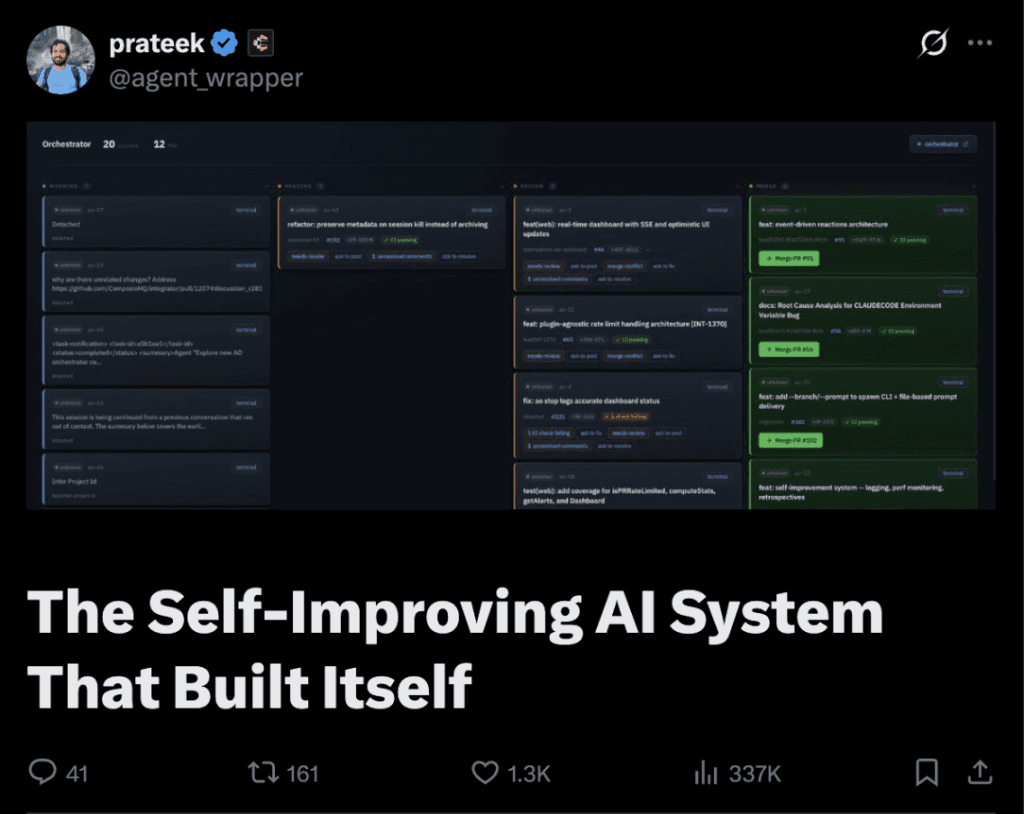
|
Documentation
| Document | Start here when you need |
|---|---|
| docs/architecture.md | Backend mental model, lifecycle, persistence, CDC, status derivation, and daemon boundaries. |
| docs/backend-code-structure.md | Package ownership and where each backend concern belongs. |
| docs/cli/README.md | CLI behavior and daemon route mapping. |
| docs/development.md | Prerequisites, build steps, running tests, and troubleshooting for local development. |
| docs/STATUS.md | What currently ships on main and what remains in flight. |
| docs/stack.md | Library, runtime, and dependency decisions. |
Telemetry
Agent Orchestrator's Electron renderer sends anonymous usage events to PostHog for reliability and product understanding. PostHog session recording is disabled by default; if a time-boxed investigation enables it, local paths and local URLs are redacted before transmission. Set VITE_AO_POSTHOG_KEY to an empty string before building to disable transmission. See docs/telemetry.md.
License
Apache License 2.0. See LICENSE.
// faq
What is agent-orchestrator?
Agent IDE that enables you to manage fleets of coding agents. It comes with an agentic orchestrator that plans tasks, spawns agents, and autonomously handles CI fixes, merge conflicts, and code reviews.. It is open-source on GitHub.
Is agent-orchestrator free to use?
agent-orchestrator is open-source under the Apache-2.0 license, so it is free to use.
What category does agent-orchestrator belong to?
agent-orchestrator is listed under uncategorized in the Claudeers registry of Claude-compatible tools.
// embed badge

[](https://claudeers.com/agent-orchestrator-2)
// retro hit counter

[](https://claudeers.com/agent-orchestrator-2)
// reviews
// guestbook
// related in Uncategorized / Others
 🔓
🔓Fair-code workflow automation platform with native AI capabilities. Combine visual building with custom code, self-host or cloud, 400+ integrations.
 🔓
🔓The agent engineering platform.
 🔓
🔓FULL Augment Code, Claude Code, Cluely, CodeBuddy, Comet, Cursor, Devin AI, Junie, Kiro, Leap.new, Lovable, Manus, NotionAI, Orchids.app, Perplexity, Poke, Q…
 🔓
🔓100+ AI Agent & RAG apps you can actually run — clone, customize, ship.