
xiaobai-switch
小白也能上手的 Claude Code / Codex 上游配置切换桌面应用 | A cross-platform, site-driven desktop app for switching Claude Code & Codex providers. Only official website: xiaoba…
Install with your AI
Paste into Claude Code, Cursor, or any agent — it reads the repo and wires the tool into your project.
Install and set up xiaobai-switch (git-clone project) into my current project.
Found on https://claudeers.com/xiaobai-switch
Repo: https://github.com/Licoy/xiaobai-switch
Homepage/docs: https://xiaobaiswitch.com
Detected install method: git-clone → git clone https://github.com/Licoy/xiaobai-switch
Category: devtools. Platforms: cli, api, desktop, web.
Read the repo's README for exact setup and env vars, then install it and wire it into my project.

Claudeers Health Verdict:
active; community-verified: false. Confirm the source before running anything.
git clone https://github.com/Licoy/xiaobai-switch
// compatibility
| Platforms | cli, api, desktop, web |
|---|---|
| Operating systems | — |
| AI compatibility | claude |
| License | — |
| Pricing | open-source |
| Language | TypeScript |
中文 · English

XiaoBaiSwitch
小白也能上手的,以站点驱动的 Claude Code / Codex 上游配置桌面应用。
以「上游站点」为中心:填好 Base URL 与 API Key,拉取或手输模型,再一键应用到 Claude Code 或 Codex。
功能
- 站点中心:管理多个上游中转,支持多条线路、测速与一键切换
- 模型管理:从站点拉取模型,也可手输、测试可用性
- 应用中心:分别为 Claude Code、Codex 选择站点、模型与能力后写入
- 线路切换:切换后可同步已应用到工具里的地址
- 配置备份:应用前自动备份,可在应用中心还原
- 链接导入:通过
xiaobaiswitch://链接一键导入站点,不会自动应用到工具 - 桌面体验:托盘常驻、开机启动、浅色 / 深色主题、简体中文与 English
软件截图
| 欢迎页 | 测试模型 |
|---|---|
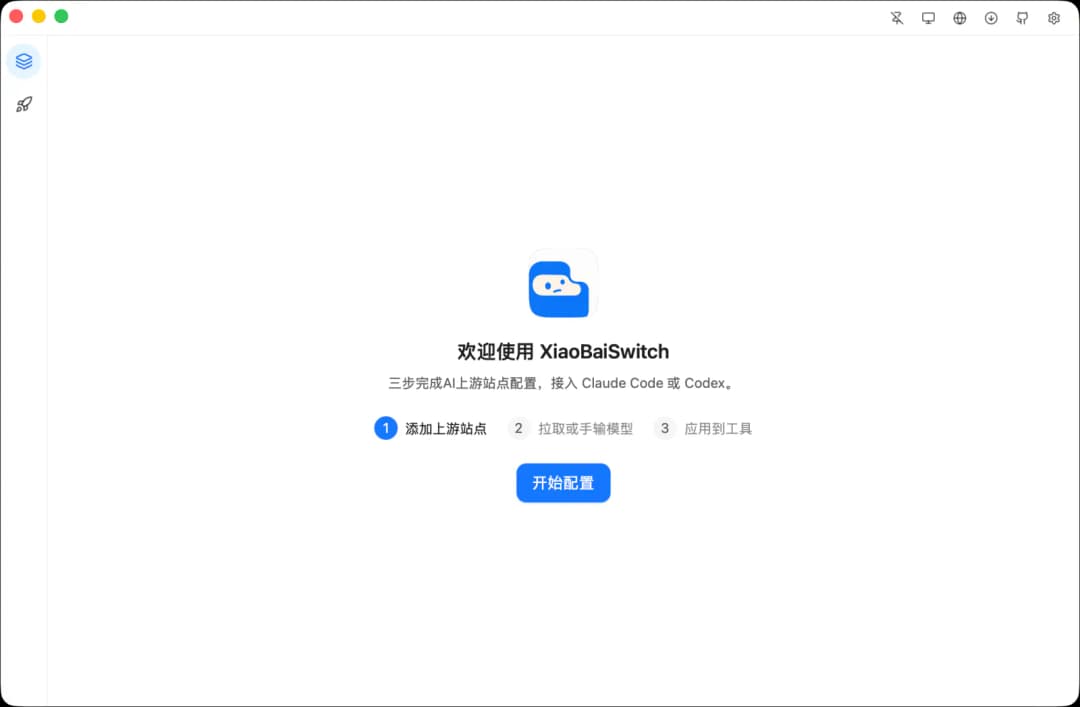 | 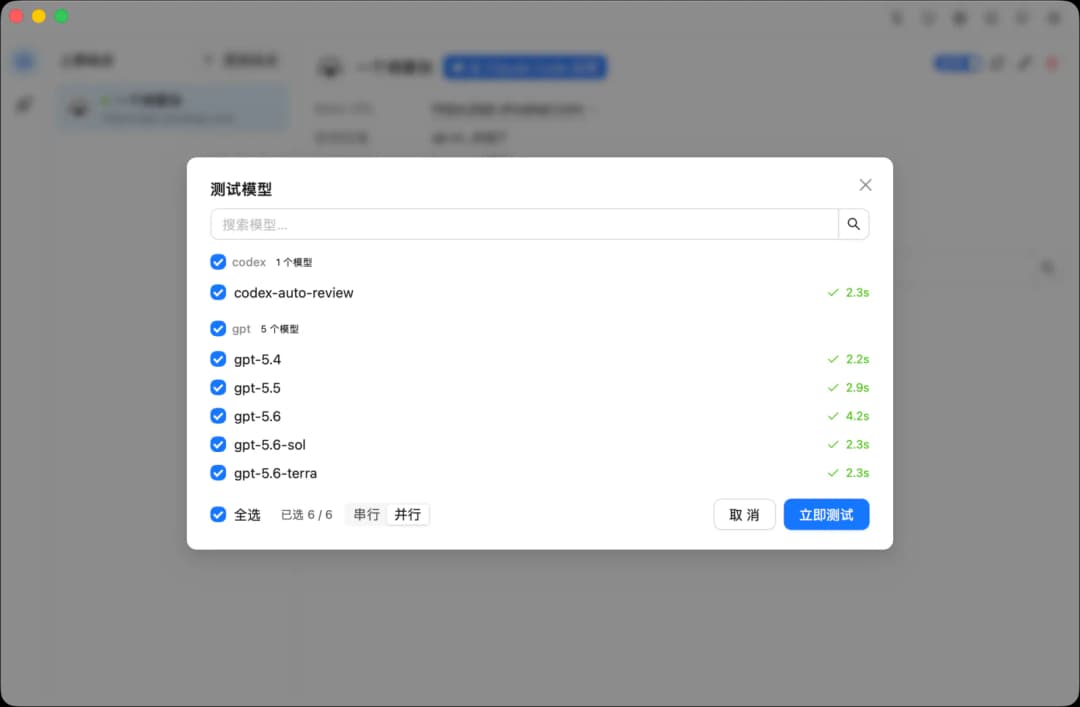 |
| 站点中心 | 应用中心 |
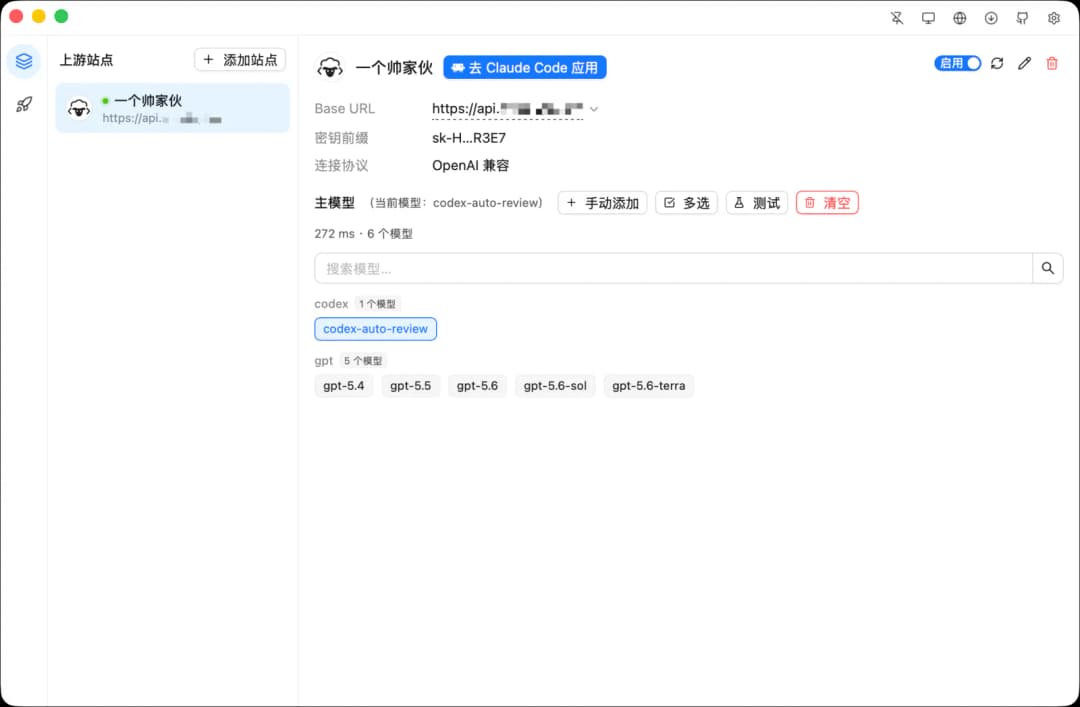 | 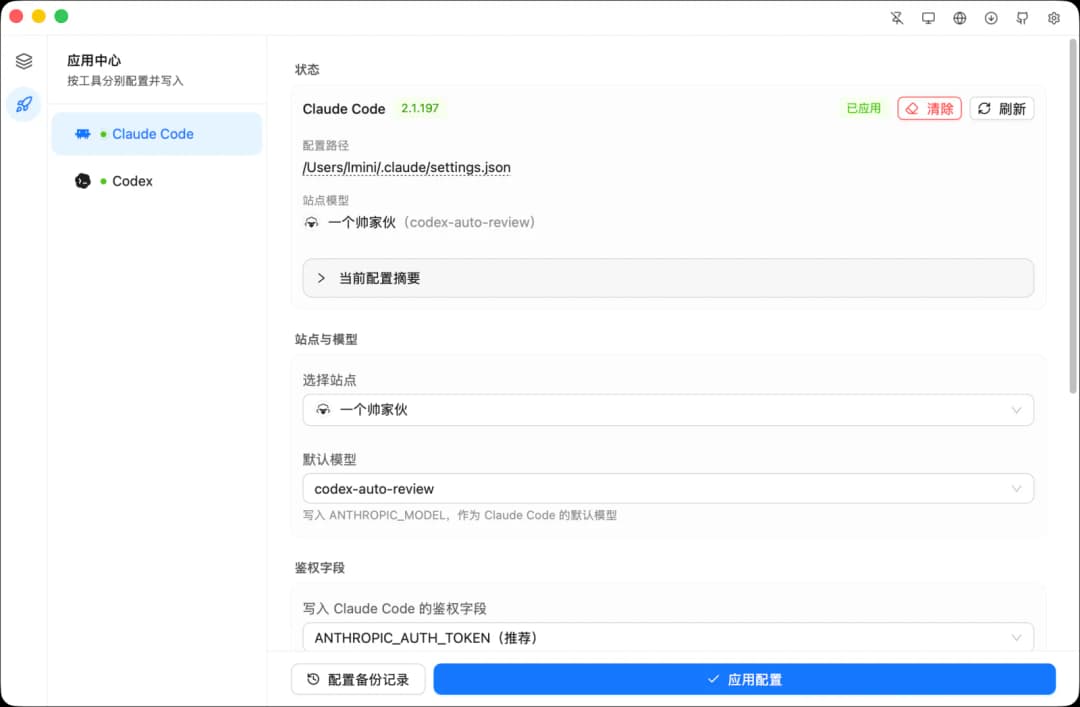 |
快速开始
- 添加一个上游站点,填写名称、Base URL 和 API Key
- 拉取模型,或手动添加要用的模型 id
- 打开应用中心,选择 Claude Code 或 Codex,确认模型与选项后点击应用
- 重启终端或重新打开对应 CLI,使配置生效
同一站点可配置多条线路,第一项为当前默认线路,可随时测速并切换。
从链接导入站点
安装桌面端后,浏览器或其它应用可以打开 xiaobaiswitch:// 链接,拉起 XiaoBaiSwitch 并导入上游站点;导入不会自动应用到 Claude Code / Codex,需在应用中心手动确认。
- 安装并打开桌面端
- 点击导入链接,应用会切到站点页并弹出确认框
- 核对名称、线路、协议、备注和 API Key 前缀后确认
- 若链接没有
apikey,确认后会打开预填的添加站点表单,补全密钥再保存
同一协议且线路集合相同(顺序无关)视为同一站点:密钥相同则复用,密钥不同则更新密钥;线路多一条或少一条会新建站点,不会自动合并。
链接格式
xiaobaiswitch://sites?name=<name>&baseurls=<url>[&baseurls=<url>…][&apikey=<key>][&protocol=openai_compatible|anthropic][¬es=<notes>][&codex-compact=1][&codex-vision=1][&codex-imagegen=1][&codex-search=1]
| 参数 | 必填 | 说明 |
|---|---|---|
name | 是 | 站点名称,最长 128 |
baseurls | 是 | 线路 Base URL,可写多条,最多 20 条 |
apikey | 否 | API Key;省略则确认后打开预填表单,由用户补全 |
protocol | 否 | openai_compatible(默认)或 anthropic |
notes | 否 | 备注,最长 2000 |
codex-compact | 否 | Codex 远程压缩预设,1 / true / on / yes 为开 |
codex-vision | 否 | Codex 识图预设 |
codex-imagegen | 否 | Codex 生图预设 |
codex-search | 否 | Codex 内置搜索预设 |
别名:baseurl = baseurls,type=openai / type=anthropic = protocol;其它符合 平台-能力 的 kebab 键会原样存入站点,当前界面只展示 Codex 四个;链接里只要出现任一能力参数,即视为一套完整 Codex 预设(未写的已知键为关);老链接不加这些参数,不会覆盖站点里已有的预设。
多条线路怎么写
第一项是当前 / 默认线路;推荐重复写 baseurls,避免 URL 本身带逗号时被拆错:
xiaobaiswitch://sites?name=Example%20Relay&baseurls=https://a.example.com/v1&baseurls=https://b.example.com/v1&apikey=sk-xxx&protocol=openai_compatible
也接受写在同一个参数里,用逗号或 | 分隔:
xiaobaiswitch://sites?name=Example&baseurls=https://a.example.com/v1,https://b.example.com/v1
xiaobaiswitch://sites?name=Example&baseurls=https://a.example.com/v1|https://b.example.com/v1
baseurl 和 baseurls 可以混用,按查询串出现顺序合并:
xiaobaiswitch://sites?name=Mix&baseurl=https://first.example.com/v1&baseurls=https://second.example.com/v1
URL 中携带 API Key 可能被浏览器历史、扩展或系统日志记录,不要把真实密钥写在公开页面;推荐登录后的私有后台按需生成,或省略 apikey 让用户在应用内补全。
下载与安装
支持 macOS(Apple Silicon / Intel)与 Windows(x64 / ARM64),请到 Releases 下载对应安装包。
macOS 安装包是 ad-hoc 签名(未使用 Apple Developer ID,也未公证);浏览器下载后,系统可能提示「已损坏」——这是隔离属性,不是文件坏了,「隐私与安全性」不会出现「仍要打开」;把应用拖到「应用程序」后执行:
xattr -cr /Applications/XiaoBaiSwitch.app
然后右键点应用 → 打开。
自动更新
正式发布的桌面端会检查更新,并支持在应用内下载安装;可在 设置 → 关于 手动检查,或开启自动检查。
安全提示
API Key 在应用内加密存储;应用到 Claude Code / Codex 后会以明文写入对应工具的配置,请勿把这些配置同步到不可信云盘。
社区支持
License
MIT
// faq
What is xiaobai-switch?
小白也能上手的 Claude Code / Codex 上游配置切换桌面应用 | A cross-platform, site-driven desktop app for switching Claude Code & Codex providers. Only official website: xiaobaiswitch.com. It is open-source on GitHub.
Is xiaobai-switch free to use?
xiaobai-switch is open-source, so it is free to use.
What category does xiaobai-switch belong to?
xiaobai-switch is listed under devtools in the Claudeers registry of Claude-compatible tools.
// embed badge

[](https://claudeers.com/xiaobai-switch)
// retro hit counter

[](https://claudeers.com/xiaobai-switch)
// reviews
// guestbook
// related in Developer Tools
 🔓
🔓The agent harness performance optimization system. Skills, instincts, memory, security, and research-first development for Claude Code, Codex, Opencode, Curs…
 🔓
🔓Makes your AI agent think like the laziest senior dev in the room. The best code is the code you never wrote.
 🔓
🔓Use Garry Tan's exact Claude Code setup: 23 opinionated tools that serve as CEO, Designer, Eng Manager, Release Manager, Doc Engineer, and QA
 🔓
🔓AI coding assistant skill (Claude Code, Codex, OpenCode, Cursor, Gemini CLI, and more). Turn any folder of code, SQL schemas, R scripts, shell scripts, docs,…