
xhs-article-images-skill
Markdown 长文渲染成小红书 3:4 图片组的 Agent Skill,全文不删减,内置 5 种风格(Cursor / Claude Code / Codex 通用)
Install with your AI
Paste into Claude Code, Cursor, or any agent — it reads the repo and wires the tool into your project.
Install and set up xhs-article-images-skill (claude-skill project) into my current project.
Found on https://claudeers.com/xhs-article-images-skill
Repo: https://github.com/lampooo/xhs-article-images-skill
Homepage/docs: —
Detected install method: claude-skill → # copy this skill into .claude/skills/xhs-article-images-skill/
Category: skills. Platforms: cli.
Read the repo's README for exact setup and env vars, then install it and wire it into my project.

Claudeers Health Verdict:
active; community-verified: false. Confirm the source before running anything.
# copy the skill dir into your project:
# .claude/skills/xhs-article-images-skill/   (or ~/.claude/skills/xhs-article-images-skill/ for all projects)
git clone https://github.com/lampooo/xhs-article-images-skill
// compatibility
| Platforms | cli |
|---|---|
| Operating systems | — |
| AI compatibility | claude |
| License | MIT |
| Pricing | open-source |
| Language | CSS |
xhs-article-images
把 Markdown 长文渲染成一组小红书 3:4(1242×1656)图片的 Agent Skill。全文文字与配图一张不漏,按 page-01.png、page-02.png… 编号,可直接上传小红书。
An agent skill that renders long-form Markdown articles into Xiaohongshu-ready 3:4 image sets, preserving every word and image.
效果预览
同一篇示例文章,五种内置风格:
| 理性暖(默认) | 优雅黄 | 灵感记 | 逻辑蓝 | 简约白 |
|---|---|---|---|---|
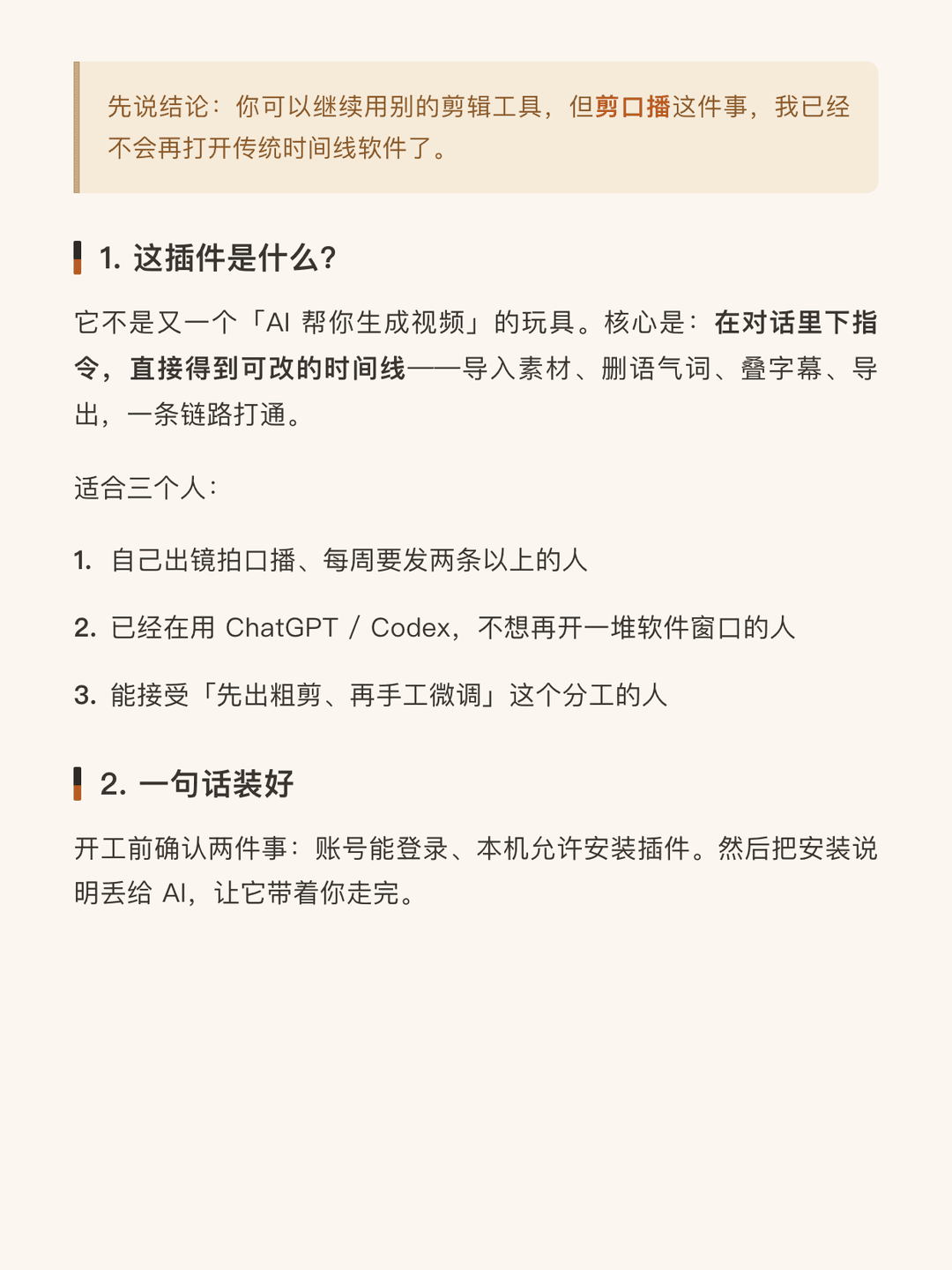 |  | 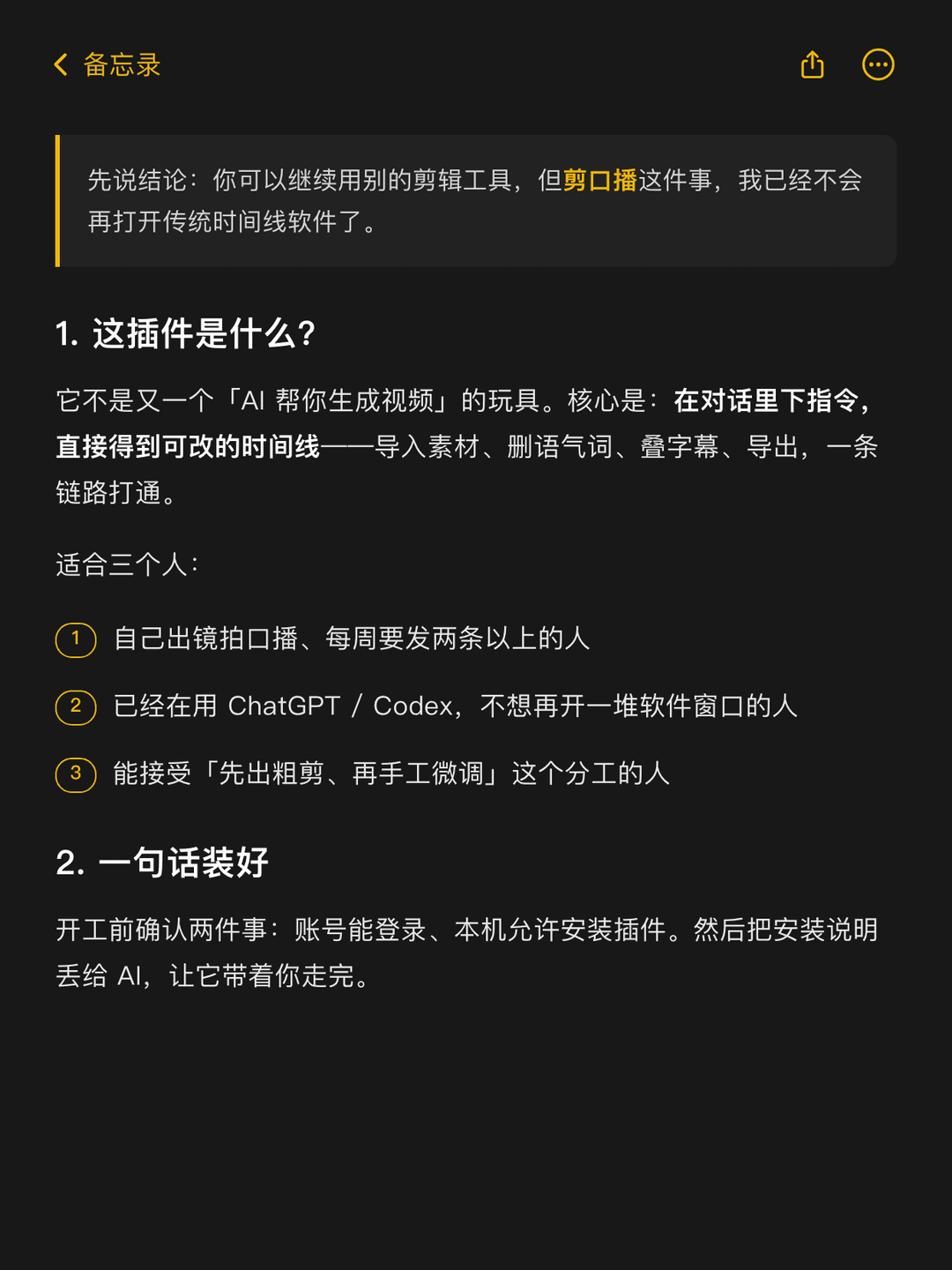 | 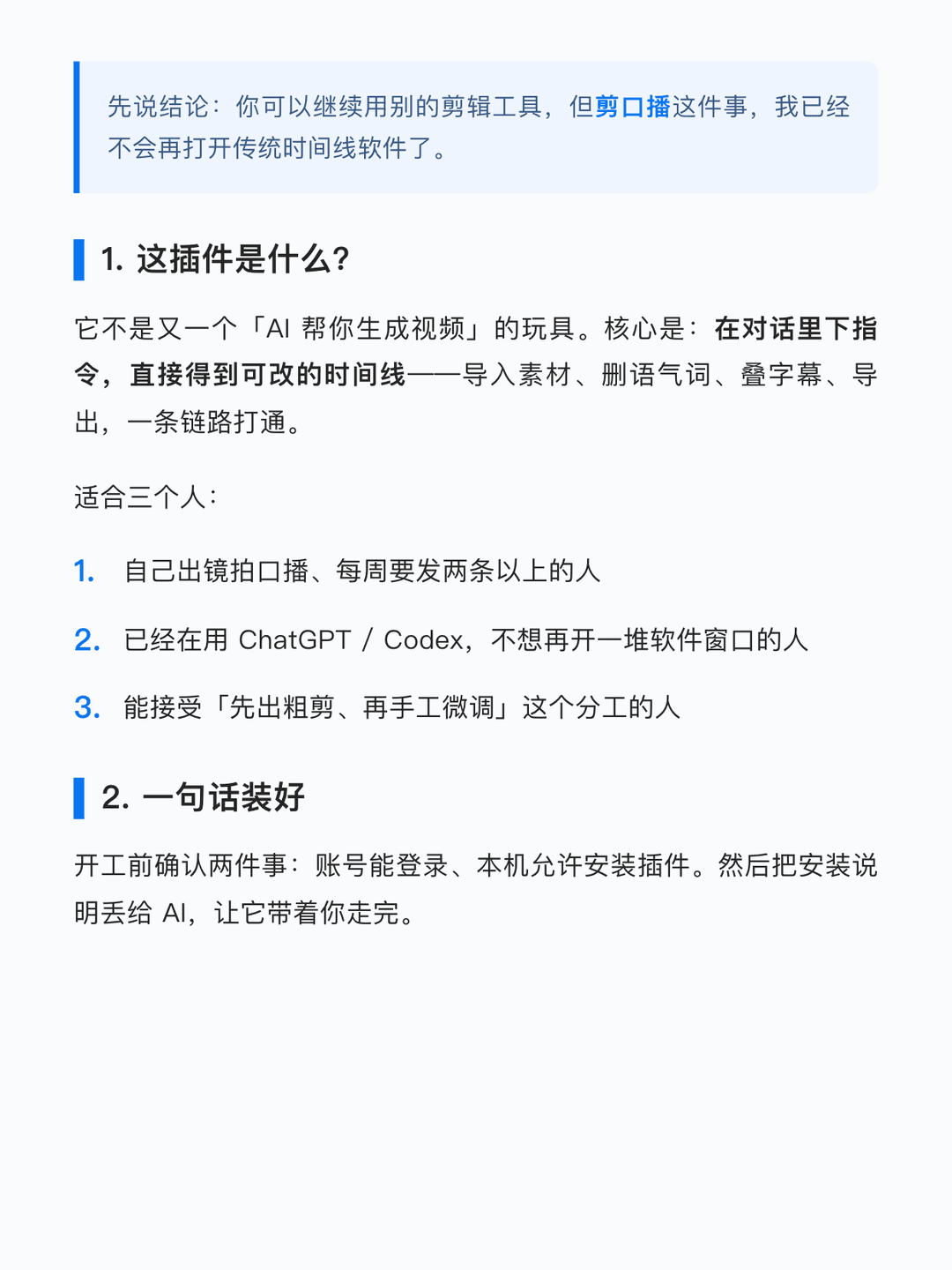 |  |
| 风格 | 印象 |
|---|---|
| 理性暖(默认) | 暖米色杂志风:米色底、棕橙强调、标题双色竖条 |
| 优雅黄 | 浅灰底、黄色荧光记号、灰细线标题、红色打字光标收尾 |
| 灵感记 | Apple 备忘录深色截图感:黑底、备忘录黄、每页顶栏、黄圈数字列表 |
| 逻辑蓝 | 冷调近白底、单一强调蓝:标题粗蓝竖条、列表细蓝竖条/蓝色大数字 |
| 简约白 | 纯白底黑字极简编辑器风:无装饰标题、星号列表符、黑色打字光标收尾 |
为什么不用 AI 生图
中文大段文字用文生图模型渲染会糊、会漏字。这个 skill 走的是确定性路线:
Markdown → markdown-it 解析 → 套用风格 CSS → Playwright 分页截图 → PNG 图组
- 全文保留:一个字都不删,正文、引用、列表、代码块、配图全部进图。
- 语义分页:标题不会孤零零留在页尾;图片视为上方文字的配图,放不下先等比缩小挤进同页,缩不动就带着上一段文字一起挪到新页;以「:」结尾的段落与下一块强制同页;超长段落按句号拆分。
安装
这是一个 Agent Skill(一个带 SKILL.md 入口的文件夹),Cursor / Claude Code / Codex 均可使用。
方式一:npx(推荐)
用 skills CLI 一条命令安装,按提示选择要装到哪些 agent(Cursor / Claude Code / Codex 等均支持):
npx skills add lampooo/xhs-article-images-skill -g
-g 表示装到用户级目录(如 ~/.cursor/skills/),去掉则装到当前项目。日后升级用 npx skills update。
方式二:git clone
# Cursor
git clone https://github.com/lampooo/xhs-article-images-skill.git ~/.cursor/skills/xhs-article-images

# Claude Code
git clone https://github.com/lampooo/xhs-article-images-skill.git ~/.claude/skills/xhs-article-images

# Codex
git clone https://github.com/lampooo/xhs-article-images-skill.git ~/.codex/skills/xhs-article-images
渲染依赖
首次使用时 agent 会按 SKILL.md 里的指引自动在 scripts/ 下安装依赖;也可以手动装好(需要 Node.js ≥ 18):
cd <skill目录>/scripts
npm install
npx playwright install chromium   # 本机已有 Playwright 浏览器缓存可跳过
用法
对话式(推荐)
在 Cursor / Claude Code 里直接说:
把这篇文章做成小红书图片:/path/to/article.md
Agent 会自动触发本 skill,询问风格偏好后渲染,并预览前几张给你确认。触发词示例:小红书图文、长文转图、md 转小红书图片、生成小红书长图。
命令行直接调用
# 默认理性暖风格
node scripts/render.mjs article.md --out out/

# 指定风格:理性暖 / 优雅黄 / 灵感记 / 逻辑蓝 / 简约白
node scripts/render.mjs article.md --out out/ --style 灵感记

# 自定义页面尺寸(默认 621×828 CSS 像素 @2x → 1242×1656)
node scripts/render.mjs article.md --out out/ --width 621 --height 828 --scale 2
不传 --out 时默认输出到 md 同级的 <文件名>-xhs/ 目录。
输入支持
标题、段落、加粗/斜体、引用、有序/无序列表、图片(相对路径或 http(s) 远程图)、代码块、分割线、链接。相对路径图片以 md 文件所在目录 为基准。
自定义风格
--style 也接受任意 .css 文件路径:
node scripts/render.mjs article.md --out out/ --style my-style.css
画布尺寸、色板、字号、组件样式等设计规范见 references/style-spec.md,照着改一份内置 CSS(assets/ 下五个文件)是最快的起点。
目录结构
xhs-article-images/
├── SKILL.md                 # Agent 入口:工作流与约定
├── assets/                  # 五种内置风格 CSS
├── references/style-spec.md # 风格设计规范(改样式前必读)
├── scripts/render.mjs       # 渲染脚本(markdown-it + playwright)
├── fixtures/sample.md       # 示例文章(本 README 预览图的来源)
└── docs/previews/           # README 预览图
联系我
skill 的更新和更多 AI 编程实践会发在这些地方,欢迎交流:
License
// faq
What is xhs-article-images-skill?
Markdown 长文渲染成小红书 3:4 图片组的 Agent Skill,全文不删减,内置 5 种风格(Cursor / Claude Code / Codex 通用). It is open-source on GitHub.
Is xhs-article-images-skill free to use?
xhs-article-images-skill is open-source under the MIT license, so it is free to use.
What category does xhs-article-images-skill belong to?
xhs-article-images-skill is listed under skills in the Claudeers registry of Claude-compatible tools.
// embed badge

[](https://claudeers.com/xhs-article-images-skill)
// retro hit counter

[](https://claudeers.com/xhs-article-images-skill)
// reviews
// guestbook
// related in Claude Skills
 🔓
🔓An agentic skills framework & software development methodology that works.
 🔓
🔓 🔓
🔓💫 Toolkit to help you get started with Spec-Driven Development
 🔓
🔓AI coding assistant skill (Claude Code, Codex, OpenCode, Cursor, Gemini CLI, and more). Turn any folder of code, SQL schemas, R scripts, shell scripts, docs,…