
vibex
Architecture diagrams and checkable docs from your codebase — ERD, C4, API and lifecycle — generated from Prisma, OpenAPI or GraphQL. One HTML file, no server.
Install with your AI
Paste into Claude Code, Cursor, or any agent — it reads the repo and wires the tool into your project.
Install and set up vibex (claude-skill project) into my current project.
Found on https://claudeers.com/vibex
Repo: https://github.com/Raja0sama/vibex
Homepage/docs: https://vibex.me
Detected install method: claude-skill → # copy this skill into .claude/skills/vibex/
Category: devtools. Platforms: cli, api, web.
Read the repo's README for exact setup and env vars, then install it and wire it into my project.

Claudeers Health Verdict:
unknown; community-verified: false. Confirm the source before running anything.
# copy the skill dir into your project:
# .claude/skills/vibex/   (or ~/.claude/skills/vibex/ for all projects)
git clone https://github.com/Raja0sama/vibex
// compatibility
| Platforms | cli, api, web |
|---|---|
| Operating systems | — |
| AI compatibility | claude |
| License | MIT |
| Pricing | open-source |
| Language | JavaScript |

vibeX
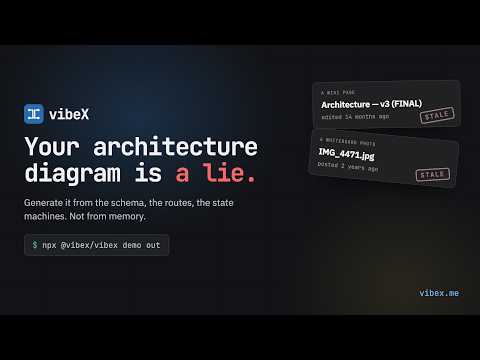
Your architecture diagram is a lie.
vibeX reads the thing that can't lie — your Prisma schema, your OpenAPI document, your GraphQL SDL, or the source itself — and renders the diagram that's actually true. Then it documents the system in claims that fail CI when the code moves underneath them.
One standalone HTML file. No server. Nothing leaves your network.
The diagram you have right now
a whiteboard photo in a Slack threada Confluence page last touched in 2023a Miro board nobody can finda Mermaid block that stopped renderingthe one guy who knows
→ one command, run against the schema that actually ships.
cd ~ && npx skills add Raja0sama/vibex    # install the skill, then just ask
npx @vibex/vibex demo out                # or look first — installs nothing
Why "vibeX"
vibe — how code gets written now. Fast, AI-assisted, more of it than anyone can hold in their head. X — the crossings. Which table joins which. Which service calls which. What happens after approval.
You vibed it into existence. vibeX shows you what you actually built.
The mark is the same idea: two edges crossing. Everything interesting in a system is a line between two things, not the things themselves.
Four diagrams. One source of truth.
| Type | What it draws | Import from | |
|---|---|---|---|
| 🔵 | erd | tables, columns, PK/FK badges, crow's-foot cardinality that knows nullable from not, bounded contexts as groups | Prisma, GraphQL SDL (--erd) |
| 🟣 | c4 | persons, systems, containers, components, databases, queues, each with its own fill, inside tinted nested boundaries | hand-authored |
| 🟢 | endpoints | REST routes, GraphQL operations, published events — grouped by resource, with method badges, auth, params, status codes | OpenAPI 2/3, GraphQL SDL |
| 🟡 | lifecycle | every state a thing can reach and every legal move between them, with actor, event, guard and side effect on each arrow | hand-authored |
Each is a validated JSON spec plus a rendered viewer. The spec is the artifact you keep; the HTML is disposable. Documentation and changes are two more views over the same specs — six panels in all, in one dashboard file.
Three commands. No config file.
# 1. import — your schema becomes a draft spec
vibex import prisma  prisma/schema.prisma  docs/db.erd.json
vibex import openapi openapi.yaml          docs/api.endpoints.json
vibex import graphql schema.graphql        docs/api.endpoints.json

# 2. validate — dangling refs and unreachable states are errors that name the field
vibex validate docs/db.erd.json

# 3. render — one file, CSS and JS inlined, spec embedded
vibex render docs/db.erd.json --open
#    or --linked: the HTML is only a placeholder; data goes in db.erd.data.js
#    and the viewer in vibex-viewer.js/.css beside it (still opens from disk)

# every spec in the folder, one page, cross-linked
vibex dashboard docs/index.html docs --title "Payments platform" --repo .
No source schema? It reads the code — NestJS controllers, GraphQL resolvers, TypeORM entities, Express routers, SQL migrations — and writes the spec itself.
Install it as a skill and stop learning flags
vibeX is a Claude Code / Cursor skill first and a CLI second. Installed as a skill, the
whole command surface collapses into a sentence — Claude reads SKILL.md, finds your
schema, picks the diagram type, writes the spec and renders it:
> show me the data model
  wrote db.erd.json · db.erd.html

> now the endpoints
  wrote api.endpoints.json · api.endpoints.html

> what happens after a request is approved?
  wrote request.lifecycle.json · request.lifecycle.html

> document the auth service and fail CI when it drifts
  wrote auth.docs.json · 41 claims, 38 verified
Install it. One command, from your home directory:
cd ~ && npx skills add Raja0sama/vibex
The directory matters, and it is the thing people get wrong: skills add installs
relative to where you run it. From ~ the skill is available in every project. From a
project directory it travels with that repository and nowhere else — which is what you
want when the skill should be checked in alongside the code.
Check it landed:
node ~/.claude/skills/vibex/bin/vibex.mjs types
Then just ask. Claude picks the skill up from the folder name, and the CLI underneath is what the skill drives — it is there when you want it, not something you have to learn first.
Other ways in — per-project, pinned to a release, or from source
Per-project, so the skill is checked in beside the code it documents:
cd my-project && npx skills add Raja0sama/vibex
Pinned to a published version, if you would rather have a release than a clone of
main. SKILL.md ships inside the npm package, so a global install plus one symlink
does it:
npm i -g @vibex/vibex
ln -s "$(npm root -g)/@vibex/vibex" ~/.claude/skills/vibex
Under nvm,
npm root -gis scoped to the Node version you are on (~/.nvm/versions/node/v22.18.0/...). Install a new Node and both thevibexbinary and this symlink stop resolving, silently.skills addhas no such problem.
From source, if you are changing vibeX itself — the symlink tracks your working copy, so edits apply the moment you save:
git clone https://github.com/Raja0sama/vibex && cd vibex
ln -s "$(pwd)" ~/.claude/skills/vibex
skills add clones the repository rather than the npm package, and it has no
node_modules — run npm install inside the skill folder if you need YAML OpenAPI.
The npm paths above already have it.
Prose that can't quietly go stale
An AI wrote the sentence once. Arithmetic checks it forever.
A diagram can't drift from the schema, because it's generated from it. Prose can, and
always does. So vibex docs documents a system the same way it draws one — the unit
isn't a page, it's a claim: one sentence with a source attached.
vibex docs system.docs.json specs/ --repo . --check # exit 1 on any claim that no longer holds
There is no model in the verification path — only fs, path, crypto and git.
That is the whole point, and it is why a full drift check costs ~70ms and nothing per run.
What it does not do
It catches drift, not initial error. If the first draft misreads the code, the hash still matches, CI stays green, and a wrong claim can stay verified indefinitely. Reviewing the spec once, at authoring time, is the only thing that establishes truth.
The honest version: you get a reviewable first draft in one pass, and after you have read it once, arithmetic keeps it honest.
How a claim works — three sources, five computed confidence states
| Source | What holds it up |
|---|---|
derived | Computed from a diagram spec by one of ten fixed generators. Cannot disagree with the diagram beside it, because it is the diagram. |
anchored | Prose pinned to a file and a symbol by a content hash. In languages where whitespace is not syntax (TypeScript, JSON, Go, …) the hash ignores it — reformat the file and nothing moves; change the line and the claim flags itself. Everywhere else (Python, YAML, Makefiles, any unknown extension) indentation counts, and only trailing whitespace and line endings are ignored. |
asserted | A person's decision, with their name and the date. For what no file can prove — and it expires, so "we decided this in March" can't pass for fact forever. |
Confidence is computed, never written. A claim cannot declare how trustworthy it is. The build assigns one of five states from the evidence and the clock, and the validator rejects any claim that tries to rate itself:
verified · stated · needs re-reading · out of date · unverifiable
vibex docs system.docs.json specs/ --repo . --reanchor   # re-pin hashes after a deliberate edit
vibex docs system.docs.json specs/ --repo . --md doc.md  # portable Markdown, zero raw HTML
Incremental, keyed on git. docs.lock.json records the commit each claim last
verified at, so a rebuild re-reads only what git says moved — and every uncertainty
resolves toward reading more, never less. CI passes --no-lock: a lock file arrives
from a contributor's machine asserting that claims were verified, and CI re-reads every
anchor rather than taking that on trust.
It tells you what it doesn't cover. Every document renders three lists: what was read, what is deliberately out of scope and why, and what the build noticed but could not account for. A document that implies completeness gets believed exactly where it is wrong.
One artefact, two readers. People read the dashboard panel; agents read docs.json —
every fact once, addressable, with resolved edges, so "what breaks if I change this" is a
single lookup rather than a search. Narrative sections carry Markdown that cites claims
inline with [[claim-id]], rendering each citation as a coloured pip showing that claim's
confidence, so a reader sees which words are load-bearing.
One document per question. auth.docs.json, payments.docs.json — each becomes its
own dashboard entry. Not one document trying to be the whole system.
Pass --repo to dashboard or every anchored claim renders as unverifiable.
Wrong? Fix it from where you found it — the intake loop
Every claim and node carries a report link. It opens an issue with a fenced vibex
block naming exactly what the reader was looking at, so the request arrives with its
coordinates attached instead of "the auth docs seem wrong".
reader → pre-addressed issue → triage → agent writes a PR → a person merges
- It answers either way. Actionable or not, the issue gets a reply and a label
(
readyorneeds-info). An intake queue that answers nothing is worse than none. - It cannot assert its way out. The agent follows the same
SKILL.mdyou do. What it could not establish from the code goes incoverage.out_of_scope, not into a claim under somebody's name. - It opens, it never merges. The change arrives as a pull request that has already run
validateanddocs --check. A human still reviews it. - No API key? Triage still runs, still answers on the issue, still labels it. It just doesn't write anything.
Release notes that know what they touched — vibex changelog
Builds the release list from commit history — and with --specs, what each commit did to
the documented system. It becomes a Changes panel in the dashboard, beside the diagrams
those commits moved.
vibex changelog HEAD --specs docs/ -o changelog.json --md CHANGES.md
vibex dashboard docs/index.html docs --changelog changelog.json
If the history doesn't use conventional-commit prefixes, sections are inferred from the files each commit touched — and the output says so, in the document: "treat the grouping as a rough sort, not as the author's intent."
Nothing leaves the machine
An architecture diagram is a reconnaissance map of your system — table names, service topology, auth boundaries, every internal route. It's the exact thing you can't paste into someone else's SaaS. So vibeX doesn't have a server.
There is nothing to review, because there is nowhere for it to go.
What the generated file does not do — verified in the source
- No
fetch,XMLHttpRequestor WebSocket, anywhere in the viewer runtime - No CDN, no web fonts, no analytics, no telemetry — the system font stack and nothing else
- PNG export renders through an in-memory blob; it never touches the network
- Pull the cable out of the wall and it still pans, zooms, searches and exports
Put it on S3 behind SSO, internal nginx, a private Pages site, a Confluence attachment,
committed next to the code, or file://. No account to view it. No seats. No expiry.
Hand it to a contractor, an auditor, or the new hire on their first morning. It's a file.
Viewer shortcuts — search, deep links, source links, export
A PNG of a 40-table schema is a wall. This one you can interrogate:
/ search · t theme · 0 fit · +/- zoom · r reset layout · Esc clear
Drag any box to move it and its lines re-route to follow. The layout is yours until you reload the page, which puts everything back where it was generated.
Click any node for its columns, fields, params and relationships. #node=<id> deep-links
to one specific table in one specific diagram — so you can send someone the thing, not
"it's in the doc somewhere." SVG and PNG export produce standalone files in the current theme.
Set meta.repository and sources: [{path, line}] and every node links back to the exact
line on GitHub or GitLab.
Layout — what lives where, and how to add a diagram type
bin/vibex.mjs            CLI: validate, render, import, dashboard, docs, changelog, demo, types
schemas/                 JSON Schema per type (the authoring contract)
examples/                one example spec per type
renderers/<type>/        JSON -> SVG body
renderers/docs/          claim graph, anchors, markdown export
renderers/shared/        validate, layout (grid, orthogonal routing, edge lanes), svg styles, template, dashboard
importers/               openapi, graphql (own SDL parser), prisma
assets/template.html     single-diagram shell; slots are <!-- VIBEX:* --> comments
assets/dashboard.html    multi-diagram shell: sidebar, overview, cross-links
assets/viewer.js|css     shared viewer runtime, inlined into both shells
assets/icon.svg          the mark (monochrome, currentColor)
test/                    node:test suite + fixtures
SKILL.md                 agent instructions (Claude Code / Cursor skill)
A new diagram type is a schema, a validator function, a renderer that emits
data-node-id / data-edge-from|to, and a line in renderers/shared/render.mjs.
Install
cd ~ && npx skills add Raja0sama/vibex # the skill, in every project
The CLI comes with it and is what the skill drives. If you want it on your PATH as
well, or pinned to a published release rather than a clone of main:
npm i -g @vibex/vibex               # adds the `vibex` command
npx @vibex/vibex demo out           # or run it once without installing anything
The unscoped
vibexon npm is an unrelated package by another author. Always install@vibex/vibex.
Node 18+. Zero required dependencies. The optional yaml package is only needed
if your OpenAPI document is YAML rather than JSON.
On the roadmap — built for one service, going to a system of them
- Request workflows — follow one request across service boundaries: the call in, the services it touches, the events it publishes, the tables it writes. C4 shows what could talk to what; this shows what actually happens when somebody presses buy.
- Monorepo support — one repository, many packages, one dashboard. Specs beside the package they describe, anchors that resolve inside it, and a root view that stitches them together without anyone maintaining a list by hand.
- One logical system — thirty services in thirty repositories, rendered as one map: which service owns which table, which one calls which, and where the boundaries actually sit.
- A GitHub Action that runs in your CI, regenerates on every pull request, and comments what moved — "2 tables, 3 endpoints." Still no server.
- A hosted tier, for teams who would rather buy the outcome than own the pipeline. The self-hosted path stays free and stays supported.
These are being designed, not finished. If one of them is the reason you'd adopt this, say so — that is the fastest way to influence it.
License
MIT, see LICENSE.
Prior art
Diagrams-as-code is a well-populated field, and vibeX stands on a lot of it: Mermaid and PlantUML for turning text into a picture, Structurizr for treating C4 as a model rather than a drawing, DBML for schema-to-ERD, Graphviz for deterministic layout, and tt-a1i/archify (MIT)
Never stale. Never leaves.
// faq
What is vibex?
Architecture diagrams and checkable docs from your codebase — ERD, C4, API and lifecycle — generated from Prisma, OpenAPI or GraphQL. One HTML file, no server.. It is open-source on GitHub.
Is vibex free to use?
vibex is open-source under the MIT license, so it is free to use.
What category does vibex belong to?
vibex is listed under devtools in the Claudeers registry of Claude-compatible tools.
// embed badge

[](https://claudeers.com/vibex)
// retro hit counter

[](https://claudeers.com/vibex)
// reviews
// guestbook
// related in Developer Tools
 🔓
🔓The agent harness performance optimization system. Skills, instincts, memory, security, and research-first development for Claude Code, Codex, Opencode, Curs…
 🔓
🔓Makes your AI agent think like the laziest senior dev in the room. The best code is the code you never wrote.
 🔓
🔓Use Garry Tan's exact Claude Code setup: 23 opinionated tools that serve as CEO, Designer, Eng Manager, Release Manager, Doc Engineer, and QA
 🔓
🔓AI coding assistant skill (Claude Code, Codex, OpenCode, Cursor, Gemini CLI, and more). Turn any folder of code, SQL schemas, R scripts, shell scripts, docs,…