
usage-checker
AI coding limits and agent status at a glance in the macOS menu bar (Claude Code, Codex, Gemini, Antigravity, Grok)
Install with your AI
Paste into Claude Code, Cursor, or any agent — it reads the repo and wires the tool into your project.
Install and set up usage-checker (release-binary project) into my current project.
Found on https://claudeers.com/usage-checker
Repo: https://github.com/adxd-og/usage-checker
Homepage/docs: —
Detected install method: release-binary → inspect the README
Category: finance. Platforms: cli, api, desktop, web.
Read the repo's README for exact setup and env vars, then install it and wire it into my project.

Claudeers Health Verdict:
active; community-verified: false. Confirm the source before running anything.
Grab the latest release asset from GitHub.
# download a build from https://github.com/adxd-og/usage-checker/releases
git clone https://github.com/adxd-og/usage-checker
// compatibility
| Platforms | cli, api, desktop, web |
|---|---|
| Operating systems | — |
| AI compatibility | claude |
| License | MIT |
| Pricing | open-source |
| Language | Swift |
Omelette 🍳
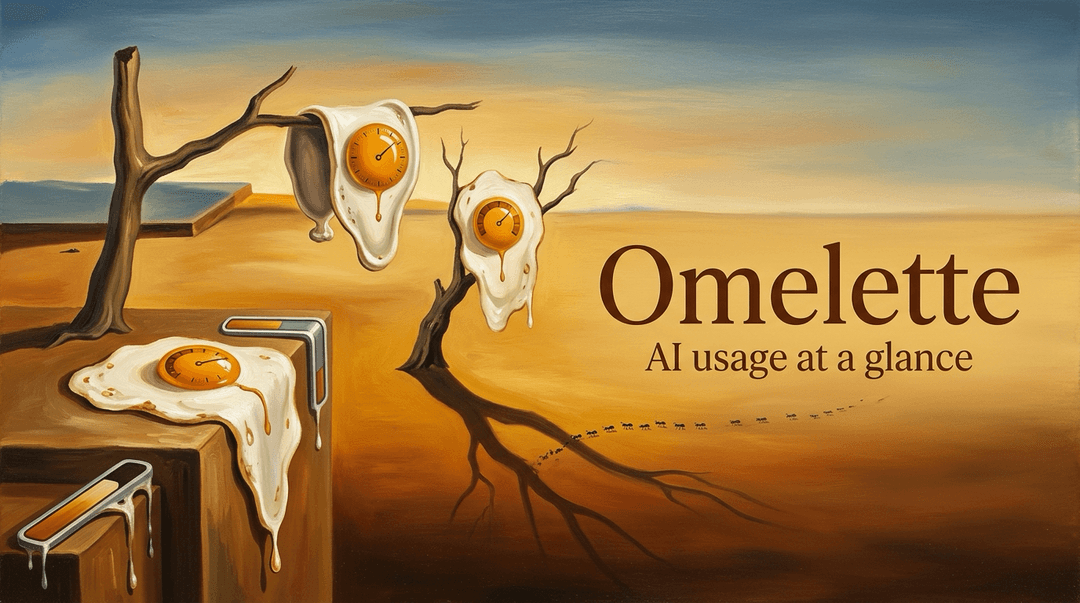
Omelette is a macOS menu bar app for AI coding usage: Claude, Codex, Antigravity/Gemini and Grok limits, local CLI cost accounting, and the agent sessions that need you. This README is a map. Each section says what it covers and points to the next one.
Why "Omelette"? While reverse-engineering the usage API we found that Anthropic's internal codename for Claude Design is
omelette(the weekly window arrives asseven_day_omelette). The name was too good to leave buried in a JSON key.
Contents
- Screenshots
- What it shows
- Popover
- Agents at a glance
- Command line and MCP
- Dashboard
- Notifications
- Widgets and floating window
- Settings
- How it works
- Requirements
- Install
- Build from source
- Disclaimer
- License
Screenshots
The popover and the dashboard, one shot of each below. More of both live in the two disclosures underneath.
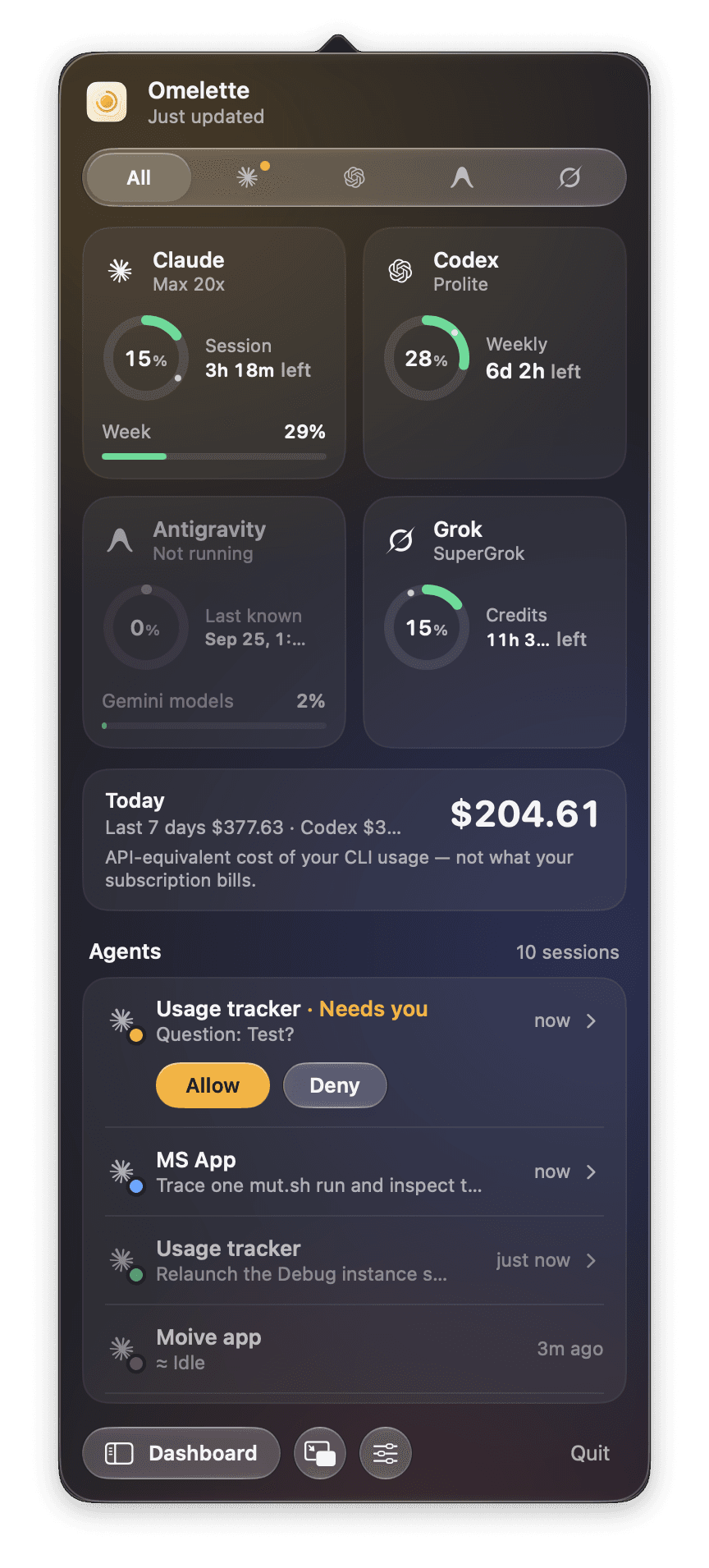 | 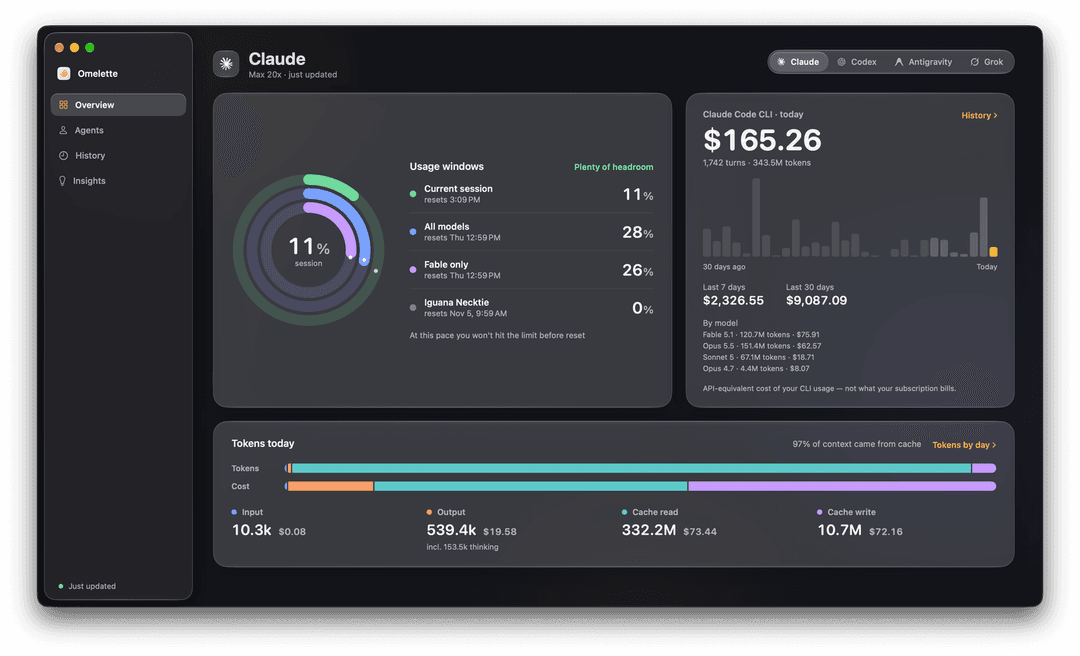 |
| The popover, All tab. An agent asked a question, so its row got Allow / Deny. | Dashboard Overview. Tokens today: input, output (with thinking), cache read, cache write, and dollars per category. |
More of the popover: one tab per provider, last-known numbers when one is closed
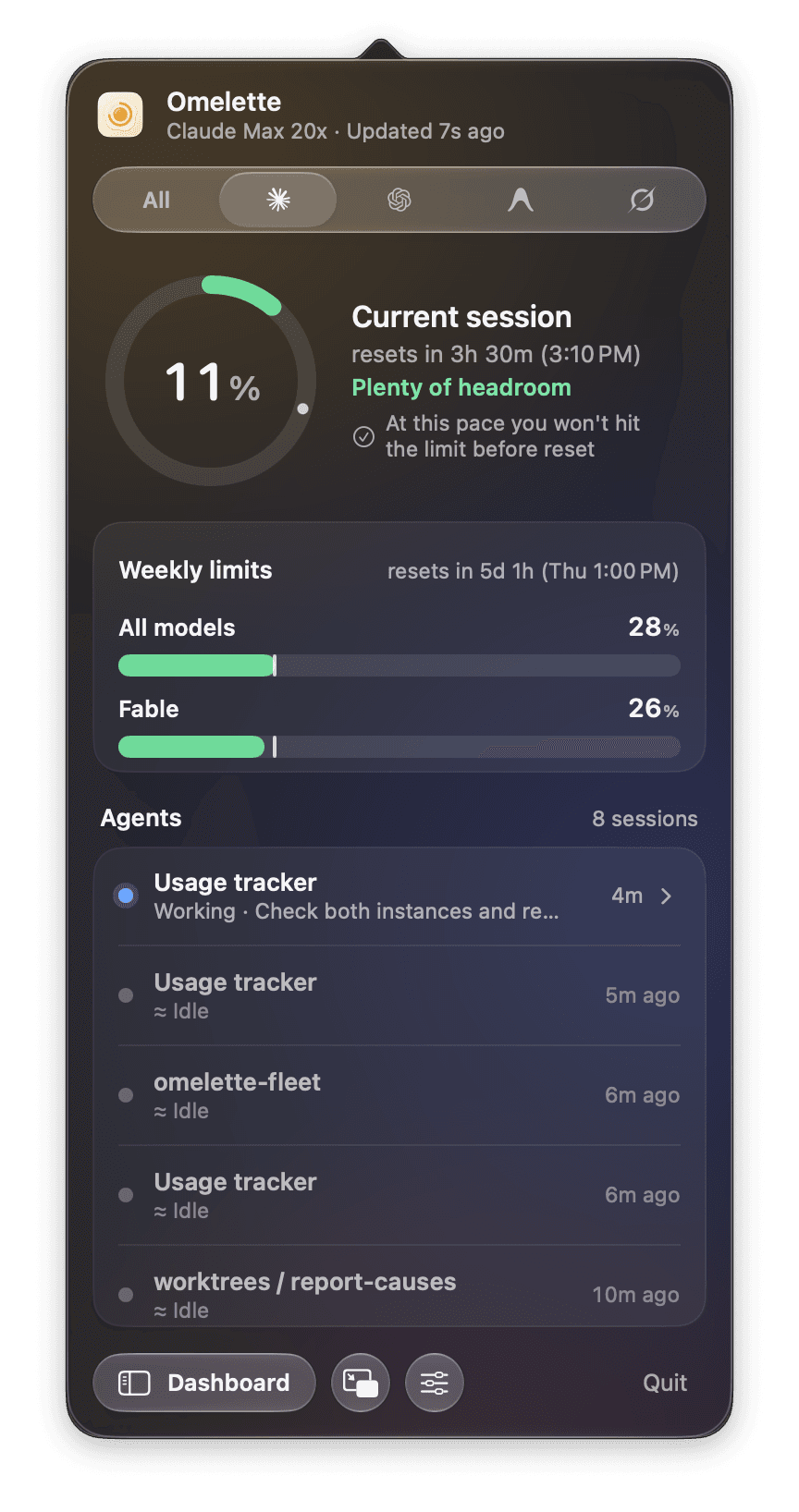 | 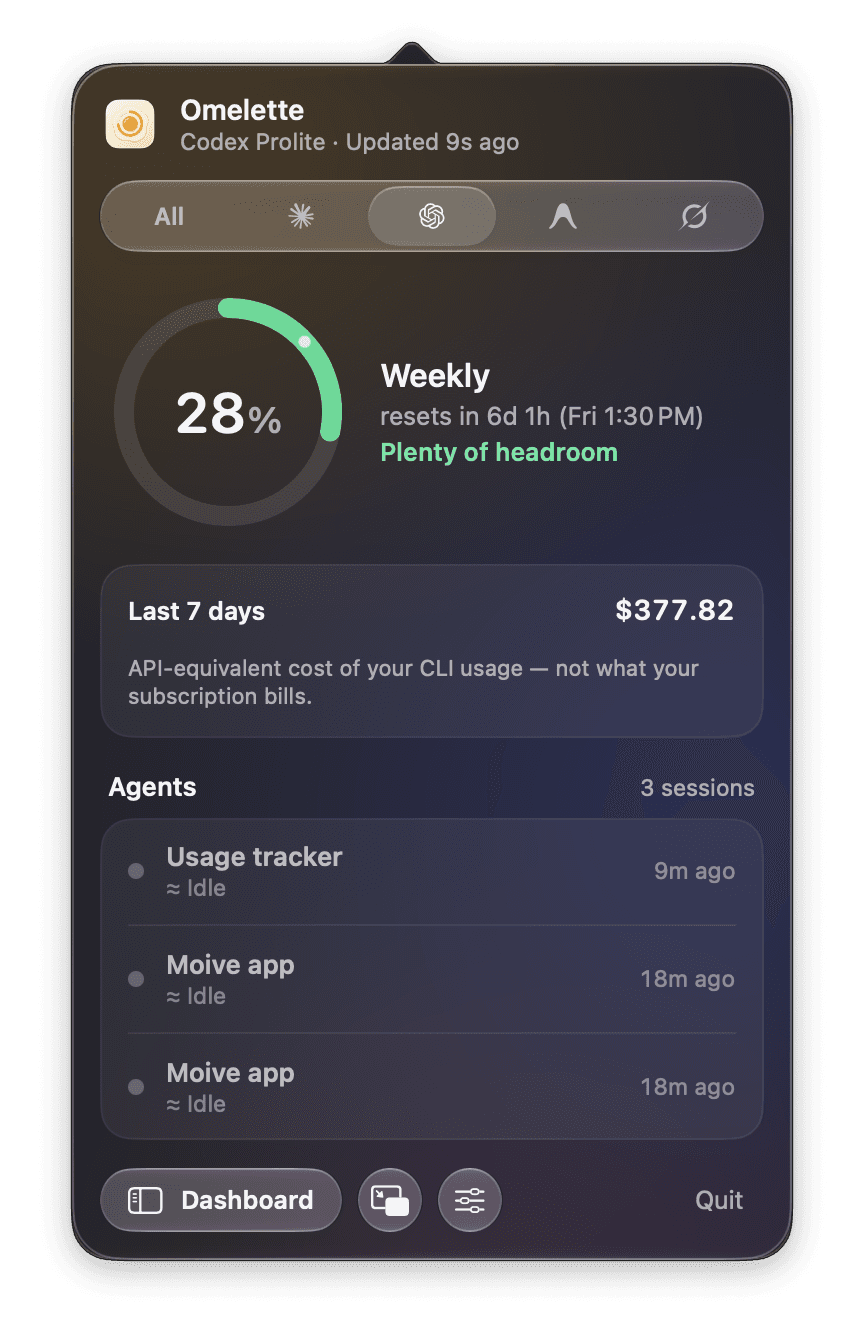 | 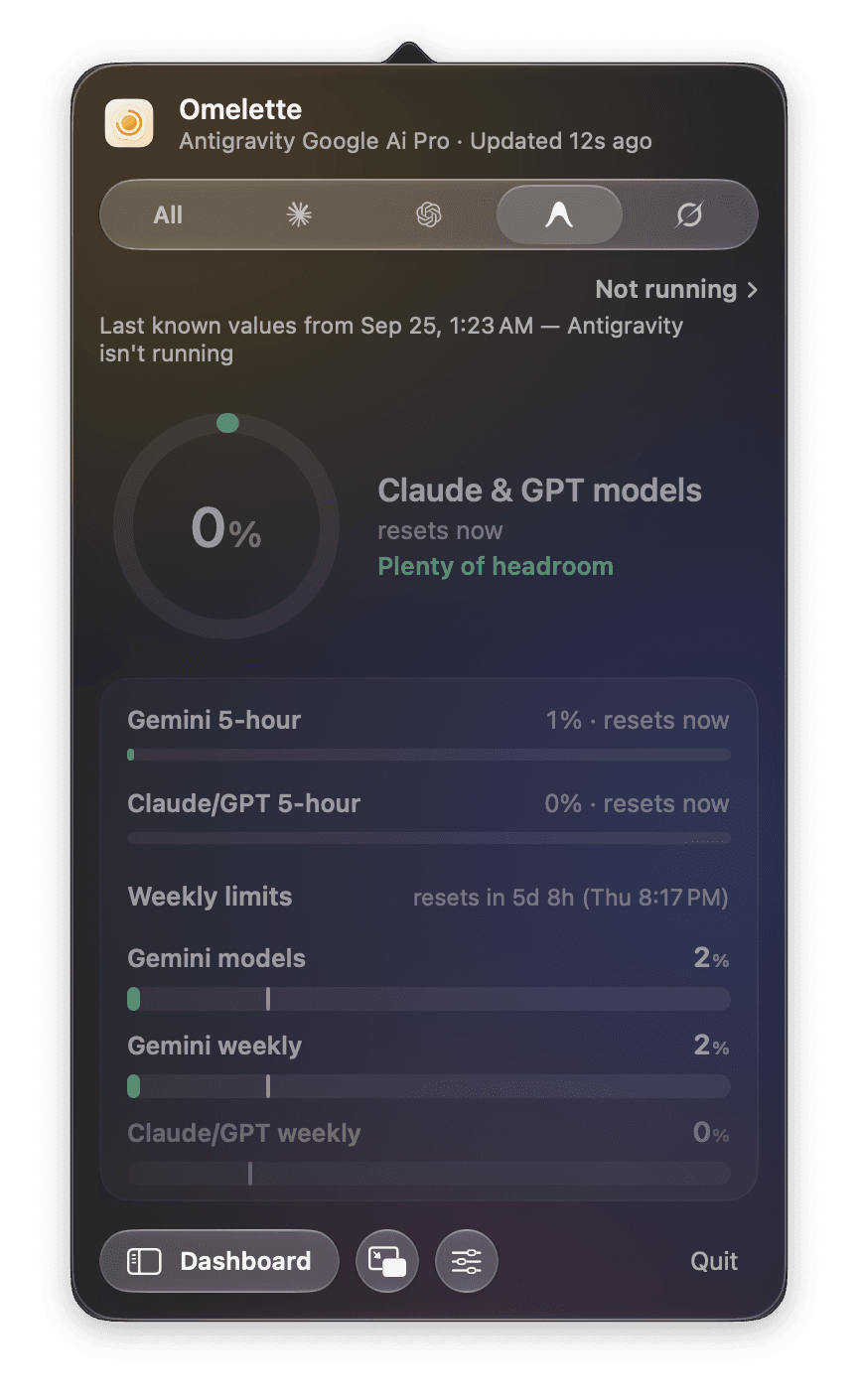 | 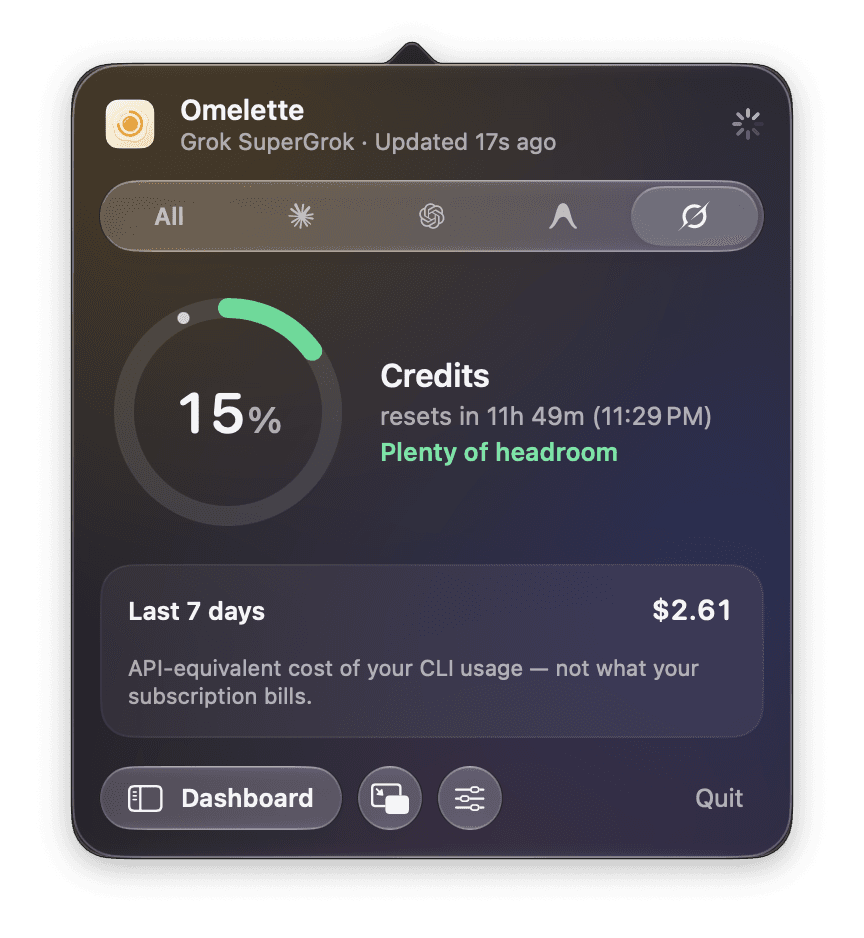 |
| Claude | Codex | Antigravity, closed: last known values, dimmed | Grok |
More of the dashboard: overview per provider, history in dollars or tokens, quota history, activity, agents, insights
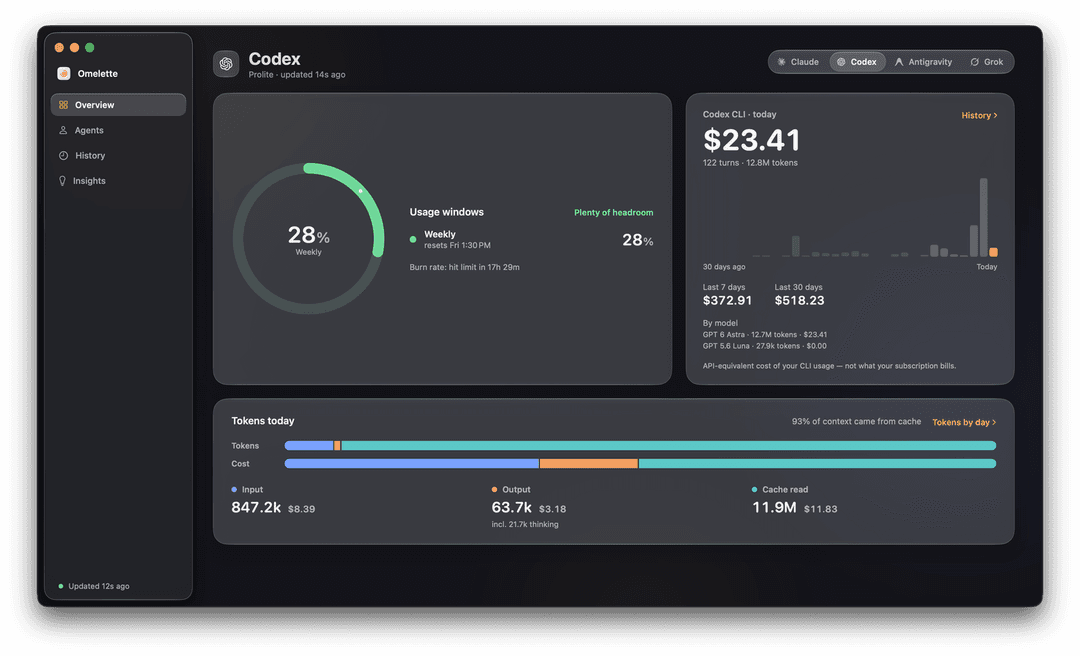 | 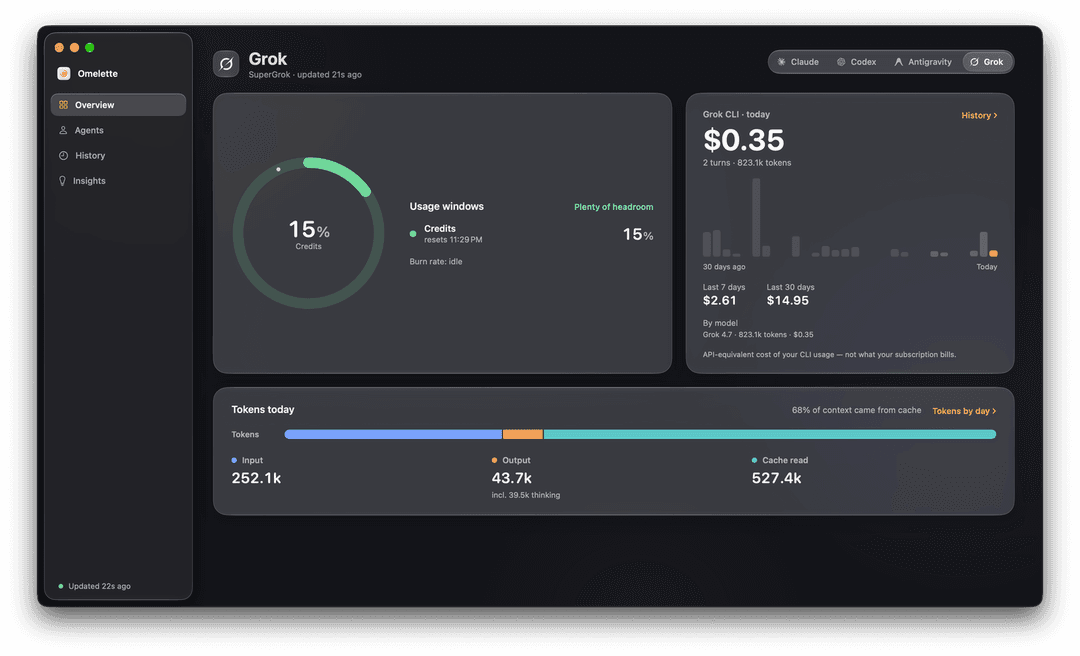 |
| Overview, Codex | Overview, Grok |
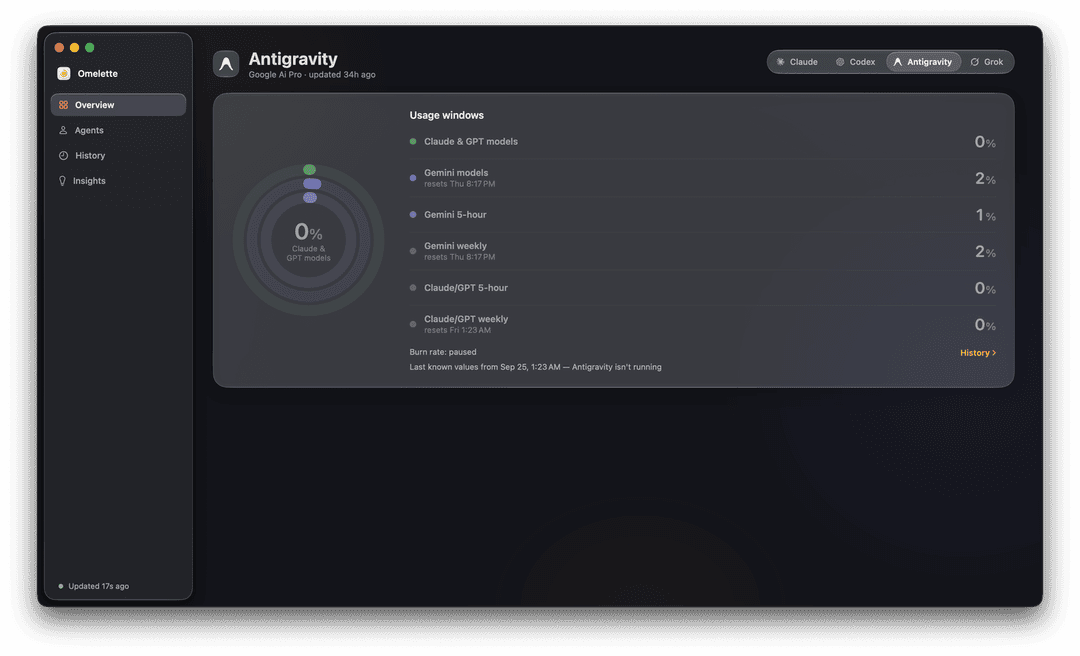 | 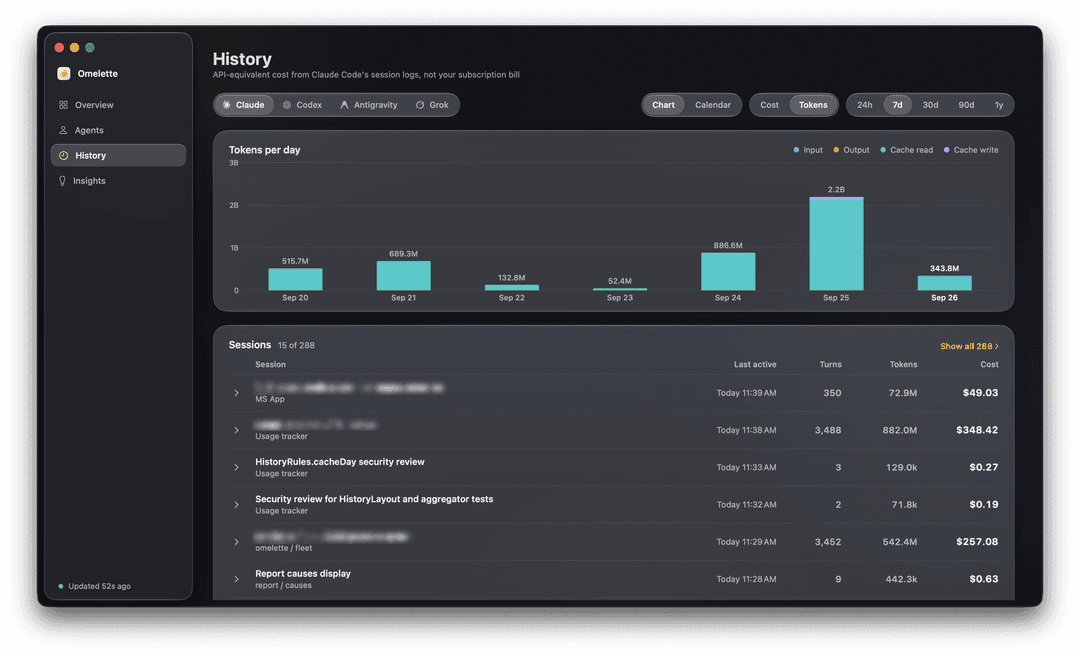 |
| Overview, Antigravity closed: last known values | History, Tokens mode |
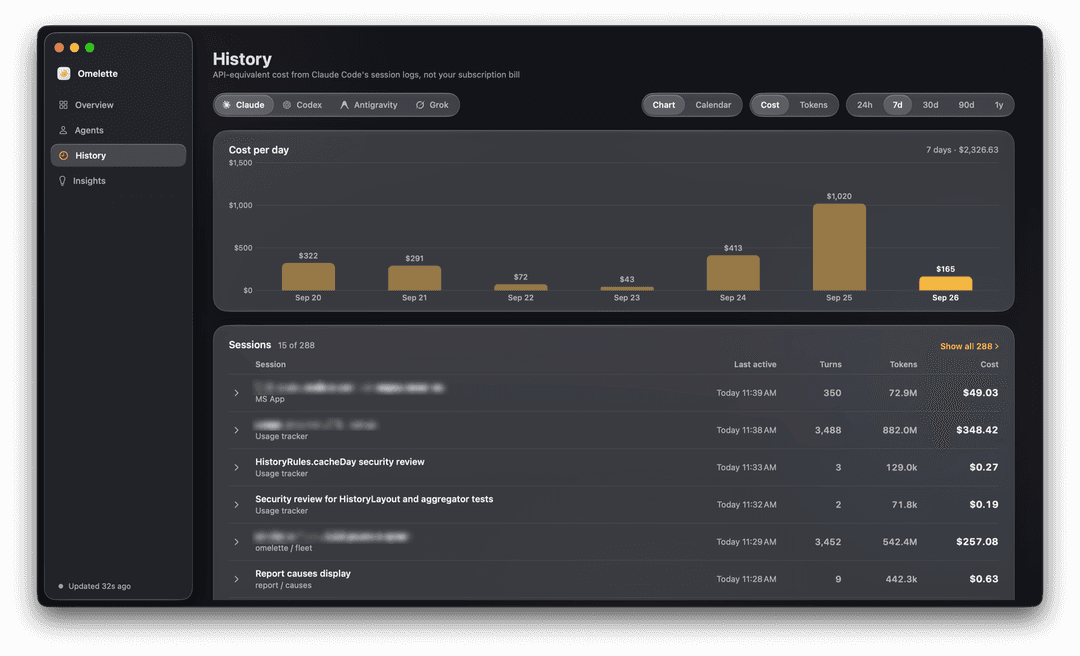 | 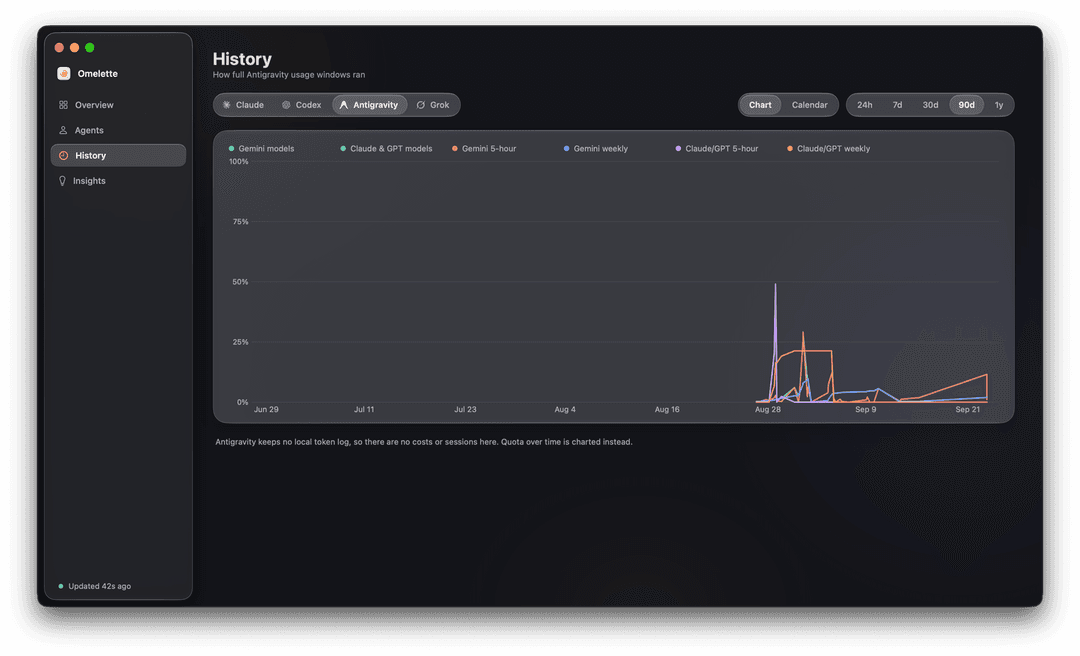 |
| History, Cost mode | Quota history for a provider without a token log |
 | 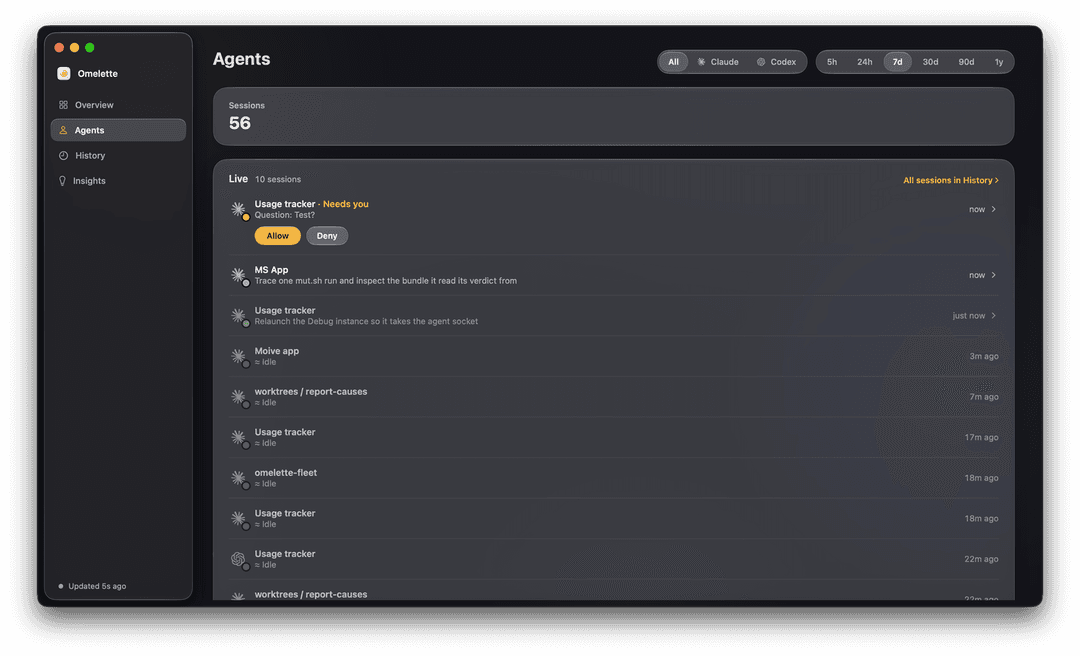 |
| Activity | Agents: live sessions and run history |
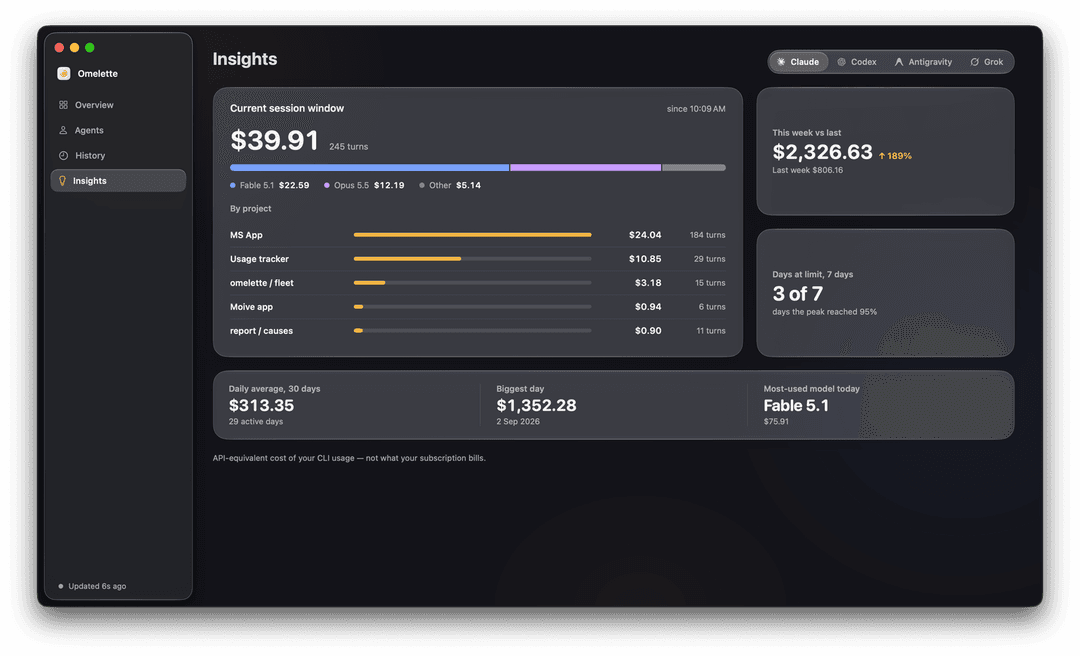 | |
| Insights: what filled the current session window, ranked by project | |
Next: What it shows.
What it shows
If you use Claude Code, Codex, Gemini CLI, Antigravity or Grok, this is the one place that shows where you stand across all of them, so a rate limit never catches you mid-task.
| Provider | What you see |
|---|---|
| Claude | 5-hour session and weekly limits per model, decoded dynamically so a new model appears without an update; extra usage credits; Enterprise spend limits |
| Codex (OpenAI) | session and weekly limits from the local Codex CLI; local dollar cost accounting from its session logs, now including compaction calls and sessions moved to ~/.codex/archived_sessions |
| Gemini CLI / Antigravity | Gemini CLI's daily model quotas using its Google sign-in, or Antigravity's model-pool quotas, the path for personal Google accounts |
| Grok (xAI) | billing-period credit usage from the local Grok CLI, falling back to grok.com web billing when the CLI is unavailable |
- Costs come from local logs at models.dev list prices, never invented numbers. They are always API-equivalent, never your subscription bill
- In Claude Code's logs, a sub-agent's spend is attributed to the project that launched it
- Last known numbers. A provider that's closed or signed out keeps its last good reading, dimmed, with "as of 14:05" on the chip, on every surface (All tab, popover, dashboard, menu bar, widgets). A Forget last known numbers button per provider in Settings clears it on demand
- Pay-as-you-go mode. Accounts without rate windows get a "$ spent" pill and an optional weekly budget with percentage bars and alerts
Next: Popover.
Popover
Click the menu bar icon. Every provider on one tab (All), or one at a time
on its own tab.
- All-tab tiles lead with the 5-hour session window, the number people open the popover to check, with the weekly window on the line below
- The cost tile shows today's spend first, with the 7-day total and the per-provider split underneath
- Spend-limit and extra-usage providers show both dollar amounts under the ring ("$431 of $1,500"), not a bare percentage
- Footer: Dashboard, floating window, Settings and Refresh buttons, plus the app version linking to the GitHub page (drops to its own line at narrow widths, so Quit is never pushed off)
Next: Agents at a glance.
Agents at a glance
The popover doubles as a control panel for the Claude Code and Codex sessions you already have running.
- Live sessions: every session, grouped Needs you / Working / Done / Idle, with the project and what it's doing
- Needs you covers three things: a permission request, a question
(
AskUserQuestion), or a plan waiting for approval. Each shows the real text (the question's options, the plan's opening lines), one click away - Allow / Deny from the notification and from the session's row, when its terminal isn't in front. Held for two minutes, then released untouched to the terminal if you don't answer; when the terminal is already in front, the CLI just asks there
- Hooks for both CLIs: eight Claude Code hooks in
~/.claude/settings.json, seven Codex hooks in~/.codex/hooks.json, installed with one click (Settings → Agents shows the exact JSON first). Codex refuses a hook until you trust it once with/hooksinside Codex; Settings → Agents says when that's still outstanding - Jump to the tab: clicking a row brings its terminal back. Terminal and iTerm2 select the exact tab; cmux selects the exact workspace and surface over its own socket; Ghostty, Warp, kitty, Alacritty, WezTerm, VS Code, VS Code Insiders, Cursor and Windsurf all come to the front
Finished sessions and run history live in the dashboard's Agents tab.
Next: Command line and MCP.
Command line and MCP
A tiny omelette tool ships inside the app, for the terminal and for your
agents.
| Command | What it prints |
|---|---|
omelette status | every provider's windows with exact reset times, today's and this week's cost, what your agents are doing |
omelette status --json | the same snapshot as JSON, including each provider's recent chats |
omelette statusline [--provider ID] | one line for a status bar (default: claude) |
omelette mcp | a read-only MCP server on stdio |
omelette --version / --help | version and usage |
omelette statusline installs with one click from Settings → General →
Command line: ◐ 42% · resets in 1h 10m · $4.20 today · ⚑ 1. Or add it
yourself to ~/.claude/settings.json (Claude Code runs the command through a
shell, so $HOME expands):
{
  "statusLine": {
    "type": "command",
    "command": "\"$HOME/Library/Application Support/UsageTracker/bin/omelette\" statusline",
    "refreshInterval": 60
  }
}
refreshInterval re-runs the command on a timer as well as on Claude Code's
own events, so the countdown keeps ticking while the session is idle. The
one-click install writes it too.
omelette mcp answers three tools. Nothing is written, nothing leaves your
Mac.
| Tool | Arguments | Returns |
|---|---|---|
get_usage | none | every provider's windows, resets and costs |
get_agents | none | which sessions are working or waiting on you |
get_sessions | provider (claude or codex, optional), limit (1-15, default 10) | the recent chats: title, project, last active, turns, tokens, cost, sub-agent count |
- One-click install for Claude Code (adds
omeletteto~/.claude.json) and Codex (adds an[mcp_servers.omelette]table to~/.codex/config.toml) from that same Settings section - Or add it by hand:
or, in
claude mcp add omelette -- "$HOME/Library/Application Support/UsageTracker/bin/omelette" mcp~/.codex/config.toml:[mcp_servers.omelette] command = "/Users/you/Library/Application Support/UsageTracker/bin/omelette" # full path, no $HOME args = ["mcp"] - What an agent does with
get_usage: before a long task it asks and waits for the reset, or picks a cheaper model.get_sessionsis for a person checking what an agent has been doing and spending
Next: Dashboard.
Dashboard
A separate window, per provider, built from the same local logs. Opens from the popover footer or ⌘D.
- Overview: the leading window as a ring with the burn verdict, and the day's cost; a spend-limit provider shows both dollar amounts under the ring here too
- Tokens today: input, output, cache read, cache write and (nested under output) thinking, plus the share of context that came from cache
- History: a Cost / Tokens / Sessions switch. Sessions lists your last 10 chats plus the 5 most expensive, for Claude Code and Codex: title, project, tokens and cost, expandable to the input/output/cache split, the sub-agents it launched, and a per-day breakdown. "Show all" reveals every chat with a Recent / Cost sort
- Insights: top project, week-over-week change, peak day, busiest hour
- Activity: a GitHub-style heatmap of the last 52 weeks
- Agents tab: live sessions plus the run history: sessions, agent time, approval requests and busiest project over the range you pick, finished sessions grouped by day
- The sidebar footer names the data source and the app version, linking to the GitHub page
- Every dollar figure here is the API-equivalent cost of your CLI usage, not what your subscription bills, except on a pay-as-you-go account, where it's the real bill
Next: Notifications.
Notifications
- Threshold alerts at 80% and 95% (configurable), with quiet-hours support
- Session-timing alerts: "burning fast" (would hit the limit before the window resets) and "resets soon"
- Daily summary: wake up to "Yesterday: $4.20 across 23 turns"
- Agent banners: "needs you" (ignores quiet hours by default, opt-out) and "finished a turn" (opt-in), each naming its source ("Claude Code" or "Codex")
Next: Widgets and floating window.
Widgets and floating window
- Desktop widgets: per-provider Small / Medium / Large (right-click → Edit Widget to pick the provider) and an "All providers" overview widget
- Floating mini window: always-on-top, dockable to a corner, shows the leading window as a ring plus how many agent sessions are running
Next: Settings.
Settings
- General: refresh interval, menu bar (percentage mode, per-provider visibility), the global peek shortcut, launch at login, provider toggles with Forget last known numbers, Command line (PATH, status line, MCP server, both installers above), and a "Show remaining instead of used" switch that turns every ring, bar and percent around
- Notifications: threshold %, session timing, quiet hours, daily summary
- Agents: hooks status and install for Claude Code and Codex (with the
Codex trust line), the Codex
notifyline, alert toggles, the Allow/Deny switch with its pending/answered/expired counts, socket diagnostics - Account: connected services, keychain access, optional Admin API key, pay-as-you-go weekly budget
- Advanced: override the
anthropic-betaOAuth header, replay the welcome tour, force a refresh, reset all settings
Next: How it works.
How it works
Reads the OAuth token that Claude Code stores in your macOS Keychain
(item name Claude Code-credentials) and calls
https://api.anthropic.com/api/oauth/usage, the same undocumented endpoint
Claude Code itself uses for its /usage command and status line. Omelette
never refreshes that token itself; Claude Code owns its own refresh cycle.
Other providers are read the same reuse-what's-already-there way: the local
Codex CLI's RPC server, a running Antigravity's local language server, the
Gemini CLI's Google sign-in, or the local Grok CLI (with a grok.com fallback).
- Uses only your own credentials, already obtained by the tools themselves. It never asks you to log in anywhere
- Talks only to:
api.anthropic.com(usage endpoint, plus Enterprise cost reports if you add an Admin API key),models.dev(public pricing data),cloudcode-pa.googleapis.com(Gemini quota, only if enabled),grok.com(Grok web-billing fallback, only if enabled),github.comandadxd-og.github.io(Sparkle update feed and DMG download), and local RPC to the Codex CLI or Antigravity's language server - Agent status comes from a tiny
omelette-hookhelper inside the app that Claude Code and Codex run on their hook events. It talks to Omelette over a local Unix socket (0600, 64 KB cap) and forwards only the session id, tool name, a truncated summary, folder and host process, never prompts or file contents. Every hook exits within 0.8 s except a permission request, which the helper holds open for up to 140 s so Omelette can answer Allow/Deny; a helper that gets no reply always fails safe - The
omelettecommand-line tool and MCP server only ever read~/Library/Application Support/UsageTracker/status.json, written after every poll. They never start the app, open a socket, or touch the network - Polls at human-paced intervals (default 60s), honours server
Retry-After - No telemetry, no analytics. Usage history and cost accounting stay on your Mac
- Open source end to end. Audit anything above
Next: Requirements.
Requirements
- macOS 14 (Sonoma) or newer. Liquid Glass activates on macOS 26 Tahoe+
- Claude Code installed and
signed in (
claude login) - Works with Pro / Max / Team / Enterprise subscriptions and pay-as-you-go Enterprise accounts
- Optional: Codex CLI (ChatGPT sign-in), Gemini CLI or Antigravity (Google sign-in), and/or Grok CLI (xAI sign-in) for their providers
- No extra setup for the terminal: Terminal, iTerm2, cmux and every other supported host work out of the box
Next: Install.
Install
- Download the latest
Omelette.dmgfrom Releases - Open the DMG and drag
Omelette.appto~/Applications/(or/Applications/). Upgrading from Usage Checker ≤ 1.5? Delete the oldUsageChecker.appfirst. Settings, history and widgets carry over automatically - Launch it. macOS asks for permission to read the
Claude Code-credentialsKeychain item: click Always Allow. From then on Omelette works off its own copy and never raises that dialog from a background refresh. It can reappear after something resets the item's access list (a reinstall, or a differently signed build); Settings → Account → Request keychain access now brings it back on demand - The icon appears in your menu bar; click it to see usage
- That's the last manual install. Updates arrive automatically via Sparkle (signed & notarized), or on demand via Settings → Check for updates now
Next: Build from source.
Build from source
See CONTRIBUTING.md.
TL;DR:
brew install xcodegen
./scripts/setup.sh      # creates signing.xcconfig from the example
./scripts/build_dmg.sh
Next: Disclaimer.
Disclaimer
/api/oauth/usage is an undocumented endpoint that the official Claude Code CLI uses internally. Anthropic may change or remove it at any time. If that happens, this widget will gracefully show "Error" until it's updated.
Omelette is not affiliated with or endorsed by Anthropic. The name is an affectionate nod to a codename in their API, nothing more.
License
MIT. Do what you like, no warranty.
// faq
What is usage-checker?
AI coding limits and agent status at a glance in the macOS menu bar (Claude Code, Codex, Gemini, Antigravity, Grok). It is open-source on GitHub.
Is usage-checker free to use?
usage-checker is open-source under the MIT license, so it is free to use.
What category does usage-checker belong to?
usage-checker is listed under finance in the Claudeers registry of Claude-compatible tools.
// embed badge

[](https://claudeers.com/usage-checker)
// retro hit counter

[](https://claudeers.com/usage-checker)
// reviews
// guestbook
// related in Finance & Trading
 🔓
🔓An AI SKILL that provide design intelligence for building professional UI/UX multiple platforms
 🔓
🔓TradingAgents: Multi-Agents LLM Financial Trading Framework
 🔓
🔓AI-powered job application framework built on Claude Code. Fork it, fill in your profile, and let Claude evaluate jobs, tailor CVs, write cover letters, and…
 🔓
🔓"Vibe-Trading: Your Personal Trading Agent"