
talkito
TalkiTo lets developers interact with AI systems through speech across multiple channels (terminal, API, phone). It can be used as both a command-line tool a…
Install with your AI
Paste into Claude Code, Cursor, or any agent — it reads the repo and wires the tool into your project.
Install and set up talkito (pip project) into my current project.
Found on https://claudeers.com/talkito
Repo: https://github.com/robdmac/talkito
Homepage/docs: http://talkito.com/
Detected install method: pip → pip install talkito
Category: mcp-servers. Platforms: cli, api, web.
Read the repo's README for exact setup and env vars, then install it and wire it into my project.

Claudeers Health Verdict:
slowing; community-verified: false. Confirm the source before running anything.
pip install talkito
git clone https://github.com/robdmac/talkito
// compatibility
| Platforms | cli, api, web |
|---|---|
| Operating systems | — |
| AI compatibility | claude |
| License | AGPL-3.0 |
| Pricing | open-source |
| Language | Python |
TalkiTo
TalkiTo lets developers talk, slack and whatsapp with Claude Code and OpenAI Codex. It can be used as a command-line tool, a web extension, and as a Python library.
🚀 Quick Install
Option 1: One-liner Install Script (Recommended)
curl -sSL https://raw.githubusercontent.com/robdmac/talkito/main/install.sh | bash
Option 2: PyPI
pip install talkito
Then just run:
talkito claude
Install for End Users
From Source (Stable)
# Clone the repository
git clone https://github.com/robdmac/talkito.git
cd talkito

# Create and activate virtual environment (recommended)
python3 -m venv venv
source venv/bin/activate

# Install system dependencies (macOS)
brew install portaudio

# Install package (normal install - gets updates via git pull)
pip install .

# Run this in a directory you want to use claude with
talkito claude
Install for Developers
Editable Install (Development)
# Clone the repository
git clone https://github.com/robdmac/talkito.git
cd talkito

# Create and activate virtual environment (recommended)
python3 -m venv venv
source venv/bin/activate

# Install system dependencies (macOS)
brew install portaudio

# Install in development mode (editable install)
pip install -e .

# Run this in a directory you want to use claude with
talkito claude
or for the web extension run as
talkito --mcp-sse-server
then go to chrome://extensions/ and load unpacked the extensions/chrome/ dir
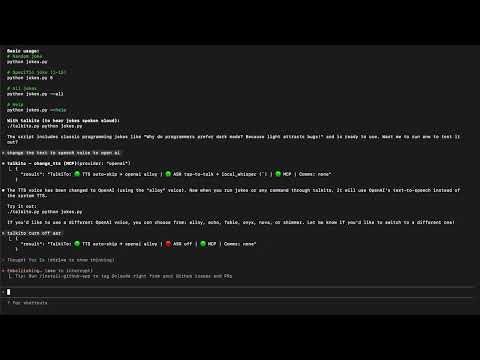
Demo Video
AI Assistant Compatibility
| AI Assistant | Method | Status |
|---|---|---|
| Claude Code | Terminal | Fully Supported |
| Codex Cli | Terminal | Fully Supported |
| bolt.new | Web Extension | Output Only |
| v0.dev | Web Extension | Output Only |
| replit.com | Web Extension | Output Only |
| Other agents | Terminal | In Progress |
Run with Claude Code
run talkito claude
Run with Codex Cli
run talkito codex
Run as an MCP server
run talkito --mcp-server
Run the TalkiTo configuration menu
run talkito
Advanced Options
# Disable auto-skip to newer content (auto-skip is on by default)
talkito --dont-auto-skip-tts claude

# Use different TTS providers
talkito --tts-provider polly --tts-voice Matthew --tts-region us-west-2 echo "Hello with AWS"
talkito --tts-provider azure --tts-voice en-US-JennyNeural echo "Hello with Azure"
talkito --tts-provider gcloud --tts-voice en-US-Journey-F echo "Hello with Google"
talkito --tts-provider kittentts --tts-voice expr-voice-3-f echo "Hello with KittenTTS"
talkito --tts-provider kokoro --tts-voice af_heart echo "Hello with Kokoro (local)"

# Use different ASR providers
talkito --asr-provider gcloud --asr-language en-US claude
AZURE_SPEECH_KEY=... AZURE_SPEECH_REGION=eastus talkito --asr-provider azure claude
WHISPER_MODEL=small WHISPER_COMPUTE_TYPE=int8 talkito --asr-provider local_whisper claude
talkito --asr-language es-ES echo "Hola mundo"  # Spanish recognition

# Enable remote communication (configure via environment variables)
talkito --slack-channel '#alerts' python manage.py runserver
talkito --whatsapp-recipients +1234567890 long-running-command
talkito --sms-recipients +1234567890,+0987654321 server-monitor.sh
Using tts.py (Standalone TTS)
The TTS module can be used independently for text-to-speech operations:
#!/usr/bin/env python3
import tts

# Initialize TTS
engine = tts.detect_tts_engine()
tts.start_tts_worker(engine)

# Speak text
tts.queue_for_speech("Hello from the TTS module!")

# Wait and cleanup
import time
time.sleep(2)
tts.shutdown_tts()
Using asr.py (Standalone ASR)
The ASR module can be used independently for speech recognition:
#!/usr/bin/env python3
import asr

# Define callback for recognized text
def handle_text(text):
    print(f"You said: {text}")

# Start dictation
asr.start_dictation(handle_text)

# Keep running (press Ctrl+C to stop)
try:
    import time
    while True:
        time.sleep(1)
except KeyboardInterrupt:
    asr.stop_dictation()
Provider Configuration
Text-to-Speech (TTS) Providers
System TTS (Default)
- macOS: Uses built-in
saycommand - Linux: Uses
espeak,festival, orflite(install via package manager) - Setup: No API key needed
OpenAI TTS
- Get API Key: https://platform.openai.com/api-keys
- Voices: alloy, echo, fable, onyx, nova, shimmer
- Usage:
--tts-provider openai --tts-voice nova
AWS Polly
- Get Credentials: https://aws.amazon.com/polly/getting-started/
- Setup: Set
AWS_ACCESS_KEY_IDandAWS_SECRET_ACCESS_KEY - Voices: Joanna, Matthew, Amy, Brian, and more
- Usage:
--tts-provider polly --tts-voice Matthew
Azure Speech Services
- Get API Key: https://azure.microsoft.com/en-us/services/cognitive-services/speech-services/
- Setup: Set
AZURE_SPEECH_KEYandAZURE_REGION - Voices: en-US-JennyNeural, en-US-AriaNeural, and many more
- Usage:
--tts-provider azure --tts-voice en-US-JennyNeural
Google Cloud Text-to-Speech
- Get Credentials: https://cloud.google.com/text-to-speech/docs/quickstart
- Setup: Set
GOOGLE_APPLICATION_CREDENTIALSto service account JSON path - Voices: en-US-Journey-F, en-US-News-N, and more
- Usage:
--tts-provider gcloud --tts-voice en-US-Journey-F
ElevenLabs
- Get API Key: https://elevenlabs.io/
- Setup: Set
ELEVENLABS_API_KEY - Voices: Various voice IDs available
- Usage: Configure in code or .env file
Deepgram
- Get API Key: https://deepgram.com/
- Setup: Set
DEEPGRAM_API_KEY - Voices: aura-asteria-en, aura-luna-en, aura-stella-en, and more
- Usage:
--tts-provider deepgram --tts-voice aura-asteria-en
KittenTTS (Local / Offline)
- Install:
pip install https://github.com/KittenML/KittenTTS/releases/download/0.1/kittentts-0.1.0-py3-none-any.whl soundfile phonemizer - Setup: No API key required. First run prompts to download the selected model (default
kitten-tts-nano-0.2) into the Hugging Face cache. ConfigureKITTENTTS_MODELandKITTENTTS_VOICEto pick different quality/voice options. - Best for: Ultra-lightweight CPU-only voices that stay on-device.
- Usage:
KITTENTTS_MODEL=kitten-tts-nano-0.2 talkito --tts-provider kittentts --tts-voice expr-voice-3-f
Kokoro (Local / Offline)
- Install:
pip install 'kokoro>=0.9.4' soundfile phonemizer - Setup: No API key required. TalkiTo will download Kokoro weights the first time you run it (set
KOKORO_LANGUAGE,KOKORO_VOICE,KOKORO_SPEEDto control defaults). - Best for: High-quality multilingual voices without sending audio to a cloud provider.
- Usage:
talkito --tts-provider kokoro --tts-voice af_heart --tts-language en-US
Automatic Speech Recognition (ASR) Providers
Google Speech Recognition (Default)
- Free: No API key required
- Limitations: Best for short utterances, requires internet
- Usage: Default when no provider specified
Google Cloud Speech-to-Text
- Get Credentials: https://cloud.google.com/speech-to-text/docs/quickstart
- Setup: Set
GOOGLE_APPLICATION_CREDENTIALS - Features: Better accuracy, streaming support
- Usage:
--asr-provider gcloud
AssemblyAI
- Get API Key: https://www.assemblyai.com/
- Setup: Set
ASSEMBLYAI_API_KEY - Features: Real-time transcription, speaker detection
- Usage: Configure in code or .env file
Deepgram
- Get API Key: https://deepgram.com/
- Setup: Set
DEEPGRAM_API_KEY - Features: Fast, accurate real-time transcription
- Usage: Configure in code or .env file
Houndify
- Get Credentials: https://www.houndify.com/
- Setup: Set
HOUNDIFY_CLIENT_IDandHOUNDIFY_CLIENT_KEY - Features: Natural language understanding
- Usage:
--asr-provider houndify
AWS Transcribe
- Get Credentials: https://aws.amazon.com/transcribe/
- Setup: Set AWS credentials
- Features: Streaming transcription
- Usage:
--asr-provider aws --aws-region us-west-2
Azure Speech Services
- Get API Key: https://azure.microsoft.com/en-us/services/cognitive-services/speech-services/
- Setup: Set
AZURE_SPEECH_KEYandAZURE_SPEECH_REGION, thenpip install azure-cognitiveservices-speech - Features: Low-latency streaming dictation with automatic punctuation
- Usage:
AZURE_SPEECH_KEY=... AZURE_SPEECH_REGION=eastus talkito --asr-provider azure
Local Whisper (On-Device)
- Install:
pip install faster-whisper(default) orWHISPER_COREML=1 pip install pywhispercppfor Apple Silicon/CoreML acceleration - Setup: No API key required. Configure
WHISPER_MODEL(e.g.,small,medium),WHISPER_DEVICE(cpu,cuda, ormps), andWHISPER_COMPUTE_TYPE(int8,int8_float16, etc.). Models are cached locally and TalkiTo will prompt before downloading unlessTALKITO_AUTO_APPROVE_DOWNLOADS=1. - Usage:
WHISPER_MODEL=small WHISPER_COMPUTE_TYPE=int8 talkito --asr-provider local_whisper
Communication Providers (Remote Interaction)
Twilio SMS
- Get Account: https://www.twilio.com/try-twilio
- Setup: Set
TWILIO_ACCOUNT_SID,TWILIO_AUTH_TOKEN,TWILIO_PHONE_NUMBERyou will need to a verified number to avoid being filtered. - Features: Send command output via SMS, receive input via SMS
- Usage:
--sms-recipients +1234567890
Twilio WhatsApp
- Get Started: https://www.twilio.com/whatsapp
- Setup Instructions: Run
talkito --setup-whatsappfor detailed setup guide - Required Environment Variables:
TWILIO_ACCOUNT_SID: Your Twilio account SIDTWILIO_AUTH_TOKEN: Your Twilio auth tokenTWILIO_WHATSAPP_NUMBER: Twilio's WhatsApp number (usually +14155238886)WHATSAPP_RECIPIENTS: Your WhatsApp numberZROK_RESERVED_TOKEN: Your zrok reserved share token
- Quick Setup:
- Join Twilio WhatsApp Sandbox at https://www.twilio.com/console/sms/whatsapp/sandbox
- Send the join code via WhatsApp to +1 415 523 8886
- Install zrok and create a reserved share:
zrok reserve public http://localhost:8080 - Set webhook URL in Twilio Console to:
https://YOUR-TOKEN.share.zrok.io/whatsapp
- Usage:
--whatsapp-recipients +1234567890
Slack
- Create App: https://api.slack.com/apps
- Setup: Set
SLACK_BOT_TOKENand optionallySLACK_APP_TOKEN - Features: Send output to channels, receive commands
- Usage:
--slack-channel '#channel-name'
Environment Configuration
Talkito supports two environment files:
.env- Primary configuration (takes precedence).talkito.env- Secondary configuration (won't override.env)
Copy .env.example to .env and add your API keys:
cp .env.example .env
# Edit .env with your API keys
For WhatsApp setup with zrok tunneling:
ZROK_RESERVED_TOKEN: Your zrok reserved share token for webhook tunneling
Requirements
- Python 3.10+
- macOS (with
saycommand) or Linux (withespeak,festival, orflite) - Optional:
SpeechRecognitionandpyaudiofor ASR support - Optional: Provider-specific Python packages (installed as needed)
Contributing
See CONTRIBUTING.md for details on our code of conduct and the process for submitting pull requests.
License
This project is licensed under the GNU Affero General Public License v3.0 or later - see the LICENSE file for details.
Copyright (C) 2025 Robert Macrae
// faq
What is talkito?
TalkiTo lets developers interact with AI systems through speech across multiple channels (terminal, API, phone). It can be used as both a command-line tool and a Python library.. It is open-source on GitHub.
Is talkito free to use?
talkito is open-source under the AGPL-3.0 license, so it is free to use.
What category does talkito belong to?
talkito is listed under mcp-servers in the Claudeers registry of Claude-compatible tools.
// embed badge

[](https://claudeers.com/talkito)
// retro hit counter

[](https://claudeers.com/talkito)
// reviews
// guestbook
// related in MCP Servers
 🔓
🔓f.k.a. Awesome ChatGPT Prompts. Share, discover, and collect prompts from the community. Free and open source — self-host for your organization with complete…
 🔓
🔓A cross-platform desktop All-in-One assistant for Claude Code, Codex, OpenCode, OpenClaw, Gemini CLI & Hermes Agent. Only official website: ccswitch.io
 🔓
🔓🪨 why use many token when few token do trick — Claude Code skill that cuts 65% of tokens by talking like caveman
 🔓
🔓An open-source AI agent that brings the power of Gemini directly into your terminal.