
sweety-statechart-video
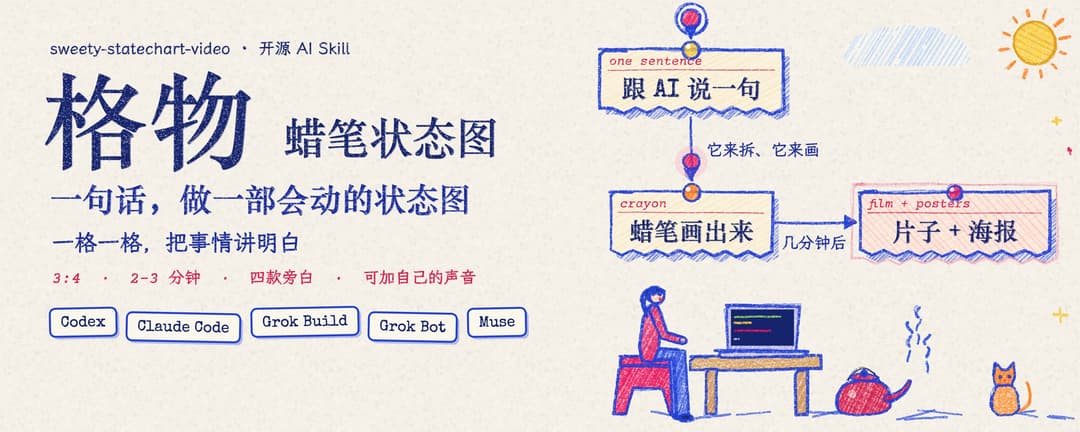
格物 · 蜡笔状态图:一句话做一部会动的蜡笔状态图短片。3:4、2-3 分钟、四款合成旁白(可加自己的声音)、每章一张海报;支持 Codex、Claude Code、Grok 等,可批量出片。
Install with your AI
Paste into Claude Code, Cursor, or any agent — it reads the repo and wires the tool into your project.
Install and set up sweety-statechart-video (release-binary project) into my current project.
Found on https://claudeers.com/sweety-statechart-video
Repo: https://github.com/threerocks/sweety-statechart-video
Homepage/docs: https://github.com/threerocks/sweety-statechart-video/releases
Detected install method: release-binary → inspect the README
Category: skills. Platforms: cli.
Read the repo's README for exact setup and env vars, then install it and wire it into my project.

Claudeers Health Verdict:
unknown; community-verified: false. Confirm the source before running anything.
Grab the latest release asset from GitHub.
# download a build from https://github.com/threerocks/sweety-statechart-video/releases
git clone https://github.com/threerocks/sweety-statechart-video
// compatibility
| Platforms | cli |
|---|---|
| Operating systems | — |
| AI compatibility | claude |
| License | MIT |
| Pricing | open-source |
| Language | JavaScript |
格物 · 蜡笔状态图(sweety-statechart-video)
一格一格,把事情讲明白。
跟你的 AI 助手说一句话,就能把一个流程、一门生意或一个系统,做成会动的蜡笔状态图短片:
- 默认 3:4、2–3 分钟,比例和时长都可以指定;
- 带旁白;
- 每章还出一张可以直接发的海报。
灵感来自 Ann Nguyen 老师(@ann_nnng),我们做了风格提取,再加上:
- 主流 AI 助手里都能用:Codex、Claude Code、Grok Build、Grok Bot、Muse。针对各平台做了兼容性调整,效果可能略有差异。后续计划支持 WorkBuddy 等。
- 四款逼真旁白:纯合成音色,没有版权问题。也可以加自己的声音:
scv.py add-voice。 - 默认 3:4:任何比例都可以,写
"aspect": "9:16"之类。 - 时长默认 2–3 分钟:适配大部分自媒体。想要别的时长,写
"duration": "1分钟"之类。

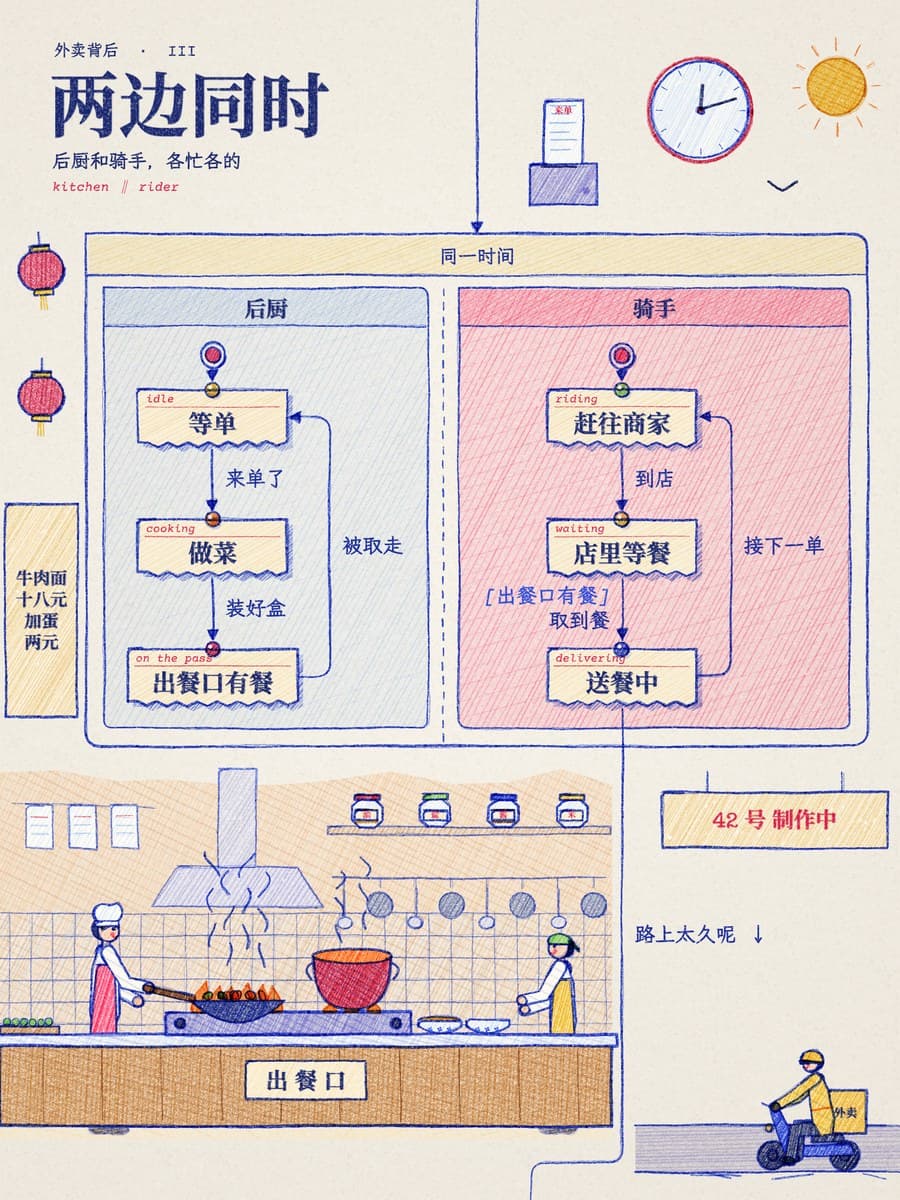

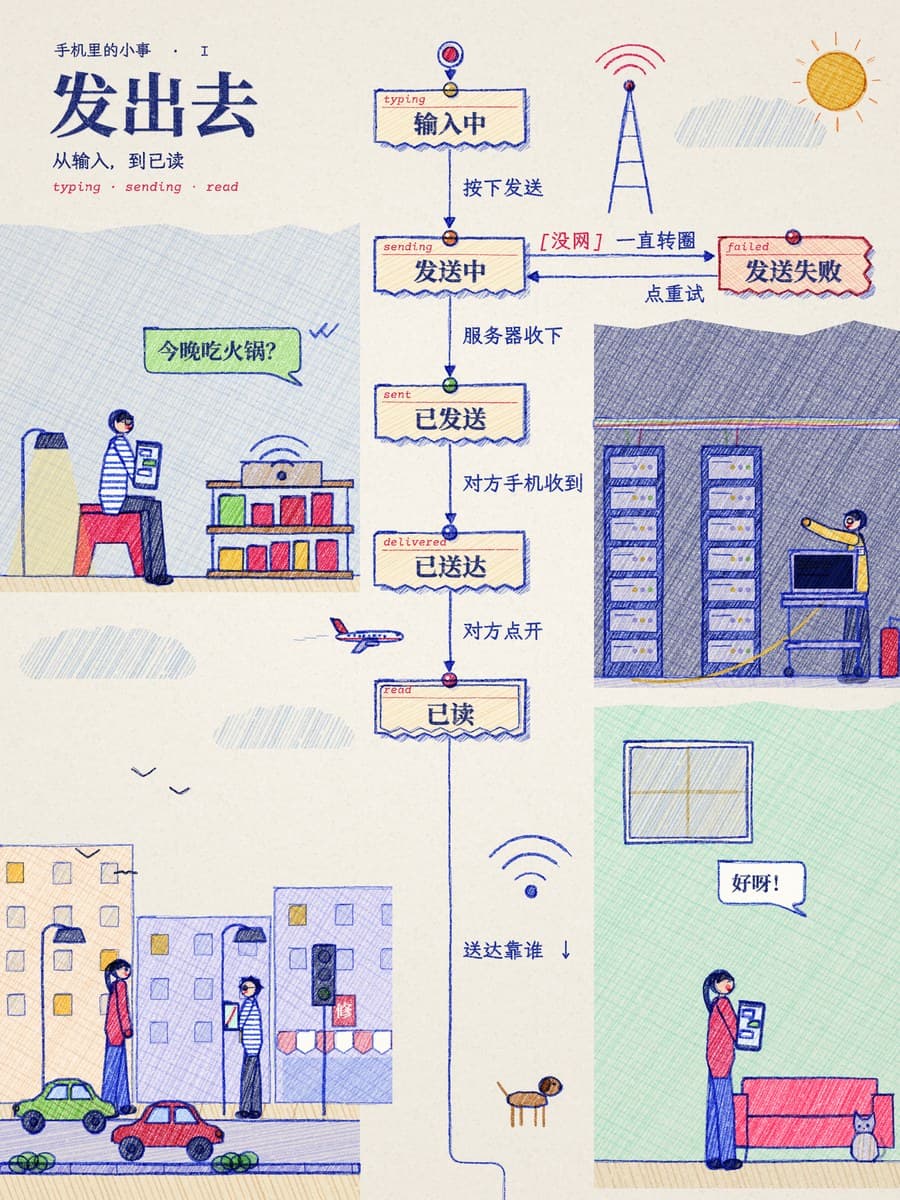
做法照着 Ann Nguyen 的 the making of nhang(一页往下长的蜡笔状态图),画法和播放器是我们自己写的:
- 一章一张海报,首尾相接。 奶油色票据卡片带图钉和红色小标签,箭头上写着发生了什么,条件是红色的
[……],四周是彩色蜡笔插画。 - 每一步:
- 小圆点带着光晕沿箭头跑,线跟着长出来,字一个个打出来;
- 新卡片弹出来,变粉,套上粉圈;
- 页面自动滚动,跟着正在发生的那一步。
- 一直在动:
- 所有线条每秒重画 5 次,像手绘动画一样抖;
- 插画跟着状态动:火苗跳,锅颠勺,蒸汽升,车轮转,电梯跳楼层,门打开,下雨,猫甩尾巴。
- 旁白:四个专属声音,都是 VoxCPM2 只凭文字描述设计出来的:蜡笔姐姐、图纸哥、元气少女、老师傅。一部片里可以按步骤换声音。
- 规则章:写一条“这件事不能发生”,内置检查器会找出让它发生的最短路径,画成红线,再盖一个章。

用法
Skill 在 skills/sweety-statechart-video/,先读它的 SKILL.md。一部片子只需要两份文件:
film.json:章节、状态、箭头,以及每一步的字幕(字幕同时是旁白);scenes.js:每章的插画,用 70 多个会动的道具和可以摆姿势的人物拼。
版面全自动排。
cd skills/sweety-statechart-video
python3 scripts/scv.py new     JOB --title 片名   # 起骨架
python3 scripts/scv.py check   JOB                # 结构、步骤、字幕,规则章找红线
python3 scripts/scv.py layout  JOB                # 成品海报 + 网格 + 空地,照着写 scenes.js
python3 scripts/scv.py all     JOB                # 配音、排时间、渲染、海报、成片
python3 scripts/scv.py batch   JOB1 JOB2 JOB3     # 批量
python3 scripts/scv.py voices                     # 列出声音
例子:
examples/intro/:《一句话,做一部会动的状态图》,5 章,2 分 10 秒,四个声音轮流出场;examples/takeout/:《一份外卖的一生》,4 章,1.5 分钟,蜡笔姐姐;examples/message/:《一条消息的旅程》,3 章,1 分钟,图纸哥。
速度:在 M 系列 Mac 上,93 秒的片子渲染约 40 秒,36 句旁白约 3 分钟。
环境
- 一键准备:
bash skills/sweety-statechart-video/scripts/setup.sh。它建渲染环境,没有 Chrome 时装 Playwright 的 Chromium,最后跑一遍冒烟测试。 - 渲染:Python 3.9+,Playwright(有 Google Chrome 就用它,没有就用 Chromium),Pillow,ffmpeg。
- Python 解释器由
SCV_PYTHON指定,默认用 setup.sh 建的~/.local/share/sweety-statechart-video/venv。 python3 scripts/smoke_test.py约 16 秒,不需要配音环境。
- Python 解释器由
- 旁白(Apple Silicon,全部离线):
- 一个装有 mlx-audio 0.5.8 和 mlx_whisper 的 Python,由
STATECHART_MLX_PYTHON指定; - VoxCPM2-8bit MLX 模型,默认
~/.local/share/voxcpm2-mlx/models/VoxCPM2-8bit,可用STATECHART_VOXCPM_MODEL指定; - Whisper large-v3-turbo MLX 模型,放在 HF 缓存里;
scripts/audio_doctor.py检查以上各项。
- 一个装有 mlx-audio 0.5.8 和 mlx_whisper 的 Python,由
- 没有配音环境时,在
film.json里写"voice": "none",做无声版。节奏和参考视频一样,每步 1.2 秒。
致谢
- Ann Nguyen 的 the making of nhang:效果和节奏的标准;
- Kevin Ngo 的 The business of boba:规则章和印章;
- Lauren Tan(poteto)的 /statechart 技能:用检查器找坏路的思路。
许可、字体和声音的来源见 THIRD_PARTY_NOTICES.md。合成旁白属于 AI 生成内容,发布时请标注。
MIT License.
// faq
What is sweety-statechart-video?
格物 · 蜡笔状态图:一句话做一部会动的蜡笔状态图短片。3:4、2-3 分钟、四款合成旁白(可加自己的声音)、每章一张海报;支持 Codex、Claude Code、Grok 等,可批量出片。. It is open-source on GitHub.
Is sweety-statechart-video free to use?
sweety-statechart-video is open-source under the MIT license, so it is free to use.
What category does sweety-statechart-video belong to?
sweety-statechart-video is listed under skills in the Claudeers registry of Claude-compatible tools.
// embed badge

[](https://claudeers.com/sweety-statechart-video)
// retro hit counter

[](https://claudeers.com/sweety-statechart-video)
// reviews
// guestbook
// related in Claude Skills
 🔓
An agentic skills framework & software development methodology that works.
 🔓
 🔓
AI coding assistant skill (Claude Code, Codex, OpenCode, Cursor, Gemini CLI, and more). Turn any folder of code, SQL schemas, R scripts, shell scripts, docs,…
 🔓
💫 Toolkit to help you get started with Spec-Driven Development