
Superlearn
Learn anything, deeply from inside Claude Code
Install with your AI
Paste into Claude Code, Cursor, or any agent — it reads the repo and wires the tool into your project.
Install and set up Superlearn (claude-plugin project) into my current project.
Found on https://claudeers.com/superlearn
Repo: https://github.com/raiyanyahya/Superlearn
Homepage/docs: —
Detected install method: claude-plugin → /plugin install superlearn@raiyanyahya/Superlearn
Category: education. Platforms: cli, api, web.
Read the repo's README for exact setup and env vars, then install it and wire it into my project.

Claudeers Health Verdict:
active; community-verified: false. Confirm the source before running anything.
/plugin marketplace add raiyanyahya/Superlearn
/plugin install superlearn@raiyanyahya/Superlearn
git clone https://github.com/raiyanyahya/Superlearn
// compatibility
| Platforms | cli, api, web |
|---|---|
| Operating systems | — |
| AI compatibility | claude |
| License | MIT |
| Pricing | open-source |
| Language | HTML |
✦ Superlearn
Learn anything, deeply — from inside Claude Code.
Give it a topic. It researches the live web, designs a page that fits the subject, and serves you an interactive learning board that keeps growing as you ask for more.
No API keys. Runs on your Claude Code subscription. Everything saved on your disk.
/superlearn how Postgres internals work.38 blocks: concepts, diagrams, charts, runnable code, papers and talks. Nothing trimmed.

What it is
Superlearn is a Claude Code plugin. You type /superlearn <topic>; Claude researches the live web itself, pulls real videos from YouTube and papers from arXiv, runs an iterative research loop until the topic is genuinely covered, synthesizes everything into a curated learning board, and launches a local web app to study it in.
It is built for people who want mastery, not a summary. There are no quizzes, no streaks, no gamification — the material is research notes, concept deep-dives, diagrams and mindmaps, curated papers, working code, and learning roadmaps. Blocks are as long as the teaching requires and nothing is trimmed.
And it doesn't stop when the page loads: keep talking to the same Claude Code session — "go deeper on X", "add the original papers", "make it feel more academic" — and the page updates itself in place within seconds.
Quick start
Requirements: Claude Code and Python 3.9+. That's it — every script is Python standard library, so there is nothing to pip install.
Install from the marketplace:
/plugin marketplace add raiyanyahya/superlearn
/plugin install superlearn@superlearn-marketplace
Or run it from a clone:
git clone https://github.com/raiyanyahya/superlearn
cd your-project
claude --plugin-dir /path/to/superlearn
Then just ask:
/superlearn how Postgres internals work
/superlearn transformer neural networks
/superlearn rust ownership — I already know C++
/superlearn react hooks for my frontend interview
/superlearn diffusion models, research mode
A few minutes later:
✦ Superlearn is live → http://localhost:4321
How it works
 /superlearn <topic>
        │
        ▼
 ┌─────────────────┐  Your own files in .superlearn/sources/ (PDFs, docs) are
 │ 1. SWEEP        │  read first, then Claude searches and reads the live web
 └─────────────────┘  itself; scrapers fetch real YouTube IDs + arXiv papers.
        ▼
 ┌─────────────────┐  Claude writes a curriculum plan: a subtopic checklist
 │ 2. PLAN         │  sized to the topic, foundations → advanced.
 └─────────────────┘
        ▼
 ┌─────────────────┐  For every subtopic: search, read, save the evidence to
 │ 3. RESEARCH ⟳   │  the trail, write dense notes, tick the box. Repeat
 └─────────────────┘  until saturated. Parallel agents on big topics.
        ▼
 ┌─────────────────┐  Claude DESIGNS the page for this subject (layout +
 │ 4. DESIGN &     │  theme), authors the board — summary, roadmap, concepts,
 │    AUTHOR       │  diagrams, code, glossary, real videos and papers —
 └─────────────────┘  then runs it through the schema validator.
        ▼
 ┌─────────────────┐  A local server hosts the app. You learn — and keep
 │ 5. SERVE        │  prompting. The page hot-reloads with new material,
 │    & ITERATE ⟳  │  badging whatever changed.
 └─────────────────┘
The app
Six layouts, switchable live
| View | What you get |
|---|---|
| Board | Masonry of learning cards — scan and dive |
| Notes | A single-column document, ordered for reading |
| Grid | Uniform card grid |
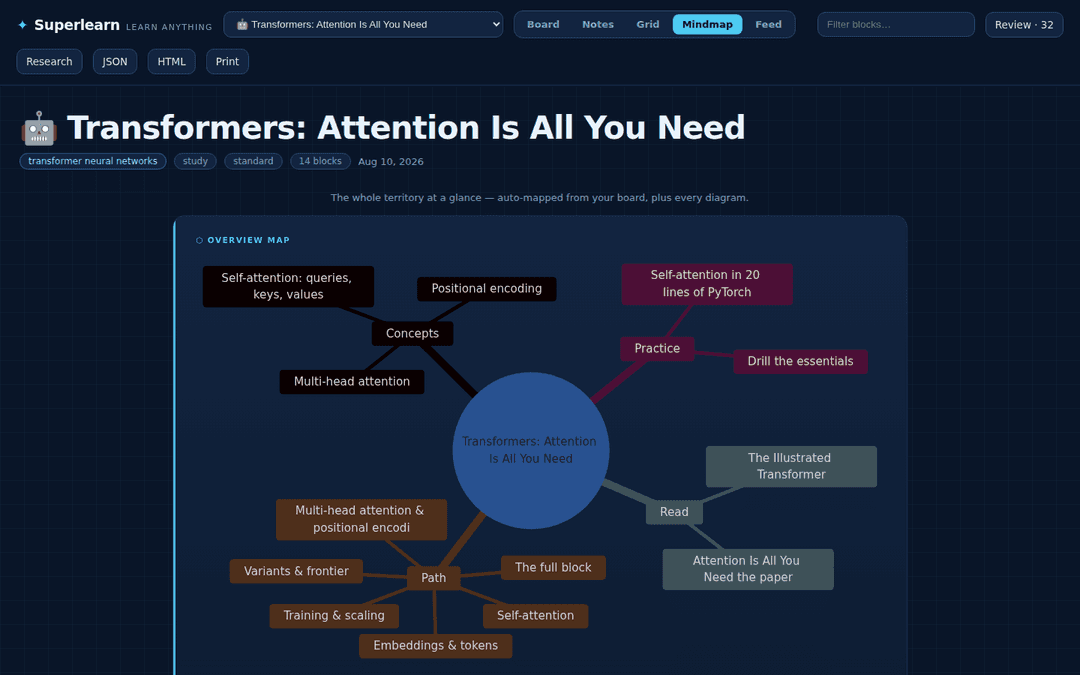
| Mindmap | An auto-generated map of the whole territory, plus every diagram |
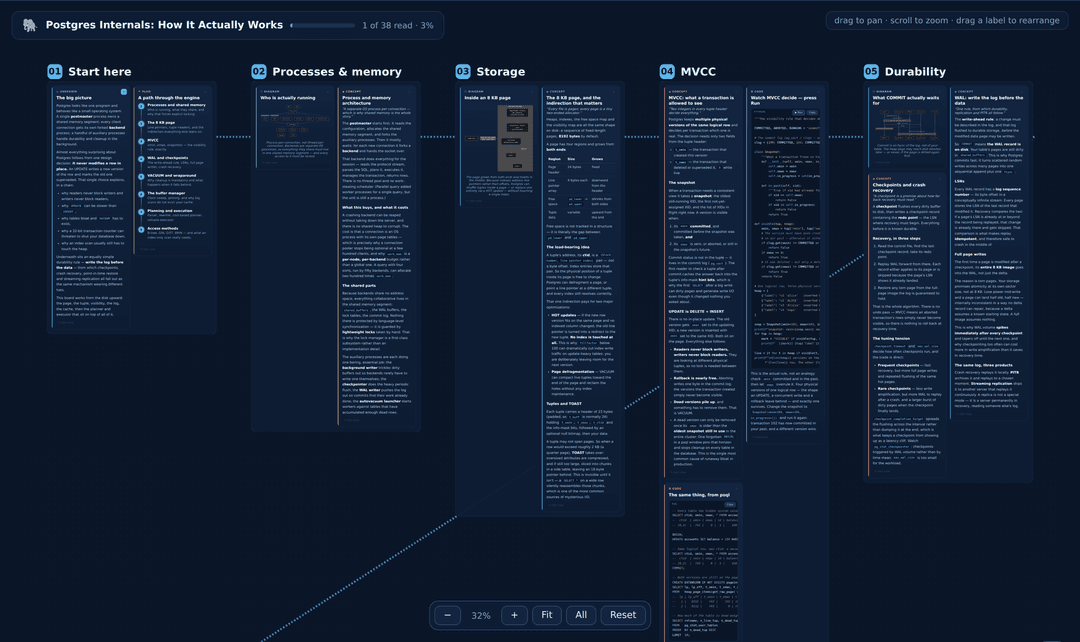
| Canvas | The whole board as a whiteboard — see below |
| Feed | Everything, full-width, in sequence |
The whiteboard
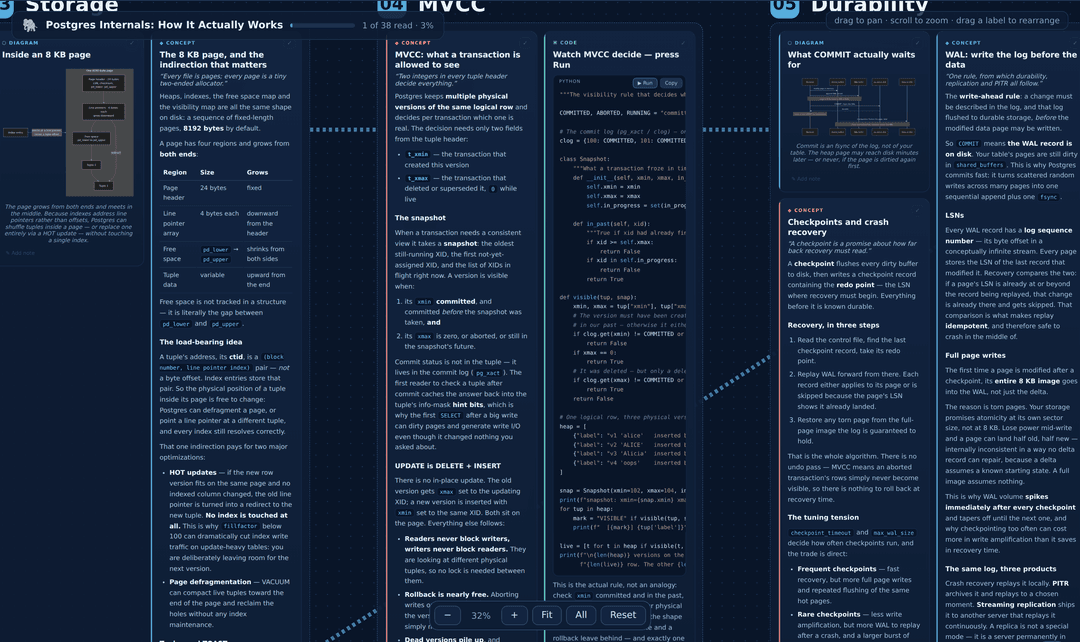
Canvas view lays the entire board out spatially, like a wall you'd build in Miro: one dashed frame per section, numbered in reading order, with connectors tracing the path between them. Drag to pan, scroll to zoom, Fit to fill the width, All for the bird's-eye. Section labels counter-scale against the zoom, so the map stays legible from any distance.
Claude authors the sections ("section": "MVCC" on each block), so the frames are real chapters — not type buckets. Boards without sections still get a canvas, grouped by what the blocks are.
And it's your wall: grab any frame by its label and drag it where you want it. The arrangement saves into the board JSON, survives reloads and Claude's edits — when Claude adds a new section, it auto-places without disturbing what you arranged. Reset re-flows everything.
Focus mode, and knowing where you are
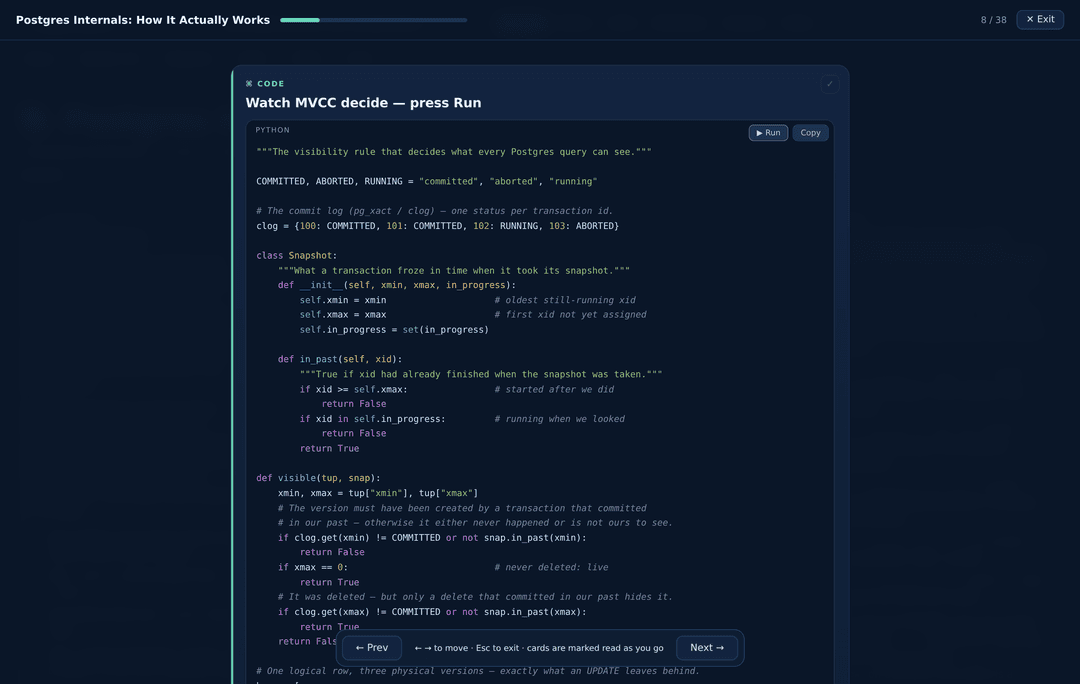
Focus walks the board one card at a time — arrow keys to move, Esc to leave — and marks each card read as you go. Every card also has a ✓ tick, and the board carries a reading progress bar that persists across sessions. Open a half-studied board and it tells you exactly where you left off; Focus resumes at your first unread card.

Claude designs the page for the topic
Six complete visual identities — midnight, blueprint, terminal, paper, sepia, arctic — plus an optional custom accent, chosen per subject. Engineering topics arrive on a blueprint grid; systems programming in a terminal; philosophy as a sepia document. Never the same default twice out of habit.
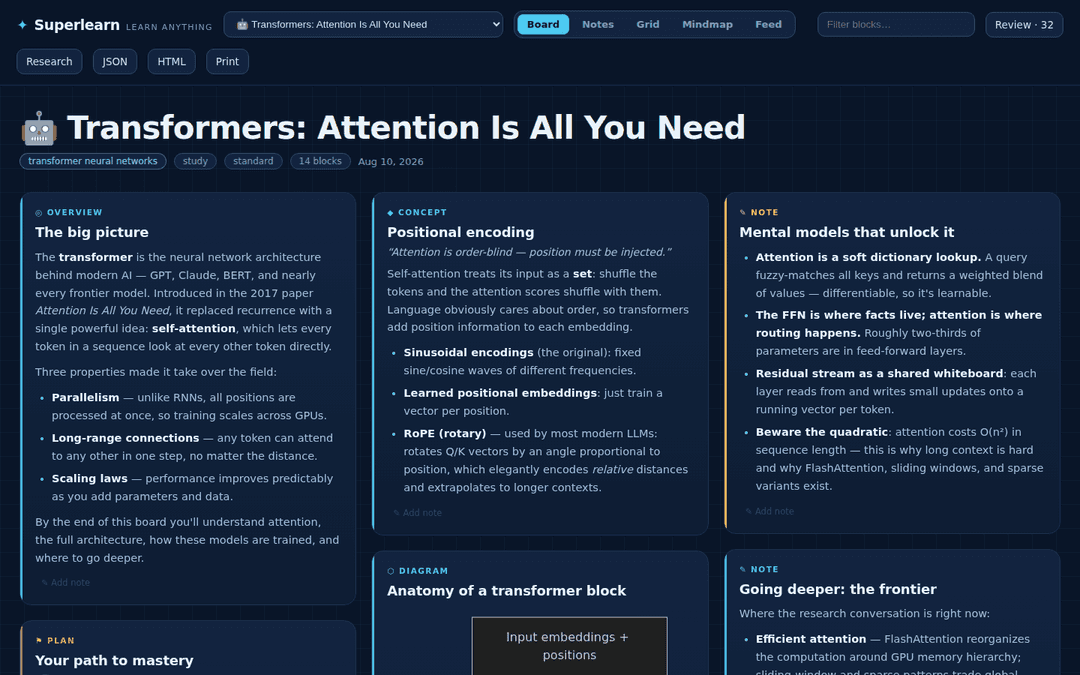 blueprint — engineering & systems | 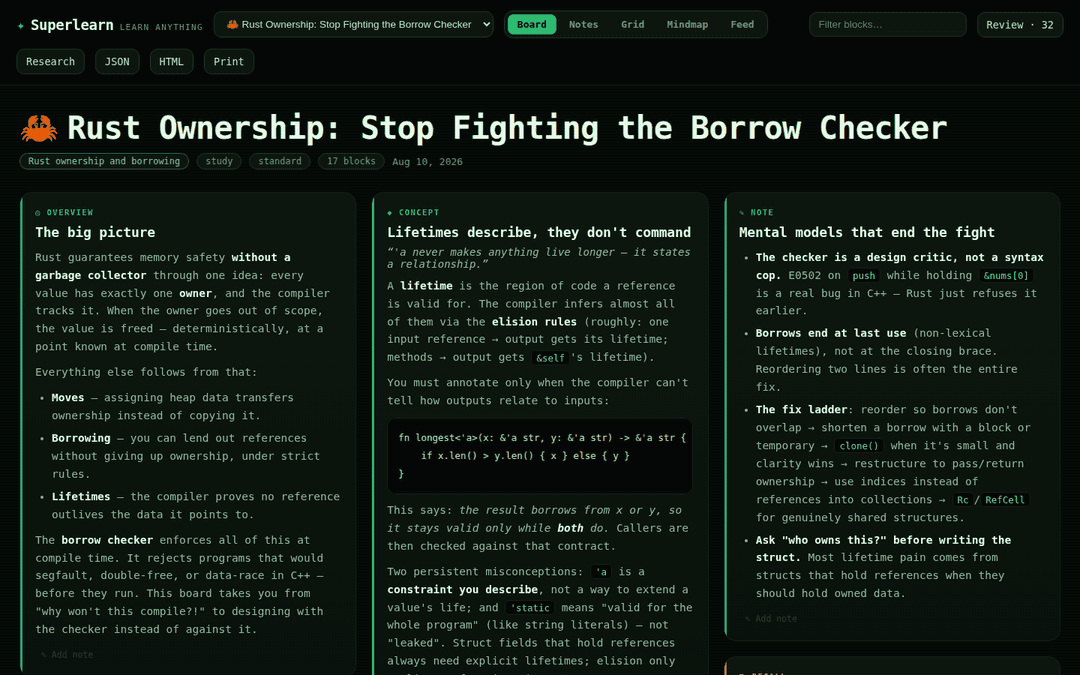 terminal — programming & infra |
Built to show, not just tell
Boards render Mermaid diagrams and mindmaps, real typeset math via KaTeX ($$\frac{QK^\top}{\sqrt{d_k}}$$, not "Q K transpose over root d k"), figures, and charts drawn from actual data — line, bar, and scatter, with hover tooltips, a legend, and a "Show data" table for every one.
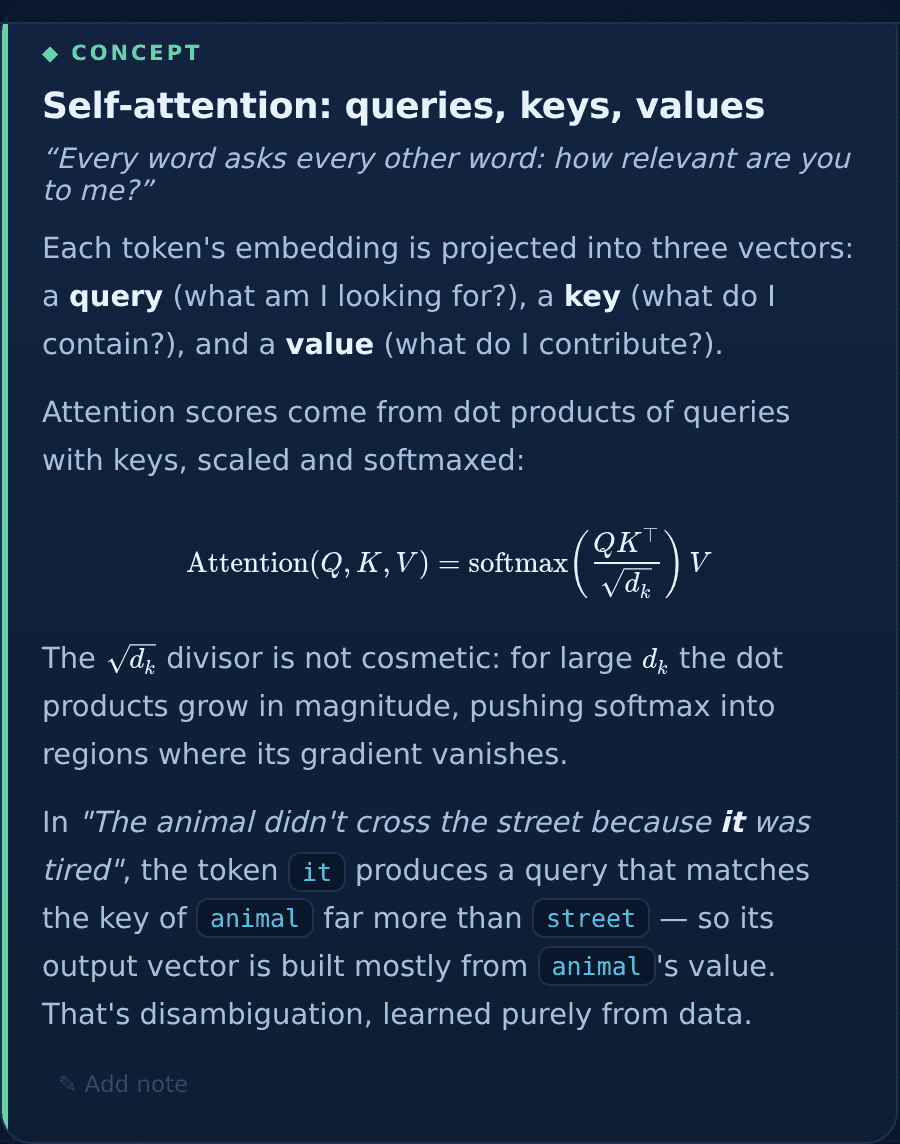 Real TeX, inline and display | 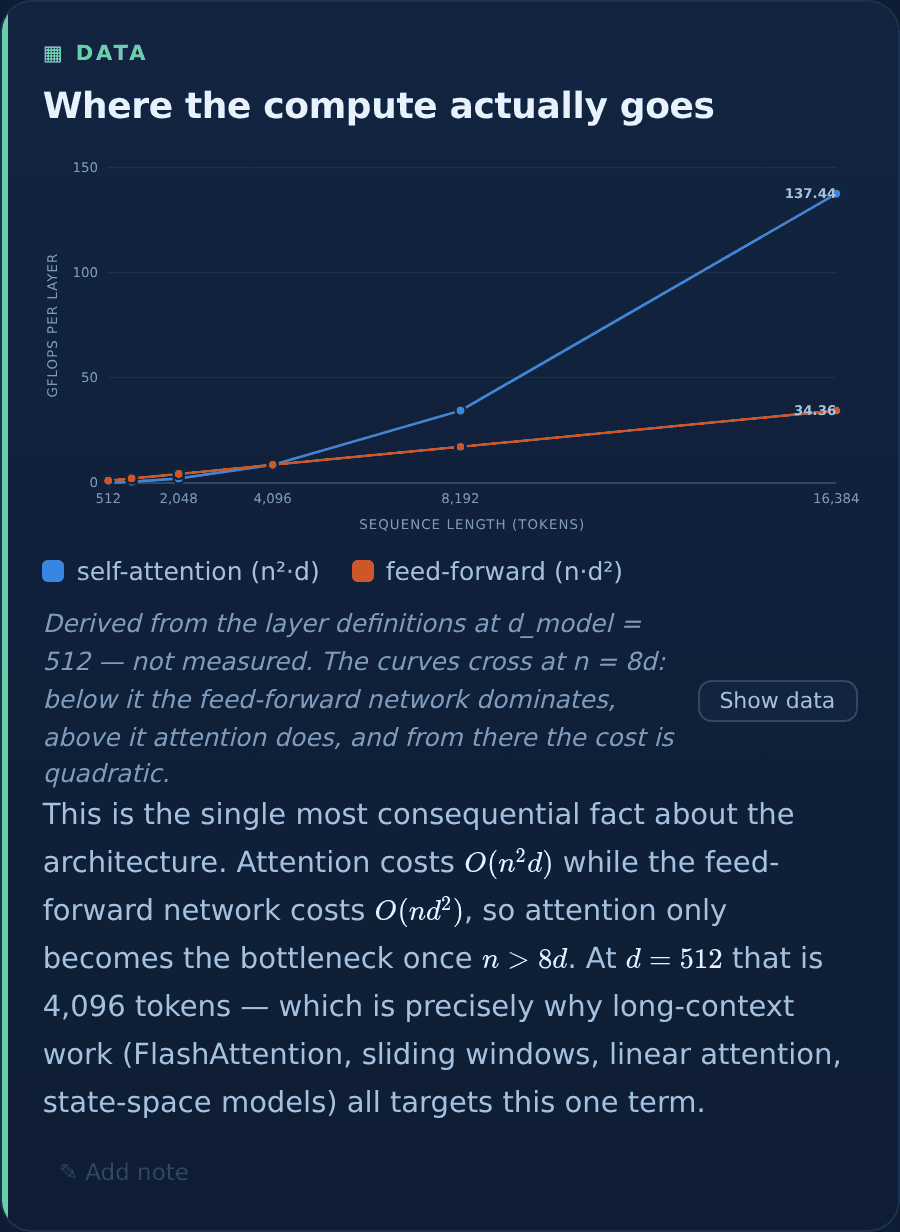 Charts from real numbers, with a table view |
The chart palette isn't chosen by eye. It's six hues validated with a colorblindness checker against all six theme surfaces — lightness band, chroma floor, adjacent-pair CVD separation, contrast — with a separate set of steps for light themes rather than an automatic flip. Series count is capped where the colors stop being reliably distinguishable, and the app says so instead of quietly cycling hues.
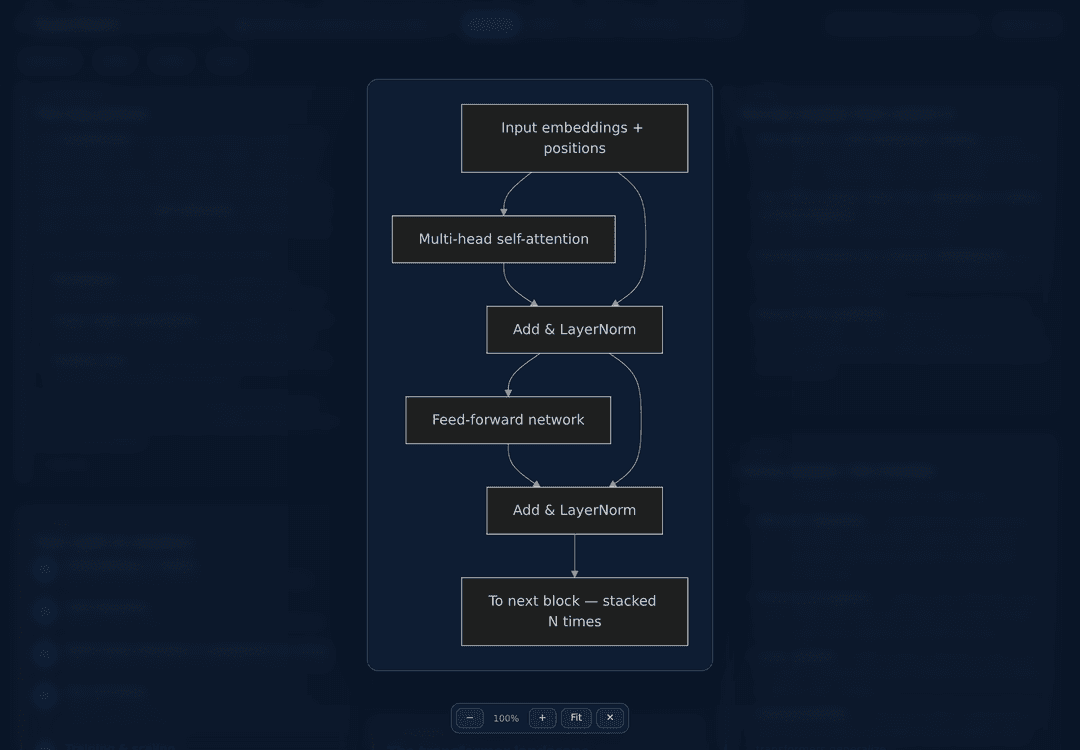
Every diagram and figure is click-to-zoom: full-screen, wheel to scale, drag to pan, Escape to leave. Detail is worth putting in.
Code you can read — and run
Code blocks and markdown fences are syntax-highlighted in colors that belong to the board's theme, not a bolted-on stylesheet. Every token was checked to clear 4.5:1 contrast against the tightest code background of the six. Untagged fences stay plain on purpose — auto-detection is confidently wrong on pseudo-code, and miscolored is worse than uncolored.
JavaScript, Python, and HTML blocks get a Run button and execute right on the card: JS and HTML instantly, Python on a real CPython via Pyodide (NumPy, pandas, matplotlib, SymPy and friends included). Output streams into a console pane below the code, with timing, and a Stop button that kills an infinite loop without freezing the page.
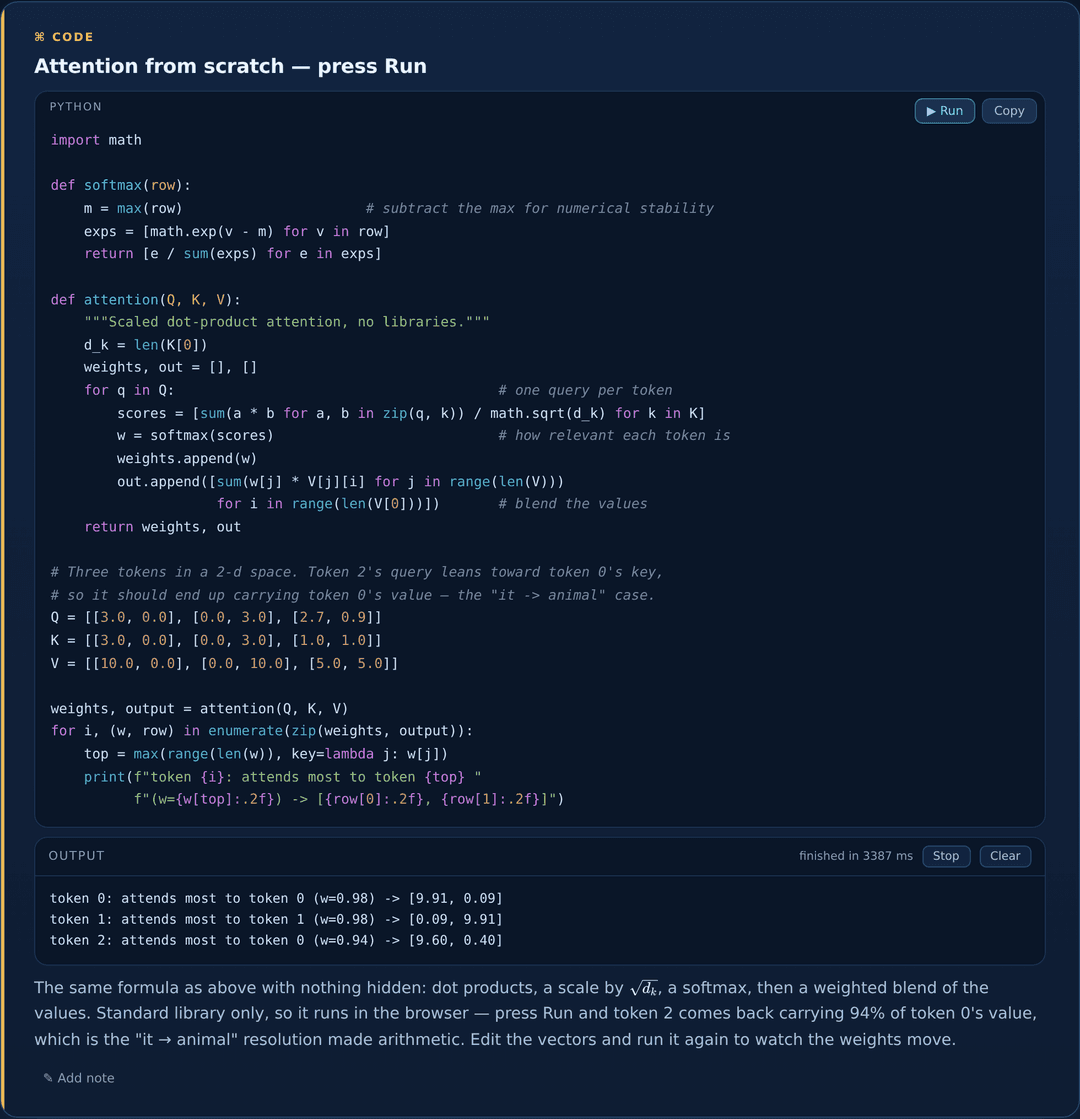
The code is untrusted — it was authored from scraped pages — so it runs in an iframe with sandbox="allow-scripts" and deliberately without allow-same-origin. The frame gets an opaque origin: it cannot read the app's DOM, its storage, or the boards API, and it cannot rewrite its own sandbox. Results cross back by postMessage, matched on frame identity. Blocks that can't work in a browser (a PyTorch example, say) are marked "runnable": false and simply don't offer the button.
Your notes — and your highlights — live in the board
Annotate any card in your own words. Notes save into the board JSON, survive exports and shares, and Claude reads them on the next iteration — write "still don't get this" and ask for a rewrite, and it knows exactly what you meant.
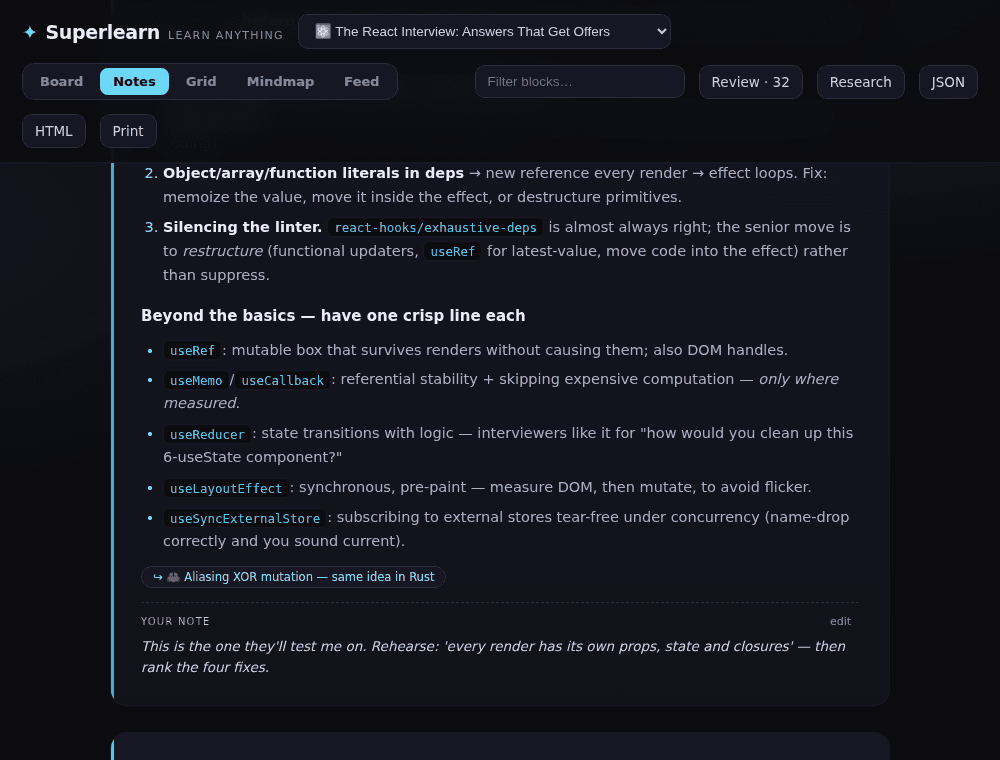
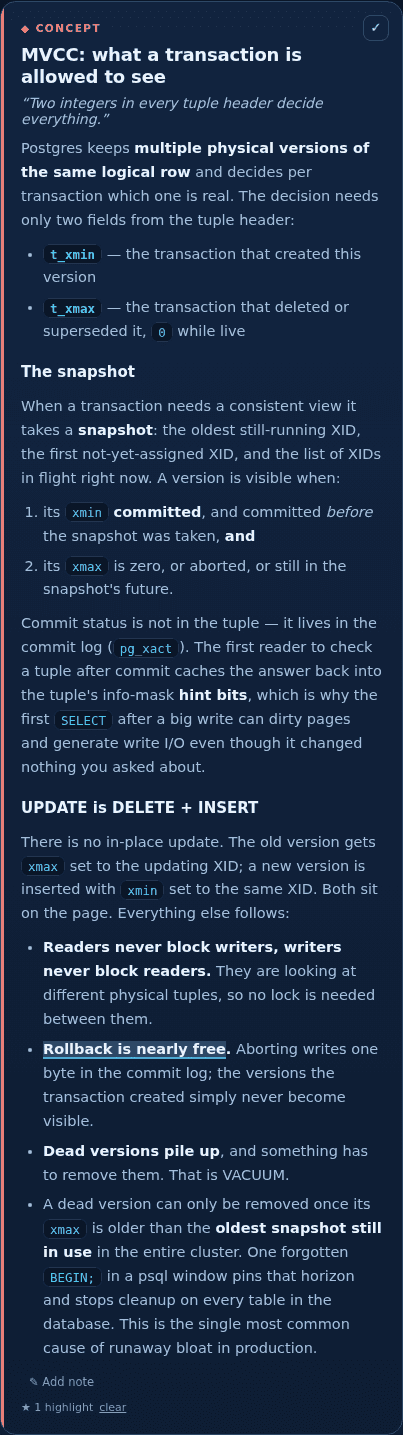
Select any passage and highlight it. Highlights save into the board too, and Claude treats them as signal: a highlighted sentence is what resonated, several highlights on one card mean go deeper here. Rendering uses the CSS Custom Highlight API, so marking up a card never touches its DOM.
The library is a map, not a list
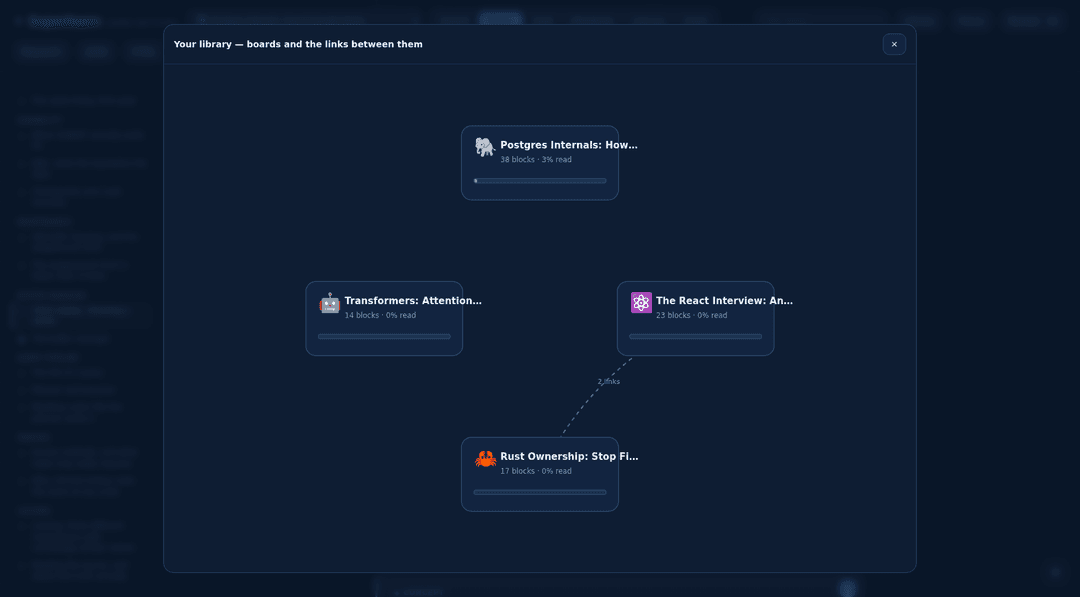
The Library button draws every board as a node — emoji, block count, your reading progress — with the cross-board related links as edges. Boards that share ideas are visibly connected; click any node to jump. The more you learn, the more the graph fills in.
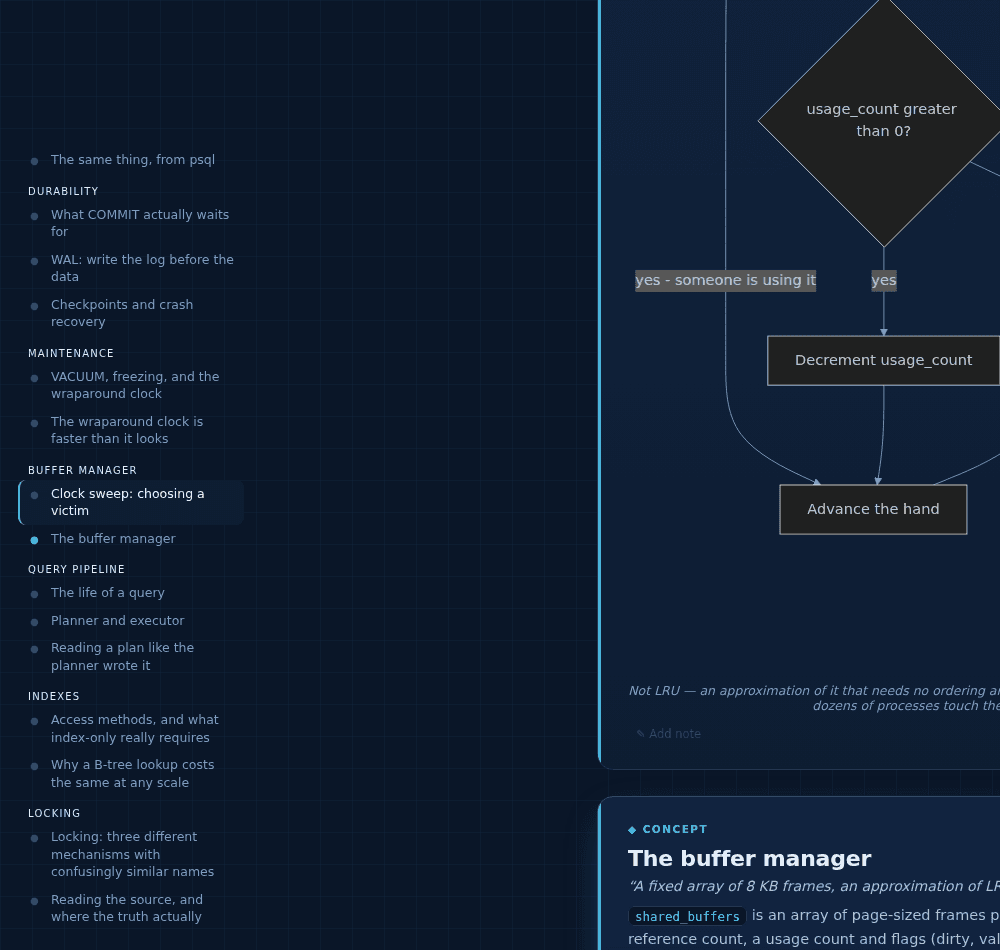
A table of contents that knows what you've read
On wide screens, Notes and Feed views get a contents rail: every block, grouped by section, with your read-ticks mirrored as dots. Click to jump; the entry you're reading stays lit.
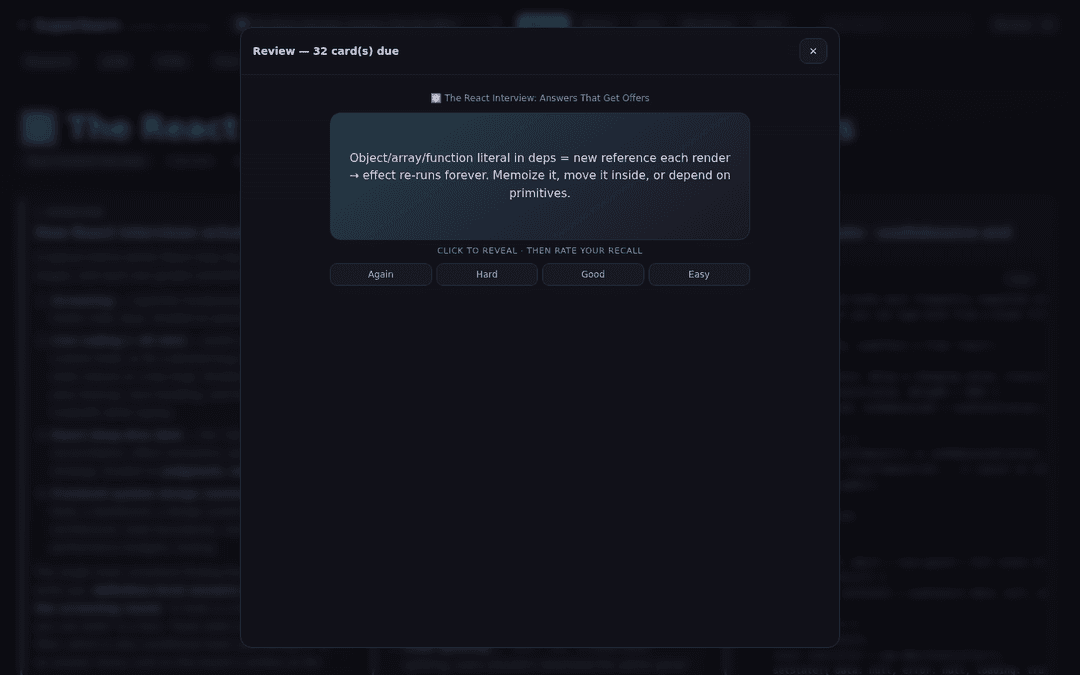
Real spaced repetition
Flashcards are scheduled with SM-2 (Again / Hard / Good / Easy, growing intervals per card). The Review button runs everything due across all your boards in one session, with a live due count. One click exports any deck as TSV for Anki.
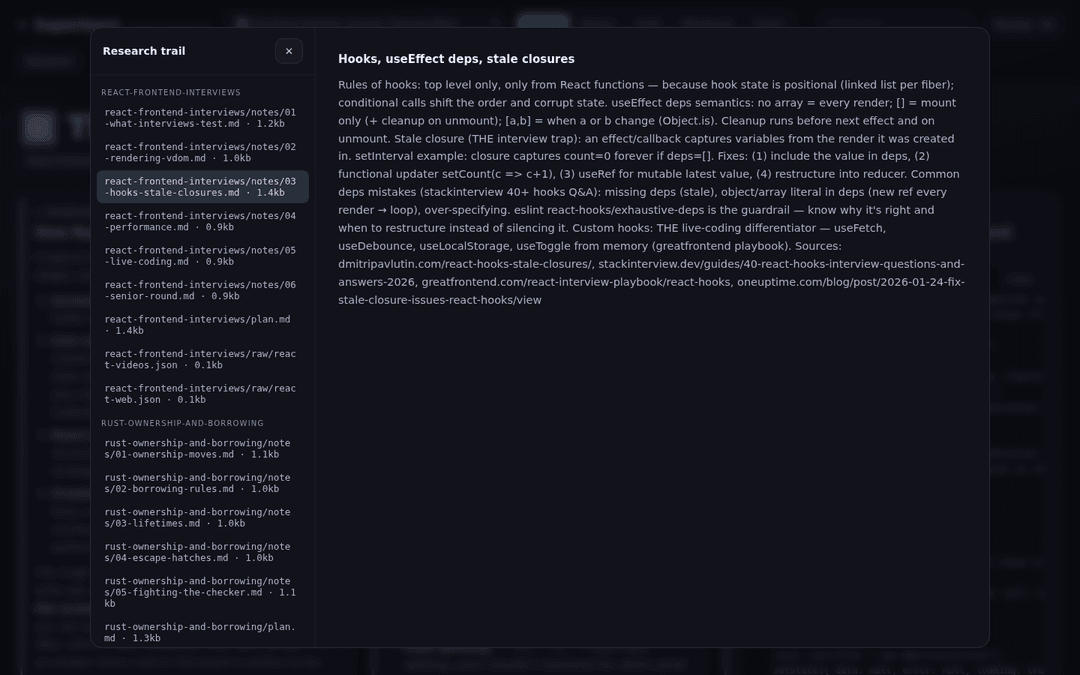
The full research trail, kept
Every plan, note, and raw evidence capture is saved and browsable in the app — so you can always audit where a claim came from.
Plus
- "Updated" badges on cards Claude changed since your last visit
- Cross-board links — related concepts jump between boards and highlight the target card
- Wallpaper picker — the ❖ button swaps the board's background (theme design, plain, grid, dots, hatch, accent-tinted aurora) and its base: the theme's surface, pure white, or pure black. White and black move the whole ink scale, so everything stays readable. Per board, remembered
- Click-to-play video lectures, and copy buttons on every code block
- Full-text filtering, JSON export, print/PDF
- Standalone HTML export — one file that opens anywhere;
--offlinebakes in the diagram and math engines and the board's figures too, so it works on a plane
Modes
study is the default. Ask for another in plain words ("for my interview", "survey the literature", "as a reference") or with --mode. The mode changes what gets researched and how the page presents it — not just the wording.
| Mode | What changes |
|---|---|
study | Balanced conceptual mastery — the default experience |
interview | Likely questions with strong answers, what interviewers listen for, red flags, live-coding katas, fast-scan layout |
research | Literature map: seminal + recent papers with why-each-matters, state of the field, open problems, reading order |
documentation | A working reference: code-first usage patterns, configuration tables, gotchas, exact terminology |
Everything is saved on your disk
.superlearn/
├── sources/     ← drop your own PDFs, papers, and docs here; they're read first
├── research/    the full trail per topic — plan, synthesized notes, raw evidence
├── boards/      portable board JSON — share with anyone who has the plugin
└── exports/     standalone single-file HTML — opens anywhere, offline, no server
Nothing leaves your machine except the research requests themselves. Boards are plain JSON you can read, diff, and version-control.
Keep iterating
The session stays live. While the server runs, keep talking to Claude Code:
- "Add a section on error correction"
- "Go deeper on decoherence — include the original papers"
- "Make it feel more academic" (theme and layout change, live)
- "Build me a second board on quantum hardware" — boards accumulate and cross-link
The page picks up each change within seconds and marks what's new.
Scripts
Every script is standalone, stdlib-only, and usable on its own.
| Script | What it does |
|---|---|
scrape_youtube.py | Real video IDs, titles, channels, durations |
scrape_arxiv.py | Papers via the official arXiv API — abstracts, authors, PDF links |
validate_board.py | Schema, theme/mode values, video-ID format, URL validity, chart data shape, language tags, sections, highlights, canvas layout, Mermaid hygiene |
export_html.py | Bakes a board into one self-contained HTML file (--offline inlines Mermaid, KaTeX, highlight.js and figures) |
serve.py | Local app server + boards/research API |
publish.py | Pushes your exported boards to a gh-pages branch with a generated index |
Serve existing boards any time without re-researching:
python3 scripts/serve.py --boards-dir .superlearn/boards --port 4321
The board in the screenshot above ships in examples/ — serve it and click around before installing anything:
python3 scripts/serve.py --boards-dir examples --port 4321
Board format
Boards are plain JSON: title, emoji, topic, mode, theme (preset + optional accent), layout, sources, and an array of typed blocks — each optionally tagged with a section that becomes its frame on the whiteboard. Blocks carry your annotation and highlights; the board carries your dragged canvas arrangement — summary, roadmap, concept, note, diagram (Mermaid), chart, image, code, video, resource, flashcards, glossary. Markdown fields render TeX.
The full schema and the rules Claude follows live in skills/superlearn/SKILL.md. Validate any board with python3 scripts/validate_board.py <board.json>.
Repository layout
.claude-plugin/    plugin + marketplace manifests
commands/          the /superlearn slash command
skills/superlearn/ the research → design → author → serve → iterate playbook
agents/            parallel subtopic researcher
scripts/           scrapers, validator, exporter, server, publisher
app/               the Superlearn web app (single file, zero build step)
examples/          ready-to-serve example boards
tests/             stdlib-only test suite (python3 -m unittest discover -s tests)
Notes on privacy and security
- No API keys. Superlearn runs on your Claude Code subscription; nothing is proxied through a third party.
- The server is loopback-only by default and validates the
Hostheader, so a web page can't reach it via DNS rebinding. Bind wider deliberately with--hostif you want to read boards from your phone. - Board content is treated as untrusted — it's authored from scraped pages. The app escapes all rendered markdown, refuses non-
http(s)links, and pins video embeds to validated IDs; exports neutralize the payload for HTML script context. - Research files are served read-only, with path-traversal protection.
The researched data isn't ours
Superlearn researches the live web, and it's worth being plain about whose work that is: not ours, and not yours. The articles it reads, the videos it finds, the papers it lists — all of it belongs to the people who made it. The tool is built to respect that:
- Web research goes through Claude's own sanctioned search and fetch tools — there is no bundled search-engine scraper. Claude searches, reads, and cites like a (very fast) research assistant.
- It gathers references, not copies. Boards contain Claude's own synthesis with the sources cited and linked; article extracts live only in your private research trail on your own disk, like a read-later app.
- Videos play through YouTube's own embedded player — the sanctioned path that serves the creator's views. Nothing is downloaded or ripped.
- Papers come from the official arXiv API, which exists for this.
- Volume is tiny and polite — a handful of requests per topic, no crawling, no login walls, no CAPTCHAs, no paywall circumvention, ever.
- Follow the links. The resources on every board are the invitation to go read the originals — that's the point of citing them.
If you extend the scrapers, keep them this way: identify honestly, stay slow, respect a site's refusal, and never republish content you didn't write.
License
MIT. Contributions welcome — see CONTRIBUTING.md; security reports via SECURITY.md.
// faq
What is Superlearn?
Learn anything, deeply from inside Claude Code. It is open-source on GitHub.
Is Superlearn free to use?
Superlearn is open-source under the MIT license, so it is free to use.
What category does Superlearn belong to?
Superlearn is listed under education in the Claudeers registry of Claude-compatible tools.
// embed badge

[](https://claudeers.com/superlearn)
// retro hit counter

[](https://claudeers.com/superlearn)
// reviews
// guestbook
// related in Education & Learning
 🔓
🔓Skills for Real Engineers. Straight from my .claude directory.
 🔓
🔓Course to get into Large Language Models (LLMs) with roadmaps and Colab notebooks.
 🔓
🔓Learn it. Build it. Ship it for others.
 🔓
🔓A collection of learning resources for curious software engineers