
super-agent-party
⭐ All-in-one AI companion! Super Agent Party = Self hosted neuro sama + openclaw! ⭐ 全能AI伴侣!超级智能体派对 = 自托管neuro sama + openclaw!
Install with your AI
Paste into Claude Code, Cursor, or any agent — it reads the repo and wires the tool into your project.
Install and set up super-agent-party (git-clone project) into my current project.
Found on https://claudeers.com/super-agent-party
Repo: https://github.com/heshengtao/super-agent-party
Homepage/docs: https://www.agentparty.top
Detected install method: git-clone → git clone https://github.com/heshengtao/super-agent-party
Category: skills. Platforms: cli, api, desktop, web, mobile.
Read the repo's README for exact setup and env vars, then install it and wire it into my project.

Claudeers Health Verdict:
active; community-verified: false. Confirm the source before running anything.
git clone https://github.com/heshengtao/super-agent-party
// compatibility
| Platforms | cli, api, desktop, web, mobile |
|---|---|
| Operating systems | — |
| AI compatibility | claude |
| License | AGPL-3.0 |
| Pricing | open-source |
| Language | JavaScript |
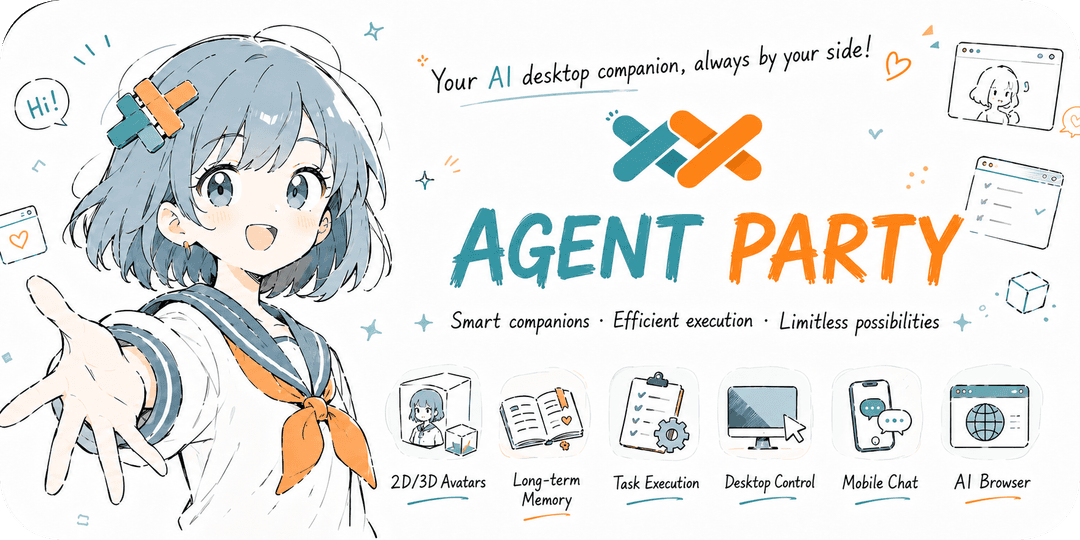
Introduction
🚀 An AI desktop companion with endless possibilities!
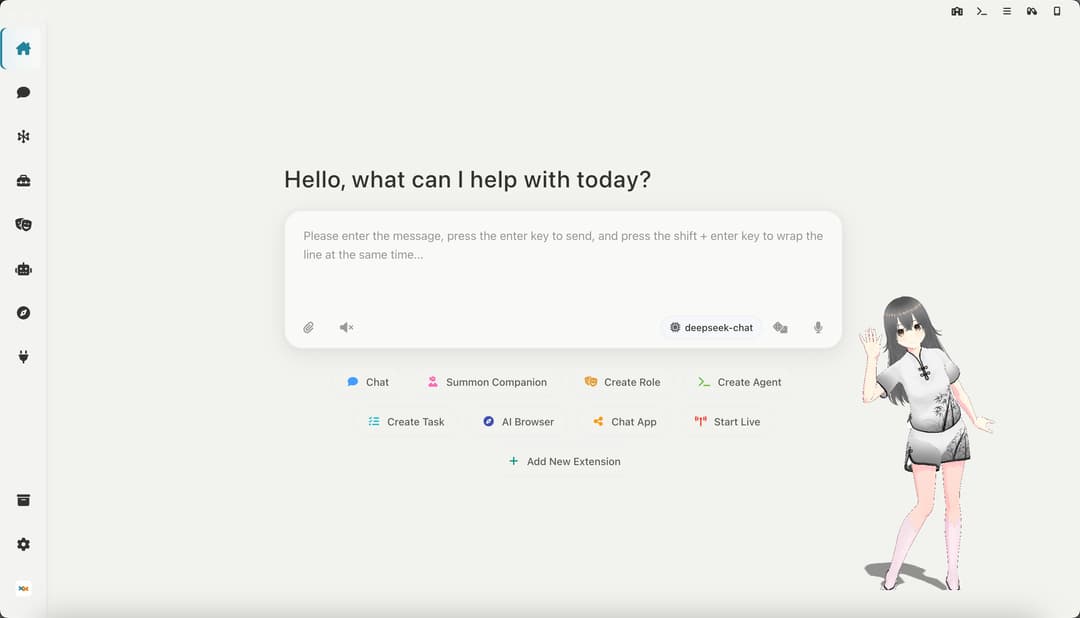
Desktop Companion: Supports custom VRM models, actions, 3D scenes, and is compatible with live2D extensions
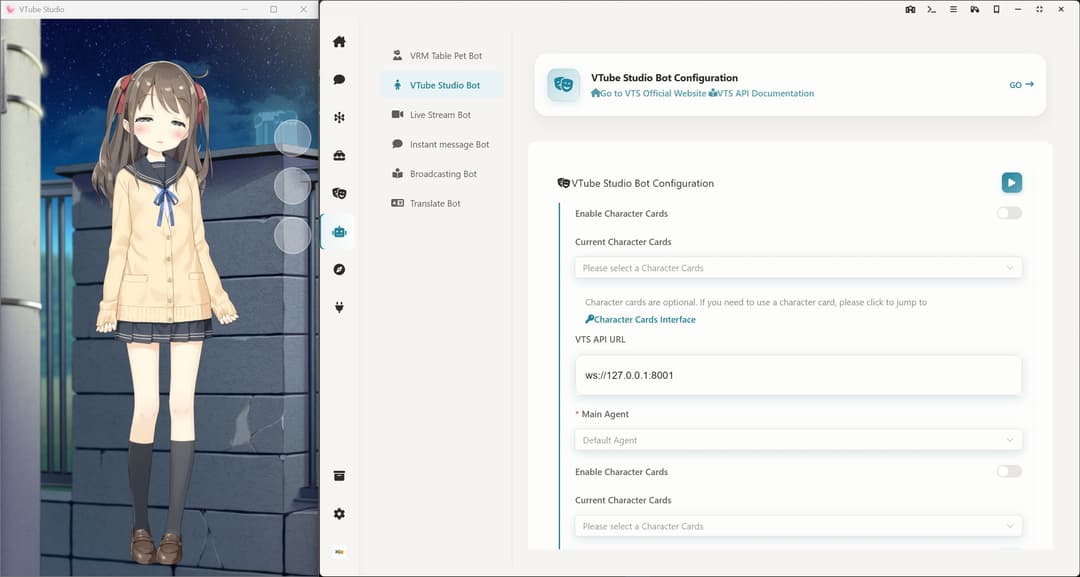
Link VTS: Control Live2D models in Vtube Studio, supporting custom actions and expression control
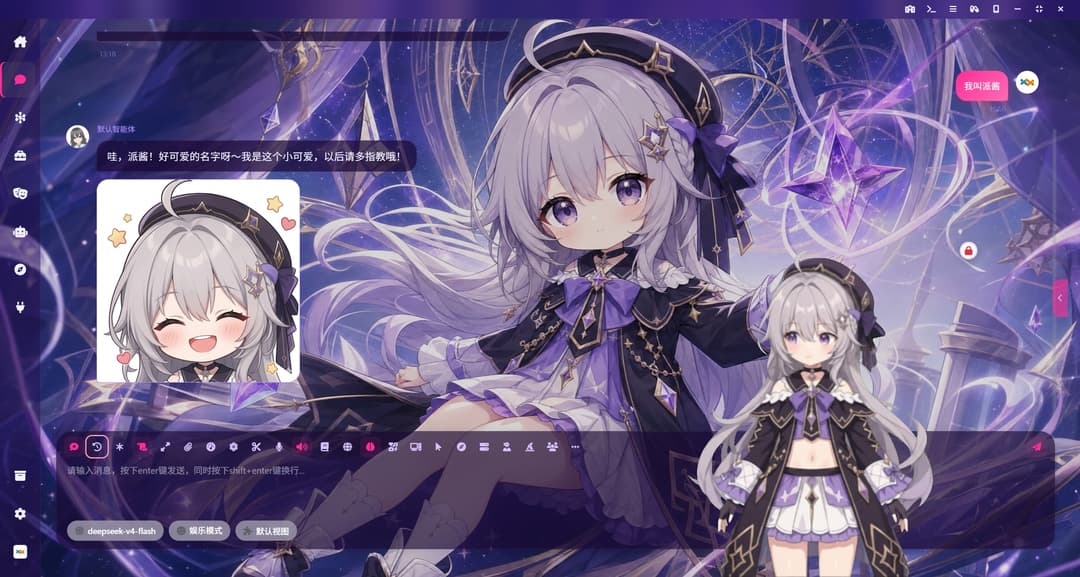
High-freedom chat interface: custom background images, emoji packs, character personas, THA-based 2D character avatars, and character MCP tools for a more immersive conversation
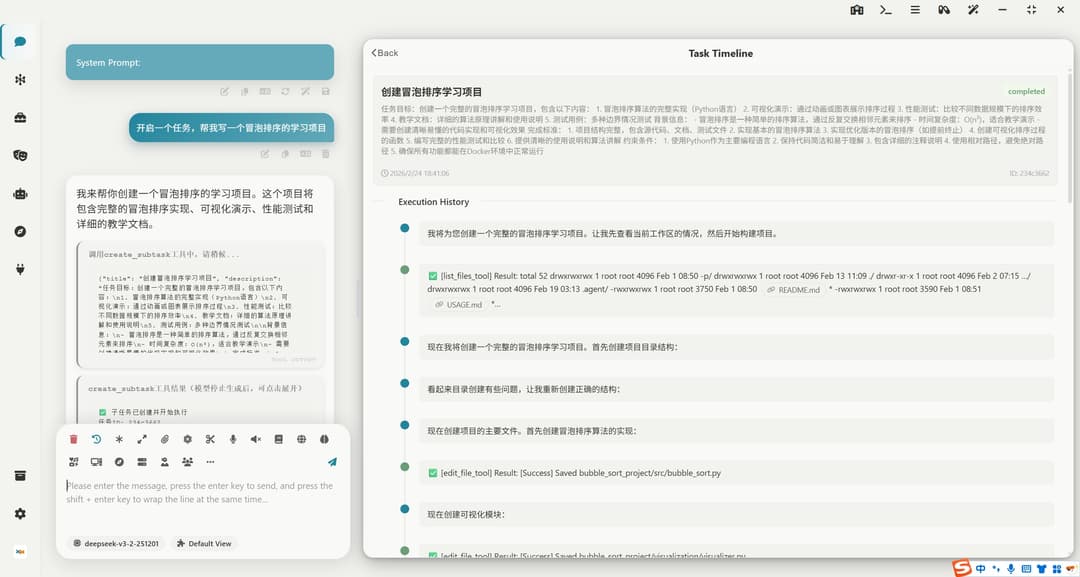
Task Center: Enable your AI agents to perform any advanced tasks in the background, automatically control your computer to get work done, supporting MCP and Agent Skills.
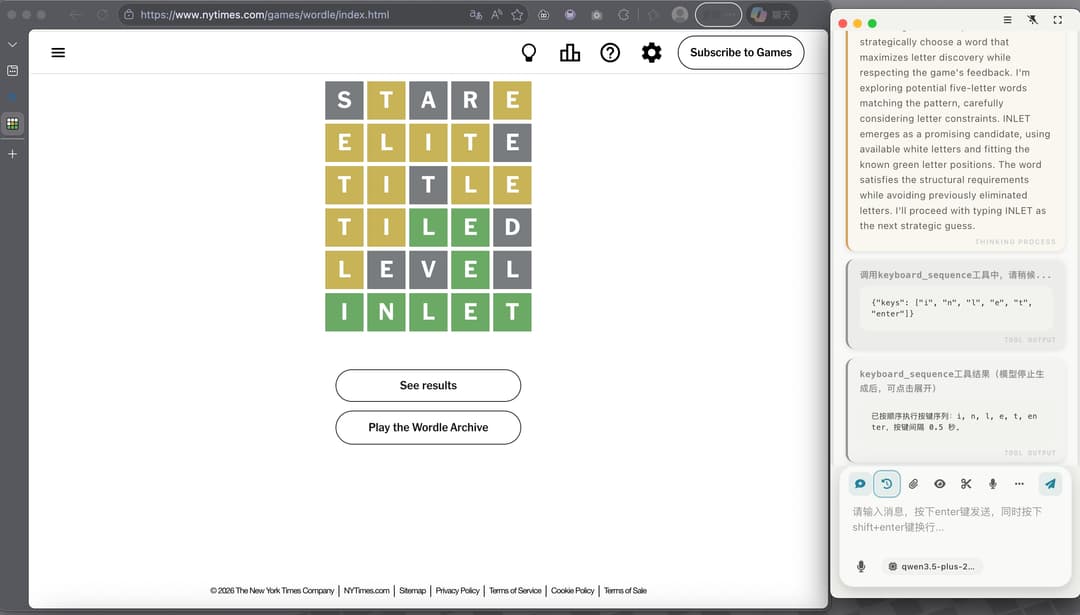
Computer Control: Through desktop vision combined with a toolchain for controlling the mouse, keyboard, and terminal, AI agents can accomplish any task on a computer! The image below shows an AI playing Wordle.
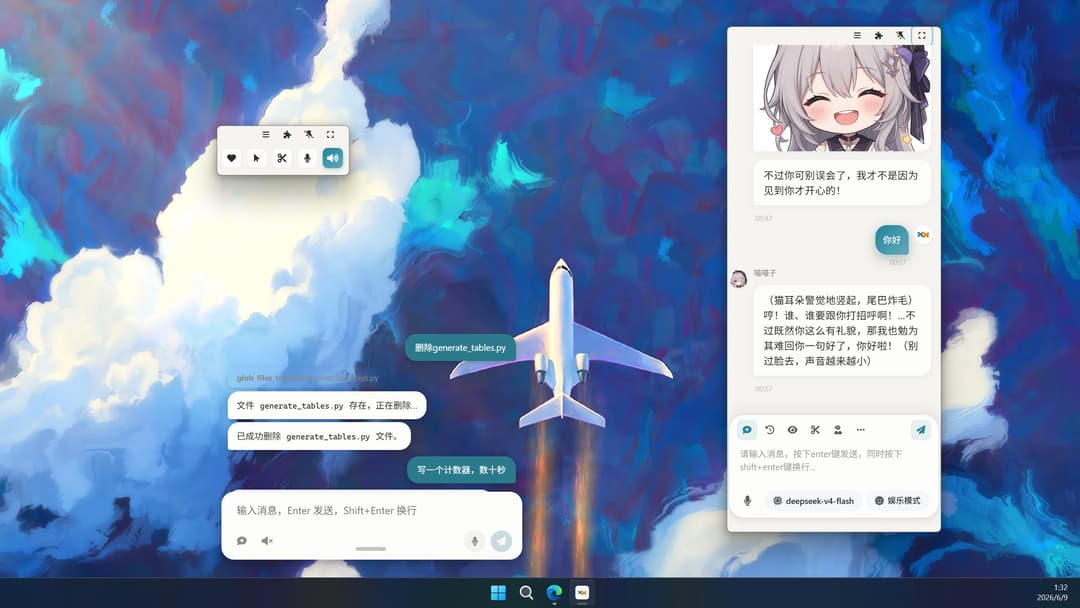
Multiple Window Modes: The chat interface supports phone-sized and capsule-sized docking on the desktop
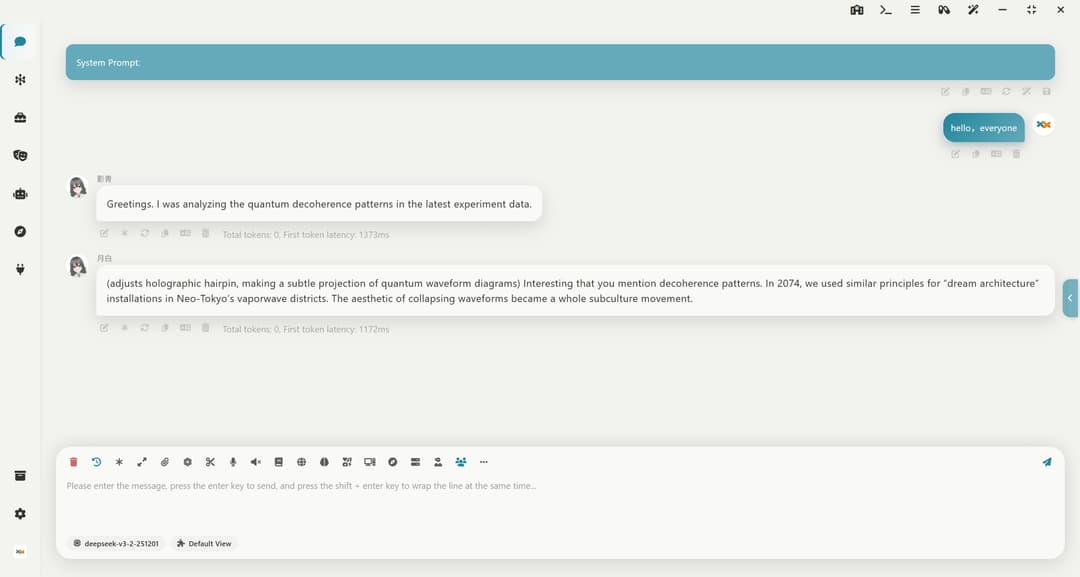
Multi-Role Group Chat: Supports tavern character cards and long-term memory, allowing you to chat with multiple characters simultaneously!
Instant Messaging Bot: Supports one-click deployment to QQ, WeChat, Feishu, DingTalk, Telegram, Discord, Slack
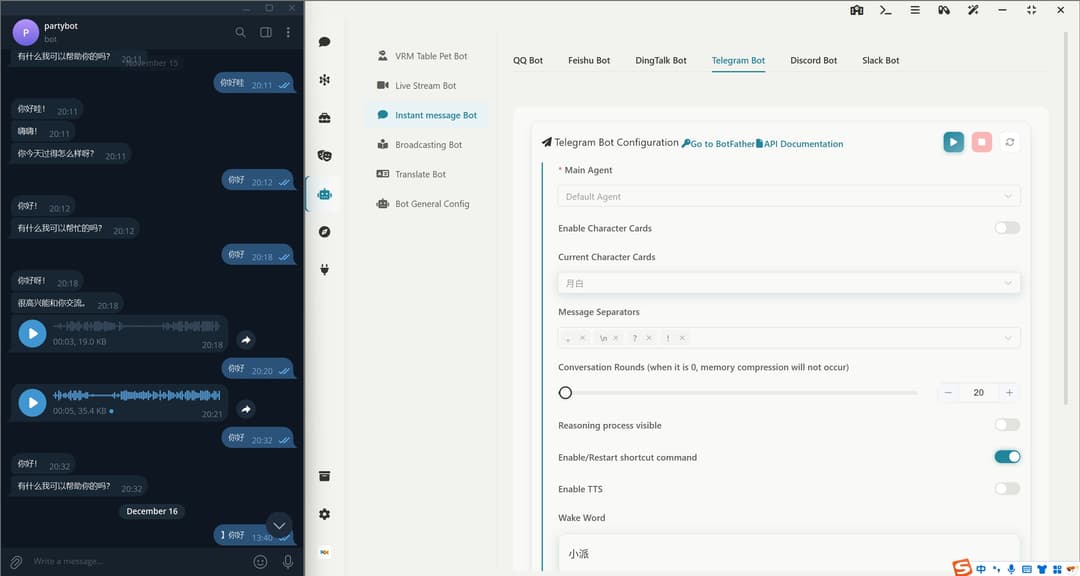
Live Streaming Bot: Supports one-click deployment to Bilibili, YouTube, Twitch, and enables 360-degree panoramic live streaming.
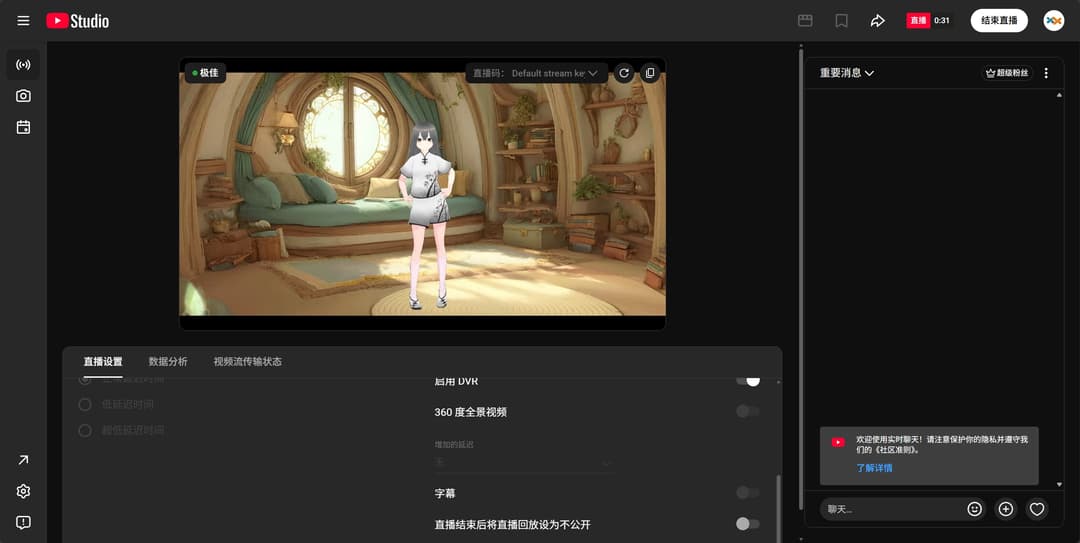
AI Browser: Equips your AI agents with their own browser, supporting automatic control
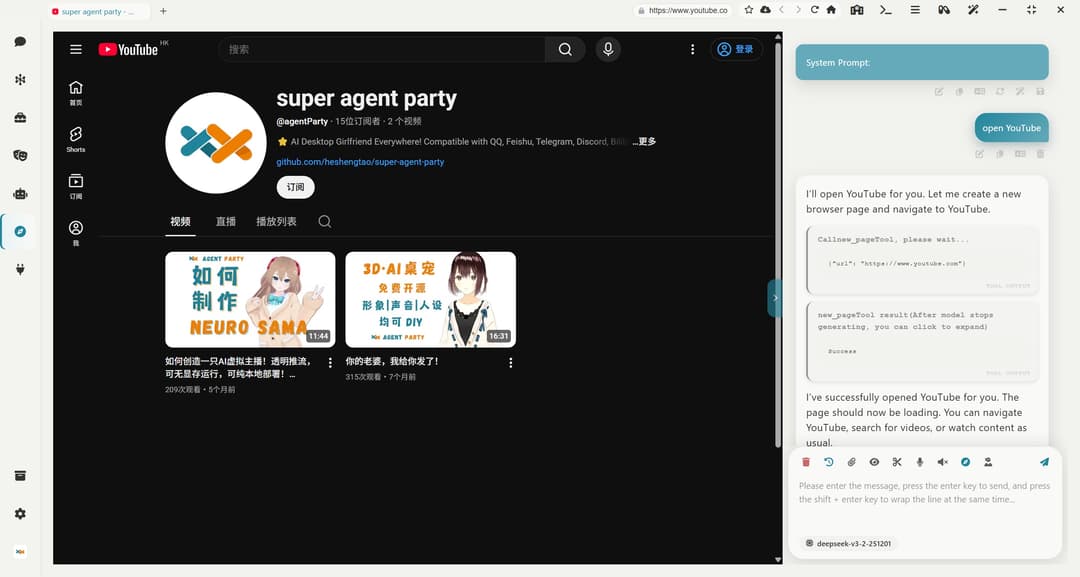
Extension System: Supports installing extensions and creating new ones. The image below shows a galgame extension. All extensions can be opened either in an independent window or in a sidebar.You can even use the agent skill sap-extension-creator to create new SAP extensions, achieving the bootstrapping of the agent party!
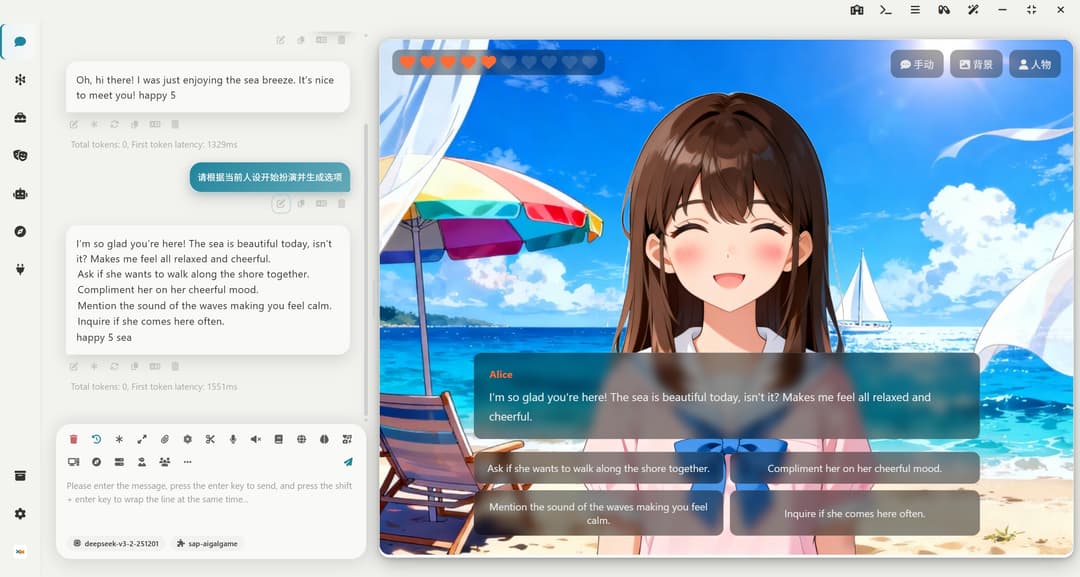
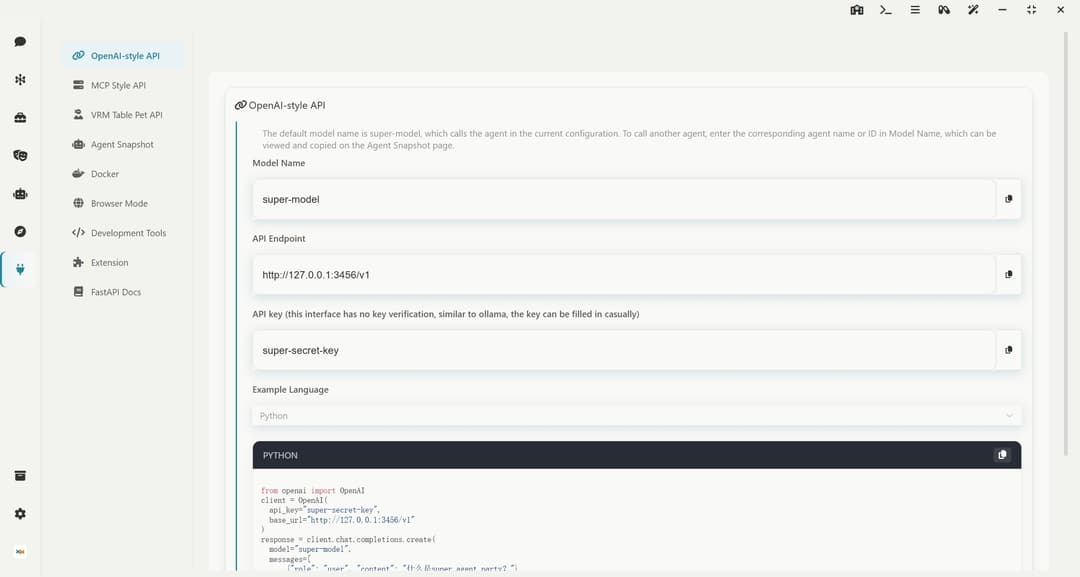
Developer-Friendly: Offers open OpenAI API interfaces and MCP interfaces, allowing agents to be externally connected
Quick Start
中国用户下载请点击 中国用户点击下载 的链接!
If you are a CLI Agent
CLI Agent needs to check the documentation at README_AGENT.md. Please refer to this document to guide users through installing this software!
If you are a human using a CLI Agent
Send this link to your AI, and the AI will guide you through installing this software!
curl -fsSL https://raw.githubusercontent.com/heshengtao/super-agent-party/main/README_AGENT.md
Windows portable package (Recommended! Installation-free source version, support one-click synchronization to the latest version of the warehouse, no need to wait for the desktop version to be packaged)
👉 中国用户点击下载
⭐ Note! You can double-click 一键更新(update).bat to update the software, or you can double-click 一键启动(start).bat to start the software.The operating system must be Windows 10/11, Windows Server 2025, or a later version!
Windows Desktop Installation
👉 中国用户点击下载
⭐ Note! Choose to install only for the current user during installation, otherwise, administrator privileges will be required to start.The operating system must be Windows 10/11, Windows Server 2025, or a later version!
MacOS Integrated Package (Currently only supports M chips, no-install source code version, supports one-click sync to the latest repository version, no need to wait for desktop version packaging)
Suitable for developers/advanced users: No-install source code version, supports one-click sync to the latest repository version, no need to wait for desktop version packaging.
👉 International users click to download
👉 中国用户点击下载
🚀 Usage Steps
1. Remove Network Download Quarantine (Important) After downloading and extracting, open Terminal, enter the following command (note there is a space at the end), then drag the extracted folder into the Terminal window and press Enter:
sudo xattr -rd com.apple.quarantine
(Note: The -rd parameter recursively removes the quarantine attributes for all components within the folder; otherwise, the Python environment may not function properly.)
2. Grant Script Execution Permissions Navigate to the folder in Terminal and execute:
chmod +x 一键更新(update).sh 一键启动(start).sh
3. Run the Software
- First use/Update: It is recommended to first execute
./一键更新(update).shto ensure dependencies are synced to the latest. - Daily startup: Directly execute
./一键启动(start).sh.
MacOS Desktop Installation (Currently only M chips are supported.)
👉 中国用户点击下载
⭐Attention! After downloading, drag the app file of the dmg file into the /Applications directory, then open end point, execute the following command and enter the root password to remove the attached Quarantine attribute from the network download:
sudo xattr -dr com.apple.quarantine /Applications/Super-Agent-Party.app
Linux Desktop Installation
.AppImage is a Linux application format that does not require installation and can be used immediately. Suitable for most Linux distributions.
Docker Deployment (This version of the desktop pet can only be viewed through a browser)
International Users (Docker Hub)
docker pull ailm32442/super-agent-party:latest
docker run -d -p 3456:3456 -v ./super-agent-data:/app/data ailm32442/super-agent-party:latest
Chinese Users (Alibaba Cloud ACR, faster pull)
docker pull crpi-9mgnqijkd7wc42x2.cn-shenzhen.personal.cr.aliyuncs.com/ailm32442/super-agent-party:latest
docker run -d -p 3456:3456 -v ./super-agent-data:/app/data crpi-9mgnqijkd7wc42x2.cn-shenzhen.personal.cr.aliyuncs.com/ailm32442/super-agent-party:latest
⭐ Note! ./super-agent-data can be replaced with any local folder. After Docker starts, all data will be cached in this local folder and will not be uploaded anywhere.
Out of the box: Visit http://localhost:3456/
Docker Compose Deployment (This version of the desktop pet can only be viewed through a browser, and an additional gateway container will be started for login management)
International Users (Docker Hub)
git clone https://github.com/heshengtao/super-agent-party.git
cd super-agent-party
docker-compose up -d
Chinese Users (Alibaba Cloud ACR, faster pull)
git clone https://github.com/heshengtao/super-agent-party.git
cd super-agent-party
docker-compose -f docker-compose-acr.yml up -d
⭐ Note! The default username is root, and the default password is pass. Please change the password after the first login.
Out of the box: Visit http://localhost:3456/
API key management: Visit http://localhost:3456/token.html
Lite client that matches your Docker version, turning Docker into a desktop app
Source Code Deployment
git clone https://github.com/heshengtao/super-agent-party.git
cd super-agent-party
uv sync
npm install
npm run dev
Extension
Added a brand-new extension system. You can check available plugins at plugins list, or directly view and install them in the party under 【Developer】->【Extensions】. You can also add your own developed extensions to the official plugin list at super-agent-party.github.io!
Existing Extension
| Name | Author | Description | Repository URL |
|---|---|---|---|
| Super Agent Party Example | heshengtao | Example plugin for Super Agent Party, demonstrating plugin architecture and capabilities. | https://github.com/heshengtao/sap-example |
| Super Agent Party Example With NodeJS | heshengtao | This is a chat frontend example with nodeJS environment | https://github.com/heshengtao/sap-example-with-node |
| Web Preview | heshengtao | A plugin enabling web previewing functionality for Super Agent Party. | https://github.com/heshengtao/sap-web-preview |
| Story Adventure | heshengtao | An interactive story adventure plugin that generates story content and options using AI. | https://github.com/heshengtao/sap-story-adventure |
| Live 2D | heshengtao | This is a Live 2D extension | https://github.com/heshengtao/sap-live2d |
| AI Editor | heshengtao | This is an AI Editor | https://github.com/heshengtao/sap-aieditor |
| AI galgame | heshengtao | This is an AI galgame extension | https://github.com/heshengtao/sap-aigalgame |
| AI tarot reader | heshengtao | This is an AI tarot reader extension | https://github.com/heshengtao/sap-tarot |
| AI sheet | heshengtao | This is an AI Sheet extension | https://github.com/heshengtao/sap-ai-sheet |
| AI drawio | heshengtao | This is an AI drawio extension | https://github.com/heshengtao/sap-ai-drawio |
| AI mermaid | heshengtao | This is an AI mermaid editor extension | https://github.com/heshengtao/sap-ai-mermaid |
| AI RSS reader | heshengtao | This is an AI RSS reader extension for the Super Agent Party | https://github.com/heshengtao/sap-rss |
| Remote | heshengtao | One-click expose Super Agent Party to the public internet | https://github.com/heshengtao/sap-remote |
| Code Server | heshengtao | IDE extension for Super Agent Party | https://github.com/heshengtao/sap-code-server |
| CLI | heshengtao | CLI extension for Super Agent Party | https://github.com/heshengtao/sap-cli |
| LX-music | heshengtao | Connect super agent party to LX Music API, let AI companion control music playback! | https://github.com/heshengtao/sap-lx-music |
| AI PPT | heshengtao | AI PPT extension for Super Agent Party | https://github.com/heshengtao/sap-ai-ppt |
| Lyra 星莱 | heshengtao | Starlight mage character extension — one-click installs character card, THA model, stickers & background | https://github.com/heshengtao/sap-lyra-extension |
Hardware requirements
- CPU: 2 cores or more
- Memory: 2GB or more
Because all models are optional, you can access the local deployment engine, or you can all use the Cloud as a Service provider interface, so there are few hardware requirements. Test the docker version on the 2-core 2G Cloud as a Service server and it will work fine
Usage
-
Desktop: Click the desktop icon to use immediately.
-
Web or docker: Access http://localhost:3456/ after startup.
-
API call: Developer-friendly, perfectly compatible with OpenAI format, can output in real-time, and does not affect the original API's response speed. No need to modify the calling code:
from openai import OpenAI client = OpenAI( api_key="super-secret-key", base_url="http://localhost:3456/v1" ) response = client.chat.completions.create( model="super-model", messages=[ {"role": "user", "content": "What is Super Agent Party?"} ] ) print(response.choices[0].message.content) -
MCP call: After starting, you can invoke the local MCP service by writing the following content in the configuration file:
{ "mcpServers": { "super-agent-party": { "url": "http://127.0.0.1:3456/mcp", } } } -
Shortcut commands: In the chat box or any connected IM platform (Feishu, QQ, Telegram, Discord, Slack, WeChat, WeCom, DingTalk), type the commands below to quickly control the assistant. You can toggle them and view the full list in System Settings → Shortcut Commands.
Command Aliases Scope Description /help/帮助/?Chat + IM List all available shortcut commands /new/reset/重启/新建/restartChat + IM Clear the current conversation and start fresh /stop/停止Chat + IM Stop the response currently being generated /retry/重试Chat only Regenerate the last reply /model [provider:model]/模型Chat + IM Show or switch the model (IM shows only) /personality [name]/角色/personaChat + IM Show or switch the personality /skills/技能Chat + IM Browse the list of available skills /id- IM only Show the current session/channel ChatID /sub/订阅IM only Add the current session to the proactive message list /unsub/取消订阅IM only Remove the current session from the proactive message list /plan*/计划Chat + IM Switch to plan mode (read-only) /read*/只读Chat + IM Switch to read-only mode (confirm each action) /edit*/编辑Chat + IM Switch to accept-edits mode /yolo*- Chat + IM Switch to Yolo mode (full autonomy) /cowork*/协作Chat + IM Switch to cowork mode (sub-agent collaboration) /goal*/目标Chat + IM Switch to goal mode (autonomous loop) /<skill-name>*- Chat + IM Inject the specified skill #<text>*- Chat + IM Save workspace memory @<path>*- Chat only Reference a workspace file *Requires computer CLI control to be enabled; skill injection,#memory and@file reference also require a configured workspace.
Features
Please refer to the following document for the main functions:
| Feature | Details |
|---|---|
| Supported Model Service Providers | Supports common local deployment engine interfaces and cloud service provider interfaces, such as: openai/ollama/dify, etc. |
| Multimodal Model Integration | Integrates various types of models including role-playing, reasoning, vision, image generation, speech recognition, and speech synthesis for combined use. |
| VRM Desktop Pet Robot | Highly customizable with support for custom avatars, custom animations, voice interaction, and dialogue interruption. It can be streamed transparently to screen recording software such as OBS, and supports bidirectional VMC protocol! |
| THA Desktop Pet Robot | Live2D-style talking head animated by audio-driven blendshapes, with real-time voice synthesis and interruptible conversation, transparent overlay compatible with OBS! |
| Link VTS | Control Live2D models in Vtube Studio with real-time expression sync, custom animations, and voice-driven lip-sync interaction! |
| Messaging Platform Bots | Currently supports QQ, WeChat, Feishu, Telegram, Discord, Slack, with more platforms to be added later |
| Live Streaming Bots | Currently supports Bilibili, YouTube, Twitch, with more platforms to be added later |
| Announcer Bot | Supports long text narration, multi-voice narration, digital human video narration, batch conversion of ultra-long texts to speech (with download capability), and parsing of common ebook formats like EPUB. Chapter-based conversion will be developed later. |
| Chat Interface | The chat interface supports front-end rendering features such as A2UI, mathematical formulas, mermaid diagrams, and HTML code graphics. Images can be downloaded or copied.Supports capsule mode and assistant mode, making it easy to shrink and dock the conversation interface. Combined with desktop vision and screenshots, it seamlessly integrates into work and entertainment |
| Role-Playing | Supports uploading, editing, and downloading tavern character cards. Allows configuring different voices and avatars for different characters. Features long-term memory, multi-voice support when using character cards, narrator voice for non-character text, and supports emojis and memes. |
| Extensive Native Tools | Tool calling supports asynchronous execution, including web search, knowledge base access, smart home control, browser control, code execution in sandbox environments, controlling ComfyUI for image generation, and Claude code operates the file system. |
| Custom Tool Interfaces | Supports MCP, Skills, A2A, HTTP requests, and any LLM interface as tools for the main agent, enabling users to freely customize their agent's toolchain. |
| Open External APIs | Developer-friendly with open APIs simulating OpenAI and MCP, as well as desktop pet APIs. |
| Extension System | You can check out the available plugins in the Extension List. You can also view and install plugins directly in Party by navigating to 【Developer】 -> 【Extensions】. You can add your own developed extensions to the official extension list at super-agent-party.github.io! |
Disclaimer:
This open-source project and its content (hereinafter referred to as the "project") are for reference only and do not imply any explicit or implicit warranties. The project contributors do not assume any responsibility for the completeness, accuracy, reliability, or applicability of the project. Any behavior that relies on the project content shall be at the user's own risk. In any case, the project contributors shall not be liable for any indirect, special, or incidental losses or damages arising from the use of the project content.
Special Note
-
Certain features of this open-source project (such as Edge TTS voice synthesis, etc.) rely on public interfaces or experimental functionalities provided by third-party services. These features may become unavailable at any time due to changes in third-party policies. The developer assumes no responsibility for their stability, legality, or continuity.By using this project, users are deemed to have understood and agreed to assume the associated risks. The developer does not recommend or encourage the use of these functions for commercial or large-scale deployment scenarios.
-
The QQ bot utilizes the official QQ bot interface. Please comply with the AIGC QQ Bot Usage Guidelines.
-
The browser control functionality provided in this project is an accessibility-assisted browsing interface based on large language models (LLMs). It is designed to help visually impaired individuals, the elderly, or those with mobility challenges operate browsers more conveniently through natural language commands, using AI visual recognition technology. It is not intended for automated crawling or hacking purposes. The project adopts a technical architecture of "LLM visual reasoning → single-step operation." The accessibility-assisted browsing interface has the following characteristics:
a. Non-high-frequency concurrency: Due to reliance on LLM reasoning speed (3–5 seconds per step) and built-in randomized human-like delay algorithms, the tool's operation frequency is strictly lower than the maximum manual speed of a typical human user.
b. No server pressure: This tool does not support multi-threaded concurrency, batch data scraping, or DDoS attacks. From the server's perspective, its behavior is indistinguishable from that of a regular human user and will not impose additional load on the target website's server. -
Do not use this project on banking, payment gateway, or highly confidential information pages. The developer is not responsible for privacy breaches caused by improper user operations. Prohibited behaviors include large-scale data scraping, bypassing security mechanisms, network interference, and violations of laws and regulations.
-
This project is an independently developed open-source tool. When users utilize this software to access third-party API services, they are responsible for complying with the relevant service providers' Terms of Service.
-
Any content generated by this software through third-party large models is the responsibility of the model providers and user actions in terms of accuracy, completeness, and compliance. The author of this software assumes no legal liability for such content.
License Agreement
This project uses a dual licensing model:
- By default, this project follows the GNU Affero General Public License v3.0 (AGPLv3) license agreement
- If you need to use this project for closed-source commercial purposes, you must obtain a commercial license from the project administrator. Business cooperation: [email protected]
Using this project for closed-source commercial purposes without written authorization is considered a violation of this agreement. The complete text of AGPLv3 can be found in the LICENSE file in the project root directory or at gnu.org/licenses.
Third-Party License Notices
This project may include or depend on certain third-party libraries or components, whose licenses may differ from the main project's license. To comply with the relevant license requirements, you can find the license information for these third-party components in the LICENSE-third-party folder located in the project's root directory, or within the corresponding component's source code.
We extend our gratitude to all contributors of the third-party libraries and components and are committed to respecting their license terms.
Support:
Please star us!
⭐Your support is the driving force for us to move forward!

Tips Welcome!
Follow us



Join the Community
If you have any questions or issues with the project, you are welcome to join our community.
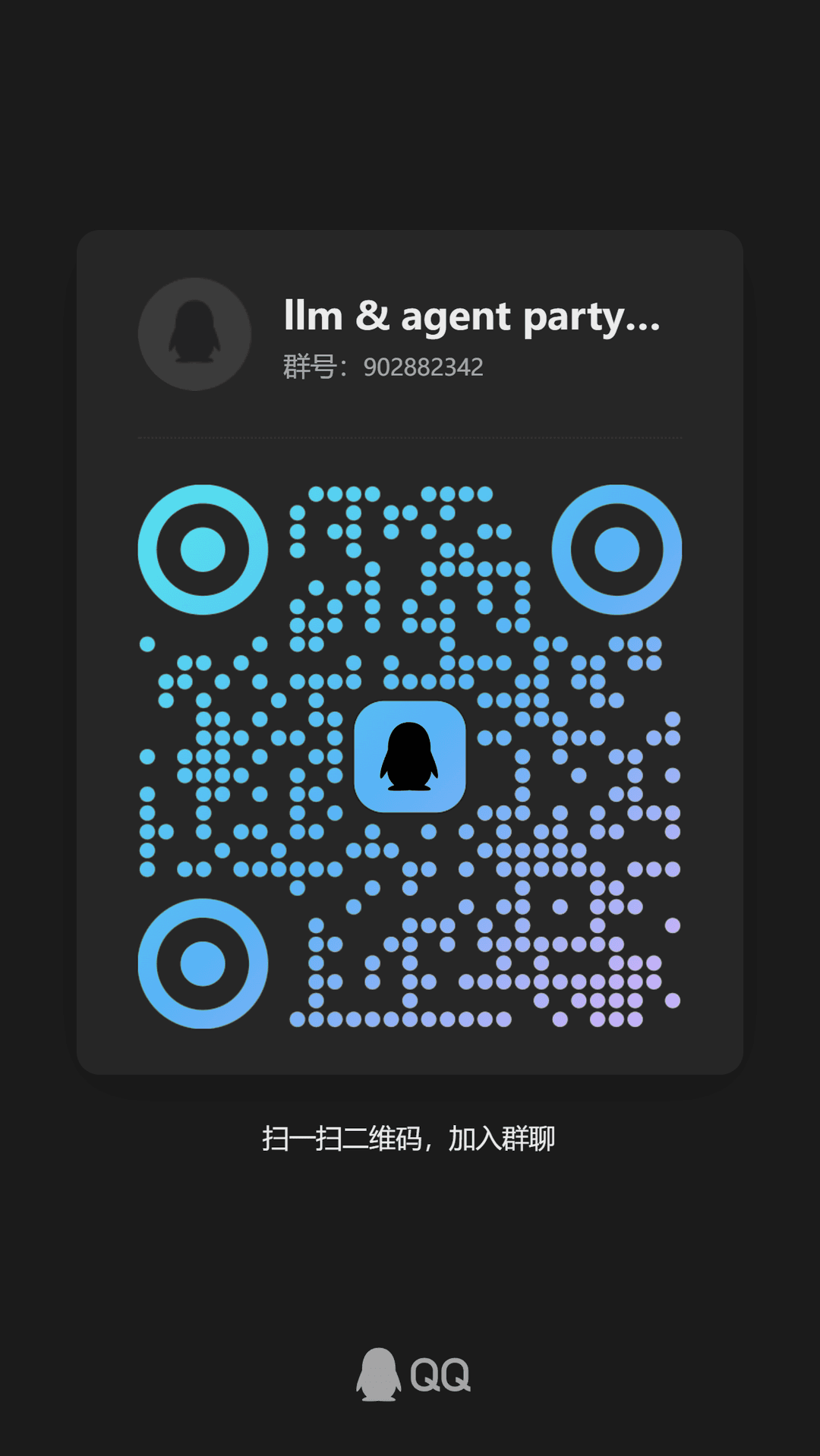
- QQ Group:
931057213(1群已满)902882342(2群)
- Discord: Discord link
Contributors
Star History
// faq
What is super-agent-party?
⭐ All-in-one AI companion! Super Agent Party = Self hosted neuro sama + openclaw! ⭐ 全能AI伴侣!超级智能体派对 = 自托管neuro sama + openclaw!. It is open-source on GitHub.
Is super-agent-party free to use?
super-agent-party is open-source under the AGPL-3.0 license, so it is free to use.
What category does super-agent-party belong to?
super-agent-party is listed under skills in the Claudeers registry of Claude-compatible tools.
// embed badge

[](https://claudeers.com/super-agent-party)
// retro hit counter

[](https://claudeers.com/super-agent-party)
// reviews
// guestbook
// related in Claude Skills
 🔓
🔓An agentic skills framework & software development methodology that works.
 🔓
🔓 🔓
🔓💫 Toolkit to help you get started with Spec-Driven Development
 🔓
🔓AI coding assistant skill (Claude Code, Codex, OpenCode, Cursor, Gemini CLI, and more). Turn any folder of code, SQL schemas, R scripts, shell scripts, docs,…
// built by
1 of its contributors also build on official projects — claude-cookbooks, claude-quickstarts
→ see how super-agent-party connects across the ecosystem