
sl-ui-library
HTML, CSS and JavaScript components, with a plugin for Codex and Claude Code.
Install with your AI
Paste into Claude Code, Cursor, or any agent — it reads the repo and wires the tool into your project.
Install and set up sl-ui-library (claude-plugin project) into my current project.
Found on https://claudeers.com/sl-ui-library
Repo: https://github.com/SLtowl/sl-ui-library
Homepage/docs: https://sltowl.github.io/sl-ui-library/
Detected install method: claude-plugin → /plugin install sl-ui-library@SLtowl/sl-ui-library
Category: plugins. Platforms: cli, api, web.
Read the repo's README for exact setup and env vars, then install it and wire it into my project.

Claudeers Health Verdict:
unknown; community-verified: false. Confirm the source before running anything.
⚠ Unverified / not recently updated — review before pasting a run-this config.
/plugin marketplace add SLtowl/sl-ui-library
/plugin install sl-ui-library@SLtowl/sl-ui-library
git clone https://github.com/SLtowl/sl-ui-library
// compatibility
| Platforms | cli, api, web |
|---|---|
| Operating systems | — |
| AI compatibility | claude |
| License | MIT |
| Pricing | open-source |
| Language | JavaScript |
SL UI Library
An AI plugin for finding and integrating UI components, with a browsable HTML, CSS and JavaScript library.
Version 1.1.2 makes source provenance a required integration gate and makes a failed source audit return a nonzero exit code. The existing catalog is unchanged by this patch. Release notes · Previous patch · Initial 1.1 release.
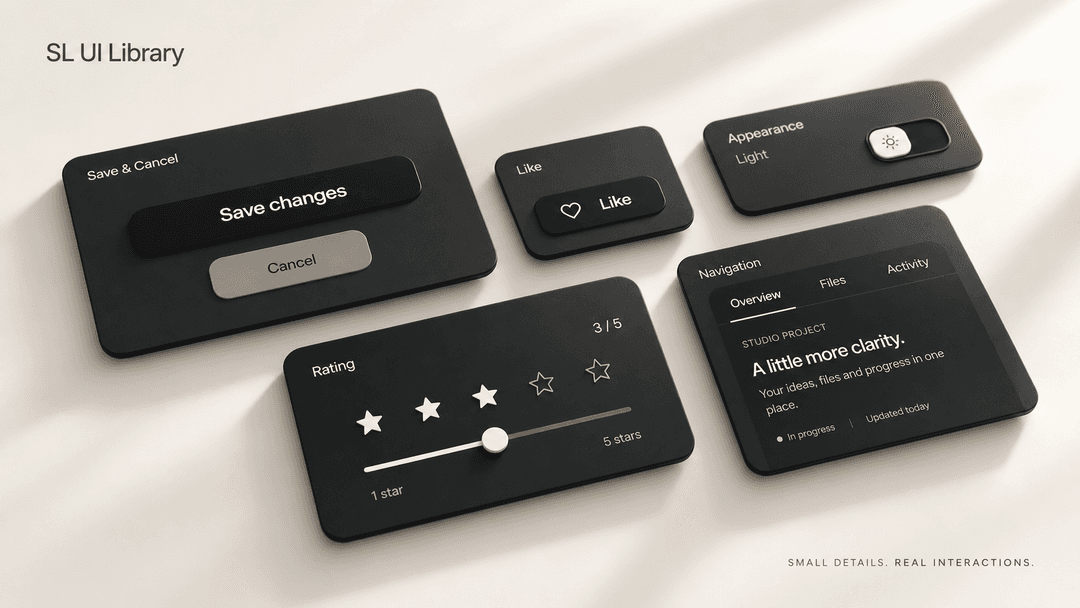
297 interactive components in HTML, CSS and JavaScript. No runtime dependencies, remote fonts or stock icon libraries. Preview components and download their source files. The plugin helps a coding agent find and integrate components.
Open the library · Install the plugin · Components · Integration guide · Quality notes · MIT License
Component demos
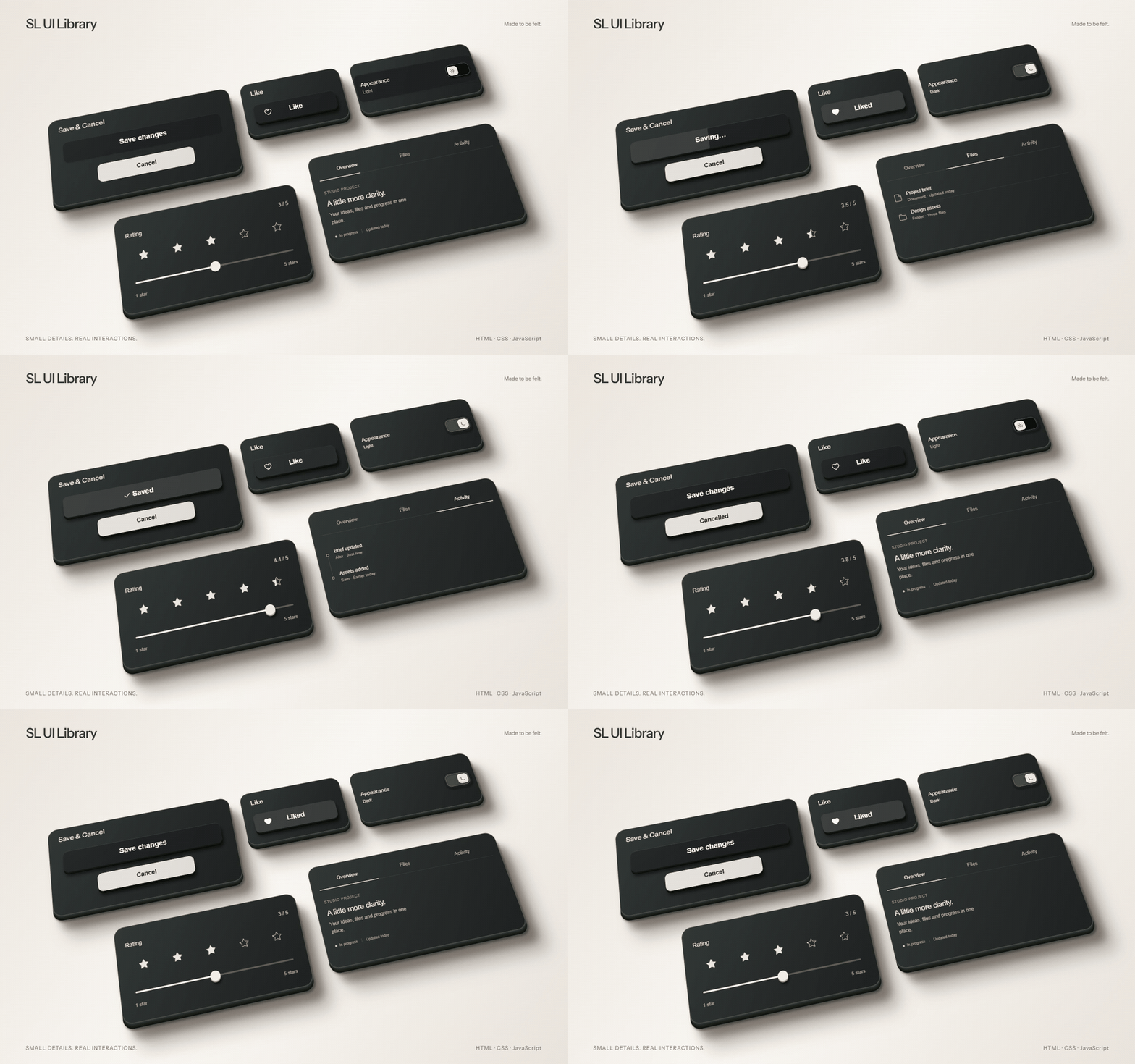
The demo shows saving, liking, theme switching, rating and tab navigation. It uses the library's components with CSS 3D styling. No cursor.
Watch / download MP4 · WebM · Live 3D scene · Interactive showcase
Studio photography is generated artwork; the film uses library components with CSS 3D styling.
Components
| Category | Components |
|---|---|
| Buttons | 63 |
| Inputs | 30 |
| Toggles | 30 |
| Checkboxes | 35 |
| Sliders | 34 |
| Menus | 25 |
| Navigation | 20 |
| Overlays | 20 |
| Feedback | 20 |
| Data display | 20 |
297 components, 299 export variants. Save & Cancel is available together or separately. All ten categories contain working previews and complete source packages.
Plugin installation
Install directly from this GitHub repository. No official marketplace listing or library account is required.
Claude Code
Paste this line into a terminal with Claude Code installed:
claude plugin marketplace add SLtowl/sl-ui-library && claude plugin install sl-ui-library@sl-ui-library
Inside a Claude Code chat, run the same setup as two slash commands:
/plugin marketplace add SLtowl/sl-ui-library
/plugin install sl-ui-library@sl-ui-library
Codex
Paste this line into a terminal with Codex installed:
codex plugin marketplace add SLtowl/sl-ui-library && codex plugin add sl-ui-library@sl-ui-library
These one-line commands work in macOS/Linux shells, Windows Command Prompt and PowerShell 7+. In Windows PowerShell 5, run the two commands separately; continue only if the first succeeds. They register the repository and install the plugin through the application's own plugin manager. They do not install the AI application or copy buttons into your projects.
Start a new task after installation. Then ask, for example:
Add a like button from SL UI Library. Use a violet background and light text, and keep its animation and keyboard interaction.
The agent selects a component, reads its bundled HTML, CSS and JavaScript, and exports it with the requested palette. The complete catalog works offline after installation. The bundled source CLI requires Node.js 22+.
Claude and ChatGPT without a terminal
Claude: download the plugin ZIP and use Customize → Plugins to upload a custom plugin, where supported.
ChatGPT web: the terminal commands above do not install into an ordinary chat. A public ChatGPT Install link is not available yet; official directory publication is planned separately. Codex installation works without that publication.
Platform setup, supported clients and updates · Claude Code plugin documentation · OpenAI plugin documentation
Only need one component?
From a downloaded repository:
node component.mjs like ./my-button
This exports one complete example to a new folder. Its parent must exist; existing destinations and symlink parents are refused. Source files are verified before writing.
Updating the plugin
For an existing GitHub marketplace installation, run the commands below one at a time in a terminal. Continue only if the first command succeeds.
Codex:
codex plugin marketplace upgrade sl-ui-library
codex plugin add sl-ui-library@sl-ui-library
Claude Code:
claude plugin marketplace update sl-ui-library
claude plugin update sl-ui-library@sl-ui-library
If Claude Code was installed at project or local scope, use the matching
--scope project or --scope local on the plugin update command. Start a new
session after updating. For an uploaded ZIP installation, download the current
plugin ZIP
and replace it through the host's plugin manager.
Versions and update checks
The repository package, portable manifest, Claude/Codex manifests and bundled catalog share the same version. Every published plugin-code change must increment the version; a GitHub push alone is not sufficient for version-aware caches. Version 1.1.2 makes the stricter source gate discoverable to clients that skip an unchanged plugin version.
Claude Code version detection · Codex marketplace commands.
The source audit compares sl-* classes and inline SVG geometry in serialized
component HTML. It flags missing or changed source markers, not arbitrary CSS or
animation defects. It is an explicit offline check, not a background monitor or
automatic repair. See the audit guide.
The CLI exits nonzero when it reports needs-review; agents must not claim an SL UI
integration without a returned component ID, variant, source hashes and a passing audit.
Updating the plugin never rewrites components already copied into another app.
Catalog updates
An opt-in data updater is prepared for the release channel. Once published and enabled by the user, it checks for a newer catalog on use, at most once per day, with an offline fallback. Existing components in your app are never silently replaced. Plugin code and skill updates remain host-managed.
Update status: the public update channel is not live. No telemetry is enabled. Owner-only release-download reporting is provided as a local tool, not a tracker; asset downloads are not unique installations. See the update and metrics details.
Component integration
Each component archive includes HTML, CSS, JavaScript, an integration example and local assets. Its Usage notes describe how to add it to your project and connect action handlers.
Archive, rename and creation demos only change preview state. In production, show success after your own operation succeeds. User-entered names remain literal text, including Unicode; action labels stay English.
Library website
This repository contains the complete static library. GitHub stores the source; GitHub Pages serves the public website. Visitors to a hosted version will not need terminal commands or Node.js.
The site is published from public/ by the Pages workflow. Check its latest deployment before sharing the website; a failed run means the site has not been updated.
For developers: run a local copy
Requires Node.js 22 or newer. From the repository:
npm start
This builds the exports and starts a local server. Open http://127.0.0.1:4321/ on the same computer. No dependency installation is required. Use HTTP, not a double-clicked HTML file.
Repository structure
public/                 Interactive site and component source
  packages/             Self-contained component examples
plugins/sl-ui-library/  Portable plugin, host manifests, skill and source tools
docs/                   Guides, studio photography and film
tests/                  Automated checks
install.mjs             Optional Codex CLI installer
component.mjs           Optional single-component export
Edit component sources in public/packages/ and metadata in public/catalog-data.js, then run npm run build and npm run check. Commit source and tracked generated data together. ZIP exports are regenerated by build/start rather than duplicated in Git history. See contributing.
Checks and limitations
- Project-owned SVG icons and bundled fonts.
- Keyboard interaction, visible focus and reduced-motion support.
- Repeated interaction and reset checks.
- Source, ZIP export and agent bundle consistency checks.
- No analytics scripts or tracking pixels.
See QA evidence and limitations. Chrome is the current automated browser target; Firefox, Safari and physical touch devices still need a separate release check.
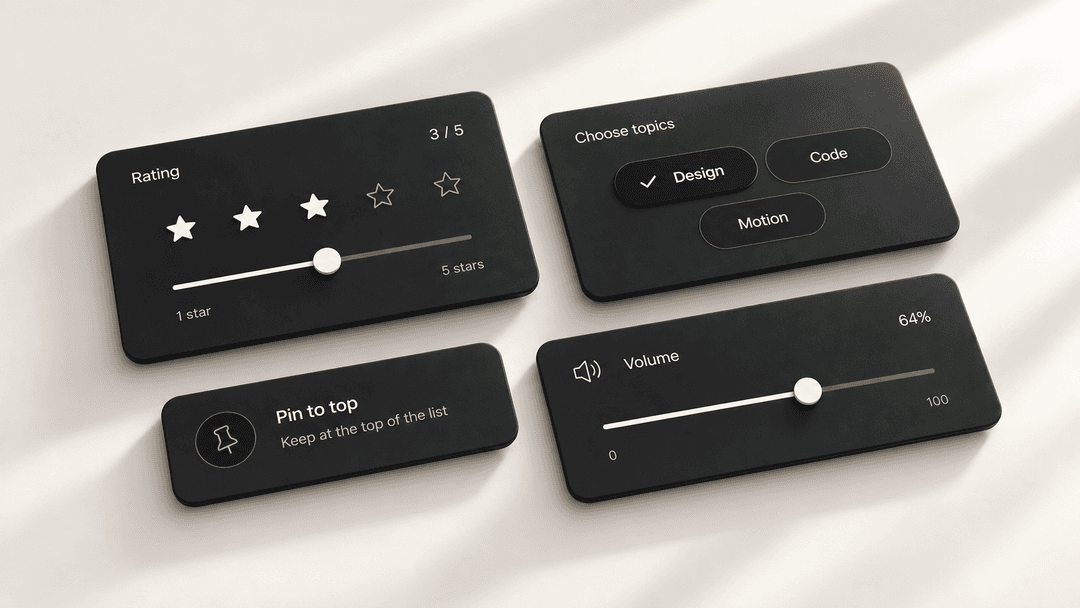
Cover and closing image: generated studio artwork from the first release. Film: actual controls with a 3D presentation layer. Media provenance.
Release status
SLtowl/sl-ui-library is public. The plugin archive and Claude Code repository marketplace are available. A public ChatGPT Plugins Directory listing has not been submitted or approved. No analytics collection is enabled.
License
The library and agent plugin are licensed under the MIT License. You can use, modify and redistribute the code, including in commercial projects, provided you retain the copyright and license notices.
The bundled Instrument Sans font is licensed separately under the SIL Open Font License 1.1. Its OFL notice remains included with component downloads.
// faq
What is sl-ui-library?
HTML, CSS and JavaScript components, with a plugin for Codex and Claude Code.. It is open-source on GitHub.
Is sl-ui-library free to use?
sl-ui-library is open-source under the MIT license, so it is free to use.
What category does sl-ui-library belong to?
sl-ui-library is listed under plugins in the Claudeers registry of Claude-compatible tools.
// embed badge

[](https://claudeers.com/sl-ui-library)
// retro hit counter

[](https://claudeers.com/sl-ui-library)
// reviews
// guestbook
// related in Claude Plugins
 🔓
🔓A single CLAUDE.md file to improve Claude Code behavior, derived from Andrej Karpathy's observations on LLM coding pitfalls.
 🔓
🔓Claude Code is an agentic coding tool that lives in your terminal, understands your codebase, and helps you code faster by executing routine tasks, explainin…
 🔓
🔓"CLI-Anything: Making ALL Software Agent-Native" -- CLI-Hub: https://clianything.cc/
🔓financial-services — a Claude ecosystem project on GitHub.