
resume-builder-skill
Claude skill for generating and beautifying resumes — 11 print-ready HTML templates, structured data pipeline, three entry flows (beautify / LinkedIn import…
Install with your AI
Paste into Claude Code, Cursor, or any agent — it reads the repo and wires the tool into your project.
Install and set up resume-builder-skill (claude-skill project) into my current project.
Found on https://claudeers.com/resume-builder-skill
Repo: https://github.com/yanliudesign/resume-builder-skill
Homepage/docs: —
Detected install method: claude-skill → # copy this skill into .claude/skills/resume-builder-skill/
Category: skills. Platforms: web.
Read the repo's README for exact setup and env vars, then install it and wire it into my project.

Claudeers Health Verdict:
slowing; community-verified: false. Confirm the source before running anything.
# copy the skill dir into your project:
# .claude/skills/resume-builder-skill/   (or ~/.claude/skills/resume-builder-skill/ for all projects)
git clone https://github.com/yanliudesign/resume-builder-skill
// compatibility
| Platforms | web |
|---|---|
| Operating systems | — |
| AI compatibility | claude |
| License | MIT |
| Pricing | open-source |
| Language | HTML |
📦 Part of the offer-toolkit-skill — the full job-hunt bundle (JD · Resume · BQ). Install the bundle to get all three in one shot.
An agent skill that polishes an existing resume, pulls one in from LinkedIn, or builds one from scratch by chatting with you. Every input funnels through one standardized data schema and then renders into any of 13 print-ready templates — switching templates is just a skin change, the content stays the same.
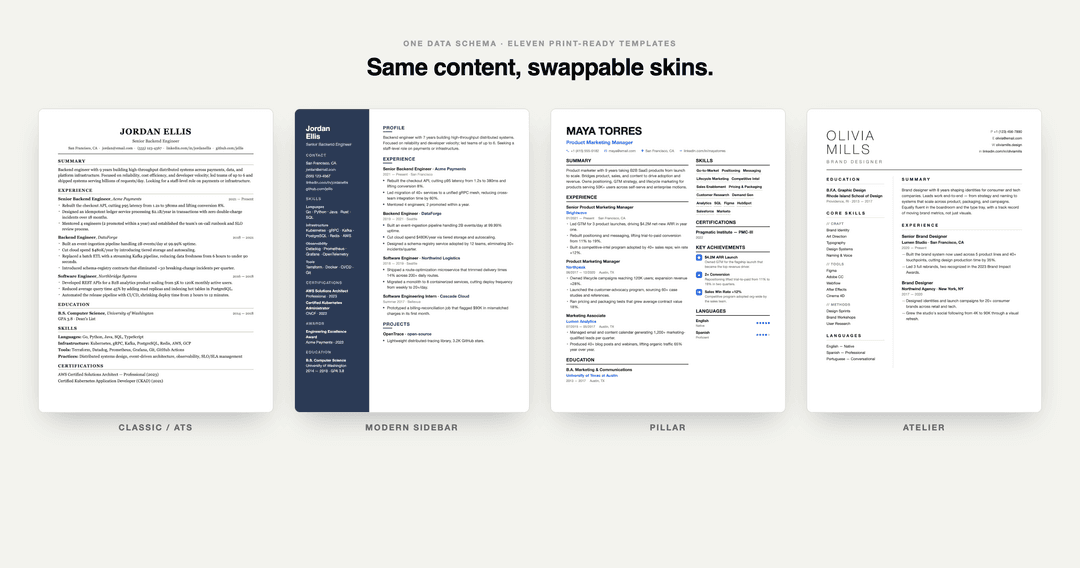
Three entry points
| What the user says | Flow | Script |
|---|---|---|
| "Beautify my resume" / uploads a PDF/docx/txt | A. Beautify an existing resume | prompts/beautify.md |
| "Here's my LinkedIn" / pastes a linkedin.com link | B. LinkedIn import | prompts/linkedin-import.md |
| "Build me one from scratch" / "let's chat" | C. Conversational build | prompts/interview.md |
All three funnel into schema/resume-data.md, then render through a template.
Thirteen templates
| Preview | Template | Best for |
|---|---|---|
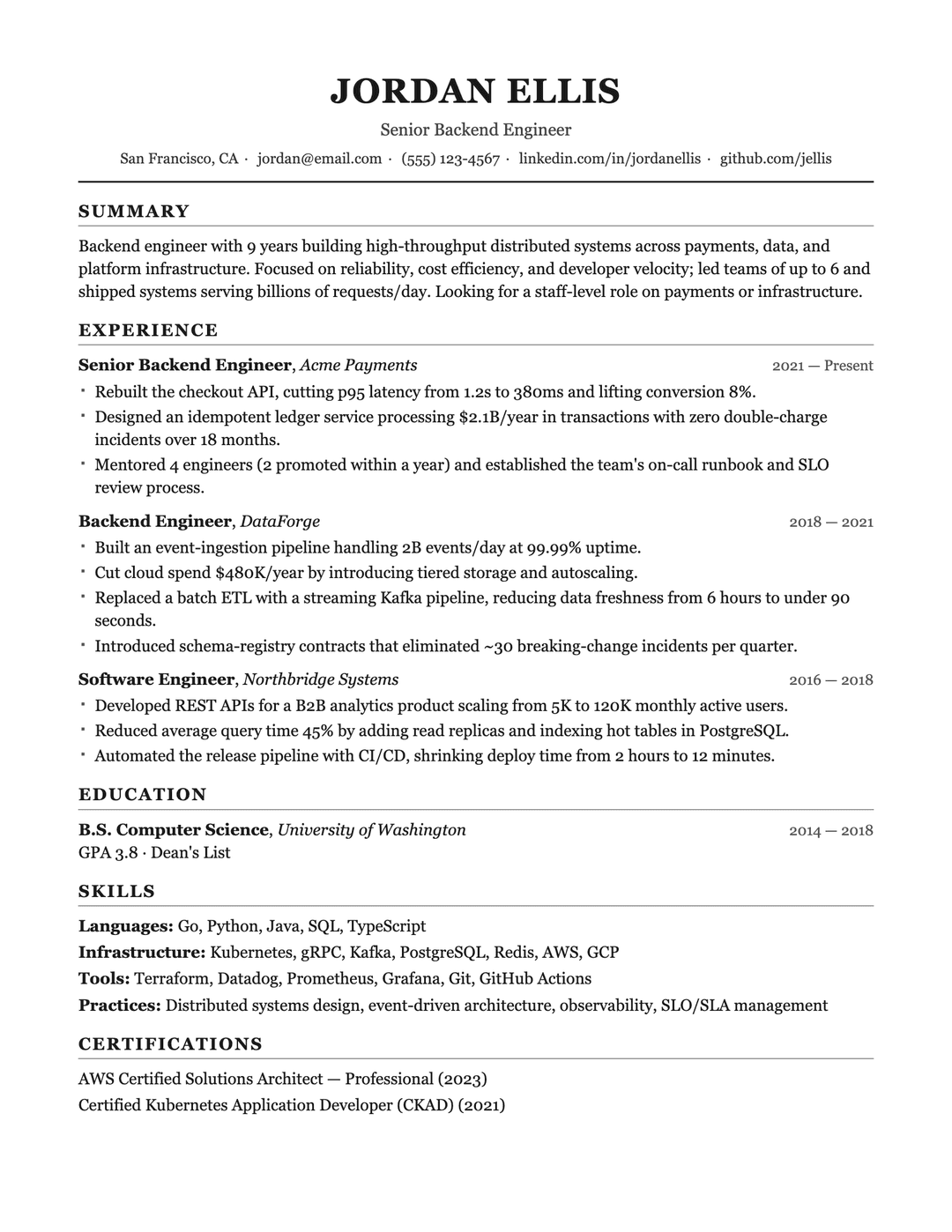 | Classic / ATSclassic-ats.html | Single-column, machine-parseable, safest for mass applications |
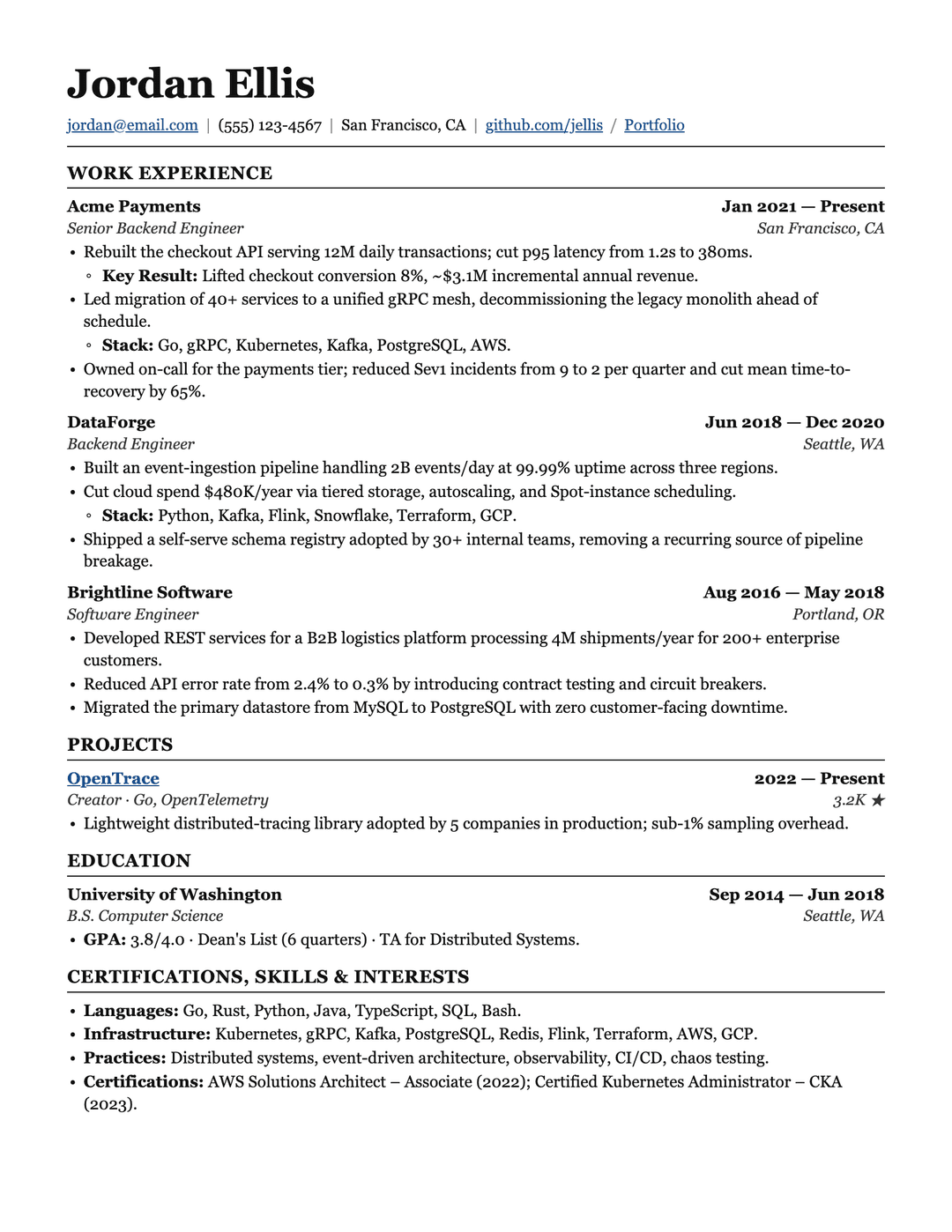 | Ledgerledger.html | LaTeX-style serif, justified, nested bullets — SWE / data / eng |
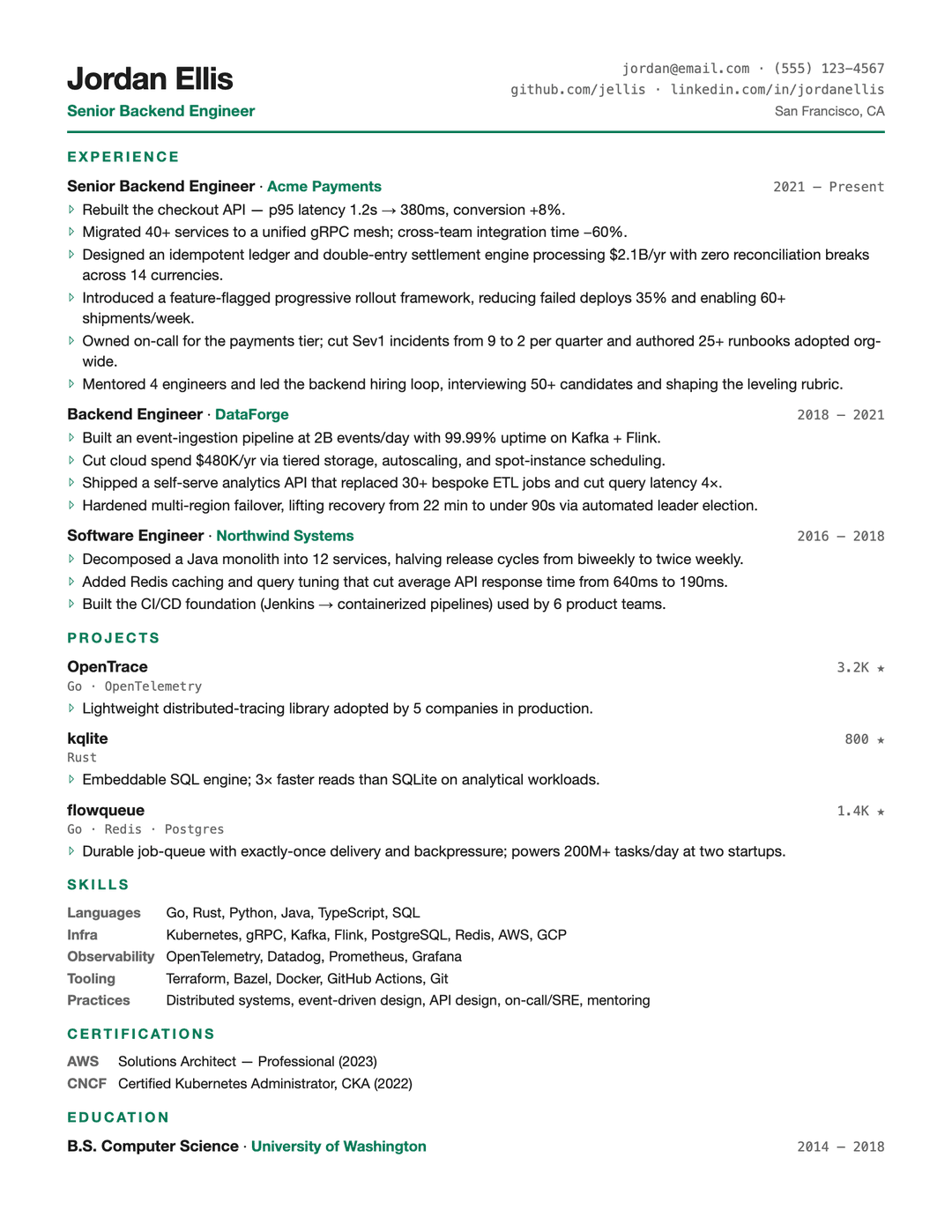 | Tech Compacttech-compact.html | High density + mono accents, fits many projects on one page |
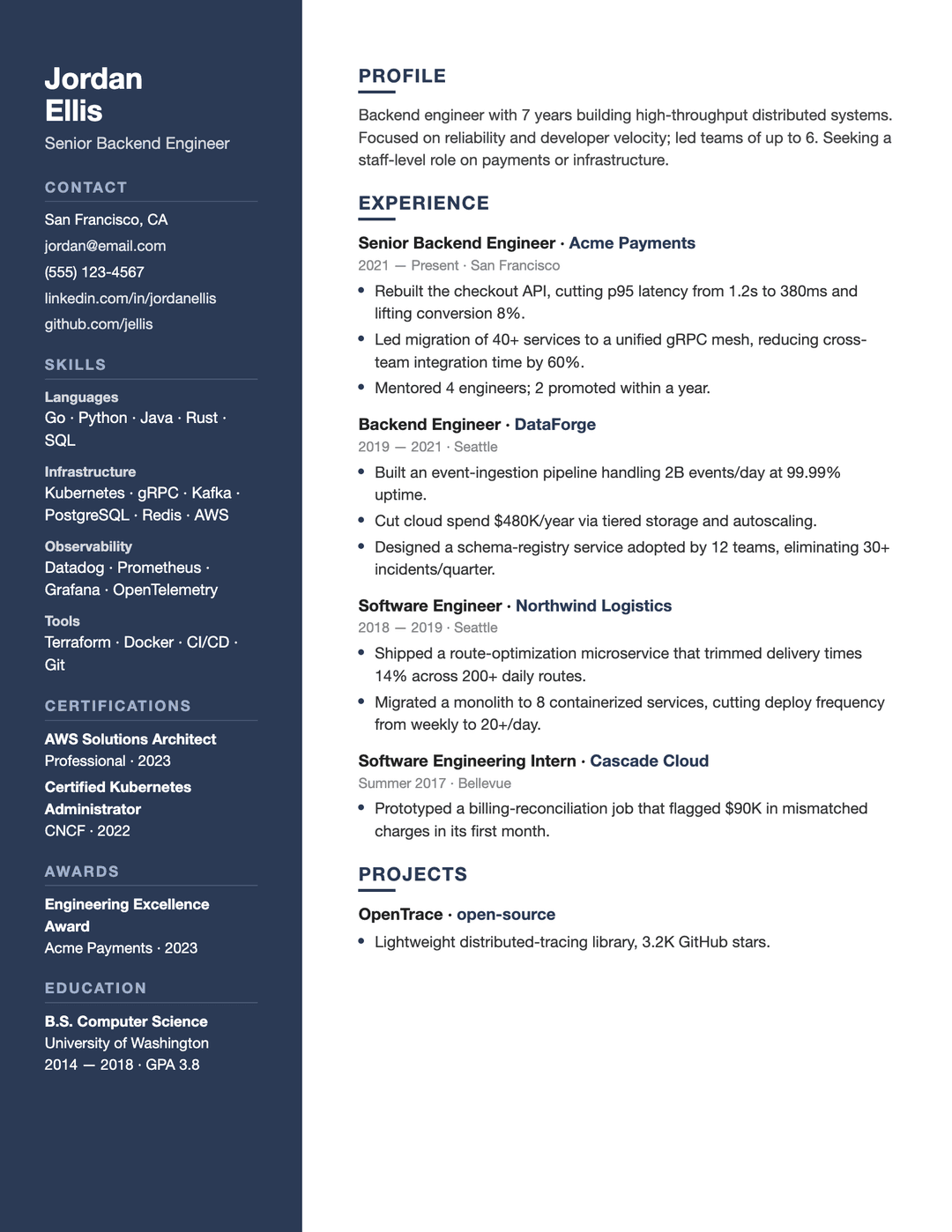 | Modern Sidebarmodern-sidebar.html | Two-column with dark sidebar, modern feel |
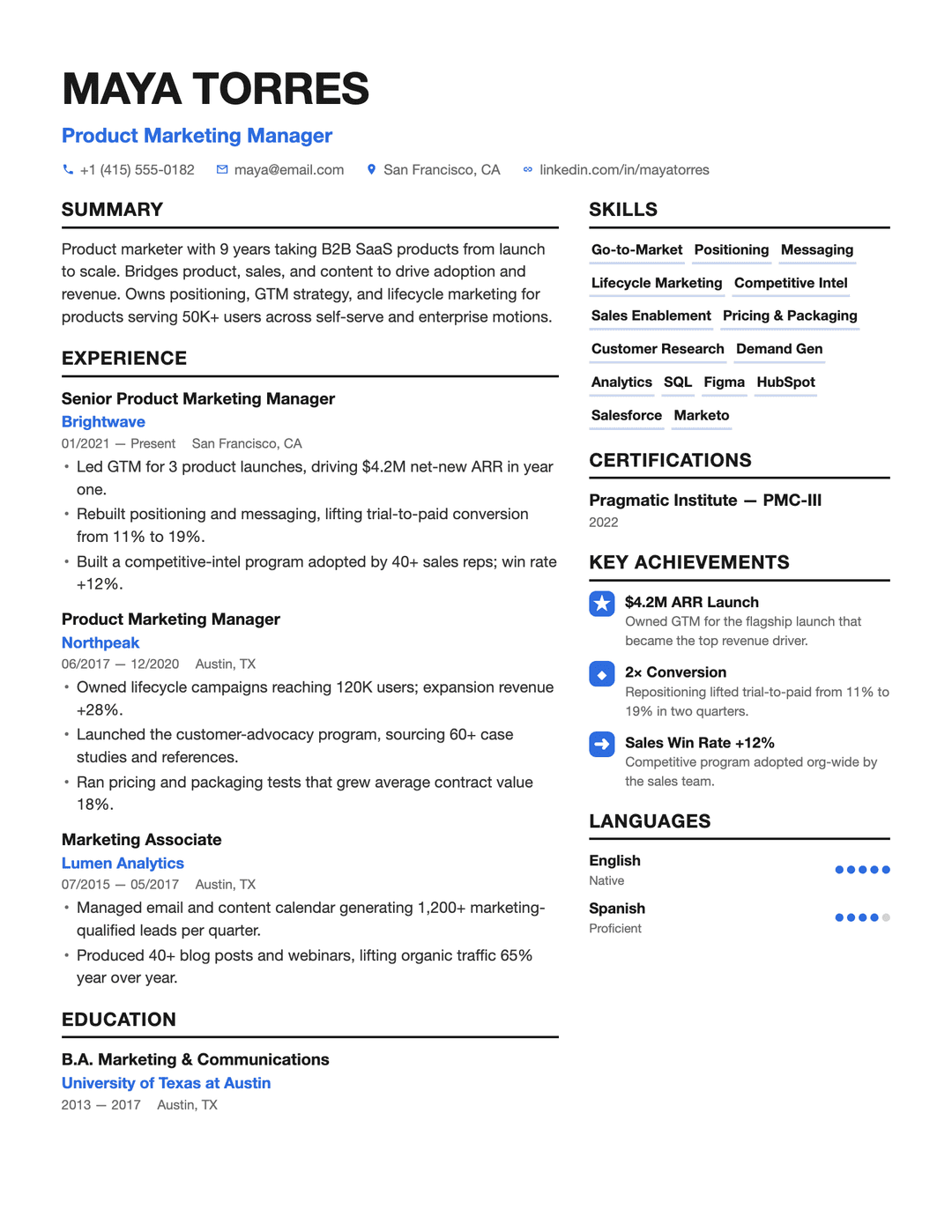 | Pillarpillar.html | Enhancv-style, blue accents + skill chips + icon achievements — PM / marketing |
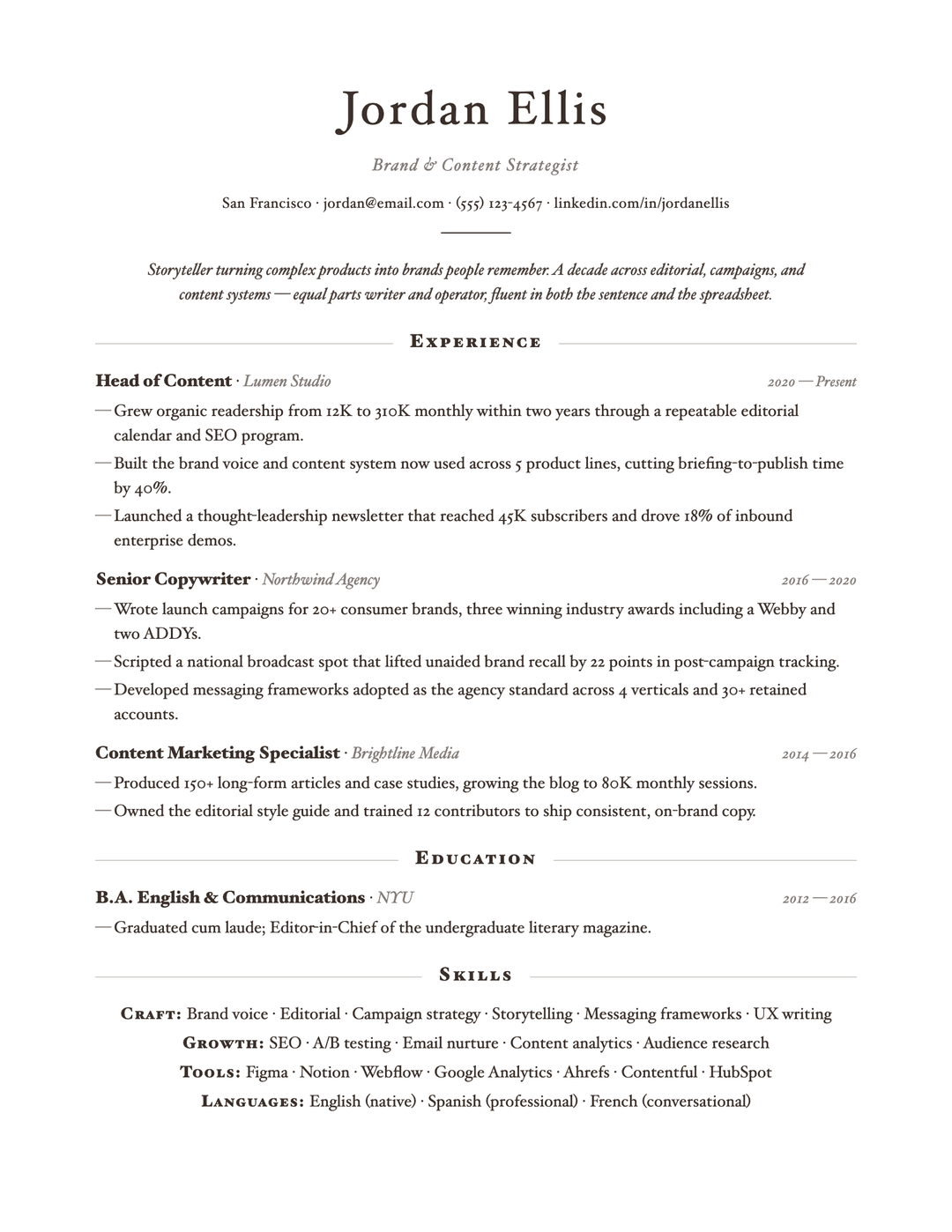 | Elegant Serifelegant-serif.html | Centered editorial serif — design / consulting / marketing |
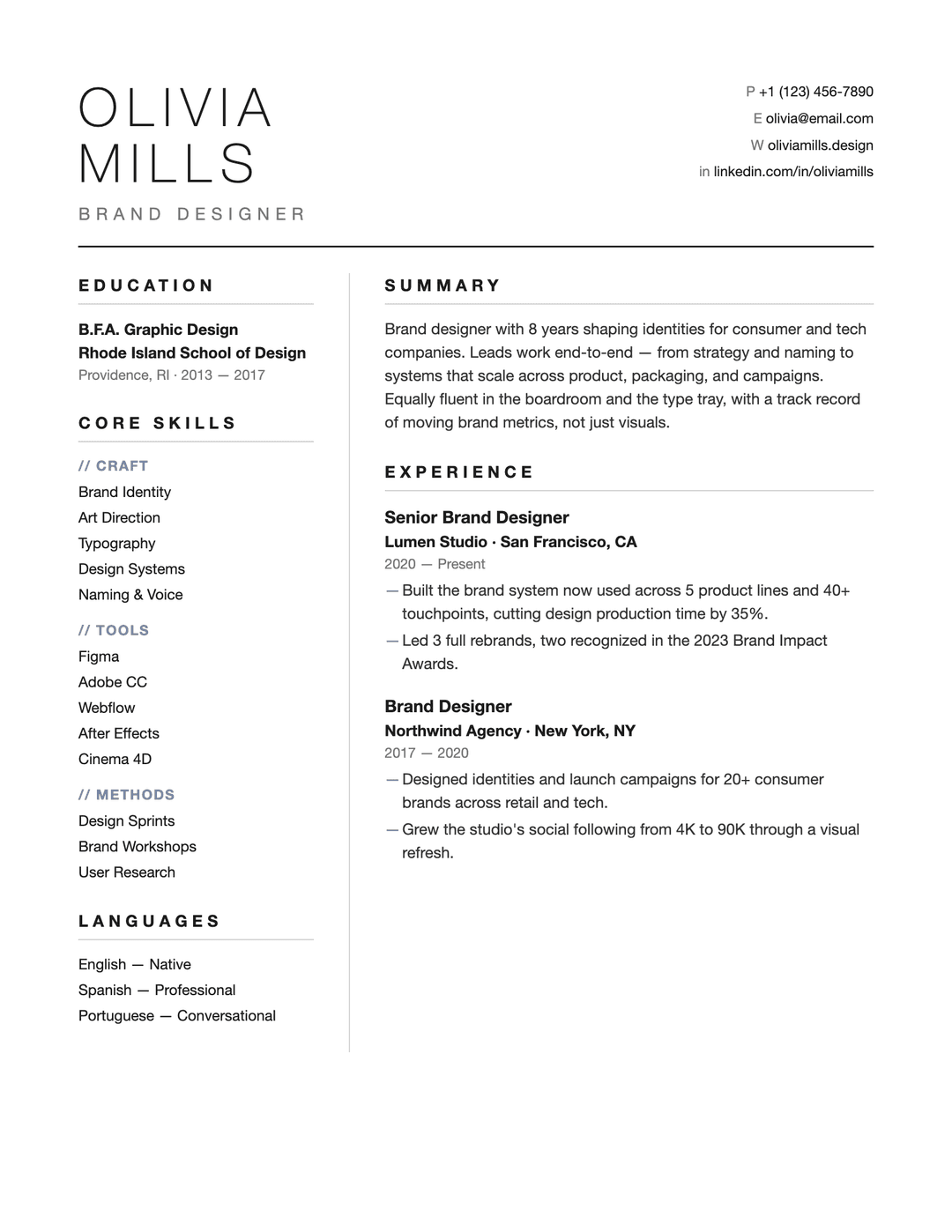 | Atelieratelier.html | Whitespace-heavy minimal — design / creative roles |
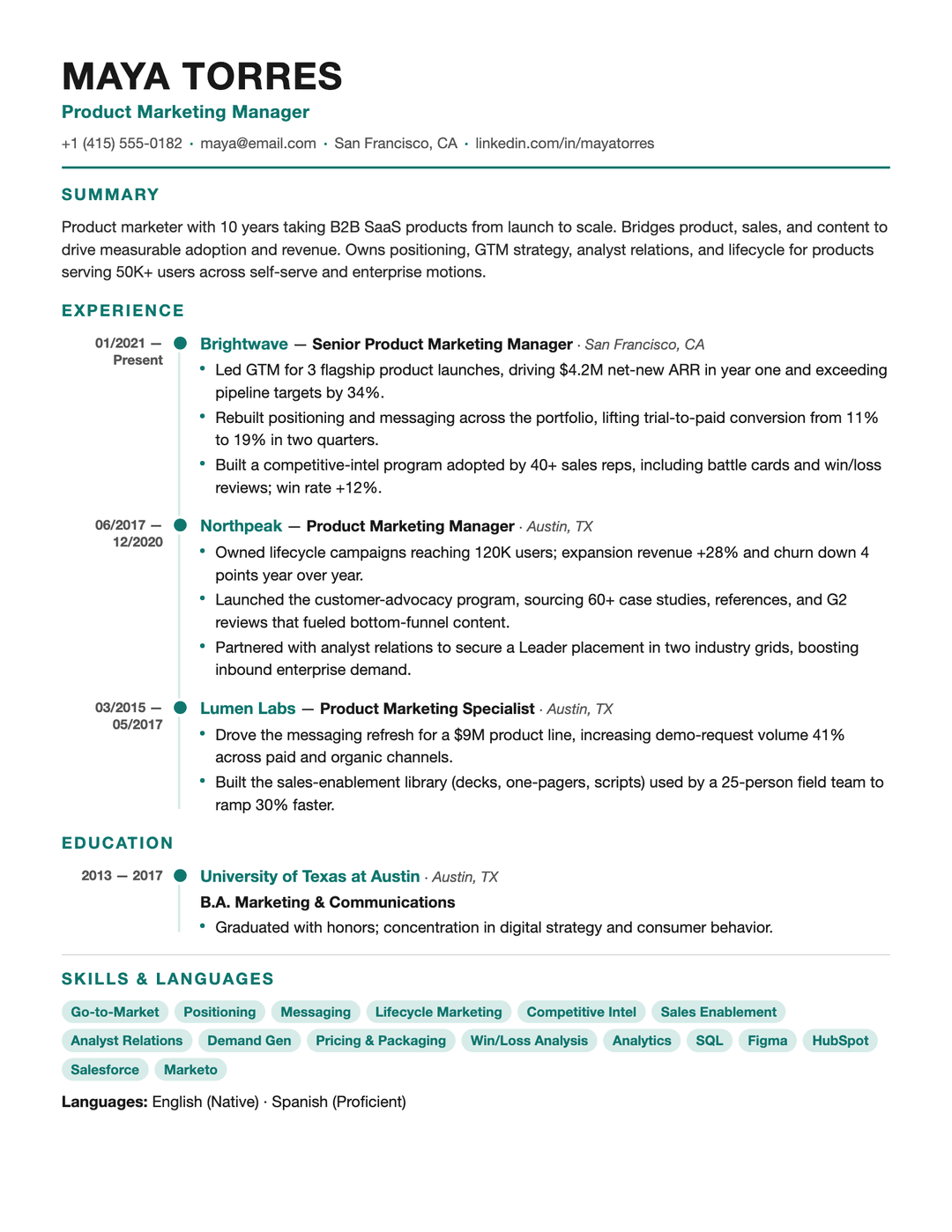 | Timelinetimeline.html | Vertical timeline spine — shows career progression at a glance |
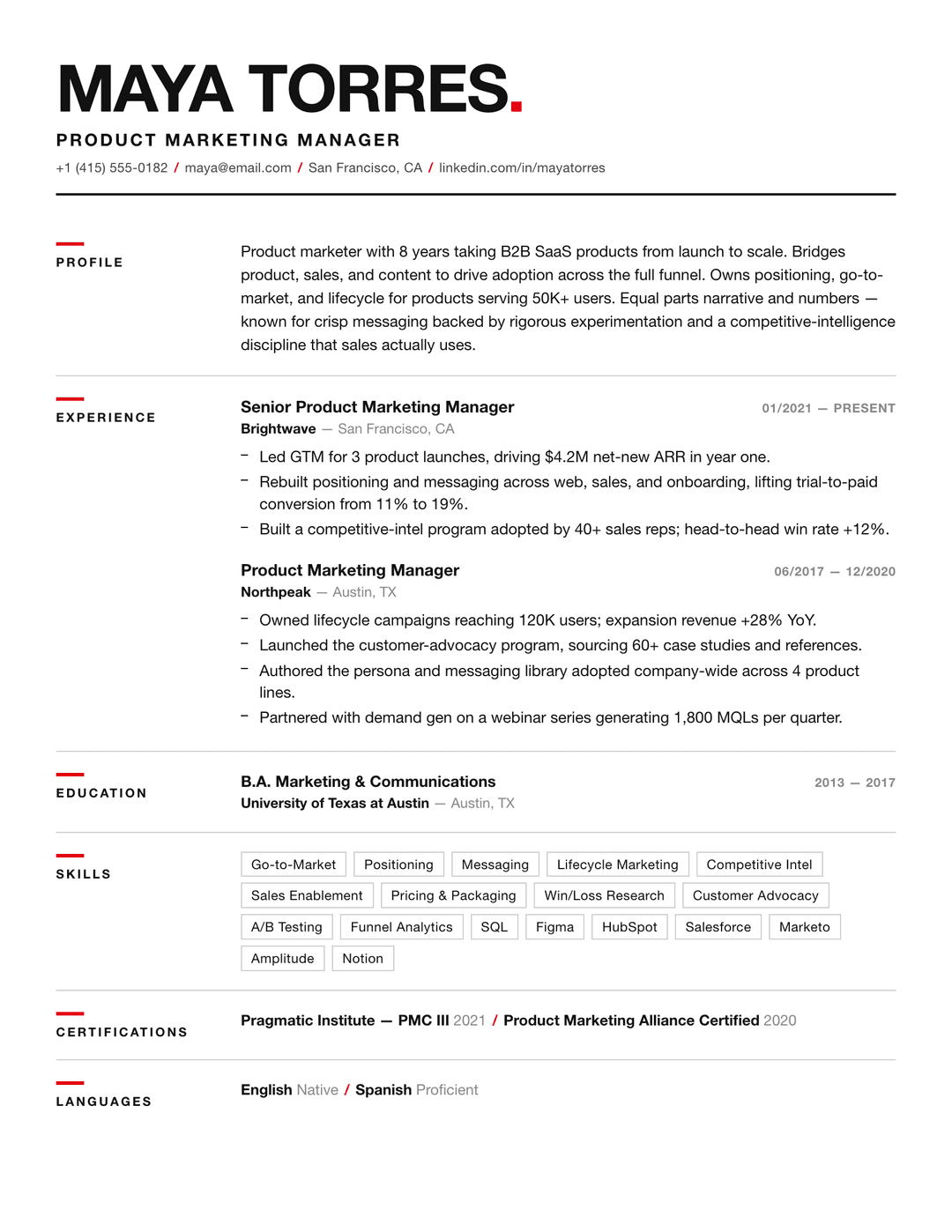 | Swissswiss.html | Swiss grid, bold Helvetica + red accent — design / brand / creative |
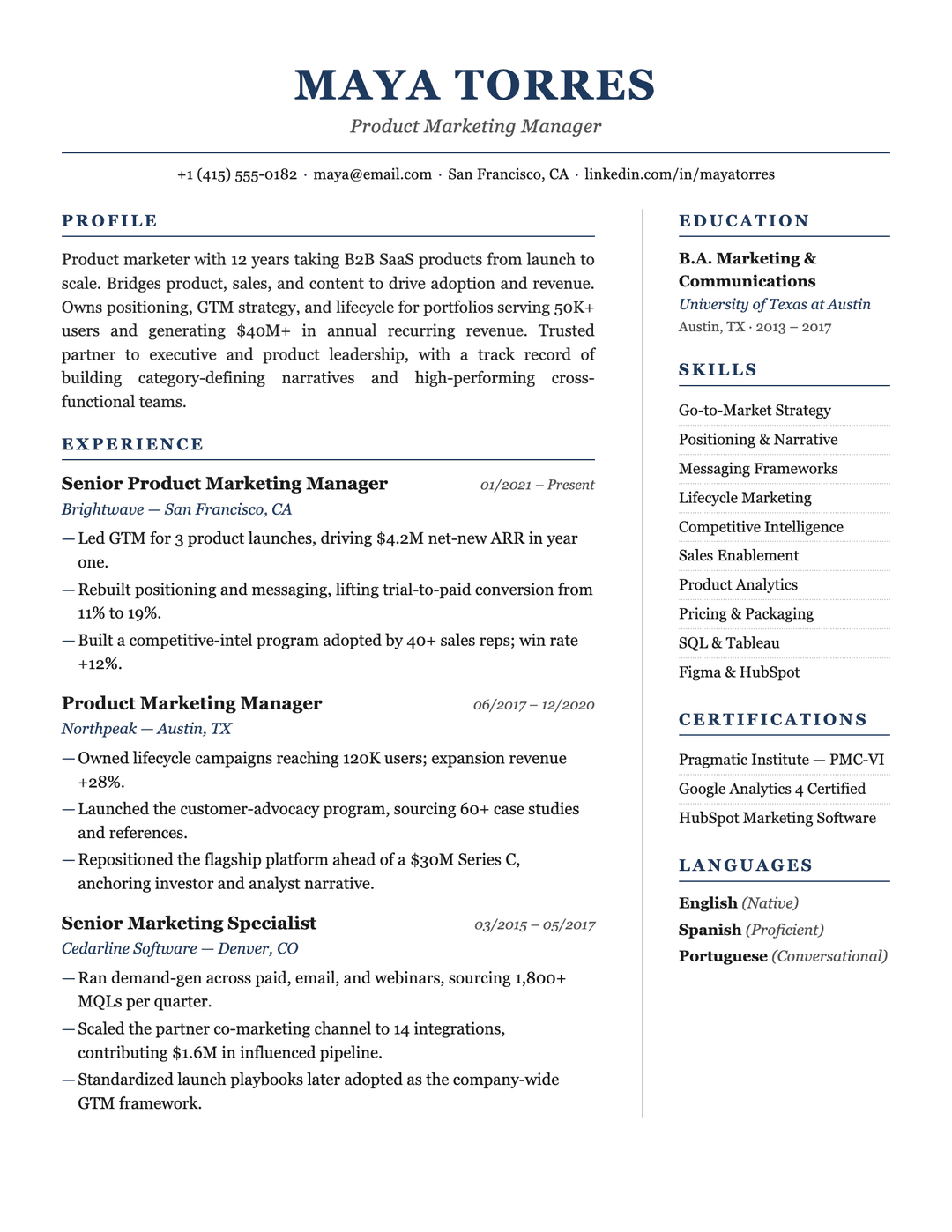 | Executiveexecutive.html | Navy serif, understated gravitas — finance / consulting / senior leaders |
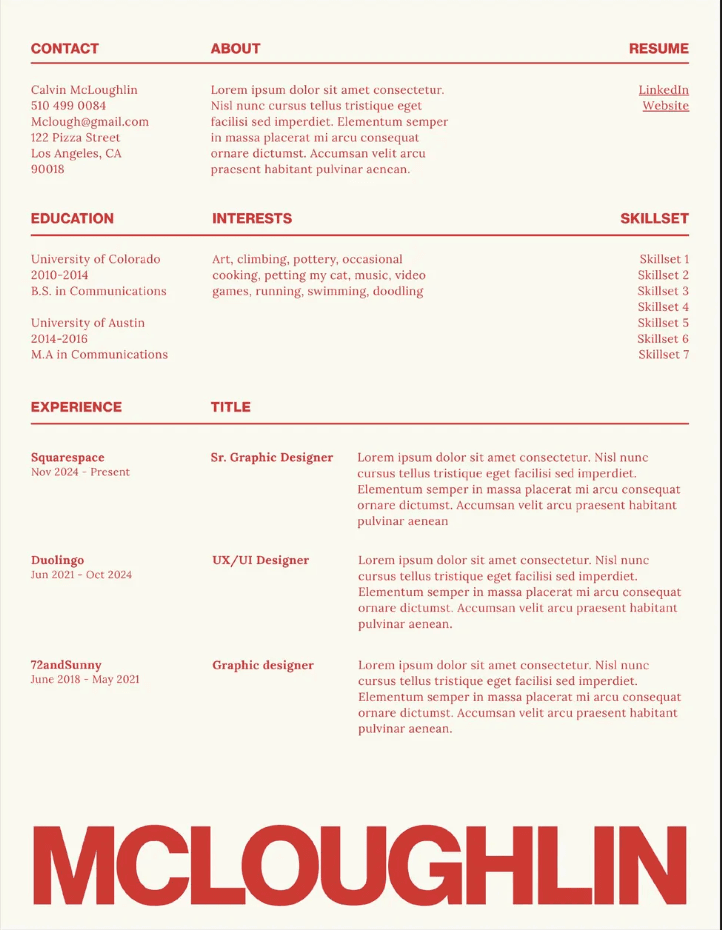 | Editorial Bannereditorial-banner.html | Magazine-style 3-col header, red serif accent, giant last-name band at the bottom — brand / content / editorial |
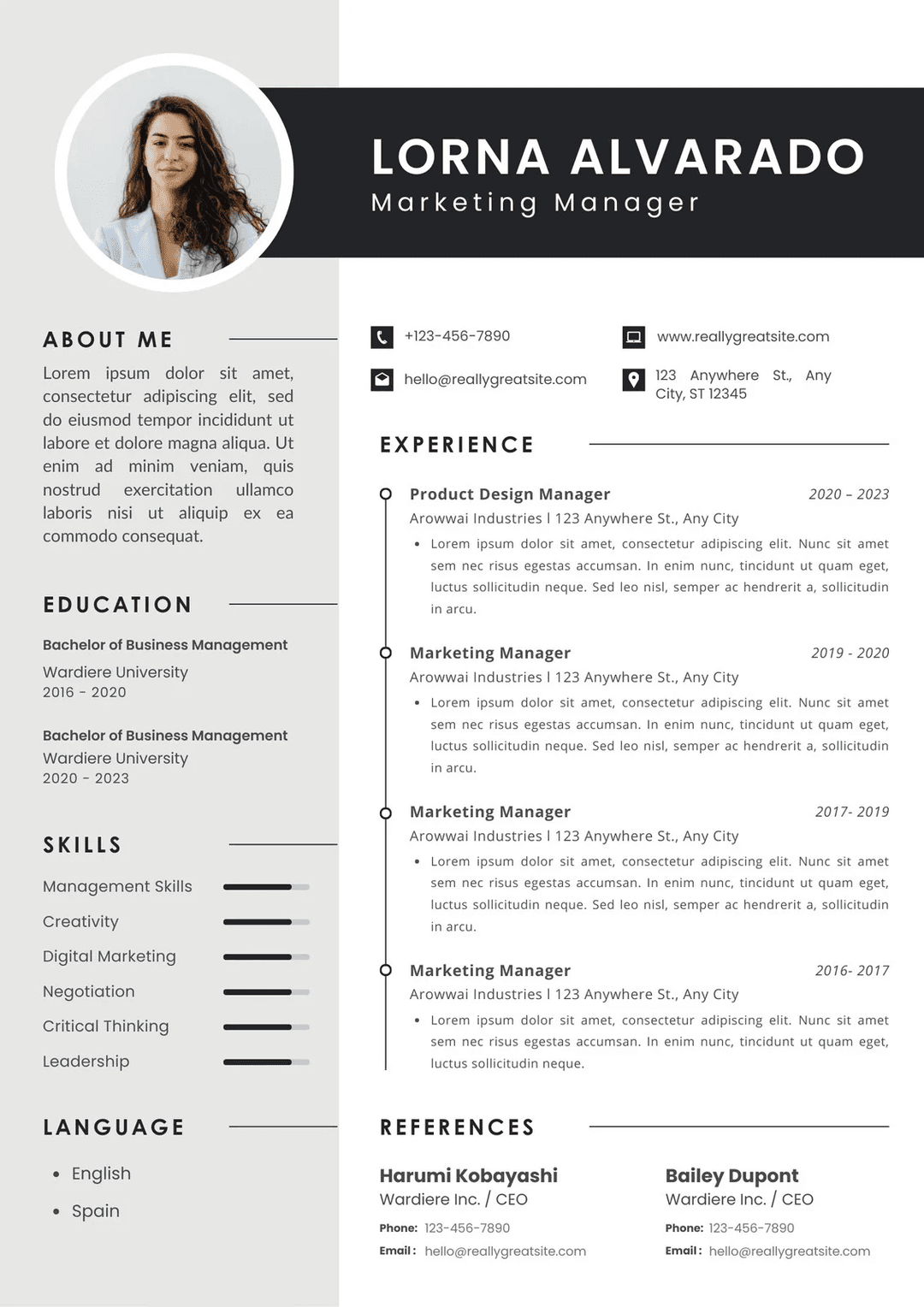 | Photo Corporatephoto-corporate.html | Dark banner + circular photo, sidebar with skill bars, vertical timeline, References section — marketing / PM / business |
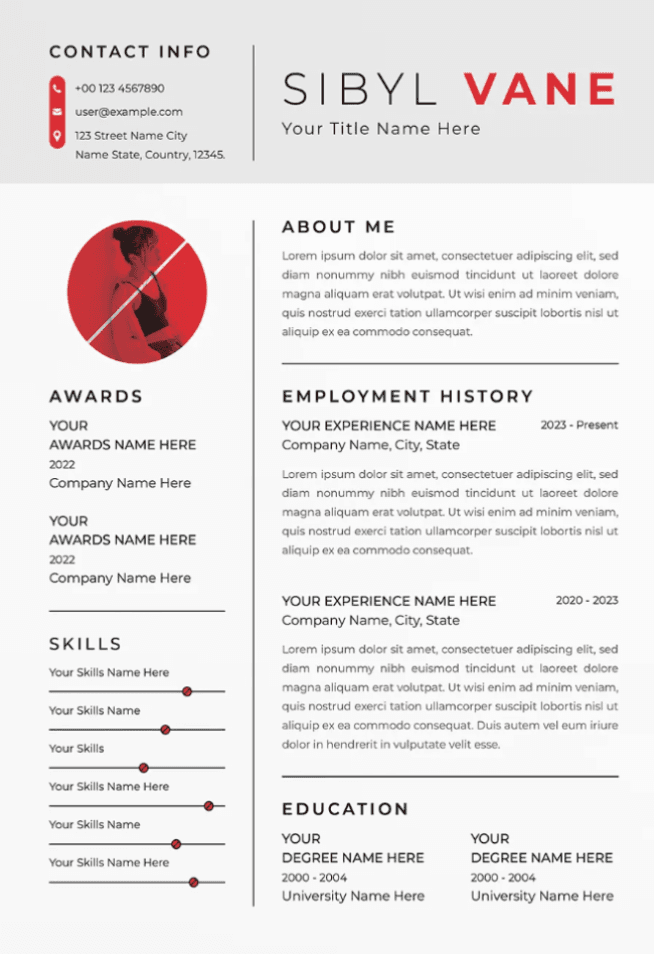 | Photo Minimalphoto-minimal.html | Red-accent split serif name, circular photo, Awards + Skills sidebar — designer / creator / portfolio |
Picking one: mass-applying / passing the bots → Classic-ATS or Ledger; a human reads it / referral / portfolio-facing → the others stand out more.
Three first principles
- Never fabricate. Every experience, responsibility and number comes from what the user actually provided. Guide, probe, sharpen weak bullets — but never invent a company, title, result, or metric. Verify every number; mark unknowns
[to confirm]. - One question at a time. Building a resume by conversation is an interview, not a questionnaire.
- Structure first, render second. Whatever the entry point, organize content into the
schema/resume-data.mdfields and confirm it before rendering HTML.
Editable variant — click any text to edit
Every render produces two files:
| File | Use |
|---|---|
<name>-resume-<template>.html | Locked print-ready output — Cmd+P → PDF |
<name>-resume-<template>-editable.html | Click any text in the browser to edit; Cmd+P when done |
The editable variant layers three things on top of any template (see prompts/editable-version.md) without touching its visual design:
contenteditable="true"on the content container- Hover / focus affordance (dashed yellow → solid blue outline)
- A floating toolbar (top-right) with Save as PDF and Lock buttons
@media printhides the toolbar and edit highlights so the exported PDF stays clean
⚠️ Browser edits live only in the current tab — refresh and they're gone. Always Cmd+P to lock changes into a PDF.
Usage
Drop the whole resume-skill/ folder into your skills directory (e.g. ~/.claude/skills/resume-skill/) and just say "beautify this resume" (attach a PDF), "I have no resume, let's build one", or "here's my LinkedIn, make me one." Claude reads SKILL.md and runs the matching flow.
Output: two self-contained single-file HTMLs — <name>-resume-<template>.html (locked) and <name>-resume-<template>-editable.html (click-to-edit). Open either in a browser → Cmd+P → Save as PDF (margins None/Default, enable background graphics).
Layout
resume-skill/
├── SKILL.md                       # Workflow entry point (read first)
├── schema/resume-data.md          # Standardized fields — the hub format for every entry point
├── prompts/
│   ├── beautify.md                # Entry A: beautify an existing resume
│   ├── linkedin-import.md         # Entry B: LinkedIn import + fallback
│   ├── interview.md               # Entry C: conversational collection
│   └── editable-version.md        # Injection snippet that upgrades any render into a click-to-edit page
├── guides/writing-tips.md         # Bullet craft, quantification, ATS keywords, common mistakes
└── templates/                     # 13 print-optimized HTML templates
Related skills
- offer-toolkit-skill — the all-in-one bundle (JD · Resume · BQ)
- job-description-skill — Job Description Decoder
- Behavior-question-skill — Behavioral interview / story bank
License
MIT — fork it, remix it, ship your own version.
Created by Dreameryanyan · LinkedIn · X · Xiaohongshu
// faq
What is resume-builder-skill?
Claude skill for generating and beautifying resumes — 11 print-ready HTML templates, structured data pipeline, three entry flows (beautify / LinkedIn import / chat interview).. It is open-source on GitHub.
Is resume-builder-skill free to use?
resume-builder-skill is open-source under the MIT license, so it is free to use.
What category does resume-builder-skill belong to?
resume-builder-skill is listed under skills in the Claudeers registry of Claude-compatible tools.
// embed badge

[](https://claudeers.com/resume-builder-skill)
// retro hit counter

[](https://claudeers.com/resume-builder-skill)
// reviews
// guestbook
// related in Claude Skills
 🔓
🔓An agentic skills framework & software development methodology that works.
 🔓
🔓 🔓
🔓💫 Toolkit to help you get started with Spec-Driven Development
 🔓
🔓AI coding assistant skill (Claude Code, Codex, OpenCode, Cursor, Gemini CLI, and more). Turn any folder of code, SQL schemas, R scripts, shell scripts, docs,…