
PropMotion
Claude Code skill: make one 3D object perform in your SwiftUI app. SceneKit stages, baked choreography, hand-rolled physics, real shadows.
Install with your AI
Paste into Claude Code, Cursor, or any agent — it reads the repo and wires the tool into your project.
Install and set up PropMotion (git-clone project) into my current project.
Found on https://claudeers.com/propmotion
Repo: https://github.com/dembsky/PropMotion
Homepage/docs: —
Detected install method: git-clone → git clone https://github.com/dembsky/PropMotion
Category: skills. Platforms: cli, mobile.
Read the repo's README for exact setup and env vars, then install it and wire it into my project.

Claudeers Health Verdict:
active; community-verified: false. Confirm the source before running anything.
git clone https://github.com/dembsky/PropMotion
// compatibility
| Platforms | cli, mobile |
|---|---|
| Operating systems | — |
| AI compatibility | claude |
| License | MIT |
| Pricing | open-source |
| Language | — |
PropMotion
A Claude Code skill for making 3D objects move well in SwiftUI apps.
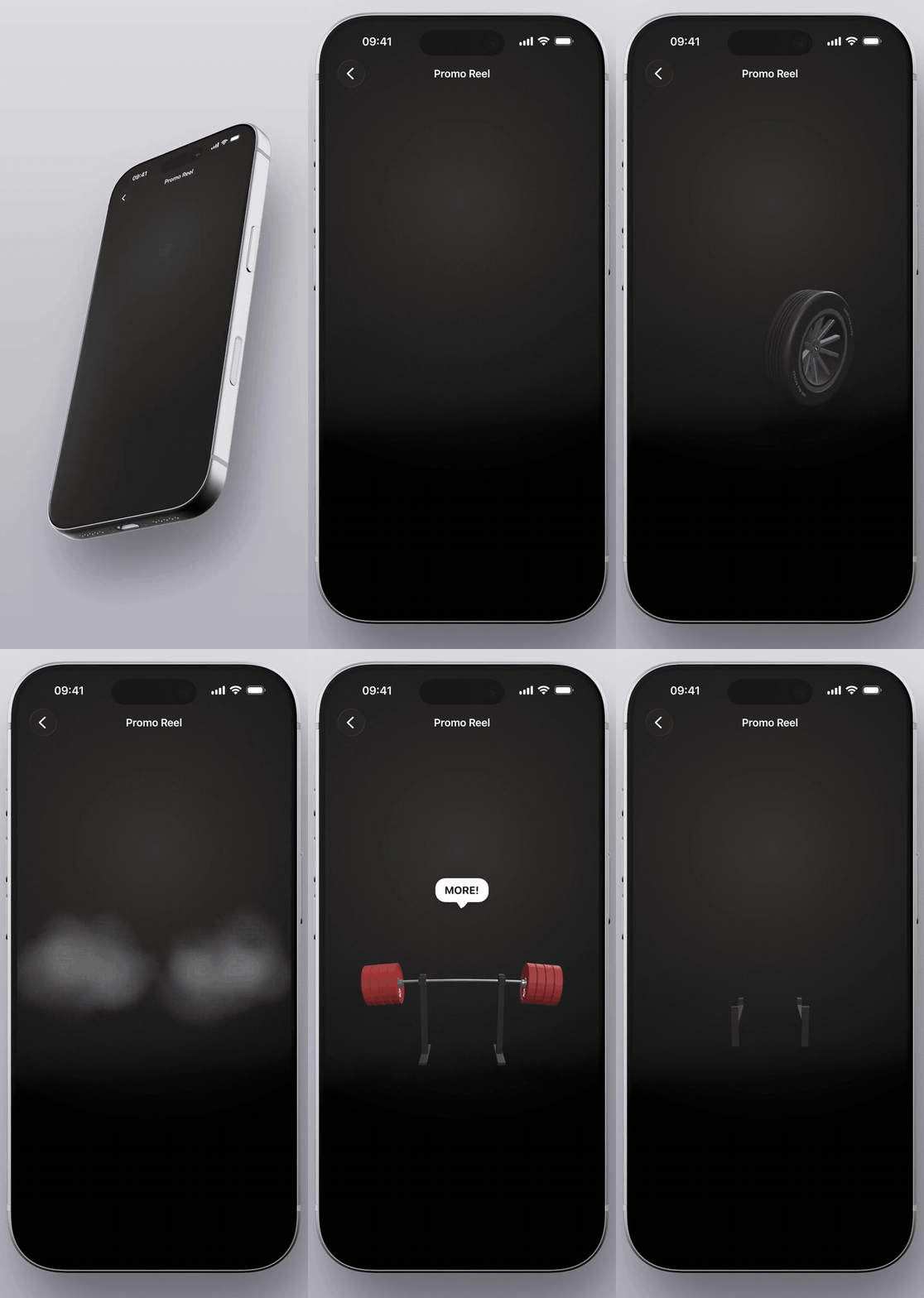
What it's for
Sometimes an app needs one 3D moment. A product spinning on a pedestal. An achievement badge that rolls in and thuds. A coin that drops when the user hits a goal. Not a game, not AR. One object that moves well.
SceneKit does all of this and sits in any SwiftUI layout, but the knowledge of how is scattered and half of it is undocumented. The docs tell you what an SCNNode is. They don't tell you that deferred shadows silently break under MSAA, or that the first frame of a fresh SCNView compiles shaders in the middle of your entrance animation. This skill is the missing manual, written for an agent.
What you can make with it
- an object that rolls onto the screen, settles, and casts a real shadow over your plain SwiftUI background
- grab it, throw it, it bounces off the edges; every impact taps the haptic engine
- weight you can see: heavy things rise slow, fall fast, land with a thud and a shiver
- coins raining into a pile, marbles colliding, a wheel doing a burnout with smoke
- several scenes cut into one continuous clip, like the one above
All geometry from primitives in code, all motion baked keyframes with hand-rolled physics. No Unity, no Blender, no assets to license.
How to work with it
Two different problems, two different inputs. This is how the clip above was actually made.
Shape: show photos. The dumbbell started as two photos of two different dumbbells, from two angles. Same for the plate and the tire. An agent reads proportions off a reference far better than off adjectives: "a rubber dumbbell with a steel grip" gets you a generic guess, a photo gets you the thing in the photo. Two shots from different angles is enough; the skill makes the agent take real-world measurements off them before modeling anything.
Motion: write the script. The barbell scene got no pictures at all. Just a precise description of what happens and when: rolls in from the bottom, racks itself, plates slam on one by one, and at the end the whole rack tips over backward. The skill turns a description like that into a cue sheet before any code gets written, so the tighter your sequence, the closer the first take.
Iterate on what you see. A screenshot of what's wrong beats a paragraph about what's wrong. And when motion feels off and you can't say why, ask the agent to draw the path as a red line on the floor. One look usually settles whether the problem is the trajectory or the staging.
What's inside
One SKILL.md the agent reads first, and ten reference files it pulls in when the task calls for them. Roughly:
- how a stage is built. Transparent SCNView over your SwiftUI layout, a camera that behaves, three lights and a separate shadow rig
- how motion is designed. Cue sheets before code, baked keyframes instead of timers, a tiny integrator instead of a physics engine
- how it survives real fingers. Grabs, throws, haptics, and what happens when the user interrupts a beat halfway through
- how single scenes get cut into a sequence like the clip above
- the traps. Each one named, each one with the fix that actually works
The writing is opinionated because the alternatives were tried and looked worse on screen.
Install
The quick way, from your project directory:
npx skills add dembsky/PropMotion
Or by hand for Claude Code: copy the scenekit-product-stages folder into
~/.claude/skills/, so the file lands at
~/.claude/skills/scenekit-product-stages/SKILL.md. That folder is the
skill; everything else in this repo is for you, not the agent.
Claude.ai: zip the scenekit-product-stages folder and upload it under
Settings > Capabilities > Skills.
Then ask for something concrete. "A coin that drops onto the table, bounces twice and settles" is a better first prompt than "add 3D".
Testing
evals.md has the scenarios I use to check the skill triggers when it
should and stays quiet when it shouldn't. Run them in a fresh session.
License
MIT. Take it, ship things with it.
// faq
What is PropMotion?
Claude Code skill: make one 3D object perform in your SwiftUI app. SceneKit stages, baked choreography, hand-rolled physics, real shadows.. It is open-source on GitHub.
Is PropMotion free to use?
PropMotion is open-source under the MIT license, so it is free to use.
What category does PropMotion belong to?
PropMotion is listed under skills in the Claudeers registry of Claude-compatible tools.
// embed badge

[](https://claudeers.com/propmotion)
// retro hit counter

[](https://claudeers.com/propmotion)
// reviews
// guestbook
// related in Claude Skills
 🔓
🔓An agentic skills framework & software development methodology that works.
 🔓
🔓 🔓
🔓💫 Toolkit to help you get started with Spec-Driven Development
 🔓
🔓AI coding assistant skill (Claude Code, Codex, OpenCode, Cursor, Gemini CLI, and more). Turn any folder of code, SQL schemas, R scripts, shell scripts, docs,…