
orchi-build
Herdr's look and panels, and an orchestration layer for Claude Code agents
Install with your AI
Paste into Claude Code, Cursor, or any agent — it reads the repo and wires the tool into your project.
Install and set up orchi-build (git-clone project) into my current project.
Found on https://claudeers.com/orchi-build
Repo: https://github.com/adamentwistle/orchi-build
Homepage/docs: —
Detected install method: git-clone → git clone https://github.com/adamentwistle/orchi-build
Category: devtools. Platforms: cli, api, desktop, web.
Read the repo's README for exact setup and env vars, then install it and wire it into my project.

Claudeers Health Verdict:
unknown; community-verified: false. Confirm the source before running anything.
git clone https://github.com/adamentwistle/orchi-build
// compatibility
| Platforms | cli, api, desktop, web |
|---|---|
| Operating systems | — |
| AI compatibility | claude |
| License | NOASSERTION |
| Pricing | open-source |
| Language | JavaScript |
Orchi
Orchi dresses the Herdr desktop app for running many Claude Code agents at once: its own look, panels for tickets, agents and progress, and an orchestration layer that plans work, hands it to agents and answers for you when they need a decision.
Install
Orchi needs a Mac. Run this in a terminal:
curl -fsSL https://raw.githubusercontent.com/adamentwistle/orchi-build/main/install.sh | sh
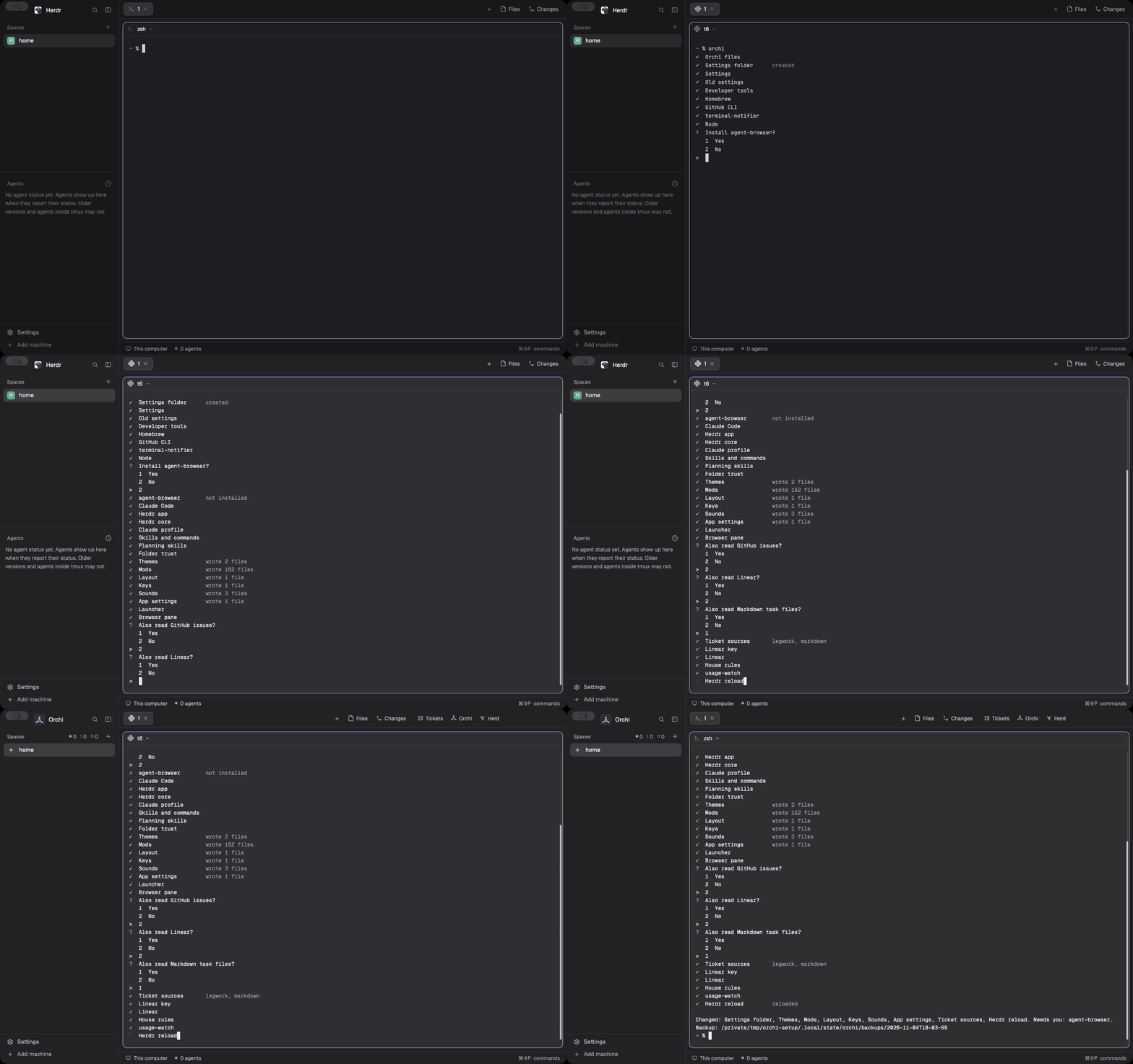
It installs uv if you don't have it, then Orchi, then runs orchi. orchi asks before it installs anything, and ends
with Herdr showing Orchi. Run orchi again whenever something has drifted, and orchi doctor to only look.
What you need
Orchi needs a Mac, a Claude account and legwork. Setup installs the rest after you agree: Herdr, Claude Code, the GitHub CLI, Node and the smaller tools.
Legwork is required. It's the tracker Orchi works from: one Markdown file per project, each with a next prompt and a
log. Planning reads it, each run works on one of its projects, and each run ends with its /wrap. A ticket from any
source needs a legwork project before Go can plan it. Setup installs legwork's plugin and uses the tracker at
$LEGWORK_DIR, else ~/legwork, making one if there's none. To keep it elsewhere, set LEGWORK_DIR first.
Ticket sources are optional. Setup asks about each one, and you can link any of them:
| Source | What you link | What it needs |
|---|---|---|
| Legwork | Your projects | Always on |
| GitHub | The issues of the repos you name | gh signed in |
| Linear | The teams and projects you pick | A Linear API key, kept in the keychain |
| Markdown | Task files, or folders of them | Their paths |
To change them later, edit ~/.config/orchi/settings.json (see Settings). orchi doctor says what's missing.
Update
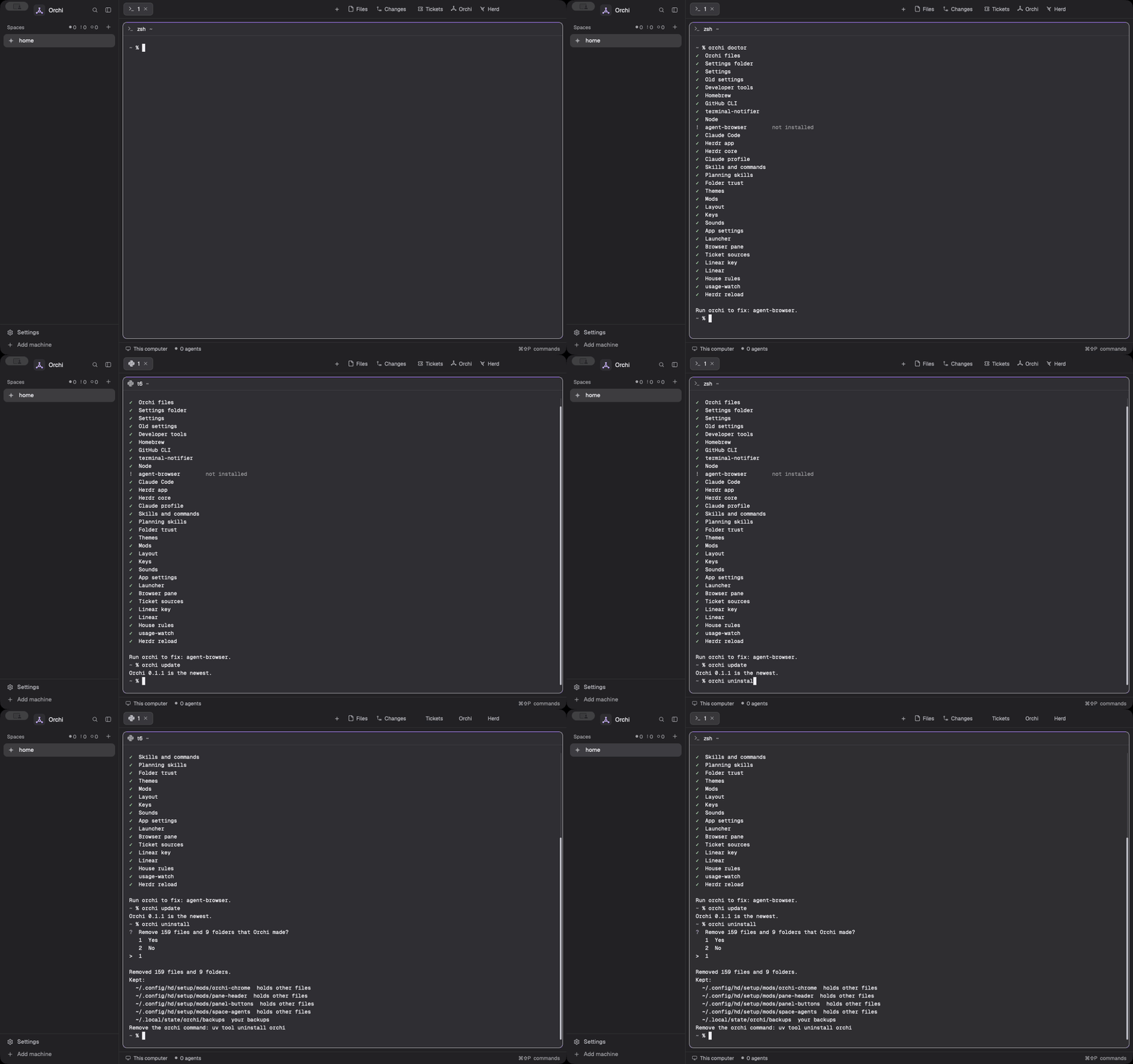
orchi update
It moves to the newest release, says which version it moved from and to, then runs the steps so everything is fresh. When you already have the newest, it says so and stops.
Uninstall
orchi uninstall
It asks once, then removes the files, links, folders and launch agent that Orchi made. --yes skips the question. A
file you changed since Orchi wrote it stays, and the list at the end names it. These stay too: the backups in
~/.local/state/orchi/backups, your settings file when you changed it, the Linear key in the keychain, and the
programs setup installed.
Then remove the command itself:
uv tool uninstall orchi
The window
Spaces, agents and panels
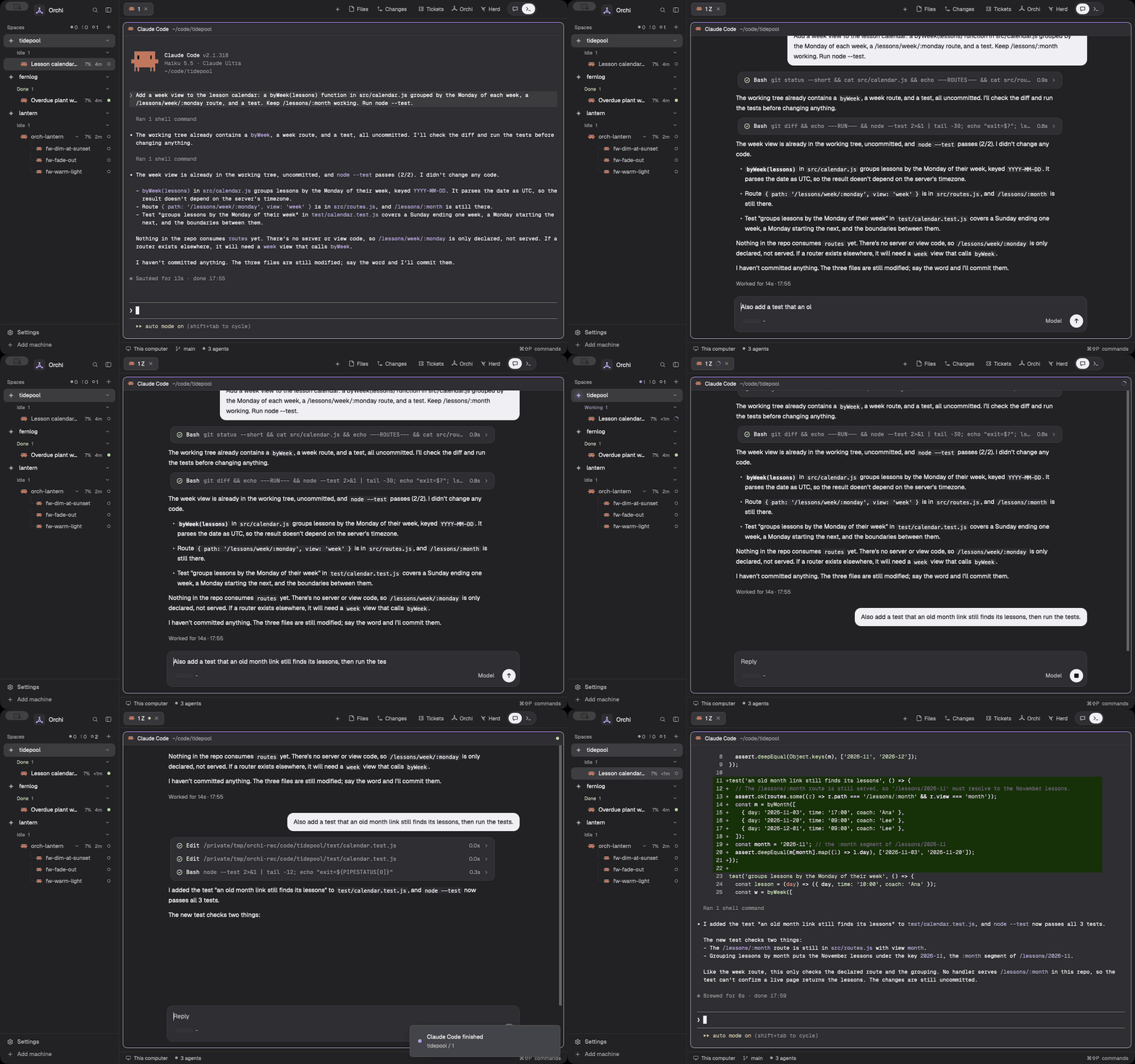
The sidebar lists each space with its agents grouped by status, and anyone who needs you at the top. The header over a terminal says what it is and when it needs you. The buttons in the tab bar open Tickets, Orchi and Herd. The toggle beside them swaps a session between its terminal and the chat, and in an orchestrator's tab one more button opens its progress pane.
Tickets
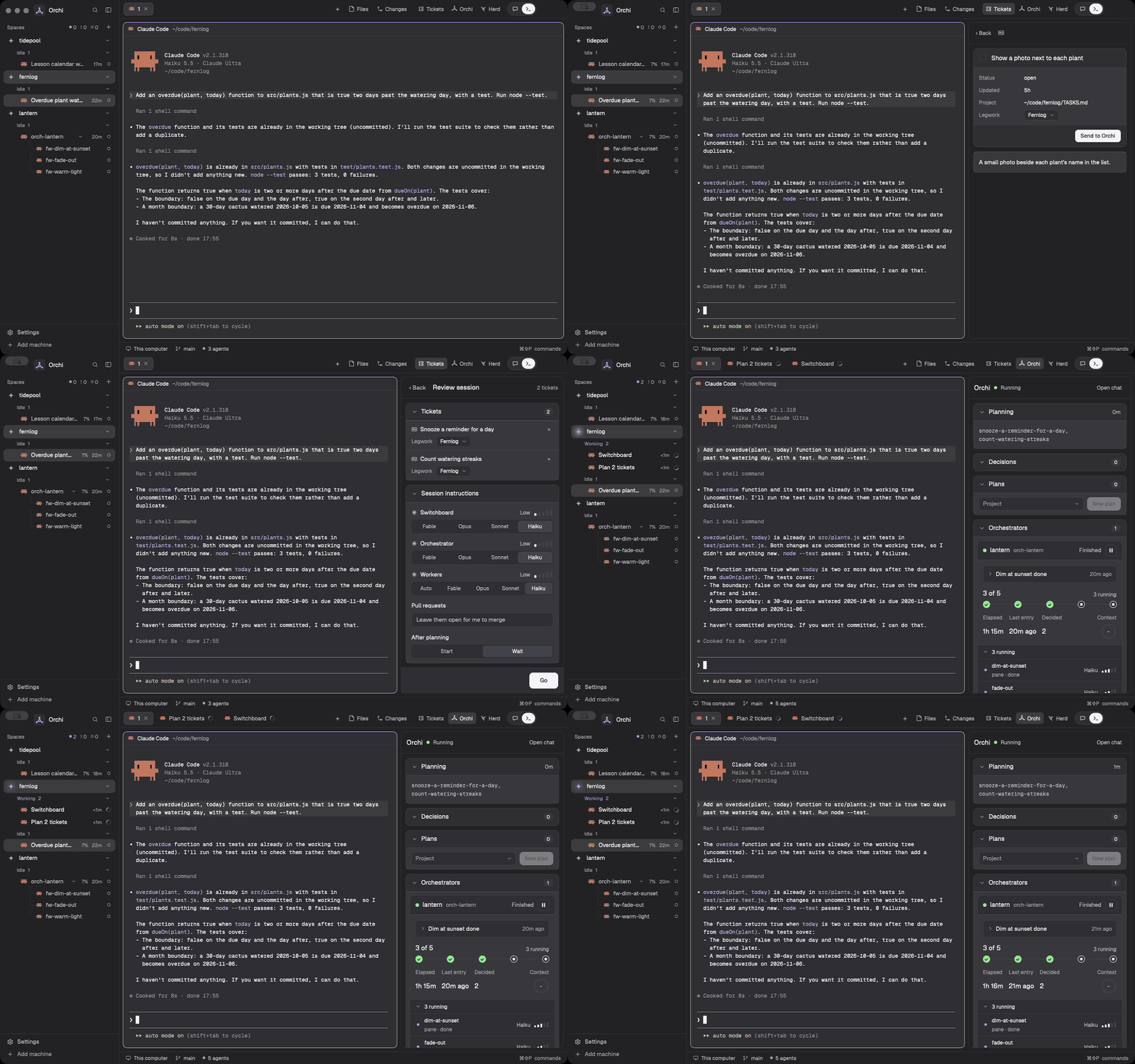
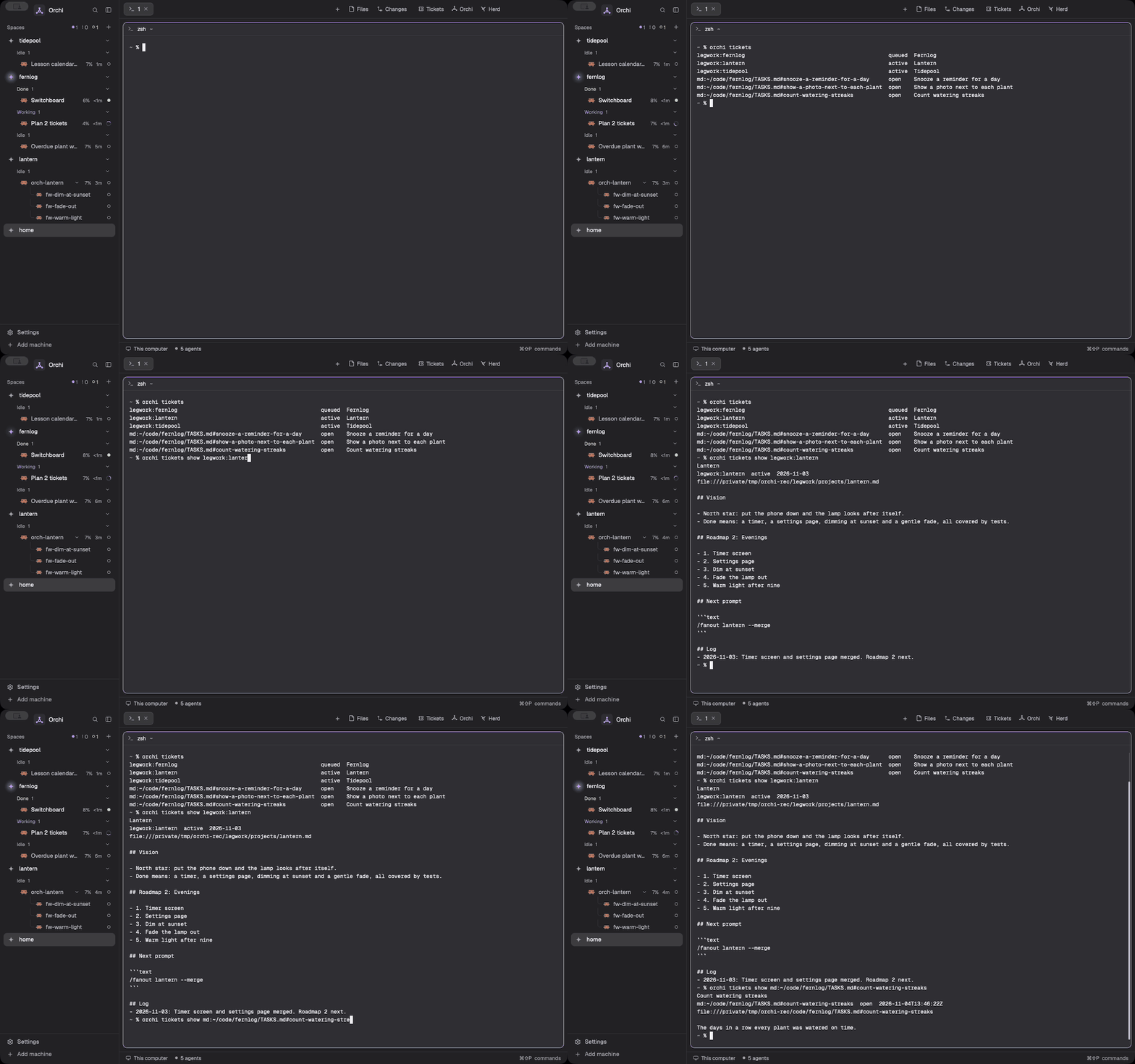
Every chosen source's open tickets in one list. Open one to read it, tick a few, check the session's choices, then Go starts the planner.
Orchi and a run
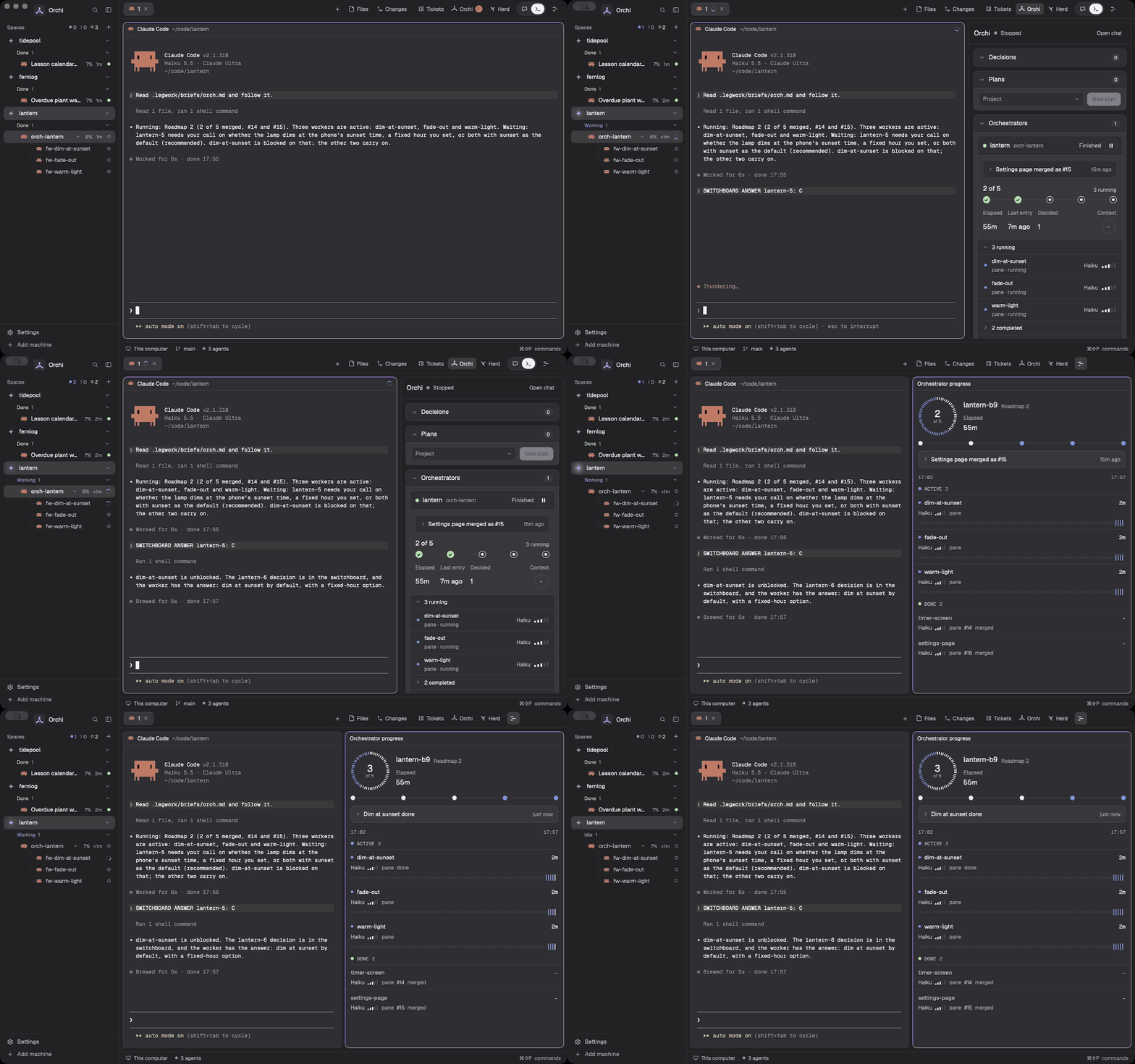
The Orchi panel holds decisions, plans and the running orchestrators. The progress pane beside an orchestrator shows its run task by task, and the plan pane shows a project's roadmap.
Herd
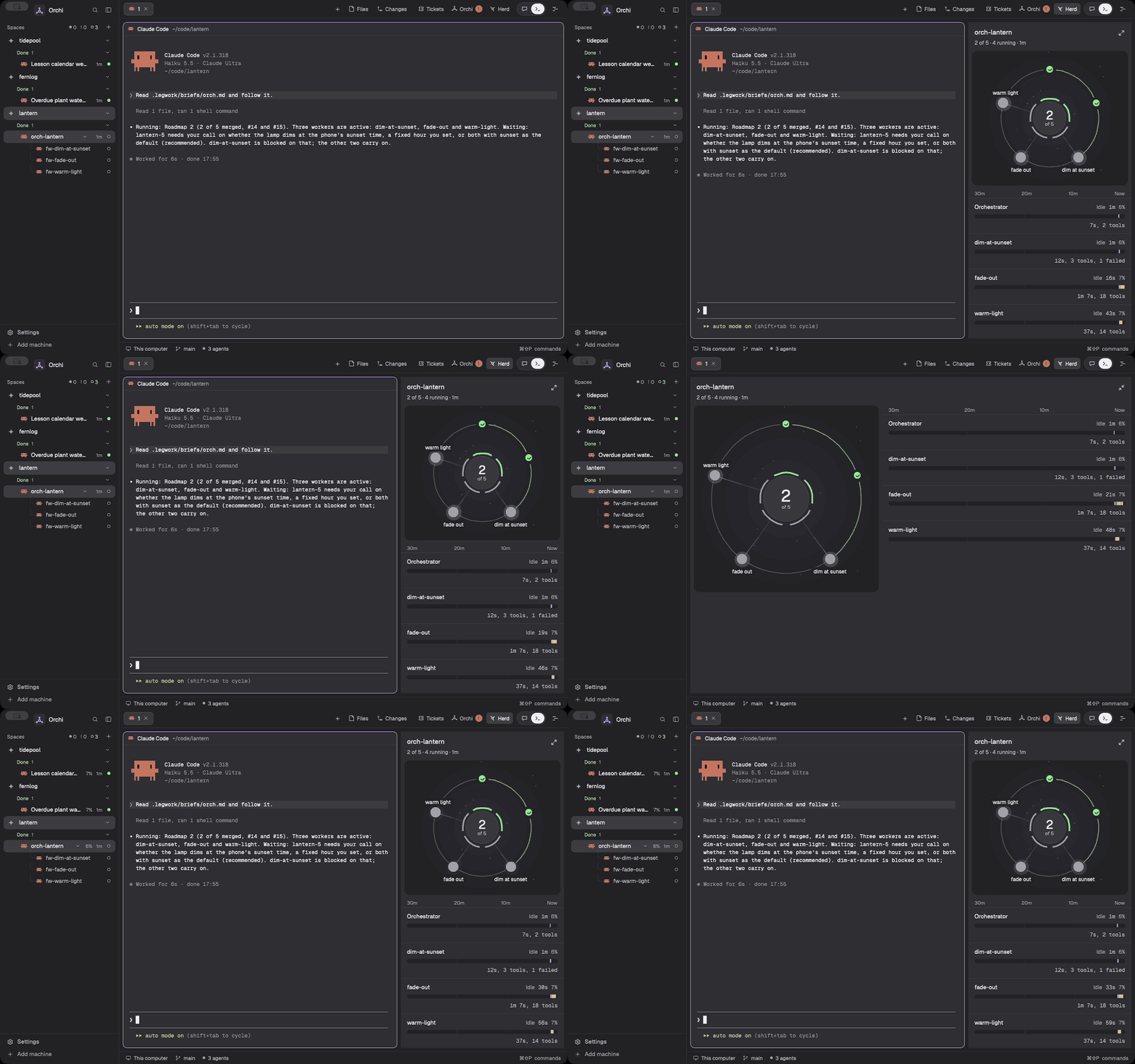
Everything the session in view has started, on one map, with a row per worker.
Chat
The chat pane reads a Claude Code session as a thread and sends what you type to it.
Settings
Orchi reads ~/.config/orchi/settings.json ($ORCHI_SETTINGS for the scripts). Every key can be left out, and then
its default holds. src/orchi/settings.schema.json is the schema. No secret ever goes in this file.
| Key | What it is | Default |
|---|---|---|
claude_dir | The Claude Code profile folder sessions Orchi starts run under | Claude Code's own, ~/.claude |
orchi_dir | Orchi's checkout | ~/orchi-build |
legwork_dir | The legwork tracker | Set by setup: $LEGWORK_DIR, else ~/legwork |
worker_limit | Workers that can run at once, across every run, from 1 to 50 | 6 |
usage_guard_percent | How full a usage limit gets, from 1 to 100, before usage-guard pauses a session | 95 |
sources | The ticket sources planning reads: legwork, github, linear, markdown | ["legwork"] |
github.own_owners | GitHub users and organisations that are yours | none |
github.repos | GitHub repos whose issues are tickets, as owner/repo | none |
github.command | The command that runs gh, such as gh-personal | gh |
linear.teams | Linear teams to pull in, by key | none, so the issues assigned to you |
linear.projects | Linear projects to pull in, by id | none |
linear.repos | The folder each Linear team works in, by team key | none |
linear.legwork_projects | The legwork project each Linear project belongs to, by Linear project id | none |
markdown.paths | Markdown task files, or folders of them | none |
Legwork is always a source. The Linear API key is never a setting: it is LINEAR_API_KEY when that is set, else the
keychain's generic password under the service orchi-linear. Until setup moves them, workerLimit in
~/.config/herdr-app/orchi.json, and teams, repos, legwork.dir and legwork.projects in
~/.config/herdr-app/linear.json, count for any of these keys the file leaves out.
What's here
| Path | What it is |
|---|---|
themes/, scripts/build-themes.py | Orchi's dark and light themes, and the script that builds them from its palette |
config/ | The Herdr settings that go with them, and the browser's entry in the + menu |
mods/ | The panels: chat, Herd, progress, Tickets, Orchi, the sidebar list and chrome, plan view |
layouts/, keys/ | The layout that holds the panels, and their keys |
sounds/ | The alert sounds, with their sources |
browser/ | The browser pane agents drive |
bin/ | The orchestration scripts: the switchboard, the herdr wrapper, hooks |
skills/, commands/ | The Claude Code skills and commands for planning and orchestration |
launchd/ | The switchboard's health watcher job |
docs/ | How each piece works, and setup |
tests/, bin/tests/ | The checks |
Commands
uv tool install .             # install the `orchi` command from this checkout
orchi                         # put the themes, mods, layout, keys, sounds and browser pane into Herdr
orchi doctor                  # check them and change nothing
orchi update                  # move to the newest release, then set up
orchi uninstall               # remove what Orchi made
orchi tickets                 # the open tickets of every chosen source; --json for agents
orchi tickets show ENG-12     # one ticket by its reference
orchi tickets states ENG-12   # the states a Linear ticket can move to, in board order
orchi tickets move ENG-12 Done --comment "Merged"   # a write: asks first, or --yes; --dry-run to only look
orchi tickets sync legwork:birch --dry-run          # what /wrap's Linear sync would change
scripts/herdr-dev             # run a private Herdr for testing
node --test tests/            # the panels' checks
python3 -m pytest bin/tests pkgtests   # the scripts' and the package's checks
See docs/setup.md for the switchboard, and docs/legwork-sync.md for the line that hands legwork's Linear sync to
orchi tickets sync.
Licence
MIT, see LICENSE. Parts come from other projects: see NOTICE.md.
// faq
What is orchi-build?
Herdr's look and panels, and an orchestration layer for Claude Code agents. It is open-source on GitHub.
Is orchi-build free to use?
orchi-build is open-source under the NOASSERTION license, so it is free to use.
What category does orchi-build belong to?
orchi-build is listed under devtools in the Claudeers registry of Claude-compatible tools.
// embed badge

[](https://claudeers.com/orchi-build)
// retro hit counter

[](https://claudeers.com/orchi-build)
// reviews
// guestbook
// related in Developer Tools
 🔓
The agent harness performance optimization system. Skills, instincts, memory, security, and research-first development for Claude Code, Codex, Opencode, Curs…
 🔓
Makes your AI agent think like the laziest senior dev in the room. The best code is the code you never wrote.
 🔓
AI coding assistant skill (Claude Code, Codex, OpenCode, Cursor, Gemini CLI, and more). Turn any folder of code, SQL schemas, R scripts, shell scripts, docs,…
 🔓
Use Garry Tan's exact Claude Code setup: 23 opinionated tools that serve as CEO, Designer, Eng Manager, Release Manager, Doc Engineer, and QA