
octopus
One Hub All LLMs For You | 为个人打造的 LLM API 聚合网关
Install with your AI
Paste into Claude Code, Cursor, or any agent — it reads the repo and wires the tool into your project.
Install and set up octopus (release-binary project) into my current project.
Found on https://claudeers.com/octopus
Repo: https://github.com/bestruirui/octopus
Homepage/docs: —
Detected install method: release-binary → inspect the README
Category: data. Platforms: cli, api, desktop, web, mobile.
Read the repo's README for exact setup and env vars, then install it and wire it into my project.

Claudeers Health Verdict:
active; community-verified: false. Confirm the source before running anything.
Grab the latest release asset from GitHub.
# download a build from https://github.com/bestruirui/octopus/releases
git clone https://github.com/bestruirui/octopus
// compatibility
| Platforms | cli, api, desktop, web, mobile |
|---|---|
| Operating systems | — |
| AI compatibility | claude |
| License | AGPL-3.0 |
| Pricing | open-source |
| Language | TypeScript |

Octopus
A Simple, Beautiful, and Elegant LLM API Aggregation & Load Balancing Service for Individuals
English | 简体中文
✨ Features
- 🔀 Multi-Channel Aggregation - Connect multiple LLM provider channels with unified management
- 🔑 Multi-Key Support - Support multiple API keys for a single channel
- ⚡ Smart Selection - Multiple endpoints per channel, smart selection of the endpoint with the shortest delay
- ⚖️ Load Balancing - Automatic request distribution for stable and efficient service
- 🔄 Protocol Conversion - Seamless conversion between OpenAI Chat / OpenAI Responses / Anthropic API formats
- 💰 Price Sync - Automatic model pricing updates
- 🔃 Model Sync - Automatic synchronization of available model lists with channels
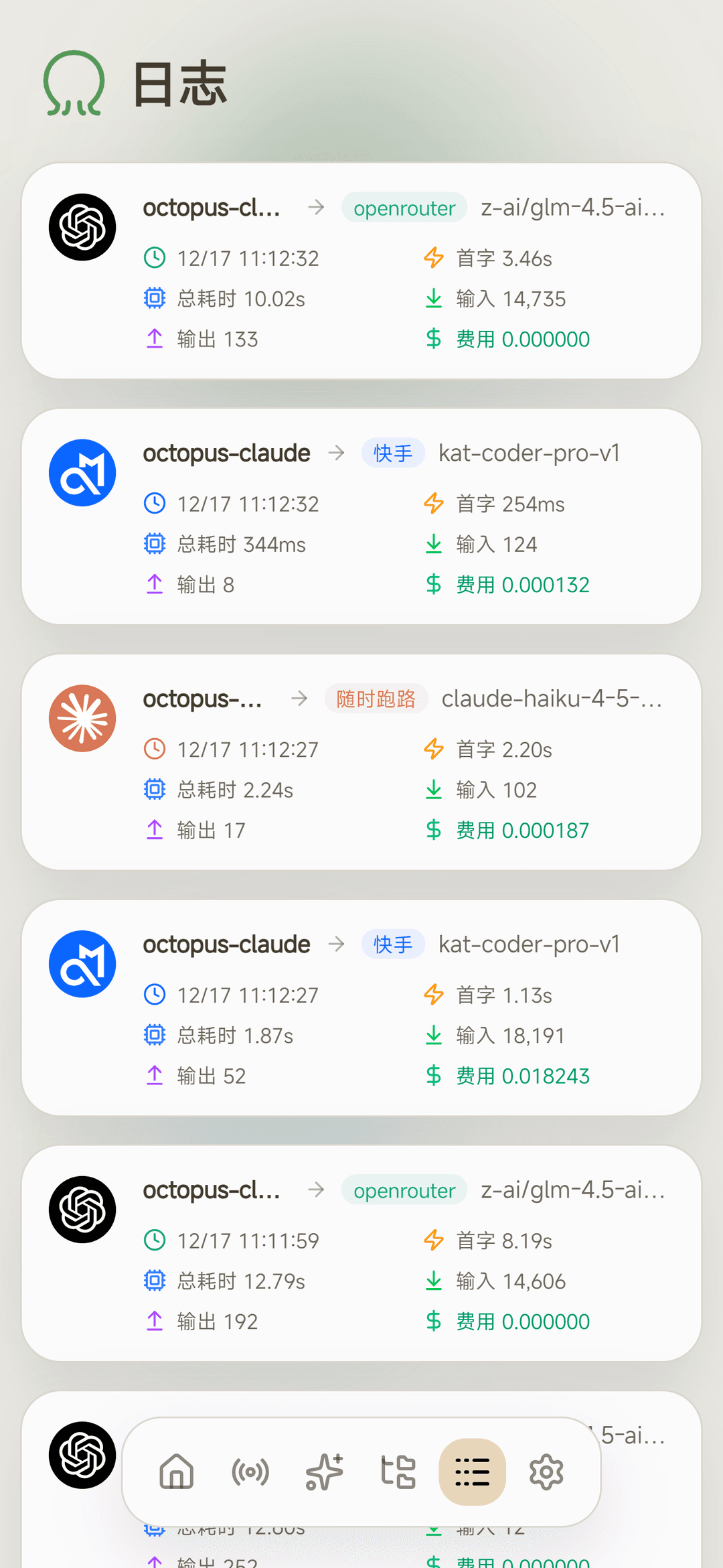
- 📊 Analytics - Comprehensive request statistics, token consumption, and cost tracking
- 🎨 Elegant UI - Clean and beautiful web management panel
- 🗄️ Multi-Database Support - Support for SQLite, MySQL, PostgreSQL
🚀 Quick Start
🐳 Docker
Run directly:
docker run -d --name octopus -v /path/to/data:/app/data -p 8080:8080 bestrui/octopus
Or use docker compose:
wget https://raw.githubusercontent.com/bestruirui/octopus/refs/heads/dev/docker-compose.yml
docker compose up -d
📦 Download from Release
Download the binary for your platform from Releases, then run:
./octopus start
🛠️ Build from Source
Requirements:
- Go 1.24.4
- Node.js 18+
- pnpm
# Clone the repository
git clone https://github.com/bestruirui/octopus.git
cd octopus
# Build frontend
cd web && pnpm install && pnpm run build && cd ..
# Move frontend assets to static directory
mv web/out static/
# Start the backend service
go run main.go start
💡 Tip: The frontend build artifacts are embedded into the Go binary, so you must build the frontend before starting the backend.
Development Mode
cd web && pnpm install && NEXT_PUBLIC_API_BASE_URL="http://127.0.0.1:8080" pnpm run dev
## Open a new terminal, start the backend service
go run main.go start
## Access the frontend at
http://localhost:3000
🔐 Default Credentials
After first launch, visit http://localhost:8080 and log in to the management panel with:
- Username:
admin - Password:
admin
⚠️ Security Notice: Please change the default password immediately after first login.
📝 Configuration File
The configuration file is located at data/config.json by default and is automatically generated on first startup.
Complete Configuration Example:
{
  "server": {
    "host": "0.0.0.0",
    "port": 8080
  },
  "database": {
    "type": "sqlite",
    "path": "data/data.db"
  },
  "log": {
    "level": "info"
  }
}
Configuration Options:
| Option | Description | Default |
|---|---|---|
server.host | Listen address | 0.0.0.0 |
server.port | Server port | 8080 |
database.type | Database type | sqlite |
database.path | Database connection string | data/data.db |
log.level | Log level | info |
Database Configuration:
Three database types are supported:
| Type | database.type | database.path Format |
|---|---|---|
| SQLite | sqlite | data/data.db |
| MySQL | mysql | user:password@tcp(host:port)/dbname |
| PostgreSQL | postgres | postgresql://user:password@host:port/dbname?sslmode=disable |
MySQL Configuration Example:
{
  "database": {
    "type": "mysql",
    "path": "root:password@tcp(127.0.0.1:3306)/octopus"
  }
}
PostgreSQL Configuration Example:
{
  "database": {
    "type": "postgres",
    "path": "postgresql://user:password@localhost:5432/octopus?sslmode=disable"
  }
}
💡 Tip: MySQL and PostgreSQL require manual database creation. The application will automatically create the table structure.
🌐 Environment Variables
All configuration options can be overridden via environment variables using the format OCTOPUS_ + configuration path (joined with _):
| Environment Variable | Configuration Option |
|---|---|
OCTOPUS_SERVER_PORT | server.port |
OCTOPUS_SERVER_HOST | server.host |
OCTOPUS_DATABASE_TYPE | database.type |
OCTOPUS_DATABASE_PATH | database.path |
OCTOPUS_LOG_LEVEL | log.level |
OCTOPUS_GITHUB_PAT | For rate limiting when getting the latest version (optional) |
OCTOPUS_RELAY_MAX_SSE_EVENT_SIZE | Maximum SSE event size (optional) |
OCTOPUS_IMAGES_BODY_MEMORY_THRESHOLD_MB | Images request body in-memory threshold. If exceeded, it will be spooled to a temporary file (optional, default 16) |
OCTOPUS_IMAGES_BODY_MAX_MB | Images request body maximum size. Requests above this limit are rejected (optional, default 256) |
OCTOPUS_IMAGES_BODY_TMP_DIR | Images request body temporary directory (optional, default ./cache) |
OCTOPUS_IMAGES_BODY_TMP_CLEANUP_HOURS | Startup cleanup threshold for temporary files (optional, default 24) |
📸 Screenshots
🖥️ Desktop
| Dashboard | Channel Management | Group Management |
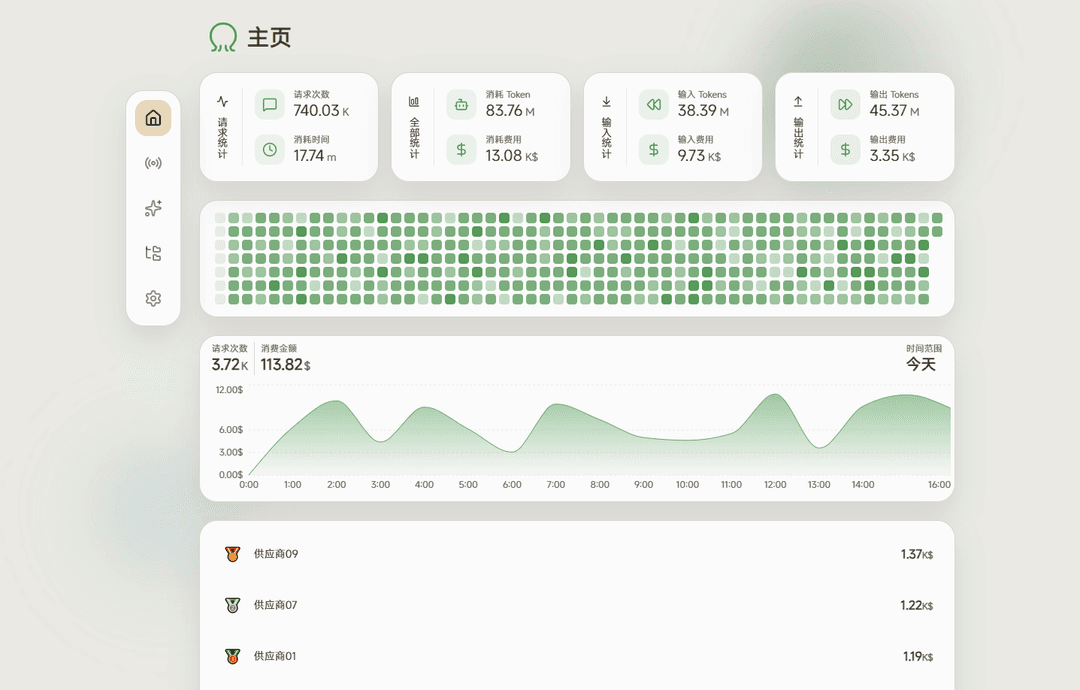 | 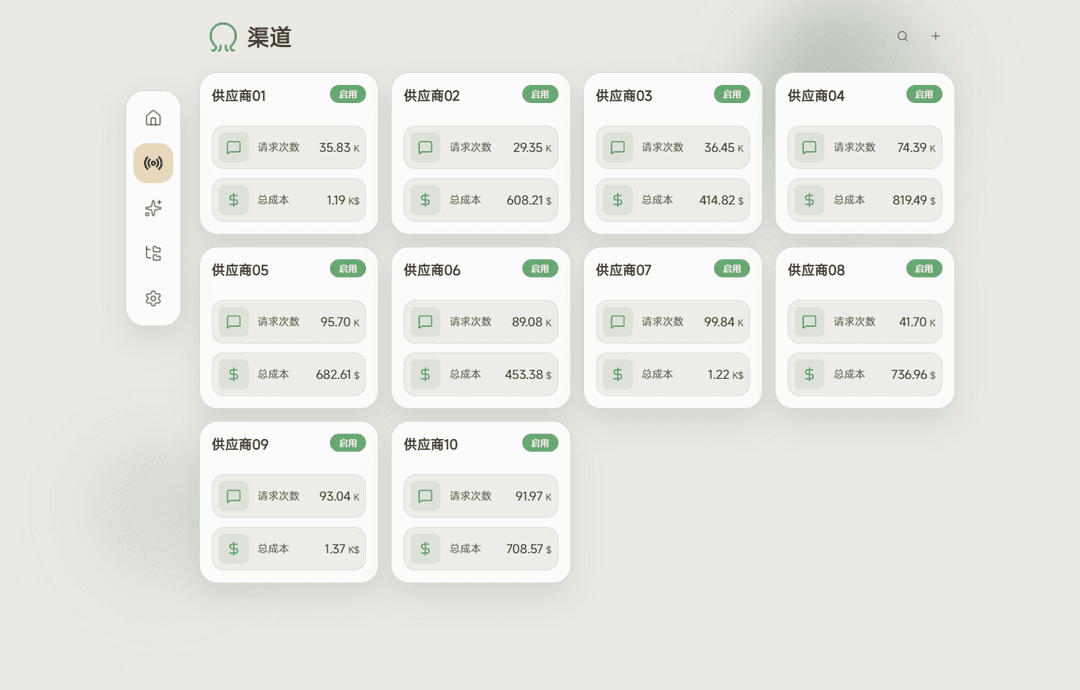 | 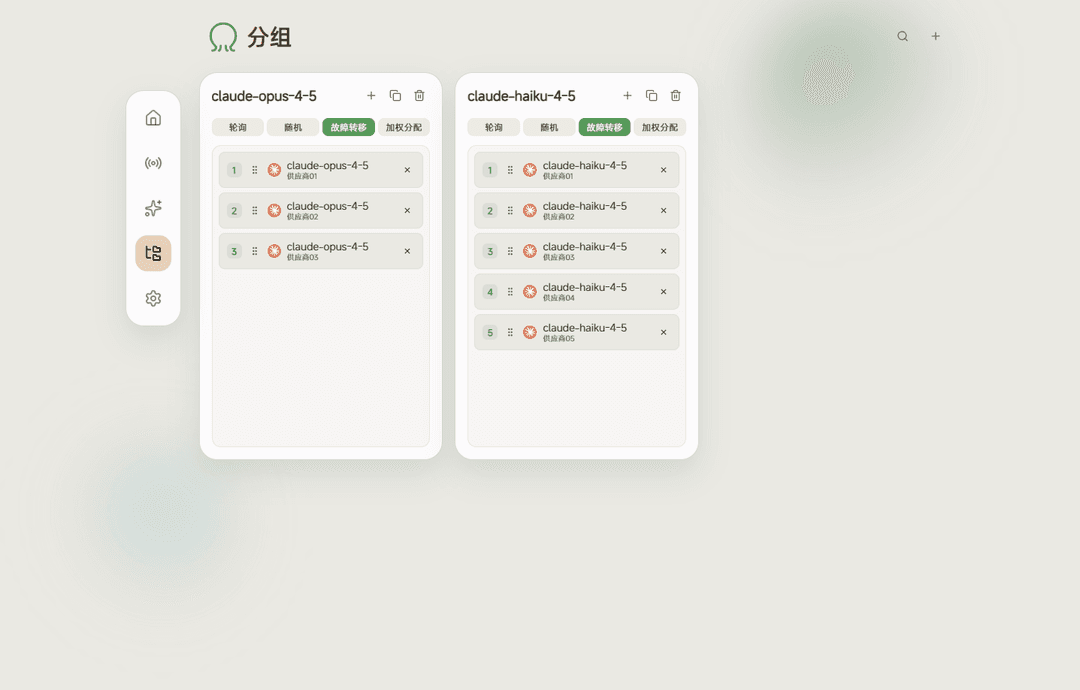 |
| Price Management | Logs | Settings |
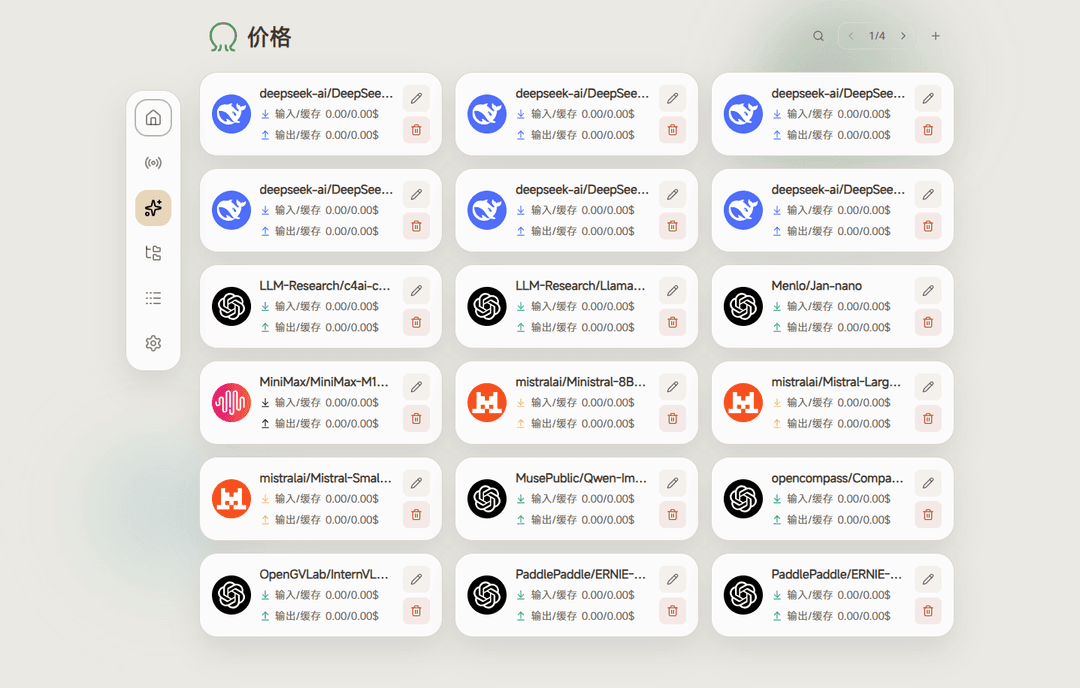 | 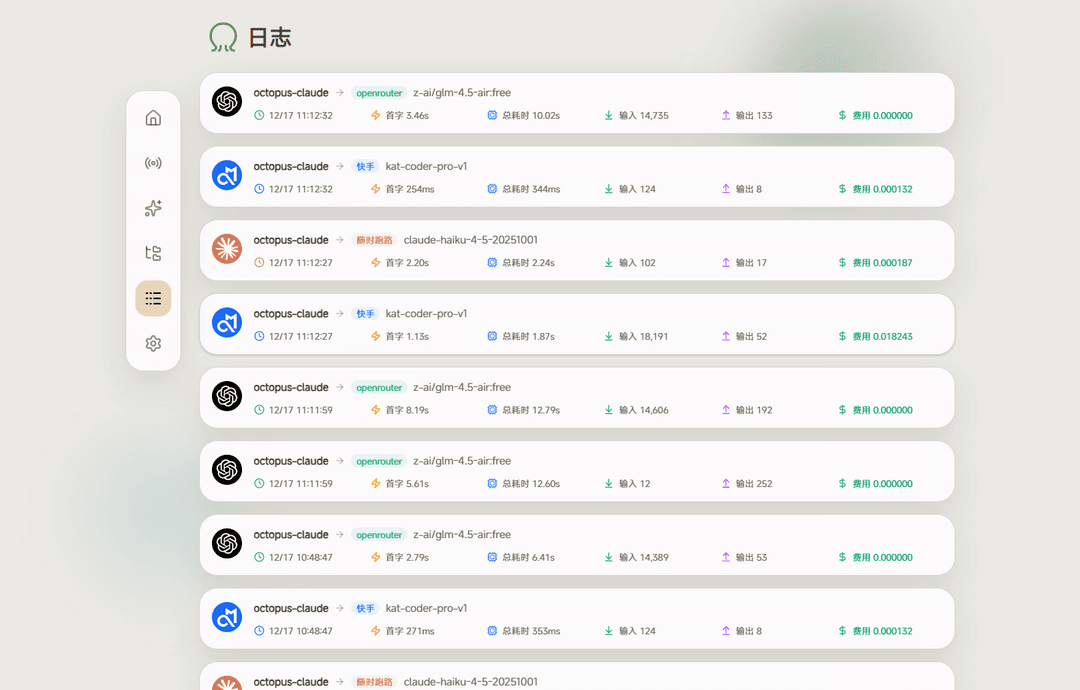 | 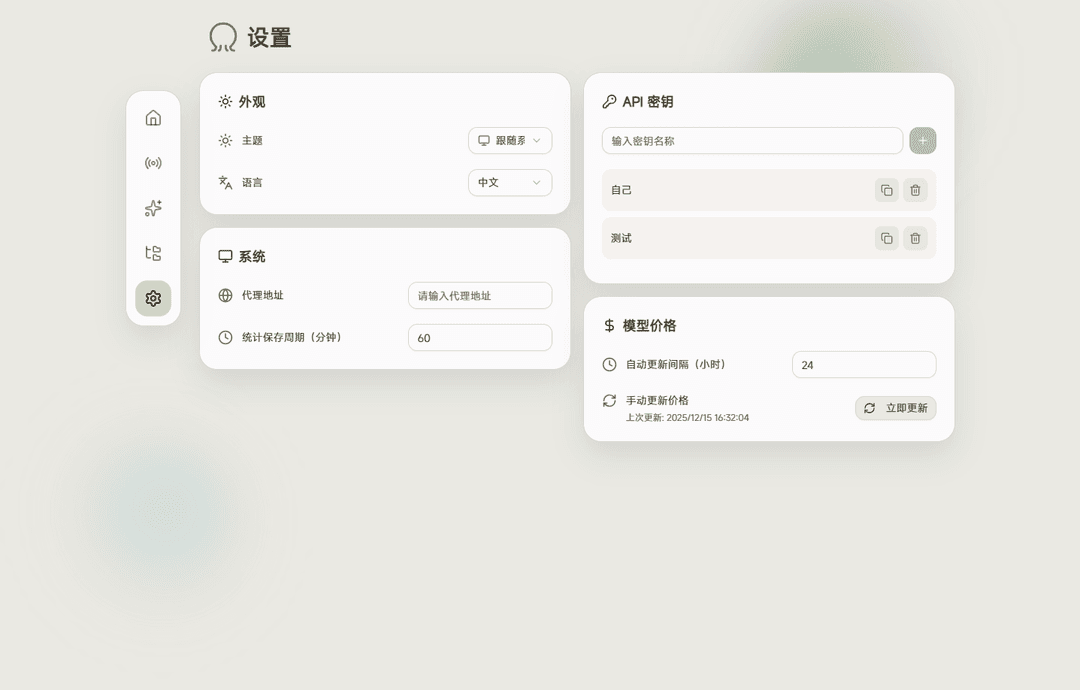 |
📱 Mobile
| Home | Channel | Group | Price | Logs | Settings |
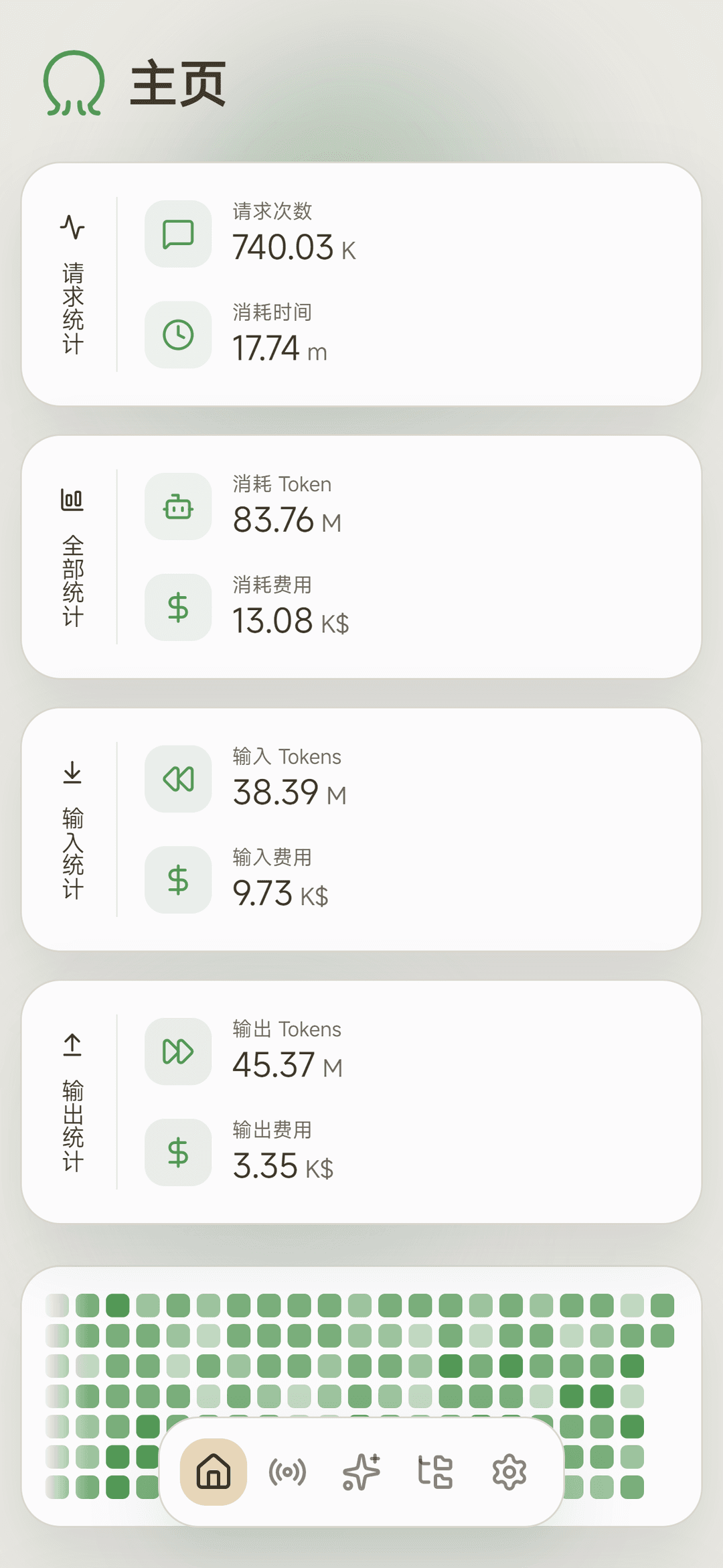 | 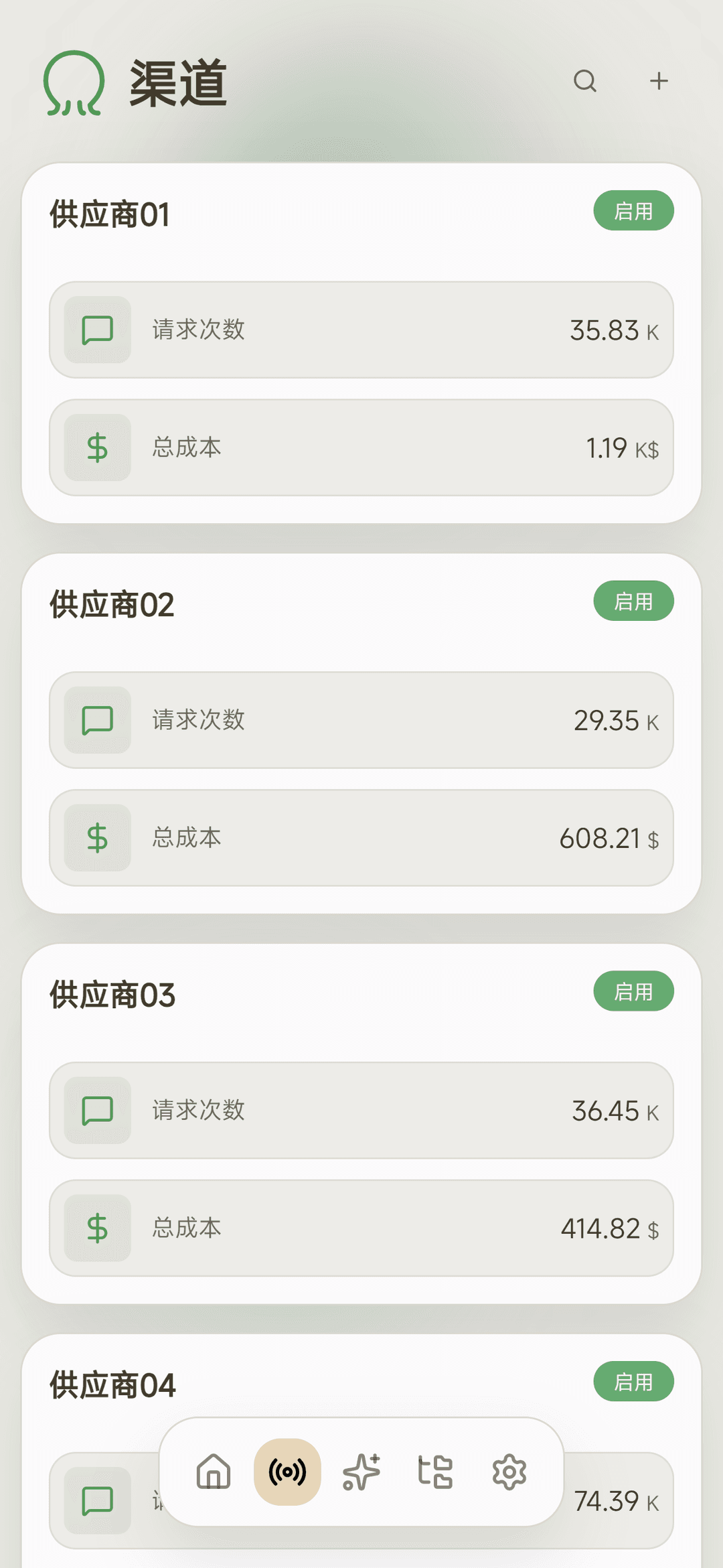 |  |  |  |  |
📖 Documentation
📡 Channel Management
Channels are the basic configuration units for connecting to LLM providers.
Base URL Guide:
The program automatically appends API paths based on channel type. You only need to provide the base URL:
| Channel Type | Auto-appended Path | Base URL | Full Request URL Example |
|---|---|---|---|
| OpenAI Chat | /chat/completions | https://api.openai.com/v1 | https://api.openai.com/v1/chat/completions |
| OpenAI Responses | /responses | https://api.openai.com/v1 | https://api.openai.com/v1/responses |
| OpenAI Images | /images/generations, /images/edits, /images/variations | https://api.openai.com/v1 | https://api.openai.com/v1/images/generations |
| Anthropic | /messages | https://api.anthropic.com/v1 | https://api.anthropic.com/v1/messages |
| Gemini | /models/:model:generateContent | https://generativelanguage.googleapis.com/v1beta | https://generativelanguage.googleapis.com/v1beta/models/gemini-2.5-flash:generateContent |
💡 Tip: No need to include specific API endpoint paths in the Base URL - the program handles this automatically.
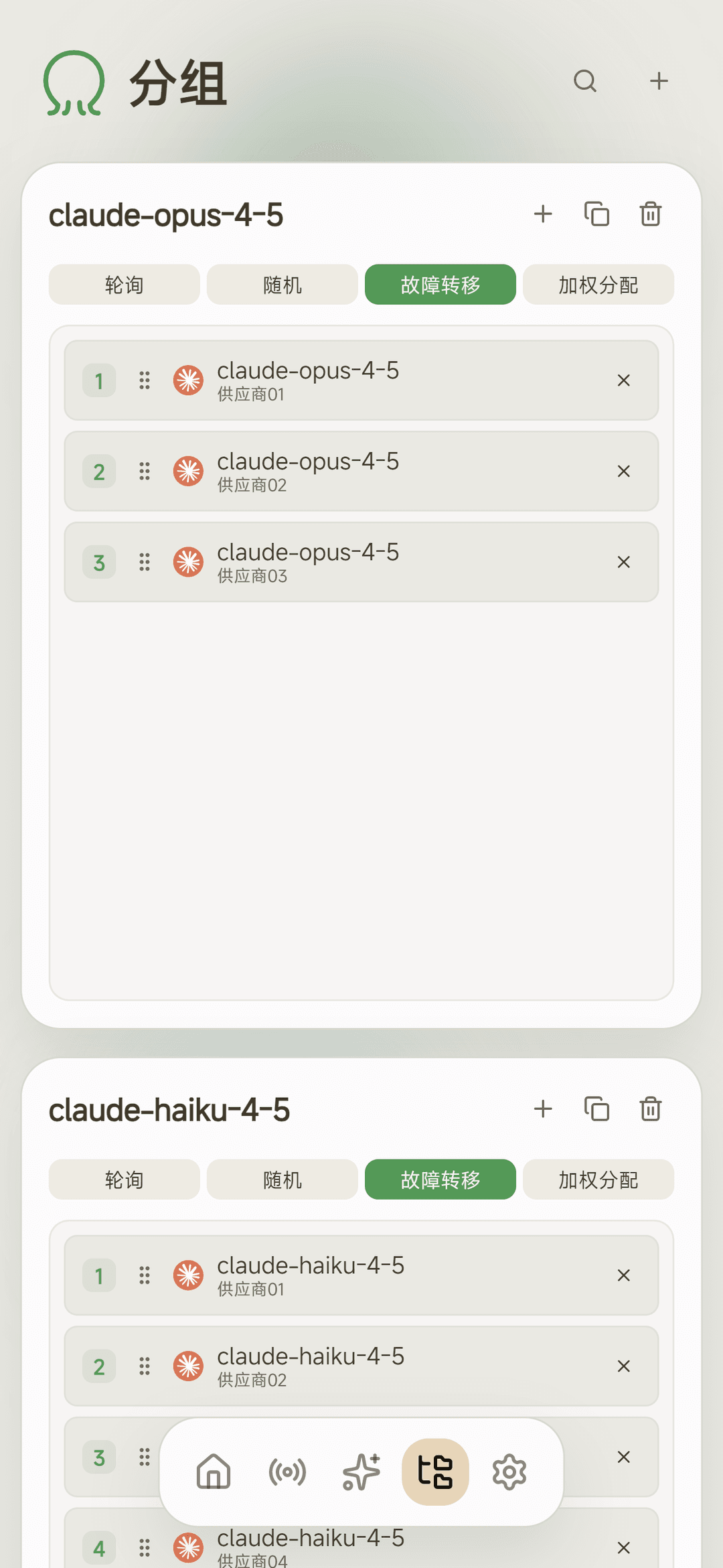
📁 Group Management
Groups aggregate multiple channels into a unified external model name.
Core Concepts:
- Group name is the model name exposed by the program
- When calling the API, set the
modelparameter to the group name
Load Balancing Modes:
| Mode | Description |
|---|---|
| 🔄 Round Robin | Cycles through channels sequentially for each request |
| 🎲 Random | Randomly selects an available channel for each request |
| 🛡️ Failover | Prioritizes high-priority channels, switches to lower priority only on failure |
| ⚖️ Weighted | Distributes requests based on configured channel weights |
💡 Example: Create a group named
gpt-4o, add multiple providers' GPT-4o channels to it, then access all channels via a unifiedmodel: gpt-4o.
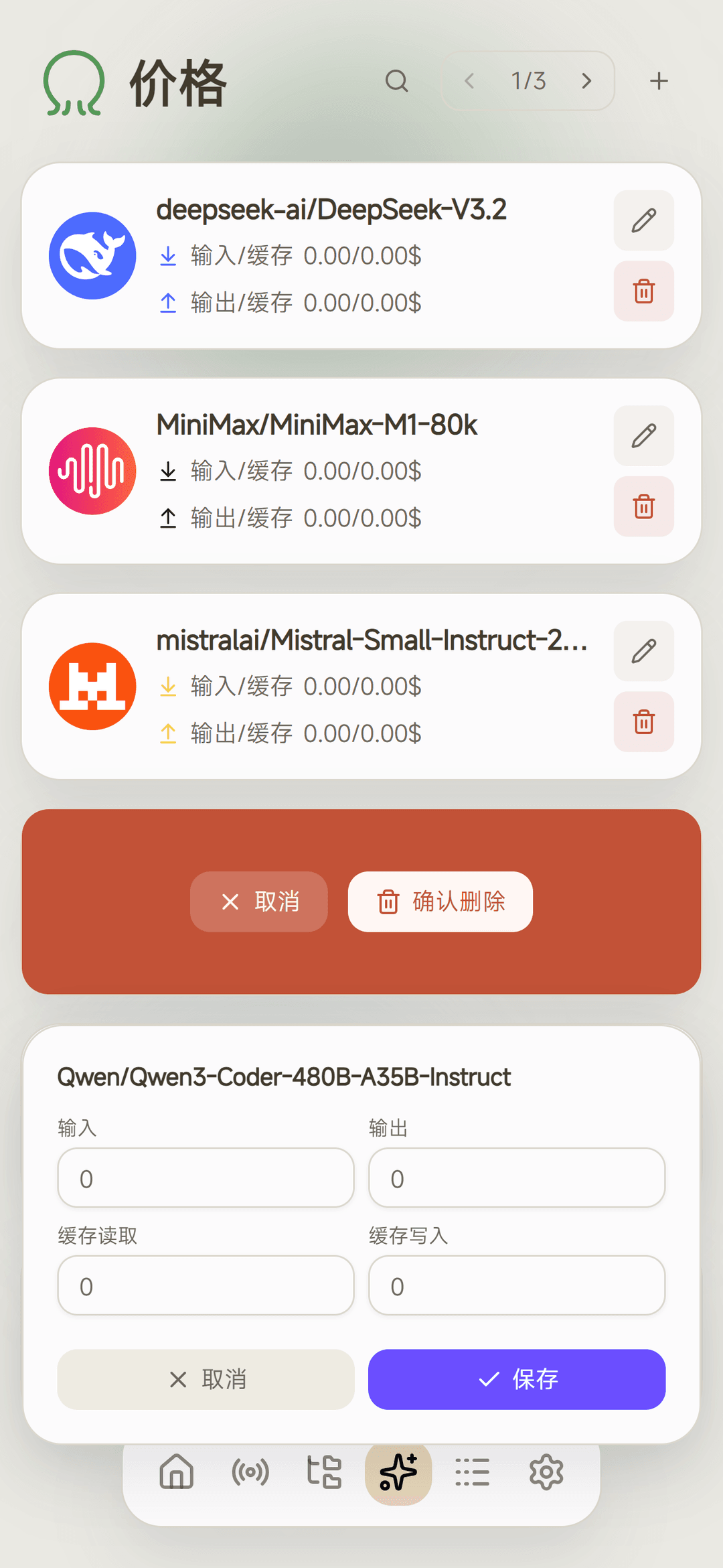
💰 Price Management
Manage model pricing information in the system.
Data Sources:
- The system periodically syncs model pricing data from models.dev
- When creating a channel, if the channel contains models not in models.dev, the system automatically creates pricing information for those models on this page, so this page displays models that haven't had their prices fetched from upstream, allowing users to set prices manually
- Manual creation of models that exist in models.dev is also supported for custom pricing
Price Priority:
| Priority | Source | Description |
|---|---|---|
| 🥇 High | This Page | Prices set by user in price management page |
| 🥈 Low | models.dev | Auto-synced default prices |
💡 Tip: To override a model's default price, simply set a custom price for it in the price management page.
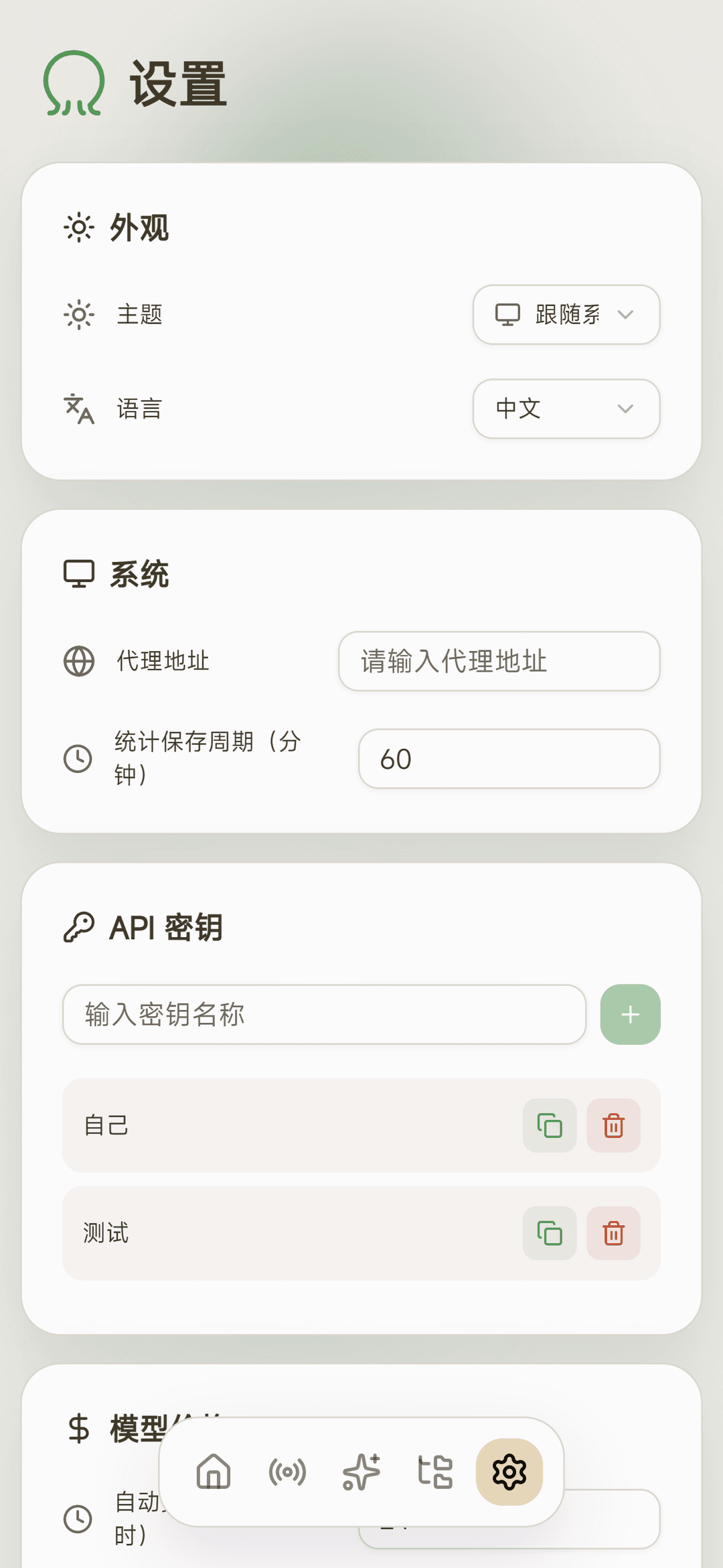
⚙️ Settings
Global system configuration.
Statistics Save Interval (minutes):
Since the program handles numerous statistics, writing to the database on every request would impact read/write performance. The program uses this strategy:
- Statistics are first stored in memory
- Periodically batch-written to the database at the configured interval
⚠️ Important: When exiting the program, use proper shutdown methods (like
Ctrl+Cor sendingSIGTERMsignal) to ensure in-memory statistics are correctly written to the database. Do NOT usekill -9or other forced termination methods, as this may result in statistics data loss.
🔌 Client Integration
OpenAI SDK
from openai import OpenAI
import os

client = OpenAI(
    base_url="http://127.0.0.1:8080/v1",
    api_key="sk-octopus-P48ROljwJmWBYVARjwQM8Nkiezlg7WOrXXOWDYY8TI5p9Mzg",
)
completion = client.chat.completions.create(
    model="octopus-openai",  # Use the correct group name
    messages = [
        {"role": "user", "content": "Hello"},
    ],
)
print(completion.choices[0].message.content)
Claude Code
Edit ~/.claude/settings.json
{
  "env": {
    "ANTHROPIC_BASE_URL": "http://127.0.0.1:8080",
    "ANTHROPIC_AUTH_TOKEN": "sk-octopus-P48ROljwJmWBYVARjwQM8Nkiezlg7WOrXXOWDYY8TI5p9Mzg",
    "API_TIMEOUT_MS": "3000000",
    "CLAUDE_CODE_DISABLE_NONESSENTIAL_TRAFFIC": "1",
    "ANTHROPIC_MODEL": "octopus-sonnet-4-5",
    "ANTHROPIC_SMALL_FAST_MODEL": "octopus-haiku-4-5",
    "ANTHROPIC_DEFAULT_SONNET_MODEL": "octopus-sonnet-4-5",
    "ANTHROPIC_DEFAULT_OPUS_MODEL": "octopus-sonnet-4-5",
    "ANTHROPIC_DEFAULT_HAIKU_MODEL": "octopus-haiku-4-5"
  }
}
Codex
Edit ~/.codex/config.toml
model = "octopus-codex" # Use the correct group name

model_provider = "octopus"

[model_providers.octopus]
name = "octopus"
base_url = "http://127.0.0.1:8080/v1"
Edit ~/.codex/auth.json
{
  "OPENAI_API_KEY": "sk-octopus-P48ROljwJmWBYVARjwQM8Nkiezlg7WOrXXOWDYY8TI5p9Mzg"
}
🤝 Acknowledgments
- 🙏 looplj/axonhub - The LLM API adaptation module in this project is directly derived from this repository
- 📊 sst/models.dev - AI model database providing model pricing data
- 🇨🇳 AtomGit - China-based code hosting
// faq
What is octopus?
One Hub All LLMs For You | 为个人打造的 LLM API 聚合网关. It is open-source on GitHub.
Is octopus free to use?
octopus is open-source under the AGPL-3.0 license, so it is free to use.
What category does octopus belong to?
octopus is listed under devtools in the Claudeers registry of Claude-compatible tools.
// embed badge

[](https://claudeers.com/octopus)
// retro hit counter

[](https://claudeers.com/octopus)
// reviews
// guestbook
// related in Data & Analytics
 🔓
🔓Wrap Antigravity, ChatGPT Codex, Claude Code, Grok Build as an OpenAI/Gemini/Claude/Codex compatible API service, allowing you to enjoy the free Gemini 3.1 P…
 🔓
🔓Marketing skills for Claude Code and AI agents. CRO, copywriting, SEO, analytics, and growth engineering.
 🔓
🔓Apache Airflow - A platform to programmatically author, schedule, and monitor workflows
 🔓
🔓CLI tool for configuring and monitoring Claude Code