
night-watch-cli
AI agent that implements your specs, opens PRs, and reviews code overnight. Queue GitHub issues or PRDs, wake up to pull requests.
Install with your AI
Paste into Claude Code, Cursor, or any agent — it reads the repo and wires the tool into your project.
Install and set up night-watch-cli (git-clone project) into my current project.
Found on https://claudeers.com/night-watch-cli
Repo: https://github.com/jonit-dev/night-watch-cli
Homepage/docs: https://www.npmjs.com/package/@jonit-dev/night-watch-cli
Detected install method: git-clone → git clone https://github.com/jonit-dev/night-watch-cli
Category: devtools. Platforms: cli, api, web.
Read the repo's README for exact setup and env vars, then install it and wire it into my project.

Claudeers Health Verdict:
slowing; community-verified: false. Confirm the source before running anything.
git clone https://github.com/jonit-dev/night-watch-cli
// compatibility
| Platforms | cli, api, web |
|---|---|
| Operating systems | — |
| AI compatibility | claude |
| License | MIT |
| Pricing | open-source |
| Language | TypeScript |
Night Watch CLI
Overnight PRD execution for AI-native devs and small teams
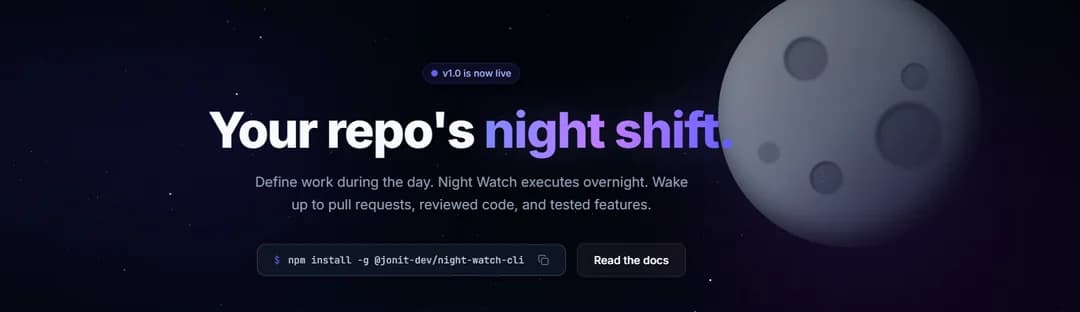
Night Watch is an async execution layer for well-scoped engineering work. It takes PRDs or queued board items, runs Claude CLI or Codex in isolated git worktrees, and opens pull requests while you're offline.
Think of it as a repo night shift: you define the work during the day, Night Watch executes the queue overnight, and you wake up to PRs, review fixes, QA output, and audit results.
Night Watch is built for AI-native solo developers, maintainers, and small teams that already work from specs. It is not trying to replace every engineering workflow or turn software delivery into a hands-off black box.
Quick Start
# 1. Install globally
npm install -g @jonit-dev/night-watch-cli

# 2. Initialize in your project
cd your-project
night-watch init

# 3. Check provider detection
night-watch run --dry-run

# 4. Add a well-scoped ticket (board mode) or PRD (file mode)
night-watch board create-prd "Implement feature X" --priority P1
# OR: echo "# My First PRD\n\nImplement feature X..." > docs/prds/my-feature.md

# 5. Run or install cron
night-watch run           # Run once
night-watch install       # Setup automated cron
5-Minute Walkthrough
New to Night Watch? Follow our 5-Minute Walkthrough to go from zero to your first AI-generated PR.
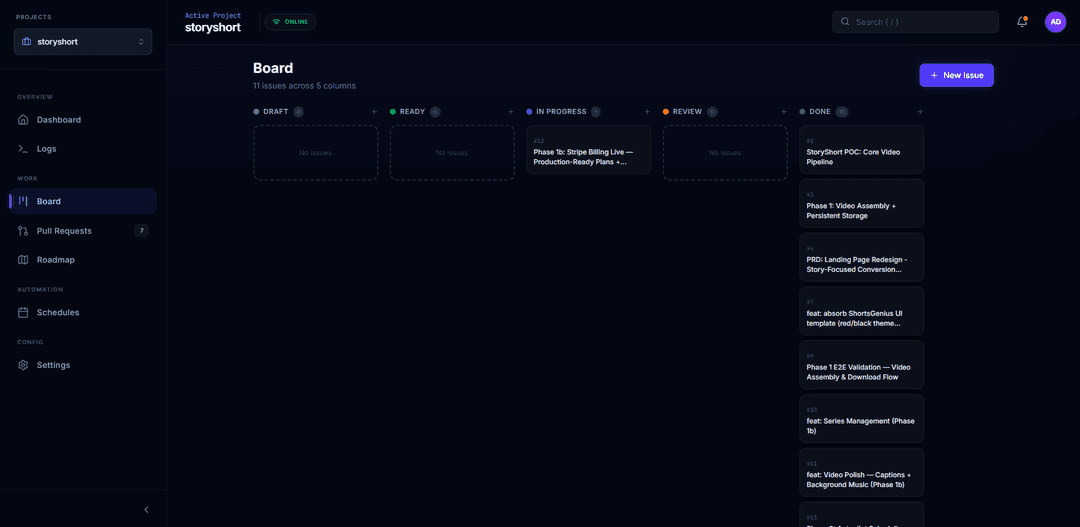
Board View
Queue work as GitHub issues and track them through Draft → Ready → In Progress → Review → Done.
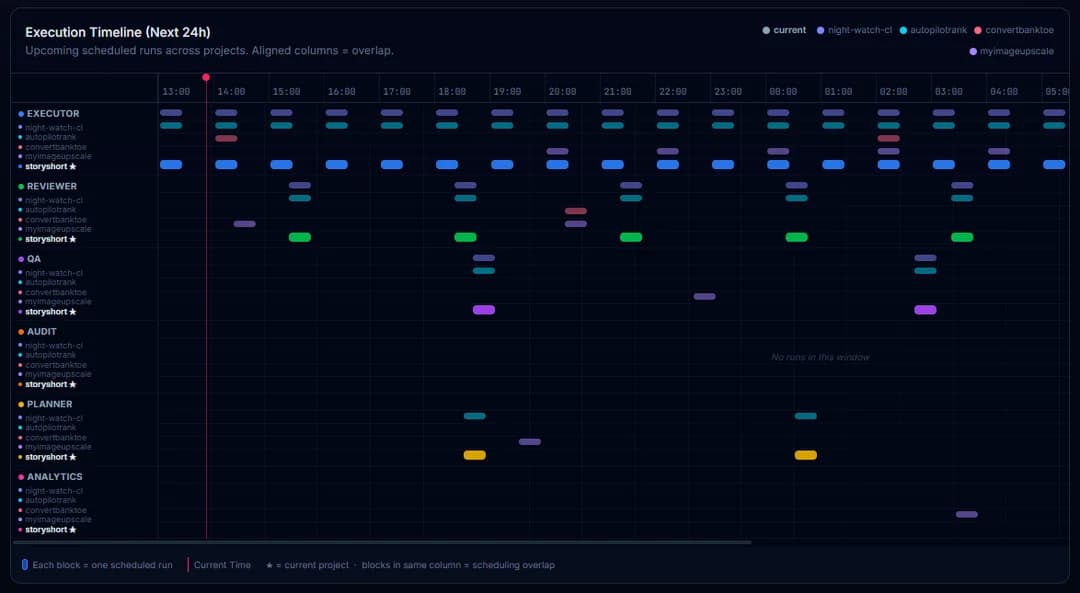
Execution Timeline
See all scheduled agent runs across your projects at a glance.
# Quick start
npm install -g @jonit-dev/night-watch-cli
cd your-project
night-watch init
night-watch doctor
echo "# My First PRD\n\n## Problem\n..." > docs/prds/01-my-feature.md
night-watch run
Agent / Machine-Readable CLI
External agents and automation should use the JSON-first manageability commands instead of scraping human output:
night-watch agent status --json
night-watch health --json
night-watch config list --json
night-watch config get reviewerEnabled --json
night-watch config set reviewerEnabled false --json
night-watch job pause reviewer --json
night-watch job resume reviewer --json
JSON modes write one JSON document to stdout on success and reserve stderr for errors. night-watch status --json keeps its legacy shape for backward compatibility; night-watch agent status --json adds a stable wrapper with schemaVersion, status, paused, queue, board, health, and lastRuns.
Paused jobs are stored in night-watch.config.json under pausedJobs. Cron scripts and queue claim/dispatch paths read this state before starting work, so night-watch job pause <job> --json prevents new cron/queue-dispatched runs for that job until resumed.
Who It's For
Night Watch is strongest when:
- You already use structured specs, PRDs, or queued board items
- You want async execution, not another pair-programming UI
- Your work can be broken into small, reviewable pull requests
- You care about overnight throughput on bounded tasks like maintenance, review fixes, QA, and backlog chores
Night Watch is a weaker fit when:
- Work starts vague and gets clarified only during implementation
- Your team is not comfortable reviewing AI-generated pull requests
- You want a general-purpose AI coding assistant rather than a queue-based execution system
Supported Providers
| Provider | CLI Command | Auto-Mode Flag | Slash Commands |
|---|---|---|---|
claude | claude | --dangerously-skip-permissions | -p "/command-name" |
codex | codex | --yolo | --prompt "text" |
- Default provider is
claude - Change with
--provider codexflag or"provider": "codex"in config
Using GLM-5 or Custom Endpoints
Night Watch supports passing custom environment variables to the provider CLI via the providerEnv config field. This lets you point the Claude CLI at any Anthropic-compatible endpoint — including GLM-5.
Add providerEnv to your night-watch.config.json:
{
  "provider": "claude",
  "providerEnv": {
    "ANTHROPIC_API_KEY": "your-glm5-api-key",
    "ANTHROPIC_BASE_URL": "https://your-glm5-endpoint.example.com"
  }
}
These variables are:
- Injected into the provider CLI process at runtime (
night-watch run,night-watch review) - Exported in cron entries when you run
night-watch install, so automated runs also pick them up - Visible in
--dry-runoutput for easy debugging
Common Use Cases
| Use Case | Environment Variables |
|---|---|
| GLM-5 via custom endpoint | ANTHROPIC_API_KEY, ANTHROPIC_BASE_URL |
| Proxy / VPN routing | HTTPS_PROXY, HTTP_PROXY |
| Custom model selection | Any provider-specific env var |
See Configuration > Provider Environment for full details.
Installation
npm (Recommended)
npm install -g @jonit-dev/night-watch-cli
npx (No install)
npx @jonit-dev/night-watch-cli init
From Source
git clone https://github.com/jonit-dev/night-watch-cli.git
cd night-watch-cli
yarn install && yarn build && npm link
Documentation
Full documentation is available at nightwatchcli.com.
Getting Started
| Document | Description |
|---|---|
| 5-Minute Walkthrough | From zero to your first AI-generated PR |
| Troubleshooting | Common errors and how to fix them |
| Commands Reference | All CLI commands and their options |
| Privacy | Anonymous telemetry and opt-out details |
How-To Guides
| Document | Description |
|---|---|
| Ticket/PRD Format | Board tickets and PRD files, dependencies, lifecycle |
| Configuration | Config file, env vars, CLI flags, providerEnv, notifications, schedules |
| Web UI | Dashboard pages and interface reference |
Architecture & Deep Dives
| Document | Description |
|---|---|
| Architecture Overview | System design, execution flows, data persistence |
| CLI Package | Command structure and integration |
| Core Package | Domain logic, DI container, repositories, config loader |
| Server & API | REST endpoints, SSE, middleware, multi-project mode |
| Scheduler Architecture | Global job queue, dispatch modes, cross-project balancing |
| Build Pipeline | TypeScript → esbuild bundling, CI/CD, publishing |
| Bash Scripts | Cron execution scripts and worktree management |
Developer Guides
| Document | Description |
|---|---|
| Dev Onboarding | Getting started as a contributor |
| Local Testing | Test CLI locally without publishing |
| Contributing | Development workflow, conventions, PR process |
Telemetry
Night Watch collects anonymous product telemetry by default to understand usage and improve the CLI. Disable it anytime with night-watch telemetry disable, NW_TELEMETRY_DISABLED=1, or DO_NOT_TRACK=1. See Privacy for the exact collected and never-collected lists.
Analysis
| Document | Description |
|---|---|
| AI-Driven Org Analysis | How Night Watch maps to AI-driven org principles |
Inspiration
- Night Shift by Jamon Holmgren — An agentic day/night workflow with persona-based review loops, documentation-as-routing, and structured 16-step agent execution. Many ideas here influenced Night Watch's design.
License
MIT License - see LICENSE for details.
// faq
What is night-watch-cli?
AI agent that implements your specs, opens PRs, and reviews code overnight. Queue GitHub issues or PRDs, wake up to pull requests.. It is open-source on GitHub.
Is night-watch-cli free to use?
night-watch-cli is open-source under the MIT license, so it is free to use.
What category does night-watch-cli belong to?
night-watch-cli is listed under devtools in the Claudeers registry of Claude-compatible tools.
// embed badge

[](https://claudeers.com/night-watch-cli)
// retro hit counter

[](https://claudeers.com/night-watch-cli)
// reviews
// guestbook
// related in Developer Tools
 🔓
🔓The agent harness performance optimization system. Skills, instincts, memory, security, and research-first development for Claude Code, Codex, Opencode, Curs…
 🔓
🔓Makes your AI agent think like the laziest senior dev in the room. The best code is the code you never wrote.
 🔓
🔓Use Garry Tan's exact Claude Code setup: 23 opinionated tools that serve as CEO, Designer, Eng Manager, Release Manager, Doc Engineer, and QA
 🔓
🔓AI coding assistant skill (Claude Code, Codex, OpenCode, Cursor, Gemini CLI, and more). Turn any folder of code, SQL schemas, R scripts, shell scripts, docs,…