
NESA-SLIDE
Give this GitHub link to Codex or Claude Code to create presentations
Install with your AI
Paste into Claude Code, Cursor, or any agent — it reads the repo and wires the tool into your project.
Install and set up NESA-SLIDE (git-clone project) into my current project.
Found on https://claudeers.com/nesa-slide
Repo: https://github.com/slidefirm/NESA-SLIDE
Homepage/docs: https://slidefirm.github.io/NESA-SLIDE/
Detected install method: git-clone → git clone https://github.com/slidefirm/NESA-SLIDE
Category: devtools. Platforms: desktop.
Read the repo's README for exact setup and env vars, then install it and wire it into my project.

Claudeers Health Verdict:
active; community-verified: false. Confirm the source before running anything.
git clone https://github.com/slidefirm/NESA-SLIDE
// compatibility
| Platforms | desktop |
|---|---|
| Operating systems | — |
| AI compatibility | claude |
| License | MIT |
| Pricing | open-source |
| Language | JavaScript |
NESA-SLIDE
給 Codex 與 Claude Code 使用的開源 AI 簡報製作系統。
NESA-SLIDE 把內容規劃、視覺方向、版面設計與輸出流程整理成專案 Skills,能製作 Image2 圖片式簡報、一般可編輯 HTML、含圖片的可編輯 HTML,以及原生可編輯 PPTX。
安裝方式
先把下面這段提示詞交給 Codex 或 Claude Code:
請將下列 Git repository clone 到本機,準備成可在 Codex 或 Claude Code 中開啟的專案:

https://github.com/slidefirm/NESA-SLIDE

執行規則:

- 若目前已有明確的專案保存位置,請 clone 到該位置;若無法判斷,只詢問我要存在哪個資料夾,等我回答後再繼續。
- 資料夾名稱使用 `NESA-SLIDE`。若同名資料夾已存在,請勿覆寫、刪除或重新 clone;先確認它是否為同一個 repository。若不是,停止並詢問我。
- Clone 完成後,確認 Git remote(本機專案連接的來源網址)指向上述 repository。
- 確認專案根目錄包含:
  - `README.md`
  - `AGENTS.md`
  - `.agents/skills/`
  - 至少一個 `.agents/skills/*/SKILL.md`
- 這一步只需完成 clone 與驗證;不要自行更新既有 repository、安裝套件或開始製作簡報。

完成後請告訴我:

1. 是新 clone 成功,還是沿用既有 repository
2. NESA-SLIDE 專案資料夾的完整絕對路徑
3. 上述檢查是否全部通過,以及任何異常
4. 接下來應在 Codex 或 Claude Code 開啟哪個資料夾

最後,請閱讀 `README.md`、`AGENTS.md` 與 `.agents/skills/*/SKILL.md`,用簡短中文教我這個專案能做什麼、有哪些 Skills、各自適合什麼任務,並提供 3 個可以直接貼上使用的起始提示詞;在我選擇前不要開始製作簡報。
簡報製作方式
以下四種成品各有對應的 Skill。你可以直接指定 Skill,也可以把範例提示詞貼給 Agent。
純圖片簡報(以 generate-image-slide Skill 製作)
Image2 將每一頁製作成完整的 16:9 圖片,適合重視視覺完整度、不需要個別編輯頁面物件的場合。
DEMO1:VoltGo City 新款電動機車發表會

DEMO2:2027 港灣城市爵士音樂節招商提案

DEMO3:珊瑚礁復育年度募款簡報

製作方式
- 直接呼叫
/generate-image-slideSkill。 - 在指令中提及請 AI 輸出「純圖片簡報」或「Image2 簡報」。
純 HTML 簡報(以 html-pattern-slide Skill 製作)
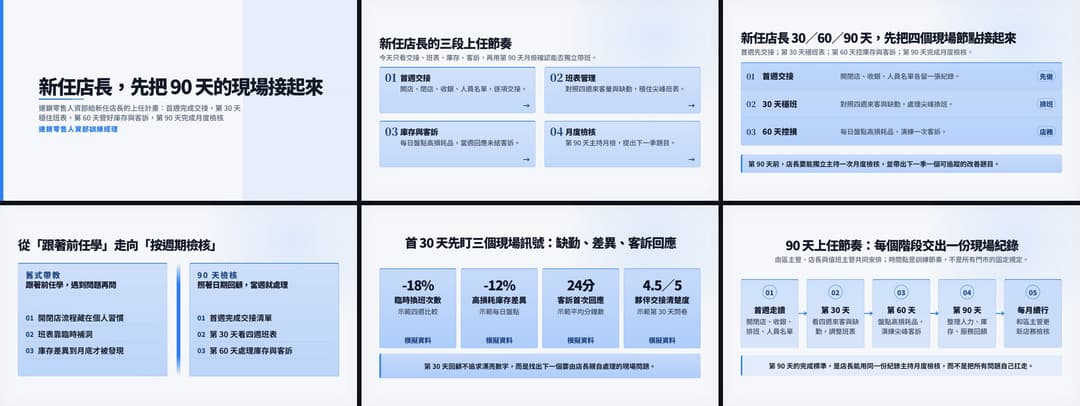
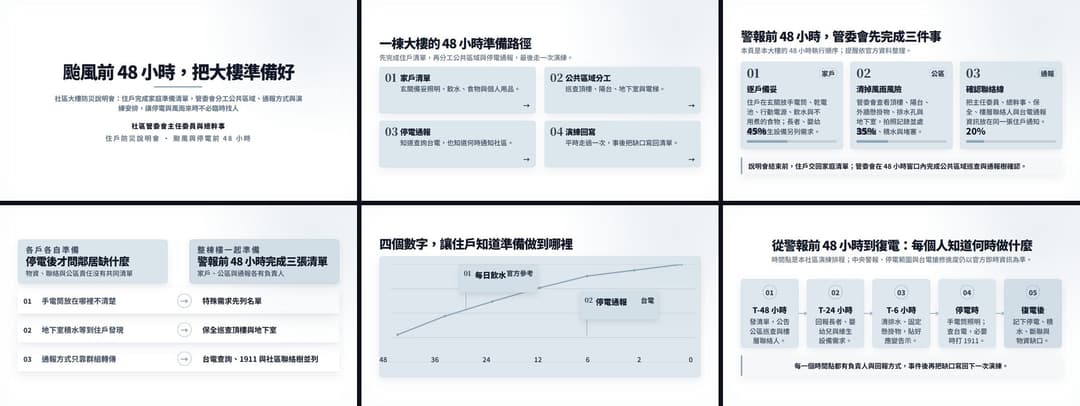
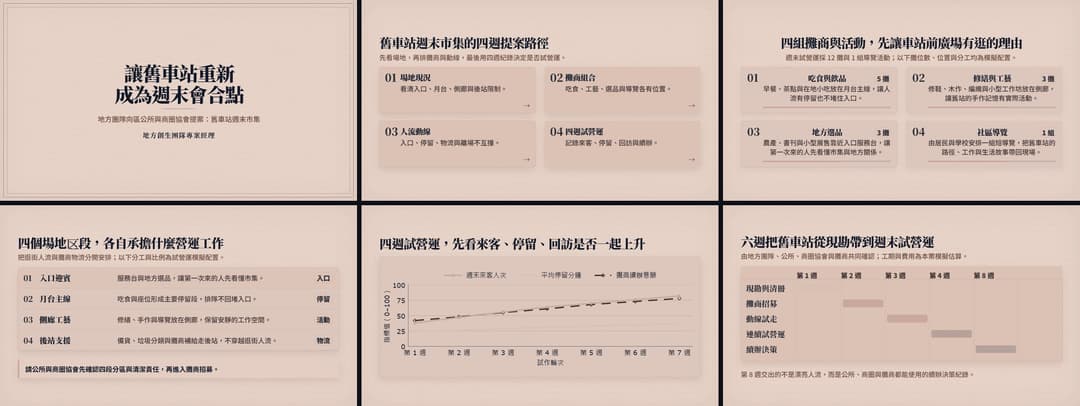
以下三份 Demo 都是 8 頁、可直接在瀏覽器播放與編輯的完整簡報。
DEMO1:新任店長內訓簡報
DEMO2:社區大樓防災說明會
DEMO3:舊車站再利用提案
製作方式
- 直接呼叫
/html-pattern-slideSkill。 - 在指令中提及請 AI 輸出「純 HTML 簡報」或「可編輯 HTML 簡報」。
圖片背景 HTML 簡報(以 html-image-slide Skill 製作)
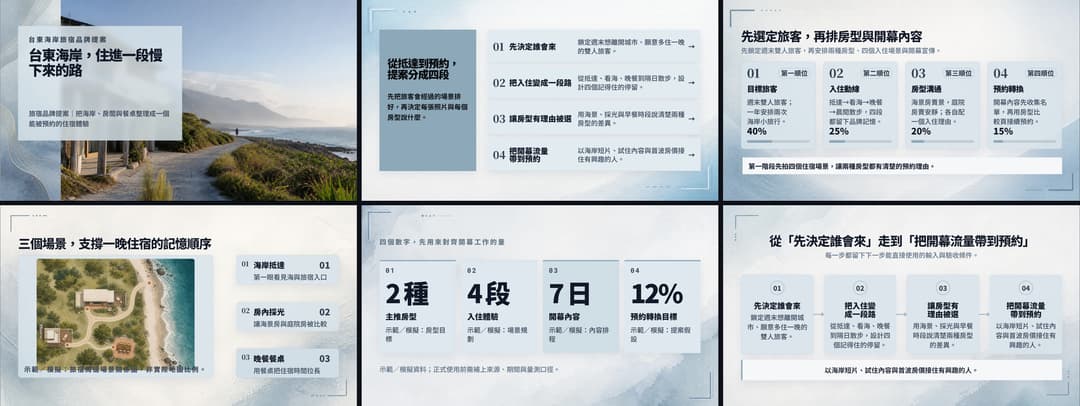
以下三份 Demo 以照片支撐實際提案內容,同時保留可編輯文字、物件、播放與 HTML 儲存功能。
DEMO1:台東海岸旅宿品牌提案
DEMO2:流浪動物認養日活動企劃

DEMO3:春季草莓烘焙新品上市計畫

製作方式
- 直接呼叫
/html-image-slideSkill。 - 在指令中提及請 AI 輸出「圖片背景 HTML 簡報」或「含圖片的可編輯 HTML 簡報」。
PPTX 簡報(以 ppt-builder Skill 製作)
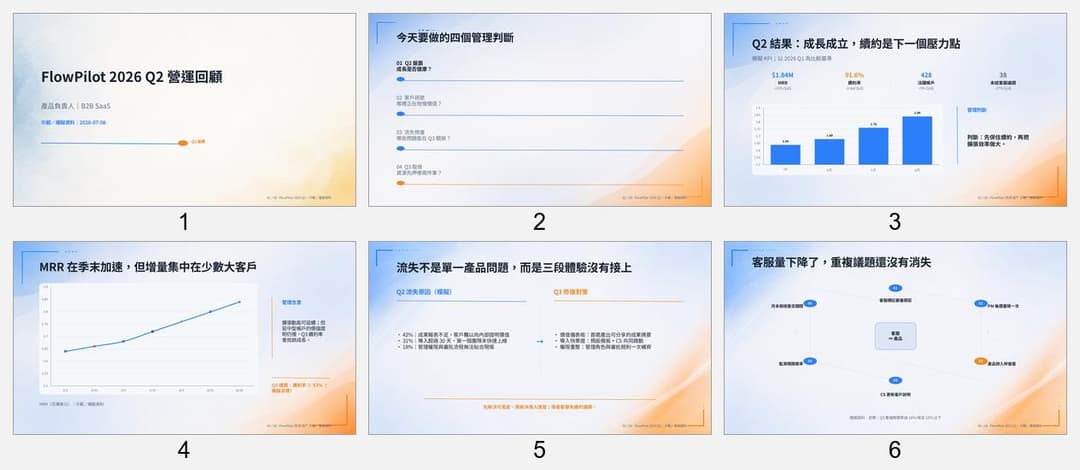
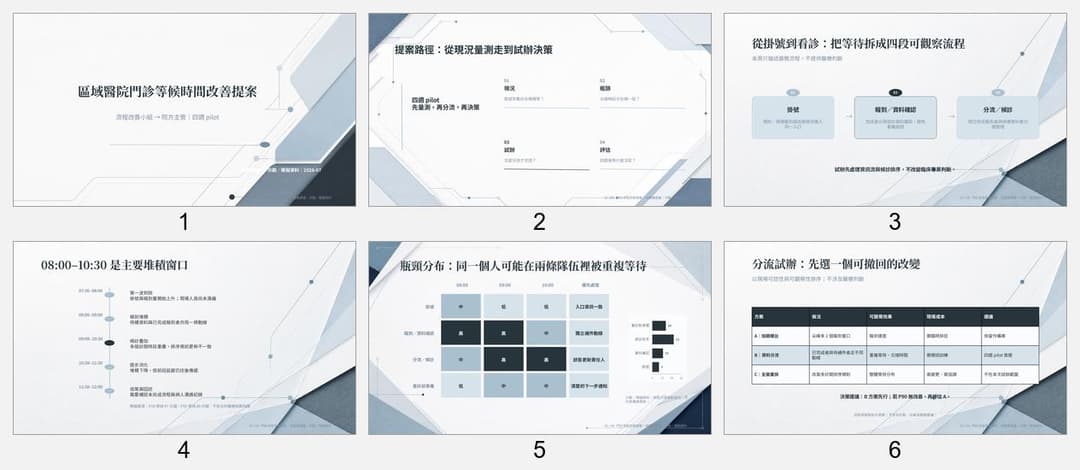
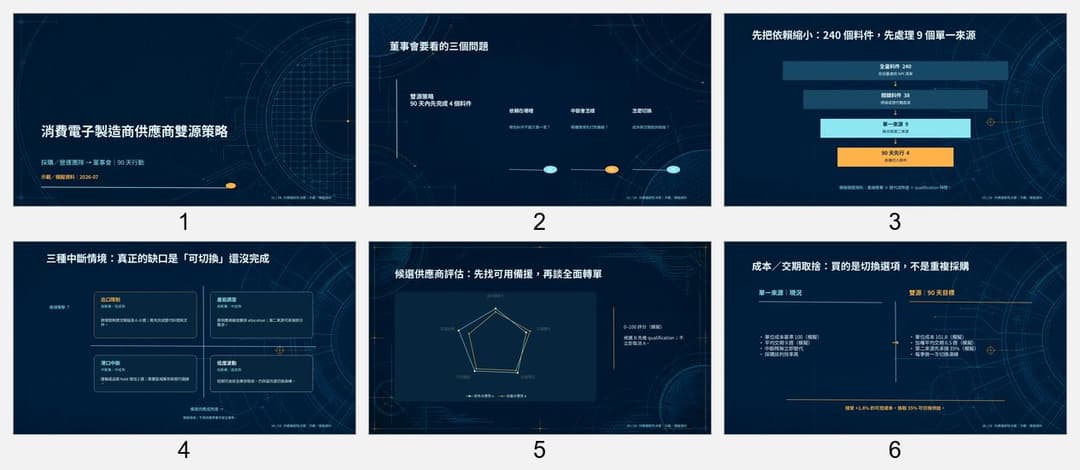
以下三份 Demo 都是 8 頁、保留原生文字、形狀、圖表與版面的可編輯 PowerPoint。
DEMO1:FlowPilot 2026 Q2 營運回顧
DEMO2:區域醫院門診等候時間改善提案
DEMO3:消費電子製造商供應商雙源策略
製作方式
- 直接呼叫
/ppt-builderSkill。 - 在指令中提及請 AI 輸出「PPTX 簡報」或「原生可編輯 PowerPoint」。
其他 Skills
| Skill | 什麼時候使用 |
|---|---|
design-presentations | 還沒決定輸出格式,或需要先規劃整份簡報的視覺方向與跨頁節奏。 |
slide-outline-planner | 只需要大綱、逐頁內容、講稿或版面建議,還不需要產出成品。 |
slide-background-image | 已經有 HTML,只需要新增、替換或檢查逐頁圖片背景。 |
License
本專案採用 MIT License 開源。
// faq
What is NESA-SLIDE?
Give this GitHub link to Codex or Claude Code to create presentations. It is open-source on GitHub.
Is NESA-SLIDE free to use?
NESA-SLIDE is open-source under the MIT license, so it is free to use.
What category does NESA-SLIDE belong to?
NESA-SLIDE is listed under devtools in the Claudeers registry of Claude-compatible tools.
// embed badge

[](https://claudeers.com/nesa-slide)
// retro hit counter

[](https://claudeers.com/nesa-slide)
// reviews
// guestbook
// related in Developer Tools
 🔓
🔓The agent harness performance optimization system. Skills, instincts, memory, security, and research-first development for Claude Code, Codex, Opencode, Curs…
 🔓
🔓Makes your AI agent think like the laziest senior dev in the room. The best code is the code you never wrote.
 🔓
🔓Use Garry Tan's exact Claude Code setup: 23 opinionated tools that serve as CEO, Designer, Eng Manager, Release Manager, Doc Engineer, and QA
 🔓
🔓AI coding assistant skill (Claude Code, Codex, OpenCode, Cursor, Gemini CLI, and more). Turn any folder of code, SQL schemas, R scripts, shell scripts, docs,…