
mira-skill
TikTok, Instagram Reels & YouTube video transcript skill + MCP connector for Claude and ChatGPT: transcript, on-screen text, structured extracts, video download
Install with your AI
Paste into Claude Code, Cursor, or any agent — it reads the repo and wires the tool into your project.
Install and set up mira-skill (claude-plugin project) into my current project.
Found on https://claudeers.com/mira-skill
Repo: https://github.com/Mira-AI-Tools/mira-skill
Homepage/docs: https://mira-ai-skill.pro
Detected install method: claude-plugin → /plugin install mira-skill@Mira-AI-Tools/mira-skill
Category: skills. Platforms: cli, api, desktop, web, mobile.
Read the repo's README for exact setup and env vars, then install it and wire it into my project.

Claudeers Health Verdict:
unknown; community-verified: false. Confirm the source before running anything.
⚠ Unverified / not recently updated — review before pasting a run-this config.
/plugin marketplace add Mira-AI-Tools/mira-skill
/plugin install mira-skill@Mira-AI-Tools/mira-skill
git clone https://github.com/Mira-AI-Tools/mira-skill
// compatibility
| Platforms | cli, api, desktop, web, mobile |
|---|---|
| Operating systems | — |
| AI compatibility | claude |
| License | MIT |
| Pricing | open-source |
| Language | — |
TikTok, Instagram Reels & YouTube Video Transcript for Claude and ChatGPT — Mira
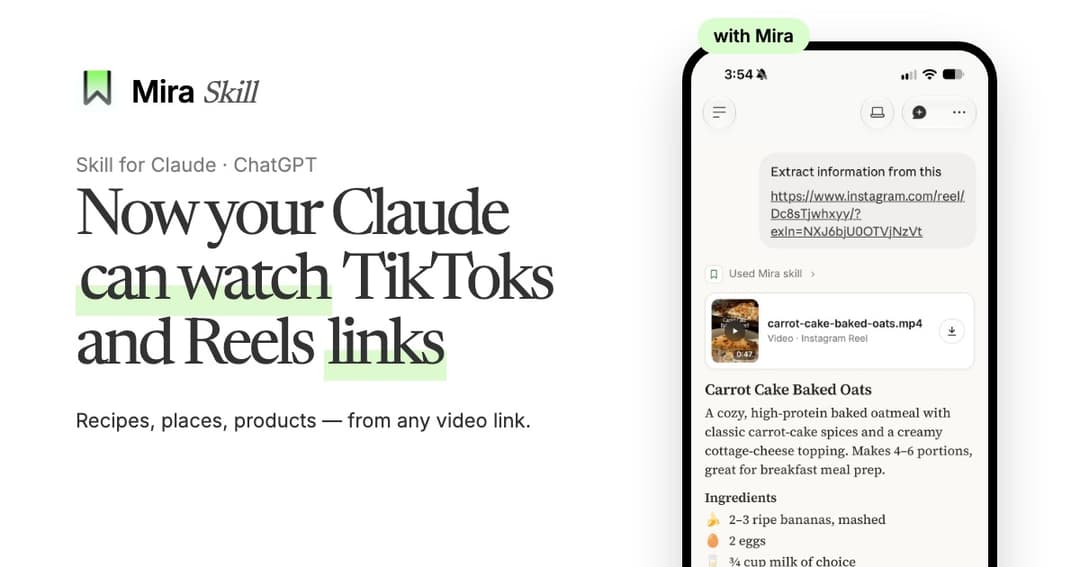
Mira Video Transcript is an agent skill and MCP connector that lets Claude and ChatGPT watch video links from
Instagram, TikTok, YouTube, Pinterest, X (Twitter) and Facebook: transcript, on-screen text, caption,
a structured extract, and the original video download.
Website · Install · Examples · FAQ
Why
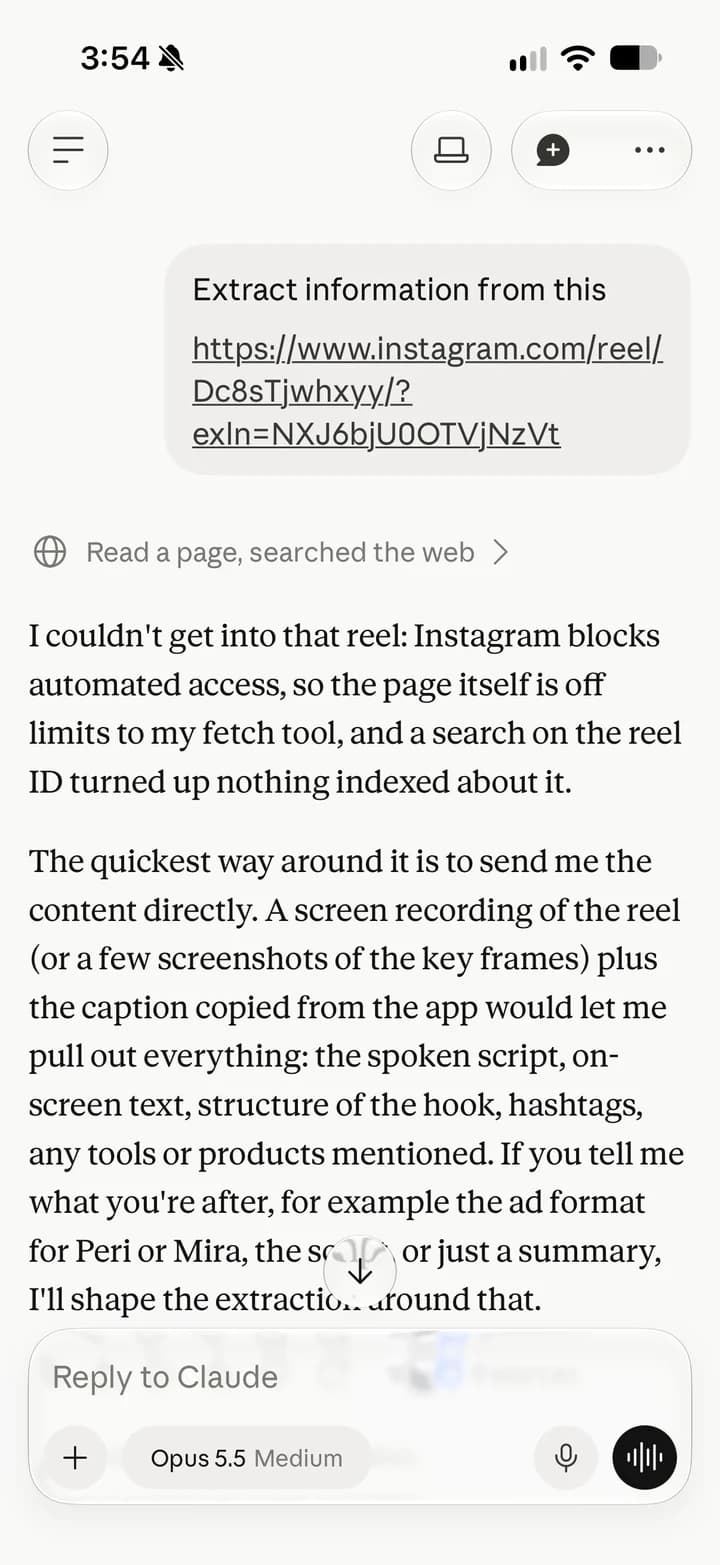
Claude and ChatGPT can't open TikTok, Instagram or YouTube links — they hit a login wall or see only the page title. A lot of useful knowledge now lives in short videos: recipes, travel spots, product reviews, workouts, tutorials.
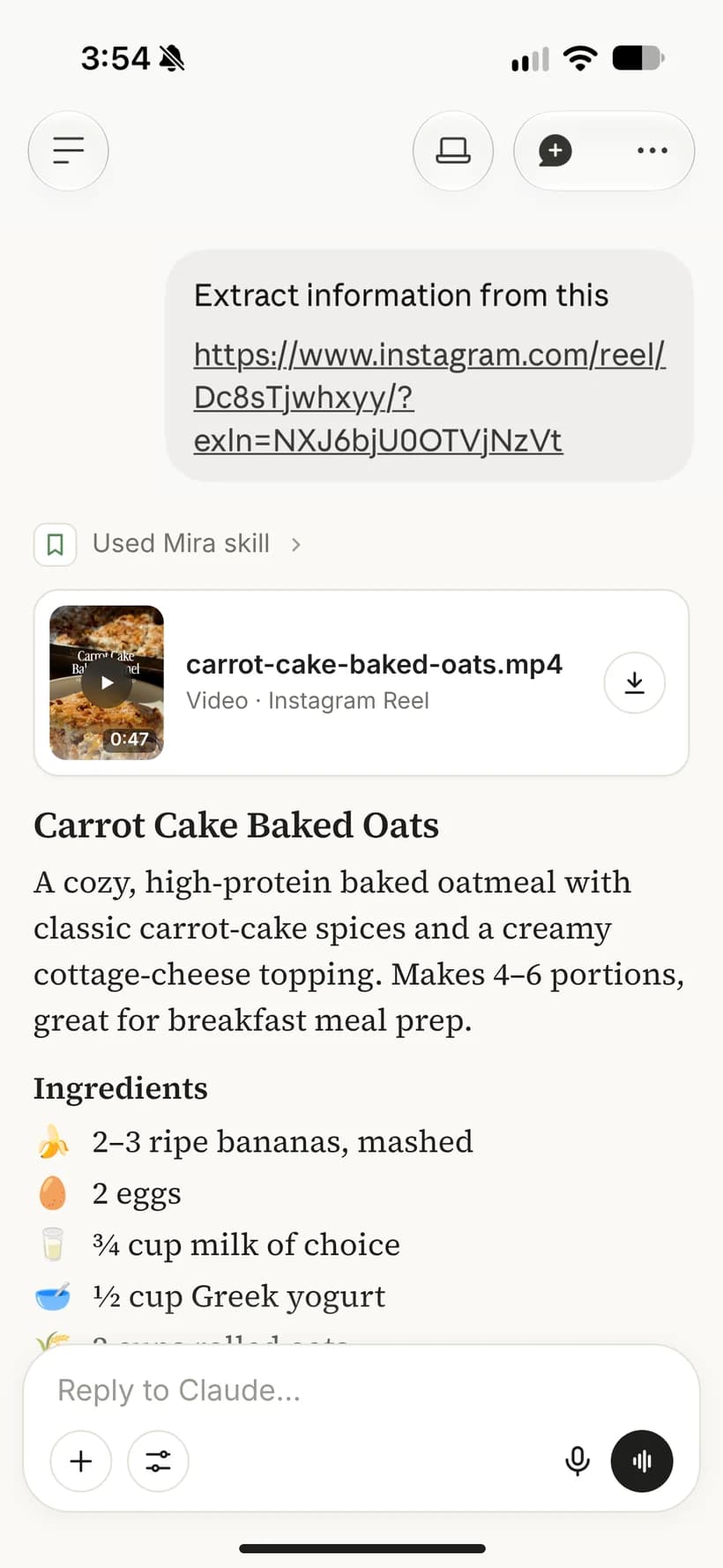
Mira watches the video for your assistant. It reads the key frames, the on-screen text, the caption and the voiceover, and hands Claude one full extract — so it answers from the whole video, not a guess from the title.
| Without Mira | With Mira |
 |  |
What you get
- 🗣️ Voiceover transcript — what was said in the video
- 🔤 On-screen text — captions, subtitles and text overlays from the frames
- 📝 Caption — the description under the post
- 🧩 Structured extract — places with addresses and ratings, recipes with ingredients and steps, products, books, movies, workouts, study notes
- 🎬 Original video file — the MP4, or every photo and video of a carousel (Extract + Video plan), with an in-chat player in Claude and ChatGPT
Supported platforms
| Platform | Links |
|---|---|
| TikTok | videos, photo carousels, vm.tiktok.com short links |
| Reels, posts, carousels | |
| YouTube | Shorts and regular videos (long videos too) |
| video pins | |
| X (Twitter) | posts with video |
| public videos and reels | |
| Web pages | articles, recipes, any public page |
What you can ask
"What's the recipe in this Reel? Turn it into a shopping list." —
https://www.instagram.com/reel/…
"List every place from this TikTok with addresses, I'm going to Tokyo next week."
"Translate this YouTube Short to English and summarize it in 3 bullets."
"Which products does this creator recommend, and what do they cost?"
"Break down this competitor's ad: hook, structure, call to action."
"Make study notes from this lesson."
Install
You need two parts: the connector (does the watching) and, optionally, the skill (tells the assistant when and how to use it). Your personal connector URL and key arrive on the setup page and by email after you subscribe.
Claude (claude.ai, Desktop, mobile)
- Connector: Settings → Connectors → Add custom connector → name it
Miraand paste your personal connector URL. - Skill: download
dist/mira-skill.zip→ Settings → Capabilities → Skills → upload it. - Start a new chat and paste a video link.
Claude Code
/plugin marketplace add Mira-AI-Tools/mira-skill
/plugin install mira@mira-ai-tools
Claude Code asks for your key (from the setup email) when the plugin is enabled. To change it later: /plugin → Installed → mira → Configure options.
The plugin bundles both the skill and the connector.
ChatGPT
Settings → Apps & Connectors → Advanced settings → enable Developer mode → Create → paste your personal connector URL, authentication: none. Custom connectors are available on ChatGPT plans that support developer mode.
Other MCP clients (Cursor, Windsurf, VS Code, …)
Mira is a remote MCP server (Streamable HTTP):
{
  "mcpServers": {
    "mira": {
      "type": "http",
      "url": "https://mira-ai-skill.pro/mcp",
      "headers": { "Authorization": "Bearer mira_sk_your_key" }
    }
  }
}
Or use your personal connector URL as the server URL with no headers.
Setup for every client (Cursor, VS Code, Windsurf, Gemini CLI, Cline, Codex, …) is in Mira-AI-Tools/mira-mcp.
Agent skills CLI
npx skills add Mira-AI-Tools/mira-skill
The skill (mira-video-transcript) lives in skills/mira-video-transcript/SKILL.md and works in any agent that supports Agent Skills.
How it works for you
- You paste a link into the chat.
- Your assistant calls Mira's
parse_videotool. Short videos are ready in seconds; long ones take a few minutes, and the assistant picks the result up withget_result. - The assistant answers your question from the full extract — and on the Extract + Video plan shows the original video right in the chat.
Tools: parse_video, get_result, get_account (plan, today's usage, billing link).
FAQ
Which videos work? Most public videos. Private, deleted or region-locked videos may not be available, because access depends on each platform.
Does it work with Claude Code and the API? Yes — anything that speaks MCP can use the connector, and the skill follows the open Agent Skills format.
What happens to the videos I send? Video files, transcripts and extracts are deleted from Mira's systems within 21 days. See the Privacy Policy.
Where can I keep videos I want to come back to? In the Mira app for iPhone — it keeps saved videos sorted and searchable and pins places from videos on a map.
I lost my connector URL. Get a new one at mira-ai-skill.pro/recover with the email you subscribed with.
Mira works with a Mira subscription — see mira-ai-skill.pro. Terms · Privacy · Refunds & cancellation · Support: [email protected]
Skill files in this repository are released under the MIT License.
// faq
What is mira-skill?
TikTok, Instagram Reels & YouTube video transcript skill + MCP connector for Claude and ChatGPT: transcript, on-screen text, structured extracts, video download. It is open-source on GitHub.
Is mira-skill free to use?
mira-skill is open-source under the MIT license, so it is free to use.
What category does mira-skill belong to?
mira-skill is listed under skills in the Claudeers registry of Claude-compatible tools.
// embed badge

[](https://claudeers.com/mira-skill)
// retro hit counter

[](https://claudeers.com/mira-skill)
// reviews
// guestbook
// related in Claude Skills
 🔓
An agentic skills framework & software development methodology that works.
 🔓
 🔓
💫 Toolkit to help you get started with Spec-Driven Development
 🔓
AI coding assistant skill (Claude Code, Codex, OpenCode, Cursor, Gemini CLI, and more). Turn any folder of code, SQL schemas, R scripts, shell scripts, docs,…