
lottie
Generate production-ready Lottie animations with Claude Code or Codex
Install with your AI
Paste into Claude Code, Cursor, or any agent — it reads the repo and wires the tool into your project.
Install and set up lottie (git-clone project) into my current project.
Found on https://claudeers.com/lottie
Repo: https://github.com/diffusionstudio/lottie
Homepage/docs: https://diffusion.studio
Detected install method: git-clone → git clone https://github.com/diffusionstudio/lottie
Category: devtools. Platforms: cli, web, mobile.
Read the repo's README for exact setup and env vars, then install it and wire it into my project.

Claudeers Health Verdict:
slowing; community-verified: false. Confirm the source before running anything.
git clone https://github.com/diffusionstudio/lottie
// compatibility
| Platforms | cli, web, mobile |
|---|---|
| Operating systems | — |
| AI compatibility | claude |
| License | MIT |
| Pricing | open-source |
| Language | TypeScript |

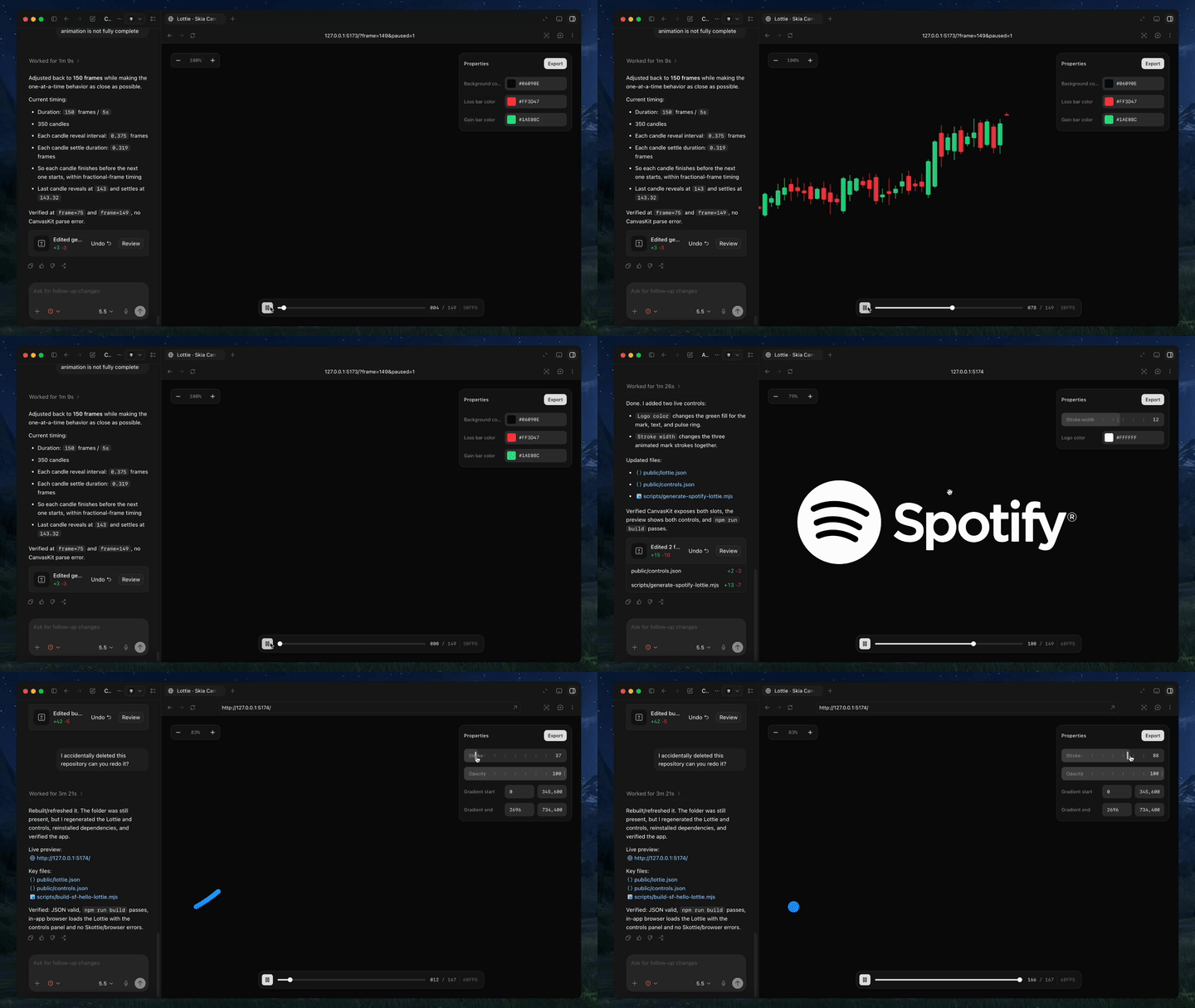
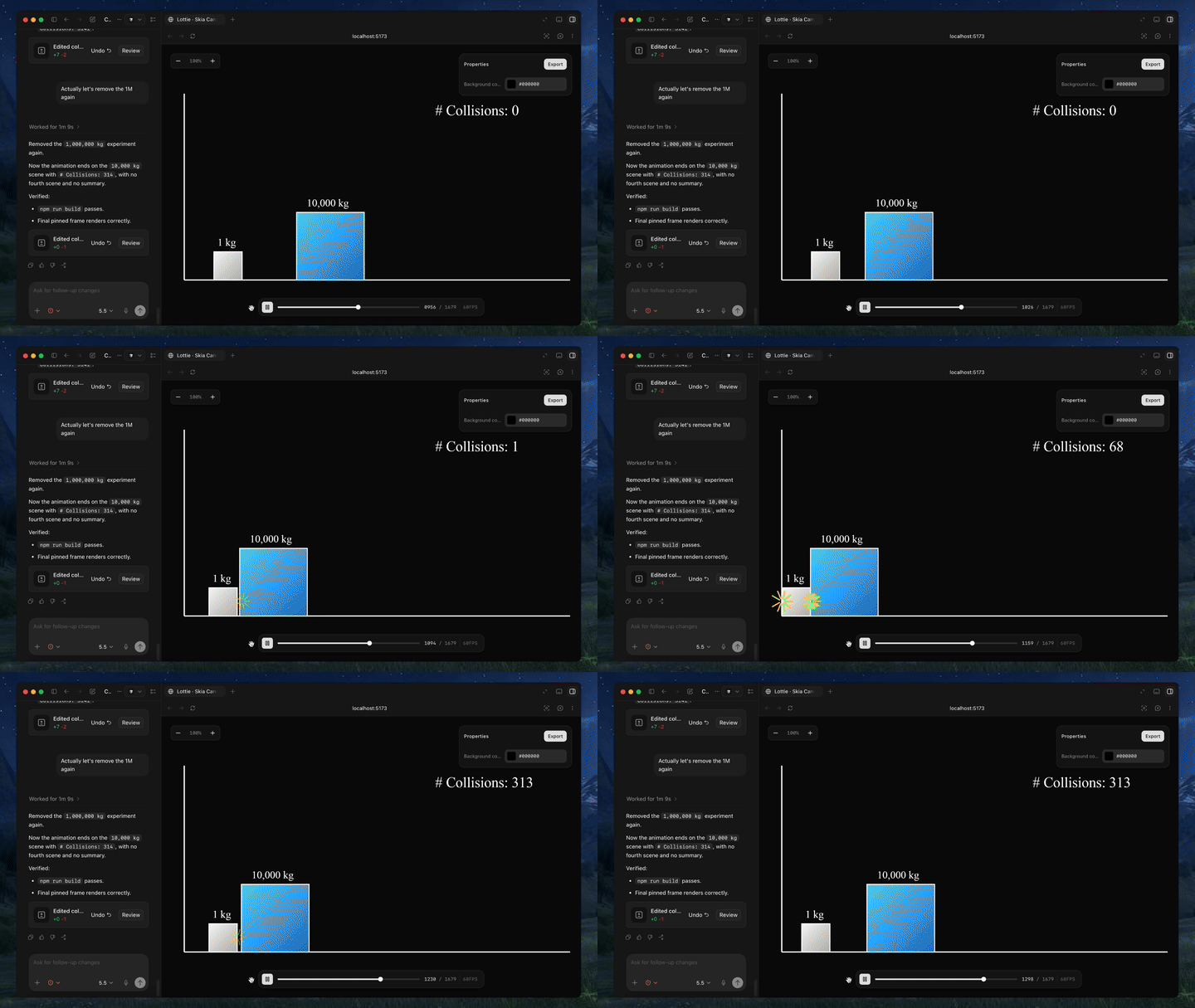
Text-to-lottie is an open-source framework for generating production ready Lottie animations with claude code/codex or any other coding agent supporting skills.
Created with Text-to-Lottie
|
|
Quick Start
Install the skill:
npx skills add diffusionstudio/lottie
Then ask your coding agent to generate a Lottie animation using text-to-lottie.
Example prompt:
Create a Lottie animation from the SVG path in https://github.com/JaceThings/SF-Hello/blob/main/SVG/hello-en.svg. Reveal the path with an animation that follows the natural path direction. Apply a premium apple themed gradient to the path. Use ease-in-out timing, a transparent background, and preserve the original SVG geometry.
The agent sets up the workspace and the included player, where each animation lives as a scene inside a project. Scenes load automatically from public/projects/<project>/<scene>/lottie.json and live-update in the player as the agent edits them — so you can inspect, scrub, and refine the generated Lottie in real time.
Prompt guide
1. Ground the model
Provide SVGs, real-world data, or screenshots whenever possible. Results are significantly better when the animation is based on concrete assets.
2. Use motion design terminology
Describe timing and movement using motion design language like ease-in, ease-out, and ease-in-out.
3. Think like a camera operator
Professional motion graphics often rely on camera movement. Include camera pushes, pans, zooms, and rig-like motion in your prompt. The agent can simulate these through group transforms.
4. Request the controls you need
By default, outputs usually only expose a background color control. If you want to customize other properties, explicitly ask the agent to create controls for them.
5. Specify FPS and duration
If your animation requires a specific frame rate or length, include the desired FPS and total frame count in the prompt.
Using the Generated Animation
Generated animations can be used directly as Lottie JSON files or imported into After Effects for further refinement.
Web / vanilla HTML
<script src="https://unpkg.com/lottie-web/build/player/lottie.min.js"></script>

<div id="anim"></div>

<script>
  lottie.loadAnimation({
    container: document.getElementById("anim"),
    renderer: "svg",
    loop: true,
    autoplay: true,
    path: "/animations/my-animation.json"
  });
</script>
React Native
import LottieView from "lottie-react-native";

export default function Loader() {
  return (
    <LottieView
      source={require("./animation.json")}
      autoPlay
      loop
      style={{ width: 200, height: 200 }}
    />
  );
}
Alternatively, React Native Skia can also render Lottie animations via its Skottie module, including on the web. It lets you customize animation properties, assets, and typographies at runtime, and since Skottie is a regular Skia drawing, it can be composed into a larger Skia scene alongside shaders, effects, and masks.
import { Skia, Canvas, Skottie, useClock } from "@shopify/react-native-skia";
import { useDerivedValue } from "react-native-reanimated";

const animation = Skia.Skottie.Make(JSON.stringify(require("./animation.json")));

export default function Loader() {
  const clock = useClock();
  const frame = useDerivedValue(
    () => ((clock.value / 1000) % animation.duration()) * animation.fps()
  );
  return (
    <Canvas style={{ width: 200, height: 200 }}>
      <Skottie animation={animation} frame={frame} />
    </Canvas>
  );
}
iOS Swift
import Lottie

let animationView = LottieAnimationView(name: "animation")
animationView.frame = view.bounds
animationView.contentMode = .scaleAspectFit
animationView.loopMode = .loop
view.addSubview(animationView)
animationView.play()
Android Kotlin
val view = findViewById<LottieAnimationView>(R.id.animationView)
view.setAnimation(R.raw.animation)
view.loop(true)
view.playAnimation()
Flutter
dependencies:
  lottie: ^latest
import 'package:lottie/lottie.dart';

Lottie.asset('assets/animation.json')
// faq
What is lottie?
Generate production-ready Lottie animations with Claude Code or Codex. It is open-source on GitHub.
Is lottie free to use?
lottie is open-source under the MIT license, so it is free to use.
What category does lottie belong to?
lottie is listed under devtools in the Claudeers registry of Claude-compatible tools.
// embed badge

[](https://claudeers.com/lottie)
// retro hit counter

[](https://claudeers.com/lottie)
// reviews
// guestbook
// related in Developer Tools
 🔓
🔓The agent harness performance optimization system. Skills, instincts, memory, security, and research-first development for Claude Code, Codex, Opencode, Curs…
 🔓
🔓Makes your AI agent think like the laziest senior dev in the room. The best code is the code you never wrote.
 🔓
🔓Use Garry Tan's exact Claude Code setup: 23 opinionated tools that serve as CEO, Designer, Eng Manager, Release Manager, Doc Engineer, and QA
 🔓
🔓AI coding assistant skill (Claude Code, Codex, OpenCode, Cursor, Gemini CLI, and more). Turn any folder of code, SQL schemas, R scripts, shell scripts, docs,…