
liquid-notch
The MacBook notch, finally behaving like the Dynamic Island: a liquid island for music, AirPods, Claude Code and more.
Install with your AI
Paste into Claude Code, Cursor, or any agent — it reads the repo and wires the tool into your project.
Install and set up liquid-notch (release-binary project) into my current project.
Found on https://claudeers.com/liquid-notch
Repo: https://github.com/fellipegoncalvesleite/liquid-notch
Homepage/docs: —
Detected install method: release-binary → inspect the README
Category: data. Platforms: api.
Read the repo's README for exact setup and env vars, then install it and wire it into my project.

Claudeers Health Verdict:
unknown; community-verified: false. Confirm the source before running anything.
Grab the latest release asset from GitHub.
# download a build from https://github.com/fellipegoncalvesleite/liquid-notch/releases
git clone https://github.com/fellipegoncalvesleite/liquid-notch
// compatibility
| Platforms | api |
|---|---|
| Operating systems | — |
| AI compatibility | claude |
| License | MIT |
| Pricing | open-source |
| Language | Swift |
Liquid Notch
Your MacBook's notch, finally behaving like the Dynamic Island.
A liquid shape that pours, stretches and splits, with your album art's glow around it. Not a black box tracing the notch.
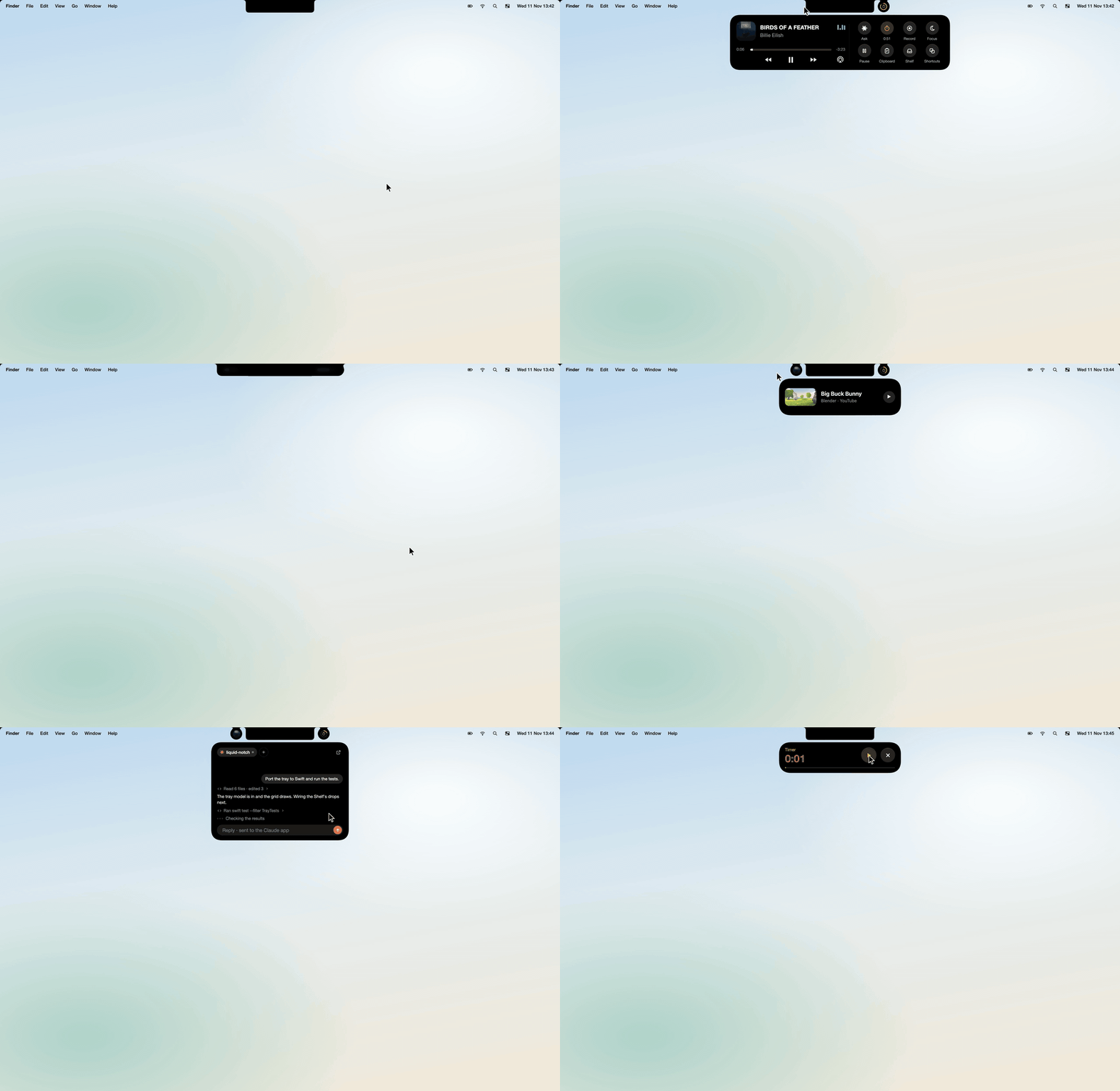
The full demo, in 60 fps: demo.mp4 on the release page.
Liquid Notch is free and open source. If it makes your notch nicer, a coffee keeps it going.
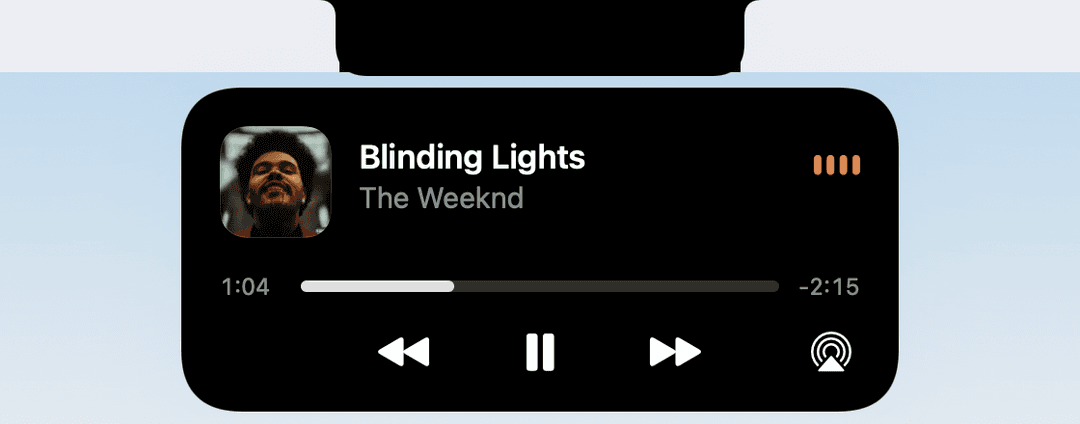 The player. Seek, skip, AirPlay. Hover the ears for a quick preview. | 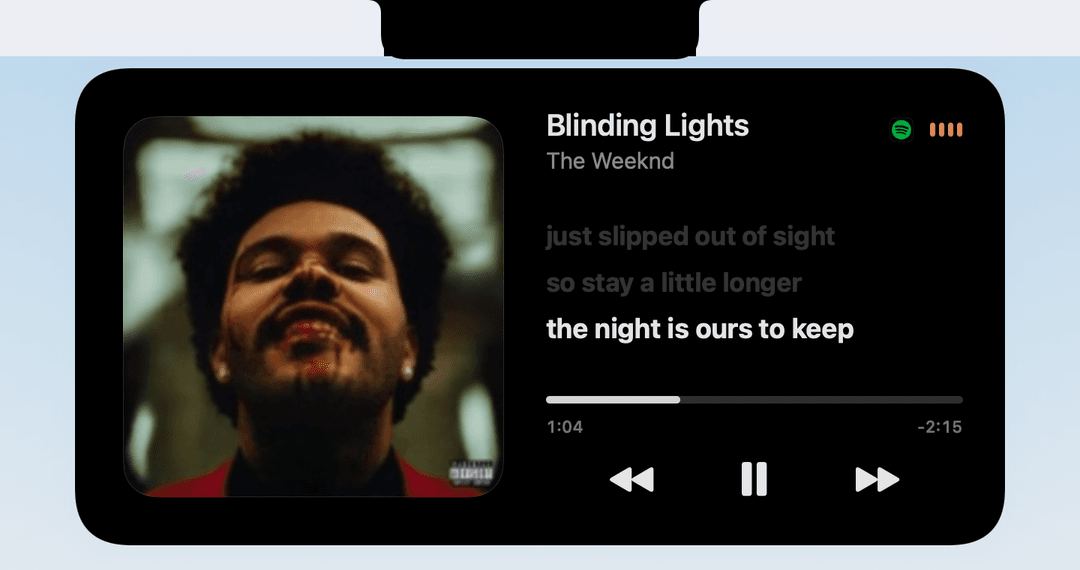 Synced lyrics. Click the cover; the line being sung stays in the middle. |
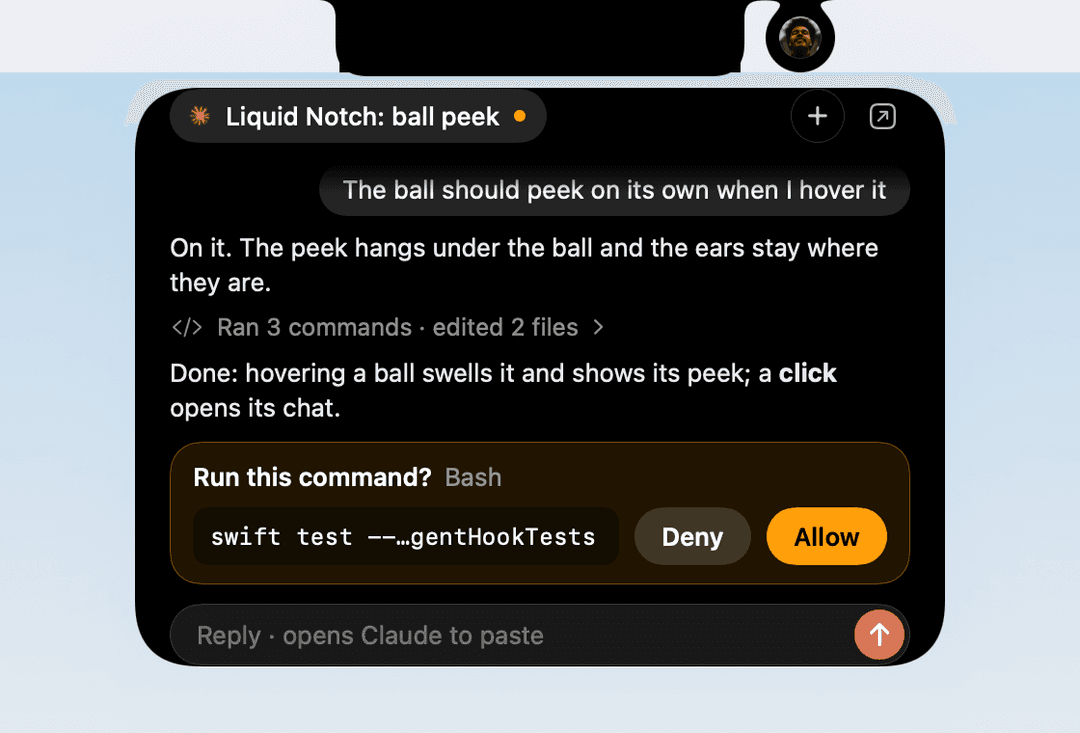 Claude Code and Codex. Allow, deny or answer without leaving what you're doing. | 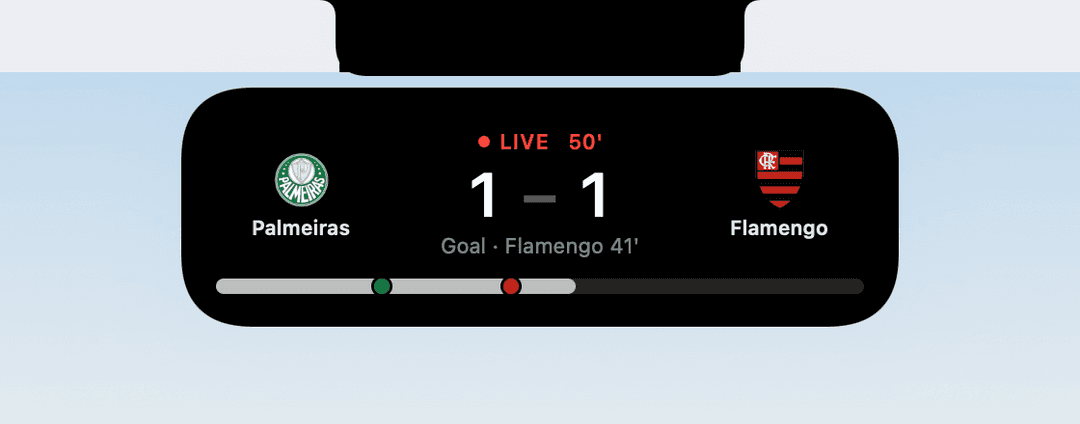 Your teams, live. Football, NFL, NBA, MLB and NHL. |
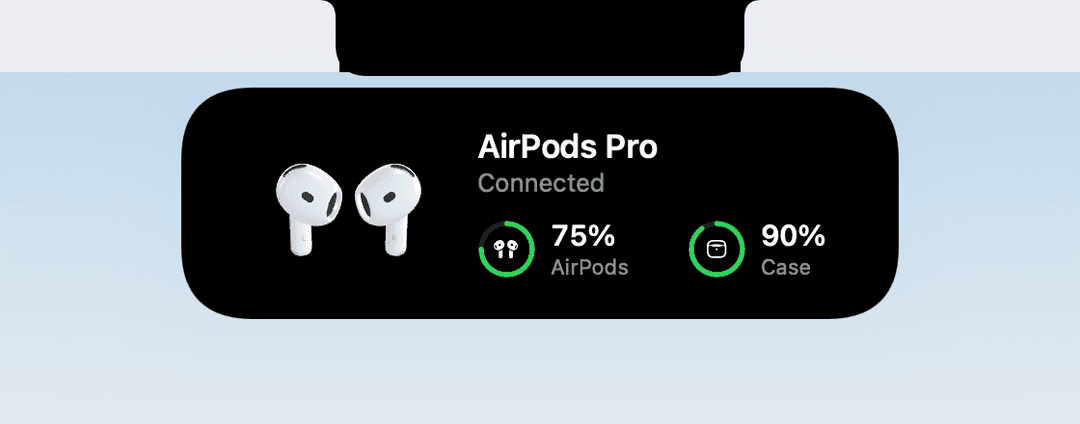 AirPods. Real 3D buds and their battery when they connect. | 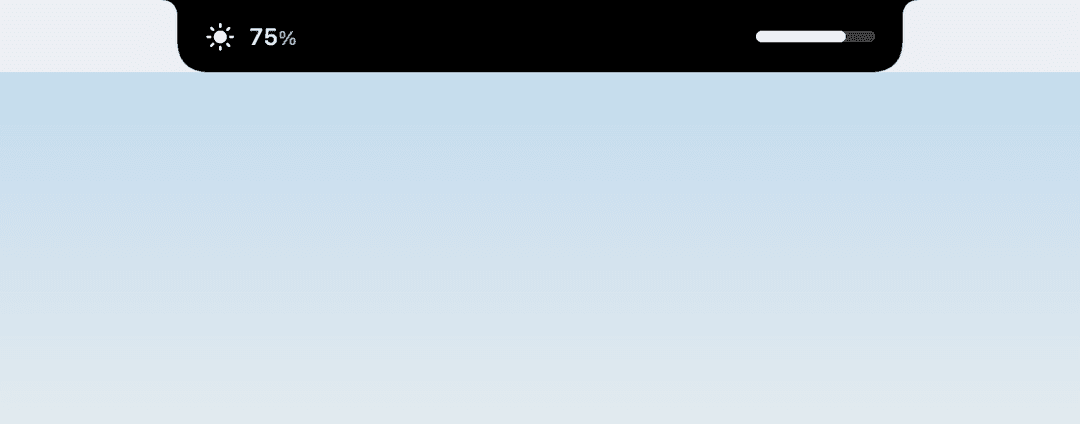 Volume and brightness. The notch's own HUD, and you can drag it. |
What it does
- Music in the ears beside the notch: cover on the left, bars that move with what's playing on the right. Hover for a preview, click for the player (seek, AirPlay), click the cover for synced lyrics.
- A video too: when a video plays beside your music, it waits in a ball. Click it, then its card, and watch the video right in the island, or pop it out into picture in picture and drag it anywhere. It leaves the island while you're on its own tab.
- Claude Code and Codex: a ball per agent while it works. Approve or deny a permission, or answer its question, right from the notch. Ask either one about your screen with ⌥Space (Ask uses your own installed Claude Code or Codex, signed in with your account).
- Activities, iPhone-style: charging and low battery, AirPods with their battery, your next meeting with its Join link, timers, downloads, Focus, the camera light, screen recording from the notch.
- Sports: follow teams in football (soccer), the NFL, NBA, MLB and NHL. A reminder before the game, the live score, goals as they happen, the final.
- Volume and brightness: replaces the system HUD with one you can drag.
- A tray of tools (double-click the notch): Timer, Record, Focus (it knows which Focus is on), Clipboard, a Shelf for files, Shortcuts.
- On the lock screen: the song gets its own card, and optionally its art becomes the lock screen's background (your wallpaper is backed up and always put back).
- Notifications, if you want them: each one opens in the notch for a few seconds, then goes.
- It knows where you are: it steps aside for fullscreen video, open menus and presentations, and never pops a card open while you're typing.
Every one of these is optional, and most are off until you turn them on in Setup.
Install
Download: grab the latest Liquid-Notch-<version>.zip from Releases, unzip it and open Liquid Notch. The first time, it moves itself into your Applications folder (it asks first) and opens again from there. From 1.1 on it keeps itself up to date.
Uninstall: right-click the island › Uninstall Liquid Notch…. It removes its settings and files, its Claude and Codex hooks, its login item and its permissions, puts your wallpaper back if the album art was on it, and moves itself to the Trash.
The app isn't notarized yet, so the first time macOS will say it can't check it. Either right-click the downloaded app › Open › Open, or run this command with the app's current path:
xattr -dr com.apple.quarantine "/path/to/Liquid Notch.app"
Build from source (Xcode 16 or later, Swift 6):
git clone https://github.com/fellipegoncalvesleite/liquid-notch.git && cd liquid-notch
tools/build_adapter.sh      # the Now Playing adapter (needs only clang)
./build_app.sh              # → dist/Liquid Notch.app
open "dist/Liquid Notch.app"
There's no menu bar icon: right-click the notch for the app's menu (Setup, timers, Open at Login, Quit). Opening the app again shows Setup.
Permissions, and why
Setup asks for each one up front, never in the middle of something. Skip any you don't want; only that feature goes away.
| Permission | What it's for |
|---|---|
| Automation (Music, Spotify) | Play, pause, skip and seek when Now Playing can't be read directly, and open the song in its app |
| Accessibility | Replacing the volume and brightness HUD, the ⌥Space shortcut, call banners |
| Bluetooth | AirPods connecting and their battery |
| Calendar | Your next meeting and its Join link |
| Focus | Whether a Focus is on (only on or off, never which) |
| System audio (Screen & System Audio Recording) | Bars that move with the music. Nothing is recorded or kept. Without it the bars animate |
| Screen Recording | Recording your screen from the notch, watching a video in the island, and the screenshot Ask can send |
| Full Disk Access | Reading new Messages, which Focus is on, and notifications if you turn them on. All optional |
Privacy
Everything happens on your Mac. The only things that go out are:
- ESPN, for team search, schedules, scores and crests, and only once you follow a team.
- LRCLIB (lrclib.net), for lyrics: the song's title and artist, only when you open the lyrics.
- Ask, when you use it: your question (and a screenshot, if Screen is on) goes to Anthropic or OpenAI through your own installed Claude Code or Codex, under your own account.
No analytics, no accounts, no update pings.
Claude Code and Codex
Turning on Watch Claude and Codex in Setup adds one small hook per event to ~/.claude/settings.json and ~/.codex/hooks.json. Both files are backed up first (<name>.liquid-notch-backup-<time>), and your other hooks are left alone. The hook is a shell script (~/Library/Application Support/Liquid Notch/agent-hook.sh) that tells the notch what the agent is doing over a local socket.
It's fail-open: if Liquid Notch isn't running, the hook exits at once and your agent carries on as if it weren't there. Only a permission request or a question waits for you, and only up to its timeout, after which the agent asks you itself as usual.
To remove it, turn the switch off in Setup: the hooks and the script are taken out. To do it by hand, delete the entries that mention agent-hook.sh from those two files.
Requirements
- A MacBook with a notch (MacBook Pro 14"/16" 2021 or later, MacBook Air M2 or later). Nothing shows on a Mac without a notch, or with the lid closed.
- macOS 15 Sequoia or later.
Credits
- Now Playing through mediaremote-adapter by Jonas van den Berg (BSD 3-Clause), vendored in
Vendor/. - AirPods 4 3D model by Falah3D, CC BY 4.0. Studio lighting "Studio Small 08" from Poly Haven, CC0.
- Lyrics from LRCLIB. Scores from ESPN's public site API (unofficial).
- Album covers in the demo and screenshots belong to their artists and labels. The video in the demo is Big Buck Bunny (© Blender Foundation, CC BY 3.0).
- Not affiliated with Apple, Anthropic, OpenAI or ESPN.
License
Support
Liquid Notch is free and always will be. If it made your notch a little nicer and you'd like to say thanks:
// faq
What is liquid-notch?
The MacBook notch, finally behaving like the Dynamic Island: a liquid island for music, AirPods, Claude Code and more.. It is open-source on GitHub.
Is liquid-notch free to use?
liquid-notch is open-source under the MIT license, so it is free to use.
What category does liquid-notch belong to?
liquid-notch is listed under data in the Claudeers registry of Claude-compatible tools.
// embed badge

[](https://claudeers.com/liquid-notch)
// retro hit counter

[](https://claudeers.com/liquid-notch)
// reviews
// guestbook
// related in Data & Analytics
 🔓
Marketing skills for Claude Code and AI agents. CRO, copywriting, SEO, analytics, and growth engineering.
 🔓
Wrap Antigravity, ChatGPT Codex, Claude Code, Grok Build as an OpenAI/Gemini/Claude/Codex compatible API service, allowing you to enjoy the free Gemini 3.1 P…
 🔓
Apache Airflow - A platform to programmatically author, schedule, and monitor workflows
 🔓
CLI tool for configuring and monitoring Claude Code