
lfg
lfg — run and manage your AI coding agents (Claude Code / Codex / OpenCode) on your own VPS
Install with your AI
Paste into Claude Code, Cursor, or any agent — it reads the repo and wires the tool into your project.
Install and set up lfg (git-clone project) into my current project.
Found on https://claudeers.com/lfg
Repo: https://github.com/BennyKok/lfg
Homepage/docs: https://lfg.omgs.app/
Detected install method: git-clone → git clone https://github.com/BennyKok/lfg
Category: frameworks. Platforms: cli, api, web, mobile.
Read the repo's README for exact setup and env vars, then install it and wire it into my project.

Claudeers Health Verdict:
active; community-verified: false. Confirm the source before running anything.
git clone https://github.com/BennyKok/lfg
// compatibility
| Platforms | cli, api, web, mobile |
|---|---|
| Operating systems | — |
| AI compatibility | claude |
| License | MIT |
| Pricing | open-source |
| Language | TypeScript |
lfg
Run AI coding agents on your own machine, from anywhere.

lfg turns a Linux box or macOS workstation into a private control plane for
Claude Code, Codex, and opencode. It starts each agent in a long-lived tmux
session, streams the transcript to a web UI, and lets you answer prompts or steer
work from your phone or laptop.
Website: lfg.apps.omg.dev
Why lfg?
- Run agents where your code lives. Sessions execute on your machine, in your repos, with your local CLIs and credentials.
- Use a real web UI. Launch sessions, watch output, answer permission prompts, switch projects, and resume work from an installable PWA.
- Keep it private. The server binds to loopback by default and is designed to be exposed through Tailscale, not the public internet.
- Automate repo checks. Optional markdown-defined agents can collect git, repo, GitHub, model, or security context and produce reports.
Screenshots
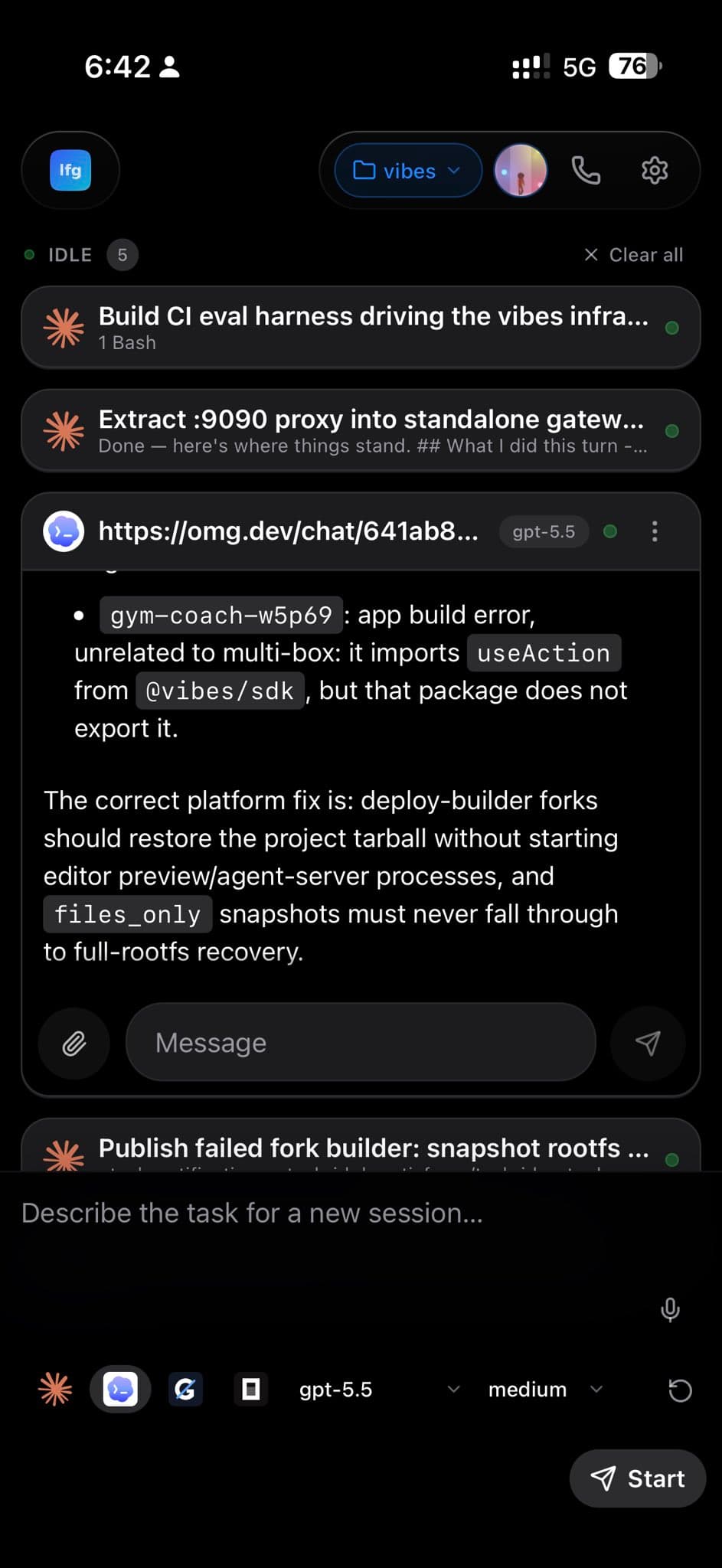
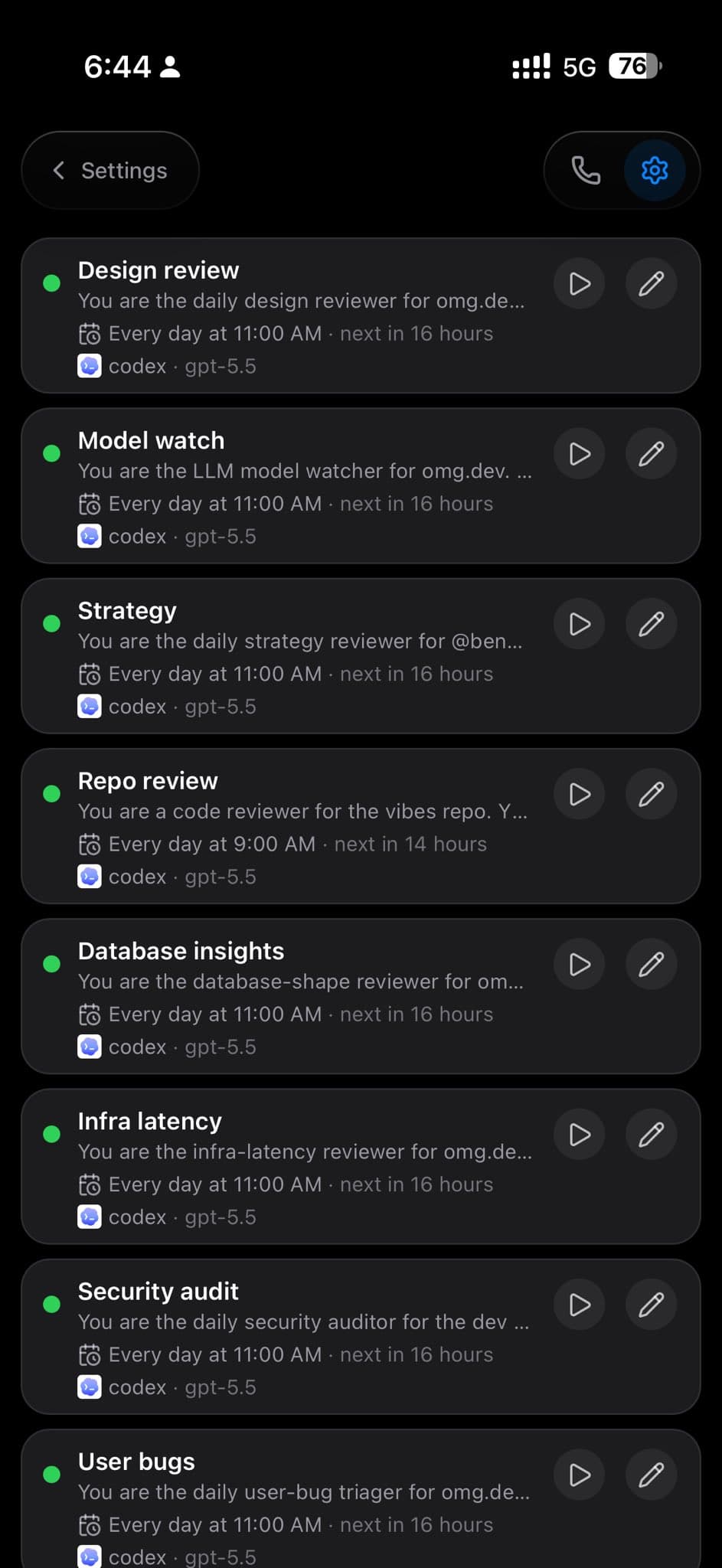
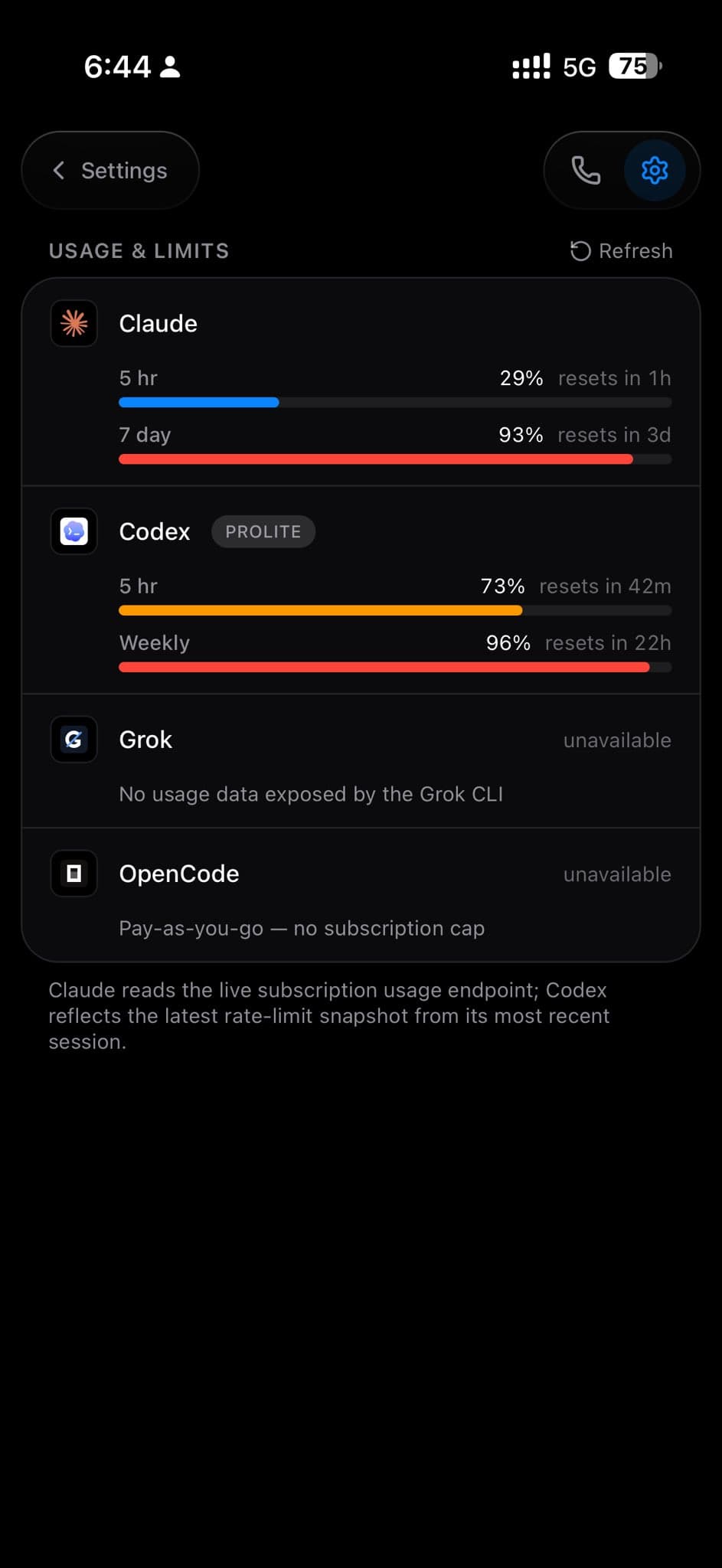
The images are stored in this repo instead of hotlinked, so the README renders reliably on GitHub.
Requirements
- Bun
tmuxgit- At least one supported agent CLI on
PATH:claudecodexopencode
- Optional: Tailscale for private remote access
Quick Start
Install on an Ubuntu/Debian VPS or macOS workstation:
curl -fsSL https://raw.githubusercontent.com/BennyKok/lfg/main/scripts/setup.sh | bash
For a non-interactive Tailscale setup:
curl -fsSL https://raw.githubusercontent.com/BennyKok/lfg/main/scripts/setup.sh \
  | TS_AUTHKEY=tskey-auth-xxxx bash
The setup script downloads the latest release, installs production dependencies,
writes .env, starts the server as a user service, and configures
tailscale serve when Tailscale is available.
One-click Launch
Railway is useful for a hosted demo, but lfg works best on the machine that
has your repos, tmux, and authenticated agent CLIs. See
deploy/railway for details.
The shared Dockerfile also works as the base for
Fly.io, Render,
DigitalOcean, and
Koyeb. These PaaS targets are best for demos or
private-network deployments; a VPS remains the cleanest production-style target.
Because the Vibes SDK path is not live for source installs yet, the Dockerfile
installs the published bundled release (lfg-bundle.tar.gz) instead of building
from the GitHub source tree. Publish a bundle with scripts/release.sh <tag>
before relying on one-click cloud deploys.
For Hetzner, use the cloud-init template in deploy/hetzner. Hetzner's official deploy button only preselects Hetzner App images, so the repo ships a first-boot installer instead.
Railway user requirements:
- Railway account and GitHub access to this repo.
- Keep Public Networking disabled unless you put auth in front of
lfg. - For Tailscale access, add Railway's Tailscale router as a second service and
put
TS_AUTHKEYon that router service. - Optional provider keys in Railway variables, such as
ANTHROPIC_API_KEY,OPENAI_API_KEY, orELEVENLABS_API_KEY.
Hetzner user requirements:
- Hetzner Cloud account, SSH public key, and either the
hcloudCLI or Console. - Tailscale account plus an ephemeral/preauthorized auth key for unattended
setup. The installer joins the server with
tailscale up --authkey ...and exposes the loopback-only UI throughtailscale serve. - After boot, authenticate
claude,codex, oropencodeon the server, or configure API-key based providers in.env.
Local Development
git clone https://github.com/BennyKok/lfg.git
cd lfg
bun install
cp .env.example .env
bun run serve
Open http://127.0.0.1:8766.
Authenticate the agent CLI you want to use, for example by running claude once
and completing OAuth, or by setting the required API key in .env.
Commands
bun run serve                  # web UI + control server
bun run agents -- list         # list markdown-defined agents
bun run agents -- run <name>   # run an insight agent
bun run whatsapp -- run        # optional WhatsApp sidecar
bun run setup                  # rerun provisioning/update flow
Installed release builds expose the same commands through lfg.
Configuration
Configuration lives in .env; see .env.example.
Common settings:
| Variable | Purpose |
|---|---|
LFG_HOST | Bind address. Keep 127.0.0.1 unless you know the risk. |
LFG_PORT | Web UI and API port. Defaults to 8766. |
LFG_REPOS_ROOT | Directory scanned for git repos. |
LFG_CLAUDE_PATH | Override the claude binary path. |
LFG_CODEX_PATH | Override the codex binary path. |
LFG_OPENCODE_PATH | Override the opencode binary path. |
ANTHROPIC_API_KEY | Optional API key for Claude SDK-backed flows. |
LFG_WHATSAPP_* | Optional WhatsApp bridge settings. |
LFG_INSTALL_CHANNEL | Optional install-channel override: source, release, or container. Normally written by setup/container deploys. |
Security
lfg launches AI agents with shell access on your machine. The control API is
unauthenticated by design because it is meant to run on loopback and be accessed
privately through Tailscale.
Do not expose lfg directly to the public internet. Read
SECURITY.md before sharing access.
Project Layout
src/                 CLI, server, sessions, tmux, agents, integrations
web/                 React/Vite PWA
agents/              Example markdown-defined insight agents
scripts/setup.sh     Installer/provisioning script
scripts-internal/    Operator-only helpers (gitignored — see CONTRIBUTING.md)
deploy/              Optional voice, STT, Modal, and ops deployments
docs/                Notes, designs, and future public images
Contributing
Issues and pull requests are welcome. Please read CONTRIBUTING.md and SECURITY.md first.
License
// faq
What is lfg?
lfg — run and manage your AI coding agents (Claude Code / Codex / OpenCode) on your own VPS. It is open-source on GitHub.
Is lfg free to use?
lfg is open-source under the MIT license, so it is free to use.
What category does lfg belong to?
lfg is listed under frameworks in the Claudeers registry of Claude-compatible tools.
// embed badge

[](https://claudeers.com/lfg)
// retro hit counter

[](https://claudeers.com/lfg)
// reviews
// guestbook
// related in Frameworks & SDKs
 🔓
🔓An open-source AI coding agent that lives in your terminal.
 🔓
🔓Claude Code 泄露源码 - 本地可运行版本,新增跨平台桌面端软件补齐Computer Use(附带核心模块解析)
 🔓
🔓LangGPT: Empowering everyone to become a prompt expert! 🚀 📌 结构化提示词(Structured Prompt)提出者 📌 元提示词(Meta-Prompt)发起者 📌 最流行的提示词落地范式 | Language of GPT The p…
 🔓
🔓Multi-Agent Harness for Production AI