
lattice
Optimized, auditable execution for Codex and Claude Code: bounded repository context, verified patches, and reproducible paired benchmarks.
Install with your AI
Paste into Claude Code, Cursor, or any agent — it reads the repo and wires the tool into your project.
Install and set up lattice (git-clone project) into my current project.
Found on https://claudeers.com/lattice
Repo: https://github.com/moulwyse/lattice
Homepage/docs: —
Detected install method: git-clone → git clone https://github.com/moulwyse/lattice
Category: mcp-servers. Platforms: cli, api.
Read the repo's README for exact setup and env vars, then install it and wire it into my project.

Claudeers Health Verdict:
active; community-verified: false. Confirm the source before running anything.
git clone https://github.com/moulwyse/lattice
// compatibility
| Platforms | cli, api |
|---|---|
| Operating systems | — |
| AI compatibility | claude |
| License | Apache-2.0 |
| Pricing | open-source |
| Language | TypeScript |
Lattice
An optimized execution system for repository-scale coding tasks.
Lattice moves deterministic repository work out of the model loop so strong coding models can focus on solving the task.
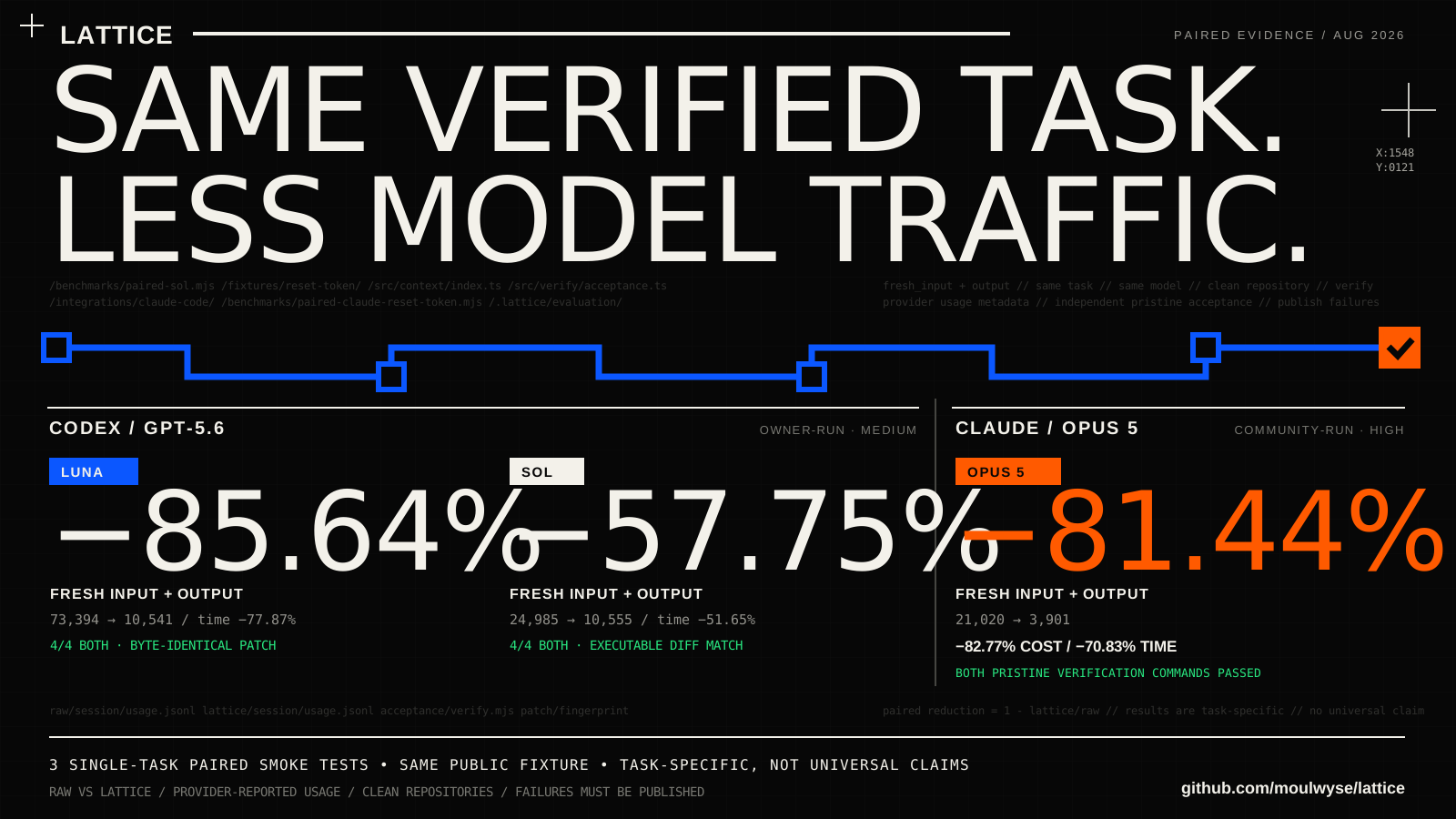
One package now includes both the Codex and Claude Code Beta adapters. Two task-specific live pairs have exercised the same public fixture through different providers:
| Pair | Fresh input + output | End-to-end time | Cost | Acceptance |
|---|---|---|---|---|
| GPT-5.6 Sol, owner-run | 57.75% less | 51.65% faster | Not reported | 4/4 on both arms |
| Claude Opus 5, community-run | 81.44% less | 70.83% faster | 82.77% less | Both verification commands passed; counts unavailable |
Evidence boundary: these are one-pair smoke tests on one fixed task, not independent task selection, population-level non-inferiority, or universal savings. Read the sanitized Sol record, Opus 5 record, controls, and limitations. The historical Luna record remains published rather than being replaced.
Install both integrations and verify in 30 seconds
You need Git and Node.js 20.19+ or 22.12+.
The local verification below needs no model account and makes no model call.
Run it from the Git repository where you want to use Lattice.
npm install --global github:moulwyse/lattice#v0.2.0-claude-beta.1
lattice doctor --workspace .
lattice benchmark --worker mock
A healthy installation ends with Status: passed. This single command installs
the Codex and Claude Code adapters; each integration remains opt-in so Lattice
does not silently change either agent. Continue with the
Codex setup or Claude Code Beta setup.
Created and led by Moulwyse.
This repository is the original and canonical home of Lattice.
Early public release: review the limitations and security model before using Lattice on a sensitive repository. The npm package is not published yet; install the signed-off release tarball from GitHub or build from source.
How it works
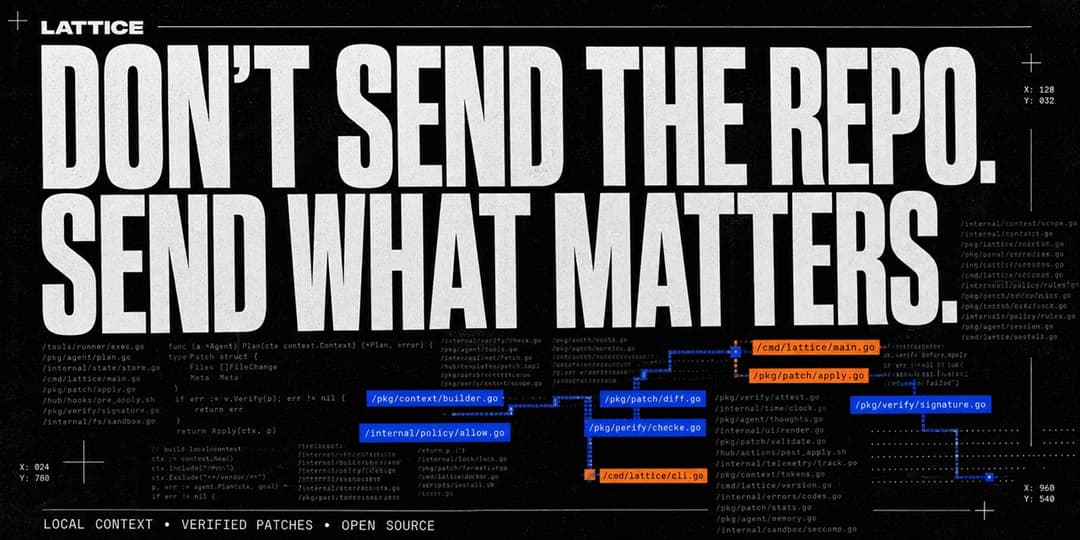
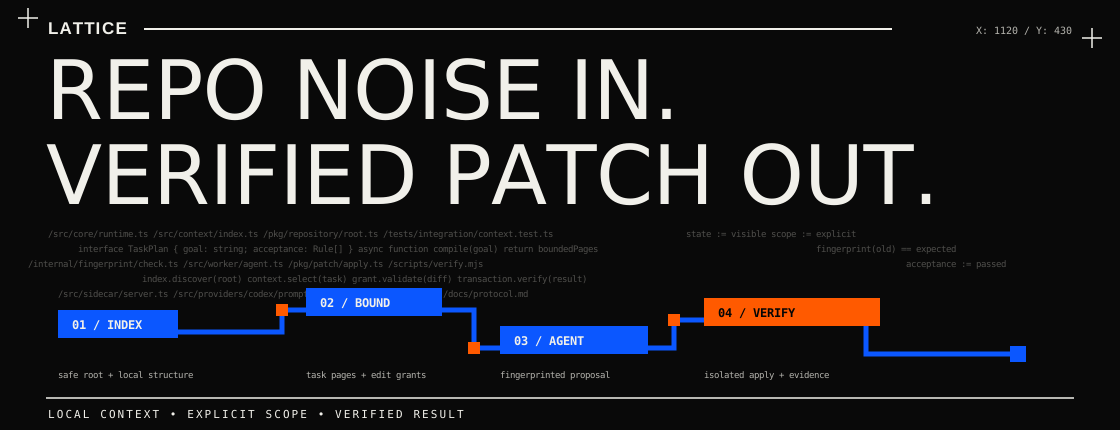
Lattice indexes a local repository, selects bounded task-relevant context, coordinates an agent run, validates edits against repository fingerprints, and records local execution state. The optimization comes from moving deterministic repository operations outside the model loop while keeping context selection, edit authority, and verification visible.
Why Lattice
- Bounded context: the agent receives explicit task-relevant pages instead of an unrestricted repository dump.
- Verified edits: stale or out-of-scope patches are rejected against edit grants and repository fingerprints.
- Visible state: local artifacts record what was selected, changed, and verified without hiding the execution path.
- Cross-provider: one installation includes tested Codex and Claude Code paths with explicit stability labels, RAW bypasses, and separate evidence.
Lattice was originally created and developed by Moulwyse.
Unified installation: Codex + Claude Code
You need Git and a supported
Node.js version (20.19+ or 22.12+). You
do not need an API key to install Lattice or run its local demo.
Install the unified v0.2.0 Claude Beta release
The release tarball gives Windows, macOS, and Linux users one npm-managed installation command without requiring an npm registry publication:
npm install --global github:moulwyse/lattice#v0.2.0-claude-beta.1
lattice --version
lattice benchmark --worker mock
The package contains both provider adapters. Codex remains stable-by-default; Claude Code remains explicitly labeled Beta. Installing the package enables neither integration until you choose it for your environment or repository.
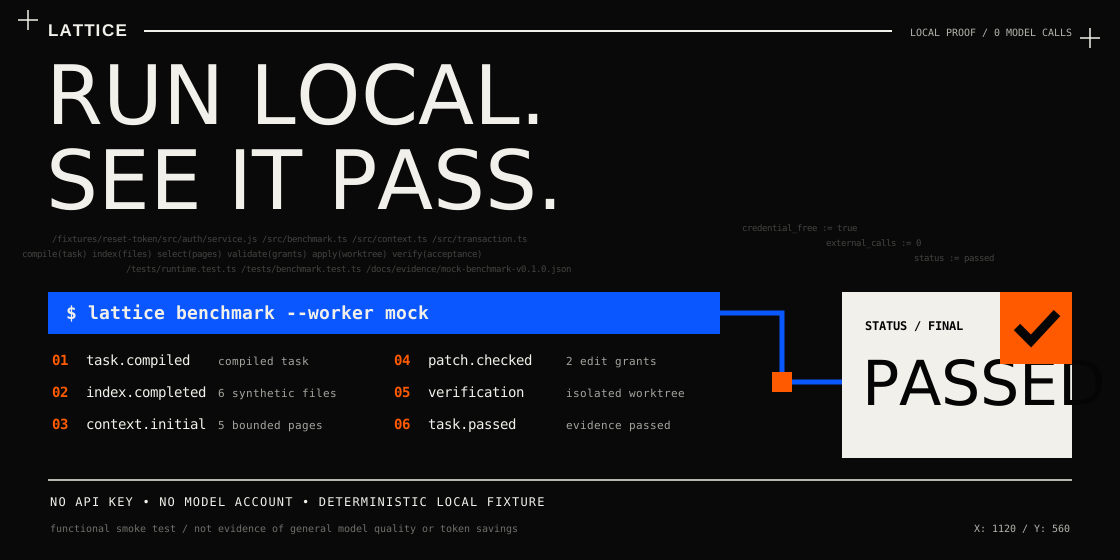
The benchmark is local, deterministic, credential-free, and makes no model call. It is a functional smoke test, not evidence of general quality or token savings.
Build from source
Windows (PowerShell)
Copy and run these commands:
git clone https://github.com/moulwyse/lattice.git
Set-Location lattice
npm ci
npm run build
npm link
lattice --version
lattice benchmark --worker mock
The final command is a credential-free self-test. A successful installation ends with a passed benchmark and creates no model charges.
To connect Lattice to an already installed and authenticated Codex environment:
codex login status
lattice integration codex doctor --workspace .
lattice integration codex enable
lattice integration codex status --workspace .
The Windows integration registers the Lattice MCP server and installs its Lattice-owned launcher and synchronization hooks. Restart Codex after enabling it. Lattice never asks you to paste a Codex API key into its configuration.
macOS or Linux
Install and run the same local self-test:
git clone https://github.com/moulwyse/lattice.git
cd lattice
npm ci
npm run build
npm link
lattice --version
lattice benchmark --worker mock
Then register the read-only MCP bridge with Codex manually:
codex login status
codex mcp add lattice -- node "$(pwd)/dist/cli.js" mcp-server
codex mcp list
The full automatic launcher and hook lifecycle is currently Windows-only. macOS and Linux receive the three bounded repository-context MCP tools through the manual registration above. Native runtime verification on those systems is still welcome; see platform support.
If npm link is unavailable or requires global permissions, skip it and run
the CLI from the cloned directory as node dist/cli.js <command>.
Use it on a repository
Open a terminal in the repository you want to work on and run:
lattice doctor --workspace .
Resolve any reported error, then open that repository in Codex. On Windows, the enabled integration keeps the Codex model and reasoning selection in sync and exposes Lattice automatically. On macOS and Linux, Codex can use the manually registered Lattice MCP tools.
Undo the integration
Windows:
lattice integration codex disable
npm unlink --global lattice-v2
macOS or Linux:
codex mcp remove lattice
npm unlink --global lattice-v2
The disable command removes only integration state that Lattice recognizes as its own. Full installation, troubleshooting, and safety notes are in the installation guide.
What is included
| Capability | Status | Notes |
|---|---|---|
| Local repository discovery and index | Available | Respects repository boundaries and ignore rules. |
| Bounded context pages and edit grants | Available | Local deterministic controls; covered by tests. |
| Fingerprint-checked patch application | Available | Rejects stale or out-of-scope edits. |
| Mock worker and deterministic fixture benchmark | Available | Runs without a model account or API credential. |
| Manual handoff workflow | Available | The operator transfers a bounded request and response. |
| Direct Codex SDK worker | Beta | Requires an authenticated Codex environment; exercised by published owner-run paired smoke tests. |
| Transparent Codex launcher, hooks, sidecar, and MCP bridge | Experimental | Alters user-level integration state when explicitly enabled; inspect before use. |
| Adaptive model selection and verified-patch cache | Experimental | Opt-in; exact behavior and limits are documented. |
| Claude Code | Beta | Included in the same package; locally tested and exercised by a published community-run Opus 5 pair. |
| Gemini, Cursor, Grok, or other providers | Not implemented | No adapter for these providers is included in this repository. |
“Available” describes implemented and locally tested behavior, not a production support guarantee. See provider status for the precise boundary.
Claude Code Beta
Claude Code is an opt-in Beta integration inside the main Lattice package.
There is one package, one installation, and one CLI: lattice. Existing Codex
commands and defaults remain unchanged.
Install the prerelease directly from GitHub Releases. Neither the maintainer nor the installer needs an npm account:
npm install --global github:moulwyse/lattice#v0.2.0-claude-beta.1
lattice --version
Enable it only in the repository where you want Claude Code to use Lattice:
lattice integration claude enable --workspace .
lattice integration claude status --workspace .
lattice claude
Use lattice claude --raw to launch the same bundled Claude Code while
bypassing Lattice for that child process. Undo only the project integration
with lattice integration claude disable --workspace .; uninstall the unified
package with npm uninstall --global lattice-v2.
The Beta has passed local build and contract tests with Claude Agent SDK
0.3.220 and its bundled Claude Code 2.1.220. A community-operated Opus 5
pair on the public fixture observed 81.44% less fresh input plus output, 82.77%
lower provider-reported cost, and 70.83% lower end-to-end time. Both independent
verification commands passed, but the legacy report did not preserve per-test
counts or patch identity. This is one task-specific signal, not a universal
Claude claim. Claude Code, Agent SDK, hook, and MCP behavior may change.
Read the Beta install, RAW bypass, and removal guide before enabling it. Maintainers and reviewers can use the concise Claude Code OSS project brief.
Requirements
- Node.js
^20.19.0or>=22.12.0, matching the locked development toolchain; - Git for repository and worktree features;
- Windows, macOS, or Linux with a filesystem accessible to Node.js;
- Codex authentication only when using the Codex worker;
- Claude authentication or API access only when using Claude Code or the direct Claude worker.
The final local release audit ran on Windows. GitHub Actions now builds and tests the public repository on Ubuntu, Windows, and macOS with Node.js 20 and 22. Dependency resolution was also checked for Linux x64 and Darwin ARM64. Hosted CI is valuable compatibility evidence, but it is not the same as a full interactive Codex integration test on every platform.
Core commands
lattice
lattice run "<task>" --worker mock
lattice run "<task>" --worker manual
lattice run "<task>" --worker codex
lattice run "<task>" --worker claude
lattice continue <task-id>
lattice handoff validate <task-id>
lattice session new|show|reset
lattice doctor
lattice benchmark --worker mock
lattice integration codex status|doctor|enable|disable
lattice integration claude status|enable|disable
lattice claude [--raw]
lattice sidecar status|stop
lattice --version
lattice --about
Use lattice <command> --help for command-specific options. A direct Codex run
can inherit the active Codex model settings, or accept explicit
--model, --reasoning-effort, and --model-policy options. Model identifiers
are passed to the provider; availability depends on the installed provider and
account.
Configuration
Configuration is repository-local in lattice.config.json. Start from
examples/lattice.config.example.json:
{
  "model": "inherit",
  "reasoningEffort": "inherit",
  "modelPolicy": "inherit"
}
Do not commit credentials or provider session state. Lattice does not require
an API key field in this file. Configuration precedence and experimental
adaptive behavior are documented in
docs/configuration.md.
How it works
- Lattice discovers a safe repository root and builds a local structural index.
- A task compiler converts the goal into acceptance criteria and context needs.
- The context kernel returns bounded pages instead of an unrestricted repository dump.
- An agent or manual operator proposes edits against explicit edit grants.
- Lattice checks fingerprints, applies the transaction in an isolated Git worktree when available, and runs allowlisted verification commands.
- State and diagnostics are written beneath the repository-local
.lattice/directory, which must remain ignored and private.
See architecture, protocol, and persistence schemas.
Tests and quality checks
npm test
npm run lint
npm run format:check
npm run scan:public
npm run package:check
npm test builds the project before running the Vitest suite. The public-export
scanner checks source files while ignoring expected generated directories in a
working clone (.git, node_modules, dist, and .lattice). CI and release
preparation invoke the scanner directly in strict export mode. Both modes
report suspicious artifacts and exit non-zero; neither deletes files. The
scanner is defense in depth, not proof that a repository is safe.
Security and privacy
Lattice reads source code in the repository you point it at. Context sent to a
remote model is subject to that provider's terms, account settings, and
retention policy. Local metadata can contain source excerpts, diffs, goals, and
diagnostics. Treat .lattice/ as sensitive, keep it out of version control,
and remove it before sharing a repository copy.
The optional transparent Codex integration can create Lattice-owned launch
shims, an MCP registration, and Codex hooks in user-level configuration. It is
never enabled by installation. Run lattice integration codex doctor, review
the reported paths, and keep a configuration backup before enabling it. The
disable command removes only state that Lattice recognizes as its own.
Automatic persistent-PATH setup through lattice integration codex enable is
currently Windows-only. On macOS and Linux, the core CLI and manual stdio MCP
registration remain available, but the transparent launcher/hook lifecycle is
not claimed as implemented. See installation and
provider status.
Read SECURITY.md and
docs/security.md before real use.
Limitations
- This is an early public release, not a hosted service or security boundary.
- A smaller context is not automatically a correct context.
- Verification is only as strong as the repository's tests and the configured command allowlist.
- Token and latency savings vary by task, repository, model, cache state, and provider accounting.
- Local integration tests do not substitute for a live provider evaluation.
- The credential-free reset-token benchmark is a deterministic functional fixture, not evidence of model quality or savings.
- The Luna and Sol results are single owner-run pairs on one fixed fixture.
- The Opus 5 result is one community-operated reproduction on the same maintainer-supplied fixture; it is not independent task selection.
The complete list is in docs/limitations.md.
Evaluation
Performance claims should come from paired, isolated runs with provider-reported
usage, evaluator-owned tasks, disclosed failures, and a predeclared acceptance
rule. The proposed protocol is documented in
docs/evaluation.md.
The release includes a sanitized, reproducible
credential-free smoke-test result.
The current source also publishes a CI-checked
240-case safety-frontier result covering
risk classification, fail-closed protocol handling, path confinement, exact
patch lowering, and the live-evaluation budget guard. Reproduce it with
npm run evidence:frontier. These are deterministic local checks, not live
model results or evidence of token savings.
The source also includes sanitized paired records for GPT-5.6 Luna, GPT-5.6 Sol, and a community-run Claude Opus 5 reproduction, plus the spend-gated public drivers. Each record is one RAW run and one Lattice run on one fixed fixture. None is population-level or independent task-selection evidence. Raw provider sessions, private configuration, local paths, and unreviewed transcripts remain excluded.
Contributing
Read CONTRIBUTING.md and the Code of Conduct. Bug reports and pull requests must not contain secrets, personal paths, private source, model transcripts, or provider session data.
Support
See SUPPORT.md. Security vulnerabilities belong in the private reporting path described by SECURITY.md, not in public issues.
Lattice is independently built and maintained. To support its development, discuss sponsorship, or help with access to testing infrastructure, contact [email protected].
You can also support the project through Patreon. Patreon support helps cover cross-platform testing, CI, reproducible benchmarks, and model access.
Please do not send credentials, API keys, or private source code by email.
License and authorship
Licensed under the Apache License 2.0. Attribution and provenance are recorded in NOTICE, AUTHORS.md, and CITATION.cff. Project-name guidance for forks is in TRADEMARKS.md.
Lattice was originally created and developed by Moulwyse.
- Original author: https://github.com/moulwyse
- Canonical repository: https://github.com/moulwyse/lattice
// faq
What is lattice?
Optimized, auditable execution for Codex and Claude Code: bounded repository context, verified patches, and reproducible paired benchmarks.. It is open-source on GitHub.
Is lattice free to use?
lattice is open-source under the Apache-2.0 license, so it is free to use.
What category does lattice belong to?
lattice is listed under mcp-servers in the Claudeers registry of Claude-compatible tools.
// embed badge

[](https://claudeers.com/lattice)
// retro hit counter

[](https://claudeers.com/lattice)
// reviews
// guestbook
// related in MCP Servers
 🔓
🔓f.k.a. Awesome ChatGPT Prompts. Share, discover, and collect prompts from the community. Free and open source — self-host for your organization with complete…
 🔓
🔓A cross-platform desktop All-in-One assistant for Claude Code, Codex, OpenCode, OpenClaw, Gemini CLI & Hermes Agent. Only official website: ccswitch.io
 🔓
🔓🪨 why use many token when few token do trick — Claude Code skill that cuts 65% of tokens by talking like caveman
 🔓
🔓An open-source AI agent that brings the power of Gemini directly into your terminal.