
KapeCut
A motion design and video editor for Claude Code: Claude writes every Scene as code
Install with your AI
Paste into Claude Code, Cursor, or any agent — it reads the repo and wires the tool into your project.
Install and set up KapeCut (git-clone project) into my current project.
Found on https://claudeers.com/kapecut
Repo: https://github.com/brewed-ops/KapeCut
Homepage/docs: —
Detected install method: git-clone → git clone https://github.com/brewed-ops/KapeCut
Category: devtools. Platforms: cli, api.
Read the repo's README for exact setup and env vars, then install it and wire it into my project.

Claudeers Health Verdict:
unknown; community-verified: false. Confirm the source before running anything.
git clone https://github.com/brewed-ops/KapeCut
// compatibility
| Platforms | cli, api |
|---|---|
| Operating systems | — |
| AI compatibility | claude |
| License | NOASSERTION |
| Pricing | open-source |
| Language | TypeScript |
KapeCut
A motion design and video editor made for Claude Code. You describe the video; Claude Code writes every Scene as code; you review it, point at what to change, and export an MP4. No AI image or video model, no keyframes to drag.
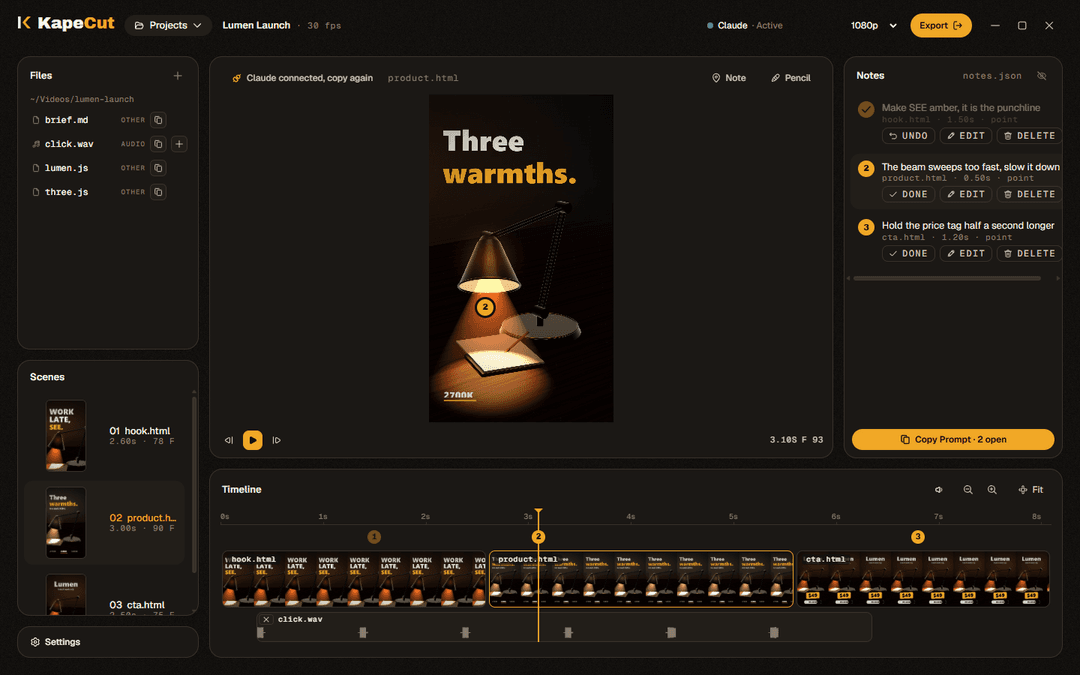
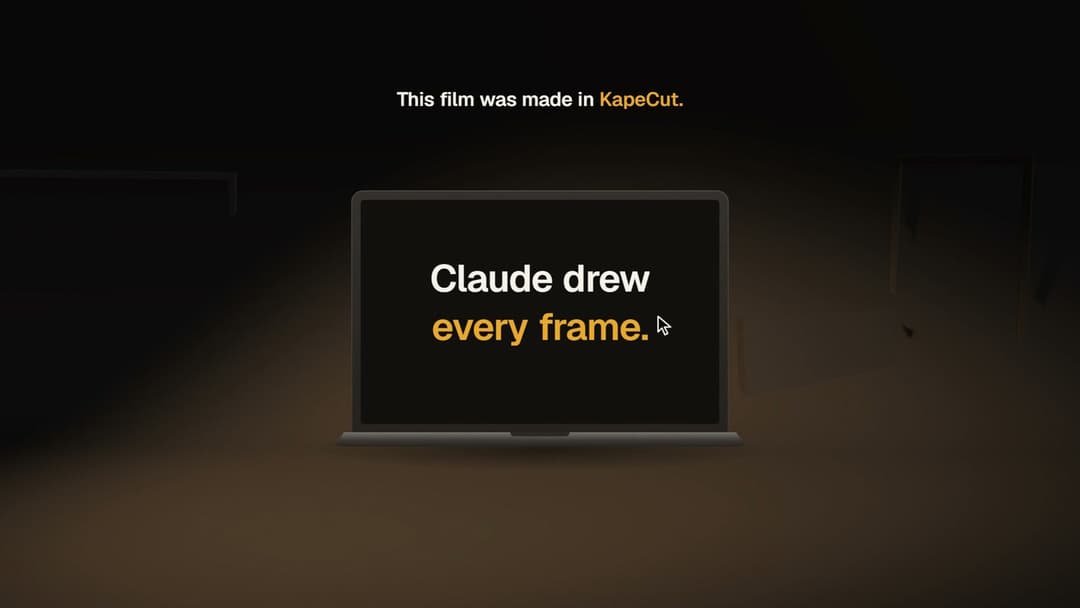
Watch the demo film (77 s, with sound).
How it helps
Claude Code can already write animation as code. Without KapeCut, though, you can't see a frame of it, point at a spot to fix, or get an MP4 out. KapeCut supplies those parts:
- Brief in, video out. Drop a brief, a logo, fonts and a voiceover into a folder and ask Claude Code for "a KapeCut video from this brief". The bundled skill plans the shots and writes one HTML canvas page per Scene for 9:16, 16:9 or 1:1.
- See every Frame. KapeCut plays the real Scene pages with your audio, frame-accurately. It reloads a Scene the moment Claude saves it, so you watch the fix land.
- Point instead of describe. Pause, press N and click the spot, draw a path with P, or mark a span on the Timeline. Then Copy Prompt and paste it into Claude Code. Claude reads each Note's Frame and position, fixes the Scene, checks it with a still and ticks the Note off while you watch.
- Export without a render farm. MP4 (H.264) at 720p, 1080p, 1440p or 4K. The same code that draws the preview draws the export, so what you approved is what you get.
- Yours to edit. A Project is a plain folder:
project.json, the Scene pages, your files andnotes.json. Open it in any editor, put it in git, hand it to someone else.
Good for short-form ads, explainers, kinetic type, product promos and social cut-downs: anything where you'd rather direct than keyframe.
Install
KapeCut is free. It runs on Windows 10 or 11 and on Macs with Apple silicon (M1 or newer).
Mac
KapeCut installs on a Mac with one line in Terminal. It is not signed by Apple, so a downloaded copy gets blocked by macOS; the Terminal line skips that block (see what it runs).
-
Check your Mac: Apple menu > About This Mac. Chip must say Apple M1 or newer. An Intel Mac cannot run KapeCut.
-
Open Terminal: press Command + Space, type
Terminal, press Return. -
Copy this line, paste it into Terminal (Command + V) and press Return:
curl -fsSL https://kapecut.brewedops.cloud/install.sh | bash -
Wait while it downloads (about 120 MB). When Terminal says KapeCut is in /Applications., KapeCut opens by itself. You can close Terminal.
-
Next time, open KapeCut from Applications or Launchpad like any app.
To update, run the same line again. It closes KapeCut, replaces it with the newest version and opens it.
Windows
- Open the latest release and, under Assets, click KapeCut-Setup-<version>.exe to download it.
- Open the downloaded file.
- If Windows shows Windows protected your PC, click More info, then Run anyway. It asks because the installer is not signed yet.
- Follow the installer (you can keep the suggested folder) and click Finish. KapeCut opens.
- Next time, open KapeCut from the Start menu.
To update, open Settings > Updates in KapeCut and click Check for updates, then Update, then Restart.
First launch (both)
The Setup window checks for the tools KapeCut works with: ffmpeg, Claude Code, the KapeCut skill and Chrome or Edge. For anything missing it shows the install command with a Copy button. Install it, then click Re-check. The skill installs with the Install skill button. With Claude Code already installed, Copy Prompt copies one prompt that has Claude install the rest for you.
Run from source
Needs:
- Node 24, or 26 and newer (
npm cistops on any other: vitest skips Node 25) - ffmpeg 4.4 or newer on your PATH, with ffprobe (Export encodes with them)
- Claude Code on your PATH (Claude writes the Scenes)
- the KapeCut skill in
~/.claude/skills/kapecut(KapeCut installs it for you, see below) - Chrome or Edge (Claude checks each Scene with a still from it; Windows ships with Edge)
npm ci
npm run dev
KapeCut checks all of these on every launch. While one is missing, the Setup window stands in for the editor and nothing opens. It shows the install command for your OS with a Copy button (KapeCut never runs an installer) and an Install skill button. With Claude Code found, Copy Prompt copies one prompt that has Claude run the other install commands. Install what is missing, then press Re-check. Settings lists the same checks.
Open a Project folder with the "Open folder" button, or drop the folder on the window. examples/ holds two. Drop any other file on the window to copy it into the open Project: it shows in the Files panel, and audio files drag from there onto the Timeline.
The KapeCut skill
skills/kapecut/ is a Claude Code skill that turns a folder with a brief and
references into a Project: it asks the format (9:16, 16:9 or 1:1), writes project.json and one page per Scene
from the 2D canvas starter (skills/kapecut/starter-2d.html), and checks every Scene with a still before handing over.
The Setup window installs it into ~/.claude/skills/kapecut (Install skill), and offers Update skill whenever
your copy differs from this checkout's, by a hash of every file. Update asks first, since it replaces the whole folder.
Then, in Claude Code, in a folder holding your brief.md and references: "make a KapeCut video from this brief".
Open that folder in KapeCut when Claude is done.
Pin Notes on the Frames you want changed, then tell Claude "fix the Notes". It fixes the Scenes, checks each fix with
a still and sets the Notes done (skills/kapecut/mark-done.mjs, needs Node 18 or later); KapeCut reloads the Scenes
and turns each fixed Note into a check while you watch.
The Scene contract every page follows is ADR 0001.
Test
npm run typecheck
npm test
npm run e2e
npm run dist   # this OS's installer into release/
e2e and shots keep the KapeCut window see-through, click-through and unfocused; KAPECUT_HIDDEN=0 npm run e2e shows it for debugging.
License
MIT, except the icons in src/renderer/icons.ts (Jiggicons, licensed for KapeCut only). See LICENSE.
// faq
What is KapeCut?
A motion design and video editor for Claude Code: Claude writes every Scene as code. It is open-source on GitHub.
Is KapeCut free to use?
KapeCut is open-source under the NOASSERTION license, so it is free to use.
What category does KapeCut belong to?
KapeCut is listed under devtools in the Claudeers registry of Claude-compatible tools.
// embed badge

[](https://claudeers.com/kapecut)
// retro hit counter

[](https://claudeers.com/kapecut)
// reviews
// guestbook
// related in Developer Tools
 🔓
The agent harness performance optimization system. Skills, instincts, memory, security, and research-first development for Claude Code, Codex, Opencode, Curs…
 🔓
Makes your AI agent think like the laziest senior dev in the room. The best code is the code you never wrote.
 🔓
AI coding assistant skill (Claude Code, Codex, OpenCode, Cursor, Gemini CLI, and more). Turn any folder of code, SQL schemas, R scripts, shell scripts, docs,…
 🔓
Orca is the ADE for working with a fleet of parallel agents. Run any coding agent with your own subscription. Available on desktop and mobile.