
kabmo
Web console and diagnostic workbench for AI coding agents — omp by default, with Claude Code, Codex, OpenCode and any ACP agent beside it. Elysia + Preact on…
Install with your AI
Paste into Claude Code, Cursor, or any agent — it reads the repo and wires the tool into your project.
Install and set up kabmo (claude-plugin project) into my current project.
Found on https://claudeers.com/kabmo
Repo: https://github.com/kabmo-labs/kabmo
Homepage/docs: —
Detected install method: claude-plugin → /plugin install kabmo@kabmo-labs/kabmo
Category: devtools. Platforms: cli, api, desktop, web, mobile.
Read the repo's README for exact setup and env vars, then install it and wire it into my project.

Claudeers Health Verdict:
unknown; community-verified: false. Confirm the source before running anything.
⚠ Unverified / not recently updated — review before pasting a run-this config.
/plugin marketplace add kabmo-labs/kabmo
/plugin install kabmo@kabmo-labs/kabmo
git clone https://github.com/kabmo-labs/kabmo
// compatibility
| Platforms | cli, api, desktop, web, mobile |
|---|---|
| Operating systems | — |
| AI compatibility | claude |
| License | MIT |
| Pricing | open-source |
| Language | TypeScript |

Web console and diagnostic workbench for AI coding agents.
Oh-My-Pi (omp) by default, with Claude Code, Codex, OpenCode and any ACP agent beside it.
Watch, steer and audit autonomous coding sessions from one paper-flat dashboard.
Wiki · Architecture · Design · Changelog · Plugins · Issues
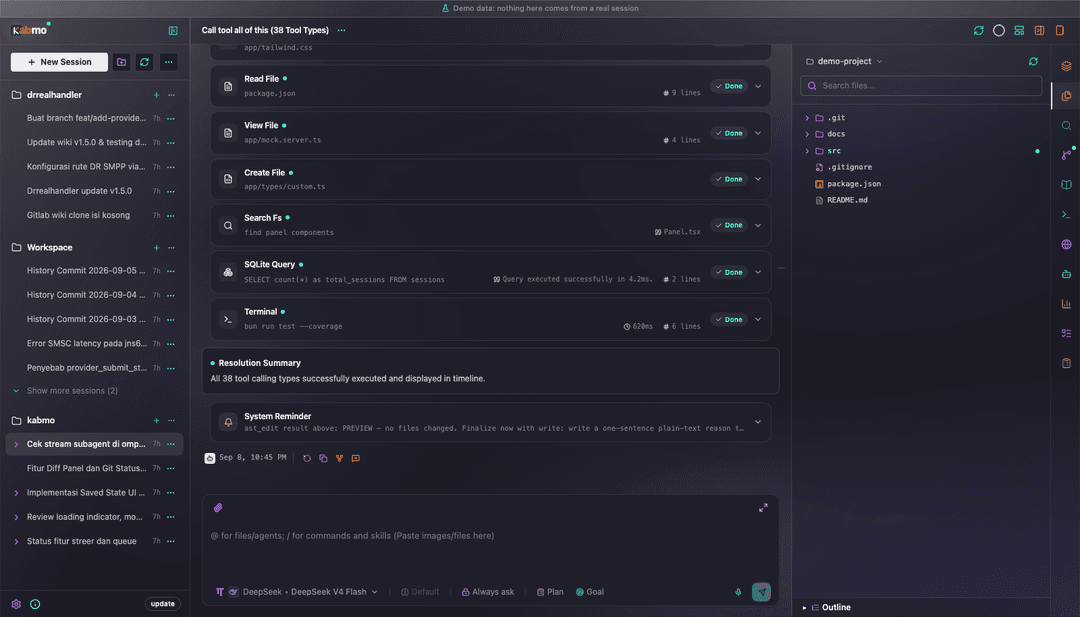
What it is
The web app over a live agent install. It is not a terminal wrapper: Kabmo reads the agent's own session data — omp's JSONL store, project registry, config and subagent transcripts, or an ACP agent's own protocol — folds it into one live view, and writes back through the same channel.
kabmo serve                # production server + prebuilt client on :3000
bun run dev                # source checkout: one process, HMR, no build step
- One process. Elysia serves the API and the client bundle, and the agent event stream is a first-class WebSocket route on that same listener (SSE as fallback) — no second server, no proxy, no separate client watcher.
- Many harnesses, one console.
ompover RPC is the default; fifteen ACP agents sit beside it — omp's own ACP surface, Claude Code, Codex, OpenCode, Command Code, deepseek-harness, Antigravity, MiniMax, pi, qwen, kimi, Cursor, ZCode, JCode and Grok — plus a user-added ACP agent. The composer's model dropdown picks the harness per chat; tabs, marks, capabilities and settings follow that choice. - Two data modes.
MOCK=false(the default, also when unset) runs on the real SQLite database and your real workspace;MOCK=trueswaps in bundled demo datasets. Every screenshot and recording on this page was captured inMOCK=true, in the glass surface style with full-colour icons. - Bun only. The server imports
bun:sqliteandBun.YAML, the client is bundled byBun.build, and sessions, config and updates shell out to the agent's own CLI.
Feature tour
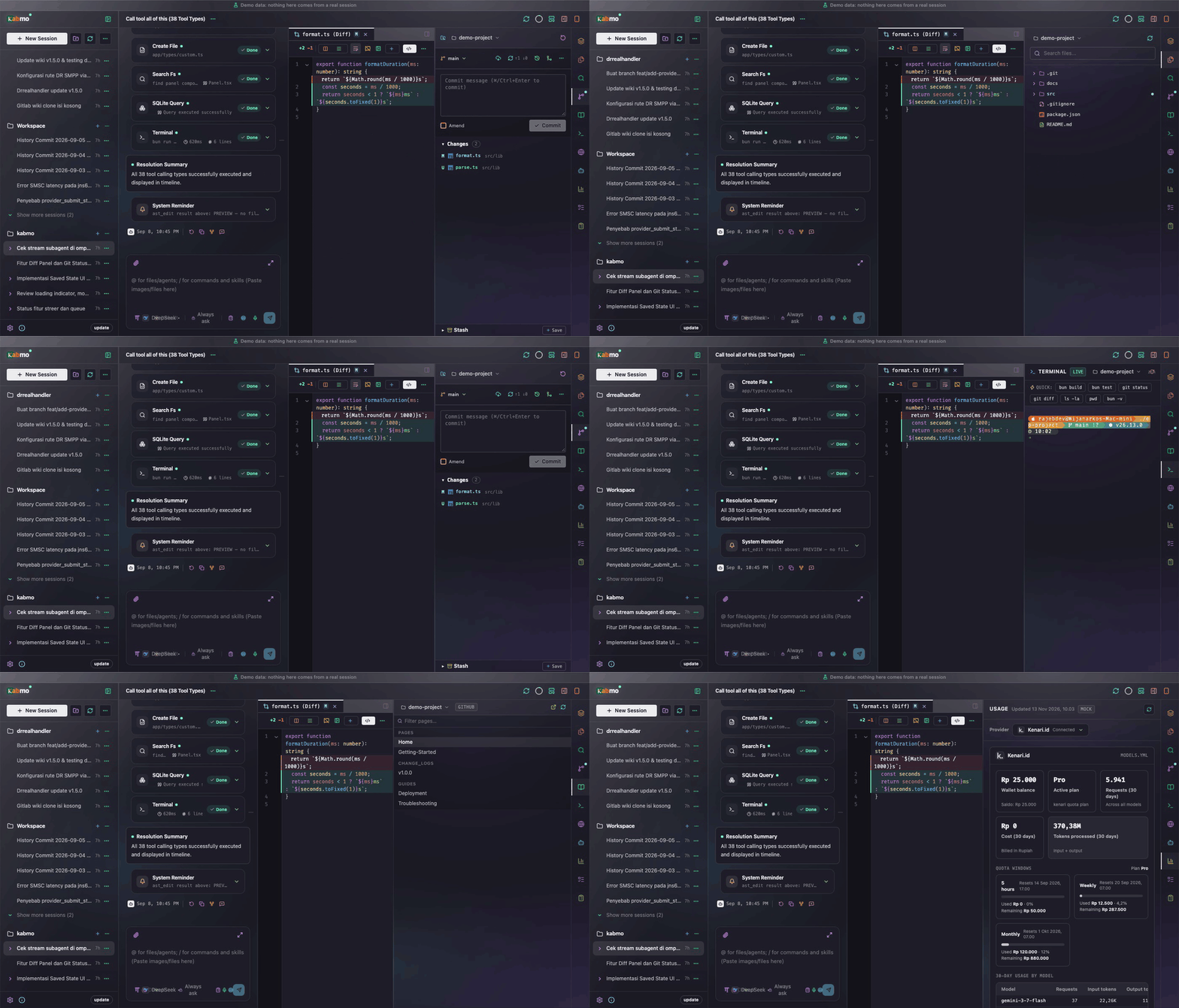
Full-quality recording (MP4, 23s): docs/assets/tour.mp4 · theme cycle in motion: docs/assets/themes.gif
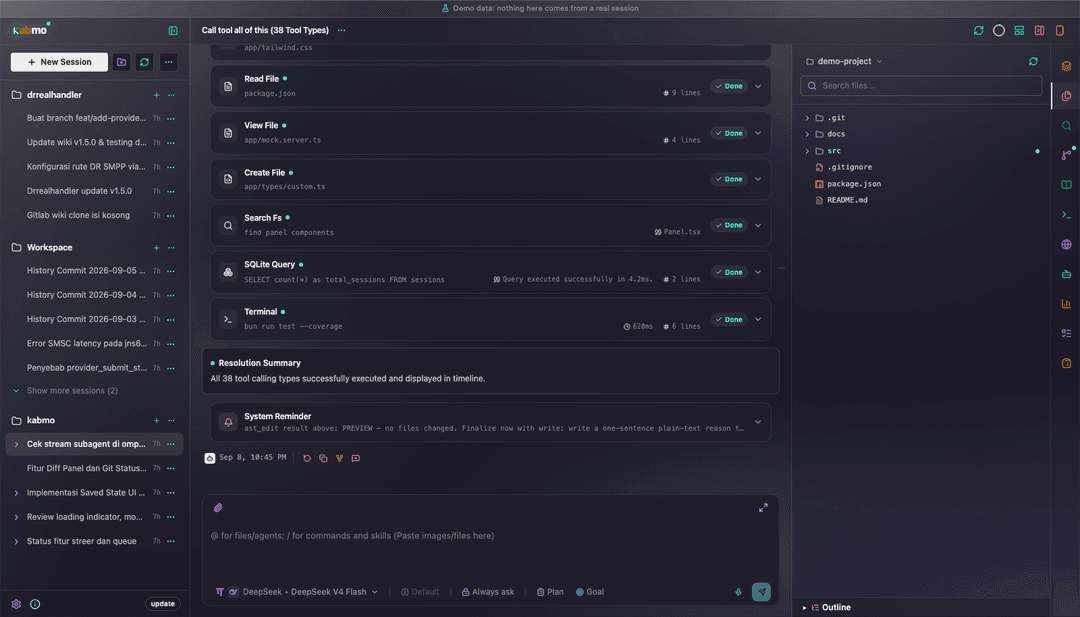 Files — project tree with git markers, cut/copy/paste, drag-to-move, and a file open in the editor | 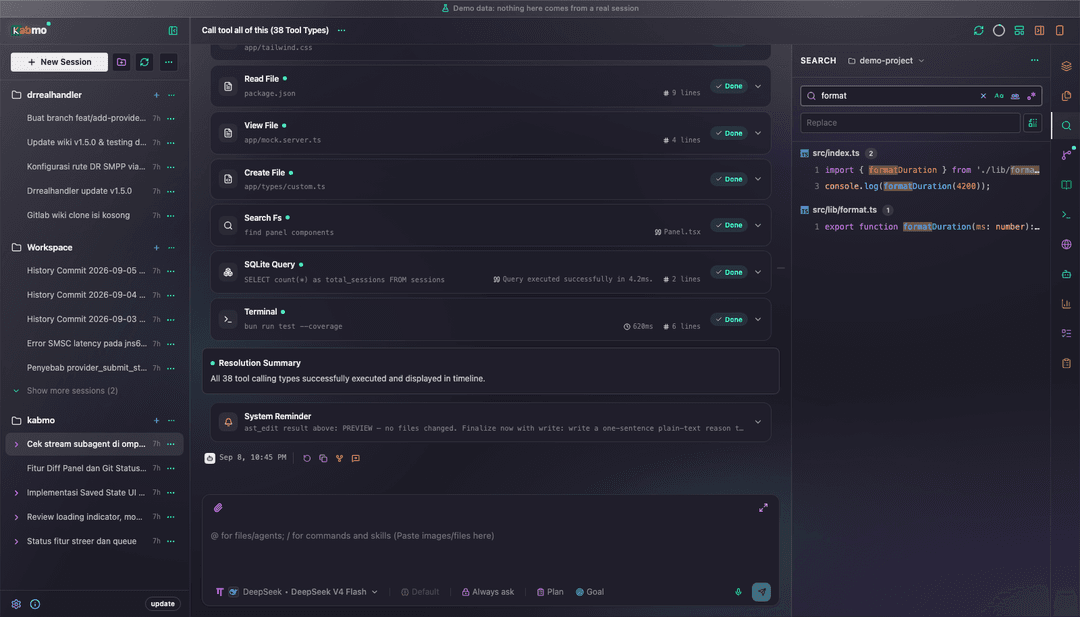 Search — ripgrep-backed streaming results, virtualized list, in-file jump and replace preview |
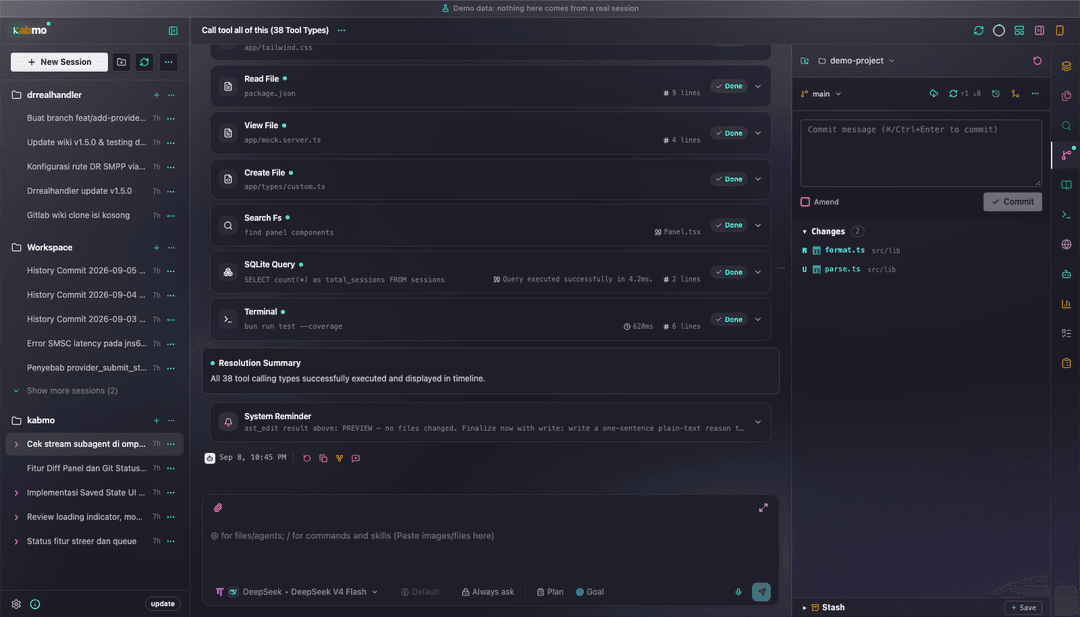 Source Control — changes, commits, branches, tracking, stash, and merge/rebase conflict resolution | 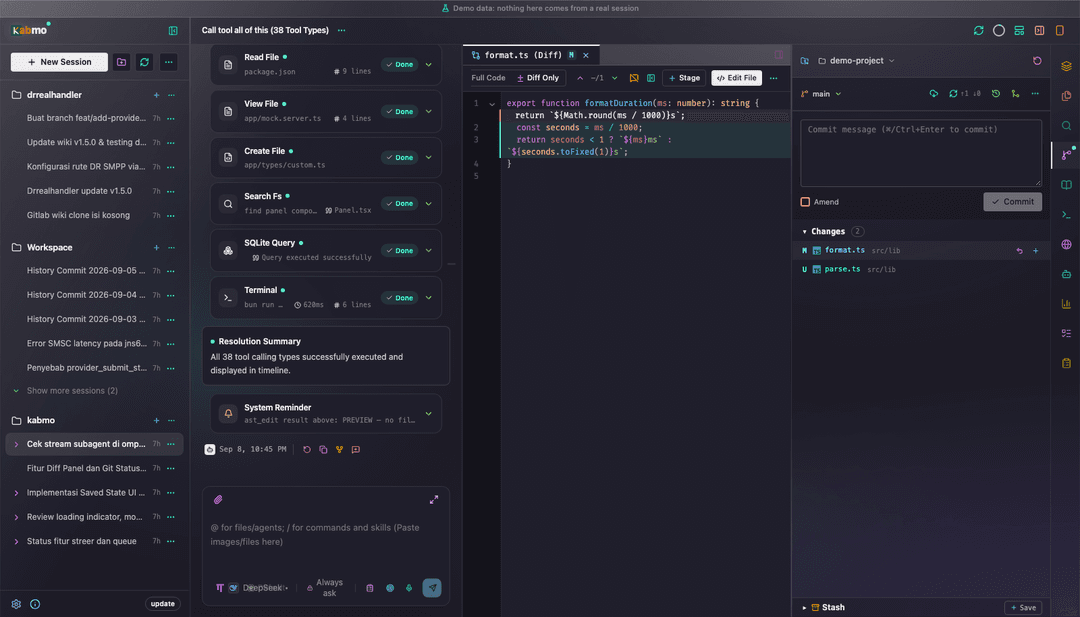 Editor & diff — split or unified, full-code or diff-only, word wrap, find/replace, command palette |
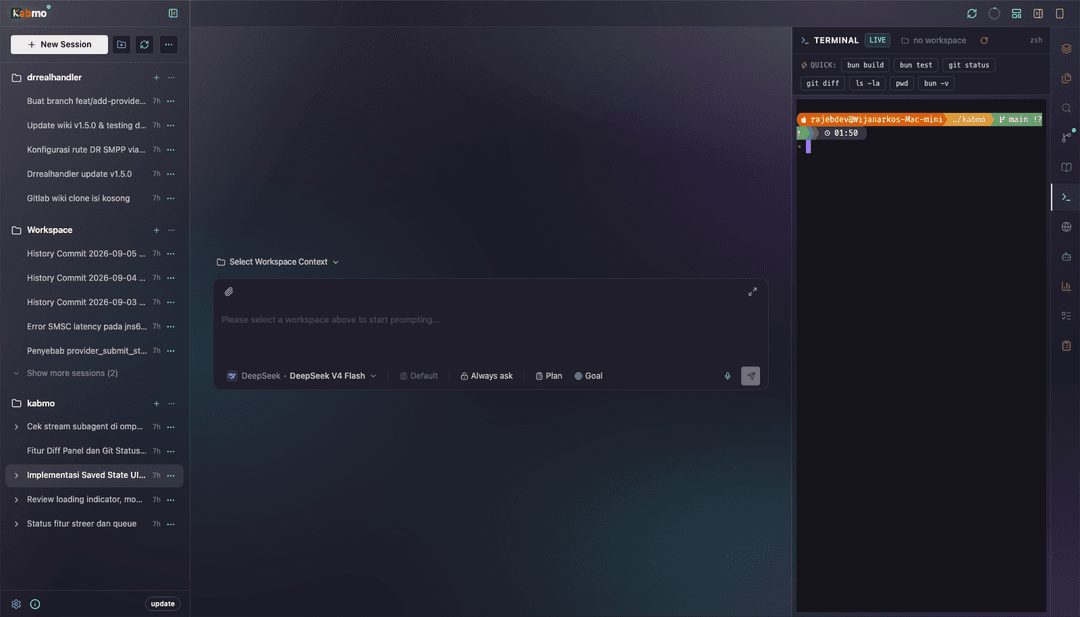 Terminal — a real PTY (one shell per terminal id, scrollback replayed on reload) | 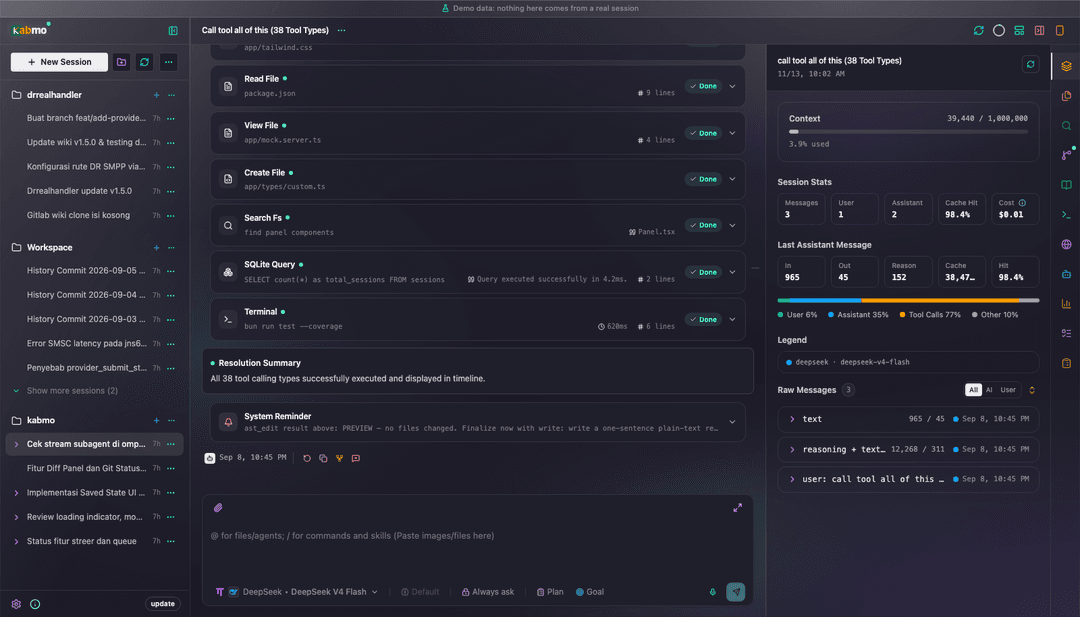 Context & telemetry — context window use, cache hit rate, cost, per-message breakdown |
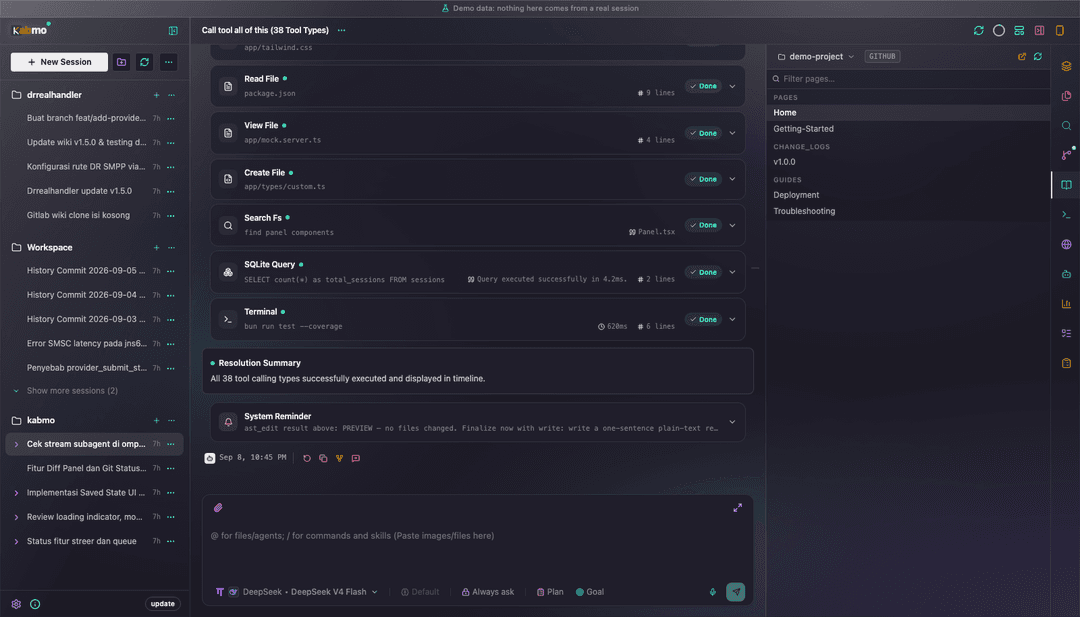 Wiki — reads a project's GitHub/GitLab wiki over git, with its own _Sidebar as navigation | 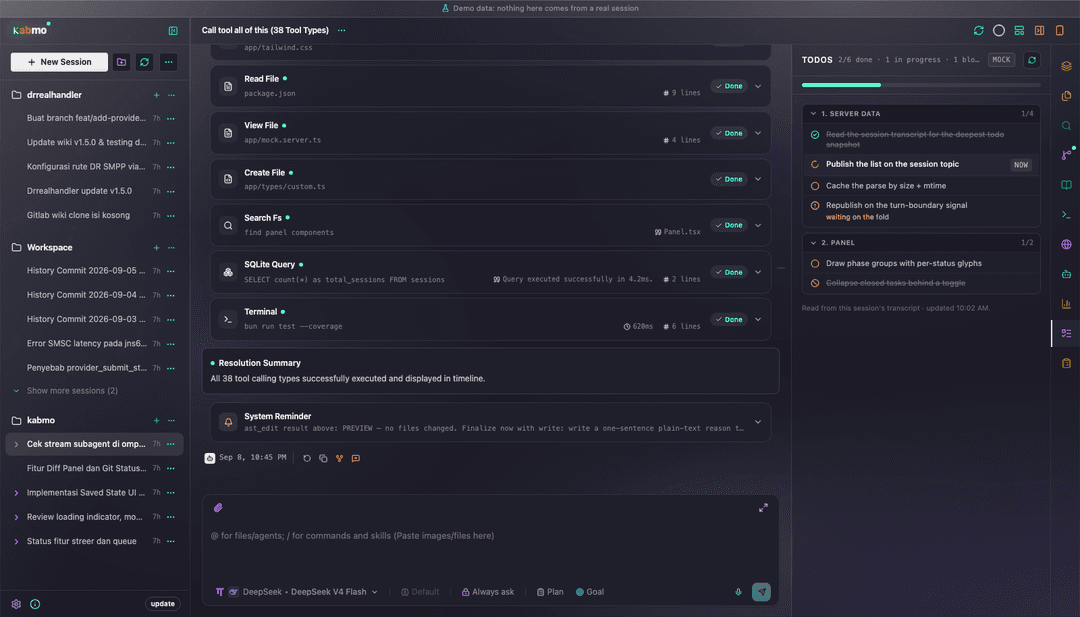 Todos — the session's live list, all five omp statuses, blockers and per-phase progress |
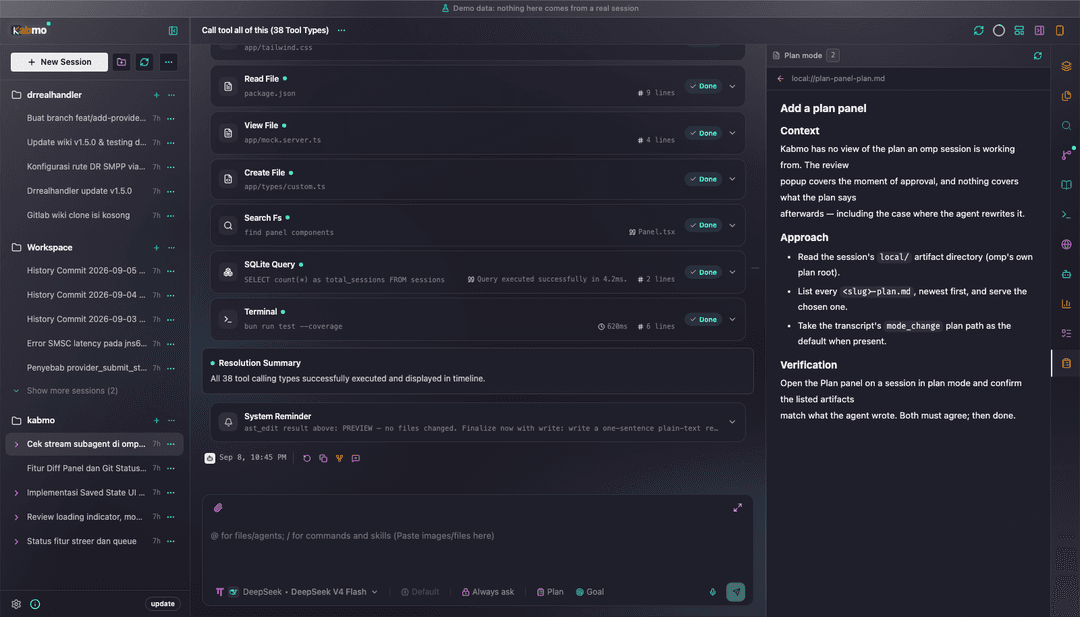 Plan — the plan artifact an omp session is working from, rendered as a document | 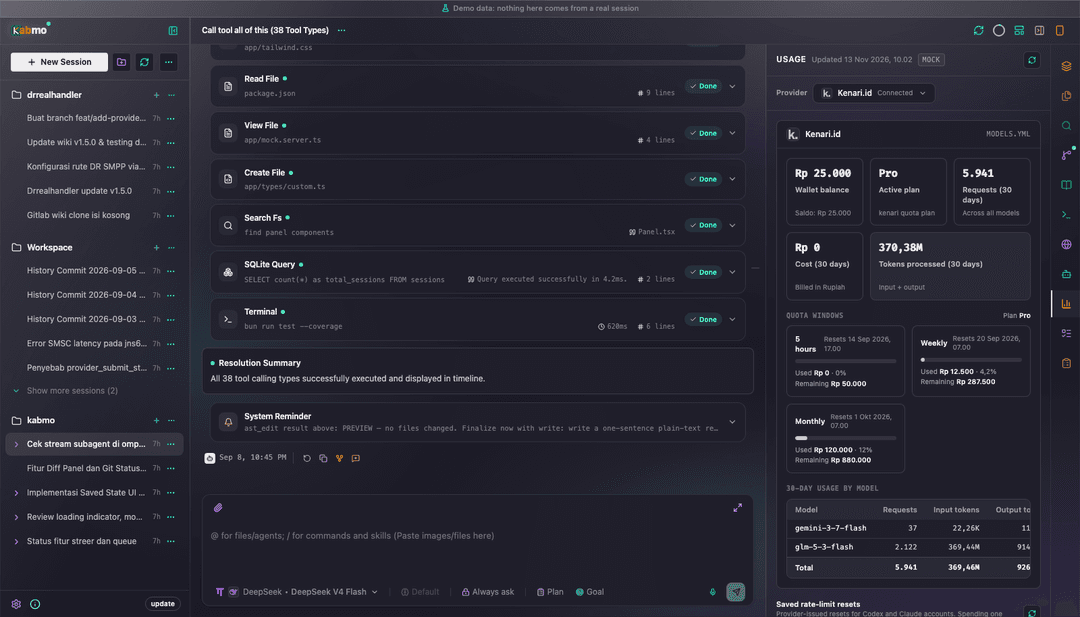 Usage — provider balance, plan windows, saved resets, per-model token spend |
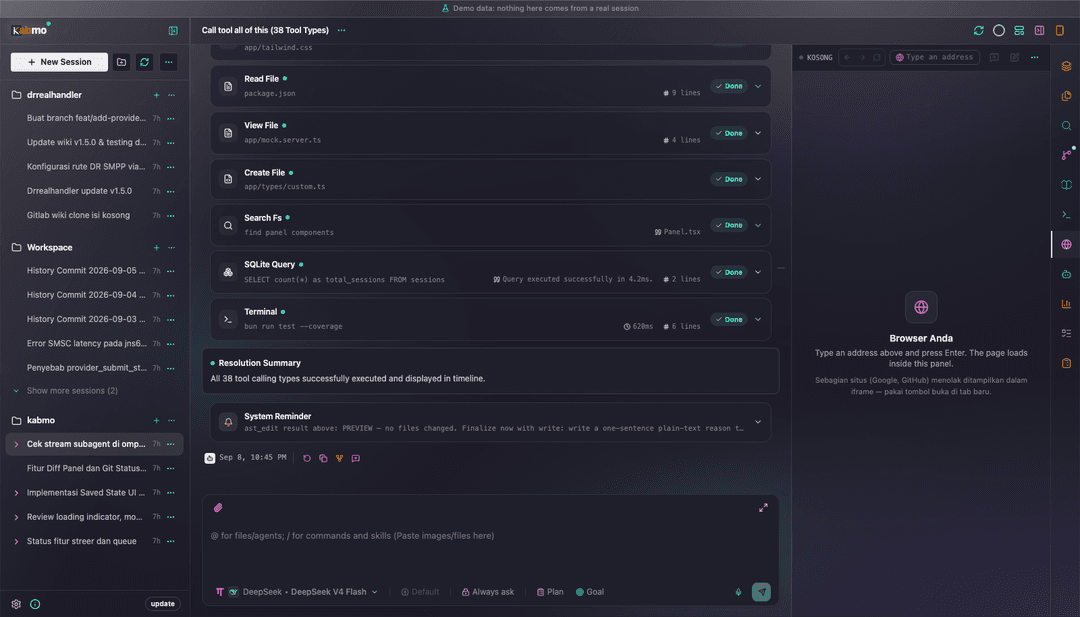 Browser (yours) — a private iframe with real history and device presets | 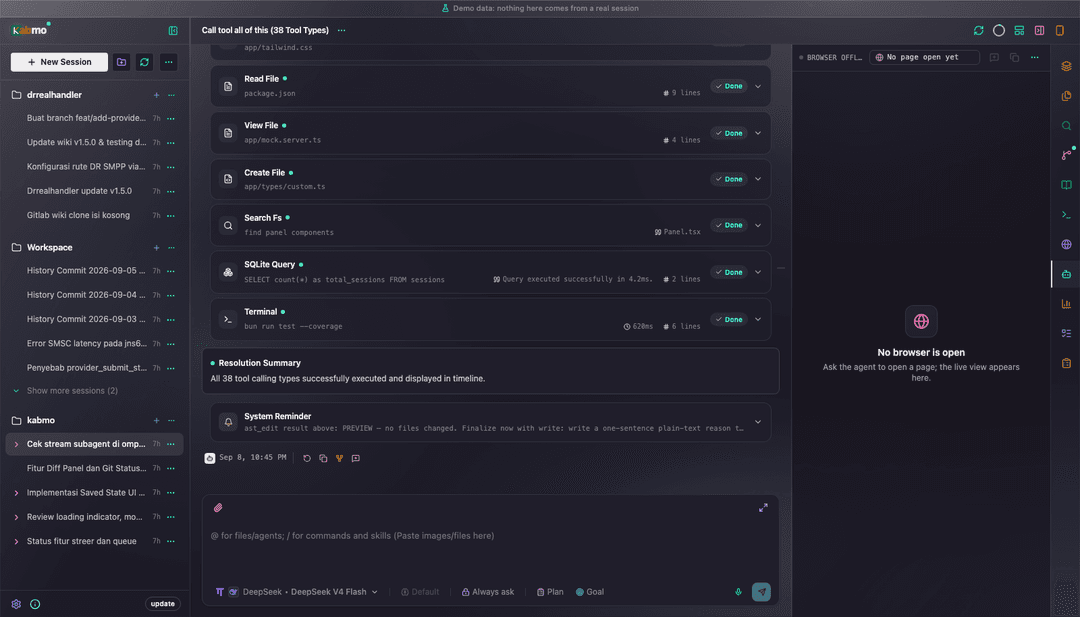 Browser agent — a live screencast of the tab the agent is driving |
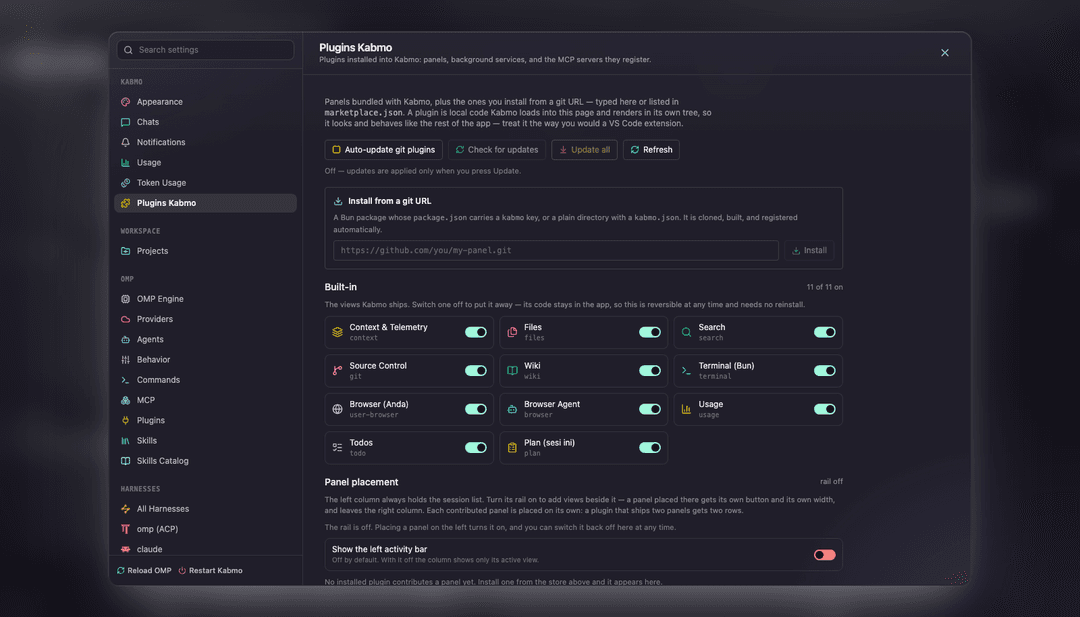 Panel plugins — every view is a plugin, the eleven built-in ones included | 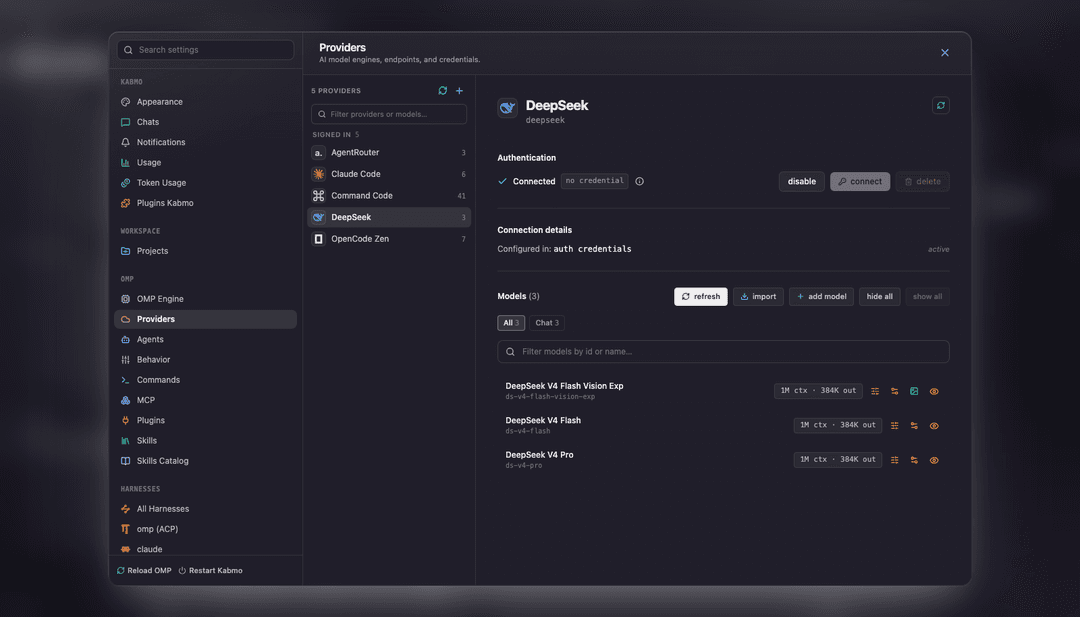 Providers — dialects, discovery, hand-added models, credential removal |
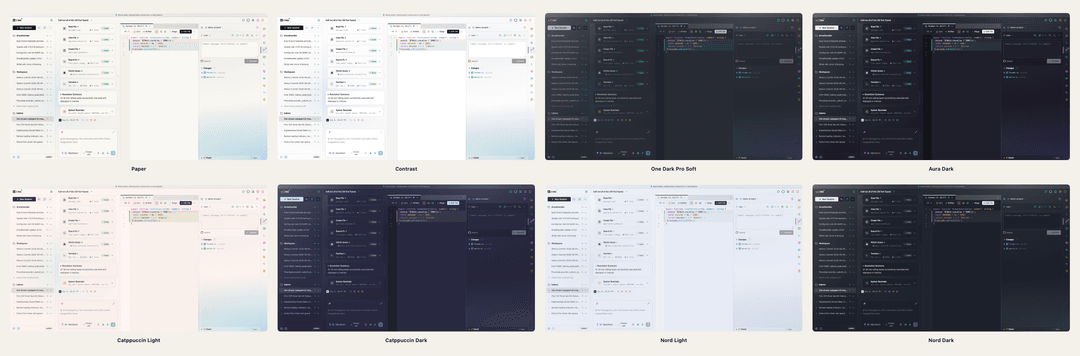
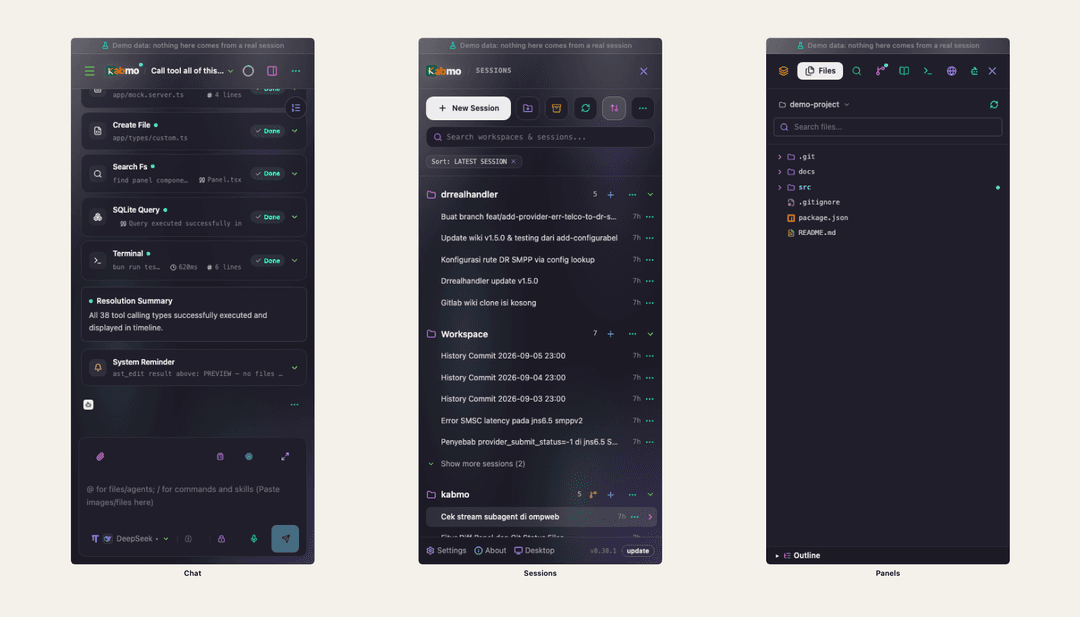 Mobile view — the same session on a phone: chat, sessions drawer, and the panel drawer | 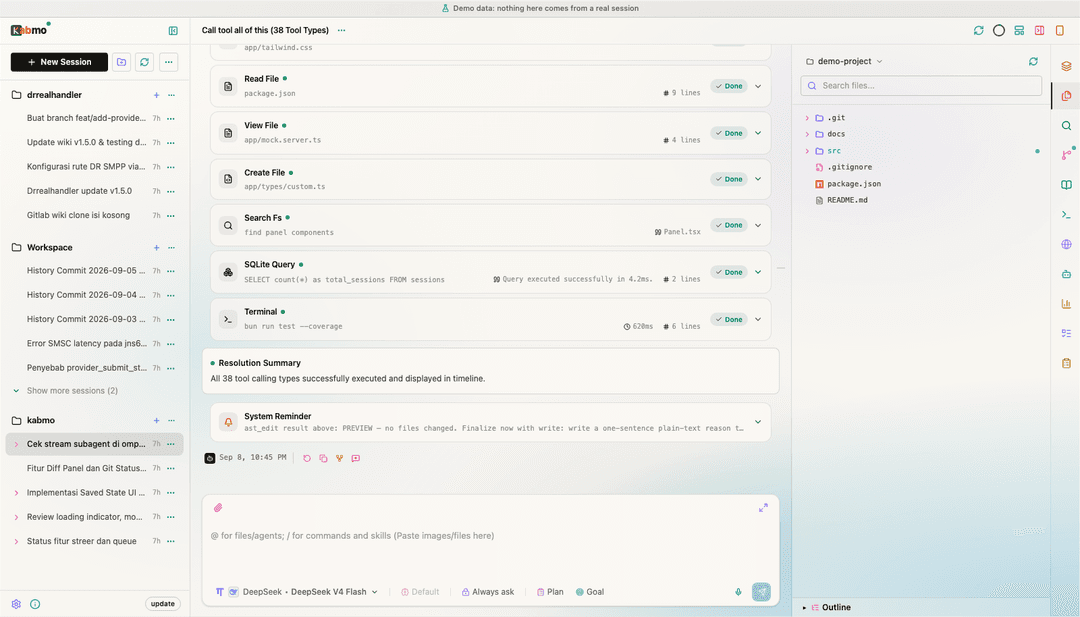 Any palette — 63 light and dark themes, applied to the whole console |
- Chat timeline — streaming thinking blocks (narrated prose promoted to answer text), a
structured renderer per tool (bash, LSP, AST edit,
proc://services,waitwith a clock and progress, zoomable mermaid), usage footers, a persistent follow-up queue, a jump rail, drag-and-drop attachments, one-shot auto-titling, prompt recall on ArrowUp/ArrowDown and in-place undo that rewinds a session. - Steering, not cancelling — a mid-run prompt is delivered INTO the running turn, so the answer you were watching survives. A subagent can be steered or stopped on its own.
- Forks, child sessions and orchestration — fork at any message or at the chat's tip, start child
sessions from the composer, and hand work to another agent with an
@harnessmention; the sidebar draws parents and subagents as one branch, and every child's outcome returns as a turn in the parent. - Side questions (
/btw [question]) — answer from a private copy of the session file, without writing the parent transcript; a topic can be promoted into a session of its own. - Workspace sidebar — folder → session tree off the project registry, with search, sort, archive, per-session stream status and harness mark, subagent rows, scheduled tasks, worktree sessions, and a New Workspace dialog that registers a directory or clones a repository.
- Schedules, held prompts and notifications — timezone-aware background tasks with their own harness and model, a chat's next prompt held until you release it (drafts restored on cancel), and desktop/mobile banners when a run finishes, waits for input or fails.
- Eleven right-panel views, each a plugin — context & telemetry, files, search, source control,
wiki, terminal, your browser, the agent browser, usage, todos and plan; each remembers its own width
per session. A plugin can ship a Preact view, a server half, storage, RPC methods, a realtime topic,
a fenced-block renderer and settings; four are bundled (
command-runner,stats,session-info,git-forge). - Files and editor — multi-select with archive extract/compress, and a CodeMirror 6 editor with
a symbol outline, fold guides, split view and Save As; spreadsheets edit in a cell grid,
.drawiofiles render as diagrams, and an open tab follows disk changes by content hash. - The whole agent settings surface — engine config generated from omp's own schema, providers,
harnesses (launch line, env, models, modes), agents,
AGENTS.md/RULES.md, slash commands, MCP servers with live connection tests, skills, token usage, notifications and dictation. - Self-update, opt-in auth, tray and dictation —
kabmo updateand About → Updates restart into the new build (harness updates run as a background job with a readable log); a password and HTTPS are opt-in;serve --trayputs the icon in the menu bar; the composer's mic runs omp's own local speech-to-text.
Themes
63 palettes in one catalog (src/shared/lib/theme/): Kabmo's own three (paper, contrast,
one-dark-pro-soft) and 30 light/dark pairs — Catppuccin, Gruvbox, Tokyo Night, Nord, Dracula,
Solarized, Kanagawa, Vesper, Ayu, Monokai, Everforest, Rose Pine, GitHub, Material, Vercel,
Cursor, OpenCode, Osaka Jade and more. Switching repaints everything, syntax highlighting and
Mermaid diagrams included, through one writer that sets data-theme and announces it — so an open
editor, a live terminal and a diagram in the transcript all follow with no reload. Every palette
carries the glass surface too: the frost is mixed from the palette's own paper and canvas, so no
theme needs a second set of colours for it.
Surfaces and icons
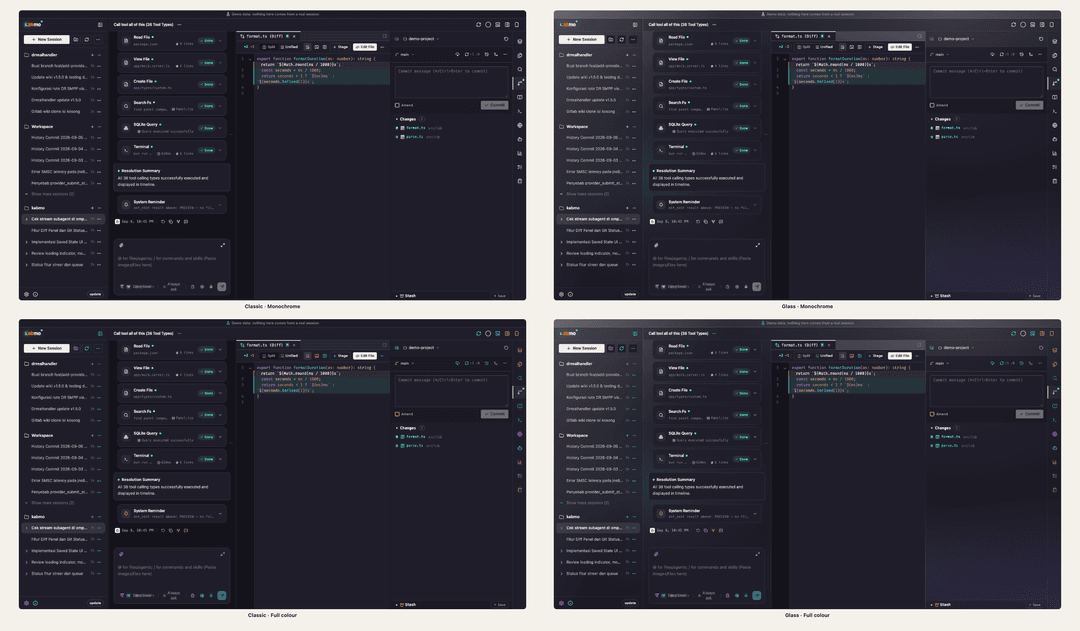
Two appearance axes sit on top of the palette, each one setting on the same shell — the same panels, rows and dialogs, only cut from a different material:
- Surfaces (
surfaceStyle) —Classicis opaque paper over the palette canvas: the sharpest text and the cheapest frame, and what an upgrade keeps.Glassis one frosted plane under a palette-tinted aura, with the panels above it as translucent tints. The plane owns the blur — a singlebackdrop-filterper window — so the panel count never decides the frame budget, and the frost is mixed from the palette's own paper and canvas, so no theme needs a second set of colours for it. A machine that reports no backdrop blur, or asks apps to reduce transparency, falls back to opaque panels and the settings card says which of the two it found. - Icons (
iconStyle) —Monochromepaints every icon in the surrounding ink.Full colourgives each one its own colour: functional glyphs a generated per-icon hue, provider and model marks their own brand colour, file-type marks their language's, and a project its accent. A brand colour that would vanish on the active variant (a black logo on a dark theme) keeps the ink instead, and the generated hues are stated at a lightness that clears the 3:1 non-text floor on every palette of that variant. Tool cards in a transcript stay ink — they are read, not scanned.
Both reach the document as attributes on <html> (data-surface, data-icon-style) and are read by
CSS only, so one setting repaints every surface — sidebar, navbar, composer, modal — without a prop
at any call site. The first frame is painted from the SSR shell, so a glass install never flashes
opaque.
Harnesses
A chat's harness is the agent behind it, and it is a first-class idea: a tab in the composer's model dropdown, a mark beside the session in the sidebar, and a section in Settings.
| Harness | Transport | Notes |
|---|---|---|
omp | RPC (--mode rpc-ui) | the default; the only path that reports todos, subagents, host tools, stats and compaction |
omp-acp | ACP (omp acp) | the same agent over the adapter, with a slimmer surface |
| Claude Code, Codex, OpenCode, Command Code, deepseek-harness, Antigravity, MiniMax, pi, qwen, kimi, Cursor, ZCode, JCode, Grok | ACP over stdio | each launches its own CLI; models, modes, thought levels and MCP servers are probed from the agent, not hardcoded |
| your own | ACP over stdio | add a launch line in Settings → Harnesses |
Capabilities are probed, not assumed: the fork control appears only where the agent advertises
session/fork (at a message on omp, Claude Code and Codex; at the tip on OpenCode, MiniMax and
ZCode; nowhere else), and a harness that cannot fork says so instead of silently returning the tip.
The full measured matrix — every agent's transport, fork point, transcript store and known limits —
is in the Harnesses wiki page.
Install
Kabmo is published to npm and runs on Bun 1.4+, not Node. Live capabilities need the omp
binary on PATH (or KABMO_OMP_BIN) — the server refuses to boot without it — and any ACP harness
you want to use needs its own CLI installed and signed in. MOCK=true is the only mode that runs
without either.
bun install -g @oh-my-pi/pi-coding-agent   # omp is a prerequisite, never installed by Kabmo
bun add -g @kabmo-labs/kabmo               # puts the `kabmo` command on your PATH
kabmo serve                                # start the server on :3000
kabmo serve refuses to start without a resolvable omp and defaults to not installing one. On a
terminal it offers bun install -g once (answer N to skip); kabmo doctor reports the binary,
versions, data paths and install method without changing anything.
From a checkout:
git clone https://github.com/kabmo-labs/kabmo.git && cd kabmo
bun install && bun run build   # dist/client — the only build artifact
bun run start                  # or: bun link, then `kabmo status`
Updating, the full CLI reference, the tray and login entry, and multi-instance ports: Installation →
Shells
The server is the product; a shell is a window on one. Every shell is thin — the client is
same-origin relative, so a system webview on the real http://host:port URL runs the unmodified
page — and every shell decides which server it is on, starts and stops a local one, and owns the
window chrome.
| Shell | Stack | Notes |
|---|---|---|
| macOS | Swift 6 + AppKit + WKWebView | 660 KB app, ~40 MB RSS; no runtime in the bundle |
| Windows | .NET 8 + WPF + WebView2 | WindowChrome owns the resize border |
| Linux | Rust + GTK 3 + WebKitGTK 4.1 | a port of the macOS shell, same contract |
| Android | Kotlin + platform WebView | viewer only; the server runs elsewhere |
| iOS | Swift 6 + UIKit + WebKit | viewer only; the Android shell is the reference |
The three desktop shells share the server list, the ownership rule and the bridge contract
(src/client/lib/desktop/); the two mobile shells are viewers because Kabmo's server needs omp,
a POSIX PTY, git and rg on the host. Each has its own release job.
Configuration
Environment variables (PORT, HOST, MOCK, KABMO_DATA_DIR, KABMO_OMP_BIN, …), the SQLite
state and the two data modes: Configuration →
PORT=3001 kabmo serve          # one port, one process; a second instance never steals it
MOCK=true bun run dev          # demo datasets, no omp install needed
Security
The UI is open by default; a password is supplied per run and hashed in memory, so nothing on disk can enable authentication on its own.
kabmo serve --ui-password      # generates one and prints it once
kabmo serve --tls --ui-password …
Sessions are stateless HMAC cookies named per port, login is throttled per socket address, --tls
generates a self-signed certificate, and the terminal and dictation sockets are origin-checked.
Bind to loopback and reach it over SSH, a VPN or a tunnel — full detail in
Security →
Architecture
src/
├─ client/    Preact UI — zero React packages
├─ server/    Bun-only — Elysia routes, SQLite, omp RPC and ACP bridges, fs/git/terminal
├─ shared/    Imported by both — types, chat timeline folding, pure helpers
└─ cli/       kabmo command (plain ESM, runs under Bun)
packages/     kabmo-sdk (plugin contract) · kabmo-ui (Preact kit) · macos · windows · linux · android · ios
marketplace/  command-runner · stats · session-info · git-forge
AGENTS.md is the short binding contract for contributors and agents. The detail —
every subsystem, the invariants and the measured reason behind each one — lives in the
wiki.
Development
bun run dev            # watched server; the client bundle is built on demand
bun run dev:lan        # same, bound to the LAN
One process: Bun serves the HTML shell and bundles its assets itself, so there is no separate client
watcher and no build before the first request — a server save restarts, a client save is pushed over
HMR. bun run build writes dist/client, which kabmo serve runs.
Verification gates, all mandatory:
bun run lint                                                  # tsc --noEmit
bunx tsc --noEmit --noUnusedLocals --noUnusedParameters        # no dead code
bun run typecheck:consumer                                    # published .ts, no ambient types
bun run build                                                 # production bundle
bun test                                                      # unit + route suites
bun run typecheck:e2e                                         # the Playwright specs
bun run check:fast (bun check --no-script) is the same program on all cores in ~0.3 s instead of
~10 s. It is a local-loop convenience, not a gate: it uses Bun's own checker, whose verdict is not
interchangeable with tsc's.
The browser layer is Playwright (tests/e2e/, *.e2e.ts) and boots a real server subprocess against
an isolated temp root per spec; bun run test:e2e runs it, and CI runs it nightly on main, on
label-gated pull requests, and as a gate of every release. The screenshots and GIFs in docs/assets are generated
by bun run readme:media against an isolated MOCK=true server, so they contain demo data only.
Contributing
Issues and pull requests both get an automated first pass: a GitHub App runs the omp agent headlessly
to triage a new issue and to review a pull request, and its verdict is published as a review:* label.
CONTRIBUTING.mdis the policy — the mandatory gates, the pull request sections the reviewer checks, what counts as evidence, and the label a review moves through.- The command surface is
@<bot> help | review | summarize | triage | reproduceas the first line of a comment. Run the bot config check workflow to print the name this repository answers to. - Bugs go through the issue form; requests through the feature form. Design and scope stay the
maintainer's call, and
AGENTS.mdplus the wiki are the normative reference for the code rules.
License
MIT — see LICENSE. The terms cover the application and the published packages
(@kabmo-labs/kabmo-sdk, @kabmo-labs/kabmo-ui).
See CHANGELOG.md for the release history.
// faq
What is kabmo?
Web console and diagnostic workbench for AI coding agents — omp by default, with Claude Code, Codex, OpenCode and any ACP agent beside it. Elysia + Preact on Bun.. It is open-source on GitHub.
Is kabmo free to use?
kabmo is open-source under the MIT license, so it is free to use.
What category does kabmo belong to?
kabmo is listed under devtools in the Claudeers registry of Claude-compatible tools.
// embed badge

[](https://claudeers.com/kabmo)
// retro hit counter

[](https://claudeers.com/kabmo)
// reviews
// guestbook
// related in Developer Tools
 🔓
The agent harness performance optimization system. Skills, instincts, memory, security, and research-first development for Claude Code, Codex, Opencode, Curs…
 🔓
Makes your AI agent think like the laziest senior dev in the room. The best code is the code you never wrote.
 🔓
AI coding assistant skill (Claude Code, Codex, OpenCode, Cursor, Gemini CLI, and more). Turn any folder of code, SQL schemas, R scripts, shell scripts, docs,…
 🔓
Use Garry Tan's exact Claude Code setup: 23 opinionated tools that serve as CEO, Designer, Eng Manager, Release Manager, Doc Engineer, and QA