
interactive-html-presentation
Claude skill: build animated, interactive HTML presentations for workshops and classrooms
Install with your AI
Paste into Claude Code, Cursor, or any agent — it reads the repo and wires the tool into your project.
Install and set up interactive-html-presentation (claude-skill project) into my current project.
Found on https://claudeers.com/interactive-html-presentation
Repo: https://github.com/shariefabdelmonem/interactive-html-presentation
Homepage/docs: https://shariefabdelmonem-netizen.github.io/interactive-html-presentation/
Detected install method: claude-skill → # copy this skill into .claude/skills/interactive-html-presentation/
Category: skills. Platforms: web.
Read the repo's README for exact setup and env vars, then install it and wire it into my project.

Claudeers Health Verdict:
unknown; community-verified: false. Confirm the source before running anything.
# copy the skill dir into your project:
# .claude/skills/interactive-html-presentation/   (or ~/.claude/skills/interactive-html-presentation/ for all projects)
git clone https://github.com/shariefabdelmonem/interactive-html-presentation
// compatibility
| Platforms | web |
|---|---|
| Operating systems | — |
| AI compatibility | claude |
| License | — |
| Pricing | open-source |
| Language | HTML |
Interactive HTML Presentation

▶ Live examples: https://shariefabdelmonem.github.io/interactive-html-presentation/
A skill that turns a topic and an audience into an animated, interactive HTML presentation you can run live in a workshop or classroom. Works in ChatGPT, Gemini and Claude.
Built by Sharief Abdelmonem · AI Integration Coach (#ai_with_sharief).
Install (30 seconds)
| AI | Download | Upload it from |
|---|---|---|
| Claude | ⬇ SKILL.md | Customize → Skills → + Add → Upload skill |
| ChatGPT | ⬇ SKILL.md | Customize (@) → Skills → Add → Create skill, then attach the file and say "Install this skill" |
| Gemini | ⬇ SKILL.md | Customize → Skills → Create → Upload (gemini.google.com, no ZIP) |
A ZIP version also works in Claude and ChatGPT. Step-by-step guide with fixes for common errors (Arabic): install.html
Then ask: "Make an interactive presentation about …", or call it by name with /interactive-html-presentation.
No upload option? Open SKILL.md, copy everything, paste it into the chat and say "Save this as a skill", or just "Follow these instructions" for this chat only.
What it does
- Asks four questions before building: visual identity, target audience, session duration and number of slides
- Plans the deck around learning outcomes, with an interaction every 3–4 slides
- Uses only sourced data, labels illustrative values, and flags conflicting sources
- Builds one self-contained HTML file: 16:9 stage, GSAP animation, step-by-step reveals, slide transitions
- Presenter controls: arrow keys / Space / clicker, slide list (O), full screen (F), replay (R)
- Respects reduced-motion settings and keyboard-only use
- When the AI can run code: inlines libraries for offline use and tests every slide before delivery
Use
Ask your AI something like:
Make an interactive presentation about the Present Simple for Grade 5 students
It asks for anything missing (visual identity, audience, duration, number of slides), then builds and delivers the deck as one HTML file.
Examples
Both decks run live in your browser. Click a preview to open it.
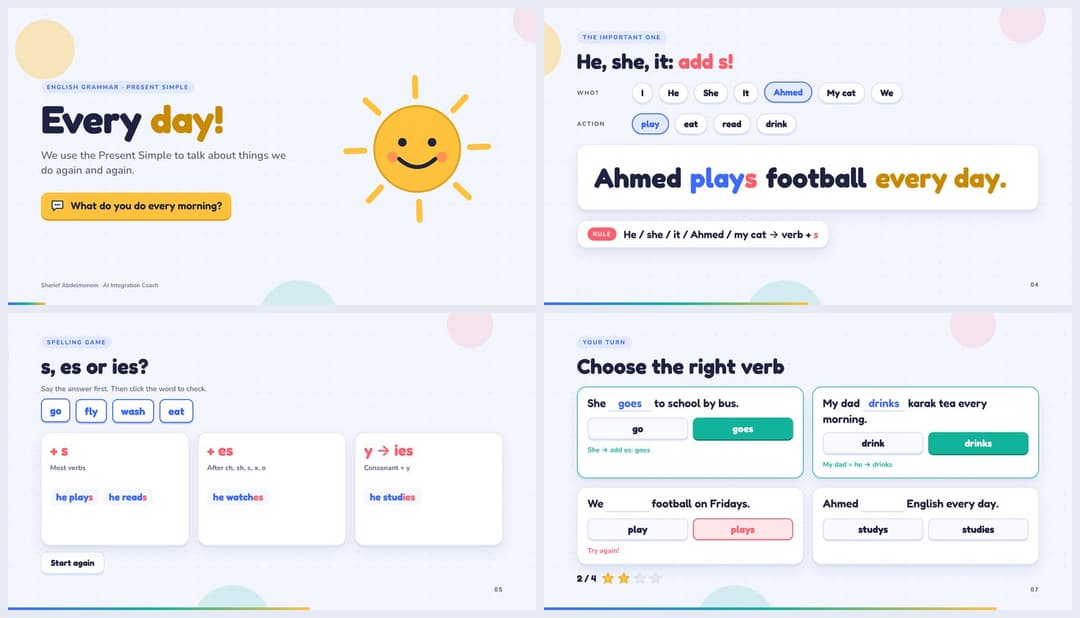
Present Simple: Every Day!
Grade 4–6 · A1 · 8 slides · 15 minutes
AI Literacy for Teachers
Teacher training · 12 slides · 20 minutes
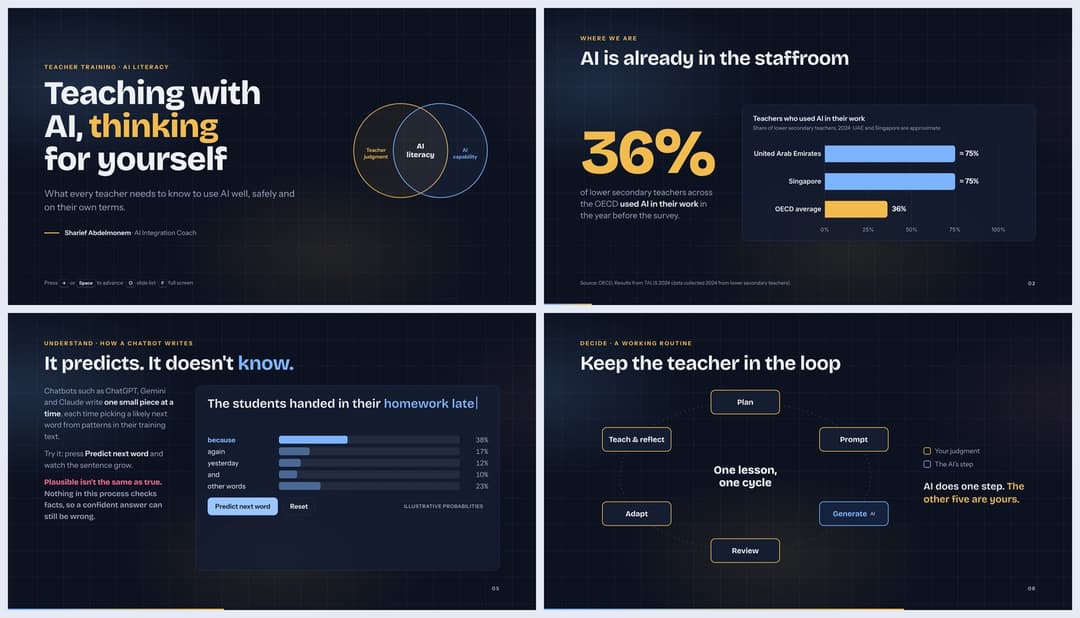
Keys inside a deck: → / Space next · ← back · O slide list · F full screen · R replay
Folder structure
interactive-html-presentation/
├── SKILL.md        # the skill (works in Claude, ChatGPT and Gemini)
├── interactive-html-presentation.zip   # the same skill, ready to upload
├── README.md
├── index.html      # landing page for the live examples (GitHub Pages)
├── install.html    # upload guide for Claude, ChatGPT and Gemini (Arabic)
├── assets/         # cover and preview images
└── examples/
    ├── present-simple/index.html
    └── ai-literacy-for-teachers/index.html
// faq
What is interactive-html-presentation?
Claude skill: build animated, interactive HTML presentations for workshops and classrooms. It is open-source on GitHub.
Is interactive-html-presentation free to use?
interactive-html-presentation is open-source, so it is free to use.
What category does interactive-html-presentation belong to?
interactive-html-presentation is listed under skills in the Claudeers registry of Claude-compatible tools.
// embed badge

[](https://claudeers.com/interactive-html-presentation)
// retro hit counter

[](https://claudeers.com/interactive-html-presentation)
// reviews
// guestbook
// related in Claude Skills
 🔓
An agentic skills framework & software development methodology that works.
 🔓
 🔓
AI coding assistant skill (Claude Code, Codex, OpenCode, Cursor, Gemini CLI, and more). Turn any folder of code, SQL schemas, R scripts, shell scripts, docs,…
 🔓
💫 Toolkit to help you get started with Spec-Driven Development