
intent-debugger
Turn vague product or feature ideas into clear, checkable requirements before planning or coding—mapping rough descriptions to professional terms, exposing a…
Install with your AI
Paste into Claude Code, Cursor, or any agent — it reads the repo and wires the tool into your project.
Install and set up intent-debugger (release-binary project) into my current project.
Found on https://claudeers.com/intent-debugger
Repo: https://github.com/bydtesla1609/intent-debugger
Homepage/docs: —
Detected install method: release-binary → inspect the README
Category: automation. Platforms: api.
Read the repo's README for exact setup and env vars, then install it and wire it into my project.

Claudeers Health Verdict:
active; community-verified: false. Confirm the source before running anything.
Grab the latest release asset from GitHub.
# download a build from https://github.com/bydtesla1609/intent-debugger/releases
git clone https://github.com/bydtesla1609/intent-debugger
// compatibility
| Platforms | api |
|---|---|
| Operating systems | — |
| AI compatibility | claude |
| License | MIT |
| Pricing | open-source |
| Language | Python |
简体中文 · English
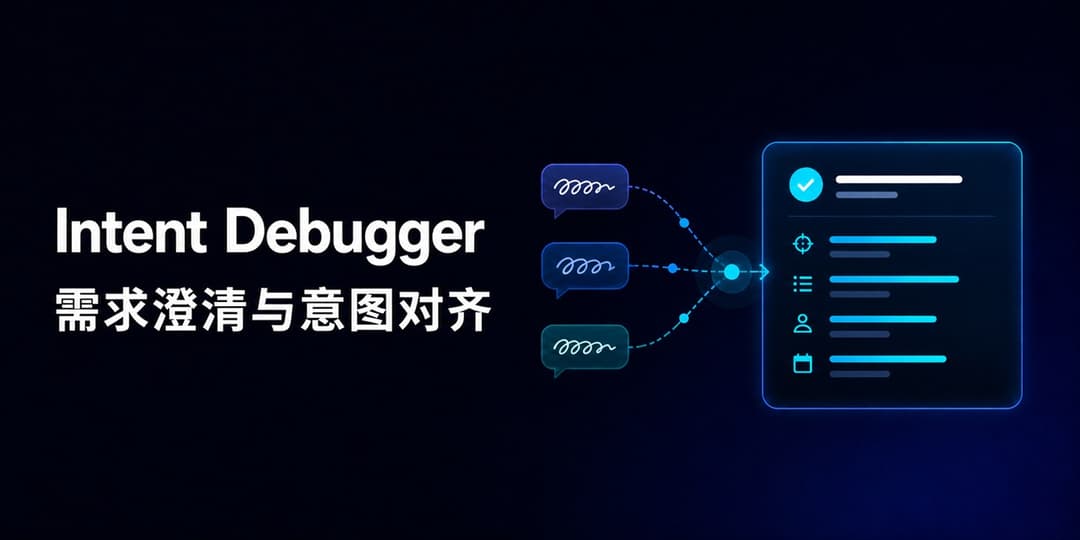
Intent Debugger
需求澄清与意图对齐
把说不清的想法,整理成清楚、具体、可核对的需求。


⚡ 快速开始 · 📝 使用示例 · 🧐 与 Plan 的区别 · 🤝 参与贡献
✏ 写在最前面
当用户让 AI 设计一个项目或功能时,AI 可能会堆砌技术手段。对不熟悉专业术语的用户来说,这些内容看起来很专业,却很难用来判断 AI 是否真正理解了需求。若是能够从最终效果、使用方式和功能边界出发,就更易于形成一份双方都能看懂、也能逐项核对的需求理解。
从上述背景出发,我们关键的问题在于很难一次把想法说清楚:脑中已经有了大概的样子,却不知道对应的专业术语;已经尽量描述,AI 还是理解成了另一件事;双方还没核对清楚,AI 就开始设计或写代码,最后发现方向从一开始就偏了。
Intent Debugger 不要求你先学会写专业提示词。你只需要尽量说出想要的效果、使用方式、担心的问题和能想到的例子,等等。哪怕表达得绕、很别扭,它也会把这些信息整理成一份结构化、规范化的需求清单,让你判断 AI 理解的,究竟是不是你想做的。
🧩 它会做什么
每轮工作都会围绕三部分展开:
- 🧭 需求梳理:先用一两句话说明当前理解,再展开目标、场景、功能、流程和约束。
- ❓ 问题澄清与确认:针对每个关键问题,先说明问题是什么、为什么需要注意,再提出具体、可以直接回答、会影响需求的选择。
- ✅ 当前共识:说明哪些内容已经确认、哪些仍是暂定理解,以及是否已经对齐。
在用户确认需求已经对齐之前,会持续迭代这份需求清单:保留已经确认的信息,根据用户的回答进一步优化。 当用户确认需求无误、关键问题已经回答且不存在重大歧义时,Intent Debugger 的任务就结束了。它不会自动转入任何规划、设计或实现工作。
🧐 它和 Plan 模式有什么不同
Intent Debugger 回答“到底要做什么”,Plan 回答“在具体项目里准备怎么做”。
| Intent Debugger | Plan 模式 | |
|---|---|---|
| 要回答的问题 | 到底要做什么,为什么做,边界在哪里? | 已经确认的需求该怎么落地? |
| 适合的输入 | 口语化想法、愿景、零散功能、互相冲突的描述 | 范围和验收标准已经清楚的任务 |
| 主要产出 | 整理后的需求、尚未解决的问题、需要用户确认的选择 | 结合现有项目形成的实施步骤、改动范围和验证办法 |
| 是否进入技术层面 | 不进入 | 可以进入 |
这里只比较两者的职责,不规定固定的使用顺序;它们可以独立使用。
⚡ 快速开始
如果只想获取核心 Skill,可以直接下载 intent-debugger-skill.zip。解压后会得到完整的 intent-debugger 文件夹,再按所用平台放到对应位置即可。
README 顶部的“累计下载”由仓库的完整 Clone 次数与正式 ZIP 的下载次数相加得到。它表示项目被主动获取的次数,不等同于实际安装人数或活跃用户数;查看公开统计明细。
Codex
将 skill/intent-debugger 复制到 Codex 的个人 Skill 目录:
$CODEX_HOME/skills/intent-debugger
重新加载 Skill 后,可以显式调用:
使用 $intent-debugger 帮我梳理这个想法:我想做一个帮助团队找资料的工具。
在明显属于模糊需求澄清的场景中,Codex 也可以根据 Skill 描述自动选择它。
Claude Code
Claude Code 支持读取 SKILL.md。将 skill/intent-debugger 复制到以下任一位置:
- 个人级:
~/.claude/skills/intent-debugger/ - 项目级:
.claude/skills/intent-debugger/
然后输入 /intent-debugger 显式调用,也可以由 Claude Code 根据 description 选择。具体说明见 Claude Code 适配指南。
 DeepSeek
DeepSeek API 没有相同的文件式 Skill 发现机制。使用 DeepSeek API 或支持 system prompt 的客户端时,将 SKILL.md 的完整内容作为首条 system 消息,再把具体想法作为 user 消息发送。具体说明见 DeepSeek 适配指南。
三个平台共用同一份核心 Skill。适配指南说明的是加载方式,不代表已经对所有客户端版本做过相同的实时效果测试。
📝 使用示例
用户原话:
我想在网页里加一个首页 / 控制面板 / 键盘这样一级一级跳过去的东西,还要能看见现在在哪一层。
Intent Debugger 会先建立原描述和专业术语之间的对应关系:
在网页中加入面包屑导航(Breadcrumb Navigation),展示用户当前所在的层级路径,并允许用户返回上级页面。
但它不会停在术语替换上,还会继续确认:哪些层级可以点击、当前页面是否可点击、路径过长时怎样显示、用户通过其他入口进入页面时路径如何生成。确认后的结果会写回同一份需求草稿。
🤝 参与贡献
没有仓库写入权限也可以贡献。你可以先让 Intent Debugger 把使用反馈整理成规范的改进候选,核对后通过公开 Issue 提交;已经准备好具体修改的用户,也可以 Fork 仓库并发起 Pull Request。
所有候选都由维护者公开审核,不会因为内容由 AI 整理就自动写入或合并。
📖 行为验收
仓库使用 evals/cases.md 中的场景检查 Skill 的实际行为,而不是只检查它有没有输出固定标题。
查看主要验收标准
- 是否在不改变用户目标的前提下,形成有依据、可核对的需求理解;
- 是否把合理推断标为暂定理解,而不是用户已经确认的事实;
- 是否发现真实的歧义、冲突、边界情况或风险;
- 是否针对每个关键问题说明其影响,并提出可直接回答、会影响决策的确认问题;
- 是否在未对齐前避免技术方案和代码;
- 多轮确认时,是否保留已确认信息、及时修正错误并停止重复追问;
- 表达是否自然,有没有机械套模板、重复解释或滥用术语。
📄 License
本项目采用 MIT License 开源。
如果这个项目对你有帮助,欢迎点一个 Star ⭐
// faq
What is intent-debugger?
Turn vague product or feature ideas into clear, checkable requirements before planning or coding—mapping rough descriptions to professional terms, exposing ambiguities, and aligning goals, flows, and boundaries. 面向 Codex、Claude Code 与 DeepSeek 的需求澄清 Skill:把说不清的想法整理成清晰、可核对的需求,在规划和编码前对齐目标、流程与边界。. It is open-source on GitHub.
Is intent-debugger free to use?
intent-debugger is open-source under the MIT license, so it is free to use.
What category does intent-debugger belong to?
intent-debugger is listed under automation in the Claudeers registry of Claude-compatible tools.
// embed badge

[](https://claudeers.com/intent-debugger)
// retro hit counter

[](https://claudeers.com/intent-debugger)
// reviews
// guestbook
// related in Automation & Workflows
 🔓
🔓 🔓
🔓The API to search, scrape, and interact with the web at scale. 🔥
 🔓
🔓🌐 Make websites accessible for AI agents. Automate tasks online with ease.
 🔓
🔓Taste-Skill - gives your AI good taste. stops the AI from generating boring, generic slop