
docx-cli
CLI for AI agents (Claude, Codex) to read, edit, and comment on .docx files with full format fidelity.
Install with your AI
Paste into Claude Code, Cursor, or any agent — it reads the repo and wires the tool into your project.
Install and set up docx-cli (claude-plugin project) into my current project.
Found on https://claudeers.com/docx-cli
Repo: https://github.com/kklimuk/docx-cli
Homepage/docs: —
Detected install method: claude-plugin → /plugin install docx-cli@kklimuk/docx-cli
Category: skills. Platforms: cli, api, web.
Read the repo's README for exact setup and env vars, then install it and wire it into my project.

Claudeers Health Verdict:
active; community-verified: false. Confirm the source before running anything.
/plugin marketplace add kklimuk/docx-cli
/plugin install docx-cli@kklimuk/docx-cli
git clone https://github.com/kklimuk/docx-cli
// compatibility
| Platforms | cli, api, web |
|---|---|
| Operating systems | — |
| AI compatibility | claude |
| License | MIT |
| Pricing | open-source |
| Language | TypeScript |
docx-cli
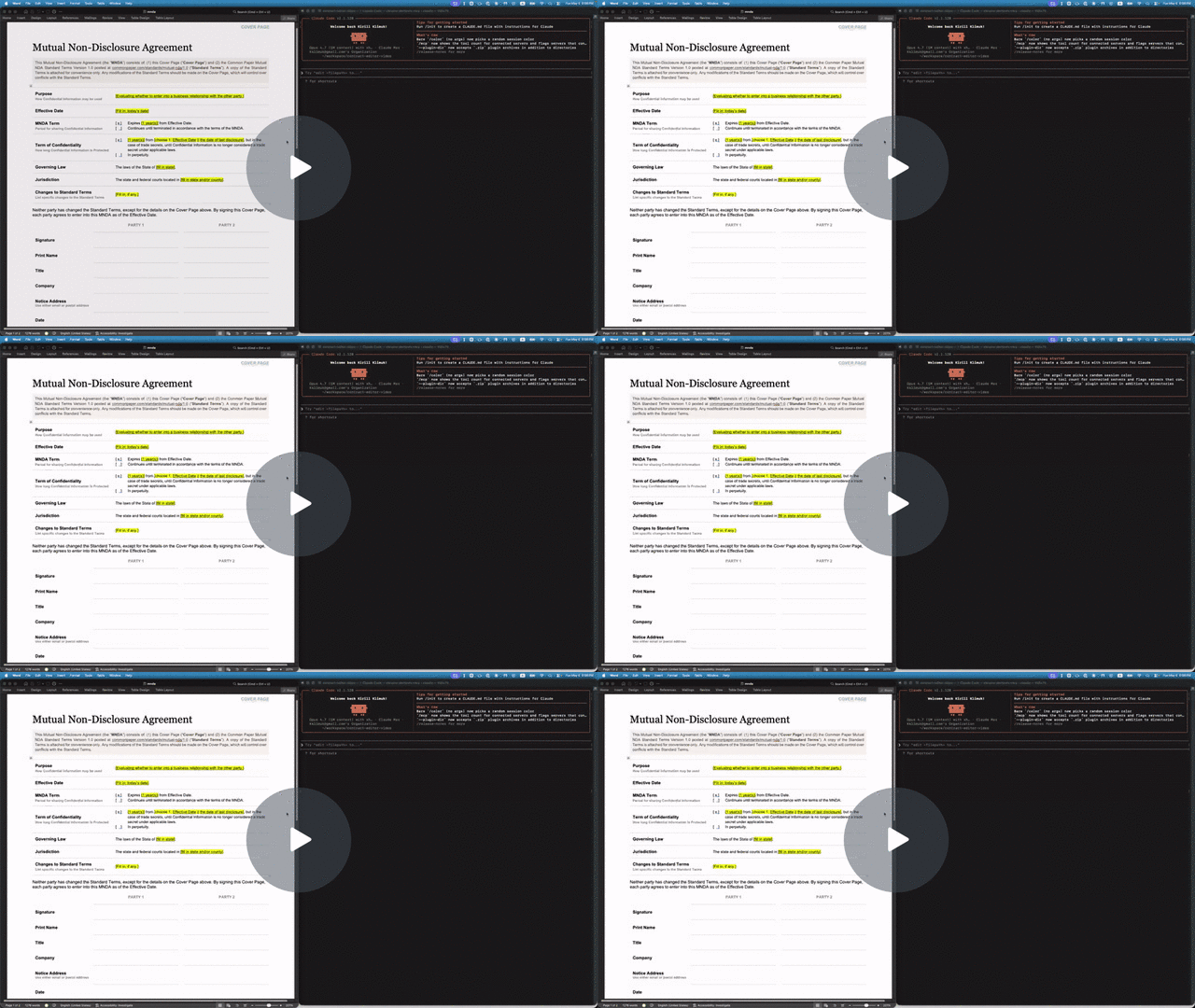
A .docx CLI built for AI agents. Leave comments, suggest redlines, and edit Word documents without breaking the formatting or losing content — a human accepts or rejects in Word afterward.
- Hand a
.docxto Claude or Codex and get back a redlined copy with comments — open it in Word, accept or reject as usual. - Agents address text by stable locators with character offsets (
p3:5-20); humans see normal Word formatting on disk. - Custom styles, theme colors, embedded objects — all of it survives. The CLI mutates XML in place rather than re-emitting from a lossy model.
Why docx-cli?
The default way agents edit Word docs is to unzip the .docx and hand-write the OOXML inside. That takes a strong model to get right, burns tokens, and routinely produces a file Word won't open. docx-cli hands the agent plain commands plus an annotated-Markdown read view, so it never has to reason about the XML.
We measured it — a controlled A/B bake-off: six real document tasks (fill an NDA, fill an invoice, restyle a résumé, redline a contract, finalize a contract, author a journal), the same starting files, and one independent judge grading every result from the Word-rendered pages. Three runs per arm at each of two model tiers. Haiku columns: July 2026 rerun on v0.20.4; Sonnet columns: June 2026 bake-off (not Sonnet 5):
| Haiku (weak, cheap) | Sonnet (strong, June run — not Sonnet 5) | |||
|---|---|---|---|---|
| docx-cli | default skill | docx-cli | default skill | |
| Tasks solved (of 6) | 5.0 (5–5) | 0.7 (0–2) | 6.0 (6–6) | 4.0 (4–4) |
| Rendered correctly (of 6) | 6.0 | 4.3 | 6.0 | 4.7 |
| Outright-broken documents | 0 | ~1.3/run (up to 2) | 0 | 0 |
| Effective input tokens | 3.2M | 7.9M (2.5×) | 1.6M | 3.6M (2.2×) |
| Output tokens | 78k | 155k (2.0×) | — | — |
| Wall-clock | 1,186 s | 2,438 s (2.1× slower) | 1,175 s | 2,029 s (1.7× slower) |
- The correctness gap is widest on the cheap Haiku tier (~7×), and a frontier model never closes it — the default skill caps at 4/6, losing the contract redline and the résumé every Sonnet run.
- The cost and speed penalties are model-independent — ~2.2–2.5× more input tokens and ~1.7–2.1× slower at both tiers, with token/time ranges that never overlap. (Output tokens, measured in the July rerun: 2× more for the default skill. The June Sonnet run measured input only.)
- Word couldn't reliably open the default skill's work — in the July Haiku runs it failed to open 4 of the skill's 18 outputs (both legal-redline deliverables in 2 of 3 runs); all 18 of docx-cli's opened on the first try.
Full methodology, per-task rubrics, and the harness that produced these numbers: .claude/skills/weak-agent-test.
Install
npm — the simplest path (requires Bun >= 1.3):
bun add -g bun-docx
# or run without installing:
bunx bun-docx read doc.docx
Standalone binary (no Bun required). Every release publishes prebuilt binaries plus a SHA256SUMS manifest, and the installer verifies the binary's SHA-256 before installing:
curl -fsSL https://raw.githubusercontent.com/kklimuk/docx-cli/main/install.sh | sh
Honors PREFIX (default $HOME/.local/bin) and VERSION (default latest). Pre-built for linux/x64, linux/arm64, darwin/x64, darwin/arm64, windows/x64. Prefer to inspect first? Download docx-<platform> + SHA256SUMS from the latest release, verify, chmod +x, and put it on PATH.
Quick example: filling out an NDA
The repo includes a Common Paper Mutual NDA template at tests/fixtures/mnda.docx. Below are the primitives an agent would compose to fill in the cover page and leave redline edits — the same flow shown in the video above. Every command was verified end-to-end against the fixture:
# Make a copy first — there's no undo (git is the history; the CLI overwrites in place)
cp tests/fixtures/mnda.docx mnda-filled.docx

# Read the cover-page table so the agent knows what placeholders exist
docx read mnda-filled.docx --from t1 --to t1

# Fill the yellow-highlighted bracketed placeholders
docx replace mnda-filled.docx "Fill in: today's date" "May 6, 2026"
docx replace mnda-filled.docx "fill in state and/or county" "California"
docx replace mnda-filled.docx "fill in state" "California"
docx replace mnda-filled.docx "Fill in, if any." "None."

# Verify nothing's left to fill (bare locator lines, one per match; nothing → exit 0)
docx find mnda-filled.docx '\[(Fill|fill)[^]]*\]' --regex --all

# Flip on tracked changes for the redline pass
docx track-changes mnda-filled.docx on

# Tighten "having a reasonable need to know" in the Use & Protection clause
docx replace mnda-filled.docx \
    "having a reasonable need to know" \
    "with a documented need to know"

# Leave a comment for the human reviewer — addresses an existing span with --at
docx comments add mnda-filled.docx --at p7:0-30 \
    --text "Should we narrow 'representatives' to a named list?"
Open mnda-filled.docx in Word: tracked changes and comments appear in the review pane, ready to accept, reject, or reply. Or run docx track-changes accept mnda-filled.docx --all to bake them in from the CLI.
Use as an agent skill
docx-cli ships as an Agent Skill — one SKILL.md that works across Claude Code, Codex, Pi, and the other harnesses that read the open skill format. The skill teaches the locator model and the redline / comment / fill workflows, then defers to docx <command> --help at runtime, so it can't go stale.
Why a skill? docx-cli is built for the weakest, cheapest agents. In our weak-agent benchmark — 6 real document tasks (fill a contract, redline, comment, restyle, author from scratch), graded against Word renders, 3 runs each — Haiku driving docx-cli completed 5.0/6 tasks versus 0.7/6 for the default Claude skill (~7×), at roughly 2.5× fewer input tokens and 2× fewer output tokens; with Sonnet (June run — not Sonnet 5) it's 6/6 vs 4/6, with roughly 2x fewer tokens. And every docx-cli output opened cleanly in Word on the first try — it never emits a file the renderer rejects. (Methodology and harness: .claude/skills/weak-agent-test.)
Install
Any agent (skills.sh) — one cross-harness command, installs into whichever agent you're using:
npx skills add kklimuk/docx-cli
Claude Code — one-line plugin install:
/plugin marketplace add kklimuk/docx-cli
/plugin install docx-cli@docx-cli
Codex — add the marketplace (the plugin's skills auto-discover):
codex plugin marketplace add kklimuk/docx-cli
Pi — one-command install (the pi manifest in package.json pulls in the skill), then invoke /skill:docx-cli:
pi install git:github.com/kklimuk/docx-cli      # global; add -l for a project (team-shared) install
# manual alternative: pi --skill /path/to/docx-cli/skills/docx-cli
Any harness / manual — drop skills/docx-cli/ into your agent's skills directory (e.g. ~/.claude/skills/ or the cross-tool ~/.agents/skills/). On first activation the skill's scripts/bootstrap.sh installs the docx binary (and self-updates a stale one).
Keeping the skill current
The binary is the source of truth: docx info skill prints the canonical SKILL.md for the installed version, and a CI test fails if the committed copy drifts. Regenerate after any change with:
docx info skill > skills/docx-cli/SKILL.md
docx <command> --help is the authoritative contract
Agents: run
docx <command> --helpbefore composing a call. Every command's--helpis the source of truth for its flags, locator forms, and exact output shape — this README is a map, not the territory. Two more must-reads:
docx info locators— the canonical locator grammar (--jsonfor a machine-readable form). The top-leveldocx --helpsays it outright: "It is highly recommended to agents to rundocx info locatorsto understand their capabilities."docx info schema— the AST type definitions (--tsfor TypeScript source) thatread --astemits.
Command reference
docx <verb> and docx <noun> <verb>. Every command has --help. Two groups: read/query commands print data to stdout; mutate commands change the file (and accept --dry-run, -o/--output PATH, -v/--verbose).
Read & query (print to stdout, never write the file)
docx read    FILE [--from LOC] [--to LOC] [--accepted | --baseline | --current] [--comments]
docx read    FILE --ast                  # JSON-AST instead of Markdown (disables the markdown-only flags)
docx find    FILE QUERY [--regex] [--ignore-case] [--all] [--nth N] [--current | --baseline] [--exact] [--json]
docx find    FILE (--highlight COLOR|any | --color HEX | --bold | --italic | --underline) [--all] [--json]   # find by formatting (no QUERY)
docx wc      FILE [LOCATOR] [--accepted | --baseline | --current] [--json]
docx outline FILE [--style-prefix S] [--json]
docx diff    FILE --against SRC [--from LOC] [--to LOC] [--comments] [--json]   # what changed vs another version
docx validate FILE [--json]              # ECMA-376 schema check, per WML part (exit 0 = clean)
docx raw get FILE --at LOCATOR [--json]  # a block's exact XML — the read half of the raw patch loop
docx styles  FILE [--used] [--at STYLEID] [--json]   # the style catalog (not in the body) — what --style NAMEs exist
docx styles  --catalog [--json]                      # built-in styles you can apply on demand (Title, Heading1–9, Quote, …), no FILE needed
docx styles  set    FILE --at STYLEID [--bold --color HEX --size PT --font NAME --space-before PT --indent-left IN …]   # restyle every paragraph/run that uses the style
docx styles  create FILE STYLEID [--type paragraph|character] [--name "…"] [--based-on STYLEID] [--next STYLEID] [formatting]   # define a new custom style
docx render  FILE [--out DIR] [--engine word|libreoffice|auto] [--dpi N] [--pages 1-N] [--format png|jpg]

docx comments      list FILE [--open] [--thread cN]
docx footnotes     list FILE
docx endnotes      list FILE
docx headers       list FILE
docx footers       list FILE
docx images        list FILE
docx hyperlinks    list FILE
docx track-changes list FILE

docx info schema   [--ts]
docx info locators [--json]
docx diff shows what you changed as a git-style unified diff — it renders both
the current file and a baseline to their read markdown and diffs them, so + lines
are what you added and - lines what you removed (a one-line edit shows inline as
[-removed-]{+added+}). There's no undo/history, so snapshot before editing and
diff against the snapshot:
cp report.docx report.orig.docx          # keep the original
docx edit report.docx --at p3 --text "…" # make changes
docx diff report.docx --against report.orig.docx
--against also takes a saved docx read output (a text file), or - to read the
baseline from stdin — so you can diff against a git branch without any git integration:
git show main:report.docx | docx diff report.docx --against -. Positional locators
(<!-- p3 -->, cell/row ids) are normalized out so a structural edit doesn't renumber
every following line; formatting/structure changes (shading, borders, tracked-changes
state) still show. It's a read-only report, not a patch to apply.
docx read surfaces structural facts the Markdown body can't show as HTML-comment
annotations (<!-- docx:TYPE … -->). These are read-time visibility hints — the
agent can SEE the structure, but the importer drops them (the structure survives
normal edits in place, read --ast is the lossless view, and docx sections /
docx tables … manage it). They're emitted deviation-only
(only when a value differs from the document default, so a plain document stays
clean):
- Per-paragraph style/spacing/indent — the most common annotation — rides a
<!-- docx:p pN style="Caption" align="center" space-after="6pt" line-spacing="1" indent-left="0.25in" -->note, emitted deviation-only (only the attrs that differ from the style/document default). Each attribute maps to the matchingedit/insertflag (--style,--alignment,--space-before/--space-after,--line-spacing,--indent-left/--indent-right/--first-line/--hanging), so an agent reads a value and re-applies it. The paragraph's locator rides this note as its leadingpNtoken, so an annotated paragraph does NOT also get a bare<!-- pN -->(only undeviating paragraphs get the bare locator). Full properties are inread --ast. - Section breaks render as
<!-- docx:section sN cols="2" type="continuous" -->on their own line — never a bare---(that's a thematic break, and emitting it for a section silently turned layout into border paragraphs). A hand-authored---now unambiguously means a thematic break. - Page geometry rides a leading
<!-- docx:page sN orientation="landscape" size="…in" margins="…in" text-width="…in" -->note when the page deviates from US-Letter-portrait-1″ —text-widthis the usable column width, and the leadingsNis the section to re-apply against. Avaries="by-section"attribute is added when a later section's page setup differs from the leading one — and in that case the note fires even if page 1 is plain default Letter-portrait-1″ (it then shows justtext-width+varies="by-section"), warning that the geometry shown describes only the leading section; useread --astfor every section's exact geometry. Exact twips are inread --ast(on each section break:pageWidth/pageHeight/pageOrientation/margin*). Set it for the WHOLE document withdocx sections --orientation/--size/--margins(no--at→ every section gets it, so a multi-section doc doesn't leave the trailing section behind), one section withdocx sections --at sN …, or atcreatetime; under track-changes it records as one<w:sectPrChange>per section (accept/reject in Word). Changing margins/size also auto-realigns right-edge tab columns (résumé dates/locations): a LEFT tab calibrated to the old margins would overflow and wrap at the new width, so page setup converts each to a RIGHT tab flush at the new margin and reports how many it fixed — no second--tabs rightstep needed. - Tables carry a leading
<!-- docx:table t0 widths="1,2,3in" borders="double" -->when columns are uneven or borders deviate from the default, plus a per-cell<!-- docx:cell t0:r0c0 gridSpan="2" vMerge="continue" shading="FFE699" -->note on merged/shaded cells — so structure invisible in GFM is visible (Table.borders/TableCell.shadinginread --ast). - Images trail a
<!-- docx:image img0 size="6.2x4.1in" float="yes" wrap="square" align="center" overflow="yes" -->note:sizealways (thealone doesn't say "6in wide"), andfloat/wrap/align/overflowonly when they deviate (an inline, in-bounds image shows just its size).overflowflags an image wider than the usable text column (ImageRun.floating/wrap/align+ EMU extents inread --ast). - Headers / footers surface as
<!-- docx:header hdr0 text="Quarterly Report" -->/<!-- docx:footer ftr0 text="Page {page} of {pages}" -->notes — led by the marginal'shdrN/ftrNid, the handleraw get --atandheaders/footers set/clear --ataccept (thetypeattr appears only forfirst/even). Fields read as tokens —{page}{pages}{date}{time}{styleref:NAME}{filename}{title}{author}({time}read-only). A marginal that's the same on every section rides the top; one that differs by section renders at that section's start (alongside thedocx:sectionnote, which also renders at the section's start withapplies-to="… (below)"), so each hint reads right before the content it governs. The text lives in the comment attribute so the importer drops it (it can't re-inject into the body); full entries are inread --astunderheaders/footers(Marginal[]). Set withdocx headers/docx footers. - Track-changes state always rides a head
<!-- docx:track-changes on|off -->line — it's the one read hint that states its default too (an agent shouldn't have to infer "off" from a missing line), so you can see whether subsequent edits will be redlined without inspectingsettings.xml. Toggle it withdocx track-changes FILE on|off; the three tracked-change read views (--accepted/--current/--baseline) are covered under the review loop below.
Mutate (change FILE in place; --dry-run, -v everywhere; -o PATH on every mutator except create, whose positional FILE is already the output)
docx create FILE [--title T] [--author A] [--text "..." | --text-file PATH | --from PATH.md | --from -] [--orientation O] [--size SIZE] [--margins M] [--header "..."] [--footer "..." | --page-numbers] [--force]
docx insert FILE (--after | --before) LOCATOR <content>   # LOCATOR = pN | tN | sN | tN:rRcC:pK
docx insert FILE (--at-start | --at-end) <content>        # no locator — prepend / append to the document
docx edit   FILE --at LOCATOR <content>                   # LOCATOR = pN | pN:S-E | pN-pM | tN:rRcC:pK[:S-E]  (sections → docx sections, equations → docx equations edit)
docx delete FILE --at LOCATOR                             # LOCATOR = pN | pN-pM | tN | sN | tN:rRcC:pK (cell paragraph)
docx sections FILE [--at LOCATOR] [--columns N] [--type T] [--orientation O] [--size SIZE] [--margins M]   # LOCATOR = pN-pM | pN (wrap a range in N columns) | sN (edit one section's columns/type/page geometry). Multi-column layout AND page setup live HERE. PAGE GEOMETRY (margins/orientation/size) with NO --at applies to the WHOLE document (every section); --at sN targets one. Columns/type need --at.
docx styles set-default-font FILE "Font Name" [--size N] [--all]   # document-wide font: sets styles.xml docDefaults + theme major/minor; --all also repoints styles/runs that pin their own font
docx replace FILE PATTERN REPLACEMENT [--at pN] [--regex] [--ignore-case] [--all] [--limit N] [--current | --baseline] [--exact] [--track] [--dry-run]
#   Keeps the run's formatting (bold/font) and any tabs — the no-rebuild way to fill a
#   formatted/tabbed template line (e.g. "**Org Name**⇥Date"); don't hand-build --runs to refill it.
#   A TAB matches as one character (pattern "City State Zip" fills a tab-separated line), and
#   TAB/NBSP/bullet-glyph variants match their plain equivalents unless --exact.
#   --at pN (or a cell paragraph tT:rRcC:pN) CONFINES the replace to one paragraph — use it when the
#   SAME placeholder repeats across the doc (a résumé's "City, State" in every entry) and you want THE
#   one in a specific paragraph, instead of find → edit --at pN:S-E span surgery. Batch entries take "at" too.
#   MULTI-LINE (editor-style): "\n" in PATTERN matches a line break OR a paragraph boundary
#   (consecutive paragraphs in the body or one table cell; never across a table/section break/cell wall); the REPLACEMENT's own
#   "\n"s then define the result — single-line replacement MERGES the paragraphs (first one's
#   formatting governs), "\n" in the replacement inserts a paragraph mark (splits). Untracked
#   only: refuses under tracking rather than skip the journal. Block ids shift; re-read after.

# Batch — apply many changes from ONE read (no re-reading between edits). Keys
# on each JSONL line mirror the command's flags; all locators address the doc as
# read. insert/edit also accept --batch - to read JSONL from stdin.
docx edit    FILE --batch fills.jsonl       # { at, <one of: text|clear|markdown|runs>, style?, … }
docx insert  FILE --batch additions.jsonl   # { after|before, <content>, style?, color?, … }
docx replace FILE --batch script.jsonl      # { pattern, replacement, at?, regex?, all?, limit?, … } applied in order ("at" scopes that entry to one paragraph)
docx delete  FILE --batch drop.jsonl        # { at } per line — whole blocks (pN/tN/cell), resolved live-first

# All four of insert/edit/delete/replace accept --track to record that one
# invocation as a tracked change even when the doc's track-changes toggle is off.
#
# insert/edit content selectors (run "docx insert --help" / "docx edit --help" for the full list):
#   --text "..." [--style NAME] [--alignment A] [--color HEX] [--bold] [--italic] [--url URL]
#       (a newline in --text becomes a line break <w:br/>, a tab becomes <w:tab/> — verse/addresses stay line-per-line)
#   paragraph spacing/indent (insert + edit, alone or with content, per-entry in --batch, across a range):
#       --space-before PT --space-after PT --line-spacing N(=1|1.5|2|single|double, or 15pt / "15pt atLeast")
#       --indent-left IN --indent-right IN --first-line IN --hanging IN  (points / inches; first-line ⊥ hanging;
#       left/right/first-line accept a negative value to outdent into the margin; hanging stays non-negative)
#       Under track-changes these record a tracked <w:pPrChange> (accept/reject in Word) — even when they ride
#       along with --text; read surfaces them as a deviation-only <!-- docx:p … space-after="6pt" --> hint.
#   edit --tabs right   fix a line whose tabbed-over content WRAPS (read flags it as `docx:layout … warn`,
#       and prints ONE consolidated fix-all summary at the top): swaps the fragile LEFT tab for a RIGHT tab
#       flush at the margin so a long value (e.g. a city) never wraps. Rides along with --text, works
#       per-entry in --batch, and on a RANGE (edit --at pN-pM --tabs right) cures every tab line at once.
#   edit --text ""      REMOVES the line (same as `delete`; a table cell's last paragraph is blanked, not
#       deleted, so the cell stays valid). In --batch, `{"at":"pN","text":""}` or `{"at":"pN","delete":true}`
#       removes a line — so a form-fill is ONE sweep: fill the cells with values, drop the leftover
#       placeholder lines. Use `--runs '[]'` to blank a paragraph but keep an empty spacer. (Empty
#       `--text` can't ride along with --clear/run-formatting/--style/--alignment/--tabs — those exit
#       with a USAGE error; use `--runs '[]'` to keep a formatted empty spacer instead.) A SPAN's
#       `--text ""` (pN:S-E) still deletes just those characters.
#   --runs '[{"type":"text","text":"X","bold":true}]'
#   --text-file PATH                               # (insert/create) LITERAL multi-paragraph text, NOT parsed — every char verbatim,
#       each newline = a new paragraph. For prose GFM would corrupt: "3. note" stays "3.", *x* / [t](https://github.com/kklimuk/docx-cli/blob/HEAD/u) / bare URLs / {++x++} untouched.
#   --markdown "..." | --markdown-file PATH        # GFM + math + CriticMarkup + inline HTML formatting → blocks
#   --code "..." | --code-file PATH [--language LANG]
#   --equation "x^2 + y^2" [--display]   (insert; edit also accepts --inline)
#   --clear bold,italic,highlight,color,size,font,…|all   (edit; strip run formatting, keep text)
#   --bold --italic --underline --strike --color HEX --highlight NAME --shade HEX --font NAME --size PT
#       --caps --smallcaps --superscript --subscript   (edit; SET run formatting on EXISTING text —
#       the inverse of --clear. Alone they format a span/paragraph/range in place; with --text they
#       fill AND format. Like --clear, applied directly — not recorded as a tracked change.)
#       NOTE: in a single no-content call (or one --batch entry) these run-format SET flags and the
#       paragraph properties (--style/--alignment/--space-*/--line-spacing/--indent-*/--first-line/
#       --hanging/--tabs) can't ride together — use separate calls/entries, or add --text to set both.
#   --list bullet|ordered [--list-level N]   (insert; for a task-list CHECKBOX use `docx tasks add`)
#   --rows N --cols N [--widths "A,B,C"] [--table-width V] [--borders S] [--layout L]   (docx tables create)
#   --image SRC [--alt T] [--width IN] [--height IN] [--caption "Figure 1: …"]   (docx images add; SRC = path, data: URI, or http(s) URL; --caption adds a Word "Caption"-styled line under the figure)
#   --page-break | --column-break | --section [--columns N] [--type T]   (insert)

docx comments add     FILE --at LOCATOR --text "..." [--author NAME] [--current | --baseline]
docx comments add     FILE --anchor "phrase" --text "..." [--occurrence N]
docx comments add     FILE --batch reviews.jsonl                    # JSONL: { at | anchor (+occurrence), text, author? }
docx comments reply   FILE --at cN --text "..."
docx comments resolve FILE --at cN [--at cM ...] [--unset] | --batch resolutions.jsonl
docx comments delete  FILE --at cN [--at cM ...]          | --batch removals.jsonl

docx footnotes add    FILE --at pN[:offset] (--text "..." | --runs JSON | --markdown TEXT)
docx footnotes edit   FILE --at fnN (--text "..." | --runs JSON | --markdown TEXT)
docx footnotes delete FILE --at fnN
docx endnotes  add    FILE --at pN[:offset] (--text "..." | --runs JSON | --markdown TEXT)
docx endnotes  edit   FILE --at enN (--text "..." | --runs JSON | --markdown TEXT)
docx endnotes  delete FILE --at enN

# Headers & footers (one shared impl — "marginals"). Default placement is every
# page, all sections (--at sN targets one). Content: ONE primary source, except
# --text + one field = two-zone (text left, field right at a content-edge tab).
docx headers set   FILE [--at sN] [--type default|first|even | --first-page | --even | --odd] \
                        [--text "..."] [--align left|center|right] \
                        [--page-number [--of-pages] | --date [--date-format FMT] | --style-ref STYLE | --field filename|title|author] \
                        [--track] [--author NAME]
docx headers clear FILE [--at sN] [--type T | --first-page | --even | --odd]
docx footers set   FILE …   # identical flags, kind=footer (e.g. --page-number --of-pages → "Page X of Y")
docx footers clear FILE …

docx images add     FILE (--after | --before) LOCATOR --image SRC [--alt T] [--width IN] [--height IN] [--caption "..."]
docx images add     FILE (--at-start | --at-end) --image SRC [options]   # SRC = path, data: URI, or http(s) URL
docx images extract FILE --to DIR [--at imgN]            # --to = output directory; --at picks one image
docx images replace FILE --at imgN --with ./new.png
docx images delete  FILE --at imgN

docx hyperlinks add     FILE --at pN:S-E --url URL
docx hyperlinks replace FILE --at linkN --with URL
docx hyperlinks delete  FILE --at linkN

docx tables create        FILE (--after|--before LOCATOR | --at-start|--at-end) --rows N --cols M [--widths "A,B,C"] [--table-width V] [--borders S] [--layout L]
docx tables insert-row    FILE --at tN [--position INDEX] [--cells "a,b,c"]
docx tables delete-row    FILE --at tN:rR
docx tables insert-column FILE --at tN [--position INDEX] [--width TWIPS]
docx tables delete-column FILE --at tN:cC
docx tables set-widths    FILE --at tN --widths "25%,25%,50%" | "1440,..." | auto
docx tables merge         FILE --at tN:rR1cC1-rR2cC2
docx tables unmerge       FILE --at tN:rRcC
docx tables borders       FILE --at tN [--style single|double|none] [--size N] [--color HEX]
docx tables format        FILE --at LOCATOR [--shade HEX|NAME] [--valign top|center|bottom]
                          [--halign left|center|right|justify] [--cell-borders SIDES]
                          [--align left|center|right] [--style ID] [--row-height M] [--repeat-header]

docx lists set            FILE --at pN [--start N] [--format FMT] [--restart] [--continue]
                          # renumber a NUMBERED list (--at = any item; applies to the whole list).
                          # FMT = decimal | lower-alpha | upper-alpha | lower-roman | upper-roman.
                          # --restart splits a fresh list off here; --continue picks up the previous
                          # list's numbering instead of restarting. Untracked (Word records no revision).

docx tasks add            FILE (--after | --before) LOCATOR (--text LABEL | --runs JSON) [--checked | --unchecked] [--list-level N]
docx tasks add            FILE (--at-start | --at-end) (--text LABEL | --runs JSON) [--checked | --unchecked]
                          # insert a GFM task-list checkbox item (☐ default, ☒ with --checked). Consecutive
                          # adds after a list anchor build ONE contiguous list.
docx tasks check          FILE --at pN            # mark an existing task done (☒), in place
docx tasks uncheck        FILE --at pN            # clear an existing task (☐), in place
                          # check/uncheck take --track to redline the toggle even with the doc toggle off
                          # (surfaces as a checkboxToggle in `track-changes list`).

docx track-changes on|off FILE
docx track-changes list   FILE [--json]
docx track-changes accept FILE (--at tcN [--at tcM ...] | --at revN | --all)
docx track-changes reject FILE (--at tcN [--at tcM ...] | --at revN | --all)
docx track-changes apply  FILE [--accept H ...] [--reject H ...]
# `list` defaults to a text table, one LOGICAL change per line (revN collapses a del+ins
# pair onto one line); `--json` for the raw array. A del+ins REPLACE pair shares a
# "group": "revN"; `--at revN` accepts/rejects both halves in one call.
# To FINALIZE a review (accept some, reject the rest), use `apply` — it takes both decision
# lists in ONE call, resolved against the original ids, so nothing renumbers mid-operation
# and the file is never left half-finalized. Doing it as separate accept then reject calls
# renumbers the ids between them. After a subset accept/reject/apply, the confirmation
# re-lists what remains with its renumbered handles.
Raw OOXML escape hatch (last resort)
docx raw get FILE --at LOCATOR                     # a block/section/relationship's exact XML
docx raw edit FILE --at LOCATOR --find S --with S  # patch it in place, one gated call
docx raw replace FILE --at LOCATOR --xml '…'       # swap it wholesale (also --batch)
docx raw insert FILE --after pN --xml '…'          # splice new block XML (or a <Relationship/>)
docx raw part list|get|add|replace|edit FILE …     # OPC parts, addressed by --name
docx validate FILE [--json]                        # schema-check against ECMA-376 (transitional)
For constructs no modeled verb covers — drop caps, TOC field codes, embedded
objects. Every mutation runs a gate pipeline (well-formedness, addressable
roots, ECMA-376 child order, reference/id integrity, and a schema check
against the bundled transitional XSDs — a change may not ADD errors) and
nothing is written when any gate fails. Inline --xml/--find/--with
are verbatim; raw changes are never tracked. Details and examples:
docx raw --help.
One rule to memorize: addressing an existing thing is always
--at.comments reply/resolve/delete,footnotes/endnotes edit/delete,images extract/replace/delete,hyperlinks replace/delete,tables *,track-changes accept/reject,edit, anddeleteall take--at LOCATOR. The exceptions are positional or directional by nature:insertuses--after/--before LOCATOR(or--at-start/--at-endfor the document boundaries, no locator);readslices with--from/--to LOCATOR;wctakes a positional[LOCATOR];find/replacetake a positionalQUERY/PATTERN(andreplaceaccepts an optional--at pNto confine the substitution to one paragraph).images extract --to DIRis an output directory, not a locator.
Output contract
The CLI is built for non-interactive agents. Exit code is the success signal, output is data:
| Exit | Meaning | Error codes |
|---|---|---|
0 | success | — |
2 | usage / bad locator | USAGE, INVALID_LOCATOR, INVALID_XML |
3 | addressed thing not found | FILE_NOT_FOUND, PART_NOT_FOUND, BLOCK_NOT_FOUND, COMMENT_NOT_FOUND, IMAGE_NOT_FOUND, HYPERLINK_NOT_FOUND, TRACKED_CHANGE_NOT_FOUND, MATCH_NOT_FOUND |
1 | general failure | NOT_A_ZIP, TRACKED_CHANGE_CONFLICT, TABLE_STRUCTURE, VALIDATION_FAILED, IMAGE_SOURCE, RENDER_ENGINE, RENDER_FAILED, UNHANDLED |
Errors print {code, error, hint?} JSON to stdout with a nonzero exit — note there is no ok field; the exit code plus code are the unambiguous signal.
The ok field appears in exactly one place: the --verbose success ack ({ok:true, operation, path, …}). Without -v, success output is shaped for the next command:
| Command class | Default stdout on success | --verbose |
|---|---|---|
Mutator that mints a new handle — comments add→cN, comments reply→cN, footnotes/endnotes add→fnN/enN, hyperlinks add→linkN, insert→the new pN | the bare locator(s), one per line (a multi-block --markdown insert prints several) | full {ok:true,…} ack |
Mutator with no new handle — edit, delete, replace, create, comments resolve/delete, images replace/delete, hyperlinks replace/delete, footnotes/endnotes edit/delete, headers/footers set/clear, tables *, track-changes accept/reject & toggle | one-line confirmation — <operation> <target> (e.g. edit t1:r0c1:p0, edit 7 changes, replace 3 occurrences replaced) (exit 0) | full {ok:true,…} ack |
find | matched span locators, one per line (no matches → nothing, exit 0) | --json → { totalMatches, query, view, matches:[…], normalizedQuery? } |
wc | the bare count (whole-doc adds a tab-separated sections column, like wc) | --json → { words, scope, view, sections? } |
outline | indented LOCATOR⇥TEXT tree (two spaces per level) | --json → nested [{ id, locator, level, style, text, children }] |
read | GFM Markdown; each paragraph carries its pN locator once — a trailing bare <!-- pN --> on plain paragraphs, or the leading token of its <!-- docx:p pN … --> note when one is emitted | --ast → the JSON AST body (docx info schema) |
render | image paths, one per line | --verbose → {ok, operation, path, engine, output, pages} |
* list (all eight list verbs) | a bare JSON array; each item's id is its --at handle | — |
--dry-run always prints a preview object (no ok) and writes nothing; it wins over -o/--output.
Discovering ids
Locators come in two flavors. Positional block ids (pN, tN, sN) are derived from document order and shift after structural edits — re-read between non-trivial mutations. Entity ids (cN, imgN, linkN, fnN, enN, tcN, eqN, hdrN, ftrN) are surfaced by a list verb (or read --ast) and are what you pass to --at:
| Id | Discover with | Used by |
|---|---|---|
pN / tN / sN (block ids) | docx read FILE (the <!-- pN --> trailers), docx read FILE --ast, docx outline FILE (heading pNs), or docx render page images | read, edit, insert, delete, wc, find results |
cN (comment) | docx comments list FILE | comments reply/resolve/delete --at |
fnN / enN (foot/endnote) | docx footnotes list FILE / docx endnotes list FILE | footnotes/endnotes edit/delete --at |
hdrN / ftrN (header/footer) | docx headers list FILE / docx footers list FILE (or read --ast / the docx:header/docx:footer note) | raw get --at, headers/footers set/clear --at (or scope by section: --at sN --type T) |
imgN (image) | docx images list FILE | images extract/replace/delete --at |
linkN (hyperlink) | docx hyperlinks list FILE | hyperlinks replace/delete --at |
tcN (tracked change) | docx track-changes list FILE | track-changes accept/reject --at |
eqN (equation) | docx read FILE --ast (run latex field) | equations edit --at eqN |
Each list verb prints a bare JSON array where every item's id is exactly the handle you feed back to --at — pipe through jq to filter (docx comments list doc.docx | jq '.[] | select(.author=="Jane")').
Locators
docx info locators (--json for machine-readable) is the canonical reference. The grammar in brief:
pN              paragraph N                  pN:S-E          chars S..E within paragraph N
pN-pM           whole-paragraph range        pN:S-pM:E       cross-paragraph character range
sN              section break N              tN              table N
tN:rRcC         cell at row R, col C         tN:rRcC:pK      paragraph K of that cell (chainable)
tN:rR / tN:cC   table row R / column C       tN:rR1cC1-rR2cC2  rectangular cell region (merge)
cN  imgN  linkN  fnN  enN  tcN  eqN          entity ids (comment / image / hyperlink /
                                             footnote / endnote / tracked-change / equation)
Offset semantics: character offsets are 0-based, start-inclusive, end-exclusive — p3:5-20 is the 15 characters at indices 5..19 of paragraph 3. Offsets count the visible text of the paragraph in the selected view (accepted by default).
Nested tables chain the same syntax arbitrarily deep — t0:r2c1:t0:r0c0:p0 is the first paragraph of the (0,0) cell of the first table nested inside the (2,1) cell of the document's first table.
Not every command accepts every form — each command's --at/--from/positional help lists exactly what it takes. The shapes:
| Form | Accepted by |
|---|---|
pN, tN, sN, tN:rRcC:pK (blocks) | read --from/--to, insert --after/--before, wc, comments add |
pN, pN:S-E, pN-pM, tN:rRcC:pK, tN:rRcC:pK:S-E | edit --at (span/cell forms strip or replace just that range; sections → docx sections, equations → docx equations edit) |
pN, pN-pM, tN, sN, tN:rRcC:pK | delete --at |
pN:S-E, pN:S-pM:E, tN:rRcC:pK:S-E (spans) | comments add --at, hyperlinks add --at (single paragraph), find/wc results |
pN[:offset] (point) | footnotes/endnotes add --at |
cN / fnN / enN / imgN / linkN / tcN (entities) | the matching noun's --at (the c/fn/en/img/link/tc prefix is optional) |
tN, tN:rR, tN:cC, tN:rRcC, tN:rR1cC1-rR2cC2 | the tables verbs |
Common workflows
find → comment. find emits bare locators that drop straight into comments add --at (same default view, so offsets line up — no coordinate translation):
docx comments add doc.docx --at "$(docx find doc.docx 'fatally flawed' | head -1)" \
    --text "Cite a source here?"
# or anchor by phrase directly:
docx comments add doc.docx --anchor "fatally flawed" --text "Cite a source here?"
read → edit markdown round-trip. read emits a markdown dialect that edit --markdown re-parses, so render → LLM-rewrite → splice-back is lossless for paragraphs/lists/quotes:
docx read doc.docx --from p3 --to p3              # → markdown (with <!-- p3 --> trailer)
# … hand to an LLM, get a revised block back …
docx edit doc.docx --at p3 --markdown-file revised.md   # multi-block source expands naturally
Use --markdown-file (not --markdown TEXT) when the source starts with - — Node's parseArgs rejects leading-dash flag values.
track-changes review loop. Toggle tracking on, make edits (they auto-emit <w:ins>/<w:del>), then inventory and resolve:
docx track-changes doc.docx on
docx replace doc.docx "old phrasing" "new phrasing" --all
docx track-changes list doc.docx                  # → JSON array of { id:tcN, kind, author, text, … }
docx read doc.docx --current                       # → CriticMarkup {++ins++}[^tcN] / {--del--}[^tcN]
docx track-changes accept doc.docx --at tc0 --at tc2   # or --all
read has three tracked-change views: default --accepted renders clean text — drops subtractive edits and inlines additive ones (the post-accept document); --current shows CriticMarkup with [^tcN] footnotes; --baseline does the reverse of accepted (the pre-change document). find, replace, wc, and comments add honor the same --accepted/--baseline/--current flags so offsets stay consistent across commands. Add --comments to read to append [^cN] footnotes for comment spans.
How It Works
In-place XML mutation. The AST returned by read is a view over the parsed XML tree, not a separate model. When you edit or comments add, the CLI mutates the underlying XML nodes directly and serializes back. Anything not modeled in the AST (custom styles, theme colors, schema extensions) survives because untouched regions are never re-emitted. Never delete a relationship something still references — that corrupts the file — so part/relationship pruning is gated on a reference scan; unreferenced orphans are left in place.
JSX for emitters. Constructing OOXML fragments imperatively (<w:rPr> → <w:b/> → <w:color w:val="800080"/>) is verbose, so fresh XML is authored in JSX with a custom factory: <w.rPr><w.b/><w.color w-val="800080"/></w.rPr> becomes the right XmlNode tree.
Span-aware comments & hyperlinks. comments add --at p3:5-20 (and hyperlinks add) find the runs containing offsets 5 and 20, split them at the boundaries (preserving <w:rPr> on both halves), and insert markers between the slices. Comments authored by older tools that lack w14:paraId (required by commentsExtended.xml) get a fresh paraId injected automatically on resolve/reply.
// faq
What is docx-cli?
CLI for AI agents (Claude, Codex) to read, edit, and comment on .docx files with full format fidelity.. It is open-source on GitHub.
Is docx-cli free to use?
docx-cli is open-source under the MIT license, so it is free to use.
What category does docx-cli belong to?
docx-cli is listed under skills in the Claudeers registry of Claude-compatible tools.
// embed badge

[](https://claudeers.com/docx-cli)
// retro hit counter

[](https://claudeers.com/docx-cli)
// reviews
// guestbook
// related in Claude Skills
 🔓
🔓An agentic skills framework & software development methodology that works.
 🔓
🔓 🔓
🔓💫 Toolkit to help you get started with Spec-Driven Development
 🔓
🔓AI coding assistant skill (Claude Code, Codex, OpenCode, Cursor, Gemini CLI, and more). Turn any folder of code, SQL schemas, R scripts, shell scripts, docs,…