
clawd-on-desk
A pixel desktop pet that watches Claude Code, Codex, Cursor & other AI coding agents — so you don't have to.
Install with your AI
Paste into Claude Code, Cursor, or any agent — it reads the repo and wires the tool into your project.
Install and set up clawd-on-desk (git-clone project) into my current project.
Found on https://claudeers.com/clawd-on-desk
Repo: https://github.com/rullerzhou-afk/clawd-on-desk
Homepage/docs: —
Detected install method: git-clone → git clone https://github.com/rullerzhou-afk/clawd-on-desk
Category: devtools. Platforms: cli, api, desktop, web, mobile.
Read the repo's README for exact setup and env vars, then install it and wire it into my project.

Claudeers Health Verdict:
active; community-verified: false. Confirm the source before running anything.
git clone https://github.com/rullerzhou-afk/clawd-on-desk
// compatibility
| Platforms | cli, api, desktop, web, mobile |
|---|---|
| Operating systems | — |
| AI compatibility | claude |
| License | AGPL-3.0 |
| Pricing | open-source |
| Language | JavaScript |

Clawd on Desk
🌏 Don't see your language? Open a PR to add one — Español, Français, Deutsch, etc. all welcome.

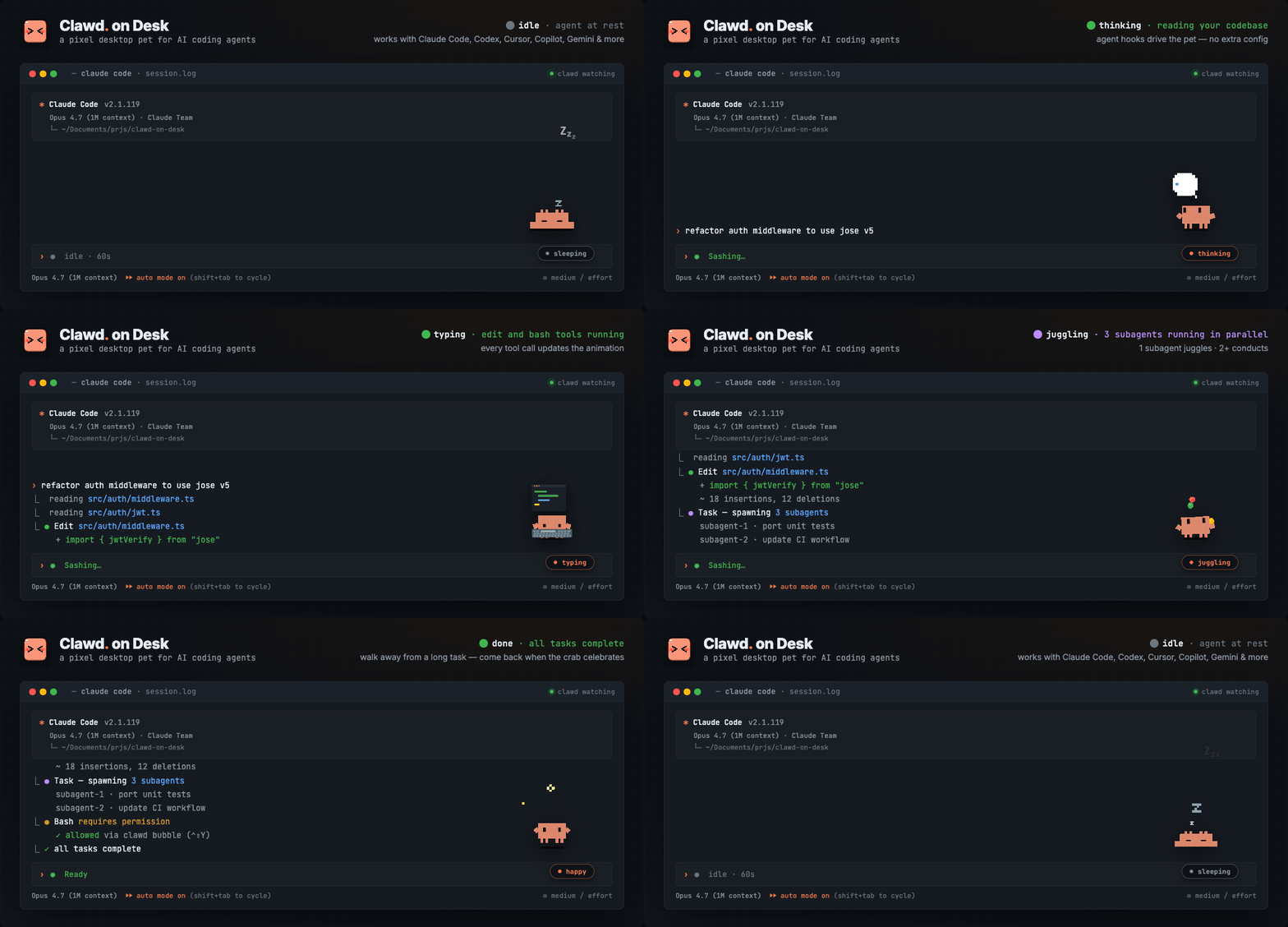
Clawd lives on your desktop and reacts to what your AI coding agent is doing — in real time. Start a long task, walk away, come back when the crab tells you it's done.
Thinking when you prompt, typing when tools run, grooving or juggling for subagents, reviewing permissions, celebrating when tasks complete, sleeping when you step away. Ships with three built-in themes: Clawd (pixel crab), Calico (三花猫), and Cloudling (云宝), with full support for custom themes and imported Codex Pet animation packs.
Supports Windows 11, macOS, and Ubuntu/Linux. Windows releases provide separate x64 and ARM64 installers. Source builds require Node.js. Works with Claude Code, Codex CLI, Copilot CLI, Gemini CLI, Antigravity CLI (agy), Cursor Agent, CodeBuddy, Kiro CLI, Kimi Code CLI (Kimi-CLI), Qwen Code, CodeWhale, opencode, Pi, OpenClaw, Hermes Agent, Qoder, and Reasonix CLI.
Features
Multi-Agent Support
- Claude Code — full integration via command hooks + HTTP permission hooks
- Codex CLI — official hooks with JSONL fallback (
~/.codex/sessions/), auto-synced by default with real permission bubbles - Copilot CLI — optional command hooks via
~/.copilot/hooks/hooks.json(install from Settings → Agents; see the Copilot guide for manual JSON fallback) - Gemini CLI — optional command hooks via
~/.gemini/settings.json(install from Settings → Agents or runnpm run install:gemini-hooks) - Antigravity CLI (agy) — optional command hooks via
~/.gemini/config/hooks.json(install from Settings → Agents or runnpm run install:antigravity-hooks); state-only: Clawd never pops a permission bubble for agy. Every Allow / Deny / Always-allow choice happens in agy's own terminal menu - Cursor Agent — optional Cursor IDE hooks in
~/.cursor/hooks.json(install from Settings → Agents or runnpm run install:cursor-hooks) - CodeBuddy — optional Claude Code-compatible command hooks + HTTP permission hooks via
~/.codebuddy/settings.json(install from Settings → Agents or runnode hooks/codebuddy-install.js) - Kiro CLI — optional command hooks injected into custom agent configs under
~/.kiro/agents/, plus an auto-createdclawdagent that is re-synced from Kiro's built-inkiro_defaultafter you install the integration, so you can opt into hooks with minimal behavior drift viakiro-cli --agent clawdor/agent swap clawd. State hooks are verified on macOS and Windows. - Kimi Code CLI (Kimi-CLI) — optional command hooks via
~/.kimi/config.toml([[hooks]]entries) (install from Settings → Agents or runnpm run install:kimi-hooks) - Qwen Code — optional command hooks via
~/.qwen/settings.json(install from Settings → Agents or runnpm run install:qwen-hooks); state tracking and QwenPermissionRequestdesktop approval bubbles are supported - CodeWhale — optional state-only lifecycle hooks via
~/.codewhale/config.toml([[hooks.hooks]]entries) (install from Settings → Agents or runnpm run install:codewhale-hooks); Phase 1 drives idle, thinking, working, sleeping, error, attention, and sweeping animations only, without permission bubbles or subagent tracking - Reasonix CLI — optional state-only command hooks via
~/.reasonix/settings.json(install from Settings → Agents or runnpm run install:reasonix-hooks); Phase 1 drives lifecycle, tool, notification, compaction, and subagent-stop animations while leaving permission decisions in Reasonix's own terminal flow - opencode — optional plugin integration via
~/.config/opencode/opencode.json(install from Settings → Agents or runnode hooks/opencode-install.js); zero-latency event streaming, permission bubbles with Allow/Always/Deny, and building animations when parallel subagents are spawned via thetasktool - Pi — optional global extension via
~/.pi/agent/extensions/clawd-on-desk(install from Settings → Agents or runnpm run install:pi-extension); state-only interactive lifecycle and tool activity updates while preserving Pi's default YOLO behavior - OpenClaw — optional state-only plugin integration via
~/.openclaw/openclaw.json(install from Settings → Agents or runnpm run install:openclaw-plugin; OpenClaw also needs an initialized config); localopenclaw tui --localsessions drive Clawd animations, without permission bubbles or terminal focus in Phase 1 - Hermes Agent — optional plugin integration via Hermes' managed plugin directory (install from Settings → Agents or run
npm run install:hermes-plugin); state, sessions, SessionEnd, and terminal focus are supported - Qoder — optional state-only command hooks via
~/.qoder/settings.json(install from Settings → Agents or runnpm run install:qoder-hooks); Phase 1 drives Clawd animations only — Qoder permission prompts are observed as notifications, and every Allow / Deny choice stays in Qoder's own flow - Multi-agent coexistence — run all agents simultaneously; Clawd tracks each session independently
Animations & Interaction
- Real-time state awareness — agent hooks and log polling drive Clawd's animations automatically
- 12 animated states — idle, thinking, typing, building, subagent groove, multi-subagent juggling, error, happy, notification, sweeping, carrying, sleeping
- Codex Pet imports — import Codex Pet zip packages from
Settings…→Theme; Clawd adapts their atlas animations into managed themes - Eye tracking — Clawd follows your cursor in idle state, with body lean and shadow stretch
- Sleep sequence — yawning, dozing, collapsing, sleeping after 60s idle; mouse movement triggers a startled wake-up animation
- Click reactions — double-click for a poke, 4 clicks for a flail
- Drag from any state — grab Clawd anytime (Pointer Capture prevents fast-flick drops), release to resume
- Mini mode — drag to right edge or right-click "Mini Mode"; Clawd hides at screen edge with peek-on-hover, mini alerts/celebrations, and parabolic jump transitions
Permission Bubble
- In-app permission review — when Claude Code, Codex CLI, CodeBuddy, or opencode request supported tool permissions, Clawd pops a floating bubble card instead of waiting in the terminal
- Allow / deny / agent-native extras — one-click approve or reject, plus permission rules /
Alwaysactions when the source agent supports them - Global hotkeys —
Ctrl+Shift+Yto Allow,Ctrl+Shift+Nto Deny the latest permission bubble (only registered while bubbles are visible) - Stacking layout — multiple permission requests stack upward from the bottom-right corner
- Auto-dismiss — if you answer in the terminal first, the bubble disappears automatically
- Per-agent toggle — open
Settings…→Agents, pick an agent, and turn offShow pop-up bubblesto keep prompts in that agent's own terminal/TUI
Session Intelligence
- Multi-session tracking — sessions across all agents resolve to the highest-priority state
- Subagent awareness — headphones groove for 1 subagent, three-ball juggling for 2+
- Sessions dashboard + HUD — right-click or tray →
Open Dashboardto inspect live sessions, recent events, aliases, and jump to a terminal; a compact HUD near Clawd keeps current live sessions visible - Terminal focus — Dashboard/HUD actions jump to a specific session's terminal window; notification/attention states auto-focus the relevant terminal
- Process liveness detection — detects crashed/exited supported agent processes and cleans up orphan sessions
- Startup recovery — if Clawd restarts while any supported agent is still running, it stays awake instead of falling asleep
Mobile Companion (PWA)
- Live mirror on your phone — enable
Settings…→Mobile / PWAand open the pairing URL on your phone; the Clawd Mobile web app shows your agent sessions and their live states in real time - Read-only by design — the LAN bridge only broadcasts state; nothing on the phone can touch your machine (remote approval is on the roadmap)
- LAN-only + token-gated — pairing requires a token, tokens rotate automatically with a grace window, and access can be regenerated or reset in one click
- Installable — it's a PWA: add it to your home screen for an app-like experience
The mobile companion line — from the first prototype to token rotation — is built and led by core contributor @Bynlk, who also maintains clawd-on-mobile, a sister fork with a native Android app.
System
- Click-through — transparent areas pass clicks to windows below; only Clawd's body is interactive
- Position memory — Clawd remembers where you left it across restarts (including mini mode)
- Single instance lock — prevents duplicate Clawd windows
- Auto-start — Claude Code's SessionStart hook can launch Clawd automatically if it's not running
- Do Not Disturb — right-click or tray menu to enter sleep mode; all hook events are silenced until you wake Clawd. Permission bubbles are suppressed during DND — Codex and opencode fall back to their native prompts, while Claude Code and CodeBuddy fall back to their built-in permission flow. Antigravity and Pi are state-only integrations.
- Sound effects — short audio cues on task completion and permission requests (toggle via right-click menu; 10s cooldown, auto-muted during DND)
- System tray — resize (S/M/L), DND mode, language switch, auto-start, check for updates
- i18n — English, Simplified Chinese, Traditional Chinese, Korean, and Japanese UI; switch via right-click menu or tray
- Auto-update — checks GitHub releases; Windows installs NSIS updates on quit, macOS/Linux
git pull+ restart when running from a cloned repo
Animations
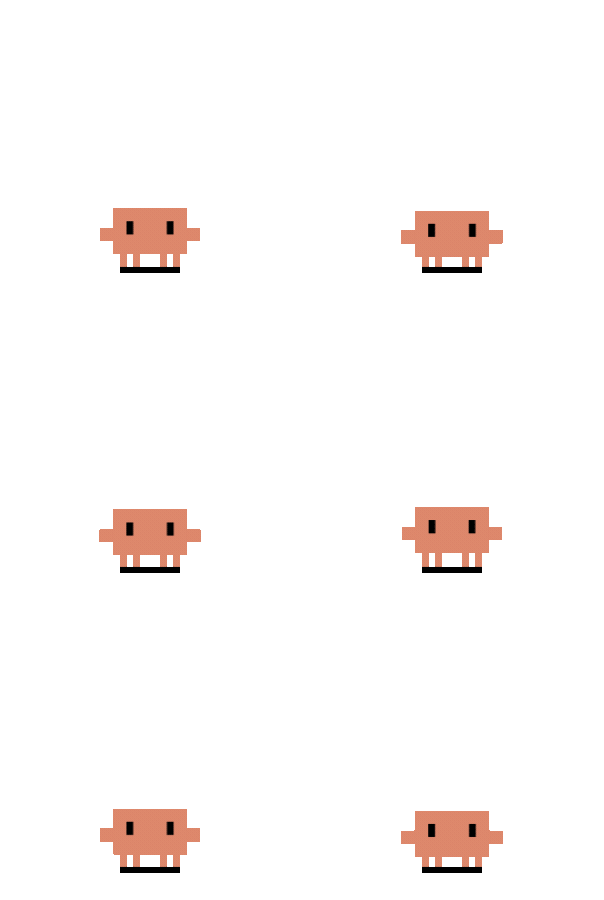 Idle | 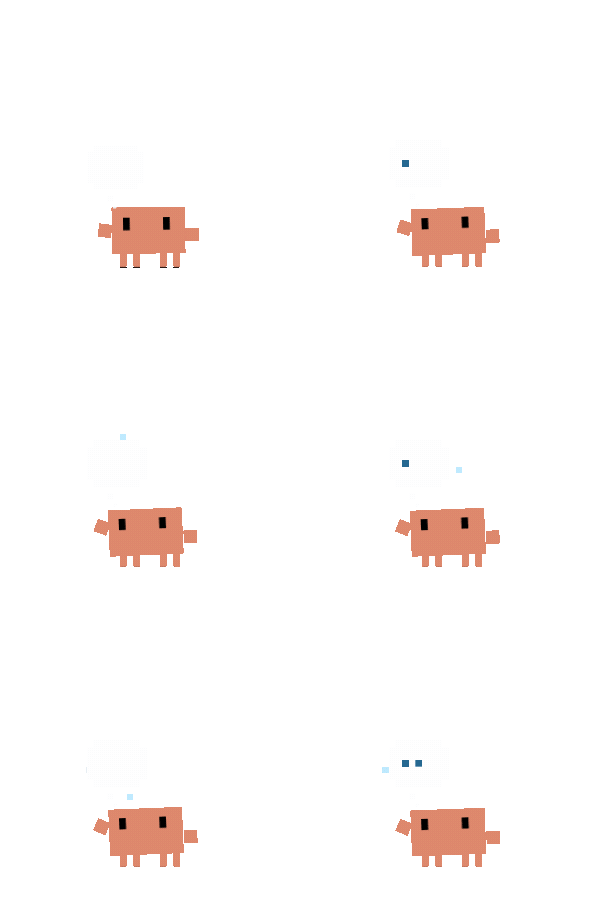 Thought Bubble |  Typing | 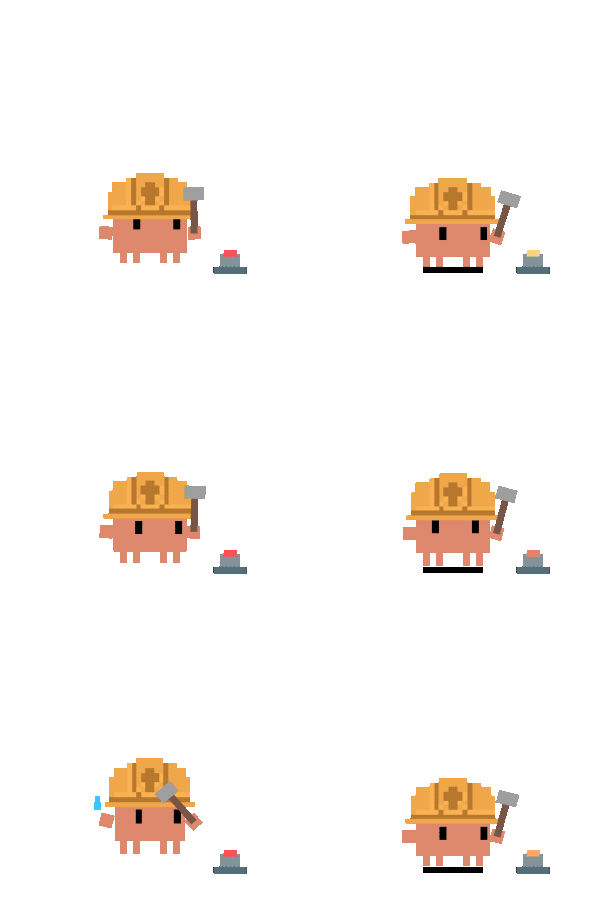 Building |  1 Subagent | 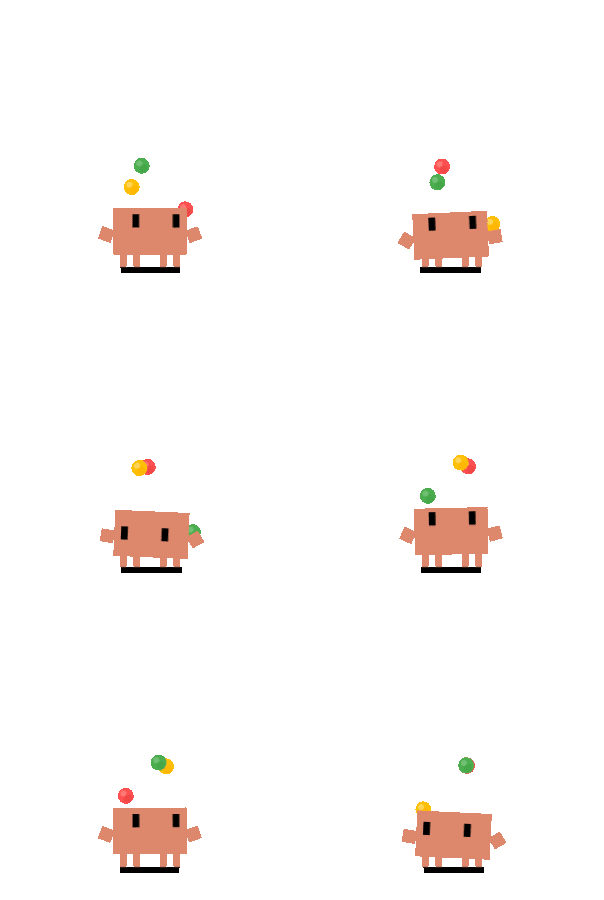 2+ Subagents |
 Calico Idle |  Calico Thinking |  Calico Typing |  Calico Building |  Calico Juggling |  Calico Conducting |
 Cloudling Idle |  Cloudling Thinking |  Cloudling Typing |  Cloudling Building |  Cloudling Juggling |  Cloudling Conducting |
Full event-to-state mapping, mini mode, and click reactions: docs/guides/state-mapping.md
Multi-display
Clawd adapts to multi-monitor setups: proportional sizing uses the display Clawd launches on, portrait monitors get a bounded boost so the pet stays readable on tall narrow screens, and you can drag Clawd across displays.
Want to see the real multi-monitor behavior? Watch the demo video in this repository.
Quick Start
For normal use, download the latest prebuilt installer from GitHub Releases:
- Windows:
Clawd-on-Desk-Setup-<version>-x64.exeorClawd-on-Desk-Setup-<version>-arm64.exe - macOS:
.dmg - Linux:
.AppImageor.deb
Launch Clawd after installing it. Fresh installs auto-sync Claude Code and Codex only; install other local agent integrations from Settings → Agents when you need them.
Run from source only if you're contributing, testing unreleased code, or debugging integrations. Source installs download Electron/build tooling and can create a large node_modules tree.
# Clone the repo
git clone https://github.com/rullerzhou-afk/clawd-on-desk.git
cd clawd-on-desk

# Install dependencies
npm install

# Start Clawd (auto-registers Claude Code and Codex hooks on launch)
npm start
Claude Code and Codex CLI work out of the box with auto-registered hooks. For Copilot CLI, Gemini CLI, Antigravity CLI (agy), Cursor Agent, CodeBuddy, Kiro CLI, Kimi Code CLI (Kimi-CLI), Qwen Code, CodeWhale, opencode, Pi, OpenClaw, Hermes Agent, and Qoder, install the integration from Settings → Agents first; Clawd then keeps it synced while it remains enabled. Also covers remote SSH, WSL, and platform-specific notes (macOS / Linux): docs/guides/setup-guide.md
Want to run Claude Code / Codex CLI on a remote server and surface state plus permission bubbles in your local Clawd? Use the in-app Settings → Remote SSH → One-click deploy. Full walkthrough, Doctor boundary, and FAQ: docs/guides/guide-remote-ssh.md
For the official Codex + WSL status, Clawd's current implementation boundary, and why this is easy to misread, see: docs/guides/codex-wsl-clarification.md
Known Limitations
Some agents have feature gaps (no permission bubble, polling latency, no terminal focus). See the full table: docs/guides/known-limitations.md
Custom Themes
Clawd supports custom themes — replace the default crab with your own character and animations. If you already have a Codex Pet package, import its zip from Settings… → Theme → Import pet zip; Clawd turns the atlas into a managed theme automatically.
Quick start:
- Scaffold a theme:
No argument also works: it creates the next available
node scripts/create-theme.js my-theme # or npm run create-theme -- my-thememy-themescaffold in your user themes directory. - Edit
theme.jsonand create your assets (SVG, GIF, APNG, WebP, PNG, JPG, or JPEG) - Restart Clawd or open
Settings…→Theme→ select your theme
Minimum viable theme: 1 SVG (idle with eye tracking) + 7 GIF/APNG files (thinking, working, error, happy, notification, sleeping, waking). Eye tracking can be disabled to use any format for all states.
Validate your theme before distributing:
node scripts/validate-theme.js path/to/your-theme
Theme cards in Settings… → Theme now expose capability badges such as Tracked idle, Static theme, Mini, Direct sleep, and No reactions, so users can tell what a theme supports before switching.
See docs/guides/guide-theme-creation.md for the full creation guide with tiered paths (beginner → advanced), theme.json field reference, and asset guidelines.
Third-party SVG files are automatically sanitized for security.
Roadmap
Some things we'd like to explore in the future:
- Codex terminal focus via process tree lookup from
codex.exePID - Theme registry and in-app download
- Hook uninstall script for clean app removal
- Mobile companion: remote permission approval from your phone (in progress, led by @Bynlk)
Contributing
Clawd on Desk is a community-driven project. Bug reports, feature ideas, and pull requests are all welcome — open an issue to discuss or submit a PR directly.
Maintainers
 @rullerzhou-afk 鹿鹿 · creator |  @YOIMIYA66 maintainer |  @Bynlk core contributor · Mobile / PWA |
Contributors
Thanks to everyone who has helped make Clawd better:













































Acknowledgments
- Clawd pixel art reference from clawd-tank by @marciogranzotto
- Shared on LINUX DO community
License
Source code is licensed under the GNU Affero General Public License v3.0 (AGPL-3.0).
Artwork and bundled theme assets (including assets/ and themes/*/assets/) are NOT covered by AGPL-3.0. All rights reserved by their respective copyright holders. See assets/LICENSE and the notices below for details.
- Clawd character is the property of Anthropic. This is an unofficial fan project, not affiliated with or endorsed by Anthropic.
- Calico cat (三花猫) artwork by 鹿鹿 (@rullerzhou-afk). All rights reserved.
- Cloudling (云宝) artwork by 鹿鹿 (@rullerzhou-afk). All rights reserved. Cloudling's visual direction includes an homage to the OpenAI Codex logo; Codex/OpenAI marks remain the property of OpenAI, and this project is not affiliated with or endorsed by OpenAI.
- Third-party contributions: copyright retained by respective artists.
No cryptocurrency. This project has no token, coin, NFT, or airdrop, and is not affiliated with any cryptocurrency project.
// faq
What is clawd-on-desk?
A pixel desktop pet that watches Claude Code, Codex, Cursor & other AI coding agents — so you don't have to.. It is open-source on GitHub.
Is clawd-on-desk free to use?
clawd-on-desk is open-source under the AGPL-3.0 license, so it is free to use.
What category does clawd-on-desk belong to?
clawd-on-desk is listed under devtools in the Claudeers registry of Claude-compatible tools.
// embed badge

[](https://claudeers.com/clawd-on-desk)
// retro hit counter

[](https://claudeers.com/clawd-on-desk)
// reviews
// guestbook
// related in Developer Tools
 🔓
🔓The agent harness performance optimization system. Skills, instincts, memory, security, and research-first development for Claude Code, Codex, Opencode, Curs…
 🔓
🔓Makes your AI agent think like the laziest senior dev in the room. The best code is the code you never wrote.
 🔓
🔓Use Garry Tan's exact Claude Code setup: 23 opinionated tools that serve as CEO, Designer, Eng Manager, Release Manager, Doc Engineer, and QA
 🔓
🔓AI coding assistant skill (Claude Code, Codex, OpenCode, Cursor, Gemini CLI, and more). Turn any folder of code, SQL schemas, R scripts, shell scripts, docs,…