
claudinho
⚽ 2026 World Cup live scores in your terminal, Claude Code and Cursor CLI statusline & MCP. No API keys. Not affiliated with FIFA or Anthropic.
Install with your AI
Paste into Claude Code, Cursor, or any agent — it reads the repo and wires the tool into your project.
Install and set up claudinho (git-clone project) into my current project.
Found on https://claudeers.com/claudinho
Repo: https://github.com/arturogarrido/claudinho
Homepage/docs: https://www.npmjs.com/package/@claudinho/cli
Detected install method: git-clone → git clone https://github.com/arturogarrido/claudinho
Category: mcp-servers. Platforms: cli, api, desktop.
Read the repo's README for exact setup and env vars, then install it and wire it into my project.

Claudeers Health Verdict:
active; community-verified: false. Confirm the source before running anything.
git clone https://github.com/arturogarrido/claudinho
// compatibility
| Platforms | cli, api, desktop |
|---|---|
| Operating systems | — |
| AI compatibility | claude |
| License | MIT |
| Pricing | open-source |
| Language | TypeScript |
Claudinho ⚽
Live scores for the 2026 men's football tournament — in your terminal, your Claude Code / Cursor CLI statusline, and any MCP client. No API key, no signup; all 104 fixtures ship bundled, so the schedule works offline.
npx @claudinho/cli today # try it in 10 seconds — no install, no key
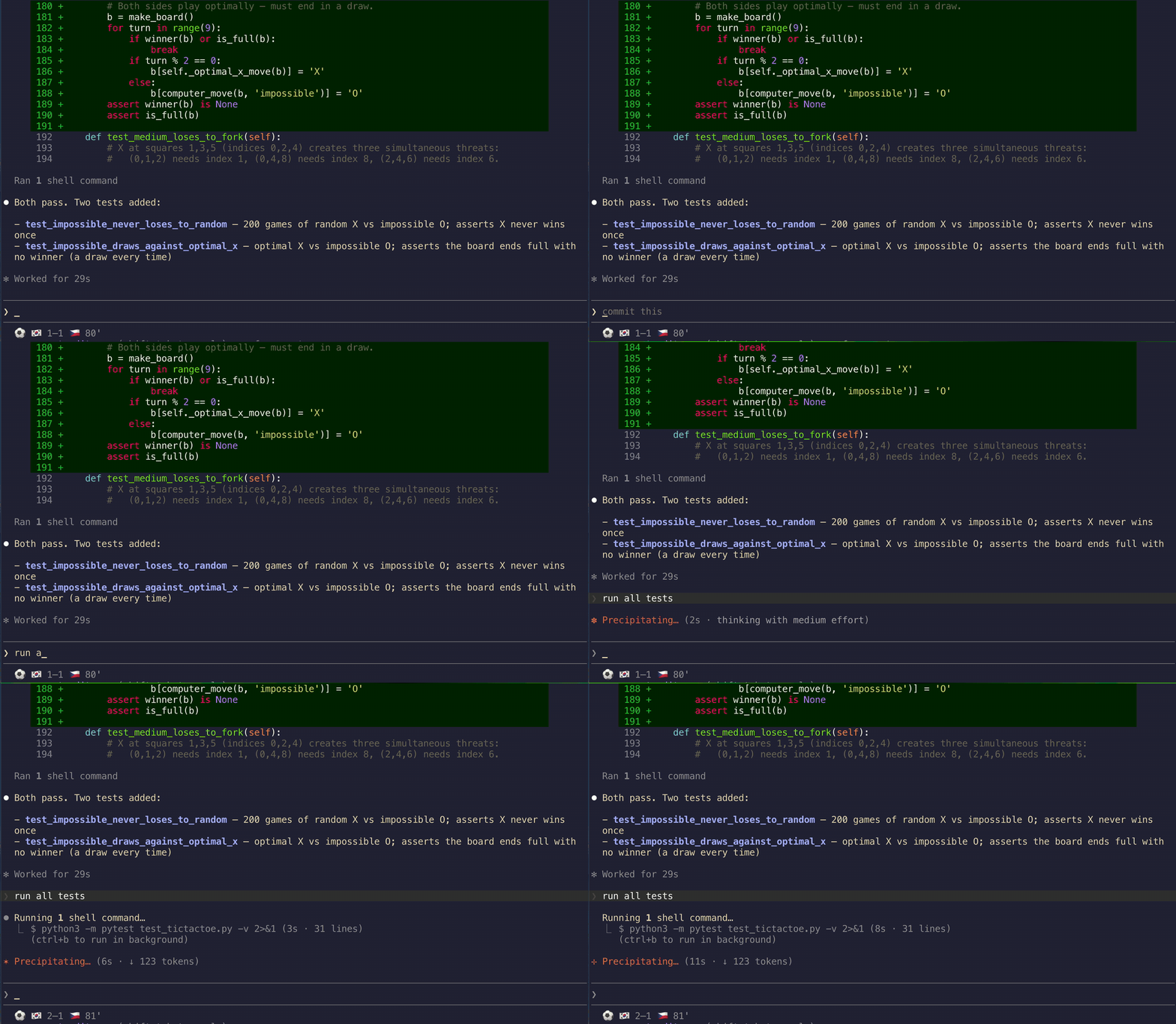
While matches are live, your Claude Code or Cursor CLI statusline reads:
⚽ 🇳🇴 1–1 🇫🇷 87' · 🇸🇳 1–2 🇮🇶 86'
And claudinho share prints a card made for the group chat:
Group A · standings

1. 🇲🇽 MEX  6 pts · 2-0-0 · +3
2. 🇰🇷 KOR  3 pts · 1-0-1 · 0
3. 🇨🇿 CZE  1 pts · 0-1-1 · -1
4. 🇿🇦 RSA  1 pts · 0-1-1 · -2

Live data: ESPN
#VibingLaVidaLoca · Independent fan project · not affiliated with FIFA or Anthropic.
Try it: npx @claudinho/cli table A
⚠️ Not affiliated with, endorsed by, or connected to FIFA or Anthropic. Claudinho is an independent, open-source fan project. It displays factual match data (scores, fixtures, standings) and uses emoji flags only — no logos, emblems, kits, broadcast footage, or player likenesses.
Install
Just the CLI
npm i -g @claudinho/cli
claudinho today
claudinho next MEX --tz America/Mexico_City --lang es
Cursor CLI — statusline + MCP
One command wires the live-score statusline and prints the MCP config to paste:
npm i -g @claudinho/cli
claudinho init cursor          # statusline → ~/.cursor/cli-config.json (+ the MCP paste)

Restart your agent session to see it. Prefer to paste it yourself? claudinho init cursor --print
emits the snippets, or copy them straight from here:
Statusline — ~/.cursor/cli-config.json:
{
  "statusLine": {
    "type": "command",
    "command": "claudinho prompt",
    "padding": 0,
    "updateIntervalMs": 1000,
    "timeoutMs": 1500
  }
}
MCP tools — ~/.cursor/mcp.json (global) or a project .cursor/mcp.json:
{ "mcpServers": { "claudinho": { "command": "npx", "args": ["-y", "@claudinho/mcp"] } } }
Optional env — a model + context line below the score, or scope to your team:
export CLAUDINHO_CURSOR_META=auto   # model + context % line under the score (recommended)
export CLAUDINHO_TEAM=MEX           # show only your team's match
export CLAUDINHO_FLAGS=off          # 3-letter codes instead of flag emoji (already automatic in Warp)
Note: Cursor's
beforeSubmitPrompthook doesn't yet reliably inject context into the model, so the score-aware hook stays Claude Code-only for now — the statusline and MCP server work great in Cursor.
Claude Code — statusline, score-aware hook, MCP
npm i -g @claudinho/cli
claudinho init claude          # statusline + live-score hook, then the MCP one-liner
init claude backs up ~/.claude/settings.json first and is idempotent. Prefer the pieces
à la carte? Run init-statusline, init-hook, and:
claude mcp add claudinho -- npx -y @claudinho/mcp
Restart Claude Code to activate.
Monorepo / local dev? The
init cursor/init claudealiases wire the globalclaudinho. To point a statusline or hook at a local build, use the granular commands with--command, e.g.claudinho init-cursor-statusline --command "node ./packages/cli/dist/index.js prompt"(andinit-statusline/init-hookfor Claude Code).
Other MCP clients — Codex, Claude Desktop, Windsurf, Zed, VS Code
codex mcp add claudinho -- npx -y @claudinho/mcp # Codex CLI
Everything else takes the standard stdio config:
{ "mcpServers": { "claudinho": { "command": "npx", "args": ["-y", "@claudinho/mcp"] } } }
Surfaces
- CLI —
today,live,next MEX,table,match <id>,markets,share(andvibe😎).--jsonon everything; TZ-aware via--tz. - Live statusline — Claude Code & Cursor CLI — every live score inline; reads a local micro-cache, never blocks on the network. One command per agent:
claudinho init claude/claudinho init cursor(also tmux & Starship viaclaudinho prompt). - Score-aware hook (Claude Code) — a
UserPromptSubmithook that drops the live score into the model's context during matches; zero tokens off-match. (Cursor parity pending — its hook can't reliably inject context yet.) - MCP server — 7 read-only tools (
get_today,get_live,get_match,get_next_fixture,get_standings,get_market_signal,get_share_snippet) plusmy_team/tournament_todayprompts. - Prediction-market signals — a read-only "who's favored" line (market-implied percentages, Source: Polymarket), shown only when a reliable market exists. Informational only — not betting advice. Opt out:
--no-markets/CLAUDINHO_MARKETS=off. - Shareable cards —
claudinho share next MEX --copyputs a plain-text match card on your clipboard;claudinho share table Adoes the same for a group's live standings.
Speaks en / es / pt / fr, with optional localized commentary flair (¡GOOOOL!) — dial it down with --flavor subtle|off.
Planned (not shipped yet): a desktop notifier and an AI pundit with a public accuracy scorecard.
FAQ
Do I need an API key or account? No. Nothing to sign up for; npx and done.
Does it work offline? The schedule, next, and group skeletons do — all 104 fixtures are bundled. Only live scores hit the network.
Where does the data come from? Live scores from ESPN's public scoreboard (attributed in output as Live data: ESPN); market signals from Polymarket public data. Rate limits respected.
Is the market line betting advice? No. It's read-only, informational-only market data with attribution — no trading, no links — and it never appears on the statusline or hook.
Why no crests, kits, or player photos? Legal-clean by design: facts and emoji flags only.
Flags show as boxed letters (CH, BA)? Some terminals — notably Warp — don't compose
the regional-indicator pairs into flag glyphs, so 🇨🇭 renders as a boxed CH. claudinho
auto-detects Warp and drops the flags: 3-letter codes on the statusline (MEX 1–0 RSA 67')
and plain team names in the hook. Force it anywhere with CLAUDINHO_FLAGS=off, or keep flags
with CLAUDINHO_FLAGS=on.
Windows? Works, but flag emoji rendering varies by terminal — best on macOS/Linux. See the
flags note above; CLAUDINHO_FLAGS=off gives clean codes on any terminal that can't render them.
License
MIT © 2026 Arturo Garrido. All three packages publish with npm provenance via OIDC trusted publishing.
Built while watching the games. #VibingLaVidaLoca ⚽
// faq
What is claudinho?
⚽ 2026 World Cup live scores in your terminal, Claude Code and Cursor CLI statusline & MCP. No API keys. Not affiliated with FIFA or Anthropic.. It is open-source on GitHub.
Is claudinho free to use?
claudinho is open-source under the MIT license, so it is free to use.
What category does claudinho belong to?
claudinho is listed under devtools in the Claudeers registry of Claude-compatible tools.
// embed badge

[](https://claudeers.com/claudinho)
// retro hit counter

[](https://claudeers.com/claudinho)
// reviews
// guestbook
// related in MCP Servers
 🔓
🔓f.k.a. Awesome ChatGPT Prompts. Share, discover, and collect prompts from the community. Free and open source — self-host for your organization with complete…
 🔓
🔓A cross-platform desktop All-in-One assistant for Claude Code, Codex, OpenCode, OpenClaw, Gemini CLI & Hermes Agent. Only official website: ccswitch.io
 🔓
🔓🪨 why use many token when few token do trick — Claude Code skill that cuts 65% of tokens by talking like caveman
 🔓
🔓An open-source AI agent that brings the power of Gemini directly into your terminal.