
claudeBuddy
A desktop pet that knocks when your AI coding agent (Claude Code, Codex) is done or needs you. Windows, built with Tauri.
Install with your AI
Paste into Claude Code, Cursor, or any agent — it reads the repo and wires the tool into your project.
Install and set up claudeBuddy (release-binary project) into my current project.
Found on https://claudeers.com/claudebuddy
Repo: https://github.com/pooriaanv/claudeBuddy
Homepage/docs: —
Detected install method: release-binary → inspect the README
Category: automation. Platforms: cli, api, desktop.
Read the repo's README for exact setup and env vars, then install it and wire it into my project.

Claudeers Health Verdict:
active; community-verified: false. Confirm the source before running anything.
Grab the latest release asset from GitHub.
# download a build from https://github.com/pooriaanv/claudeBuddy/releases
git clone https://github.com/pooriaanv/claudeBuddy
// compatibility
| Platforms | cli, api, desktop |
|---|---|
| Operating systems | — |
| AI compatibility | claude |
| License | MIT |
| Pricing | open-source |
| Language | TypeScript |
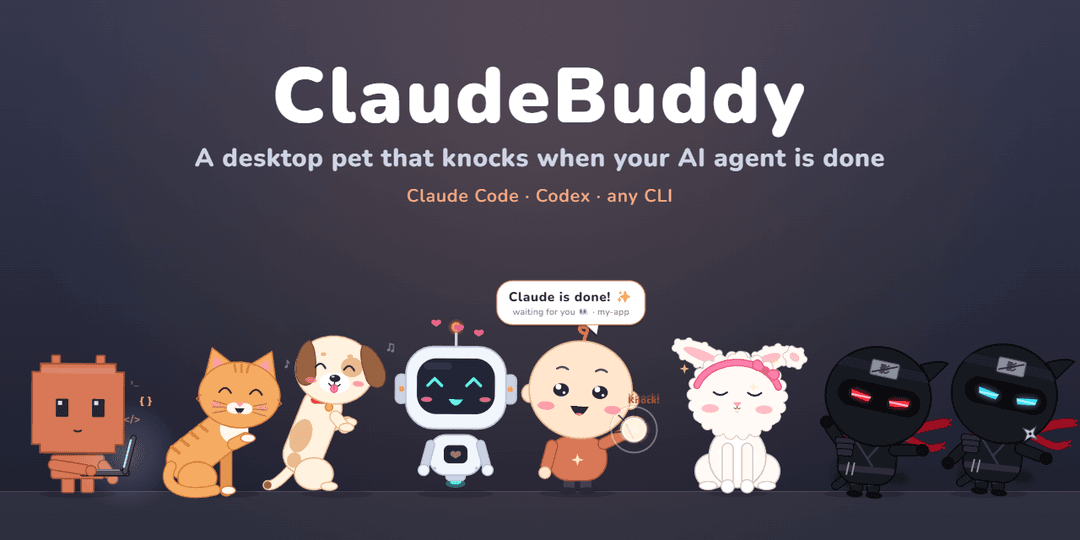
ClaudeBuddy
A tiny desktop pet that knocks on your screen when your AI coding agent is done or needs your OK.
Works with Claude Code, Codex, or any CLI · 8 characters · English / فارسی · self-updating
It lives at the bottom of your screen, minds its own business while you work, and comes up to the glass when a session finishes or asks for permission — so you can look away from the terminal without missing a beat.
Features
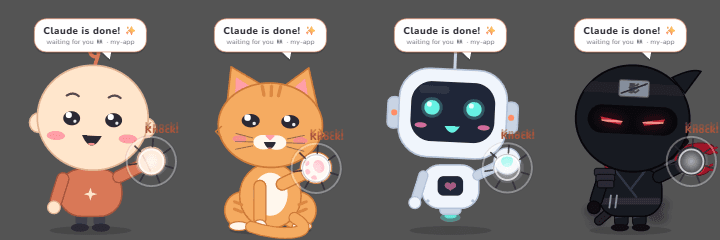
It knocks when your agent needs you. A finished turn or a permission prompt brings the buddy up to the glass: it knocks three times (each character has its own knock sound) and shows who's waiting and in which project. Reply, or click it, and it goes back to its spot. Several sessions at once are queued.
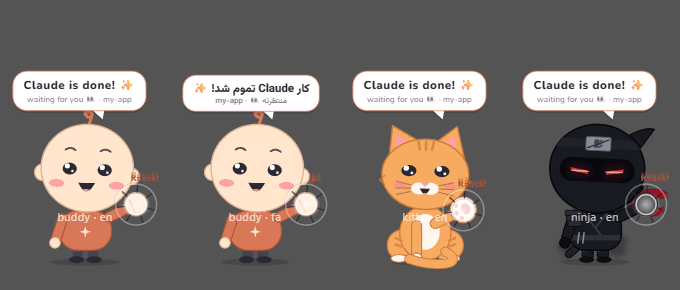
Or right where it is. Settings → Behavior → Knock: Big, in the middle or Right where it is (same spot and size, just in front of every window).
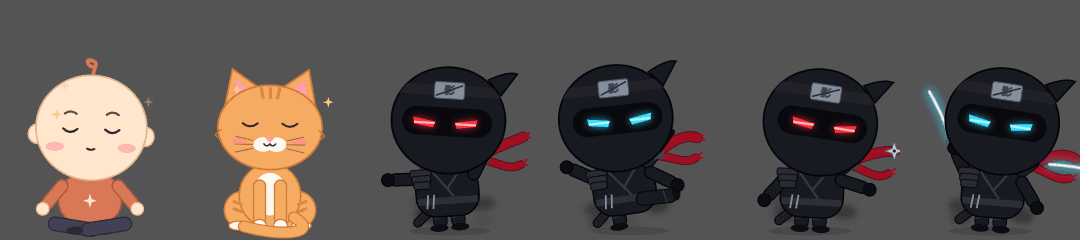
It has a life. Sits, looks around, walks, dances, naps when you're away and wakes up with a yawn. Its eyes follow your cursor. Click for hearts; drag it around and drop it — it falls back to the floor. Drop it on an app and it stays in front of all your windows; drop it on the desktop and it goes back behind them. Every character meditates now and then; the ninjas practice kata, kicks, shuriken and the sword; Byte opens a laptop and codes.
Quiet when you're watching (optional): if the session runs in the Claude/Codex desktop app and you're already
looking at it, the buddy shows a small ✓ project tag instead of knocking.
Settings — 8 characters, size, mischief (Calm / Playful / Naughty), sound, knock style, open at login, English / فارسی, and one-click agent hooks.
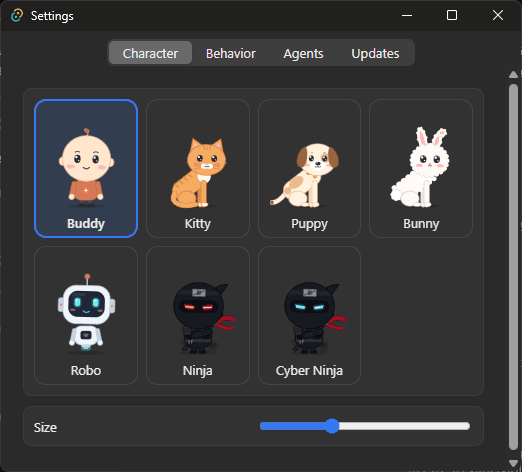
Install
⬇ Download the latest release — it keeps itself up to date (what's new).
- Windows: run
ClaudeBuddy_<version>_x64-setup.exe(installs for your user only, no admin). Windows may show "Windows protected your PC" (the installer isn't code-signed yet): More info → Run anyway. - macOS 14+: open
ClaudeBuddy_<version>_universal.dmg(Apple Silicon and Intel) or the smallerClaudeBuddy_<version>_aarch64.dmg(Apple Silicon only) and drag ClaudeBuddy to Applications. The app isn't notarized: open it once, then System Settings → Privacy & Security → Open Anyway. It replaces an older ClaudeBuddy for Mac (same app id; the old copy is closed when the new one starts). - Linux (x86_64; tested on Ubuntu 22.04, newer distros should work too): the
ClaudeBuddy_<version>_amd64.AppImage(chmod +xit and run it; it updates itself) or the.deb(sudo apt install ./ClaudeBuddy_<version>_amd64.deb). Needs X11 or XWayland (a Wayland session runs it through XWayland automatically); the tray icon needs AppIndicator support (built into Ubuntu; on other GNOME desktops, the AppIndicator extension).
Then: tray / menu bar icon → Settings… → Agents → Connect next to Claude Code (and/or Codex).
Connecting adds only the buddy's entries to ~/.claude/settings.json (a .buddy-backup copy is kept); your other
hooks and settings are untouched. Disconnect removes them again.
Something wrong? Open an issue — it asks for the few details that help.
Any other tool can knock too:
~/.claude-buddy/buddy-notify.exe <name> done '{"project": "my-app"}'   # Windows
~/.claude-buddy/buddy-notify <name> done '{"project": "my-app"}'       # macOS / Linux
Development
app/
├─ src/            TypeScript, shared by every platform
│  ├─ core/        brain (what to do next), animation, attention queue, agent events, localization
│  ├─ render/      Canvas 2D: the 8 characters, bubble, effects, app icon
│  ├─ app/         pet controller, coordinator, preferences, tray menu, updater
│  └─ settings/    the settings window
├─ src-tauri/      Rust: windows, z-order and click-through (platform/{windows,macos,linux}.rs), hook installer,
│                  inbox, tray / menu bar
└─ notify/         Rust: buddy-notify, the tiny hook helper agents call
Needs Node 22/24 LTS and Rust. Windows: Visual Studio 2022 Build Tools ("Desktop development with C++"), WebView2.
macOS: Xcode Command Line Tools. Linux:
Tauri's prerequisites (libwebkit2gtk-4.1-dev,
libayatana-appindicator3-dev, …).
cd app
npm install
npm run tauri dev      # run it
npm run tauri build    # Windows → bundle/nsis/*.exe; macOS → bundle/dmg/*.dmg; Linux → bundle/deb, bundle/appimage
ClaudeBuddy --snapshot out.png en sheet renders every character in every pose with the real renderer, which is
handy for checking a visual change.
Testing
npm test                                            # TypeScript unit tests (Vitest)
npm run test:coverage                               # … with coverage
npm run build:notify                                # then the Rust tests:
cargo test --manifest-path notify/Cargo.toml        #   hook helper
cargo test --manifest-path src-tauri/Cargo.toml     #   app (hook installer, inbox, paths, …)
CI runs all of it on Windows, macOS and Linux for every push and pull request. The coverage badge measures the logic
(src/core, src/app): the brain, animation timing, attention queue, agent events, geometry, preferences and the
pet controller. The canvas drawing and the settings DOM aren't unit-tested; they're checked with --snapshot
previews and on a real desktop.
License
ClaudeBuddy is an independent fan project — not affiliated with or endorsed by Anthropic. "Claude" is a trademark of Anthropic.
// faq
What is claudeBuddy?
A desktop pet that knocks when your AI coding agent (Claude Code, Codex) is done or needs you. Windows, built with Tauri.. It is open-source on GitHub.
Is claudeBuddy free to use?
claudeBuddy is open-source under the MIT license, so it is free to use.
What category does claudeBuddy belong to?
claudeBuddy is listed under automation in the Claudeers registry of Claude-compatible tools.
// embed badge

[](https://claudeers.com/claudebuddy)
// retro hit counter

[](https://claudeers.com/claudebuddy)
// reviews
// guestbook
// related in Automation & Workflows
 🔓
 🔓
The API to search, scrape, and interact with the web at scale. 🔥
 🔓
🌐 Make websites accessible for AI agents. Automate tasks online with ease.
 🔓
Taste-Skill - gives your AI good taste. stops the AI from generating boring, generic slop