
claude-video-edit
A Claude Code skill for editing talking-head, tutorial, explainer and Short videos: word-accurate cuts, GSAP scenes, synthesized sound effects, honest loudness.
Install with your AI
Paste into Claude Code, Cursor, or any agent — it reads the repo and wires the tool into your project.
Install and set up claude-video-edit (claude-skill project) into my current project.
Found on https://claudeers.com/claude-video-edit
Repo: https://github.com/YildizDikme/claude-video-edit
Homepage/docs: —
Detected install method: claude-skill → # copy this skill into .claude/skills/claude-video-edit/
Category: education. Platforms: cli, web.
Read the repo's README for exact setup and env vars, then install it and wire it into my project.

Claudeers Health Verdict:
active; community-verified: false. Confirm the source before running anything.
# copy the skill dir into your project:
# .claude/skills/claude-video-edit/   (or ~/.claude/skills/claude-video-edit/ for all projects)
git clone https://github.com/YildizDikme/claude-video-edit
// compatibility
| Platforms | cli, web |
|---|---|
| Operating systems | — |
| AI compatibility | claude |
| License | MIT |
| Pricing | open-source |
| Language | Python |
claude-video-edit
A Claude Code skill that edits talking-head, tutorial, explainer and Short videos together with you: word-accurate cuts, motion graphics locked to your words, sound effects made from math, honest loudness, frame-exact 4K renders.
This repo makes good edits possible. It does not make them for you. The real power is still yours: your eye, your notes, your taste. Claude cuts, measures and builds fast. You watch, give notes and decide.
Quick start
1. Install the tools once. Python 3.10+, ffmpeg, Node 20+, Google Chrome, and one Whisper backend.
macOS (Apple Silicon, with Homebrew):
brew install python ffmpeg node numpy whisperkit-cli
Linux or Windows: install ffmpeg, Node 20+ and Chrome from their sites, then (in a virtual environment if your system asks for one):
python3 -m pip install numpy faster-whisper
It is built and tested on macOS. Linux and Windows use the same tools but are less tested.
2. Install the skill.
git clone https://github.com/YildizDikme/claude-video-edit ~/.claude/skills/video-edit
That is all. You do not paste anything into a prompt: Claude Code loads the skill by itself and uses it whenever you ask for a video edit. To update later: git -C ~/.claude/skills/video-edit pull.
3. Edit a video. Make a folder, put your raw clips in src/, and open Claude Code there:
mkdir my-video && cd my-video && mkdir src
# copy your clips into src/
claude
Then just say what you want, for example:
Edit the clips in src into a 10-minute educational video. Cut retakes and pauses. Propose chapters. Calm graphics, no sound effects.
This is a Short. Tight cuts, captions on, more energetic graphics.
4. The first time, Claude gets to know you. It asks a few questions in one message (your name, your colours, your logo, your usual videos, sound effects or not) and remembers the answers for every later video. See It remembers you.
How a session goes
- Claude transcribes the clips, makes a rough cut (retakes and pauses out, words never clipped) and gives you a preview link.
- You watch and give notes with timestamps: "0:36 cut the pause after this word", "1:12 show an example here". One round at a time. Screenshots of what you mean help a lot.
- Claude proposes chapters, then builds the graphics chapter by chapter, and you review each part.
- Sound effects only if you want them.
- When you approve the preview, Claude renders the final video (up to 4K) and gives you the length, the loudness and the YouTube chapter list.
Good edits come from these short review loops. Expect several rounds.
What it can do
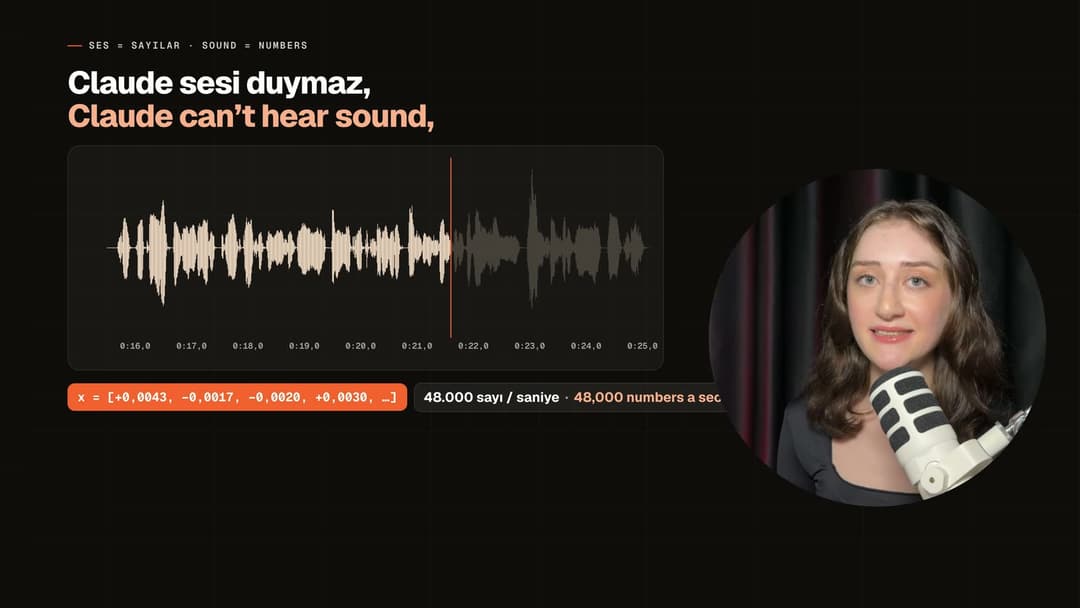
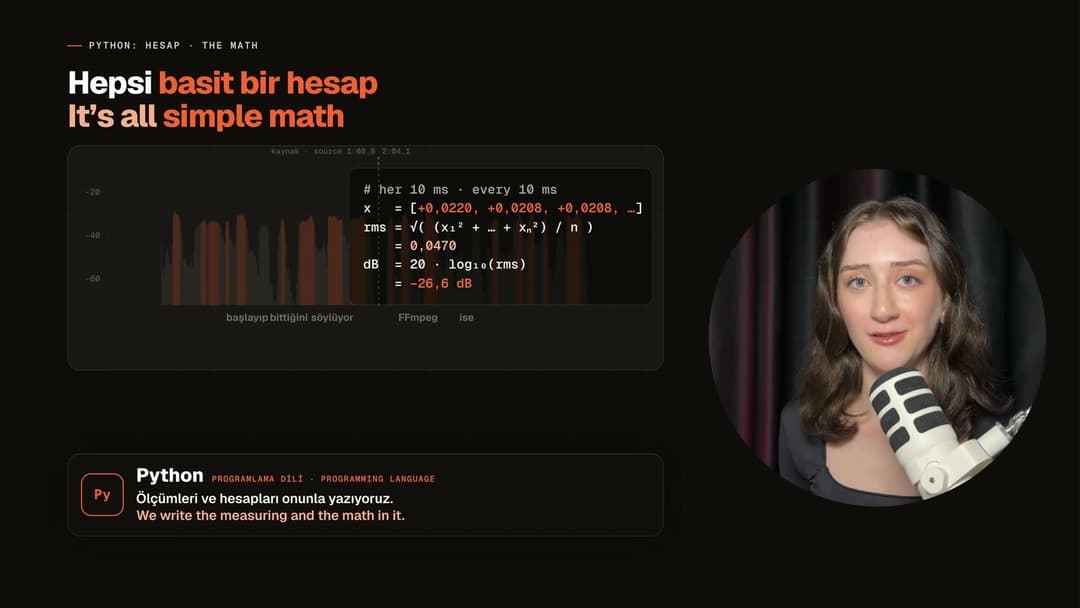 Explains with real data: the video's own sound, measured every 10 ms, the math on screen. | 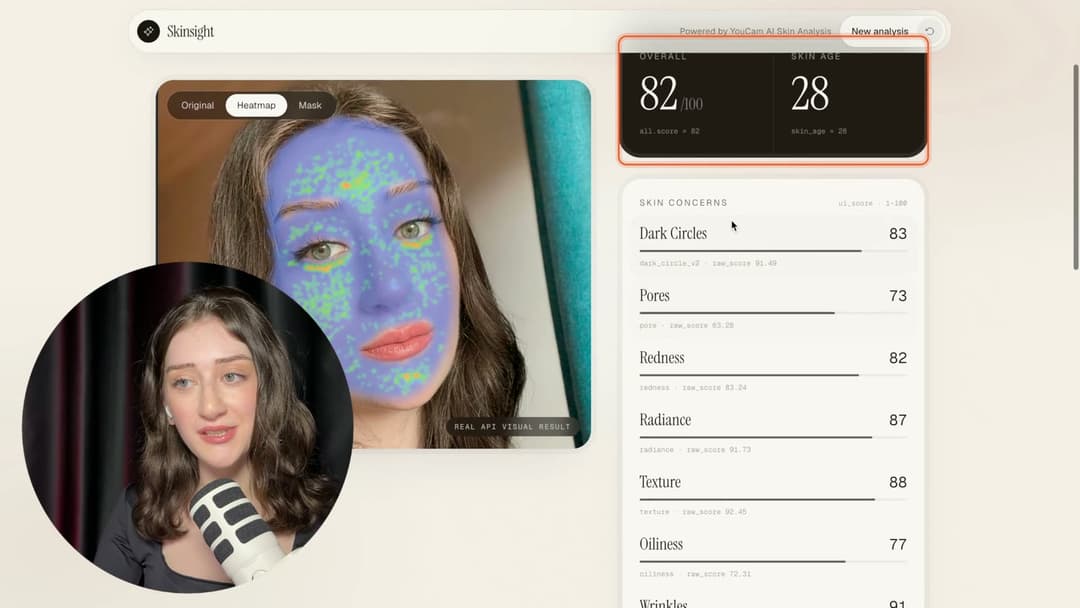 Frames that lock onto the part of the screen being talked about and follow the scroll. |
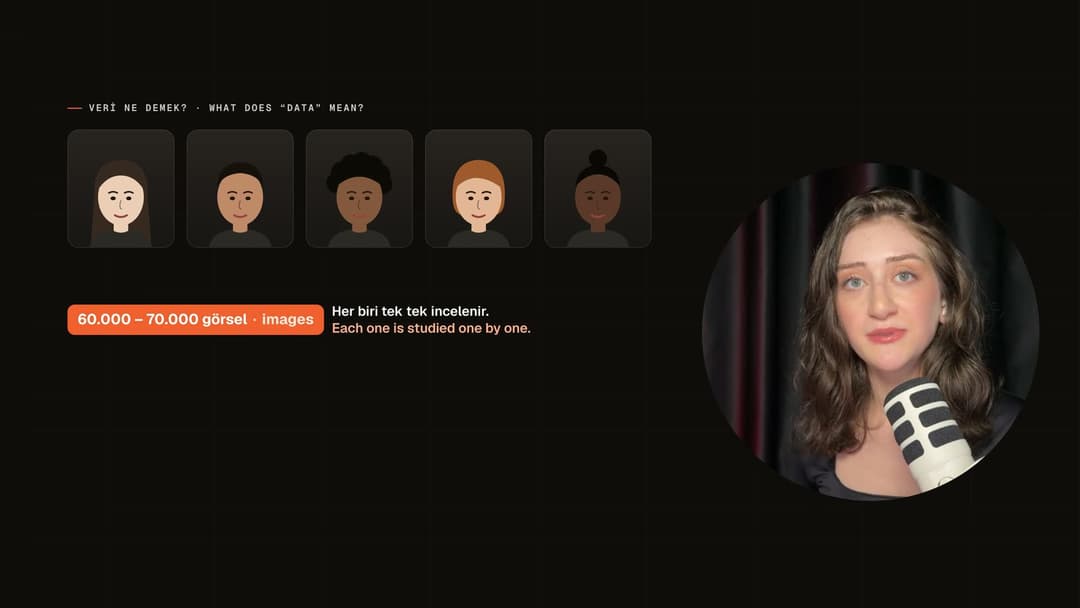 Abstract ideas drawn: what "the model needs a lot of data" actually means. | 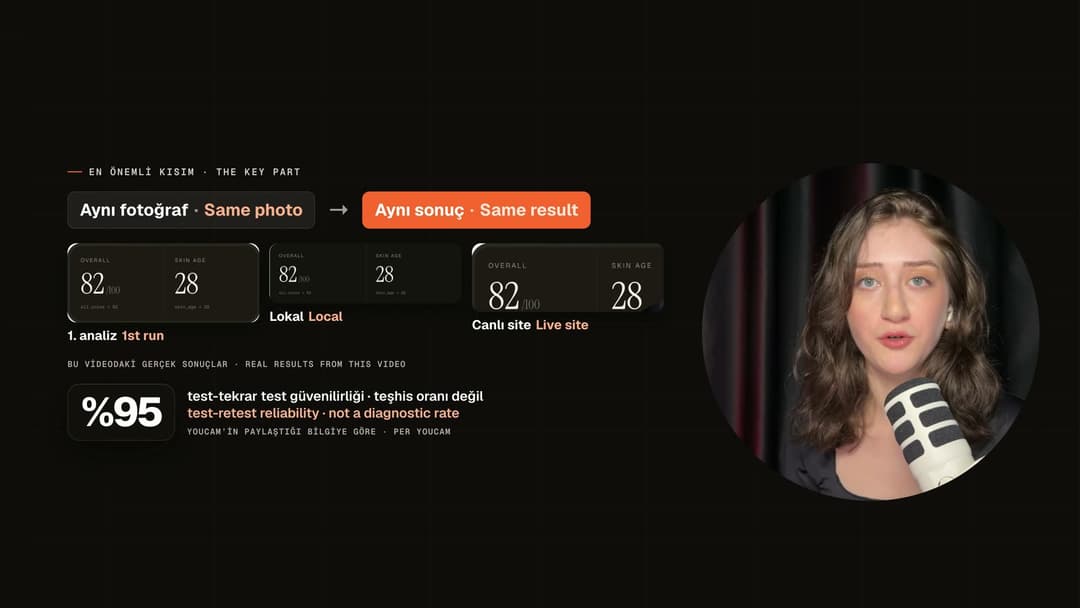 Real results from the recording instead of invented examples. |
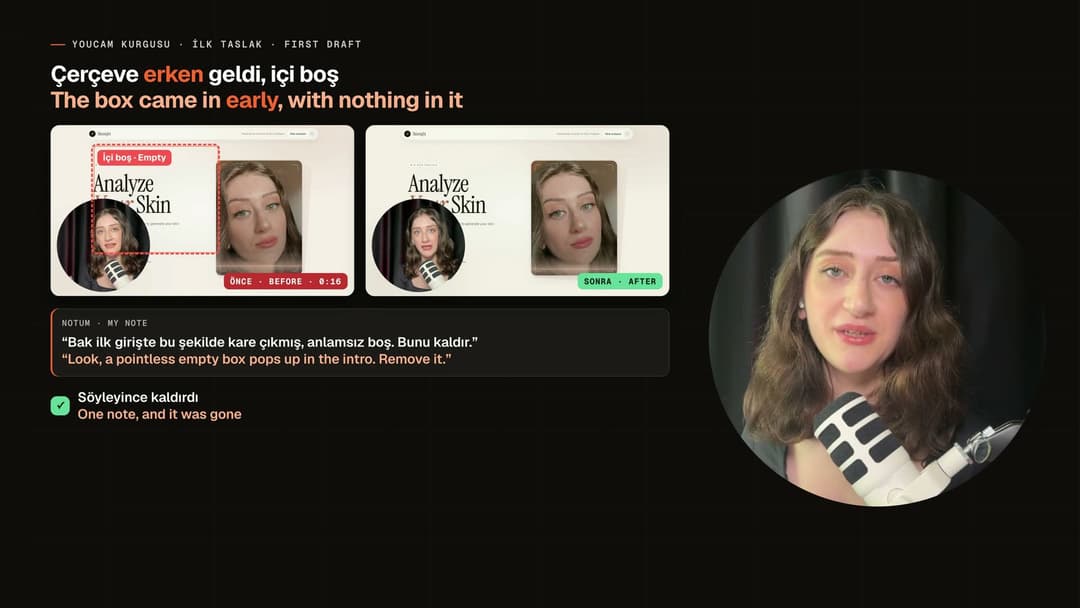 Mistakes shown honestly: the real screenshot, the note, the fixed version. | 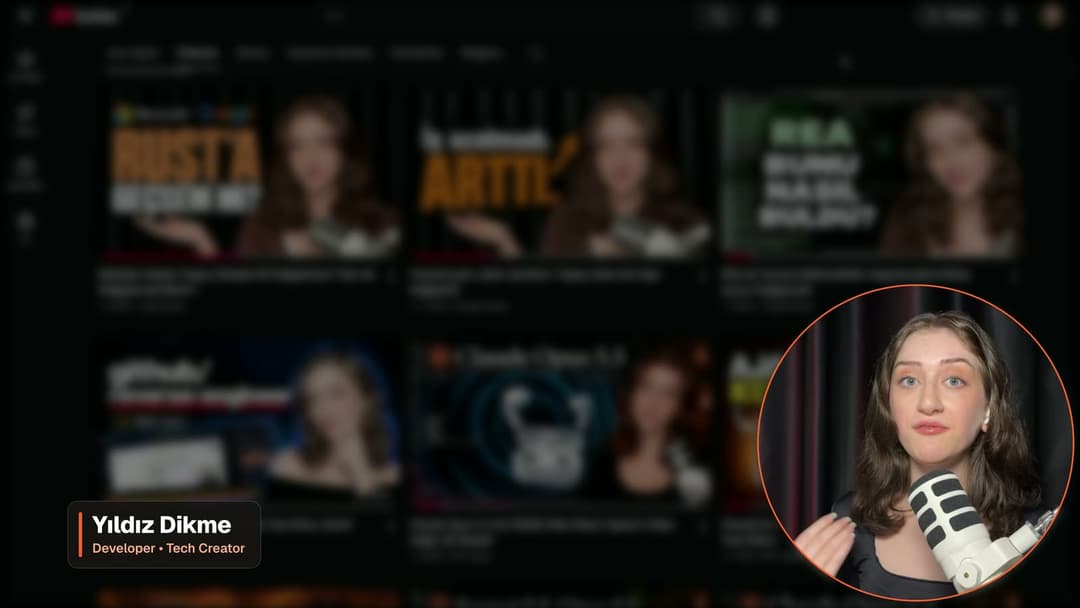 Your name and colours from your profile, on every video. |
Frames from my own videos edited with this skill (Turkish, with English on screen).
It remembers you
On the first run Claude asks, in one message: your name and role for the lower third, your channel and languages, the colours you like and the ones you never want, your logo, your usual video types, and whether you want sound effects. The answers go to ~/.claude/video-edit/profile.md (your logo to ~/.claude/video-edit/brand/) and are used in every later video without asking again.
When you give a rule meant for all your videos ("no sound on transitions", "always deliver 4K"), Claude adds it to the profile and tells you. The profile stays on your computer; it is never part of a project or a repository. You can open and edit it any time.
Creative, with purpose
The skill tells Claude to explain, not decorate: draw the abstract idea, show a small "what is this" box for tools the viewer may not know, use the video's own measured data and your real screenshots, show mistakes with the real before and after, and vary the form instead of pasting the same card. Videos are split into chapters by meaning, with titles that say what the viewer gets.
Transitions are part of the template: a short chapter veil that closes before the cut, a text veil for inserts and montages, a blur dip where the picture jumps, a dark blur dip where a cut changes the subject, and a calm goodbye screen. They are silent by default.
Why it works: Claude can't hear
Everything this skill knows about sound is measured: word timestamps from Whisper, a 10 ms energy envelope, loudness meters. So the workflow is built around that:
- Cuts follow the measured energy, not guesses. Each cut snaps to the real start and end of a word in the waveform.
- Picture and sound share one clock. Graphics and sound effects are triggered from the same timeline, so effects land on the picture without anyone listening for sync.
- The voice is never processed by default. No noise reduction, EQ or compression: one linear gain only. Those filters are the usual cause of muffled voices.
- A human reviews every stage. Your ear is the final check for clipped words and effect levels.
Try it without footage
cd ~/.claude/skills/video-edit
python3 scripts/sfx.py lib --out template/sfx
python3 scripts/serve.py --project . --port 5600
Open http://127.0.0.1:5600/template/?demo and press Space.
What is inside
SKILL.md              the workflow Claude follows
reference/audio.md    cutting rules, loudness, sound effects, captions (the most important file)
reference/style.md    glass cards, neutral palette, typography, motion, transitions, things to avoid
reference/profile.md  the creator profile Claude writes on the first run and reads every time
reference/edl.md      the edit-list format
scripts/              transcribe, cuts, build, verify, loudness, sfx, mix (Python) · render, audit (Node)
template/             a scene page: engine, glass-card styles, chapter veils, transitions, demo beats
docs/images/          the pictures in this README
Video types
| Type | Graphics | Effects | Cuts |
|---|---|---|---|
| Educational / explainer | calm, clear diagrams, slow camera, three.js only when it explains | none, or only where a sound is the subject | natural |
| Talk | few long-lasting cards, never over the face | none by default | natural or tight |
| Tutorial | zoom into the screen, highlight frames, steps | optional soft clicks | natural |
| Short | bigger, faster, hook in 2 s, captions | allowed, under the voice | tight |
Limits
- Claude can't judge taste, emotion, or whether a mix "sounds good". Listen to every flagged join and every effect level.
- Whisper makes mistakes with names and technical words. Check the transcript.
- It is made for talking-head, tutorial, screen-recording and Short videos. Colour grading, multi-camera edits and music videos are not covered.
- Long videos take time and tokens. On a smaller plan, work chapter by chapter.
- Rendering through a browser is slow, about 10 fps per worker at 1080p. Use several workers for long videos.
License
MIT. See LICENSE.
Türkçe
Konuşma, eğitim, ekran kaydı ve Short videolarını sizinle birlikte editleyen bir Claude Code skill'i: kelime sınırından kesim, sözlerinize kilitli animasyonlar, matematikten üretilen ses efektleri, doğru ses seviyesi ve kare kare 4K render.
Bu repo iyi edit yapmayı mümkün kılıyor, sizin yerinize yapmıyor. Asıl güç hâlâ sizde: gözünüz, notlarınız, zevkiniz. Claude hızlı keser, ölçer ve kurar; siz izler, not verir ve karar verirsiniz.
Hızlı başlangıç
1. Araçları bir kez kurun. Python 3.10+, ffmpeg, Node 20+, Google Chrome ve bir Whisper.
macOS (Apple Silicon, Homebrew ile):
brew install python ffmpeg node numpy whisperkit-cli
Linux ya da Windows: ffmpeg, Node 20+ ve Chrome'u kendi sitelerinden kurun, sonra (sisteminiz isterse bir sanal ortam içinde):
python3 -m pip install numpy faster-whisper
macOS'ta geliştirildi ve test edildi. Linux ve Windows aynı araçları kullanır ama daha az denendi.
2. Skill'i kurun.
git clone https://github.com/YildizDikme/claude-video-edit ~/.claude/skills/video-edit
Bu kadar. Hiçbir şeyi prompta yapıştırmanız gerekmez: Claude Code skill'i kendisi yükler ve video editlemek istediğiniz her seferde kullanır. Güncellemek için: git -C ~/.claude/skills/video-edit pull.
3. Video editleyin. Bir klasör açın, ham kliplerinizi src/ içine koyun ve Claude Code'u orada açın:
mkdir videom && cd videom && mkdir src
# kliplerinizi src/ içine kopyalayın
claude
Sonra ne istediğinizi söyleyin. Örneğin: "src içindeki klipleri 10 dakikalık bir eğitim videosuna çevir. Tekrarları ve duraksamaları kes, bölüm öner, animasyonlar sakin olsun, efekt koyma."
4. İlk seferde Claude sizi tanır. Tek mesajda birkaç soru sorar (adınız, renkleriniz, logonuz, genelde çektiğiniz videolar, ses efekti isteyip istemediğiniz) ve cevapları sonraki bütün videolar için hatırlar.
Bir çalışma nasıl ilerler
- Claude klipleri yazıya döker, kaba kurguyu yapar (tekrarlar ve duraksamalar çıkar, kelimeler kırpılmaz) ve size bir önizleme linki verir.
- Siz izler ve zamanla not verirsiniz: "0:36'da bu kelimeden sonraki boşluğu kes", "1:12'de buraya örnek koy". Her seferinde bir tur. Ne demek istediğinizi gösteren ekran görüntüleri çok işe yarar.
- Claude bölümleri önerir, sonra animasyonları bölüm bölüm kurar; her parçayı siz kontrol edersiniz.
- Ses efektleri sadece isterseniz.
- Önizlemeyi onayladığınızda Claude final videoyu (4K'ya kadar) render alır; süreyi, ses seviyesini ve YouTube bölüm listesini verir.
İyi edit bu kısa kontrol turlarından çıkar. Birkaç tur bekleyin.
Sizi hatırlar
İlk kullanımda Claude tek mesajda sorar: alt bant (lower third) için adınız ve unvanınız, kanalınız ve dilleriniz, sevdiğiniz ve hiç istemediğiniz renkler, logonuz, genelde çektiğiniz video türleri ve ses efekti isteyip istemediğiniz. Cevaplar ~/.claude/video-edit/profile.md dosyasına (logo ~/.claude/video-edit/brand/ klasörüne) kaydedilir ve sonraki her videoda tekrar sorulmadan kullanılır.
Tüm videolarınız için bir kural verdiğinizde ("geçişlerde ses olmasın", "her zaman 4K ver") Claude bunu profile ekler ve size söyler. Profil sizin bilgisayarınızda kalır, hiçbir projeye ya da repoya girmez. İstediğiniz zaman açıp düzenleyebilirsiniz.
Yaratıcı ama amaçlı
Skill, Claude'a süslemeyi değil anlatmayı söyler: soyut fikri çizer, izleyicinin bilmeyebileceği araçlar için küçük bir "bu nedir" kutusu gösterir, videonun kendi ölçülmüş verisini ve sizin gerçek ekran görüntülerinizi kullanır, hataları gerçek önce/sonra haliyle gösterir. Video anlamına göre bölümlere ayrılır, başlıklar izleyicinin ne öğreneceğini söyler. Yukarıdaki görseller bu skill ile editlenmiş kendi videolarımdan.
Geçişler şablonun içinde: kesimden önce kapanan kısa bölüm perdesi, araya giren videolar ve kesitler için yazılı perde, görüntünün sıçradığı yerde bulanık geçiş, konunun değiştiği kesimde kararan bulanık geçiş ve sakin bir veda ekranı. Varsayılan olarak geçişlerde ses yoktur.
Neden işe yarıyor: Claude duymaz
Bu skill sesle ilgili her şeyi ölçerek yapar: Whisper kelime zamanları, 10 ms'lik enerji zarfı ve ses yüksekliği ölçümleri. Bu yüzden:
- Kesimler ölçülen enerjiye göre yapılır. Kelime başları ve sonları dalga formundaki gerçek yerinden kesilir.
- Görüntü ve ses aynı saatten tetiklenir. Animasyon da efekt de aynı zaman çizelgesinden çalıştığı için efekt görüntüye oturur.
- Ses varsayılan olarak işlenmez. Gürültü azaltma, EQ ya da kompresör yok, sadece doğrusal kazanç var. Boğuk sesin en sık sebebi bu filtreler.
- Her aşamayı bir insan kontrol eder. Kırpılmış kelimede ve efekt seviyesinde son karar sizin kulağınız.
Sınırlar
- Claude zevki, duyguyu ya da bir sesin "güzel olup olmadığını" yargılayamaz. İşaretlenen her birleşimi ve her efekt seviyesini dinleyin.
- Whisper isimlerde ve teknik kelimelerde hata yapar. Dökümü kontrol edin.
- Konuşma, eğitim, ekran kaydı ve Short videoları için yapıldı. Renk düzeltme, çok kameralı kurgu ve müzik videoları kapsamında değil.
- Uzun videolar zaman ve token ister. Küçük bir pakette bölüm bölüm çalışın.
Lisans: MIT.
// faq
What is claude-video-edit?
A Claude Code skill for editing talking-head, tutorial, explainer and Short videos: word-accurate cuts, GSAP scenes, synthesized sound effects, honest loudness.. It is open-source on GitHub.
Is claude-video-edit free to use?
claude-video-edit is open-source under the MIT license, so it is free to use.
What category does claude-video-edit belong to?
claude-video-edit is listed under education in the Claudeers registry of Claude-compatible tools.
// embed badge

[](https://claudeers.com/claude-video-edit)
// retro hit counter

[](https://claudeers.com/claude-video-edit)
// reviews
// guestbook
// related in Education & Learning
 🔓
Skills for Real Engineers. Straight from my .claude directory.
 🔓
Course to get into Large Language Models (LLMs) with roadmaps and Colab notebooks.
 🔓
Learn it. Build it. Ship it for others.
 🔓
DeepTutor: Agent-native Personalized Tutoring. https://deeptutor.info/.