
Claude-Status-Bar-Lilygo
Live hardware status display for Claude — model, current tool, tokens, context and rate limits on a LilyGo T-Display S3 Long. Works with Claude Desktop (Cowo…
Install with your AI
Paste into Claude Code, Cursor, or any agent — it reads the repo and wires the tool into your project.
Install and set up Claude-Status-Bar-Lilygo (release-binary project) into my current project.
Found on https://claudeers.com/claude-status-bar-lilygo
Repo: https://github.com/SixSigmaEngineer/Claude-Status-Bar-Lilygo
Homepage/docs: —
Detected install method: release-binary → inspect the README
Category: integrations. Platforms: cli, api, desktop.
Read the repo's README for exact setup and env vars, then install it and wire it into my project.

Claudeers Health Verdict:
slowing; community-verified: false. Confirm the source before running anything.
Grab the latest release asset from GitHub.
# download a build from https://github.com/SixSigmaEngineer/Claude-Status-Bar-Lilygo/releases
git clone https://github.com/SixSigmaEngineer/Claude-Status-Bar-Lilygo
// compatibility
| Platforms | cli, api, desktop |
|---|---|
| Operating systems | — |
| AI compatibility | claude |
| License | MIT |
| Pricing | open-source |
| Language | Python |
Claude Status Bar
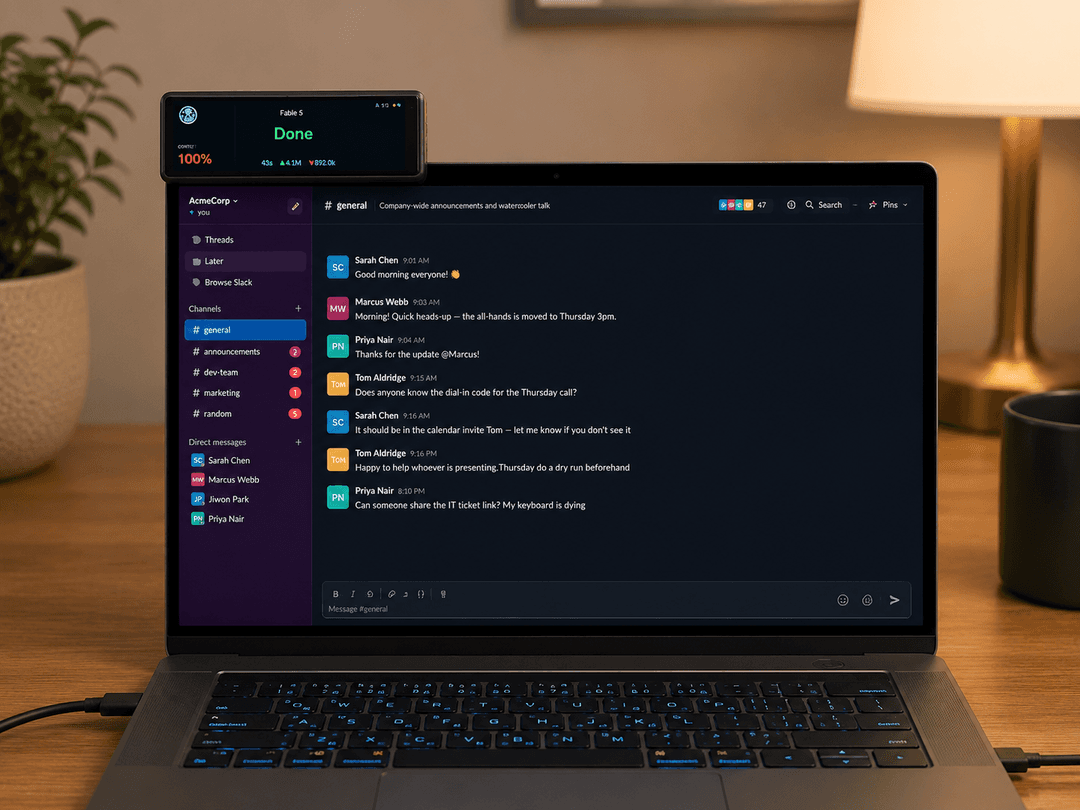
A tiny desk display that shows what Claude is doing, live: current model, the tool it's running ("Bash", "Read", "Percolating…"), elapsed time, tokens in/out, context usage, and your 5-hour / 7-day rate-limit bars. Works with Claude Desktop (Cowork) and Claude Code, up to 4 sessions at once.
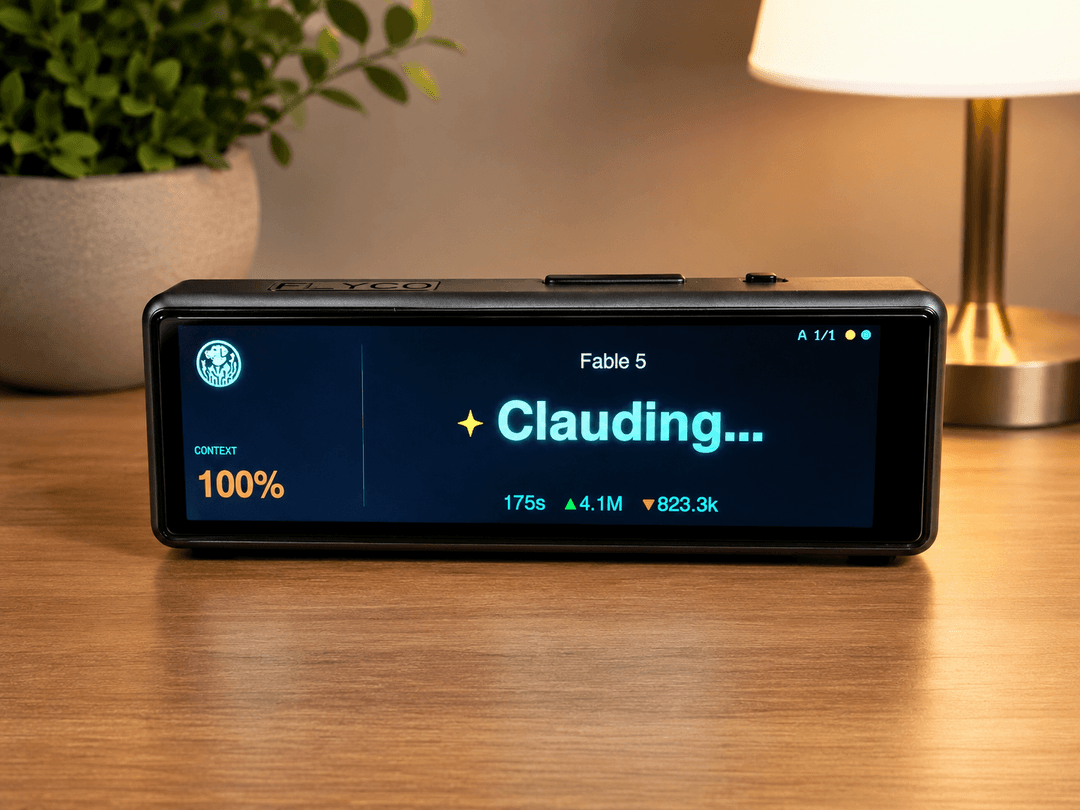
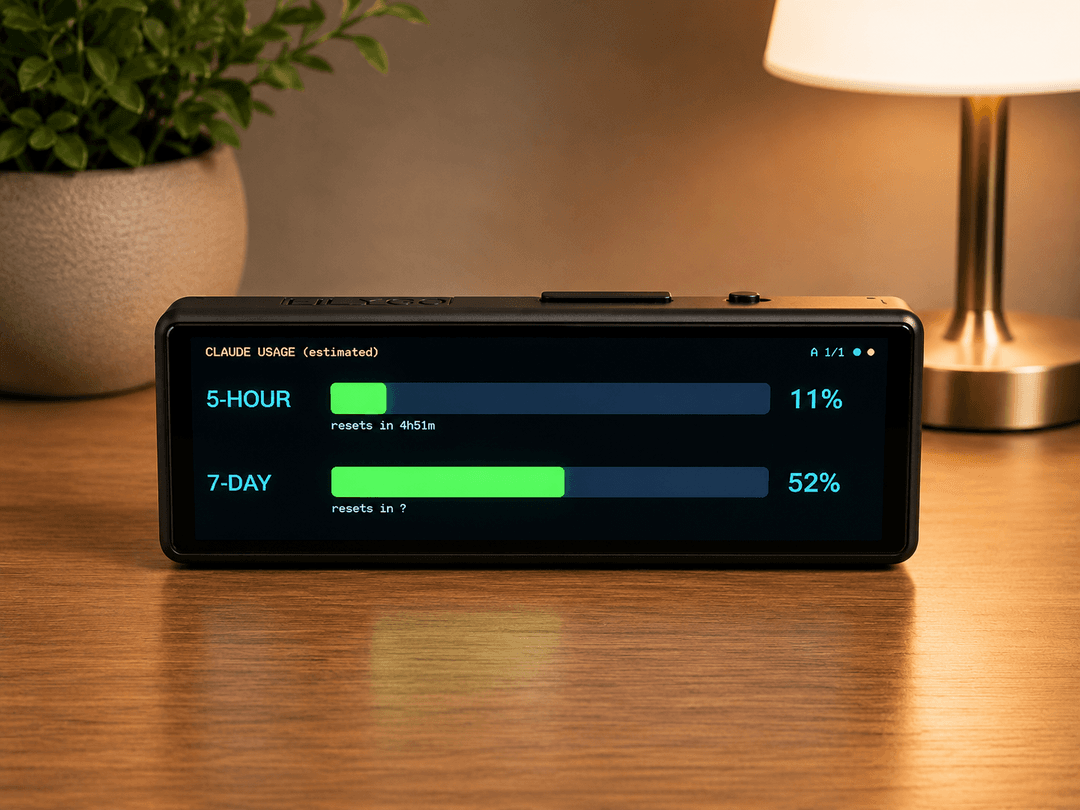
Mounts wherever you like - desk stand or perched on top of your monitor. One USB-C cable to your PC is both power and data:
Hardware
| Part | Notes |
|---|---|
| LilyGo T-Display S3 Long | ESP32-S3, 3.4" 640×180 LCD (AXS15231B), capacitive touch, USB-C. ~$25 on AliExpress. |
| USB-C data cable | Powers the display and carries the status feed. That's the whole BOM. |
No battery needed — it lives plugged into your PC. (The board has a JST battery connector + charger if you ever want one, but this project streams over USB anyway.)
How it works
Claude Desktop / Claude Code
        │  writes JSONL transcripts on disk
        ▼
bridge/claude_bar_bridge.py   (Python, runs on your PC)
        │  tails transcripts → derives per-session state
        │  + polls Anthropic usage API (real limits) or estimates locally
        ▼  JSON lines over USB serial @ 115200
firmware/claude_statusbar.ino  (ESP32-S3)
        │  renders 640×180 UI, touch + button input
        ▼
your eyeballs
The bridge watches these locations (auto-detected, including the MSIX-virtualized path Claude Desktop actually writes to on Windows):
%USERPROFILE%\.claude\projects\**\*.jsonl— Claude Code%LOCALAPPDATA%\Packages\Claude_*\LocalCache\Roaming\Claude\local-agent-mode-sessions\**\.claude\projects\**\*.jsonl— Claude Desktop / Cowork
Per-session state machine: run (Clauding…) → tool (shows tool name) → wait (orange "Waiting on you" — pending permission or Claude asked a question) → done / idle. Sessions auto-follow the most recently active one, but jump to any session that's waiting on you, with an orange alert banner.
Setup
Prereq: Python 3.10+ (python.org, check "Add to PATH").
-
Flash the firmware — plug the display in via USB-C, then run in PowerShell from
firmware\:powershell -ExecutionPolicy Bypass -File .\build_and_flash.ps1Fully self-contained: downloads arduino-cli, the ESP32 toolchain (~1.5 GB, first run only), LilyGo's official display driver, and all libraries into
C:\ClaudeBarBuild, then compiles and flashes. If the wrong COM port is picked, add-Port COM5. If upload fails: hold BOOT while plugging in USB, release, retry. -
Test:
bridge\run_bridge.bat --demo— fake data, verifies the whole pipeline. -
Run the app:
bridge\run_app.bat— a small desktop app that runs the bridge with a live preview of the display, a logo uploader (pick any JPG/PNG; it's converted to 48×48, streamed to the device, and saved in its flash — try the 15 ready-made icons inlogos\starter-pack), minimize-to-system-tray, and a Start with Windows checkbox. Prefer headless?run_bridge.batruns the bare console bridge andinstall_autostart.batsets it to start hidden at login;set_logo.batuploads a logo from the command line.
Customize the badge
The image in the top-left corner of the screen is yours to change: open the app → Set logo… → pick any JPG/PNG (your company logo, avatar, pet, whatever). It's converted to 48×48, sent to the display, and saved in the device's flash so it survives reboots. A starter pack of 15 ready-made icons ships in logos/starter-pack — sparkles, terminal, robot, space invader, coffee, and friends. Clear logo in the app removes it.
Controls
| Action | Result |
|---|---|
| Tap screen | Switch page (status ↔ usage) |
| BOOT button, short press | Cycle session (A/B/C/D) |
| BOOT button, hold 1s | Flip display 180° (saved) |
After a tap the screen needs a couple of seconds before the next tap registers — see docs/HOW_IT_WORKS.md for why (touch hardware quirk).
Usage limits page
If you're logged into Claude Code, the bridge reads your real 5-hour/7-day utilization and reset times from Anthropic's usage API (refreshed every 60s). Otherwise it shows a local estimate from transcript token counts — tune est_cap_5h_tokens / est_cap_7d_tokens in bridge\config.json (copy from config.example.json).
Configuration
Copy bridge\config.example.json → bridge\config.json. Everything is optional: serial port override, context window size (set 1000000 for 1M-context plans), idle/wait timing thresholds, usage caps, extra transcript roots.
Troubleshooting
| Symptom | Fix |
|---|---|
| "Bridge offline" on display | Bridge not running, or wrong port: run_bridge.bat --port COM5 |
| "No sessions" | run_bridge.bat --scan shows which transcripts were found |
| Blue/orange colors swapped | Set SWAP_BYTES 0 in the .ino, re-run build script |
| Display upside down | Hold BOOT ~1s |
| Flash fails | Hold BOOT while plugging USB, release, retry |
| Compile error | Open an issue with the error text |
Project structure
firmware/
  build_and_flash.ps1        one-click toolchain + build + flash (Windows)
  claude_statusbar/          Arduino sketch (driver files auto-copied by script)
bridge/
  claude_bar_app.py          desktop app: bridge + live preview + tray + logo UI
  claude_bar_bridge.py       core bridge (transcript tailer + serial feeder)
  set_logo.py / .bat         command-line logo uploader (48x48 RGB565)
  run_app.bat                launch the desktop app
  run_bridge.bat             headless console bridge
  install_autostart.bat      headless autostart at login
  config.example.json
docs/
  HOW_IT_WORKS.md            architecture + hardware quirks (worth reading!)
License
MIT — see LICENSE.
// faq
What is Claude-Status-Bar-Lilygo?
Live hardware status display for Claude — model, current tool, tokens, context and rate limits on a LilyGo T-Display S3 Long. Works with Claude Desktop (Cowork) and Claude Code.. It is open-source on GitHub.
Is Claude-Status-Bar-Lilygo free to use?
Claude-Status-Bar-Lilygo is open-source under the MIT license, so it is free to use.
What category does Claude-Status-Bar-Lilygo belong to?
Claude-Status-Bar-Lilygo is listed under integrations in the Claudeers registry of Claude-compatible tools.
// embed badge

[](https://claudeers.com/claude-status-bar-lilygo)
// retro hit counter

[](https://claudeers.com/claude-status-bar-lilygo)
// reviews
// guestbook
// related in Integrations & Connectors
 🔓
🔓Use claude code and codex for free in the terminal, VSCode extension, and discord like OpenClaw (voice supported)
 🔓
🔓Bridge local AI coding agents (Claude Code, Cursor, Gemini CLI, Codex) to messaging platforms (Feishu/Lark, DingTalk, Slack, Telegram, Discord, LINE, WeChat…
 🔓
🔓All parts of Claude Code's system prompt, 27 builtin tool descriptions, sub agent prompts (Plan/Explore/Task), utility prompts (CLAUDE.md, compact, statusli…
 🔓
🔓Claude Code skill/plugin: immersive scroll-scrubbed 'fly through the world' landing pages generated with Higgsfield (Emons-style diorama flights, seamless co…