
claude-n8n-youtube-automation
Automate a full YouTube channel with Claude, n8n and HeyGen. Send a topic to a Telegram bot, get an AI avatar video written, rendered and uploaded to YouTube…
Install with your AI
Paste into Claude Code, Cursor, or any agent — it reads the repo and wires the tool into your project.
Install and set up claude-n8n-youtube-automation (git-clone project) into my current project.
Found on https://claudeers.com/claude-n8n-youtube-automation
Repo: https://github.com/indishmarketer/claude-n8n-youtube-automation
Homepage/docs: —
Detected install method: git-clone → git clone https://github.com/indishmarketer/claude-n8n-youtube-automation
Category: integrations. Platforms: api, web.
Read the repo's README for exact setup and env vars, then install it and wire it into my project.

Claudeers Health Verdict:
slowing; community-verified: false. Confirm the source before running anything.
git clone https://github.com/indishmarketer/claude-n8n-youtube-automation
// compatibility
| Platforms | api, web |
|---|---|
| Operating systems | — |
| AI compatibility | claude |
| License | MIT |
| Pricing | open-source |
| Language | — |
Claude + n8n + HeyGen YouTube Automation
Send a topic to a Telegram bot. Get a finished YouTube video uploaded to your channel. No editing, no recording, no manual steps in between.
This repo has the four n8n workflows, the Claude skill file, and the setup docs for the AI video automation system I built and run on my own channel.
Stack: Claude Code (routine) + n8n + HeyGen Video Agent + vidIQ + Telegram + Google Sheets + YouTube Data API
Demo Video
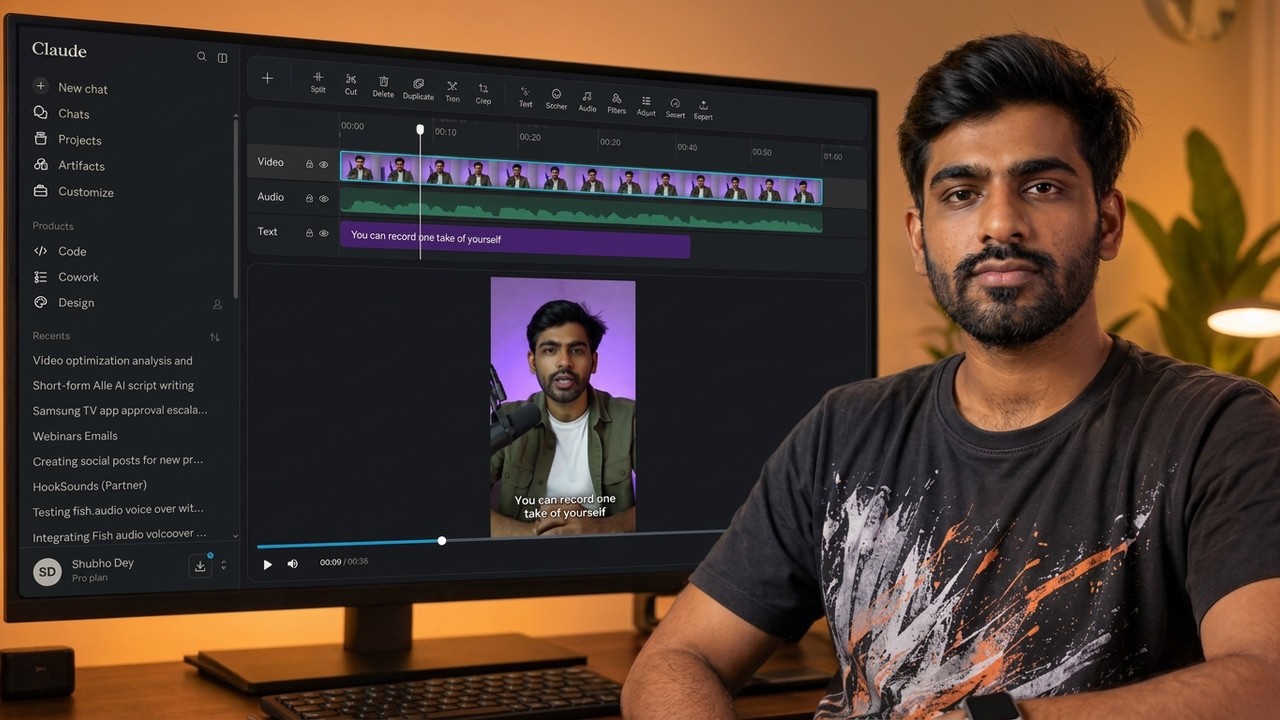
▶️ Watch on YouTube: https://www.youtube.com/watch?v=puM_wcS3jxk
What this actually does
You message a Telegram bot with a video topic. Claude picks it up, researches keywords with vidIQ, writes the script in your voice, and sends it to you for approval. You approve or ask for changes right from your phone. Once approved, Claude sends the script to HeyGen's Video Agent, which renders a full video with your avatar, captions, motion graphics and B-roll. n8n catches the finished video and uploads it to YouTube with the title and description already written.
Two ways to run it:
- Topic mode. You send an idea. Claude researches and writes the script. You review it.
- Script mode. You already have a script. You paste it. No review step. It goes straight to production.
Architecture
                        ┌─────────────────────────┐
                        │   Claude Code Routine   │
                        │   (API trigger enabled) │
                        │                         │
                        │  reads: SKILL.md +      │
                        │  reference scripts      │
                        │  from THIS repo         │
                        └───────────┬─────────────┘
                                    │
              MCP connections: n8n · vidIQ · HeyGen
                                    │
   ┌────────────────────────────────┼────────────────────────────────┐
   │                                │                                │
   ▼                                ▼                                ▼
┌──────────────┐          ┌──────────────────┐            ┌──────────────────┐
│ WORKFLOW 1   │          │ WORKFLOW 2       │            │ WORKFLOW 3       │
│ Idea intake  │──────────│ Script review    │────────────│ Log to sheet     │
│ (Telegram)   │          │ (Telegram+form)  │            │ (Google Sheets)  │
└──────────────┘          └──────────────────┘            └──────────────────┘
                                    │                                │
                          approved ─┘                                │
                                    │                                │
                                    ▼                                │
                        ┌───────────────────────┐                    │
                        │ HeyGen Video Agent    │                    │
                        │ (Claude calls direct  │                    │
                        │  via MCP, no n8n hop) │                    │
                        └───────────┬───────────┘                    │
                                    │ video_id returned              │
                                    │                                │
                                    ▼                                ▼
                        ┌───────────────────────────────────────────────┐
                        │ WORKFLOW 4  (runs without Claude)             │
                        │ HeyGen webhook → match sheet row → download    │
                        │ → upload to YouTube (unlisted) → Telegram ping │
                        └───────────────────────────────────────────────┘
Workflows 1, 2 and 3 all talk to the Claude Code routine. Workflow 4 is fully independent. That matters, because HeyGen can take a long time to render and you do not want a Claude session sitting there waiting.
Repo structure
.
├── README.md                        You are here
├── LICENSE
├── .gitignore
├── SANITIZE.md                      Read before you push anything
├── workflows/
│   ├── README.md                    What each workflow does, node by node
│   ├── 01-telegram-idea-intake.json
│   ├── 02-script-review-approval.json
│   ├── 03-log-to-spreadsheet.json
│   └── 04-heygen-webhook-youtube-upload.json
├── skill/
│   ├── SKILL.md                     The brain. Claude reads this.
│   └── reference/
│       ├── script-style.md          Script structure and voice rules
│       ├── example-scripts.md       Your scripts go here
│       ├── video-agent-prompt.md    The one-shot HeyGen prompt template
│       └── brand-kit.md             Colors, avatar ID, voice ID
├── docs/
│   ├── 01-requirements.md           Accounts, plans, costs
│   ├── 02-telegram-setup.md
│   ├── 03-n8n-setup.md
│   ├── 04-heygen-setup.md
│   ├── 05-vidiq-setup.md
│   ├── 06-youtube-google-setup.md
│   ├── 07-claude-routine-setup.md   The important one
│   ├── 08-customize-for-your-niche.md
│   └── 09-troubleshooting.md
└── templates/
    ├── tracking-sheet.md            Google Sheet column schema
    └── env.example
Quick start
- Read
docs/01-requirements.mdand get your accounts ready. - Fork this repo. You need your own copy, because Claude reads the skill file from your repo.
- Edit
skill/reference/brand-kit.mdwith your HeyGen avatar ID and voice ID. - Replace
skill/reference/example-scripts.mdwith two or three of your own scripts. - Import the four JSON files into n8n. Reconnect every credential.
- Set up the Claude Code routine following
docs/07-claude-routine-setup.md. - Message your Telegram bot the word
topic. Send an idea. Watch it run.
Do not skip step 4. The example scripts are what make the output sound like you instead of sounding like a chatbot.
How the Telegram intake works
The bot listens for two keywords.
Send topic or idea:
The bot replies asking for your topic. You send it back in this format:
How I automated my entire YouTube channel [angle: show the actual cost breakdown] [cta: link in description] (use vidiq)
Only the topic is required. Angle, CTA and the vidIQ flag are all optional.
Send script:
The bot asks for a ready-made script. Whatever you paste is treated as already approved. No review step. It goes straight to HeyGen.
The vidIQ flag
Append one of these to your topic text:
| Flag | Effect |
|---|---|
(use vidiq) | Runs keyword research. Default behaviour. |
(no vidiq) or (skip vidiq) | Skips research entirely. |
Use (no vidiq) for personal stories, opinion videos and build logs. There is no keyword angle on those and vidIQ credits are not free.
How the approval loop works
Telegram has a 4096 character limit per message. A full script blows past that. So the notification and the script are split.
Telegram gets a short message: topic, title, and a link. The n8n form page shows the full script, the title, the description, and two buttons.
Approve, and it goes to production. Request changes, and your notes go back to Claude, Claude rewrites, and you get a fresh form. This loops until you approve.
Why HeyGen Video Agent and not the plain avatar API
Plain talking-head renders look cheap. That was the honest problem with version one of this system. Video Agent generates captions, motion graphics and B-roll around the avatar, so the output actually looks like a video someone made on purpose.
It costs more credits. That trade is worth it.
Two things to know:
- The prompt is one shot. You send the full script and every visual instruction in a single prompt. Do not build a back-and-forth conversation with the agent. The prompt template is in
skill/reference/video-agent-prompt.md. - The Video Agent endpoint takes
prompt,avatarId,voiceIdandfiles. There is no audio asset input. You cannot feed it an external voiceover from ElevenLabs or Fish Audio. I tried. It does not exist. Use a HeyGen TTS voice passed asvoiceId.
The credit trap
If you are on a HeyGen web plan (Creator, Team), your plan credits and your API credits are two separate wallets. An API key bills the API wallet, which is empty unless you top it up, and web plans cannot buy one-time API packs.
Use the HeyGen MCP connector, not a raw API key. MCP bills your web plan credits. This one detail saves you from paying twice.
Requirements at a glance
| Thing | Plan needed | Rough monthly cost |
|---|---|---|
| Claude | Pro or Max (Claude Code routines) | $20 to $100 |
| HeyGen | Creator or above | $29+ |
| n8n | Cloud starter, or self-hosted free | $0 to $24 |
| vidIQ | Any paid tier with MCP access | $10+ |
| Telegram Bot API | Free | $0 |
| Google Sheets + YouTube Data API | Free | $0 |
Full breakdown in docs/01-requirements.md.
Customizing this for your niche
The workflows stay the same. Two files change.
skill/SKILL.md — you can edit the script length targets, the research step, the approval rules and the video style rules. The overall structure should stay as is.
skill/reference/example-scripts.md — this one you must change. Drop in your own scripts. This is the single biggest lever on output quality. Claude matches what it sees here.
skill/reference/brand-kit.md — your avatar, your voice, your colors.
Full guidance in docs/08-customize-for-your-niche.md.
Before you publish your own fork
The n8n JSON exports in this repo have been sanitized. Yours will not be, unless you sanitize them. Bot tokens, chat IDs, spreadsheet IDs, webhook URLs and credential references all end up in an export.
Read SANITIZE.md before your first push. There is a checklist and a prompt you can paste into Claude to scan the files for you.
FAQ
Do I need to code? No. You import JSON, click through credential screens, and edit markdown files.
Can I use a different avatar tool? The four workflows are HeyGen-specific in workflow 4 only. Swap the download step and it works with anything that returns a video URL.
Does it upload publicly? No. Workflow 4 uploads as unlisted on purpose. You check the video, then publish manually. Change one field if you want it public.
How long does one video take? About 3 to 6 minutes of your attention. Send topic, read script, approve. The rendering happens without you.
Does this work with a self-hosted n8n? Yes. That is what I recommend for a team setup.
Credits and contact
Built and documented by Indish Marketer.
If you build something with this, I would like to see it.
License
MIT. Do what you want with it.
// faq
What is claude-n8n-youtube-automation?
Automate a full YouTube channel with Claude, n8n and HeyGen. Send a topic to a Telegram bot, get an AI avatar video written, rendered and uploaded to YouTube. 4 n8n workflows, Claude skill file and full setup docs.. It is open-source on GitHub.
Is claude-n8n-youtube-automation free to use?
claude-n8n-youtube-automation is open-source under the MIT license, so it is free to use.
What category does claude-n8n-youtube-automation belong to?
claude-n8n-youtube-automation is listed under integrations in the Claudeers registry of Claude-compatible tools.
// embed badge

[](https://claudeers.com/claude-n8n-youtube-automation)
// retro hit counter

[](https://claudeers.com/claude-n8n-youtube-automation)
// reviews
// guestbook
// related in Integrations & Connectors
 🔓
🔓Use claude code and codex for free in the terminal, VSCode extension, and discord like OpenClaw (voice supported)
 🔓
🔓Bridge local AI coding agents (Claude Code, Cursor, Gemini CLI, Codex) to messaging platforms (Feishu/Lark, DingTalk, Slack, Telegram, Discord, LINE, WeChat…
 🔓
🔓All parts of Claude Code's system prompt, 27 builtin tool descriptions, sub agent prompts (Plan/Explore/Task), utility prompts (CLAUDE.md, compact, statusli…
 🔓
🔓Claude Code skill/plugin: immersive scroll-scrubbed 'fly through the world' landing pages generated with Higgsfield (Emons-style diorama flights, seamless co…